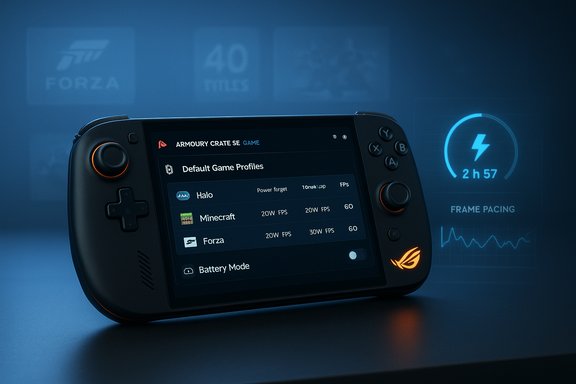
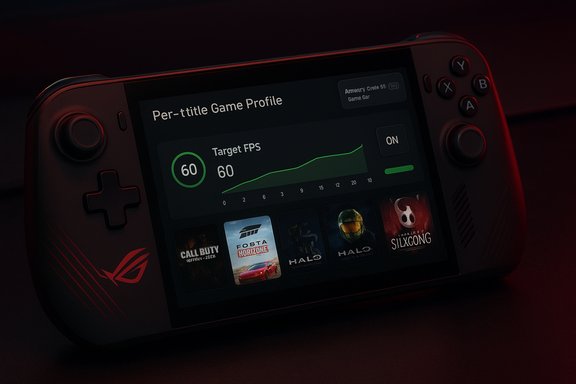
Microsoft and ASUS have delivered a genuinely ambitious take on a handheld Windows 11 gaming PC with the ROG Xbox ALLY X — a device that wears Xbox branding and a controller-first layout, yet behaves like a full Windows machine under the hood, promising “Xbox, anywhere” with PC-level flexibility and serious local performance.
The ROG Xbox ALLY X is the premium member of ASUS’s Xbox‑branded handheld family, launched as part of a two‑tier strategy that pairs a mainstream ROG Xbox ALLY with this higher‑end ALLY X. ASUS and Microsoft positioned the duo as Windows 11 handhelds that boot into a controller‑friendly Xbox full‑screen experience while preserving the openness of Windows — Steam, Epic, GOG and other PC storefronts remain fully supported. Hardware highlights announced by ASUS include an AMD Ryzen AI Z2 Extreme APU, up to 24 GB LPDDR5X‑8000, a 1 TB M.2 2280 Gen4 SSD, an 80 Wh battery, and a 7‑inch 1080p 120 Hz IPS display with ~500 nits brightness. The ALLY X adds USB4/DisplayPort 2.1 on one Type‑C port for robust docking options, and ships with a 65W charger. ASUS lists the ALLY X as the enthusiast SKU in the portfolio, aimed at users who want the most sustained local performance in a single‑piece handheld. Across industry hands‑ons and reviews, the consensus is consistent: ASUS built a hardware leader in ergonomics, battery capacity and I/O for a handheld, but the device’s hybrid identity — Windows under a console‑like shell — produces tradeoffs in software polish and a need for ongoing firmware/driver refinement.
Key hardware touchpoints:
ASUS and third‑party performance snapshots suggest the ALLY X can run local AAA workloads far better than the lower‑tier Ally while still being subject to handheld power/thermal realities: sustained high wattage will reduce battery life and eventually engage thermal management. Benchmarks should be interpreted by workload: synthetic peak numbers don’t always translate into a smoother play experience if background OS tasks or drivers aren’t tuned.
Practical battery guidance:
The catch is in the software: Windows 11 plus an Xbox shell narrows the friction gap compared to previous efforts, but Windows still brings update prompts, background services and occasionally inconsistent game compatibility. Those are solvable problems through firmware and OS updates, but they’re exactly the type of issues that shape whether a handheld feels like a polished console or a powerful tinkerer’s device.
If the purchase calculus is about maximum capability, Windows flexibility and ergonomics, the ALLY X is a top pick worth the premium. If the priority is turnkey handheld polish, OLED contrast or longest unplugged battery life, then evaluate OLED‑first or SteamOS options. For buyers leaning toward the ALLY X, verify your region’s SKU and price, install the latest Windows 11 25H2 updates and ASUS/ROG firmware, and plan for a small cadence of software refinements that will only make the hardware look better over time.
(The preceding analysis draws on the provided EFTM hands‑on review and independent manufacturer and trade reporting to verify specifications, price markers, and software lifecycle context.
Source: EFTM ASUS ROG XBOX ALLY X Review: A portable Windows 11 Gaming Beast in Xbox Clothing
 Background / Overview
The ROG Xbox ALLY X is the premium member of ASUS’s Xbox‑branded handheld family, launched as part of a two‑tier strategy that pairs a mainstream ROG Xbox ALLY with this higher‑end ALLY X. ASUS and Microsoft positioned the duo as Windows 11 handhelds that boot into a controller‑friendly Xbox full‑screen experience while preserving the openness of Windows — Steam, Epic, GOG and other PC storefronts remain fully supported. Hardware highlights announced by ASUS include an AMD Ryzen AI Z2 Extreme APU, up to 24 GB LPDDR5X‑8000, a 1 TB M.2 2280 Gen4 SSD, an 80 Wh battery, and a 7‑inch 1080p 120 Hz IPS display with ~500 nits brightness. The ALLY X adds USB4/DisplayPort 2.1 on one Type‑C port for robust docking options, and ships with a 65W charger. ASUS lists the ALLY X as the enthusiast SKU in the portfolio, aimed at users who want the most sustained local performance in a single‑piece handheld. Across industry hands‑ons and reviews, the consensus is consistent: ASUS built a hardware leader in ergonomics, battery capacity and I/O for a handheld, but the device’s hybrid identity — Windows under a console‑like shell — produces tradeoffs in software polish and a need for ongoing firmware/driver refinement.Hardware and Design
A controller in your hands
ASUS intentionally styled the ALLY X around Xbox ergonomics. The staggered sticks, ABXY layout, offset thumbsticks and the prominent Xbox button create an instant familiarity for console players. The grips are longer and textured, the triggers are impulse‑style, and there are programmable M1/M2 rear activators for advanced mapping — all of which make long sessions comfortable. Multiple hands‑on writeups note this is one of the most comfortable handheld designs available today.Key hardware touchpoints:
- Controller layout: Xbox‑style, including Xbox button and Game Bar integration.
- Haptics & inputs: HD haptics, impulse triggers, two assignable back buttons, and a fingerprint sensor integrated into the power button.
- Ports: USB4 with DisplayPort 2.1 + a second USB‑C 3.2 port, microSD UHS‑II slot, 3.5 mm audio jack.
- Build: Flat base that sits well in the included stand, textured surfaces with subtle ROG/Xbox branding accents.
Things to praise (and nitpicks)
The ALLY X nails comfort and practical touches — expandability (user‑accessible M.2 2280 slot), dual USB‑C ports for simultaneous docking and charging, and front‑firing speakers make the device a flexible travel and dockable mini‑PC. On the other hand, ASUS chose an IPS/LCD panel rather than an OLED at this price and kept noticeably thick bezels compared to some rivals. That’s a deliberate trade: predictable power draw and high refresh headroom at the expense of deeper contrast.Performance: silicon, thermals and real‑world gaming
What’s inside
The ALLY X uses AMD’s new Ryzen AI Z2 Extreme APU — an 8‑core / 16‑thread Zen 5‑family chip with an integrated NPU (advertised at up to 50 TOPS) and 16 RDNA 3.5 GPU compute units in OEM descriptions. ASUS pairs that APU with 24 GB LPDDR5X‑8000 and a 1 TB Gen4 NVMe SSD in the review unit. Independent coverage from AMD and trade press corroborates the Z2 Extreme’s 8c/16t configuration, RDNA 3.5 graphics and the inclusion of an on‑chip NPU intended to enable future AI features.Real‑world gameplay and benchmarks
Practical sessions on the review unit show the ALLY X comfortably sustaining modern titles at handheld resolutions with sensible settings. Lighter titles like Hollow Knight are effectively limitless at locked 120 fps on the 120 Hz panel, while heavy AAA games such as Cyberpunk 2077 and Crysis Remastered deliver 50–70 fps in Windows mode with medium to balanced presets on the ALLY X in many real‑world runs. Boot and responsiveness are also improved compared with the earlier ROG ALLY. These observations mirror hands‑on testing reported by multiple outlets and the review under discussion.ASUS and third‑party performance snapshots suggest the ALLY X can run local AAA workloads far better than the lower‑tier Ally while still being subject to handheld power/thermal realities: sustained high wattage will reduce battery life and eventually engage thermal management. Benchmarks should be interpreted by workload: synthetic peak numbers don’t always translate into a smoother play experience if background OS tasks or drivers aren’t tuned.
AI and the NPU — promise, not a shipping miracle
ASUS and AMD highlight NPU features like Automatic Super Resolution (Auto SR) and gameplay highlight capture, but those are software features that depend on Microsoft and OEM software rollouts. The hardware supports an NPU and the TOPS numbers are published, yet buyers should treat AI claims as future capabilities until independent, cross‑title validation appears — the marketing promise is real, but user‑facing benefits will depend on software, driver and title support.Display: excellent IPS, but not cutting‑edge
The ALLY X retains a 7‑inch 1080p 120 Hz IPS panel (500 nits, FreeSync/VRR, Gorilla Glass Victus + anti‑reflection). That combination yields crisp pixel density and very smooth motion for fast competitive titles, and it pairs well with AMD FSR/RSR upscaling strategies. However, competitors now ship OLED and larger displays in handheld form factors, so ASUS’s decision to keep an IPS panel means image contrast and outdoor readability lag the best OLED rivals. If you prize deep blacks and vibrant HDR, the ALLY X isn’t aiming for that peak visual experience. Using USB4 docking to move output to a TV or monitor is seamless and an effective workaround for large‑screen play.Battery, charging and standby behavior
ASUS equipped the ALLY X with an 80 Wh battery and includes a 65W charger. The combination yields solid results: light / indie sessions can stretch for many hours, and moderate AAA sessions are typically in the 2–5 hour range depending on TDP mode and refresh rate. The review observed an extended standby profile — only ~12% battery loss over three days of sleep — a practical improvement for sporadic, pick‑up‑and‑play usage scenarios. Charging to full from the included 65W brick takes roughly an hour and a half; higher‑wattage PD chargers reduce that time.Practical battery guidance:
- Use Performance/Turbo presets only while plugged in for sustained AAA sessions.
- Cap framerates or enable FSR/RSR to extend runtime when unplugged.
- Prefer hibernate for extended storage to avoid occasional sleep/resume quirks reported in early firmware.
Software: Windows 11, the Xbox Full‑Screen Experience and Armoury Crate
Dual personality: console feel on top of Windows
The ALLY X ships with Windows 11 (25H2) and boots by default into an Xbox Full‑Screen Experience (FSE) — a controller‑first launcher that aggregates Game Pass, your installed games and cloud streaming in a single interface to emulate a console‑style flow. That design reduces desktop friction and helps make Windows feel more handheld‑friendly, but it doesn’t remove Windows: background updates, UAC prompts or desktop artifacts can still appear in edge cases. Reviews repeatedly call this a pragmatic compromise: the shell brings console polish, Windows brings openness — and the friction points are software problems, not hardware ones.Windows 25H2: lifecycle and support context
Windows 11 version 25H2 was released in late September 2025 (general availability began around September 30, 2025). Servicing windows depend on edition: Home/Pro editions receive 24 months of servicing for a given annual release, while Enterprise and Education editions receive 36 months. That means Home/Pro installs of 25H2 will be serviced into the 2027 window, while Enterprise/Education servicing extends longer. Buyers should update to the latest stable 25H2 build and keep Xbox and Armoury Crate updated for the best experience. Note: one should confirm edition‑specific end‑of‑service dates for long‑term support planning.Armoury Crate and Game bar integration
ASUS’s Armoury Crate SE provides system controls (performance profiles, RGB, overlays) and a real‑time monitor overlay that’s often more precise and less intrusive than stock Game Bar overlays. Armoury Crate also aggregates games from multiple stores, making it a useful middle layer between Windows and the Xbox FSE. The ALLY X’s command center and the Xbox button give fast access to profiles and overlays without leaving a game.Game compatibility and the Xbox angle
Play Anywhere, Game Pass and clouds
Microsoft’s strategy for handhelds relies on three levers:- Play Anywhere: Where the same digital license supports both console and PC installs, enabling native downloads.
- Handheld Compatibility Program: Microsoft tags titles as Handheld Optimized, Mostly Compatible, etc., to help users know what will run well on devices like the ALLY X.
- Game Pass + Cloud Gaming: Game Pass gives instant access to hundreds of titles (local install or cloud stream) and the subscription changes Microsoft introduced in late 2025 restructured tiers and pricing.
Game Pass pricing reality (Australia example)
Microsoft restructured Game Pass in late 2025 with new tiers and material price changes in regions like Australia. New Australian pricing examples: Essential AU$12.95/mo, Premium AU$17.95/mo, Ultimate AU$35.95/mo (Ultimate previously sat much lower). These new prices materially influence the value equation for an ALLY X buyer who plans to rely on Game Pass for their library. Always check local pricing and the specifics of which games each tier includes.Docking, expandability and living room use
One of the ALLY X’s strongest practical advantages is USB4/DisplayPort 2.1 compatibility on one Type‑C port. That enables true docking scenarios: video out to a TV/monitor, wired LAN via a dock, and the ability to keep the SSD upgradeable via its full‑length M.2 slot. Docking turns the ALLY X into a competent mini‑PC for productivity or big‑screen gaming, which is unique among one‑piece handhelds and extends its usefulness well beyond pocket play. But a quality USB4 dock and higher watt PD charger are recommended for serious desktop/docked use.Competition and market position
The ALLY X sits at a distinct point in the handheld market:- Versus the Steam Deck and SteamOS‑first handhelds: the Deck remains more turnkey and OS‑polished; ASUS’s Windows approach trades simplicity for compatibility and desktop openness.
- Versus OLED rivals (some Lenovo, MSI, ACER models): they may offer deeper contrast and superior media viewing at similar weights, but often lack the ALLY X’s USB4 docking and 24 GB RAM ceiling.
- Versus cloud‑first devices: the ALLY X gives you local AAA capability and Windows desktop features that cloud devices don’t match.
Strengths, risks and caveats
Strengths
- Ergonomics and controls: arguably the most comfortable single‑piece handheld on the market.
- Hardware ceiling: Z2 Extreme, 24 GB LPDDR5X, 1 TB NVMe and 80 Wh battery make it the most capable single‑chassis Windows handheld at launch.
- Docking and expandability: USB4/DP 2.1 and user‑upgradeable M.2 SSD offer real desktop credentials.
- Xbox integration: FSE and Game Pass give controller‑first discovery and cloud streaming options.
Risks and caveats
- Software polish: Windows 11 + Xbox shell reduces friction but doesn’t eliminate desktop artifacts; early units reported sleep/resume quirks and occasional shell rough edges. These are fixable but matter for out‑of‑box feel.
- Battery vs. performance tradeoffs: sustained AAA gaming shortens battery life; expect 2–4 hours in heavier titles unless you cap framerates or use upscaling.
- Library friction: not all Xbox purchases are downloadable for local installs on handhelds — Play Anywhere and Game Pass titles are best supported. Check compatibility tags and your owned library before buying.
- AI features are future‑dependent: NPU exists, but measurable benefits will arrive only after Microsoft/OEM software support and per‑title integration — don’t buy primarily for speculative AI gains.
- Price & availability: regional pricing varies (see notes below) and early allocation shortages pushed some resale volatility at launch. Confirm the exact SKU and MSRP in your region before committing.
Pricing, availability and regional notes
ASUS announced on‑shelf availability in October 2025 and carriers/stores listed the ALLY X as a premium SKU. U.S. MSRP for the ALLY X was widely reported at US$999.99, while Australian pricing reported in trade press landed around AU$1,599–AU$1,699 depending on retailer and launch promotions; regional MSRP and retailer deals vary, so confirm the final price at the point of purchase. ASUS’s official press materials describe SKUs and specs, but retailers set regional pricing.Practical buying advice
- If you’re a Game Pass subscriber and want handheld Game Pass portability: ALLY X is compelling — but check which titles in your library are “Play Anywhere” or downloadable natively. Game Pass tier changes in late 2025 also affect value; verify local subscription pricing.
- If you want a polished, pick‑up‑and‑play console experience: consider Steam Deck or cloud‑first handhelds unless you specifically need Windows desktop features or docking.
- If you prioritize a dockable single‑chassis mini‑PC: ALLY X’s USB4, M.2 upgrade path and 24 GB RAM make it uniquely capable. Invest in a quality USB4 dock and a higher‑wattage PD charger for docked performance.
- Test sleep/resume and software flows: early firmware reported quirks — check for latest updates before heavy use and prefer hibernate if you need long‑term preservation of game states.
Final verdict
The ASUS ROG Xbox ALLY X is a hardware statement: ergonomically refined, spec‑heavy, and uniquely dockable. It represents the clearest demonstration yet of what a Windows handheld can be when engineered for higher sustained throughput and real expandability. For enthusiasts who value raw local performance, a full Windows desktop on demand, and the convenience of Game Pass and Xbox front‑end integration, the ALLY X is a compelling—but not flawless—package.The catch is in the software: Windows 11 plus an Xbox shell narrows the friction gap compared to previous efforts, but Windows still brings update prompts, background services and occasionally inconsistent game compatibility. Those are solvable problems through firmware and OS updates, but they’re exactly the type of issues that shape whether a handheld feels like a polished console or a powerful tinkerer’s device.
If the purchase calculus is about maximum capability, Windows flexibility and ergonomics, the ALLY X is a top pick worth the premium. If the priority is turnkey handheld polish, OLED contrast or longest unplugged battery life, then evaluate OLED‑first or SteamOS options. For buyers leaning toward the ALLY X, verify your region’s SKU and price, install the latest Windows 11 25H2 updates and ASUS/ROG firmware, and plan for a small cadence of software refinements that will only make the hardware look better over time.
(The preceding analysis draws on the provided EFTM hands‑on review and independent manufacturer and trade reporting to verify specifications, price markers, and software lifecycle context.
Source: EFTM ASUS ROG XBOX ALLY X Review: A portable Windows 11 Gaming Beast in Xbox Clothing