

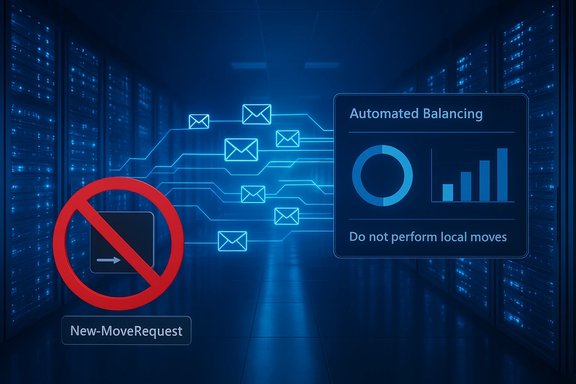
Microsoft's Exchange engineering team has made a clear — and important — clarification for Exchange Online administrators: using New-MoveRequest to force local mailbox moves inside the same tenant or datacenter is not supported and is actively discouraged. While the cmdlet still exists and can sometimes be used in rare troubleshooting scenarios, manual intra-tenant moves bypass the service’s automation, expose mailboxes to real risk, and will not be expedited or reliably troubleshot by Microsoft Support.
Exchange Server historically shipped the New-MoveRequest (and its on-premises cousins) to move mailboxes between databases inside an Active Directory forest. When Exchange moved into the cloud, the same command surface remained available for compatibility and for legitimate scenarios such as hybrid onboarding/offboarding, cross-tenant migrations, and Multi-Geo operations. Over time, Exchange Online’s internal automation — mailbox load balancing, resource-based throttling, and repair/maintenance workflows — became the authoritative, service-controlled way to place and rebalance mailboxes.
Today, Exchange Online expects mailbox placement and movement to be automated. Manual local move requests launched by tenant administrators bypass those controls and can create conditions the service cannot reliably support or troubleshoot. The result: local moves are treated as low-priority background operations and present several non-obvious operational and data risks.
When opening a case, include:
Source: Microsoft Exchange Team Blog Local Move Requests in Exchange Online – Why They’re Not Supported | Microsoft Community Hub
 Background
Exchange Server historically shipped the New-MoveRequest (and its on-premises cousins) to move mailboxes between databases inside an Active Directory forest. When Exchange moved into the cloud, the same command surface remained available for compatibility and for legitimate scenarios such as hybrid onboarding/offboarding, cross-tenant migrations, and Multi-Geo operations. Over time, Exchange Online’s internal automation — mailbox load balancing, resource-based throttling, and repair/maintenance workflows — became the authoritative, service-controlled way to place and rebalance mailboxes.Today, Exchange Online expects mailbox placement and movement to be automated. Manual local move requests launched by tenant administrators bypass those controls and can create conditions the service cannot reliably support or troubleshoot. The result: local moves are treated as low-priority background operations and present several non-obvious operational and data risks.
Why local moves are problematic
1. You bypass service automation and placement intelligence
Exchange Online runs a continuous set of automation and load-balancing services that detect server load, disk health, maintenance windows, replication state and a range of other signals before placing or moving a mailbox. When you issue a manual local move, you are effectively telling the service to place a mailbox on a specific target that you select (or that the command picks), without the usual orchestration.- The automated system factors in current load, planned maintenance and replication state.
- Manual moves may target servers that are overloaded, entering maintenance, or otherwise unsuitable.
- If a manual move creates localized pressure, the automated balancing service must later detect and repair that state — often after the damage is done.
2. Moves are throttled and deprioritized
Mailbox moves in Exchange Online are discretionary workloads. Exchange Online gives precedence to client connectivity, mail flow, and other high-priority end-user operations. Migration and maintenance operations are throttled when resource contention could affect user experience.- Manual local move requests are processed like other migration jobs: they will be queued and throttled based on datacenter resource health.
- There is no guarantee of a rapid completion for admin-initiated local moves; they can wait in low-priority queues for extended periods.
- Microsoft Support cannot raise the priority or “unstick” a low-priority local move in the same way service-managed operations are handled.
3. Risk of orphaned or dial-tone mailboxes (shard-level hazards)
Exchange Online mailbox storage is implemented using multiple logical components and sharding behavior that is tightly coupled to the service’s internal metadata. A manual local move that targets the wrong shard-level object can break the pointer relationships that link primary mailbox shards, archive shards and auxiliary components.- The move-completion code expects to update only the properties that reference Primary and MainArchive shards. If a move is misdirected at a ComponentShared or auxiliary shard, the completion process may fail to update every object correctly.
- In the worst case, the user's primary shard can be left without a valid Database pointer (a “dial-tone” or orphaned state) while the target shard appears to be moved. Orphaned primary shards can render mailboxes inaccessible and create complex recovery scenarios.
- These shard-level behaviors are an implementation detail of the service and are not something tenant administrators can safely manipulate with local move requests.
4. Partial or missing data after apparent completion
A mailbox move recreates items in the target mailbox. While that process rehydrates most mailbox content, it is not a repair operation and it does not guarantee fidelity for every non-mailbox substrate that may exist (retention artifacts, non-Exchange components, or service-linked containers).- Some non-mailbox data (for example, certain substrate-held artifacts or Teams message stores linked with Exchange components) may not move as part of an MRS move and can remain in the source component.
- A manual local move can therefore leave pieces of a mailbox’s data footprint split across components, complicating eDiscovery, retention compliance, and recovery.
5. No support commitment for manual local moves
Microsoft has repeatedly documented that resource-based throttling and service prioritization prevent Support from unilaterally lifting throttles or expediting discretionary migration work that threatens service health. Because local moves bypass the normal orchestration, Support treats them as low-priority background jobs and cannot promise rapid investigation or remediation.Common misconceptions — debunked
Misconception: “A local move always repairs mailbox corruption or troubles”
A mailbox move is not a repair. While rebuilding a mailbox in a new location may incidentally avoid some transient corruption, it is not intended as a repair tool. The move process primarily exports and recreates items; it does not run structural or integrity repairs the way dedicated repair operations or service-side engineering do.- If items are corrupt in the source, the move may skip or fail on those items (depending on bad item limits), or it may copy problematic content to the target mailbox.
- Using a move as a “fix” can obscure the original failure mode and make root cause analysis more difficult.
Misconception: “Moving a mailbox improves performance”
Mailbox performance is driven by service-level resource allocation and balancing. Manually selecting a target server can land a mailbox on a more constrained host and actually reduce performance. Exchange Online’s automation is designed to place mailboxes to optimize overall tenant performance and resilience — not manual whims.Misconception: “Support will accelerate a local move if I open a case”
Support’s capacity to lift throttles or prioritize moves is intentionally limited to protect global service health. If an Exchange Online migration or move is delayed beyond reasonable P90 thresholds or is impacting end-user access, Support may investigate, but there is no routine path for accelerating an admin-initiated local move.What to do instead — supported paths and safer alternatives
If you think a mailbox needs to be moved to resolve a problem or to rebalance load, follow one of these supported paths rather than issuing an ad hoc local New-MoveRequest.1. Open a Microsoft Support case (first, gather diagnostics)
If the mailbox exhibits errors, is inaccessible, or you suspect data corruption, open a support case and provide a well-packaged diagnostic bundle. Engineering can evaluate server-side state and — if appropriate — the service team can perform controlled, supervised moves or repairs.When opening a case, include:
- The mailbox SMTP and GUID.
- Exact timestamps when the issue began.
- Output of Get-MoveRequestStatistics -Identity <mailbox> -DiagnosticInfo "verbose,showtimeslots,showtimeline".
- Any relevant logs or user-facing error messages, including OWA/error codes.
- A concise description of business impact (e.g., mailbox inaccessible, litigation hold at risk).
2. Rely on Exchange Online’s load balancing and wait for automated remediation
If the situation is not an immediate outage, allow Exchange Online’s automated mailbox load balancing and repair systems to operate. They will:- Move mailboxes as needed to balance load.
- Rehydrate components and trigger repair operations in controlled ways.
- Avoid placing mailboxes on servers undergoing maintenance or with poor health signals.
3. Use supported migration scenarios
If your intent is migration (cross-tenant moves, hybrid onboarding/offboarding, or Multi-Geo relocation), use the supported commands and flows that are intended for those scenarios:- For hybrid on/offboarding: use remote move (MRS proxy) remote move workflows and migration batches designed for hybrid operations.
- For cross-tenant moves: use supported cross-tenant migration tooling and documented processes.
- For bulk migrations and predictable timing: use the official migration performance guidance and plan within the documented P50/P90 windows.
4. Use remediation tools and supported repair commands
If you control the source (for on-premises environments), use on-premises repair cmdlets appropriately:- New-MailboxRepairRequest (on-premises) for corruption repairs before migration.
- For cloud-only mailboxes, work with Microsoft Support to run service-side repair actions.
Practical guidance for administrators
How to tell if a manual local move is queued or stalled
Use Exchange Online PowerShell to inspect move state and throttling details:- Fetch basic move state:
- Get-MoveRequest -Identity user@domain.com
- Get detailed statistics and diagnostic info:
- $stats = Get-MoveRequestStatistics -Identity user@domain.com -IncludeReport
- $stats.DiagnosticInfo
- Or: Get-MoveRequestStatistics -Identity user@domain.com -DiagnosticInfo "verbose,showtimeslots,showtimeline"
What to include when you contact Support
- DiagnosticInfo as described above.
- Move request identifiers and the time you issued the New-MoveRequest (if you did).
- The business impact (is the user offline, or merely degraded?. If end-user access is blocked, escalate accordingly.
- Any relevant tenant-wide events (recent bulk moves, ongoing maintenance activities, large imports).
Checklist — before you consider any move
- Confirm the actual problem — is the mailbox inaccessible, or are individual items failing?
- If on-premises, run New-MailboxRepairRequest (where appropriate) before attempting migration.
- Test a single mailbox move in a controlled manner and inspect DiagnosticInfo before scaling operations.
- Avoid issuing New-MoveRequest that targets specific internal shards or DB names unless explicitly instructed by Microsoft Support/Engineering.
Do’s and don’ts (quick reference)
- Do investigate and document the root cause of mailbox problems.
- Do open a Support case early for hard failures or outages; include diagnostic output.
- Do trust Exchange Online’s automated load balancing for normal rebalancing needs.
- Don’t initiate local New-MoveRequest moves inside Exchange Online as a first-line “repair.”
- Don’t attempt shard-level or auxiliary archive moves using local move requests.
- Don’t expect Microsoft Support to prioritize or accelerate ad hoc local moves.
Real-world scenarios and recommended actions
Scenario: A user’s mailbox appears corrupted and search is failing
- Don’t: Kick off a local move and hope it fixes search.
- Do: Gather logs, test target search behavior, open a Support case. Engineering may run targeted healing operations or, if appropriate, perform a supervised, server-side move that is coordinated with other service systems.
Scenario: You need to rebalance several large mailboxes now
- Don’t: Use New-MoveRequest to push large mailboxes to arbitrary target databases.
- Do: Coordinate with Microsoft for planned rebalancing if you have a business-critical requirement; otherwise let the automated load-balancing system rebalance over time. If timing is crucial, work with Support to present the business case and secure supervised action.
Scenario: Multi-Geo relocation or cross-tenant consolidation
- Don’t: Try to simulate cross-geo or cross-tenant behavior with local New-MoveRequest hacks.
- Do: Use documented Multi-Geo and cross-tenant migration tools and flows, and adhere to published duration guidance and limits.
Risks if you ignore guidance
- Extended delays: A manual local move may sit in a low-priority queue for days or weeks.
- Orphaned mailbox components: Incorrect target choices may leave primary shards without proper database pointers.
- Data fragmentation: Non-mailbox components or retention artifacts may remain in source components, complicating compliance or eDiscovery.
- Unsupported state: Because manual local moves are unsupported, you cannot rely on Support to restore or expedite the move; recovery may require lengthy coordinated engineering work.
- Wasted effort: Manual moves intended as “quick fixes” frequently do not resolve root causes and instead obscure logs and metrics needed to find the true problem.
How to plan migrations and expected timelines
When planning migrations or moves, build realistic timelines based on documented P50/P90 estimates for mailbox movement durations. Migration velocity depends on mailbox size, service load, and the type of migration:- Small mailboxes (0–10 GB) commonly complete within a day under normal conditions.
- Larger mailboxes (50–200 GB) can move across multiple days; very large mailboxes may not be supported in some migration types.
- Always allow buffer time for queued wait and potential resource-based stalls. Test a sample mailbox to measure queue time for your tenant and time of day.
Final analysis — strengths and policy rationale
Exchange Online’s approach to strongly preferring automated, service-controlled mailbox placement is rooted in sensible, large-scale operational priorities:- It protects end-user experience by keeping client connectivity and mail flow at the highest priority.
- It centralizes placement decisions, enabling the service to use telemetry across thousands of servers to make optimal choices.
- It reduces the attack surface for accidental misconfigurations by removing shard-level manipulation from tenant admin hands.
Closing recommendations
- Stop using New-MoveRequest for intra-tenant local moves as a routine troubleshooting tool.
- For mailbox problems, gather diagnostics and open a Support case early — Microsoft engineering can perform supervised actions when warranted.
- Trust Exchange Online’s load balancing and plan migrations using published duration guidance and supported migration flows.
- Treat shard-level warnings and internal implementation details as a red flag: escalate and collaborate with Microsoft rather than attempting unsupported manual moves.
Source: Microsoft Exchange Team Blog Local Move Requests in Exchange Online – Why They’re Not Supported | Microsoft Community Hub
