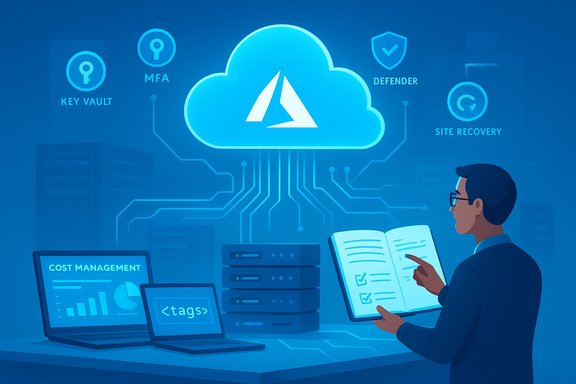
INTERCEPT's new guidance on Microsoft Azure arrives at a moment when many small businesses are rethinking their IT stacks, and its central claim — that Azure can be a practical, secure, and cost‑effective cloud choice for SMBs — is largely supported by Microsoft’s product architecture and the third‑party marketplace of migration partners, but it comes with important caveats that every owner and IT lead should weigh carefully.
Small businesses face a simple but persistent problem: they need enterprise‑grade IT capabilities without enterprise‑grade budgets or in‑house specialist teams. INTERCEPT’s announcement frames Microsoft Azure as a platform that delivers on three core promises that attract SMBs: predictable consumption billing, fast provisioning and transfer speeds, and enterprise‑grade security and resilience — plus an ecosystem of partners to guide migration and management. The announcement mirrors common marketing and partner viewpoints but also raises topics that deserve technical verification and critical examination. This article breaks down INTERCEPT’s claims, verifies the technical and commercial facts with Microsoft’s documentation and independent industry sources, highlights where Azure typically helps small businesses the most, and explains the practical risks, costs, and migration steps SMBs should use to make a responsible decision.
Microsoft Azure is neither a panacea nor a trapdoor. It is a powerful, flexible cloud platform whose documented features substantiate many of INTERCEPT’s claims — but successful adoption by a small business depends on disciplined cost management, secure configurations, and realistic migration planning. With the right governance, modest pilot programs, and either internal upskilling or a partner engagement, Azure can be a practical platform to modernize infrastructure, protect data, and scale operations — provided the business treats the migration as a project with measurable checkpoints, not a one‑click cure.
Source: openPR.com INTERCEPT Announces Insights: Evaluating Microsoft Azure's Suitability for Small Businesses
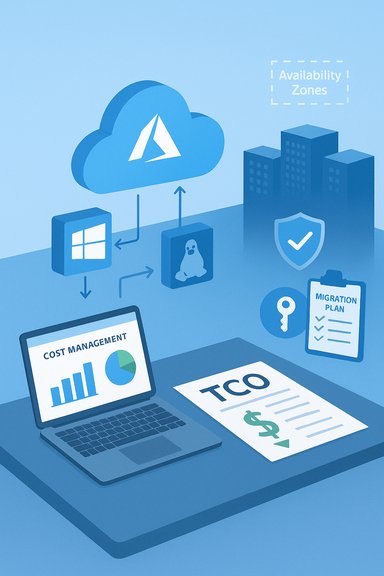 Background
Small businesses face a simple but persistent problem: they need enterprise‑grade IT capabilities without enterprise‑grade budgets or in‑house specialist teams. INTERCEPT’s announcement frames Microsoft Azure as a platform that delivers on three core promises that attract SMBs: predictable consumption billing, fast provisioning and transfer speeds, and enterprise‑grade security and resilience — plus an ecosystem of partners to guide migration and management. The announcement mirrors common marketing and partner viewpoints but also raises topics that deserve technical verification and critical examination. This article breaks down INTERCEPT’s claims, verifies the technical and commercial facts with Microsoft’s documentation and independent industry sources, highlights where Azure typically helps small businesses the most, and explains the practical risks, costs, and migration steps SMBs should use to make a responsible decision.Overview: what INTERCEPT actually said
INTERCEPT’s release emphasizes several advantages of Azure for small businesses:- A usage‑based pricing model that avoids large upfront server purchases and lets companies pay only for consumption.
- Built‑in cost tools like Azure Cost Management to track and optimize spending.
- Rapid provisioning and platform compatibility with Windows and Linux.
- Integrated disaster recovery and redundancy via Azure Site Recovery, regions and Availability Zones.
- Scalability and the ability to scale resources up and down to match demand.
- Strong security posture, with encryption, threat intelligence and compliance controls (HIPAA, ISO 27001, GDPR listed as examples).
Azure pricing and cost control: facts and practicals
The model: pay‑as‑you‑go, discounts and complexity
Microsoft documents that Azure supports a pay‑as‑you‑go purchasing model where customers are billed for actual usage and can start an account with a credit card or invoice‑based billing. Microsoft also publishes multiple discount paths (Savings Plans, Reserved Instances, Azure Hybrid Benefit) that lower costs if customers commit to sustained usage or reuse existing Microsoft licenses. These are real levers SMBs can use to manage spend. INTERCEPT correctly highlights that region choice, service types, and workload profile drive cost variability. That variability is a double‑edged sword: it allows fine‑tuned cost control, but it also makes pricing non‑trivial to estimate ahead of migration. Independent guidance and tooling are essential to avoid overpaying.Tools SMBs should use immediately
- Azure Cost Management + Billing — built‑in telemetry, budget alerts, and granular reporting for subscriptions and resource groups. Use this from day one of a pilot deployment.
- Azure Pricing Calculator and Total Cost of Ownership (TCO) tools — for initial modelling and comparisons to on‑premises environments.
- Savings plans and reservations — for predictable steady‑state workloads, locking in discounts; but only after an honest usage analysis to avoid paying for unused reservations.
Hidden costs and real risks
- Data egress (outbound network traffic) can be a material monthly bill for applications that serve large files or frequent external requests; the press release mentions bandwidth but understates egress risk. Plan and model network flows in cost calculations.
- Misconfigured resources, idle VMs and unattached storage can generate surprise costs if FinOps rules are not enforced. INTERCEPT recommends partner assistance for optimization, and that’s sound advice.
Provisioning speed, platform support and migration practicalities
Fast start is real — but migration takes work
Microsoft’s onboarding and provisioning are designed to be fast: many Azure services can be deployed in minutes, and templates (ARM/Bicep/Terraform) enable repeatable infrastructures. INTERCEPT is correct that SMBs can get initial workloads online quickly. However, moving production data and business logic — especially customized applications or legacy systems — is the time‑consuming part. The “start in minutes” claim applies to new cloud‑native workloads or well‑prepared lift‑and‑shift migrations, not complex monoliths.Platform compatibility
Azure supports Windows and Linux first‑class, and Microsoft provides tools and services to host:- Windows Server and SQL Server workloads on VMs or Azure SQL Database/Managed Instance.
- Linux workloads and containerized deployments using Azure Kubernetes Service (AKS).
This platform breadth is why organizations with mixed stacks often find Azure attractive.
Resilience and disaster recovery: what Azure provides
Availability Zones and SLAs
Azure’s Availability Zones are physically separate datacenters within a region that provide isolation from local outages. The design helps SMBs reduce single‑point failures and reach higher availability SLAs (for example, 99.99% VM SLA when deployed across zones). Using zone‑redundant or multi‑zone architectures yields measurable RTO/RPO improvements. INTERCEPT’s emphasis on built‑in disaster recovery aligns with Azure capabilities, particularly Azure Site Recovery.Azure Site Recovery and backups
Azure Site Recovery enables replication, failover and recovery orchestration across regions or availability zones; Azure Backup provides managed snapshot and retention policies. Together they form a practical DR toolkit for SMBs, but they must be configured correctly and tested (planned failover drills) to be reliable. INTERCEPT’s point that DR is integrated is accurate — the operational discipline to run DR tests is still on the customer.Security and compliance: strengths, responsibilities, and limits
Enterprise‑grade controls Microsoft actually publishes
Microsoft’s cloud publishes extensive security and compliance controls:- Encryption: Azure encrypts data at rest and in transit by default and provides options for platform‑managed and customer‑managed keys (Azure Key Vault). The platform uses AES‑256 and network‑level encryption such as MACsec and TLS.
- Threat intelligence and detection: Microsoft Defender for Cloud and related Defender offerings provide continuous posture management, analytics, and alerts, backed by Microsoft’s global telemetry and research.
- Compliance: Azure maintains numerous certifications and offers specific program guidance for HIPAA, ISO/IEC standards and GDPR mapping resources; Microsoft publishes the audit and certification matrices. However, Microsoft is clear that compliance of customer workloads is a shared responsibility.
What INTERCEPT says that needs context
INTERCEPT highlights Azure’s compliance and encryption as a major advantage, and that’s mostly true. Still, claims like “Azure prevents potential breaches” overstate what a platform can guarantee; breaches most commonly result from misconfiguration, weak identity controls, or compromised credentials in customer environments. The platform provides tools — but customers must implement identity hygiene (MFA), least privilege (RBAC), logging, and secure key management. These are not automatic. Flagging the shared responsibility model is essential.Scalability and operational agility
Azure’s elastic model is a central benefit: compute, storage and managed services scale to meet demand — and autoscaling features minimize over‑provisioning. For SMBs with seasonal or unpredictable traffic, that flexibility is often transformational. But scalability without governance can quickly become a cost problem; autoscale must be paired with budgets, alerts and automated shutdown schedules for non‑production environments. INTERCEPT’s guidance to “start small and scale” is practical advice for SMBs.Independent corroboration and cross‑checks
To verify INTERCEPT’s assertions we cross‑referenced Microsoft’s official documentation and Intercept’s own guidance:- Microsoft’s pricing and pay‑as‑you‑go model and savings programs are documented on the Azure pricing pages. The pay‑as‑you‑go model and discounting mechanisms (Savings Plans, Reserved Instances, Azure Hybrid Benefit) are real and documented.
- Azure Cost Management + Billing is a first‑party tool designed to analyze and optimize cloud bills, matching INTERCEPT’s recommendation to use monitoring tools.
- Disaster recovery features such as Azure Site Recovery and Availability Zones are documented and intended for high availability and business continuity. These features underpin INTERCEPT’s DR claims, though they require proper configuration and testing by the customer.
- Security controls including encryption (at rest and in transit), Azure Key Vault, and Defender for Cloud’s telemetry and analytics substantiate INTERCEPT’s security framing, while emphasizing the shared‑responsibility model.
- Intercept’s own “Azure Pricing” guidance is a useful, partner‑level primer for SMBs and reflects practical points about purchase models, egress costs, and migration tradeoffs. It aligns with both Microsoft’s documentation and the migration challenges many SMBs face.
Strengths for small businesses in plain terms
- No large capital outlay: move from capex to opex and pay for runtime rather than wholesale server procurement. This reduces initial cash‑barrier for small firms.
- Fast iteration: deploy dev/test and lightweight production workloads quickly; leverage managed services (Azure SQL, AKS, App Service) to avoid deep ops burden.
- Built‑in security tooling: identity controls, encryption options and Defender for Cloud provide capabilities otherwise unaffordable for SMBs.
- Resiliency without owning datacenters: Availability Zones and automated failover options give small firms enterprise‑class continuity.
- Partner ecosystem: managed service providers and FinOps consultancies (like INTERCEPT and others) can bridge skills gaps and accelerate safe adoption.
Key risks, costs and decision traps
- Misestimated costs and egress surprises: poor modelling or ignoring network egress can blow up monthly bills. Use the pricing calculator and put budgets/alerts in place.
- Operational complexity: Azure’s breadth is a strength, but without governance and FinOps practices, organizations can create “cloud sprawl” that’s expensive to fix.
- Skill gaps and vendor dependence: SMBs may need consultants or managed service providers to operate securely and efficiently. That adds recurring cost and potential lock‑in considerations.
- Shared responsibility misunderstandings: Microsoft secures the platform; customers secure their workloads. Failing to design secure architectures (identity, network controls, patching) is the most common cause of incidents.
- Vendor lock‑in vs. migration flexibility: heavy reliance on PaaS features or proprietary services can make future moves to other clouds or back‑to‑on‑premises harder and more expensive. Factor portability into the architecture if that’s a business concern.
Practical migration checklist for small businesses (step‑by‑step)
- Inventory & classify workloads: catalog applications, data sensitivity, dependencies and traffic patterns.
- Cost modelling: run the Azure Pricing Calculator and a TCO comparison; model egress and storage tiers explicitly.
- Pilot: select a non‑critical workload for a short pilot. Use Cost Management to baseline consumption and identify optimization opportunities.
- Architecture decisions: choose IaaS (VMs), PaaS (Azure SQL, App Service) or containers (AKS) according to portability, ops capacity and performance.
- Security baseline: enable MFA, RBAC, Azure Policy, Defender for Cloud and Key Vault; plan logging and SIEM integration (Microsoft Sentinel or third‑party).
- DR & backup: design Availability Zone or multi‑region redundancy; configure Azure Site Recovery and automated backups; test failover playbooks.
- Cost governance: implement budgets, automated shutdown for non‑prod, tag resources for chargeback, and a FinOps cadence for monthly reviews.
- Skills plan: decide which capabilities you will run in‑house vs. outsource to a trusted partner; get at least one certified advisory engagement if needed.
- Legal & compliance mapping: verify required certifications (HIPAA, ISO, GDPR) and document how Azure controls map to your obligations. Obtain Microsoft audit artefacts where necessary.
When Azure is likely NOT the right fit
- Very small businesses with trivial IT needs that can run on inexpensive VPS or SaaS may not need the scale and governance overhead of a cloud platform.
- Businesses with inflexible regulatory demands requiring exclusive on‑premises control and no third‑party processing may find a sovereign or private cloud more appropriate.
- Organizations that cannot tolerate any possibility of vendor outages and cannot architect around multi‑region redundancy should carefully weigh the risks of relying on a single cloud provider. Historical cloud outages across providers show centralized risk remains a consideration.
INTERCEPT’s role: partner value and realistic expectations
INTERCEPT positions itself as a migration and optimization partner that can help SMBs estimate costs, design cloud‑native architectures, and run FinOps exercises. That partnership model is a practical route for many SMBs — a measured engagement can quickly reveal cost levers (reserved instances, savings plans, right‑sizing) and fix high‑cost misconfigurations. INTERCEPT’s blog and partner pages provide useful, pragmatic guidance that complements Microsoft’s documentation for SMBs who prefer guided adoption.Claims that need caution or were unverifiable in the press release
- “Microsoft Azure has proven to be the best so far.” — This is a promotional, subjective statement and cannot be objectively verified. Best choice depends on use case, existing technology stack, cost constraints, and regulatory needs. Treat “best” as context dependent.
- Implied guarantees of breach prevention — Azure provides strong controls and threat detection, but breaches most commonly result from misconfiguration or compromised credentials. The platform reduces risk surface but does not eliminate it.
- Statements about transfer speeds and file corruption risk reduction are plausible (Azure network and managed services are high‑performance), but speed and corruption risk depend on network design, endpoints, and client software; these outcomes must be validated in a pilot and are not intrinsic guarantees. Flag these as operationally dependent.
Final verdict for small businesses
Microsoft Azure is a credible and feature‑rich cloud platform that offers material advantages to small businesses: pay‑as‑you‑go economics, managed security services, resilient infrastructure, and a wide set of managed PaaS offerings that reduce operational overhead. The platform’s published documentation verifies INTERCEPT’s core claims around pricing options, cost‑management tooling, availability zones, DR services and encryption. That said, the switch to Azure is not an automatic cost‑saving or security fix — it is a strategic change that requires:- accurate cost modelling and ongoing FinOps discipline,
- a security baseline and clear operating processes, and
- either in‑house skills or a trustworthy partner for migration, optimization and managed operations.
Checklist recap (one‑page decision summary)
- Use Azure Pricing Calculator + TCO tools before committing.
- Enable Azure Cost Management and set budgets/alerts from day one.
- Architect for availability zones and test Azure Site Recovery backups.
- Implement identity controls (MFA, RBAC), Key Vault and Defender for Cloud.
- Engage a partner for migration and FinOps if you lack cloud experience.
Microsoft Azure is neither a panacea nor a trapdoor. It is a powerful, flexible cloud platform whose documented features substantiate many of INTERCEPT’s claims — but successful adoption by a small business depends on disciplined cost management, secure configurations, and realistic migration planning. With the right governance, modest pilot programs, and either internal upskilling or a partner engagement, Azure can be a practical platform to modernize infrastructure, protect data, and scale operations — provided the business treats the migration as a project with measurable checkpoints, not a one‑click cure.
Source: openPR.com INTERCEPT Announces Insights: Evaluating Microsoft Azure's Suitability for Small Businesses