

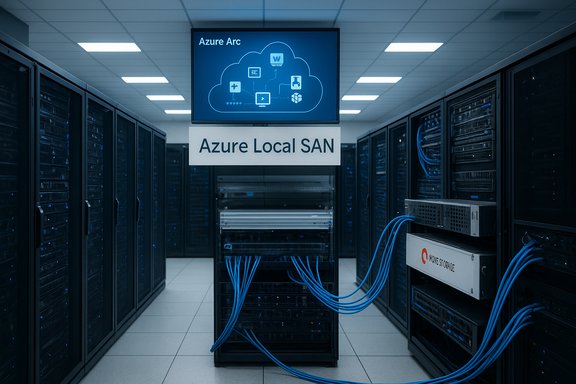
Microsoft’s decision to add Storage Area Network (SAN) support to Azure Local marks a practical pivot: enterprises can now reuse Fibre Channel investments while adopting Azure-managed on-prem infrastructure, potentially lowering acquisition costs, shrinking rack footprints, and smoothing migration paths away from VMware — but the change brings new validation, operational, and procurement responsibilities that IT teams must manage deliberately.
Azure Local is Microsoft’s validated, Azure-managed on-premises infrastructure platform that runs on customer-owned, partner-validated hardware and is governed via Azure Arc. It delivers a consistent management plane for VMs, AKS, selected Azure services, and lifecycle automation at distributed locations and datacenters. Until the recent update, Azure Local favored hyper‑converged designs using Storage Spaces Direct (S2D), effectively requiring local disks in each host for cluster storage. That limited the appeal for organizations with mature external SAN estates who wanted to preserve existing SAN investments while adopting Azure Local as their operational model.
In November 2025 Microsoft announced preview SAN support for Azure Local. The announcement explicitly expands the types of validated storage topologies Azure Local can use — enabling integration with vendor SAN arrays and opening a practical migration path for datacenters with Fibre Channel SANs. The change is confirmed in Microsoft’s product blogs and community posts and is already being reflected in partner messaging and early previews from storage vendors. This article unpacks what Azure Local SAN support means in practice: the technical architecture, real-world savings models, migration and validation implications, vendor ecosystem dynamics, and the risks administrators should plan for.
Each scenario requires careful validation and pilot testing — the architectures are feasible, but success is determined by testing and contractual clarity.
Microsoft’s SAN support for Azure Local is a strategically smart and pragmatic evolution: it respects entrenched storage investments and recognizes that many enterprises will modernize incrementally. The feature expands Azure Local’s addressable market, but success depends on disciplined validation, cautious capacity planning, and firm contractual protections. Treat the new capability as a powerful tool in the hybrid cloud toolbox — one that pays dividends for brownfield datacenters when used with careful engineering and procurement rigor.
Source: Petri IT Knowledgebase Azure Local SAN support: Benefits, architecture, & savings
 Background / Overview
Azure Local is Microsoft’s validated, Azure-managed on-premises infrastructure platform that runs on customer-owned, partner-validated hardware and is governed via Azure Arc. It delivers a consistent management plane for VMs, AKS, selected Azure services, and lifecycle automation at distributed locations and datacenters. Until the recent update, Azure Local favored hyper‑converged designs using Storage Spaces Direct (S2D), effectively requiring local disks in each host for cluster storage. That limited the appeal for organizations with mature external SAN estates who wanted to preserve existing SAN investments while adopting Azure Local as their operational model.In November 2025 Microsoft announced preview SAN support for Azure Local. The announcement explicitly expands the types of validated storage topologies Azure Local can use — enabling integration with vendor SAN arrays and opening a practical migration path for datacenters with Fibre Channel SANs. The change is confirmed in Microsoft’s product blogs and community posts and is already being reflected in partner messaging and early previews from storage vendors. This article unpacks what Azure Local SAN support means in practice: the technical architecture, real-world savings models, migration and validation implications, vendor ecosystem dynamics, and the risks administrators should plan for.
What exactly changed: SAN support explained
The core capability
- Azure Local SAN support allows Azure Local clusters to use external SAN storage rather than relying solely on internal, hyper‑converged disks (S2D). Early public documentation and partner previews highlight Fibre Channel connectivity as the initial supported method for attaching SAN arrays to Azure Local clusters, with software vendors indicating iSCSI and NVMe-oF may follow in later phases.
- From a management perspective, Azure Local continues to present a unified Azure Arc-enabled control plane; the storage attachment becomes a validated external dependency rather than part of the S2D pool. Microsoft’s product pages and community posts emphasize that the control plane remains Azure-hosted (or optionally disconnected for prequalified customers), while heavy data paths can remain on-premises.
The supported storage models (initial)
- Fibre Channel SANs (public preview and early partner previews specify this).
- Vendor-validated arrays from major storage OEMs are the likely path to “supported” status; partners have already announced collaborative previews (examples include Pure Storage and Dell partner communications).
What does this not change
- Azure Local still expects validated hardware and a compatibility matrix for supported configurations. Introducing SAN attachments increases the scope of validation (firmware, HBAs, multipathing, encryption, and replication behaviors).
- The Azure Local control plane still enforces the validated-software lifecycle and update model; connectivity to external storage adds more pre-checks and procurement items to validate before production adoption.
Why this matters — business and operational impacts
Immediate benefits
- Preserve capital investments: Organizations with existing Fibre Channel SANs can avoid costly rip-and-replace storage refreshes. That’s particularly relevant for regulated enterprises with validated storage, replication, and encryption processes that would be expensive to requalify.
- Smaller server footprints: Because storage shifts to the SAN, Azure Local host servers can be right-sized for compute and memory without provisioning large local disk pools. Practical savings include moving from 2U high-density disk servers to 1U compute-focused servers, reducing space, power draw, and cooling needs. This was a central point raised by practitioners and in vendor analyses comparing 1U vs 2U power and density tradeoffs.
- Cleaner VMware exit path: For customers moving off VMware, maintaining SAN connectivity lowers migration friction—VMware-specific storage investments and practices can remain in place while Hyper‑V/Azure Local becomes the compute and orchestration layer. Petri’s coverage and Microsoft/partner docs all highlight migration scenarios where SAN support removes a major blocker.
Potential cost savings (examples)
- Hardware acquisition: Fewer spindles and less controller overhead in hosts.
- Rack density: Downsizing from 2U to 1U can free rack units and lower datacenter footprint costs.
- Power and cooling: Reduced drive counts and smaller chassis typically reduce W/s and heat load.
- Lifecycle operations: If existing SANs are already under robust vendor support contracts, total operational overhead for storage may decrease during transition.
Architecture and implementation considerations
How SAN-attached Azure Local clusters typically look
- Azure Local hosts run Hyper‑V and Azure Local management/agent components.
- Fibre Channel host bus adapters (HBAs) provide SAN connectivity from each host to the SAN fabric.
- Multipathing (MPIO/MPIO-like) and host-level policies must be validated and aligned with array best practices.
- The Azure Local cluster relies on the SAN for VM datastore capacity; Azure Arc and Azure Local services manage compute lifecycle separately from storage. This separation introduces new mapping requirements in provisioning workflows.
Networking and zoning
- Fibre Channel fabrics and zoning policies must be integrated into the deployment plan. In many enterprises, FC fabrics are tightly controlled and change-controlled; deployment teams should expect coordination windows for SAN zoning, HBA driver versions, and firmware gating.
- For customers preserving static IPs during VMware → Azure Local migration, network mapping and routing continuity must be validated independently. Azure Migrate and migration playbooks document these steps, but SAN support increases the checklist surface.
Validation and compatibility matrix
- Expect the vendor-validated compatibility matrix to include:
- Exact host SKUs and BIOS/firmware versions
- Supported HBA models and driver/firmware bundles
- SAN array models, firmware, and replication behaviours
- Multipathing drivers and supported configurations
- Any encryption or 3rd-party inline processing appliances in the data path
- The support promise is conditional on adherence to a validated matrix; procurement should demand an explicit, signed compatibility sheet as part of any vendor engagement. Microsoft and partner guidance stress this requirement.
Migration scenarios and operational playbook
Typical migration flow for SAN-backed datacenters
- Inventory: Map VM footprints, storage usage, and SAN relationships (LUNs, masking, replication).
- Pilot: Validate Azure Local host + SAN attachments with representative workloads and I/O profiles.
- Azure Migrate/replication: Use agentless discovery/replication or partner tools to copy VM disks into the Azure Local environment. Ensure metadata remains compliant with data residency controls.
- Cutover: Execute staged cutovers with network and storage zoning in place.
- Post-cutover validation: Confirm performance SLAs, RPO/RTO for storage-based replication, and lifecycle update workflows.
Migration tooling and vendor roles
- Azure Migrate is being extended to support agentless VMware → Azure Local flows, but SAN attachments mean storage-side behaviors (e.g., array snapshots, replication) will require partner coordination.
- Many storage OEMs (Pure Storage, Dell, NetApp, HPE, etc. have signaled preview integrations or early support to connect their arrays to Azure Local; customers should evaluate vendor migration accelerators and ensure they align with Microsoft validation lists.
Vendor ecosystem: who’s participating and why it matters
Major storage vendors are already positioning integrations:- Pure Storage announced a public preview window and stated initial support for Fibre Channel connectivity, with iSCSI and NVMe to follow. That vendor-level confirmation is a useful cross-check on Microsoft’s generic SAN support statements.
- Microsoft’s Azure product pages and Tech Community posts list partner support and public previews; these indicate a multi-vendor strategy rather than a single-vendor dependency, which is important for procurement leverage.
Strengths: where SAN support materially improves Azure Local adoption
- Lower migration friction for organizations with mature SAN operations and validated storage stacks.
- Reduced CAPEX and OPEX in scenarios where SAN reuse avoids purchasing high‑disk-count hyper‑converged hosts.
- Broader applicability of Azure Local beyond edge/branch use cases into traditional datacenter consolidation projects.
- Sovereignty and data residency alignment for regulated industries that already depend on in‑place storage controls and certified replication topologies.
Risks and caveats: what can go wrong
Validation complexity and hidden operational cost
Attaching an external SAN to a validated platform raises the validation surface dramatically. Supportability hinges on strict adherence to firmware and driver versions; deviations can cause subtle issues that vendors may treat as out-of-support.Performance and behavior differences
S2D and SAN behave differently under heavy I/O, caching, snapshot, and dedupe workloads. Applications that were tuned for S2D or VMware datastores may need retuning, and some platform-specific features might behave differently after migration. Test I/O profiles in pilot migrations — do not assume parity.Procurement and contractual traps
- Data reduction guarantees and marketing DRR claims (for example, vendor “up to X:1” reduction numbers) are conditional; plan capacity with conservative assumptions and require written guarantees for specific datasets where possible.
- Combining Azure Local host fees, vendor maintenance, and partner managed services can create complex TCO scenarios. Factor multi-year host subscription costs, potential overlap during migration (double‑billing risks), and staff re‑skill costs into financial models.
Security, compliance, and telemetry
SAN attachments introduce additional telemetry and management lanes; verify where logs and telemetry are stored, who has access, and whether managed vendor services alter the control surface. For regulated environments, contractual guarantees for disconnected or in-country operations must be explicit.Unverifiable or evolving claims
- Marketing statements about support for “hundreds” of servers, PB-level capacities, or performance guarantees are meaningful only with explicit validated matrices and SLAs. Treat such statements as promissory marketing until they appear in a signed compatibility document. Where vendors cite future protocol support (e.g., NVMe-oF or iSCSI following Fibre Channel), label those as road‑map items until they appear in product validation docs. Microsoft and partners are evolving feature sets rapidly; confirm day‑one capabilities in writing.
Practical checklist for datacenter teams evaluating SAN-backed Azure Local
- Obtain the official Microsoft validated hardware matrix for your targeted configuration and the signed validation certificate from any partner offering (Dell, HPE, Pure Storage, NetApp, etc..
- Run a short, representative proof-of-concept that mirrors your I/O, latency, and data reduction characteristics.
- Validate firmware, HBA drivers, and multipathing stacks in the PoC — require vendor-signed driver/firmware versions for production acceptance.
- Model TCO across 3–5 years including Azure Local host fees, storage maintenance, energy, cooling, and staff reskilling.
- Confirm update cadence, rollback processes, and the ability to opt-out of automatic updates for critical systems.
- Negotiate exit and data-export terms so you retain options to move away from a single-vendor stack if commercial conditions change.
- For regulated deployments, demand written guarantees on telemetry, in-country processing, and disconnected operation support if required.
Real-world example scenarios
Brownfield datacenter with Fibre Channel SAN
An enterprise with a long-standing Fibre Channel SAN and active synchronous replication devices can adopt Azure Local compute while leaving storage replication intact. The practical result: fewer new storage purchases, smaller rack footprints (1U compute nodes instead of 2U HCI servers), and retained disaster recovery workflows that have already been audited and certified.Migration from VMware
A financial services shop using VMware and Fibre Channel can use Azure Migrate tools and partner solutions to move VM compute onto Azure Local Hyper‑V hosts while retaining SAN connectivity and storage policies. This reduces migration scope by decoupling storage requalification from compute migration.Edge-to-datacenter unification
Customers operating both tactical edge sites (where S2D or local NVMe makes sense) and central datacenters with SAN arrays can now standardize on Azure Local operations while choosing appropriate storage models per site, simplifying operations and policy enforcement through Azure Arc.Each scenario requires careful validation and pilot testing — the architectures are feasible, but success is determined by testing and contractual clarity.
Final assessment: a net positive with disciplined procurement
Adding SAN support to Azure Local is a pragmatic, market-driven enhancement that materially lowers the barrier for many enterprises to adopt Azure-managed on-premises infrastructure. For organizations with Fibre Channel SAN estates, this is a meaningful operational and financial win: it enables reuse of existing investments, reduces immediate hardware spend, and broadens Azure Local’s applicability beyond edge scenarios into core datacenter consolidation projects. The Microsoft announcement and partner previews (Pure Storage, Dell and others) corroborate the capability and show a multi-vendor approach is underway. However, the change is not without cost: validation complexity, potential performance differences, and procurement pitfalls can erode expected savings if teams skip rigorous PoCs and demand explicit compatibility and SLA documents. Organizations should treat SAN support as an enabling option — not a turnkey shortcut — and proceed with the typical rigor of enterprise infrastructure projects: pilots, compatibility sign-offs, and contractual SLAs that capture update windows, DR behavior, and exit mechanics. Petri’s reporting on the subject stresses that customers moving from VMware gain an extra path but must weigh replatforming tradeoffs carefully.Actionable next steps for IT leaders
- Request the Microsoft-validated hardware/compatibility matrix for your proposed Azure Local SKU and SAN model.
- Run a controlled pilot using representative datasets and measure DRR expectations, latency, and failover behaviors.
- Build a 3–5 year TCO model that includes Azure Local host fees, vendor maintenance, energy, and staff costs.
- Negotiate written guarantees for update cadence, rollback procedures, and exit/export mechanisms.
- Coordinate cross-functional teams (storage, network, security, procurement) early to align zoning, multipathing, encryption and telemetry practices.
Microsoft’s SAN support for Azure Local is a strategically smart and pragmatic evolution: it respects entrenched storage investments and recognizes that many enterprises will modernize incrementally. The feature expands Azure Local’s addressable market, but success depends on disciplined validation, cautious capacity planning, and firm contractual protections. Treat the new capability as a powerful tool in the hybrid cloud toolbox — one that pays dividends for brownfield datacenters when used with careful engineering and procurement rigor.
Source: Petri IT Knowledgebase Azure Local SAN support: Benefits, architecture, & savings
