

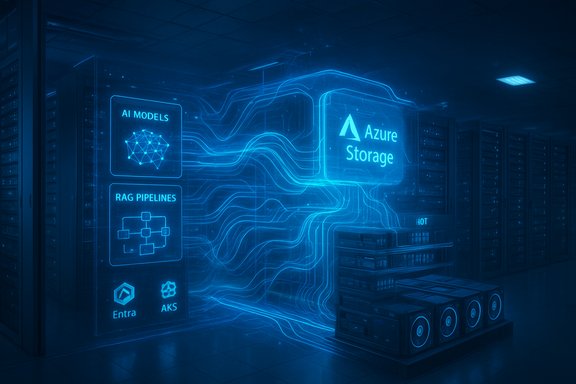
Microsoft’s recent push to remake Azure Storage into the backbone for exabyte-scale AI and modern enterprise workloads rewrites several long‑standing assumptions about cloud storage — from how training data is fed to GPUs to how mission‑critical databases are protected and migrated. The announcements and previews shown at Microsoft Ignite 2025 and KubeCon paint a consistent theme: storage is no longer a passive repository — it’s an active, scalable fabric driving AI throughput, developer agility, and enterprise continuity.
Azure’s messaging over the last year has centered on three converging trends: the explosion of object data used for AI, the need for consistently low‑latency block storage for transactional and HTAP workloads, and the operational friction of moving large file stores and NAS estates into the cloud. Microsoft’s roadmap layers hardware and software innovations — from infrastructure offloads and DPUs to new management surfaces and migration tools — to address all three vectors simultaneously. These moves are positioned to lower the barrier for organizations that want to build, train, and deploy large AI models while running mission‑critical applications in Azure.
Key innovations called out:
Benefits for cloud‑native teams:
What this unlocks:
The future being painted is one where storage is the enabler — not the limiter — of AI and modernization. Enterprises that combine disciplined testing, cost governance, and iterative migrations will be best positioned to reap the benefits without falling prey to vendor‑marketing optimism.
Source: Microsoft Azure Azure Storage innovations: Unlocking the future of data | Microsoft Azure Blog
 Background
Azure’s messaging over the last year has centered on three converging trends: the explosion of object data used for AI, the need for consistently low‑latency block storage for transactional and HTAP workloads, and the operational friction of moving large file stores and NAS estates into the cloud. Microsoft’s roadmap layers hardware and software innovations — from infrastructure offloads and DPUs to new management surfaces and migration tools — to address all three vectors simultaneously. These moves are positioned to lower the barrier for organizations that want to build, train, and deploy large AI models while running mission‑critical applications in Azure.A new storage architecture for AI
Azure Blob Storage as the AI data plane
Azure Blob Storage is being framed as the unified storage foundation for the entire AI lifecycle — ingestion, preparation, checkpointing, and model serving. Microsoft describes architectural changes that allow Blob Storage to scale to exabytes of capacity and extremely high aggregate throughput to keep GPU fleets fed during training runs. These vendor claims are consistent with Microsoft’s public messaging about scaling and throughput capabilities for large model training workloads. Treat headline throughput numbers as vendor-provided and validate against your workload profile before sizing production clusters.Key innovations called out:
- Massive, exabyte-scale object namespaces for training corpora.
- Tight integration with AI services and retrieval-augmented generation (RAG) patterns.
- A push to make enterprise storage the canonical place for sensitive RAG context rather than moving data into opaque third‑party silos.
High-performance parallel filesystems: Azure Managed Lustre (AMLFS)
For terabyte‑to‑petabyte training datasets that require parallel I/O, Azure Managed Lustre (AMLFS) offers a POSIX-style, high-throughput front end that feeds GPUs without becoming the bottleneck. Preview specifications called out larger namespaces (multi‑petabyte) and very high aggregate throughput to match clustered GPU consumption. AMLFS also adds Hierarchical Storage Management (HSM) integration with Blob Storage and auto‑import/auto‑export flows so you don’t copy entire exabyte datasets into the Lustre fabric — you stage what’s needed and export models or checkpoints back to long‑term object storage. These capabilities are specifically designed to keep cost and operational complexity down while supporting continuous training pipelines.Faster inference and RAG support
Microsoft emphasized Premium Blob Storage for inference workflows that demand predictable low latency, and it has built connectors and loaders for open‑source stacks (for example, an Azure Blob Loader for LangChain) to allow memory‑efficient retrieval of millions of objects. The goal is straightforward: accelerate retrieval-augmented generation and reduce model-serving latency by keeping retrieval close to the model runtime and minimizing data pre‑processing overhead. Again, these are vendor claims that enterprises should validate with representative RAG workloads.Cloud‑native storage: elasticity, autoscaling, and cost intelligence
Azure Elastic SAN and Kubernetes integration
Azure Elastic SAN brings cloud‑native block storage to Kubernetes and VM workloads with built‑in multi‑tenancy and scaling. New auto‑scale features let volumes expand capacity and performance without manual re‑provisioning, addressing a common operational pain point for dynamic containerized workloads. The plan to extend Azure Container Storage integration with AKS to full general availability signals Microsoft’s intent to blur the lines between container ephemeral volumes and persistent block storage for cloud‑native apps.Benefits for cloud‑native teams:
- Automated capacity scaling for bursty workloads.
- Unified management for disk, ephemeral storage, and container volumes.
- Reduced operational toil when moving legacy stateful workloads to Kubernetes.
Smart Tier for Azure Blob Storage
A policy‑driven tiering model (Smart Tier, in preview) automates lifecycle movement between Hot, Cool and Cold tiers based on access patterns: new objects land in Hot, objects idle for 30 days move to Cool, and after 90 days move to Cold — with automatic promotion on access. This approach reduces manual tiering and helps control costs for content, telemetry, and training datasets with heavy initial use and long tails of occasional access. For many modern applications where unpredictability is the norm, automatic tiering simplifies cost management without developer intervention.Mission‑critical workloads: lower latency, higher consistency
Azure Ultra Disk — closing the gap with on‑prem NVMe
Azure Ultra Disk is being positioned as Microsoft’s highest‑performance managed block offering for latency‑sensitive workloads. Recent platform updates highlight substantial improvements in average latency (sub‑millisecond targets for small IOs with Azure Boost) and higher per‑disk performance ceilings: provisionable IOPS up to ~400K and throughput up to 10 GB/s per disk, with platform combinations capable of reaching 800K IOPS and 14 GB/s when paired with specific VM families and the newer Ebsv6 types. Microsoft also advertises improved average latency and new operational features for provisioning flexibility. These performance numbers align with Microsoft’s public spec tables and vendor case studies, but they should be verified with production‑representative benchmarks for any migration.What this unlocks:
- Low tail latency for databases and HTAP workloads.
- The ability to consider managed disks for workloads that historically needed co‑located NVMe.
- A more predictable operational model for scaling global SaaS offerings.
Instant Access Snapshots and cost control
Azure’s preview of Instant Access Snapshots aims to remove snapshot readiness and pre‑warming overhead by making backups immediately restorable with fast rehydration. For mission‑critical environments, this reduces recovery time objectives (RTO) and simplifies snapshot lifecycle management, particularly for Premium v2 and Ultra Disk volumes. When coupled with finer‑grained provisioning (scale IOPS, throughput, and capacity independently), the net effect can be a meaningful TCO reduction for high‑throughput workloads.Azure NetApp Files: scale and cache volumes
Azure NetApp Files (ANF) continues to expand single‑volume capacity and throughput, pushing into multi‑petabyte volumes with much higher throughput envelopes and cache volumes that bring hot data closer to compute. These improvements make ANF attractive for HPC, EDA, seismic and reservoir simulations, and design workloads that require POSIX semantics with consistent low latency. For many legacy HPC workloads that are hard to refactor for object storage, ANF remains a pragmatic managed option.Migration at scale: removing the friction
Azure Storage Mover and the new Data Box
Microsoft is simplifying migrations from on‑premises NAS and other clouds with a suite of managed services. Azure Data Box has reached general availability for physical appliance‑assisted transfers, while Storage Mover has evolved into a fully managed migration control plane supporting:- On‑premises NFS → Azure Files NFS 4.1,
- On‑prem SMB → Azure Blob,
- Cloud‑to‑cloud transfers (including agentless S3 → Blob transfers).
Azure Files: Entra‑only identities and simplified identity management
Azure Files has introduced a cloud‑native identity model that removes the need for on‑premises Active Directory domain controllers for SMB shares by supporting Entra‑only identities. This simplifies identity and permission management for globally distributed teams and remote workflows (for example, Virtual Desktop services consuming SMB shares) and reduces the hybrid networking surface area required for secure file access. For organizations modernizing NAS estates, this is a meaningful operational simplification.Partner paths and ONTAP migration assistant
For enterprises that prefer partner technology, Azure has introduced Azure Native offers with vendors such as Pure Storage and Dell PowerScale, and utilities like the ANF Migration Assistant that use block‑level replication (SnapMirror) beneath the surface. These options let organizations migrate with fidelity while minimizing impact on production workloads. The Migration Program and partner ecosystem (Atempo, Cirata, Cirrus Data, Komprise and others) provide trusted paths for large-scale SAN/NAS moves.Security, governance, and operational guidance
Identity, encryption, and transport security
Microsoft has signaled a broader shift toward identity‑driven authentication and stronger transport security (for example, advancing TLS 1.3 usage for object transfers). Defender for Storage and network perimeter controls are being broadened to reduce exposure and proactively mitigate threats against cloud object stores. These are important guardrails for enterprises using RAG and large AI datasets — identity controls directly influence what data a model can access and therefore affect risk posture.Data governance at exabyte scale: Storage Discovery and Copilot
To govern massive datasets used for AI, Microsoft highlights discovery and copilot-driven tooling that can analyze how a data estate changes over time, recommend cost optimizations, and automate data protections. These tools attempt to fill a growing operational need: visibility into hundreds of billions of objects and automatable actions to enforce lifecycle, retention and protection policies. Enterprises should treat these as decision‑support systems rather than a silver bullet: verify recommendations and keep human oversight on governance-critical actions.Cost and performance tradeoffs
The performance ceilings now available on managed disks and filesystems reduce the need for expensive on‑prem hardware, but they can also increase cloud spend if not governed properly. Best practices include:- Use Smart Tier or lifecycle policies for long‑tail datasets.
- Model TCO including egress, snapshot retention, and cross‑region replication.
- Pilot with production‑representative workloads and measure p50/p95/p99/p99.9 tails.
- Keep a hybrid fallback during large migrations to preserve an escape hatch.
Practical checklist — moving from evaluation to pilot
- Map workload I/O profile (IOPS, throughput, typical object sizes) and identify p99/p99.9 tail latency requirements.
- Choose candidate regions and verify VM/disk SKU availability, especially for Ebsv6 and Azure Boost types.
- Run controlled benchmarks (read/write mixes, mixed small and large IOs, metadata-heavy operations for filesystems).
- Enable Smart Tier and Autoscaling in a test project to observe cost and performance behavior under realistic growth.
- Use Storage Mover/ANF Migration Assistant for initial seeding and incremental sync; keep the on‑prem fallback active until validation is complete.
Strengths, risks, and what to watch
Strengths
- Scale and performance: Managed services can now reach throughput and IOPS that would previously require bespoke, co‑located hardware. This reduces operational friction for SaaS and AI platforms.
- Cloud‑native ergonomics: Autoscaling block and object tiers, Kubernetes integration, and Entra‑only identities reduce the need for legacy hybrid glues.
- Migration tooling: Storage Mover and partner programs lower migration risk, preserve metadata, and support incremental cutovers for large estates.
Risks and caveats
- Vendor claims vs. real workloads: High throughput numbers and “parity” claims should be validated with realistic benchmarks. Tail latency and mixed I/O behavior are often the Achilles’ heel. Independent validation remains essential.
- Operational complexity: Features like cross‑region RDMA and DPUs (Azure Boost) raise the bar for networking, debugging, and observability; teams must invest in new tooling and runbooks.
- Cost surprises: Provisioned IOPS, cross‑region transfers, snapshot retention and hot rehydration can drive unexpected costs without governance. Smart Tier and lifecycle policies reduce this risk, but they require monitoring.
Conclusion
Azure’s storage roadmap is pragmatic and ambitious: combine hardware accelerations, cloud‑native scaling features, and a robust migration story to make the cloud the natural home for both AI training datasets and mission‑critical transactional workloads. For Windows‑centric enterprises and platform teams, the implication is clear — the tradeoffs that used to favor on‑prem NVMe are narrowing, and the path to run latency‑sensitive, high‑IOPS workloads in the cloud is increasingly realistic. That said, the practical step remains the same: pilot with production‑representative workloads, validate tail latency and operational processes, and adopt automated governance to control costs and compliance as scale increases.The future being painted is one where storage is the enabler — not the limiter — of AI and modernization. Enterprises that combine disciplined testing, cost governance, and iterative migrations will be best positioned to reap the benefits without falling prey to vendor‑marketing optimism.
Source: Microsoft Azure Azure Storage innovations: Unlocking the future of data | Microsoft Azure Blog
