

Microsoft’s push to position Azure Virtual Desktop (AVD) as the default cloud-native EUC platform for managed service providers (MSPs) is no longer theoretical — it’s actionable. A recent whitepaper distributed through MCP Magazine and produced with vendor analysis argues that MSPs should consider migrating Citrix-managed estates to AVD, and it lays out the operational, security and commercial arguments for doing so. The whitepaper’s central thesis — that AVD combined with partner automation (notably Nerdio-style management layers) produces lower operational overhead, tighter Microsoft 365 integration, and clearer FinOps control — is compelling in many scenarios, but it also requires disciplined technical due diligence before rewriting service catalogs and client contracts.
Azure Virtual Desktop (AVD) is Microsoft’s cloud-hosted desktop and application virtualization service, delivering Windows desktops (including Windows 10/11 and Windows Server session hosts), application remoting, and a Microsoft-managed control plane. AVD uniquely supports Windows 10/11 Enterprise multi‑session — a capability designed to reduce per-user compute costs by hosting multiple user sessions on a single VM. Microsoft’s product documentation and licensing guidance remain the authoritative sources for what platforms and licenses are supported. Citrix has long been the market leader for enterprise VDI and DaaS, offering deep application layering, broad hypervisor/cloud support and mature peripheral/edge features for complex desktop estates. Recent Citrix product messaging positions Citrix DaaS as a cost-efficient, scalable option on Azure — which complicates the “move to AVD” debate because MSPs must consider both the technical and commercial tradeoffs of consolidating on Microsoft’s stack versus continuing to deliver Citrix-based managed services. This analysis synthesizes the MCP Magazine / Nerdio whitepaper’s claims with Microsoft documentation and industry comparisons, highlights verifiable technical points, and lays out a practical migration checklist and risk assessment designed for MSP decision-makers.
Key comparative points:
MSPs that adopt AVD as a core service should do so deliberately: require pilot evidence, validate licensing and compliance rules, insist on exportable artifacts and contractual portability, and build FinOps guardrails before broadening the migration. When done methodically, moving appropriate workloads from Citrix to AVD can be a high‑leverage modernization play for MSPs — but the benefits will be realized only when technical validation and procurement discipline match the whitepaper’s operational optimism.
Source: mcpmag.com Why MSPs should move to Microsoft Azure Virtual Desktop from Citrix -- Microsoft Certified Professional Magazine Online
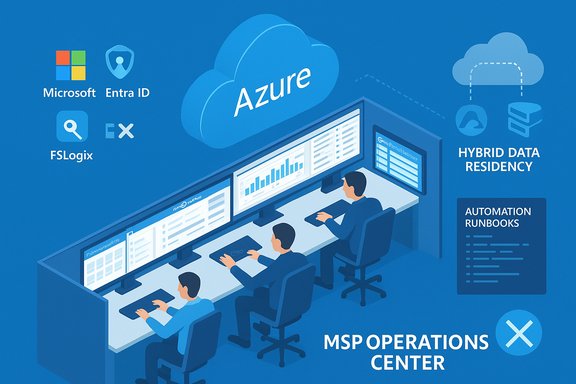 Background / Overview
Azure Virtual Desktop (AVD) is Microsoft’s cloud-hosted desktop and application virtualization service, delivering Windows desktops (including Windows 10/11 and Windows Server session hosts), application remoting, and a Microsoft-managed control plane. AVD uniquely supports Windows 10/11 Enterprise multi‑session — a capability designed to reduce per-user compute costs by hosting multiple user sessions on a single VM. Microsoft’s product documentation and licensing guidance remain the authoritative sources for what platforms and licenses are supported. Citrix has long been the market leader for enterprise VDI and DaaS, offering deep application layering, broad hypervisor/cloud support and mature peripheral/edge features for complex desktop estates. Recent Citrix product messaging positions Citrix DaaS as a cost-efficient, scalable option on Azure — which complicates the “move to AVD” debate because MSPs must consider both the technical and commercial tradeoffs of consolidating on Microsoft’s stack versus continuing to deliver Citrix-based managed services. This analysis synthesizes the MCP Magazine / Nerdio whitepaper’s claims with Microsoft documentation and industry comparisons, highlights verifiable technical points, and lays out a practical migration checklist and risk assessment designed for MSP decision-makers.What the whitepaper claims (summary)
The MCP Magazine-distributed whitepaper argues MSPs should move Citrix customers to AVD for several reasons. In condensed form, the whitepaper’s main assertions are:- Lower operational overhead: AVD + automation reduces time spent on image management, patching, provisioning and scaling compared with bespoke Citrix on‑prem or cloud deployments.
- Cost control and FinOps: AVD multi‑session plus autoscaling and rightsizing dramatically improves per‑user cloud economics when combined with a management layer that enforces scaling rules and identifies idle resources.
- Stronger Microsoft 365 integration: Native support for OneDrive, Teams (optimized media), and Entra ID (Azure AD) simplifies identity, storage and collaboration experiences.
- Faster onboarding and multi‑tenant operations for MSPs: Purpose-built tools (for example, Nerdio Manager) package templates, runbooks and per‑tenant isolation that speed new-customer rollout.
- Hybrid flexibility: Microsoft’s evolving hybrid story (Azure Arc, Azure Local / Azure Stack HCI, and partner integrations) allows session hosts to remain on premises while using Azure brokering — preserving data residency for regulated clients.
Why the core technical claims hold up — verified facts
AVD multi-session and licensing (what MSPs must know)
- Fact: Windows 10/11 Enterprise multi‑session is supported only on Azure’s cloud platform (via AVD) and is a built-in cost optimization mechanism for pooled desktops. This is explicitly called out in Microsoft’s licensing and product documentation. The multi‑session capability is a material differentiator for cost per user when workloads suit pooled desktops.
- Implication for MSPs: When customers’ app portfolios and user profiles permit pooled desktops (typical for task workers and knowledge workers with standard apps), multi‑session can reduce VM count and monthly compute spend. For users needing dedicated persistent desktops (developers, CAD/GIS, advanced data science), the economics are different and may favor dedicated VMs or specialized GPU hosts.
Native Microsoft integration — identity, storage and Teams
- Fact: AVD is engineered to integrate with Microsoft identity (Entra ID), Intune for device posture, and FSLogix profile containers for profile persistence. Microsoft has invested in optimization for Microsoft 365 apps and Teams. Those integrations reduce complexity and can improve perceived end‑user experience for customers already standardized on Microsoft 365.
- Implication for MSPs: If a client is Microsoft‑centric (Outlook, Teams, OneDrive), AVD shortens the systems‑integration scope. MSPs can provide a win‑win: uniform identity and compliance policies across Cloud PCs, AVD sessions, and Microsoft 365 tenants.
Control plane and security posture
- Fact: AVD provides a Microsoft‑managed control plane (brokering, gateway, load balancing and diagnostics) while the MSP controls session hosts and images. Microsoft has implemented security defaults and ongoing product updates (for example, stronger default redirection settings and RDP Multipath) to harden sessions. These changes are published in Microsoft’s “what’s new” and product security guidance pages.
- Implication for MSPs: A Microsoft‑managed control plane reduces the surface area MSPs operate, but it does not substitute for solid identity, endpoint and data governance on the MSP side. MSPs must maintain runbooks for incident response, telemetry, and cross‑tenant monitoring.
The operational value proposition for MSPs
When the whitepaper describes “lower operational overhead,” it’s outlining a practical MSP playbook. Concretely, an MSP can derive value from AVD in these ways:- Centralized image lifecycle: Use golden images and FSLogix for roaming profiles, reducing bespoke image variants.
- Autoscaling and rightsizing: Automatically power down unused session hosts and enforce size/instance types to reduce runtime costs.
- Integrated security controls: Entra ID conditional access, Intune posture checks and Defender for Cloud integration let MSPs standardize security controls across customers.
- Faster multi-tenant onboarding: Templates, IaC modules (Terraform), and prebuilt runbooks make first customer delivery faster and repeatable.
- Productized pricing: MSPs can package AVD as a service, bundling Azure consumption, support fees and management layers.
How AVD stacks up vs Citrix — neutral comparison
Citrix remains a credible, mature platform with strengths Microsoft’s first‑party stack does not fully replicate. The choice for MSPs frequently becomes a decision between “consolidate on a single vendor stack (Microsoft + partner tooling)” versus “continue offering a platform-agnostic, feature-rich Citrix-managed service.”Key comparative points:
- Feature depth and legacy use cases: Citrix historically has deeper features for complex application layering, advanced printing/USB/graphics handling, and heterogeneous hypervisor support. In many large enterprises these advanced features are material. Independent review platforms and Citrix’s own bench tests still show Citrix delivering particular advantages for application remoting and peripheral redirection.
- Ease of setup and Microsoft integration: Users and some reviewers rank AVD higher for initial setup simplicity and integration with Microsoft 365. For purely Microsoft-centric customers, AVD can reduce integration points and running costs.
- Cost dynamics: Citrix promotes scenarios where Citrix-managed stacks on Azure can reduce compute costs by optimizing session density and maximizing instance utilization. Citrix’s own benchmarks claim substantial per-user compute savings in some configurations; however, those figures depend heavily on workload profiles and are vendor-provided results. Independent marketplace reviews are mixed and emphasize the need for workload-level benchmarking.
- Vendor neutrality and portability: Citrix’s multi‑cloud and on‑prem support gives MSPs flexibility to host customers on AWS, GCP, Azure, or on‑prem appliances. Moving exclusively to Microsoft reduces that hypervisor/cloud flexibility, creating a strategic dependency MSPs should account for.
Risks, caveats and what to verify before migrating customers
The whitepaper paints an optimistic path. MSPs must temper that with pragmatism and require proof points.- Vendor and operational lock‑in: Consolidating on Microsoft AVD plus a single automation partner increases the complexity of an exit or platform change. Demand exportable IaC templates, documented image formats (FSLogix containers, VHD export), and contractual portability guarantees. The vendor landscape analysis in the whitepaper itself flags vendor‑reported metrics as marketing claims that need procurement verification.
- Licensing and procurement complexity: AVD access requires eligible per‑user licenses (Microsoft 365 or Windows Enterprise entitlements). For outsourced scenarios or external users, licensing pathways diverge; confirm entitlement and activation flows before modeling customer price‑to‑consume. Microsoft’s licensing guidance is explicit about eligible SKUs and per‑user entitlements — treat it as the source of truth.
- Performance and peripheral experience: Not all workloads map cleanly onto pooled multi‑session models. GPU workloads, specialized peripherals, or low‑latency multimedia users may need dedicated hosts or Citrix/third‑party optimizations. Pilot the critical app workflows to measure FSLogix mounting times, multimedia latency and printing/USB behavior.
- Hybrid / on‑prem constraints: Microsoft’s hybrid AVD story has matured (Azure Arc, Azure Local), but partner and hypervisor support varies. If you intend to keep session hosts on‑prem for data residency or latency, confirm the supported host configurations and cross‑vendor support SLAs. Announcements by ecosystem vendors (Nutanix, others) signal expanding hybrid options, but MSPs must require Microsoft‑backed documentation and licensing clarifications for any non‑Azure host substrates.
- Vendor claims and metrics: Vendor PR often quotes ARR, customer counts and projected savings. The whitepaper and associated press materials show inconsistencies in reported customer metrics across outlets — verify these numbers before relying on them for contractual evaluations. Ask vendors for anonymized billing evidence or sample consumption reports.
A practical migration checklist for MSPs (sequenced steps)
- Inventory & segmentation
- Classify users by workload type: task, knowledge, power user, GPU user.
- Identify apps that require COM components, kernel drivers, or special printing subsystems.
- Licenses & entitlement validation
- Confirm customers have eligible per‑user licenses (M365 E3/E5, Windows Enterprise E3/E5, or Windows VDA) for AVD access.
- Model billing for Azure consumption, partner tooling fees, and support margins. Use a sample month and a scaled month for sensitivity testing.
- PoC and performance pilots
- Create a pilot host pool that mirrors customer profiles (FSLogix containers, Teams media, SMB/OneDrive tests).
- Measure boot times, profile mount latency, Teams media quality and application latency under load.
- Security and compliance mapping
- Map conditional access policies, MFA requirements, data residency constraints and logging retention needs.
- Test Defender for Cloud and Sentinel integrations in a staged environment.
- Automation and image lifecycle
- Deploy IaC templates (Terraform/ARM) and ensure images are versioned and rollback-tested.
- Validate partner tooling (for example, Nerdio Manager) supports multi‑tenant RBAC, API access, and runbooks required for MSP scaling.
- Contractual protections
- Insist on service credits for SLA misses, exit assistance for platform migration, and access to raw exportable artifacts (images, FSLogix VHDs, configuration exports).
- Migration and staged cut‑over
- Use phased migration: pilot → group rollouts → full cutover with rollback gates.
- Keep Citrix/legacy delivery in place for the final tranche of complex users until validation is complete.
- FinOps guardrails
- Implement autoscale policies, budget alerts, and rightsizing rules before wide rollout.
- Provide customers with a sample monthly consumption report and a 95/5 scenario for growth.
Pricing and cost reality: optimism vs reality
The whitepaper claims meaningful monthly savings for many workloads when migrating from Citrix to AVD, primarily from multi‑session and autoscale. Citrix counters with its own benchmarking showing that Citrix-managed overlays can also increase session density and reduce compute costs in certain configurations. Independent review sites show mixed sentiment: AVD scores highly for ease of setup and Microsoft integration, while Citrix often scores higher on advanced application virtualization and peripheral support. The only defensible financial approach is a workload-by‑workload TCO model that includes licensing, Azure consumption, partner fees, migration professional services and expected runbook automation savings. Vendor benchmark numbers should be validated with pilot telemetry.Real-world evidence and partner tooling
The whitepaper and channel coverage highlight real-world case studies where AVD plus management tooling reduced operational headcount and sped rollouts. Partner products (Nerdio Manager and peers) are repeatedly cited as the automation layer that turns AVD from “cloud capability” into a repeatable MSP service catalog. Analysts note that vendor‑reported ARR and customer counts must be verified, but the technical pattern — automation + AVD + Microsoft 365 — has recurring success stories in energy, public sector, and education verticals where Microsoft centricity was already present.Strategic recommendations for MSP leadership
- Treat AVD as a strategic option, not an automatic replacement. Prioritize migrations where the client is heavily Microsoft 365‑centric and where pooled desktop economics apply.
- Build standardized PoC bundles (30‑90 day pilots) to collect real telemetry on performance and cost differences versus Citrix. Do not rely on vendor-provided charts alone.
- Negotiate partner agreements that preserve portability: require image export, API access, and documented runbooks so clients can change tooling or vendors in the future.
- Invest in FinOps and automation competence: the largest value accrues to MSPs that can execute image lifecycle automation, autoscale policies and per‑tenant cost governance at scale.
- Audit licensing entitlements with legal and procurement teams; licensing misalignments create hidden audit and cost risk. Use Microsoft’s published guidance as the baseline for modeling.
Conclusion
The MCP Magazine / Nerdio whitepaper makes a strong operational case for MSPs to move compatible Citrix workloads to Azure Virtual Desktop: AVD’s multi‑session capability, tight Microsoft 365 integration, and the emergence of mature automation layers create a legitimate path to lower operating costs and faster service delivery. That said, the business decision is not binary. Citrix remains the right choice for customers with complex application virtualization needs, heterogeneous cloud/hypervisor strategies, or specific peripheral and graphics requirements.MSPs that adopt AVD as a core service should do so deliberately: require pilot evidence, validate licensing and compliance rules, insist on exportable artifacts and contractual portability, and build FinOps guardrails before broadening the migration. When done methodically, moving appropriate workloads from Citrix to AVD can be a high‑leverage modernization play for MSPs — but the benefits will be realized only when technical validation and procurement discipline match the whitepaper’s operational optimism.
Source: mcpmag.com Why MSPs should move to Microsoft Azure Virtual Desktop from Citrix -- Microsoft Certified Professional Magazine Online
