Azure West US Power Outage Highlights Cloud Resilience and Recovery

  • Thread Author
Microsoft’s cloud suffered a regional power hiccup on February 7, 2026 that left a slice of the West US Azure footprint struggling — and it’s a reminder that even the biggest cloud platforms can be vulnerable to physical infrastructure failures and cascading recovery effects. (theverge.com)

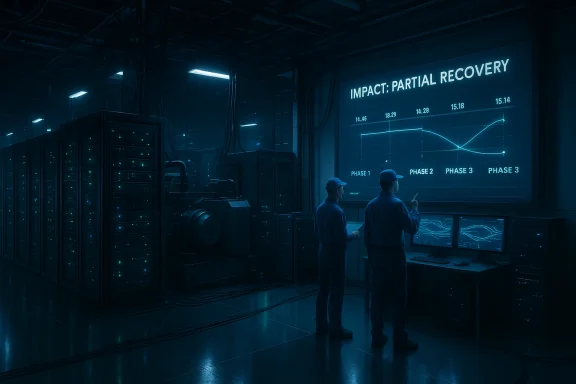
Two technicians analyze a recovery chart on a large display in a server room.Background / Overview​

Shortly after 08:00 UTC on 07 February 2026, Microsoft’s Azure status dashboard began reporting a localized power interruption at one of its West US datacenters. The company’s incident message said that utility power was interrupted, backup power systems were automatically engaged, and that power had been stabilized in the affected areas — but that recovery of dependent services (notably storage and some compute workloads) would continue in phases as health checks and traffic rebalancing completed.
News outlets picked up the status updates within hours. The Verge summarized Microsoft’s message and reported that services that rely on Azure — including the Microsoft Store — were experiencing outages and slowdowns for some West-coast users. Additional reporting noted Windows Update delivery and Microsoft Store operations were impacted for some customers while recovery progressed. (theverge.com)
This was not an isolated class of failure for Microsoft: Azure’s public history shows multiple prior incidents where power or power‑related events in a single datacenter or availability zone had transient but meaningful customer impacts, underlining the operational challenge of turning a brief physical fault into a fully contained event.

What Microsoft reported (technical summary)​

  • Impact window: Microsoft’s public status statement set the start of impact at 08:00 UTC on 07 February 2026, and described the event as affecting a subset of customers with resources hosted in the West US region.
  • Root cause (initial): An unexpected interruption to utility power at one West US datacenter area, which produced power loss to parts of the facility. Backup power engaged automatically.
  • Current symptoms: intermittent service unavailability, delayed monitoring and log data, and degraded performance for some compute and storage workloads hosted in the affected areas. Microsoft emphasized that recovery would be phased and driven by health checks and traffic rebalancing through Azure’s software load‑balancing layer.
  • Customer-facing service effects cited in reporting: Slowdowns and timeouts affecting the Microsoft Store and Windows Update for some customers, with Microsoft advising retries as recovery progresses. Media coverage repeated Microsoft’s impact note but concrete customer counts were not released publicly. (timesofindia.indiatimes.com)
These are Microsoft’s own operational statements; outside verification of how many tenants or which specific enterprise customers were affected is not published in the public status message and therefore remains unverifiable from the public record. Treat any precise customer‑count estimates found in social feeds or early reports as provisional unless Microsoft publishes a Post‑Incident Review with figures.

Why a power event still matters in modern cloud environments​

Cloud platforms are built on the assumption of physical redundancy: dual utility feeds, on‑site generators, uninterruptible power supplies (UPS), multiple availability zones, and automated failover mechanics are standard practice. So why do power interruptions still cascade into visible outages for customers? The West US event illustrates several recurring operational realities:

1) The store is more than compute — storage and control planes are critical​

Many cloud services depend on storage subsystems or control‑plane backends that must reach a consistent, healthy state before dependent compute workloads are considered recovered. If storage nodes require manual intervention or vendor fixes, virtual machines and higher‑level platform services can remain degraded even after utility power is back. Microsoft explicitly noted storage recovery remained in progress as traffic and compute were brought back online.

2) Backup power can stabilize hardware but not automatically restore every stack​

Automatic transfer to generator power prevents immediate shutdown, but it doesn’t instantly reconstitute all interdependent systems. Generators and UPS protect against data loss; they don’t automatically heal software state, cached metadata, or in‑flight operations. That can require careful validation, vendor escalations, and phased reintroductions to production traffic. Microsoft’s status update described staged rebalancing and validation checks for that reason.

3) Geo‑redundancy has real limits for certain services​

Not every service is trivially failover‑ready. Some offerings have regional stateful dependencies, replication lag windows, or hardware affinities that make instant global failover impossible without risking data loss or consistency failures. Customers often expect services to be seamlessly geo‑redundant, but platform design tradeoffs and cost/latency constraints mean some pathways remain regional and therefore vulnerable to a single site event. Historical Azure incidents show similar patterns when a zone or site suffers a power event.

The customer impact: practical symptoms and business consequences​

Even when Microsoft’s control plane indicates “partial recovery,” customers can experience a range of symptoms that disrupt development, operations, and end‑user services:
  • Delayed ingestion of monitoring and logs (blind spots for operators) — Microsoft warned that monitoring and log data could be delayed. That complicates incident detection and can slow troubleshooting.
  • Increased timeouts and API errors for regionally hosted VMs, databases, or storage; transient 5xx/timeout behavior is commonly reported in such events. Microsoft’s messaging and community reports from past incidents show these symptoms typically accompany power events and the subsequent recovery phases.
  • User‑facing services such as the Microsoft Store or Windows Update may produce failures, timeouts, or stalled downloads for end users whose devices or services are routed through the affected region. Contemporary reporting noted Microsoft Store and Windows Update operations were affected for some customers while recovery continued. (timesofindia.indiatimes.com)
  • Operational impacts inside enterprises: billing, CI/CD pipelines, deployment orchestration, license validation and telemetry ingestion can all be disrupted if dependent regional services show degraded behavior.
Because Microsoft’s status messages do not publish per‑tenant breakdowns, the business impact varies widely by customer architecture and how aggressively they adopted multi‑region resilience patterns.

Microsoft’s recovery approach — what the status page says​

Microsoft’s immediate public guidance shows the familiar post‑event playbook for cloud operators:
  • Automatic activation of backup power systems and stabilization of utility supply where possible.
  • Prioritization of network connectivity and management plane restoration so engineers can access infrastructure for recovery operations.
  • Staged recovery of storage systems, then dependent compute workloads, with health checks gating traffic reintroduction. Microsoft said it was rebalancing traffic via a software load‑balancing layer to ensure stability before moving to full production routing.
That staged method reduces the risk of reintroducing corrupted or partially synchronized storage into production, but it lengthens the time before all dependent services are fully recovered — which is why customers often continue to see residual degradation even after utility power is restored.

Historical context: this isn’t new for Azure (and power incidents have real precedent)​

Cloud providers periodically publish post‑incident reviews that show how a seemingly short outage or generator handover can balloon into hours of recovery. Microsoft’s own Azure history includes earlier power‑related incidents where an availability zone or datacenter generator behavior led to service interruption and additional manual recovery steps. Those precedents explain why the company’s public messaging emphasizes phased recovery and deeper post‑incident retrospectives.
There have also been widely publicized non‑power Azure outages driven by software configuration changes and global routing issues. Together, these incidents demonstrate the two broad vectors of cloud disruption: physical infrastructure faults (power, network) and logical/control‑plane faults (configs, software bugs). Both require different operational controls and both can produce cross‑service impacts.

Practical guidance for Azure customers (what to do now)​

If your workloads or users are experiencing degraded service, apply a triage and resilience checklist designed for cloud incidents:
  • Check Azure Service Health and your personalized Service Health alerts to confirm whether your subscriptions/resources are flagged as impacted. Use the Azure Service Health blade in the portal — it contains tenant‑specific notifications the public page won’t show.
  • Verify whether your resources are deployed across multiple regions or Availability Zones and whether failover has been configured for stateful elements (databases, storage). If you rely on single‑region resources, plan a post‑incident migration or replication strategy.
  • Implement or validate retry logic for dependent applications and add exponential backoff where idempotent operations allow it. This reduces client‑side error propagation during platform recovery.
  • For critical update and distribution workflows (software updates, Windows Update delivery, store installs), consider caching strategies or local CDN/edge caching to maintain availability during cloud disruptions. (timesofindia.indiatimes.com)
  • If telemetry is delayed, fall back to on‑host or alternative logging endpoints (local file buffering, syslog aggregation to a non‑impacted region) until upstream ingestion recovers.
  • Contact Microsoft support and open an Azure support case if you are experiencing production‑critical impact; use Service Health to attach impact diagnostics. Escalation pathways exist for customers with business‑critical SLAs.
Operators should treat this incident as a prompt to audit resilience posture: how many services truly fail over automatically, which rely on cross‑region replication, and whether your DR runbooks are up to date.

Analysis: where Microsoft’s response is strong — and where risks remain​

Strengths​

  • Transparent, timely status updates: Microsoft published an impact statement with times, symptoms, and a clear description of the event (utility power interruption, auto backup activation) and explained the staged recovery approach. That level of transparency is essential for enterprise incident response and for reducing guesswork during triage.
  • Automated power protections engaged: The fact that on‑site backup systems activated — and that Microsoft moved quickly to stabilize power and reintroduce network connectivity — indicates the physical layers performed as designed to prevent a wholesale data loss event.

Risks and unresolved questions​

  • Cascading recovery durations for storage and dependent workloads: Microsoft’s status shows storage recovery and related compute healing were still in progress at the time of the update. Storage recovery steps often require careful vendor and manual operations, which can extend customer impact long after power has been restored. That friction remains the primary operational risk for customers whose architectures rely on synchronous local storage.
  • Visibility and tenant‑specific impact: The public status page describes a “subset” of customers impacted but doesn’t quantify scope. Without tenant‑specific details, administrators must rely on their own telemetry to determine impact — which is difficult when monitoring ingestion is delayed. Microsoft’s Service Health notifications per subscription help, but the asymmetry in public vs. tenant‑specific visibility can make external communication challenging for affected businesses.
  • Architectural expectations vs. reality: Many customers anticipate seamless geo‑failover. Reality shows stateful services or certain control‑plane functions can be region‑bound. This mismatch between expectation and platform tradeoffs remains a systemic risk for organizations that have not architected for active‑active geo resilience. Historical incidents reinforce that concept.

What we should expect next from Microsoft​

Given past practice and Microsoft’s own status messaging, expect the following sequence in the coming days:
  • Microsoft will continue phased updates to the incident page as storage nodes and dependent services validate full health.
  • A Preliminary Post Incident Review (PIR) will likely be posted within a few days describing root cause detail, recovery timeline, and immediate remediation steps — followed by a more detailed Final PIR within roughly two weeks. This timeline mirrors Microsoft’s declared process for earlier incidents.
  • Enterprises affected will receive tenant‑specific communications via Azure Service Health and their technical account teams. If you’re a customer who experienced business‑critical impact, escalate with your Microsoft account contacts to ensure you’re listed for any follow‑up remediation and credits if eligible.

A caution on reading social media: correlation isn’t always causation​

Early social posts and monitoring dashboards can exaggerate scope or conflate unrelated issues. Microsoft’s status message is the authoritative public source for the event; media outlets and community channels are useful for context and anecdotal impact, but they may lack the telemetry or incident timelines Microsoft can provide. Where concrete counts or downstream vendor implications are asserted on social platforms, treat them as provisional until validated by an official post‑incident report. (theverge.com)

Final takeaways for IT teams and platform architects​

  • Design for failure, and assume the failure mode includes long recovery windows for storage. Multi‑region deployments, active‑active services, and well‑tested failover playbooks remain the most reliable way to reduce downtime risk.
  • Operational telemetry matters twice as much during platform incidents. If monitoring ingestion is delayed, on‑host or alternate logging routes and local caches let you observe and act even when upstream telemetry is impaired.
  • Expect staged restorations. The presence of automatic backup power stabilizes hardware, but services often return to full health only after careful validation and traffic rebalancing. That’s operationally sensible but means “power restored” is not the same as “service restored.”
  • Keep communication simple and factual. If you’re operating a downstream service impacted by Azure’s event, tell customers what you know, what you don’t know, and the steps being taken — anchored to Microsoft’s status messages and your own diagnostics.
This power event in West US is a practical reminder that cloud reliability is a system property that depends on physical infrastructure, control‑plane resilience, software architecture, and human operational practice. Microsoft’s public updates show the correct immediate priorities — stabilizing power, restoring control plane access, and phasing workloads back online — but customers and architects should treat today’s disruption as a cue to re‑examine assumptions about recovery windows, storage failover, and end‑to‑end resilience testing.
Conclusion: the cloud makes many operational challenges invisible, but it doesn’t abolish them. When utility power trips in the physical world, the resulting latency in restoring storage, logs, and dependent services becomes a test of cloud design, operational practice, and communication — and this week’s West US incident shows there’s still work to do, both for providers and customers, to make those tests routine and survivable.

Source: theverge.com A power outage is causing problems for some Microsoft customers.
 

Microsoft’s cloud-sized hiccup over the weekend turned into a rare but blunt reminder that even the core plumbing behind Windows Update and the Microsoft Store depends on physical datacenter resilience — and when that plumbing surges and sputters, millions of devices can feel the ripple.

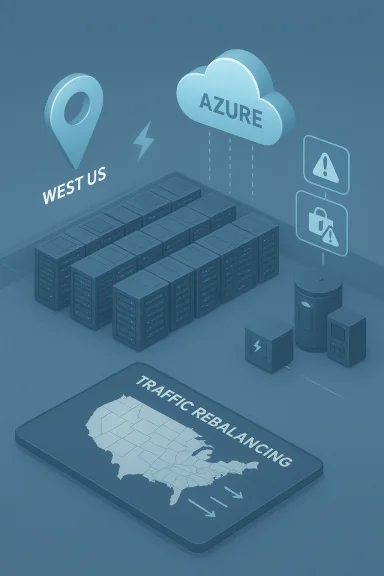
Azure cloud data center in West US with server racks and traffic balancing visuals.Background / Overview​

On 07 February 2026 at 08:00 UTC, Microsoft began posting a regional incident for Azure’s West US footprint: multiple services experienced intermittent unavailability, timeouts, or increased latency. Microsoft’s public status updates attribute the immediate cause to “an unexpected interruption to utility power at one of our West US datacenters,” after which backup power systems were engaged and recovery proceeded in phases while engineers rebalanced traffic and validated health checks.
For end users and IT administrators the visible symptoms were straightforward: the Microsoft Store and Windows Update experienced failures and timeouts when users tried to install apps or download updates. Microsoft’s Windows Message Center posted explicit messages alerting customers that installs and update delivery were affected and later confirmed service restoration with a caveat about residual latency impacting Windows Server update operations.
This was not an isolated Azure glitch. Microsoft’s public service history shows several platform incidents around the same timeframe and earlier in January — including other power-related recovery efforts — making the West US power interruption part of a string of operational stresses the platform has been navigating.

Timeline: what we know and how it unfolded​

  • 08:00 UTC, 07 Feb 2026 — Microsoft’s status systems flagged an ongoing service degradation in the West US region and began publishing updates describing the impact and recovery actions.
  • 16:34 UTC, 07 Feb 2026 — Microsoft's Windows Message Center explicitly warned that a datacenter power outage was affecting Microsoft Store app installs and Windows Update delivery. This time aligns with the company's customer-facing notification cadence.
  • 19:30 UTC, 07 Feb 2026 — Microsoft posted an update indicating most user-facing services had been restored, while noting residual latency for Windows Server update operations and that server-specific issues were being handled separately. Some Azure status pages logged mitigation actions continuing into the early hours of 08 Feb. (status.ai.azure.com)
  • 04:23 UTC, 08 Feb 2026 — Microsoft’s Azure status history marks the window of impact as ending at 04:23 UTC on 08 Feb for many affected services, reflecting the final mitigation timestamp in the public timeline.
These timestamps provide the backbone for assessing impact windows; they come from Microsoft’s public status and Windows messaging channels and match the sequence reported across independent outlets and community threads.

Which services were hit — and why it mattered​

Microsoft listed a long roster of impacted Azure services in the West US region. Highlights included Azure Kubernetes Service (AKS), Azure Confidential Compute, Azure Site Recovery, App Service, Azure Monitor, Azure Storage subsets, and others — demonstrating the broad surface area that a single datacenter incident can touch. The Microsoft status posts emphasize that a subset of customers with resources in the affected areas saw degraded or delayed telemetry and service interruptions. (status.ai.azure.com)
Why did this knock Windows Update and the Microsoft Store? Although these client-facing services appear separate from the developer-facing Azure product portfolio, they rely on cloud storage, regional content distribution and backend services that are hosted in Azure. When storage clusters, API endpoints, or telemetry/management planes in a given region degrade, client update checks and app package delivery can time out or fail until the dependent infrastructure is returned to healthy state. User reports and troubleshooting logs collected in community threads show common error codes and symptoms — for example, the 0x80244022 timeout that many Windows users saw during the incident — consistent with server-side connectivity problems.

The technical explanation Microsoft gave — and the follow-up analysis​

Microsoft’s official explanation focused on a localized loss of utility power in one West US datacenter, the automatic activation of backup power, followed by phased recovery operations that included health checks and traffic rebalancing through Azure’s software load balancing (SLB) layer. That sequence — utility power interruption → backup power engagement → phased recovery / traffic rebalancing — is plausible and matches how hyperscalers typically handle facility-level power events. Microsoft’s status posts contain precisely this account.
That said, several technical points deserve scrutiny:
  • Why would a single power interruption produce lingering service degradation? Datacenters are designed with multiple layers of resiliency — immediate UPS for short-term holdover, followed by diesel or battery-based generators for sustained outages. When Microsoft says parts of the facility lost power, it typically implies that certain zones, racks or infrastructure components did not gracefully transition or required recovery sequencing. Reintroducing storage nodes and rewiring live traffic can cause cascading conditions where dependent services wait on slow storage reconvergence. Microsoft’s status note that storage recovery remained in progress during the mitigation supports this behavior. (status.ai.azure.com)
  • Automatic backup power doesn’t guarantee instantaneous service continuity. UPS and generators protect against immediate loss of utility power, but they introduce transitional logic and testing triggers that can complicate live systems. A utility failure that overlaps with an infrastructure component in maintenance, firmware updates, or with a pre-existing partial degradation can amplify the customer-visible impact. Microsoft’s callout that engineers validated and gradually rebalanced traffic through SLB is an explicit acknowledgement that recovery was carefully staged rather than instant.
  • Software-defined load balancing and regional traffic rebalancing have limits. SLB can move requests away from unhealthy nodes, but if an entire class of storage or service endpoints is recovering, requests may still hit global distribution points that reference the impacted region. This explains why users outside the western U.S. reported symptoms: a central distribution node or metadata service bound to the West US region can ripple effects globally. Community reports from multiple geographies showed the outage was not strictly geographically confined.
These technical dynamics show that facility-level events — even when physically localized and mitigated by generators and UPS — can cascade through complex, distributed software systems and produce broad, user-visible outages.

What Microsoft and the industry will (should) do next: post-incident expectations​

Microsoft’s public incident pages note that Post Incident Reviews (PIRs) are retained and, for broader incidents, generally published within a set window after mitigation. Those PIRs ordinarily contain root cause analysis, corrective actions, and timelines. For organizations reliant on Azure-hosted services (and for anyone interested in cloud reliability), a forthcoming PIR will be the most authoritative source for technical detail and remediation commitments. Until Microsoft publishes that formal retrospective, exact internal root cause details and customer-impact counts remain unquantified in the public record.
While we await a PIR, three reasonable expectations emerge:
  • Microsoft will provide more granular timing and the final scope of affected services in its PIR.
  • Engineering fixes are likely to target recovery automation and improved orchestration of traffic rebalancing so that dependent services have clearer failover paths. (status.ai.azure.com)
  • Customers can expect guidance on mitigation, such as configuring Azure Service Health alerts, adjusting replication topologies, and validating cross-region redundancy for critical update/distribution pipelines. Microsoft already recommends Service Health monitoring as a best practice.

Impact on IT administrators and end users​

For most consumer users the incident resulted in brief frustration: failed app installs, stalled update checks, or driver packages not appearing during fresh Windows setups. Community troubleshooting threads — and aggregated reports — show a common narrative: users reinstalling Windows or provisioning new hardware suddenly found that Microsoft’s in-cloud update and app delivery systems were returning timeout errors.
For IT administrators and enterprise update pipelines the implications are more serious:
  • Patch management timelines slip. Automated Windows Update for Business deliveries, WSUS synchronizations, and other server-side update sources that rely on Microsoft’s distribution endpoints can stall during such incidents. Microsoft explicitly warned that Windows Server sync API operations could see residual latency and that server-specific issues were being addressed separately.
  • Autopilot and provisioning pipelines can fail. Organizations that rely on cloud-dependent Autopilot flows, Store-based package delivery, or cloud-hosted drivers will notice provisioning failures during developer or device rollouts. Community posts from users who were performing fresh builds reported significant disruption until the backend services returned to health.
  • Operational visibility suffers. The incident also impaired telemetry and monitoring for some resources, meaning that admins might have had limited diagnostic information precisely when it was needed most. Microsoft’s incident message called out delays in monitoring and log data for resources hosted in the affected datacenter areas.

Practical recommendations for IT teams — prepare for the next regional blip​

Cloud outages will happen. The practical question for enterprises is how to harden update and app-delivery pipelines so a single-region event doesn’t stop business-critical operations. Below are tested measures to reduce risk and recovery time.
  • Maintain local update caching
  • Deploy WSUS or an on-premises caching server so endpoints can receive patches locally even when upstream delivery is degraded.
  • Use multi-region replication and content delivery strategies
  • Where possible, replicate critical binaries and packages to secondary regions or distribute them via external CDN caches under your control.
  • Build fallback install methods
  • Keep a library of offline installers / provisioning artifacts (including driver packs) for rapid reimaging and driver recovery during cloud outages.
  • Monitor Azure Service Health and subscribe to alerts
  • Configure Service Health alerts (email, SMS, webhooks) to trigger runbooks automatically when regional events are reported.
  • Test disaster runbooks regularly
  • Run simulated failover exercises to confirm that Autopilot, WSUS, and provisioning scripts operate when Azure dependencies are temporarily unavailable.
  • Reduce single points of dependence on vendor-managed services
  • If critical operations rely entirely on a vendor-hosted service, evaluate alternatives or partial on-prem hosting of essential workloads.
  • Keep robust incident playbooks and contact channels
  • Ensure your escalations include vendor support channels and that you log any service-impacting events for SLA or contractual review.
These steps reduce operational exposure and give teams tools to act quickly when the cloud behaves unpredictably.

Broader implications for cloud resilience and shared responsibility​

There are larger strategic takeaways from a West US datacenter power incident that impacted Windows Update and the Microsoft Store simultaneously.
  • Centralized cloud services create correlated risk. When widely used consumer features (like Windows Update) depend on the same global cloud fabric that runs enterprise workloads, a localized hardware or facility event can create cross-cutting customer pain. The design trade-off between centralized manageability and distributed resilience matters.
  • Public cloud providers must operationalize graceful degradation. Users tolerate transient slowness more than abrupt failures. Design patterns that provide degraded-but-serviceable modes (for example, using cached manifests or fallback mirrors) can reduce user-visible failure rates during recovery windows. Microsoft’s staged rebalancing through SLB indicates that the company is prioritizing safe recovery over aggressive failover — a sensible approach, but one that leaves short-term client impact. (status.ai.azure.com)
  • Transparency and PIRs are essential for trust. Customers expect timely, detailed post-incident reviews that explain root cause, corrective action and mitigations to prevent recurrence. Microsoft’s PIR program and historical practice of publishing post-incident reviews will be the primary vehicle for restoring trust and offering technical fixes if root causes reveal systemic weaknesses.

What to watch for in Microsoft’s follow-up​

There are specific items readers and administrators should track as Microsoft follows up:
  • The Post Incident Review (PIR) content — look for exact failure modes, whether human operations, component failure, or external utility grid issues were root causes, and what corrective actions Microsoft will implement.
  • Any changes to infrastructure orchestration or SLB logic that speed recovery or allow partial-serving of critical client content during datacenter-level incidents. (status.ai.azure.com)
  • Updated guidance for Windows Update for Business and Windows Server sync API handling during regional Azure events. Microsoft flagged residual server-specific latency; any remediation guidance there will be important for admins.
Until the PIR is published, precise metrics (for example, number of customers affected, exact component failure modes, or whether a UPS/generator failed) remain unverified public claims. Microsoft’s status messages provide the high-level facts; deeper forensic detail is pending the formal review.

Strengths and risks exposed by the incident​

Strengths​

  • Rapid detection and transparent messaging. Microsoft surfaced the issue via Azure status pages and Windows Message Center in near real time, enabling administrators and users to correlate failures with a regional event. Public messaging reduces wasted troubleshooting effort.
  • Built‑in redundancy that reduced full-facility failure. Backup power systems engaged automatically, and phased recovery protected wider infrastructure from abrupt, uncontrolled changes. That architecture likely prevented a deeper, longer outage.

Risks and weaknesses​

  • Cascading dependency exposure. Client-facing services like Windows Update and the Microsoft Store share backend dependencies with Azure products; when a datacenter event affects those dependencies, the result is immediately visible to billions of endpoints.
  • Incomplete isolation of critical content paths. The fact that users across geographies reported symptoms suggests some content control points were tied to the affected region, limiting global resilience.
  • Operational friction during recovery. Phased rebalancing is prudent but can leave administrators and users in limbo; the residual latency Microsoft called out for Windows Server sync APIs is one example.

Final assessment — practical verdict for Windows administrators​

This West US datacenter power incident is a textbook case of why cloud resilience planning remains a day‑to‑day operational requirement, not a theoretical exercise. Microsoft’s transparent status updates and staged recovery were appropriate given the safety and data integrity concerns that accompany powerful distributed systems. At the same time, the event exposed real-world friction points for admins, particularly around patch delivery and provisioning.
If you manage Windows devices or architect update pipelines, assume that regional cloud incidents will continue to occur, and treat this event as an actionable prompt to implement the resilience measures outlined earlier: local caching, multi-region replication, offline installers, robust monitoring, and tested runbooks.
Microsoft will likely publish a Post Incident Review with technical details — that document will be essential for assessing long-term changes to Azure operational practice. Until then, organizations should treat this as both a warning and an opportunity: reinforce your update delivery architecture, reduce single points of failure, and practice the disaster drills that make a regional outage a manageable interruption instead of a business‑stopping crisis.

Microsoft’s West US power wobble did not bring the cloud to its knees, but it did highlight a central fact of modern IT: the more we depend on cloud-hosted backends for even everyday client functions like updates and app installs, the more imperative it becomes to design for graceful degradation and to keep local, offline options within easy reach. The coming weeks will tell whether engineering changes and post‑incident transparency reduce the odds of a repeat — and whether customers adjust their own architectures in response. (status.ai.azure.com)

Source: theregister.com Azure power wobble knocks Windows Update offline
 

Back
Top