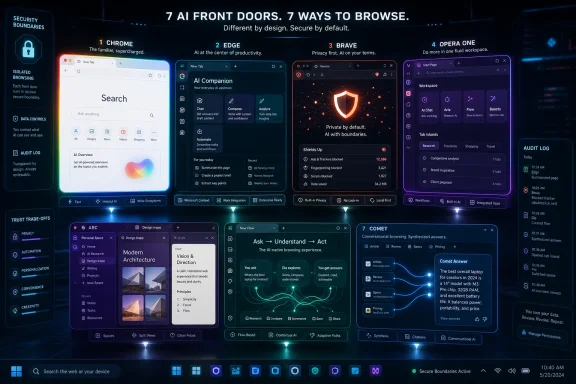
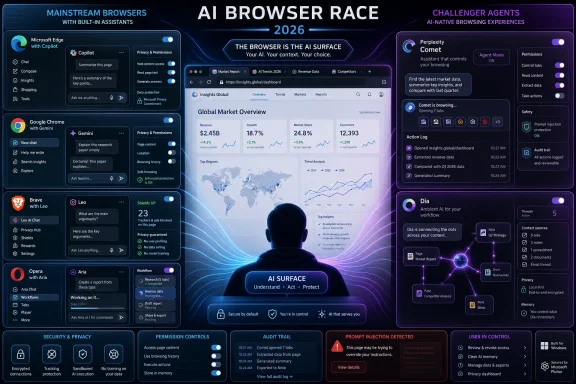
In 2026, the leading AI-powered browsers are Microsoft Edge, Google Chrome, Brave, Opera One, Arc, Dia, and Perplexity Comet, each using embedded assistants to summarize pages, answer questions, draft text, organize tabs, or turn browsing into a more conversational workflow. The list says as much about the browser market as it does about AI. The old contest over speed, extensions, and standards compliance has become a contest over who gets to interpret the web before the user does. That shift is powerful, useful, and a little unsettling.
For most of the web’s history, the browser was supposed to be neutral plumbing. It rendered HTML, ran JavaScript, stored cookies, synced passwords, and tried not to get in the way. The search engine, the website, and the user did the thinking.
AI browsers invert that arrangement. They do not merely show the page; they increasingly mediate it. A browser assistant can summarize a 4,000-word article, compare several shopping tabs, draft a reply to a form, or answer a question about a PDF without the user visiting another service.
That is why the browser has become one of the most valuable battlegrounds in consumer AI. Whoever owns the browser owns the context: the open tabs, the search intent, the shopping trail, the work documents, the calendar link, the half-written email, and the user’s next click. AI companies want that context because it makes assistants more useful. Browser companies want AI because it gives users a reason not to leave.
The result is a strange new market. Microsoft and Google are bolting assistants onto browsers with massive installed bases. Brave and Opera are using AI to sharpen long-running identities around privacy and productivity. Arc, Dia, and Comet are asking whether the browser should be redesigned around AI from the beginning.
In Edge, Copilot can summarize webpages, answer questions about visible content, help rewrite text, compare information across tabs, and keep users inside the browsing flow. For Windows users, this matters because the assistant is close to the default environment. The AI button in the browser is not a separate destination; it is a sidecar attached to the thing many people are already using at work.
Edge’s differentiator is not elegance. It is integration. Microsoft can connect browsing to Windows, Microsoft accounts, Office documents, Outlook workflows, enterprise identity, and administrative controls in a way smaller browser makers cannot easily match. For IT departments already standardized on Microsoft 365, Edge’s AI story lands less like a novelty and more like another managed productivity feature.
That same advantage is also the source of user frustration. Microsoft’s browser strategy has often felt aggressive, especially when Windows nudges users toward Edge after updates, default-app resets, or Bing-powered search surfaces. AI does not erase that baggage. If anything, Copilot gives Microsoft another reason to push Edge harder.
Still, Edge is one of the most complete AI browsers for mainstream Windows users. It is not the most radical. It is not the most privacy-forward. But it is the browser most likely to make AI assistance feel like a standard part of the Windows desktop.
Google’s Gemini integration turns Chrome into a more explicitly AI-assisted browser. Users can access writing help, page summaries, AI-powered search experiences, and context-aware assistance inside Google’s ecosystem. Chrome’s advantage is obvious: it already sits next to Gmail, Docs, Drive, Calendar, YouTube, Maps, Android, and Search.
But Chrome also has the hardest balancing act. Google cannot move too slowly, because Edge, Brave, Opera, Comet, Dia, and future AI-native browsers will define user expectations. It cannot move too recklessly either, because Chrome is infrastructure. A small change in how Chrome handles page context, local AI models, account data, or assistant permissions can affect hundreds of millions of users.
That is why Chrome’s AI rollout feels more incremental than revolutionary. Google is making Gemini more available in the browser, but it is also protecting the familiarity that made Chrome dominant. The company wants AI to feel native, but not so disruptive that users wonder whether the browser has become an unpredictable agent acting on their behalf.
Chrome’s defining feature in 2026 is therefore not a single AI trick. It is scale. If Google succeeds, AI-assisted browsing becomes normal because Chrome made it normal. If it stumbles, the backlash will be just as large.
Leo can summarize webpages, answer questions about content, translate text, generate writing, and work with different kinds of documents. The important distinction is Brave’s positioning around privacy. Brave says Leo does not require an account for basic use, does not retain chats for model training in the way many cloud AI services do, and routes requests in ways designed to reduce linkability between prompts and users.
That does not make Brave magic. Any AI assistant that reads page content needs access to sensitive context at the moment it performs the task. A browser that summarizes your private dashboard, internal wiki, medical portal, or legal document is still processing something sensitive, even if the vendor’s retention policy is more restrained.
But Brave’s bet is that users will increasingly ask not only “what can this AI do?” but “what happens to the data I hand it?” That is a smart wager. As AI features migrate from separate chatbots into always-on browser surfaces, privacy stops being an abstract principle and becomes a daily workflow concern.
Brave’s weakness is the flip side of its strength. It does not have Microsoft’s operating-system leverage or Google’s service ecosystem. Its appeal depends on users caring enough about privacy to switch browsers. For a vocal minority, that is exactly the point. For everyone else, Brave must prove that privacy-first AI can be convenient enough to compete.
Opera’s assistant, originally branded around Aria and later expanded through Opera’s broader AI work, can summarize webpages, answer questions, help write text, interpret page context, and work across tab groupings such as Tab Islands. Opera’s differentiator is not that it invented every capability first. It is that it packages these features in a browser already designed around side panels, multitasking, and quick access.
That makes Opera One feel less jarring than some AI-native experiments. The browser already expected users to live partly in the sidebar. Adding an AI assistant there is an extension of the interface rather than a philosophical rupture.
Opera’s challenge is credibility at scale. It has a long history of browser innovation, but it does not command Chrome-like market share or Edge-like enterprise default status. Users who try Opera often find clever features; fewer make it their permanent daily browser.
Still, Opera deserves more credit than it gets. It recognized early that AI would not merely be another extension category. It would become a browser-level feature, tied to tabs, pages, and workflows. Opera One may not win the market, but it has helped define the shape of the competition.
Arc Max added AI features such as link previews, tab-title cleanup, download renaming, and ChatGPT access through the command bar. These were modest compared with the grandest promises of AI agents, but they were useful because they targeted browser annoyances. They did not ask users to rethink intelligence; they cleaned up the mess.
That restraint was Arc’s virtue. Instead of making the assistant the star, Arc used AI to sand down friction in the browser interface. A tab with a terrible title became readable. A downloaded file became easier to identify. A link could be previewed without committing to another tab.
But Arc also exposed the limits of reimagining the browser for power users. Its interface won fans, especially among people who live in dozens of tabs, but it carried a learning curve. For mainstream users trained by decades of Chrome-like layouts, Arc could feel like moving into an architect-designed house where every light switch had been relocated for a reason.
The Browser Company’s shift toward Dia made that tension explicit. Arc showed that browsers could be more imaginative. Dia is the company’s attempt to make that imagination more accessible by putting AI closer to the center.
That ambition matters. A sidebar chatbot can summarize a page, but an AI-native browser can theoretically understand that a user is comparing vendors, planning travel, debugging code, or researching a purchase across many tabs. The browser becomes less like a window and more like a collaborator.
The risk is that this is also where AI browsers become hardest to trust. Summarizing a page is one thing. Acting across tabs, remembering browsing history, filling forms, interpreting instructions, or moving between apps is another. The more useful the assistant becomes, the more permissions it needs.
Dia’s appeal is obvious for people who want the browser to absorb the repetitive work of modern knowledge labor. The open question is whether enough users want that from a browser, rather than from a dedicated assistant app, a search engine, or an operating-system-level agent.
For WindowsForum readers, Dia is worth watching less as a Chrome replacement today than as a signal. It shows where browser design is heading if AI becomes the organizing principle rather than an added feature. The browser stops asking “where do you want to go?” and starts asking, implicitly, “what are you trying to get done?”
That distinction shapes the product. Comet is designed around conversational research, AI-generated answers, summaries, and workflows that reduce the back-and-forth between search results, webpages, and chatbot windows. Instead of searching, opening ten tabs, scanning each one, and returning to the search box, the user can ask the browser to synthesize the task.
This is compelling for research-heavy browsing. Students, analysts, journalists, developers, and obsessives of every kind often use the browser as a messy research machine. Comet tries to make that machine conversational.
But Comet also sits near the sharpest security concerns in AI browsing. If an assistant can read pages and act on them, then malicious pages may try to manipulate the assistant. Prompt injection, hidden instructions, poisoned content, and deceptive page structures are not theoretical concerns in this category. They are the browser-security equivalent of discovering that the intern can read every sticky note on your desk and might follow the wrong one.
Perplexity’s challenge is therefore bigger than product polish. It must convince users that AI-powered navigation can be safe, reliable, and worth changing habits for. Comet’s boldness is its selling point. It is also its liability.
These groups face different tests. Edge and Chrome must make AI useful without alienating huge user bases or triggering enterprise resistance. Brave and Opera must use AI to make their existing identities more compelling. Dia and Comet must prove that AI-native browsing is not just a demo category for people who enjoy trying new tools.
That is why there is no single “best” AI browser in 2026. The best choice depends on the user’s tolerance for change, their privacy posture, their work habits, and their platform commitments. A Microsoft 365-heavy office may find Edge the obvious fit. A Google-first user may prefer Chrome’s Gemini path. A privacy-conscious user may test Brave. A tab-management obsessive may still admire Arc. A research-heavy user may be tempted by Comet.
The market is also moving too quickly for static rankings to age well. Features that seem novel in January can become table stakes by June. A browser that lacks multi-tab summarization today may add it next month. A browser that boasts agentic workflows may have to pull them back after a security scare.
What matters more than the ranking is the direction of travel. Browsers are absorbing the jobs that once belonged to search engines, clipboard utilities, note apps, writing assistants, and research tools. The browser is becoming a workspace, and AI is becoming the interface layer on top of it.
A browser can see SaaS dashboards, HR systems, internal documentation, customer records, source repositories, admin consoles, and financial tools. Add an AI assistant with page awareness and the security model becomes more complicated. The assistant may need to read sensitive content to help, but organizations need to know where that content goes, how long it is retained, whether it trains models, and how access is governed.
This is where Microsoft and Google have structural advantages. They can package AI browser features with enterprise identity, compliance controls, admin policies, and procurement channels. Whether every organization trusts those controls is another matter, but the machinery exists.
Brave’s privacy posture may appeal to security-minded individuals, but enterprises often need manageability as much as restraint. Opera, Dia, Arc, and Comet must persuade admins that their AI integrations can be governed, audited, and disabled where necessary. Clever features are not enough when the browser sits between users and regulated data.
The biggest enterprise question is not whether AI can summarize a page. It is whether AI can be prevented from summarizing the wrong page, sending context to the wrong place, or acting on instructions planted by an attacker. The browser wars have always involved security. AI simply raises the stakes.
Chrome’s AI features reinforce Google’s search, advertising, account, and cloud ecosystem. Edge’s AI features reinforce Microsoft’s Windows, Bing, Copilot, and Microsoft 365 strategy. Brave uses AI to strengthen a privacy-first alternative to Big Tech. Opera uses AI to make its productivity-focused browser feel more distinctive. Arc used AI as interface polish. Dia uses it as the central metaphor. Comet uses it to turn Perplexity’s answer engine into a full browsing environment.
That is why users should read every AI-browser claim through a simple lens: what does this company gain if I let its assistant see more of my browsing? Sometimes the answer is better convenience. Sometimes it is ecosystem lock-in. Sometimes it is subscription revenue. Sometimes it is data advantage. Often, it is more than one at once.
This does not make AI browsers bad. It makes them browsers. Every browser has always embodied commercial choices about defaults, search deals, sync services, telemetry, extension stores, and standards priorities. AI just makes those choices more visible because the assistant asks to participate in the user’s work directly.
The browser that wins may not be the one with the flashiest demo. It may be the one that best balances usefulness, trust, speed, familiarity, and control. In software that people keep open all day, boring reliability still matters.
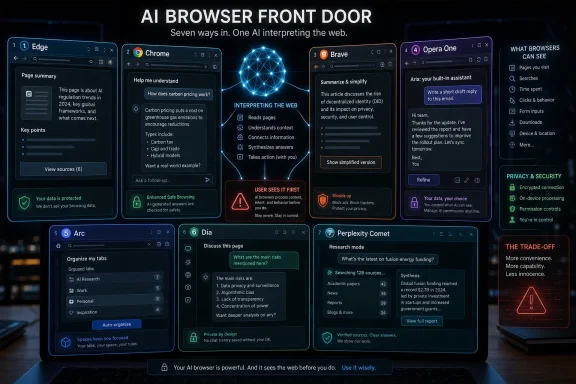 The Browser Is Becoming the New AI Front Door
For most of the web’s history, the browser was supposed to be neutral plumbing. It rendered HTML, ran JavaScript, stored cookies, synced passwords, and tried not to get in the way. The search engine, the website, and the user did the thinking.AI browsers invert that arrangement. They do not merely show the page; they increasingly mediate it. A browser assistant can summarize a 4,000-word article, compare several shopping tabs, draft a reply to a form, or answer a question about a PDF without the user visiting another service.
That is why the browser has become one of the most valuable battlegrounds in consumer AI. Whoever owns the browser owns the context: the open tabs, the search intent, the shopping trail, the work documents, the calendar link, the half-written email, and the user’s next click. AI companies want that context because it makes assistants more useful. Browser companies want AI because it gives users a reason not to leave.
The result is a strange new market. Microsoft and Google are bolting assistants onto browsers with massive installed bases. Brave and Opera are using AI to sharpen long-running identities around privacy and productivity. Arc, Dia, and Comet are asking whether the browser should be redesigned around AI from the beginning.
Edge Shows the Advantage of Owning the Operating System
Microsoft Edge is the most obvious example of the “AI everywhere” strategy. Copilot is not just adjacent to Edge; it is woven into Microsoft’s broader consumer and enterprise pitch across Windows, Bing, Microsoft 365, and the web. That gives Edge a practical advantage: it does not need to convince users that AI belongs in the browser, because Microsoft is already trying to make Copilot feel like part of the PC.In Edge, Copilot can summarize webpages, answer questions about visible content, help rewrite text, compare information across tabs, and keep users inside the browsing flow. For Windows users, this matters because the assistant is close to the default environment. The AI button in the browser is not a separate destination; it is a sidecar attached to the thing many people are already using at work.
Edge’s differentiator is not elegance. It is integration. Microsoft can connect browsing to Windows, Microsoft accounts, Office documents, Outlook workflows, enterprise identity, and administrative controls in a way smaller browser makers cannot easily match. For IT departments already standardized on Microsoft 365, Edge’s AI story lands less like a novelty and more like another managed productivity feature.
That same advantage is also the source of user frustration. Microsoft’s browser strategy has often felt aggressive, especially when Windows nudges users toward Edge after updates, default-app resets, or Bing-powered search surfaces. AI does not erase that baggage. If anything, Copilot gives Microsoft another reason to push Edge harder.
Still, Edge is one of the most complete AI browsers for mainstream Windows users. It is not the most radical. It is not the most privacy-forward. But it is the browser most likely to make AI assistance feel like a standard part of the Windows desktop.
Chrome’s AI Problem Is That It Has Too Much to Lose
Google Chrome remains the center of gravity in the browser market, and that makes its AI transition more complicated than Edge’s. Chrome is not an insurgent product looking for a new identity. It is the default web runtime for much of the planet, with an enormous extension ecosystem, deep Google account integration, and a user base that includes everyone from casual consumers to developers to enterprise fleets.Google’s Gemini integration turns Chrome into a more explicitly AI-assisted browser. Users can access writing help, page summaries, AI-powered search experiences, and context-aware assistance inside Google’s ecosystem. Chrome’s advantage is obvious: it already sits next to Gmail, Docs, Drive, Calendar, YouTube, Maps, Android, and Search.
But Chrome also has the hardest balancing act. Google cannot move too slowly, because Edge, Brave, Opera, Comet, Dia, and future AI-native browsers will define user expectations. It cannot move too recklessly either, because Chrome is infrastructure. A small change in how Chrome handles page context, local AI models, account data, or assistant permissions can affect hundreds of millions of users.
That is why Chrome’s AI rollout feels more incremental than revolutionary. Google is making Gemini more available in the browser, but it is also protecting the familiarity that made Chrome dominant. The company wants AI to feel native, but not so disruptive that users wonder whether the browser has become an unpredictable agent acting on their behalf.
Chrome’s defining feature in 2026 is therefore not a single AI trick. It is scale. If Google succeeds, AI-assisted browsing becomes normal because Chrome made it normal. If it stumbles, the backlash will be just as large.
Brave Turns AI Into a Privacy Argument
Brave has always sold itself against the grain of the mainstream browser economy. It blocks trackers by default, emphasizes private search, and markets itself to users who distrust the data practices of the largest platforms. Brave Leo, its built-in AI assistant, extends that pitch into the generative AI era.Leo can summarize webpages, answer questions about content, translate text, generate writing, and work with different kinds of documents. The important distinction is Brave’s positioning around privacy. Brave says Leo does not require an account for basic use, does not retain chats for model training in the way many cloud AI services do, and routes requests in ways designed to reduce linkability between prompts and users.
That does not make Brave magic. Any AI assistant that reads page content needs access to sensitive context at the moment it performs the task. A browser that summarizes your private dashboard, internal wiki, medical portal, or legal document is still processing something sensitive, even if the vendor’s retention policy is more restrained.
But Brave’s bet is that users will increasingly ask not only “what can this AI do?” but “what happens to the data I hand it?” That is a smart wager. As AI features migrate from separate chatbots into always-on browser surfaces, privacy stops being an abstract principle and becomes a daily workflow concern.
Brave’s weakness is the flip side of its strength. It does not have Microsoft’s operating-system leverage or Google’s service ecosystem. Its appeal depends on users caring enough about privacy to switch browsers. For a vocal minority, that is exactly the point. For everyone else, Brave must prove that privacy-first AI can be convenient enough to compete.
Opera One Still Knows How to Package Browser Experiments
Opera has spent years turning the browser sidebar into a kind of productivity dock. Messaging shortcuts, media controls, tab tools, built-in VPN branding, and visual redesigns have all been part of its effort to make browsing feel less like a blank window and more like a workspace. Opera One’s AI features fit naturally into that tradition.Opera’s assistant, originally branded around Aria and later expanded through Opera’s broader AI work, can summarize webpages, answer questions, help write text, interpret page context, and work across tab groupings such as Tab Islands. Opera’s differentiator is not that it invented every capability first. It is that it packages these features in a browser already designed around side panels, multitasking, and quick access.
That makes Opera One feel less jarring than some AI-native experiments. The browser already expected users to live partly in the sidebar. Adding an AI assistant there is an extension of the interface rather than a philosophical rupture.
Opera’s challenge is credibility at scale. It has a long history of browser innovation, but it does not command Chrome-like market share or Edge-like enterprise default status. Users who try Opera often find clever features; fewer make it their permanent daily browser.
Still, Opera deserves more credit than it gets. It recognized early that AI would not merely be another extension category. It would become a browser-level feature, tied to tabs, pages, and workflows. Opera One may not win the market, but it has helped define the shape of the competition.
Arc Proved the Browser Could Be Reimagined, Then Hit the Wall
Arc is the most interesting browser on this list precisely because its AI story is inseparable from its broader design story. The Browser Company did not simply add a chatbot to a conventional interface. Arc reworked the browser around spaces, a sidebar, pinned tabs, command-driven navigation, split views, and a more opinionated model of how people organize online work.Arc Max added AI features such as link previews, tab-title cleanup, download renaming, and ChatGPT access through the command bar. These were modest compared with the grandest promises of AI agents, but they were useful because they targeted browser annoyances. They did not ask users to rethink intelligence; they cleaned up the mess.
That restraint was Arc’s virtue. Instead of making the assistant the star, Arc used AI to sand down friction in the browser interface. A tab with a terrible title became readable. A downloaded file became easier to identify. A link could be previewed without committing to another tab.
But Arc also exposed the limits of reimagining the browser for power users. Its interface won fans, especially among people who live in dozens of tabs, but it carried a learning curve. For mainstream users trained by decades of Chrome-like layouts, Arc could feel like moving into an architect-designed house where every light switch had been relocated for a reason.
The Browser Company’s shift toward Dia made that tension explicit. Arc showed that browsers could be more imaginative. Dia is the company’s attempt to make that imagination more accessible by putting AI closer to the center.
Dia Is the Browser as an Assistant, Not a Browser With an Assistant
Dia is the cleanest expression of the AI-native browser idea. Where Edge and Chrome add assistants to existing giants, and Arc adds AI to a redesigned workspace, Dia tries to make the browser itself feel intelligent. It is built around the notion that the assistant should understand pages, tabs, and user intent as part of the normal browsing experience.That ambition matters. A sidebar chatbot can summarize a page, but an AI-native browser can theoretically understand that a user is comparing vendors, planning travel, debugging code, or researching a purchase across many tabs. The browser becomes less like a window and more like a collaborator.
The risk is that this is also where AI browsers become hardest to trust. Summarizing a page is one thing. Acting across tabs, remembering browsing history, filling forms, interpreting instructions, or moving between apps is another. The more useful the assistant becomes, the more permissions it needs.
Dia’s appeal is obvious for people who want the browser to absorb the repetitive work of modern knowledge labor. The open question is whether enough users want that from a browser, rather than from a dedicated assistant app, a search engine, or an operating-system-level agent.
For WindowsForum readers, Dia is worth watching less as a Chrome replacement today than as a signal. It shows where browser design is heading if AI becomes the organizing principle rather than an added feature. The browser stops asking “where do you want to go?” and starts asking, implicitly, “what are you trying to get done?”
Comet Makes Search Feel Like the Browser’s Skeleton
Perplexity Comet approaches the problem from a different direction. Perplexity began as an AI answer engine, so Comet is not primarily a browser company discovering AI. It is an AI search company building a browser around its answer model.That distinction shapes the product. Comet is designed around conversational research, AI-generated answers, summaries, and workflows that reduce the back-and-forth between search results, webpages, and chatbot windows. Instead of searching, opening ten tabs, scanning each one, and returning to the search box, the user can ask the browser to synthesize the task.
This is compelling for research-heavy browsing. Students, analysts, journalists, developers, and obsessives of every kind often use the browser as a messy research machine. Comet tries to make that machine conversational.
But Comet also sits near the sharpest security concerns in AI browsing. If an assistant can read pages and act on them, then malicious pages may try to manipulate the assistant. Prompt injection, hidden instructions, poisoned content, and deceptive page structures are not theoretical concerns in this category. They are the browser-security equivalent of discovering that the intern can read every sticky note on your desk and might follow the wrong one.
Perplexity’s challenge is therefore bigger than product polish. It must convince users that AI-powered navigation can be safe, reliable, and worth changing habits for. Comet’s boldness is its selling point. It is also its liability.
The Seven-Browser Race Is Really Three Different Races
Lumping these products together as “AI browsers” is useful, but it can also blur what is actually happening. Microsoft Edge and Google Chrome are platform browsers. Brave and Opera are differentiated mainstream alternatives. Arc, Dia, and Comet are design experiments trying to redefine what the browser is for.These groups face different tests. Edge and Chrome must make AI useful without alienating huge user bases or triggering enterprise resistance. Brave and Opera must use AI to make their existing identities more compelling. Dia and Comet must prove that AI-native browsing is not just a demo category for people who enjoy trying new tools.
That is why there is no single “best” AI browser in 2026. The best choice depends on the user’s tolerance for change, their privacy posture, their work habits, and their platform commitments. A Microsoft 365-heavy office may find Edge the obvious fit. A Google-first user may prefer Chrome’s Gemini path. A privacy-conscious user may test Brave. A tab-management obsessive may still admire Arc. A research-heavy user may be tempted by Comet.
The market is also moving too quickly for static rankings to age well. Features that seem novel in January can become table stakes by June. A browser that lacks multi-tab summarization today may add it next month. A browser that boasts agentic workflows may have to pull them back after a security scare.
What matters more than the ranking is the direction of travel. Browsers are absorbing the jobs that once belonged to search engines, clipboard utilities, note apps, writing assistants, and research tools. The browser is becoming a workspace, and AI is becoming the interface layer on top of it.
Enterprise IT Will Ask the Unfashionable Questions First
Consumers may judge AI browsers by convenience. IT departments will judge them by risk. That difference matters because the browser is already one of the most sensitive applications in the enterprise.A browser can see SaaS dashboards, HR systems, internal documentation, customer records, source repositories, admin consoles, and financial tools. Add an AI assistant with page awareness and the security model becomes more complicated. The assistant may need to read sensitive content to help, but organizations need to know where that content goes, how long it is retained, whether it trains models, and how access is governed.
This is where Microsoft and Google have structural advantages. They can package AI browser features with enterprise identity, compliance controls, admin policies, and procurement channels. Whether every organization trusts those controls is another matter, but the machinery exists.
Brave’s privacy posture may appeal to security-minded individuals, but enterprises often need manageability as much as restraint. Opera, Dia, Arc, and Comet must persuade admins that their AI integrations can be governed, audited, and disabled where necessary. Clever features are not enough when the browser sits between users and regulated data.
The biggest enterprise question is not whether AI can summarize a page. It is whether AI can be prevented from summarizing the wrong page, sending context to the wrong place, or acting on instructions planted by an attacker. The browser wars have always involved security. AI simply raises the stakes.
The Feature That Sets Each Browser Apart Is Really Its Business Model
The most important difference among these browsers is not the button label for their assistant. It is the business model behind the assistant.Chrome’s AI features reinforce Google’s search, advertising, account, and cloud ecosystem. Edge’s AI features reinforce Microsoft’s Windows, Bing, Copilot, and Microsoft 365 strategy. Brave uses AI to strengthen a privacy-first alternative to Big Tech. Opera uses AI to make its productivity-focused browser feel more distinctive. Arc used AI as interface polish. Dia uses it as the central metaphor. Comet uses it to turn Perplexity’s answer engine into a full browsing environment.
That is why users should read every AI-browser claim through a simple lens: what does this company gain if I let its assistant see more of my browsing? Sometimes the answer is better convenience. Sometimes it is ecosystem lock-in. Sometimes it is subscription revenue. Sometimes it is data advantage. Often, it is more than one at once.
This does not make AI browsers bad. It makes them browsers. Every browser has always embodied commercial choices about defaults, search deals, sync services, telemetry, extension stores, and standards priorities. AI just makes those choices more visible because the assistant asks to participate in the user’s work directly.
The browser that wins may not be the one with the flashiest demo. It may be the one that best balances usefulness, trust, speed, familiarity, and control. In software that people keep open all day, boring reliability still matters.
The 2026 AI Browser Scorecard Is About Fit, Not Hype
The sensible way to choose among these browsers is not to chase the longest feature list. It is to match the assistant’s strengths to the way you actually browse. A user who mostly reads news needs different AI than a sysadmin comparing documentation, a student reviewing PDFs, or a manager living across SaaS tabs.- Microsoft Edge is the strongest fit for Windows and Microsoft 365 users who want Copilot integrated into everyday browsing and work accounts.
- Google Chrome remains the safest mainstream choice for users who value compatibility, extensions, Google services, and a gradually expanding Gemini layer.
- Brave is the clearest option for users who want AI assistance while putting privacy claims and tracker resistance near the top of the decision.
- Opera One is best understood as a productivity browser that uses AI alongside sidebar tools, tab organization, and quick-access workflows.
- Arc remains attractive to power users who like a redesigned browser workspace and practical AI features that reduce tab and file clutter.
- Dia and Perplexity Comet are the browsers to watch if you believe AI should not merely assist browsing but reshape the act of browsing itself.
References
- Primary source: Mint
Published: 2026-06-01T04:50:30.536826
Top 7 AI-powered browsers in 2026: Google Chrome, Microsoft Edge, Brave, Opera, and more | Features that set them apart | Mint
From Google Chrome and Microsoft Edge to Brave, Opera One, Arc Dia and Perplexity Comet, here's how today's leading 7 AI-powered browsers compare, the tools they offer and the features that make each one stand out in 2026. www.livemint.com
- Related coverage: techcrunch.com
Perplexity launches Comet, an AI-powered web browser | TechCrunch
Perplexity is launching its first AI-powered web browser, Comet, marking the company's latest attempt to unseat Google Search.techcrunch.com - Related coverage: techspot.com
Google turns Chrome into an AI browser with Gemini integration | TechSpot
Google has started rolling out agentic AI features in Chrome for macOS and Windows users in the US. The new generative AI tool can analyze web pages,...www.techspot.com - Related coverage: macrumors.com
Google Adds Gemini AI to Chrome
Google today said that Gemini AI is being integrated into the Chrome browser for the Mac and PC. Chrome users in the U.S. will get the functionality first, with Gemini able to clarify complex information on any webpage. There will be a small Gemini symbol in the upper right side of the browser...www.macrumors.com - Related coverage: cometbrowser.online
Perplexity Comet Browser Features & Capabilities in 2025
That simple shift—moving from you drive, browser follows to browser co-pilots with you—is what makes Comet stand out. In this article, we’ll look at itscometbrowser.online - Related coverage: windowscentral.com
Perplexity takes on Chrome and Edge with new AI web browser | Windows Central
Perplexity has launched its own AI-powered web browser dubbed "Comet" that is available now, but only if you pay $200 a month as part of Perplexity Max. Otherwise, you'll have to wait for an invitation to use it for free.www.windowscentral.com
- Related coverage: tooldirectory.ai
Best AI Browsers (2026): Comet, Dia, and More
Best AI browsers for 2026 — Comet by Perplexity, Dia, Browser Use, Browserbase. Consumer AI browsers and agent infrastructure compared. tooldirectory.ai
- Related coverage: tomshardware.com
Perplexity's AI-powered Comet browser leaves users vulnerable to phishing scams and malicious code injection — Brave and Guardio's security audits call out paid AI browser | Tom's Hardware
Brave and Guardio have revealed serious vulnerabilities in the AI-powered Comet browser.www.tomshardware.com - Related coverage: techradar.com
Perplexity upgrades Comet to multitask across your tabs | TechRadar
The AI browser promises to handle more complex internet errands on your behalfwww.techradar.com - Related coverage: blog.google
Go behind the browser with Chrome’s new AI features
Google Chrome is getting upgraded with the latest AI to make it safer, smarter and more usefulblog.google - Related coverage: techrepublic.com
Dia’s Paid Plan Marks New Phase in AI-Powered Web Browsing
Dia, an AI-powered browser from The Browser Company, launches a $20 Pro plan billed as “unlimited” AI access, but subject to Terms that can curb heavy use.www.techrepublic.com
- Related coverage: browserdigest.com
- Related coverage: digitaltrends.com
Google turns Chrome into a native AI browser with Gemini-powered tools - Digital Trends
Google is rolling out a massive upgrade to Chrome on desktop, integrating Gemini AI and native AI Mode tools directly into the browser to deliver smarter search, contextual insights, and automatic threat detection.www.digitaltrends.com - Related coverage: infoq.com
Perplexity Launches Comet: a Browser Designed around AI-Assisted Interaction - InfoQ
Perplexity has introduced Comet, a new web browser designed to integrate natural language interaction directly into the browsing experience. Unlike conventional browsers built around navigation and sewww.infoq.com
- Related coverage: builtin.com
Perplexity Launches Comet, a Web Browser Designed to Think Like Its Users | Built In
Designed to retain perfect context, Comet aims to transforms web browsing into a conversational experience, automating various workflows and tasks for its users. builtin.com
- Related coverage: stacker.com
AI browser comparison 2026: Atlas, Comet, Dia and 5 more ranked and reviewed
WebFX reports on eight AI browsers for 2026, highlighting their unique features, performance, and ideal use cases for users.stacker.com - Related coverage: androidcentral.com
Google Gemini AI: Gemini 3.5 Flash, Nano Banana, Live, best features, linked apps, and more | Android Central
From Gemini 3.5 Flash to all the Google apps that use Gemini, this guide will break down every key AI feature and whether you need to pay for it.www.androidcentral.com - Related coverage: time.com
What to Know About the Security Flaw in Perplexity’s Comet
Perplexity's Comet browser could until recently be hijacked by malicious links, causing it to siphon personal information and send it to mock attackers.time.com - Related coverage: pcgamer.com
Chrome is installing a 4 GB local AI model on some of your PCs without asking for permission and will just download it again if you delete it | PC Gamer
'Chrome did not ask. Chrome does not surface it. If the user deletes it, Chrome re-downloads it.'www.pcgamer.com - Related coverage: blogs.opera.com
Aria Can Now Summarize Webpages - Blog | Opera News
Aria can now Summarize text-based webpages in Opera for Android version 82. Get instant summaries for any webpages!blogs.opera.com
- Official source: microsoft.com

Copilot in Edge | Microsoft Edge
Compare, decide, and finish tasks without leaving your browser. Copilot in Microsoft Edge works across tabs to help you stay in your flow and move forward.
www.microsoft.com
- Related coverage: brave.com
Brave AI | Brave
Brave AI means private, user-first AI. It can help you answer questions and discover new info; automate and complete tasks; and power your own AI experiences. Use Brave AI to find, do, and build almost anything online.brave.com - Related coverage: help.opera.com
Opera AI FAQ - Opera Help
If you’re using the Opera Neon browser, read this FAQ instead. What is Opera AI? Opera AI is a browser-based AI built on Opera’s AI engine and powered by several large language models (LLMs), such as OpenAI’s or Google’s generative transformer models. It uses these models to understand a user’s...help.opera.com
- Related coverage: opera.com
Opera One | R3 updates | Opera
Try out the latest upgrades to Opera One. Tab Island customization, faster AI, and improved Sidebar and Split Screen.www.opera.com