

College life demands a laptop that’s reliable, light enough to carry between classes, and—depending on your major—powerful enough for coding, CAD, or media creation; PCMag UK’s 2025 roundup gives a clear set of context‑aware recommendations, but the real buying work comes down to matching exact SKUs to your use case, verifying battery and panel choices, and understanding the tradeoffs between battery, weight, and raw performance.
PCMag UK’s 2025 “Best Laptops for College Students” roundup organizes picks by real student workflows: budget Chromebooks and detachables for web‑first note takers, ultraportables for commuters, gaming laptops for students who double as gamers, and high‑end desktop‑replacement machines for content‑creation majors. Their headline Windows pick for most students is the Dell 14 Plus (DB14250) because it strikes a balance of price, battery life, and ports, while Chromebooks and 2‑in‑1 detachables appear throughout the list for students on tight budgets or who prioritize pen input.
Two market trends are dominant in 2025 and shape what students should consider today:
Source: PCMag UK The Best Laptops for College Students in 2025
 Background / Overview
PCMag UK’s 2025 “Best Laptops for College Students” roundup organizes picks by real student workflows: budget Chromebooks and detachables for web‑first note takers, ultraportables for commuters, gaming laptops for students who double as gamers, and high‑end desktop‑replacement machines for content‑creation majors. Their headline Windows pick for most students is the Dell 14 Plus (DB14250) because it strikes a balance of price, battery life, and ports, while Chromebooks and 2‑in‑1 detachables appear throughout the list for students on tight budgets or who prioritize pen input.Two market trends are dominant in 2025 and shape what students should consider today:
- On‑device AI (NPUs / Copilot+ readiness) is now a platform difference that affects real features like transcription, meeting summaries, and image editing. Verify whether a given SKU includes the required NPU horsepower if you care about local AI features.
- OLED / high‑refresh panels and power‑efficient SoCs (Apple M4, Intel Core Ultra / Core Ultra 2, AMD Ryzen AI, Snapdragon X) push display quality and battery life into mainstream pricing tiers—but those options create SKU fragmentation, so the same model name can hide different experience levels depending on its exact configuration.
The headline picks — who they’re best for and why
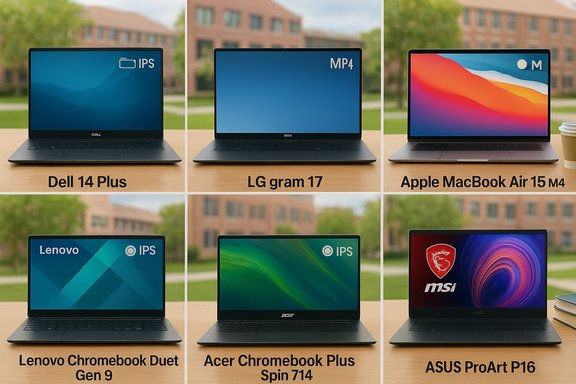
Best for most students: Dell 14 Plus (DB14250)
The Dell 14 Plus is PCMag UK’s midrange pick for most college users because it combines a premium metal chassis, comfortable keyboard, Thunderbolt 4 ports, and configurations that can include Copilot+ NPU support. It’s frequently discounted to a price point that makes it compelling for students on a budget. That said, published battery numbers can vary depending on the panel and CPU/NPU configuration—independent tests report significantly lower runtimes on some SKUs than the most optimistic lab numbers, so verify the specific listing before buying.Best budget convertible tablet: Lenovo Chromebook Duet Gen 9
For students who live inside Google Workspace, want pen input, and need extreme portability, the Lenovo Chromebook Duet Gen 9 is a durable, low‑cost detachable that includes (in many tested units) a bundled keyboard and stylus. It’s tablet‑first and ideal for note‑taking, reading, and cloud workflows—but it’s not suitable if you need heavy local apps or substantial storage.Best Chromebook versatility: Acer Chromebook Plus Spin 714
If you prefer ChromeOS but want productivity-level capability (including Android apps and improved AI features), the Acer Chromebook Plus Spin 714 is the most advanced ChromeOS pick: convertible design, a powerful Intel Core Ultra option, and extended battery life; it even includes trials for cloud AI features in some regions. That makes it a capable single‑device solution for many majors.Best budget gaming + study balance: MSI Katana 15 HX
The MSI Katana 15 HX is PCMag UK’s budget gaming pick for students who want to game and still do coursework. Typical SKUs pair an Intel Core i7‑14650HX with an Nvidia GeForce RTX 5050 Laptop GPU, delivering smooth 1080p gaming with modern Nvidia features (DLSS, frame generation). Expect tradeoffs: heat, fan noise, and poor battery life under load—typical of entry gaming laptops.Best for content creators / heavy workloads: Asus ProArt P16 (H7606)
For students in media production, video editing, 3D modeling, or architecture, the Asus ProArt P16 (H7606) is a desktop‑replacement laptop that pairs an AMD Ryzen AI 9 HX 370 with an Nvidia GeForce RTX 4070, features a 4K OLED display, and includes creator‑focused tools (virtual dials, AI-assisted workflows). This is a heavy, high‑power pick—excellent for studios and labs but unnecessary for most lecture‑and‑paper workloads.Best large‑screen ultraportable: LG Gram 17
If spreadsheets, large documents, or split‑screen coding are core to your workflow and you still want portability, the LG Gram 17 delivers a 17‑inch QHD+ panel in a surprisingly light magnesium alloy chassis—making it the rare large‑screen laptop students can actually carry across campus. Expect a premium price.Best big‑screen Mac pick: Apple MacBook Air 15‑inch (M4)
For students who prefer macOS and want long battery life and a silent, fanless experience, the MacBook Air 15‑inch with the M4 SoC is a compelling choice: class‑leading power efficiency and day‑long battery life in many mixed‑use tests. But note that Apple’s memory and storage are fixed at purchase.Buying guide: what to verify before you buy
1) Check your school first — discounts, required specs, and campus support
Many universities offer discounts, included software bundles, or even require certain Windows configurations for IT support and campus repair centers. Check the campus bookstore or IT procurement pages before buying; you may save money and gain faster on‑site repairs.2) Weight and screen size: balance comfort vs. canvas
- Most students are best served by a 13–14‑inch machine around ~3 pounds; it’s light enough for daily carrying and large enough for comfortable typing.
- If you need a workstation canvas (17‑inch for spreadsheets, video timelines, CAD), expect to trade weight and price for screen space—LG Gram 17 is an example that mitigates weight but not cost.
3) Processor and AI capabilities: future‑proof or battery‑first?
- Choose an Intel Core Ultra, AMD Ryzen AI, or Apple M4 if you want a mix of performance and on‑device AI capabilities. These processors often include neural engines (NPUs) that enable Copilot+/local AI features.
- If battery life and fanless silence are the priority, Apple M‑series or Snapdragon X‑class ARM Windows SKUs can deliver exceptional endurance—just verify app compatibility for ARM Windows.
4) Storage: 256GB minimum, 512GB recommended for most
- 256GB SSD works for cloud‑centric students; 512GB is sensible if you’ll keep local apps, large datasets, or games. Gaming students should prioritize 512GB–1TB to avoid juggling game installs. SSDs (NVMe) are strongly recommended over HDDs.
5) Battery life: test numbers vary—treat big claims cautiously
Vendors and editorial roundups often publish best‑case runtimes. Independent testing shows significant variance by SKU, panel choice (OLED high‑brightness vs FHD IPS), and CPU/NPU configuration; for instance, a Dell 14 Plus SKU tested in the lab produced 20 hours in one set of figures, while other independent reviews measured roughly 13 hours for similar configurations. Treat manufacturer “up to” numbers as directional and consult independent lab tests for the exact SKU you plan to buy.6) Chromebooks: great for cloud‑centric majors, limited for heavy local apps
Chromebooks are perfect for students who primarily use Google Workspace, web apps, and Android apps—affordable, lightweight, and long‑lasting. But they’re not suitable for heavy desktop apps (full Adobe suites, specialized engineering software) unless your school provides cloud‑based alternatives. Acer Chromebook Plus Spin 714 and Asus Chromebook Plus CX34 are strong ChromeOS picks for students who want more capability.7) 2‑in‑1s and detachables: pen input and flexibility, at a price
If you take handwritten notes or sketch, a convertible or detachable (Surface Pro, Lenovo Yoga 9i Aura, Asus ProArt PZ13) offers a hybrid workflow. Be mindful: detachable keyboards and pens are sometimes optional extras; factor those costs in. The Yoga 9i Aura Edition is a standout convertible with an OLED display and long battery runtimes in its efficient configurations.8) Warranties and accident coverage: calculate value vs. risk
Standard warranties cover defects for one year; extended or accident coverage can be expensive. If an extended warranty costs more than ~15% of the purchase price, consider buying reliable backups and cloud storage instead—unless fast on‑site repairs through your university are unavailable and downtime would be costly. Some vendors and universities offer multi‑year repair arrangements worth investigating.Deep dive: practical tradeoffs and risks
SKU fragmentation is the buyer’s primary risk
A model name alone no longer tells the full story. Panels (FHD IPS vs high‑brightness OLED), CPU/NPU options (Core Ultra vs Core Ultra 2 vs Ryzen AI vs Snapdragon X), memory (8GB vs 16GB vs 32GB LPDDR), and SSD sizes vary widely under the same branding. Always expand the SKU string and confirm:- Panel type and peak brightness
- CPU model and NPU TOPS (if you care about local AI)
- RAM type and whether it’s soldered or upgradable
- Battery cell capacity (Wh) and independent test results for that SKU
On‑device AI: a feature, and a compatibility axis
On‑device AI can speed up transcription, enable offline Copilot features, and accelerate some creative tasks, but it requires the right NPU and OS support. Microsoft’s Copilot+ ecosystem uses NPU capability as a gating factor; Apple uses its Neural Engine for Apple Intelligence. If AI features are essential for your workflow, confirm both the hardware TOPS and whether the vendor lists Copilot+ or similar on the SKU.Battery numbers lie—unless you verify test methodology
“Up to X hours” claims often represent low‑power scenarios: video playback, dimmed displays, or minimal background tasks. Independent web‑surfing and mixed‑use benchmarks are more realistic. When battery life is critical (long lecture days, no outlet access), choose configurations and CPUs known for efficiency (Apple M series, Snapdragon X, specific Intel Core Ultra SKUs) and favor lower‑power panels. Cross‑check vendor claims with independent lab tests for your specific SKU.Gaming laptops: performance at the cost of battery, heat, and weight
If you pick a gaming laptop as a student (e.g., MSI Katana 15 HX), accept tradeoffs:- Short battery life when gaming unplugged
- Heavier chassis and louder fans under load
- Often lower color accuracy/brightness on budget gaming panels
These devices are great for dorm gaming and content work, but they’re not ideal for full‑day unplugged lecture runs.
Quick checklist: how to buy the right student laptop in 10 steps
- Confirm your school’s minimum requirements and any vendor discounts.
- Decide your platform (Windows, macOS, ChromeOS) based on required apps.
- Choose size: 13–14” for portability, 15–17” if screen real estate is essential.
- Pick a CPU line: Apple M4 or Intel Core Ultra / Ryzen AI for balanced power and efficiency.
- Target at least 16GB RAM for multi‑tab multitasking (8GB only for strict budgets).
- Favor a 512GB NVMe SSD if you want breathing room; 256GB is workable with cloud backup.
- Check whether the stylus and keyboard are included for 2‑in‑1s / detachables.
- Verify battery test results for the exact SKU you’re buying.
- Compare retailer SKUs and read recent owner reports for batch or firmware issues.
- Decide on warranty vs. backup strategy; extended accidental plans make sense for accident‑prone users.
Final analysis: strengths, weaknesses, and recommendations
Strengths in the 2025 student laptop market:- Real choice by use case: From sub‑$300 detachable Chromebooks to $2,000+ workstation laptops, there’s a good device for every major and budget.
- Better battery and displays at every price: OLED and efficient SoCs have trickled down, improving real‑world battery and media experiences.
- On‑device AI is useful and maturing: When present, NPUs materially improve productivity tasks like meeting transcription and image editing.
- SKU fragmentation creates buyer confusion and leads to mismatched expectations—most buyer regret traces back to this.
- Battery claims vary widely by test conditions; you must validate independent tests for the SKU you choose.
- Gaming laptops’ compromises (heat, noise, weight) make them less ideal as a primary carry‑everywhere machine.
- If you want a single, well‑rounded pick with strong value and real portability: start your search with the Dell 14 Plus but confirm the exact panel and NPU configuration before purchase.
- If budget is the main constraint and you’re cloud‑centric, choose a Chromebook detachable like the Lenovo Duet Gen 9 or a Chromebook Plus convertible for additional longevity and features.
- If your course load includes media production, CAD, or 3D work, buy a content‑creation machine like the Asus ProArt P16 and accept the premium for CPU/GPU power and a 4K/OLED canvas.
- For students who game and study: the MSI Katana 15 HX is a cost-conscious balance—just plan on using it primarily plugged in for extended gaming sessions.
Closing paragraph
Choosing the best laptop for college in 2025 is less about finding a single “best” model and more about mapping a student’s real needs to the right SKU: lightweight versus large display, Chromebook simplicity versus full Windows/macOS power, and whether on‑device AI features matter. PCMag UK’s roundup provides a strong starting list, but buyers should verify panel, CPU/NPU, RAM, and battery numbers for the exact SKU they intend to buy and treat the largest battery or celebrity specs as conditional until cross‑checked with independent tests. Armed with that verification checklist, students can pick devices that last—through classes, labs, and a lot of late‑night study sessions.Source: PCMag UK The Best Laptops for College Students in 2025
