

Adobe’s ecosystem still shapes the conversation, but 2025 is the year the photo‑editing market stopped being a two‑horse race and became a full‑blown ecosystem battle: subscription fatigue, a wave of powerful free entrants, and aggressive AI features have reshaped how photographers choose software. The best photo editing software in 2025 is no longer a single product — it’s a set of trade‑offs between raw image quality, batch workflow efficiency, generative and assistive AI, licensing model, and where you want your pixels to live. This feature breaks down the most relevant options, verifies technical claims, and critiques the strengths and risks for Windows users and professionals who need predictable, high‑quality results.
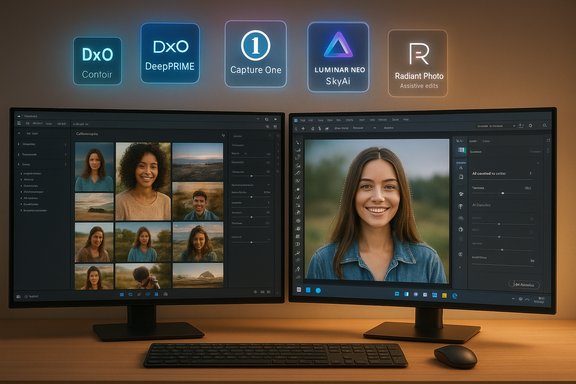
The landscape that dominated in the 2010s has evolved. Adobe Lightroom Classic and Photoshop remain staples for many pros because of their mature toolsets and deep integrations, but alternatives have become more compelling on price, raw processing quality, or AI capability. Capture One continues to attract studio shooters for tethering and color control, DxO PhotoLab pushes raw conversion and noise reduction, Affinity has been reborn under Canva, and a new generation of AI‑first tools (Radiant Photo, Luminar Neo, ON1 Photo RAW) aim to speed workflows with automated enhancements and generative utilities.
Two persistent trends define 2025:
For Windows photographers: prioritize hardware (SSD, 16+ GB RAM, modern GPU), pick a primary engine for your RAW quality and catalog needs, then supplement with AI‑assisted or specialized plug‑ins where they save time. Carefully inspect whether AI runs locally and whether your license will leave you with a workable version in three years. In this fast‑moving market, the smartest buy is the one that balances image quality, workflow speed, and long‑term cost predictability — not necessarily the flashiest advertisement.
(For readers wanting to dig deeper: vendor system requirements, DeepPRIME claims, Affinity’s new free model, and ON1’s Stability AI integration are documented in vendor pages and official announcements — check each product’s system/feature page and license FAQ before purchase.
Source: Digital Camera World The best photo editing software in 2025: retouch, fix and enhance your images
 Background / Overview
The landscape that dominated in the 2010s has evolved. Adobe Lightroom Classic and Photoshop remain staples for many pros because of their mature toolsets and deep integrations, but alternatives have become more compelling on price, raw processing quality, or AI capability. Capture One continues to attract studio shooters for tethering and color control, DxO PhotoLab pushes raw conversion and noise reduction, Affinity has been reborn under Canva, and a new generation of AI‑first tools (Radiant Photo, Luminar Neo, ON1 Photo RAW) aim to speed workflows with automated enhancements and generative utilities.Two persistent trends define 2025:
- AI everywhere: From smart masking and denoising to generative erase and sky replacement, AI photo editing is now mainstream. Some tools focus on assistive AI that improves pixels that exist; others add generative content that can alter scenes.
- License bifurcation: Vendors split between subscription (continuous feature delivery) and perpetual‑with‑time‑limited‑updates (buy once, get a year of updates). The licensing model increasingly determines long‑term cost and risk.
The field today: who does what best
Adobe Lightroom Classic — best for batch workflows and cataloguing
Lightroom Classic remains the standard for photographers who organize, search, and batch‑process thousands of images. It’s built around a catalog‑centric workflow that excels at consistent batch edits, tethered studio imports, and metadata management.- Why it stands out: industry‑grade cataloging, robust batch processing, integrated AI denoising and masked adjustments.
- Verified system realities: Adobe’s published system requirements call for 8 GB of RAM minimum (16 GB recommended) and a GPU with DirectX12 support for acceleration and advanced AI features, confirming that Lightroom Classic benefits from modern hardware.
- Practical caveat: large catalogs are hardware‑intensive — photographers must plan for SSDs, plenty of RAM, and a capable GPU to avoid sluggish thumbnails and slower Develop‑module responsiveness. Community tuning tips for GPU/RAM optimization remain relevant for Windows users.
Adobe Photoshop — best for compositing, retouching and generative work
Photoshop is still the reference for complex compositing, advanced masks, and pixel‑level control. The 2024–25 releases pushed generative and intelligent compositing features hard, making some previously laborious tasks far faster — often at the cost of increased reliance on cloud or credit models for generative features.- Strength: Unmatched masking and layering, plus growing generative tools to accelerate complex composites.
- Risk: Generative AI introduces ethical and provenance concerns (manipulated images can be indistinguishable from reality), and some advanced features use paid credits or cloud services.
DxO PhotoLab 8 / 8.5 — best for RAW quality and noise reduction
DxO continues to focus on raw conversion quality, lens‑specific corrections, and noise rejection. The DxO DeepPRIME engine (now iterating to DeepPRIME 3 / XD3 generations) has repeatedly been measured to deliver exceptional denoising and detail recovery.- Verified claim: DxO’s DeepPRIME family is marketed as a top‑tier denoising engine and recent DxO announcements highlight DeepPRIME 3 (and DeepPRIME XD variants) as substantial upgrades for detail recovery, including expanded X‑Trans support. DxO’s product pages and release notes confirm these claims.
- Licensing note: PhotoLab is commonly offered as a perpetual license (no ongoing subscription), which remains appealing for photographers who dislike monthly fees.
Capture One Pro — best for studio tethering and color control
Capture One carved its niche with studio tethering, granular color tools, and a managed catalog model that appeals to studio, commercial, and fashion photographers.- Verified reality: Capture One supports both subscription and perpetual license options and continues to prioritize tethered shooting workflows and studio collaboration. Their licensing documentation shows perpetual licenses still exist for Capture One Pro while subscription models give continuous access to the latest releases.
- Strengths: world‑class tethering, precise color controls, flexible session vs. catalog workflows.
Affinity (now under Canva) — best free, layer‑based Photoshop alternative
2025 brought a seismic change: Affinity’s core suite (Photo, Designer, Publisher) was unified and relaunched under Canva with a free‑for‑all model, coupled with optional Canva AI integrations for premium users.- Verified change: Canva’s announcement and multiple independent press reports confirm Affinity’s relaunch as a free, unified creative app that keeps advanced tools accessible while gating some AI features behind Canva Premium. The new Affinity requires a Canva account for access and offers optional Canva AI tools to paying customers.
- Strengths: full, layer‑based editing with a Photoshop‑like workflow at zero cost for core tools.
- Risks: the free model changes the historic “buy once” expectation; AI power is now an upsell, and long‑term product direction is tied to Canva’s business model.
Luminar Neo — best sky replacement and fast AI photo edits
Skylum’s Luminar Neo stays relevant for photographers who want dramatic edits quickly: SkyAI, scene relighting, and a broad suite of AI tools make sky replacement, sunrays, and relighting accessible.- Verified features: Skylum documents the SkyAI workflow and the controls (horizon blending, reflection adjustments, defocus, grain matching) and positions Sky replacement as a core capability. The vendor knowledge base is explicit about best practices for realistic results.
- Licensing caveat: Skylum’s perpetual license model typically includes a year of updates, after which you can continue using the bought version but must pay to receive further updates — an increasingly common vendor pattern.
Radiant Photo 2 — best assistive AI that preserves natural results
Radiant Photo focuses on improving existing pixels with assistive AI rather than generative additions. That design philosophy appeals to photographers who want quick, natural edits while maintaining control.- Verified positioning: Radiant’s documentation emphasizes local processing, privacy‑minded workflows, sidecar non‑destructive editing, and deep plugin integration with Lightroom and Photoshop.
- Strength: natural, fast enhancements that speed routine retouching while allowing manual fine‑tuning.
ON1 Photo RAW — best all‑in‑one value with generative options
ON1’s 2025 release doubled down on generative AI features (Canvas/Generative Erase, Generative Crop) while keeping traditional editing, effects, and cataloging in one package.- Verified facts: ON1’s marketing and reviews confirm the breadth of generative AI tools and the option to use either local AI or a Stability AI integration (which can involve third‑party costs for credits). Independent coverage highlights free or one‑time alternatives plus subscription plans for cloud storage and extra services.
- Risk: ON1’s generative features can require cloud credits (Stability AI integration) or use local models; costs and privacy terms vary by model choice.
RawTherapee and open‑source options — best no‑cost, high‑control RAW processing
RawTherapee, Darktable, and GIMP remain powerful free alternatives. Their learning curves are steeper, and performance or ergonomics can lag commercial packages, but the price is unbeatable and the control is deep.- Verified: RawTherapee and other open‑source projects continue to publish active releases and updates; RawTherapee remains free under GPL and is a serious RAW processor.
- Strength: zero licensing cost, strong control, and export options.
- Weakness: UI complexity and slower performance on some workflows.
How to choose in 2025: a practical roadmap
Choosing the best photo editing software is about matching tool strengths to workflow needs. Use the following checklist to make a decision that lasts.- Define your primary workflow
- Batch editing and cataloging? Prioritize Lightroom Classic or Capture One.
- Per‑image, pixel‑perfect retouching and compositing? Photoshop or Affinity (layer editors).
- Maximum RAW image quality and denoising? DxO PhotoLab should be on the shortlist.
- Decide on license model tolerance
- Subscription OK for always‑updating tools and cloud services.
- Prefer one‑time payments? Look at DxO, Affinity (now free), ON1 (perpetual option), Capture One perpetual licenses (with caveats).
- Assess hardware and performance needs
- Heavy catalogs and AI features benefit from 16+ GB RAM, SSD storage, and a GPU with sufficient VRAM (Adobe’s published requirements give specific guidance).
- Evaluate AI features and privacy
- Confirm whether AI processing runs locally or in the cloud for each tool, especially if you edit confidential images. Microsoft and other platform apps mix local and cloud execution; treat any cloud‑based AI as potentially sending image data off‑device unless vendor docs confirm on‑device processing. Community guidance on Photos and Copilot features highlights cloud vs local processing issues and the privacy decisions users must make.
- Test with your RAW files
- Use free trials and export comparable images from each candidate to compare color rendering, noise, and detail. DxO publishes downloadable RAW examples for side‑by‑side testing, and many vendors offer 30‑day trials.
Strengths across the market
- Rapid AI acceleration: tasks that once took minutes or hours (mask refinement, object removal, denoise) are much faster today. Assistive AI like Radiant’s and DxO’s denoising produce highly usable results without heavy manual touch‑ups.
- More licensing choices: perpetual licenses persist at several vendors, and the new Affinity free model removes a long‑standing barrier to entry for powerful, layer‑based editing.
- Better RAW options: DxO and Capture One continue to push raw conversion quality upward, and many users report better shadow recovery and cleaner high‑ISO results in specialist raw processors.
- Converging ecosystems: plug‑ins and interoperability (Nik Collection, Radiant as a Lightroom/Photoshop plugin) mean you can mix and match tools to fit a workflow.
Risks, trade‑offs and things photographers should watch
- Subscription creep and hidden costs: Generative AI often sits behind credit systems or premium tiers (Photoshop credits, Stability AI cost in ON1). Those micro‑costs add up badly for high‑volume users. ON1’s Stability AI integration is an example where using cloud models requires additional credits.
- Privacy and cloud processing: vendors vary on whether AI work runs locally. Radiant emphasizes local processing, while other services may route edits to cloud engines. Confirm the processing locality before uploading sensitive content.
- Perpetual license ambiguity: many “perpetual” offers include only a year of free updates; after that you can keep the installed version but not get new features without paying. Read activation and update policies carefully — Luminar and many small vendors follow a one‑year update window on perpetual licenses.
- Quality vs convenience: automated AI edits are fast, but sometimes overshoot or make stylistic decisions you don’t want. For important work, treat AI suggestions as accelerators, not final outputs.
- Generative ethics and provenance: the more pervasive generative tools become, the higher the responsibility to document edits and disclose when images are substantially altered.
Recommended setups by photographer type
Casual / social photographers
- Top pick: Luminar Neo or Lightroom (cloud) for quick edits and sky swaps.
- Why: Templates, simple AI tools, and cloud/mobile sync for social workflows.
Enthusiast with high volume (travel, weddings)
- Top pick: Lightroom Classic for cataloging + Radiant Photo or DxO for batch quality improvement.
- Why: Lightroom’s batch tools combined with DxO/Radiant fixes for critical images strike a balance between throughput and quality. Verify GPU/RAM requirements to keep catalog performance healthy.
Studio / commercial photographers
- Top pick: Capture One Pro + Photoshop for final compositing.
- Why: Robust tethering, color control, and studio workflow tools — Capture One’s session workflow is purpose‑built for tethered commercial shoots.
Retouchers and compositors
- Top pick: Adobe Photoshop (plus Nik Collection or Affinity if you prefer a non‑subscription route).
- Why: Unrivaled layer, mask, and compositing controls. Affinity now offers a free, robust alternative if you can live without Adobe cloud features.
Low‑budget / open‑source advocates
- Top pick: RawTherapee or darktable + GIMP for occasional layer work.
- Why: Zero licensing costs, professional‑grade RAW engines, and active communities. Performance and UI complexity are the trade‑offs.
Practical checklist before you commit
- Test with representative RAW files (same camera/model/lighting).
- Confirm whether AI features are local or cloud‑based (privacy & cost implications).
- Benchmark the catalog performance with your typical library size; test with an SSD and 16+ GB RAM for large catalogs.
- Check plugin and export compatibility with labs/printers you use.
- Re‑read the license fine print: perpetual license often equals “use the version you bought forever, but updates may be time‑limited.”
Conclusion
The best photo editing software in 2025 depends far more on workflow and priorities than on a single metric. Adobe’s tools remain indispensable for many pros because of cataloging, compositing, and ecosystem depth, but DxO and Capture One continue to push image‑quality boundaries, Affinity’s relaunch under Canva uproots the traditional pricing assumptions for layer editors, and AI‑first tools like Radiant Photo and Luminar Neo dramatically shorten the time to a polished image.For Windows photographers: prioritize hardware (SSD, 16+ GB RAM, modern GPU), pick a primary engine for your RAW quality and catalog needs, then supplement with AI‑assisted or specialized plug‑ins where they save time. Carefully inspect whether AI runs locally and whether your license will leave you with a workable version in three years. In this fast‑moving market, the smartest buy is the one that balances image quality, workflow speed, and long‑term cost predictability — not necessarily the flashiest advertisement.
(For readers wanting to dig deeper: vendor system requirements, DeepPRIME claims, Affinity’s new free model, and ON1’s Stability AI integration are documented in vendor pages and official announcements — check each product’s system/feature page and license FAQ before purchase.
Source: Digital Camera World The best photo editing software in 2025: retouch, fix and enhance your images
