

This week’s Windows Store roundup picks up where the platform’s steady trickle of useful utilities and trimmed-down ports left off: a handful of small-yet-practical releases, a few browser and PWA refinements, and a couple of app updates that matter to everyday workflows — all summed up in BetaNews’s latest “Best Windows 10 apps this week” entry and verified against vendor and community sources.
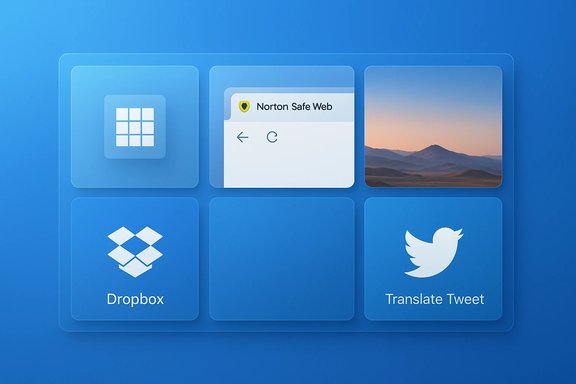
The weekly series of Store roundups has become a useful pulse-check for Windows 10 users who prefer curated discovery over Store noise. The issue under review (two-hundred-and-ninety-one in the series) highlights several new apps and notable updates: a lightweight Instagram grid cropper, a Norton URL-safety extension for Microsoft Edge, a Mojave-style dynamic desktop port, and incremental updates to mainstream apps like Dropbox and Microsoft Whiteboard, plus a PWA tweak to Twitter that adds an in-line translation option. These items are small individually but collectively illustrate the ongoing diversity of the Microsoft Store — utilities, security add-ons, and Progressive Web Apps (PWAs) continue to be meaningful in daily Windows usage.
This feature examines each pick, verifies core claims against vendor pages and community reporting where possible, and offers a practical verdict for Windows users and administrators. Cross-checks were performed using the original BetaNews roundup and vendor or independent pages to confirm functionality, availability, and any caveats readers should be aware of.
However, the model has predictable weaknesses:
This feature synthesized BetaNews’s weekly summary with vendor pages, open-source repositories, and independent Windows-focused reporting to validate the main claims and highlight practical strengths and risks for readers.
Source: BetaNews Best Windows 10 apps this week
 Background / Overview
The weekly series of Store roundups has become a useful pulse-check for Windows 10 users who prefer curated discovery over Store noise. The issue under review (two-hundred-and-ninety-one in the series) highlights several new apps and notable updates: a lightweight Instagram grid cropper, a Norton URL-safety extension for Microsoft Edge, a Mojave-style dynamic desktop port, and incremental updates to mainstream apps like Dropbox and Microsoft Whiteboard, plus a PWA tweak to Twitter that adds an in-line translation option. These items are small individually but collectively illustrate the ongoing diversity of the Microsoft Store — utilities, security add-ons, and Progressive Web Apps (PWAs) continue to be meaningful in daily Windows usage.This feature examines each pick, verifies core claims against vendor pages and community reporting where possible, and offers a practical verdict for Windows users and administrators. Cross-checks were performed using the original BetaNews roundup and vendor or independent pages to confirm functionality, availability, and any caveats readers should be aware of.
What landed this week: quick summary
- Grid Maker for Instagram — a simple cropping app that slices photos into Instagram-ready grids (3×1 through 3×5, per the original roundup). BetaNews describes in-app posting and grid-size options.
- Norton Safe Web (Edge extension) — a Norton/Gen Digital browser extension that evaluates visited URLs, shows safety icons, and provides detailed site reports. Vendor pages describe additional protections (phishing, link guard, IPS).
- WinDynamicDesktop — an open-source port of macOS Mojave’s Dynamic Desktop; it rotates wallpapers according to local time and ships with multiple themes and a theme-creation ecosystem. The project is hosted on GitHub and also maintains a project site.
- Dropbox for Windows 10 — received a Store-side update that included interface tweaks and a “specials” entry (as noted by BetaNews). Official Dropbox documentation and Windows-focused coverage confirm frequent Store and UX changes to the Windows client over time.
- Microsoft Whiteboard — exited preview and became generally available to Windows users around the same period; Microsoft community and product posts documented the GA transition and integration plans.
- Twitter PWA — received a server-side update adding a “Translate Tweet” option powered by translation APIs; this behavior was widely reported in Windows-focused outlets.
Grid Maker for Instagram — practical, focused, but ephemeral
What it does
BetaNews calls out Grid Maker for Instagram as a no-frills utility that crops images into square grids for Instagram posting: 3×1, 3×2, 3×3, 3×4 and 3×5 options, plus size adjustments and a direct-post workflow claimed by the developer. The roundup describes the app as designed to simplify creating multi-tile Instagram layouts.Verification and current state
- The original BetaNews mention indicates the app was available in the Microsoft Store at the time of coverage.
- Searches reveal multiple similarly named Grid Maker apps across mobile platforms (Android and iOS) and third‑party PC wrappers/emulators; several Android/iOS listings provide matching feature sets (multi-grid slicing, direct social sharing). However, a current Microsoft Store listing for the exact Windows package highlighted by BetaNews is not clearly discoverable in public indexing, suggesting the Windows package may have been removed, renamed, or is region-locked since the original post. See examples of mobile/third-party incarnations and emulator options that accomplish the same task.
Strengths
- Simplicity and speed for creators who want to design multipart Instagram posts without manual cropping.
- Low learning curve — these utilities typically ship with only a handful of controls.
- Useful for brand or portfolio accounts that emphasize a continuous feed aesthetic.
Risks and limitations
- Store availability is ephemeral. Apps that appear in a weekly roundup may be removed or renamed; verify the current Microsoft Store listing before installing. The Windows variant mentioned in the roundup could not be located during verification and may no longer be available in the official Store. Treat the BetaNews callout as discovery, not a permanent guarantee of availability.
- Privacy and posting flow. Many social helpers request direct posting privileges; check whether the app uploads images to third-party servers or only slices locally before you allow account access.
Norton Safe Web (Edge extension) — a useful safety layer, with trade-offs
What it is
Norton Safe Web is a browser extension from Norton (Gen Digital / Symantec heritage) that evaluates URLs and surfaces safety ratings, visual cues, and warning prompts directly in the browser. BetaNews described it as an Edge extension that checks visited URLs against Norton’s reputation database and shows green safe icons or warning overlays for flagged pages.Verification
- Norton’s official pages describe Norton Safe Web as a browser extension that offers website ratings, phishing/scam protection, an Intrusion Protection System (IPS) layer, and link-scanning features. The vendor lists availability for major browsers including Microsoft Edge.
- The extension is available in browser add-on stores (e.g., Mozilla Add-ons) and has a long public history; community threads confirm variants and availability across browsers.
Strengths
- Real-time site reputation overlays reduce inadvertent visits to malicious pages and can block phishing or exploit-laden pages before they execute.
- Expanded protections (phishing, link guard, IPS scanning) can add defense-in-depth when used alongside endpoint security.
- Vendor pedigree and threat intelligence. Norton’s global telemetry and reputation database provide a broad coverage footprint.
Risks and trade-offs
- Extension permissions are broad. Norton Safe Web requires access to browsing activity and site data to function; that access is reasonable for URL-scanning extensions but increases the attack surface if the extension itself were compromised. Review the extension’s permissions carefully before enabling.
- Potential for false positives and friction. Aggressive blocking or warnings can interrupt legitimate workflows; enterprises should test user experience before broad deployment.
- Third‑party telemetry concerns. Using a vendor-managed reputation service routes metadata about visited sites to an external provider; privacy-conscious environments should evaluate data-handling terms and consider on-prem or enterprise options if available.
WinDynamicDesktop — polished Mojave-style dynamic wallpapers
What it does
WinDynamicDesktop ports macOS Mojave’s Dynamic Desktop to Windows: wallpapers change gradually across the day based on geographic location and local time, cycling through a curated set of images (BetaNews reported 15 Mojave wallpapers shipped with the app). Users can add custom themes and create their own schedules.Verification
- The project is open source, hosted on GitHub, and maintains a project site describing themes, scheduling, and script extensibility. The GitHub repo and the official site confirm feature parity with BetaNews’s description and show ongoing maintenance and community contributions.
Strengths
- Aesthetic polish that changes with time of day, making desktops feel dynamic and less static without manual wallpaper management.
- Open-source and customizable — users can build or import themes, share them, and script behaviors using PowerShell extensions.
- Cross-version compatibility across Windows 10 and 11 makes the tool relevant across a broad device base.
Risks and limitations
- Wallpaper asset licensing. Some bundled themes use Apple wallpaper assets; the project’s maintainers note that wallpaper images are not their property, and users should be mindful of rights when distributing themes.
- Edge cases with multi-monitor setups and fit behavior — the app lists known issues like wallpaper fit not being remembered and limitations showing separate images on multiple virtual desktops. Test if multi-monitor fidelity matters in daily workflows.
Dropbox for Windows 10 — UI tweaks and Store posture
What changed (as reported)
BetaNews flagged a Dropbox for Windows 10 update that introduced interface changes and an “added to specials” Store section entry. While the change is small, the update is consistent with Dropbox’s pattern of iterative Store-side UX improvements and with Microsoft’s ongoing Store feature experiments.Verification
- Dropbox maintains documentation on the Microsoft Store app and has public release notes and blog posts detailing Store-targeted releases (e.g., Windows 10 S support and UWP/Store packaging efforts). Coverage of prior Windows 10 UWP updates (casting support, improved comments/notifications) validates that Dropbox has actively updated its Store client historically.
Strengths
- Feature parity aiming toward desktop parity — Dropbox’s Store app increasingly aligns with the desktop client in functionality while integrating Store-side benefits.
- Ongoing improvements to notifications, in-app comments handling, and media casting improve daily productivity for users reliant on Dropbox as a collaboration hub.
Caveats
- Store semantics vary by platform and region. BetaNews’s “added to specials” phrasing likely references a Store promotional or feature section rather than a Dropbox-specific global UI change. Treat single-line roundup notes as pointers to check the Store changelog for granular details.
- Enterprise deployment considerations. Managed teams may prefer the traditional desktop installer for centralized update control; Dropbox itself recommends the desktop client for managed deployments in some scenarios. Review company policy before switching to the Store-supplied package.
Microsoft Whiteboard — preview to GA and what it means
The claim and verification
BetaNews reported that Microsoft Whiteboard left preview and became generally available. Microsoft forums and product posts from the company and community corroborate that the Windows Whiteboard experience transitioned from preview to GA while the vendor worked on merging Surface Hub and client experiences in the months following the preview.Why this matters
- Unified collaboration surface. Whiteboard’s GA meant a broader, supported path for cross-device collaborative sketching, sticky notes, and shared brainstorming — important for hybrid teams that use Surface devices and Teams.
- Storage and compliance changes. Microsoft’s later migration of Whiteboard storage to OneDrive for Business was framed as a governance and compliance improvement for organizations, signaling enterprise readiness and the importance of migration planning.
Practical guidance
- Confirm tenant-level availability and rollout timelines in Microsoft 365 admin centers before scheduling training or mandated adoption.
- For Surface Hub deployments, test interaction patterns between the Hub’s native whiteboarding experience and the Windows client to avoid workflow surprises.
- Review storage migration notices and OneDrive integration timelines for long-lived boards, especially in regulated environments.
Twitter PWA: inline translation arrives (server-side update)
What changed
BetaNews highlights a Twitter PWA update that adds a Translate Tweet option, which uses translation APIs to offer a one-tap translation when the app detects a foreign-language tweet. Independent Windows-focused reporting confirmed this server-side change and noted UI tweaks that improved reply access.Strengths and user impact
- Immediate reading of multilingual content without leaving the app improves cross-border news-watching and global conversation participation.
- Server-side update model means the translation arrives without a Store re-download — convenient and fast to reach users.
Limitations and privacy notes
- Translation engine swaps. Twitter’s PWA has shifted between translation providers historically (Microsoft/Bing, Google), and service changes can alter translation quality. Service behavior may be subject to server-side change without user input. Monitor the translation provider in settings or release notes if translation fidelity matters.
Final verdict and practical recommendations
BetaNews’s weekly picks provide a reliable, compact snapshot of what’s newly available in the Microsoft Store ecosystem; they remain useful for discovery but require verification before deployment or purchase. The items called out this week illustrate three recurring themes:- Small utilities still matter: single-purpose apps like grid-slicers and wallpaper managers add convenience at low cost, but their Store availability can be transient. Verify the Store listing and permissions before installing.
- Security extensions help but carry trade-offs: vendor extensions such as Norton Safe Web deliver defensive value, but their wide permissions require careful privacy review and selective deployment in managed environments.
- PWAs and Store apps continue to evolve server-side: Twitter’s translate feature and Dropbox’s incremental UI updates show that both web-packaged apps and native Store clients receive frequent small improvements — users and admins should check settings and release notes rather than assume static behavior.
- If an app is mentioned in a roundup and you plan to use it, open its current Microsoft Store listing and read the latest reviews and the developer’s privacy statement.
- For browser extensions that require broad permissions, test on a single machine first and confirm behavior under your browsing patterns before organization-wide rollout.
- For collaboration apps (Microsoft Whiteboard, Dropbox), check tenant and admin rollout schedules and storage migration notices to avoid losing access to long-lived artifacts.
- Where a BetaNews entry reports a Windows Store app that cannot be found, look for equivalent cross-platform tools or web-based alternatives and treat the original mention as a lead rather than a guarantee of continued availability.
Closing analysis — strengths, weaknesses, and risks
BetaNews’s weekly format excels at timely curation: readers get a short list of noteworthy new items and minor updates that could be useful that week. This cadence is especially helpful for power users who want to sample interesting utilities without endlessly browsing the Store. The main strengths of the roundup approach are speed, focus, and the surfacing of niche tools that larger outlets may overlook.However, the model has predictable weaknesses:
- Ephemerality of listings. Many Store entries are small projects or wrapped mobile ports that may be delisted, renamed, or break with upstream API changes. Confirm current Store details before acting.
- Surface-level changelogs. Weekly roundups summarize a change but rarely provide exhaustive technical detail; follow the vendor changelog for compatibility specifics (codecs, APIs, admin deployment options).
- API/maintenance fragility. Third-party clients for services (YouTube, Twitter, Reddit) depend on external APIs; expect occasional breakage when upstream services change terms or protocols. Users should prefer vendors with active maintenance or fall back to official web/desktop clients for mission-critical workflows.
This feature synthesized BetaNews’s weekly summary with vendor pages, open-source repositories, and independent Windows-focused reporting to validate the main claims and highlight practical strengths and risks for readers.
Source: BetaNews Best Windows 10 apps this week
