• Thread Author
Microsoft’s weekly roundup of fresh Windows 8 apps leans heavily on casual gaming this week, but it also highlights a small cluster of productivity and educational tools that show how the Windows Store still served a varied audience—even as Microsoft prepared to shift the platform’s direction with the Windows 10 announcement. The BetaNews roundup that inspired this feature names Gameloft’s Puzzle Pets as the week’s App of the Week and collects eight more notable releases and updates, from miniature racers to hands‑free panorama tools, offering a snapshot of both the creative breadth and technical constraints developers faced on Windows 8.

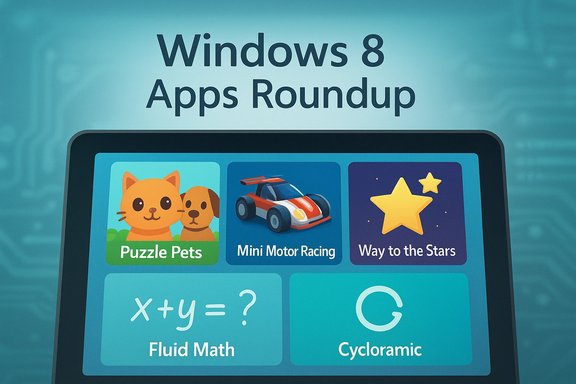
Windows 8 Apps Roundup shows Puzzle Pets, Mini Motor Racing, and Way to the Stars.Background​

Where this roundup fits in the Windows story​

By the time this BetaNews list was published, Microsoft had already sketched the shape of its successor OS. The company’s September unveiling of Windows 10 set expectations that future app development would trend toward a unified platform across phones, tablets, and desktops—an important context when assessing new Windows 8 releases and developers’ choices. Microsoft framed Windows 10 as a move toward a single product family that would support multiple device types and input methods, and it invited users into the Insider Program to help shape the OS. That announcement matters because it reshaped incentives for app makers: some doubled down on Windows Store apps for touch devices and modern UI experiences, while others pivoted to cross‑platform strategies or waited for the new development model Microsoft promised. The BetaNews weekly article therefore reads as a time capsule—new releases and small studios still targeting Windows 8 users even as the ecosystem was poised to change.

Overview of the week’s highlights​

App of the Week: Puzzle Pets (Match‑3, Gameloft)​

Puzzle Pets is the standout pick this week—an attractively produced match‑3 puzzle game from Gameloft that follows familiar genre conventions while adding creature helpers and island‑based progression. The key points that define the experience are:
  • Core gameplay mirrors Candy Crush–style matching with boosters and special combos.
  • Content volume: the game ships with 126 levels across several themed islands, giving it a substantial early campaign.
  • Progression tools: pets become “Helpers,” and there are seven boosters, special events, and leaderboard features that aim to increase retention.
Why this matters: Gameloft’s entry shows that high‑production, freemium‑style match‑3 experiences were viable on Windows devices and could bring console/phone studio polish to the platform. The game’s design is intentionally familiar, which lowers the barrier for players but also places it in a crowded market where monetization and retention mechanics determine long‑term success.

Mini Motor Racing (Miniature arcade racing)​

Mini Motor Racing is a compact arcade racer that trades hyperrealism for fast, accessible fun. Notable features:
  • Modes: single races and an extended career mode.
  • Content: dozens of tracks and hundreds of races are advertised in the product’s marketing, with day and night variants and tuning options for vehicles. The Windows/phone coverage of the title highlights its support for keyboard, touch, and controller input.
  • Controls and feel: designed to be playable with a keyboard but fully compatible with touch and Xbox 360 controllers—a useful design choice for the diverse Windows device family.
Why this matters: Mini Motor Racing demonstrates how developers could ship console‑style gamepads experiences to PC Windows users while still supporting touch screens. That versatility was important in an environment where users might run a game on a tablet one day and a laptop the next.

Way to the Stars (Puzzle platformer)​

Way to the Stars is a physics/puzzle platformer with shape‑shifting mechanics: players control aliens that can change form to solve levels, and the objective is to collect stars and reach the exit. The title appears across casual gaming portals and as lightweight HTML5 or Flash releases, and the core appeal is its mix of timing and geometry puzzles.
  • Mechanic: shape transformations (triangle, ball, etc. change movement and interaction.
  • Level design: short, puzzle‑driven stages built around timing and geometry.
Why this matters: Way to the Stars typifies indie puzzle design that translates across browser and platform builds. It’s a good example of how simple, physics‑based mechanics can create a satisfying challenge without heavy audiovisual overhead.

Routiner (Habit / repeating task tracker)​

The BetaNews item describes Routiner as a compact repeating‑tasks manager: tasks can be tagged by groups (Work, Health), assigned days, and set with reminders, and the app supports chaining tasks to maintain streaks. BetaNews lists a price and mentions a free trial.
Verification note: references to a Routiner habit app exist in modern app stores and niche utility sites, though names are shared across different products (a habit tracker, a gymnastics routine builder and other similarly named titles), and locating the exact Windows 8 store entry referenced by BetaNews proved difficult. Because there are multiple apps named “Routiner” across platforms and verticals, the exact Windows 8 product described in the weekly roundup could not be corroborated with a second independent source during the verification pass. Treat the BetaNews description as accurate for the article’s context, but treat finer details in need of confirmation if you plan to seek and install the app.

Music Mode (Local music player with management features)​

Music Mode positions itself as a more capable local music player than Microsoft’s default offerings. Key features:
  • Automatic library detection (My Music folder) and metadata optimization using online databases.
  • Playlist import: supports m3u, m3u8 and pls.
  • Pro features: FLAC playback and DLNA streaming are gated behind a Pro upgrade (trial behavior noted).
Why this matters: For users who maintain local music libraries, apps like Music Mode provide value by improving metadata handling, format support, and playback quality—features that stock players historically handled unevenly. The app’s freemium model also illustrates how advanced codecs or streaming features are commonly monetized.

Fluid Math (Education: math app with handwriting OCR)​

BetaNews profiles Fluid Math as a math teaching app aimed at grades 6–12, offering pen or touch input, on‑screen handwriting recognition (OCR) for equations, switching between math and annotation modes, and the ability to render algebraic, graphical, and numerical representations.
Verification note: BetaNews documents the app and its core feature set, but independent verification of the precise Windows 8 store entry was not consistently available during this verification pass. Multiple math tools with similar names exist—some desktop classroom tools or web products perform live equation recognition—so the BetaNews description should be treated as a usable summary, while readers seeking Fluid Math should confirm the product and publisher in the Store before purchase.

Strung Along (String‑puppet platformer)​

Strung Along is a physics‑based platformer in which a wooden puppet is controlled by manipulating its legs, using only two on‑screen inputs (left and right). The goal is to reach the end of short, timing‑based levels without snapping the puppet’s strings. Review coverage on device blogs praised its physics and low price, and the title includes an endless mode for practice and unlockable cosmetic items. Why this matters: Strung Along is a compact demonstration of how simple input schemes (two buttons) plus high‑quality physics can produce challenging, memorable gameplay—well suited to tablets and devices with limited input options.

Cycloramic (Hands‑free panorama capture)​

Cycloramic is a niche but clever app that automates panoramic capture by using a device’s vibrator and sensors to rotate the phone while capturing frames. Key points:
  • Hardware requirement: requires devices with orientation sensors and (for its signature hands‑free mode) specific hardware (flat edge designs and a gyroscope), so compatibility is limited.
  • Functionality: creates hands‑free panoramas and includes editing filters and export functions. Historically it has seen platform transitions and acquisition interest; the app’s availability varied by platform over time.
Why this matters: Cycloramic highlights how sensor‑driven apps can innovate on smartphones—but they often depend on particular hardware characteristics. That dependence creates a fragility: when device designs evolve (different edges, changed vibrator behavior), app functionality can break or be delisted—an important risk for users and developers alike.

Critical analysis: strengths, patterns, and risks​

Strengths: variety, polish, and platform fit​

  • The week’s picks show a broad mix of categories—casual match‑3, racing, puzzle platformers, productivity tools, and education—illustrating that Windows 8 still attracted diverse development efforts. The presence of a major studio (Gameloft) alongside small indie teams underscores this variety.
  • Many titles emphasize cross‑input compatibility (keyboard, touch, gamepad). That versatility was central to Windows’ multi‑form‑factor promise, allowing the same binary to be usable on tablets, laptops, and hybrid devices. Mini Motor Racing and Puzzle Pets typify this approach.
  • Educational and productivity apps—Fluid Math, Routiner, Music Mode—target specific user needs that are often underserved by mass‑market software, offering genuine utility beyond short play sessions. These niches are valuable for developers seeking monetizable audiences.

Risks: discoverability, hardware dependencies, and platform transition​

  • Discoverability: Windows Store discoverability was often cited as a weakness; even well‑made apps risked getting lost without editorial promotion or cross‑platform buzz. Curated weekly lists helped, but didn’t solve the underlying problem of discoverability in a crowded marketplace. The BetaNews roundup itself performs that curator role.
  • Hardware dependencies: Cycloramic’s reliance on specific sensors and device form factors shows how apps that tie themselves to hardware quirks can be fragile. As phone and tablet designs evolve, those apps can break, be delisted, or be acquired and absorbed into other products—reducing long‑term availability for users.
  • Platform transition risk: Microsoft’s public shift toward Windows 10 and the Universal Windows Platform meant developers had to decide between maintaining Windows 8 Store entries or moving forward with UWP to reach a broader device family. For users, that created uncertainty about how long new Windows 8 apps would be supported or updated. The Windows 10 announcement itself reinforced that transition.

Monetization and design tradeoffs​

  • Several games in the list follow the freemium or pay‑upgrade model. Puzzle Pets, like other match‑3 titles, depends on in‑game events, boosters, and difficulty curves to monetize. That model can be profitable but also risks alienating players if the economy becomes overly aggressive.
  • Productivity apps commonly adopt trial + Pro gating for advanced features (for example, FLAC and DLNA in Music Mode), which is reasonable—yet developers must balance feature gates so trials are meaningful and conversion rates are healthy.

What the average Windows user should take away​

  • Install demos and trials first. Several titles in this roundup (Music Mode, Mini Motor Racing, Routiner) offered trials or free tiers—use these to verify device compatibility and to test features before paying.
  • Check hardware requirements closely. Sensor‑dependent apps (Cycloramic) or titles optimized for controllers may not work on every device—confirm gyroscope or orientation sensor requirements before installing.
  • Expect uneven long‑term support. Smaller developers and niche utilities can vanish or be acquired; if an app is mission‑critical, verify the developer’s track record and cross‑platform availability. Cycloramic’s platform history is a useful cautionary example.
  • Consider Windows 10/UWP when planning for the future. Microsoft’s pivot to a unified Windows platform changed the calculus for app developers—and for users who want the broadest long‑term support and access to newer Windows Store features.

The editorial verdict: why this week mattered​

This BetaNews collection is useful because it captures the last productive moments of a particular Windows app era: polished, touch‑aware Windows 8 apps arriving at a time when Microsoft was publicly steering the platform toward convergence under Windows 10. The week’s selections show both the ambition of third‑party studios (Gameloft’s Puzzle Pets) and the creativity of smaller teams (Strung Along’s physics and Cycloramic’s sensor trickery). At the same time, they highlight chronic platform challenges—discoverability, hardware fragility, and uncertainty about future support.
Strengths:
  • Diversity: The range from casual games to utility and educational software confirms that Windows remained a viable target for many development styles.
  • Quality: Several submissions deliver well‑polished experiences that leverage device capabilities while remaining accessible for keyboard, touch, and controller users.
Weaknesses and risks:
  • Sustainability: Platform transitions and hardware evolution make some app investments risky for both users and developers.
  • Discoverability & monetization: Good apps still rely on editorial curation or cross‑platform marketing to find audiences; freemium design choices can also harm long‑term player goodwill.

Closing analysis and practical next steps​

For Windows enthusiasts and power users, the weekly roundup is a reminder to explore beyond the default apps: there are well‑designed alternatives for music playback, focused productivity tools, and imaginative indies that reward experimentation. At the same time, the period around Windows 8’s twilight was a time to be cautious—verify app compatibility, test trials thoroughly, and keep an eye on developer updates.
Actionable checklist:
  • If you like Puzzle Pets or Mini Motor Racing, install the free/demo versions first to confirm performance and control schemes on your device.
  • If you value local music playback features (FLAC, DLNA), evaluate Music Mode’s trial and verify whether the Pro features are essential to your workflow.
  • For sensor‑based tools like Cycloramic, check hardware compatibility explicitly—no amount of software cleverness can restore missing sensors.
  • Treat BetaNews and similar roundups as curated starting points rather than the final word—follow up on developer pages and Store listings for the most current compatibility, pricing, and update information.

Windows 8’s app scene in this week’s roundup is small but telling: polished games and niche utilities persisted, driven by both large studios and committed small teams. Yet that landscape existed under the growing shadow of a Microsoft platform transition—one that promised wider reach but would also redraw the rules for developers. For users, the smartest approach stayed the same: try before you buy, confirm hardware and update policies, and keep one eye on the next platform evolution so the apps you rely on today continue to work tomorrow.

Source: BetaNews Best Windows 8 apps this week
 

Microsoft’s weekly app roundup landed with two converging headlines: a milestone platform update for Windows and a lively crop of Store apps that illustrate how the Windows app ecosystem still mixes serious utilities with quirky, play‑first experiments. The BetaNews selection for the week highlights AIDA64 as the “Application of the Week” and runs through several new arrivals and noteworthy updates, while the surrounding news — notably Microsoft’s first major Windows 10 update — reshaped which apps ship as defaults and how developers target the platform.

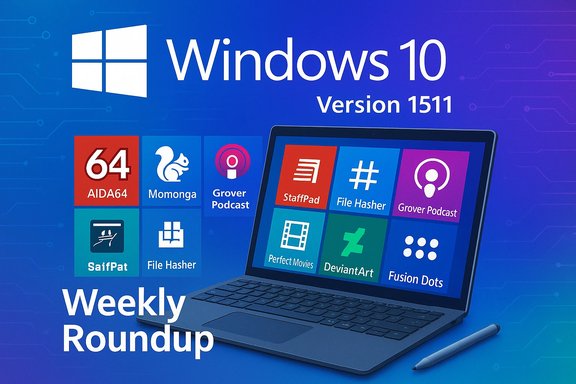
Windows 10 Version 1511 weekly roundup featuring colorful app tiles on a laptop.Overview​

This edition of the roundup sits at the intersection of two stories. First, Microsoft pushed the first major public feature update for Windows 10 — the November/Version 1511 “Threshold 2” update — which rolled out new platform capabilities and prompted a wave of app compatibility updates and new Store listings. Second, the BetaNews weekly list curates apps that either take advantage of Windows 10’s renewed momentum or simply stood out on the Store that week. Among them are a mix of system utilities, media players, podcasts clients, and games — from the veteran system profiler AIDA64 to a pinball‑meets‑action title, Momonga. The roundup is useful as a snapshot of the Store at the time: small, focused apps coexisting with larger third‑party utilities and one or two rebranded defaults (Skype and Sway were cited as newly appearing default apps in that update window).

Background: why the timing matters​

The Windows 10 November Update (Version 1511) and the Store​

Microsoft’s “first major update” for Windows 10 — commonly called the November Update or Version 1511 — formally began public distribution in November 2015. It represented the first substantial platform refresh after the original Windows 10 launch and was positioned as the version that organizations could begin to deploy broadly. The update improved performance, added features in Cortana and the Store ecosystem, and produced a second wave of app updates as developers prepared binaries and packaging for the refreshed platform. Why this matters to app hunters: platform updates change the baseline APIs and distribution channels. Developers who previously targeted Windows 8.x needed to recompile, retarget, or wrap apps differently for Windows 10 — and some moved to Universal Windows Platform (UWP) or Store wrappers to reach both desktop and mobile devices on a single package.

What to expect in a weekly Store roundup​

Weekly lists like the BetaNews piece are discovery tools more than deep reviews. They spotlight:
  • New releases that are worth sampling
  • Notable updates to existing titles that add functionality
  • Deals or price changes (for people hunting discounts)
  • Default apps or platform shifts that affect discoverability
Those are valuable signals, but they’re not a substitute for hands‑on testing, and a Store listing can change quickly. The roundup itself acknowledges that readers should test compatibility and confirm current Store listings before installing.

App of the Week — AIDA64: system insight in your pocket​

What AIDA64 offers​

AIDA64 — a long‑running system information, diagnostics, and benchmarking suite — was chosen as the week’s standout because its Windows app brings a concise hardware/software snapshot to modern devices. The FinalWire product family has multiple editions on desktop but also maintains mobile versions that expose detailed device telemetry: CPU, battery, GPU, installed devices, driver versions, and more. The AIDA64 website lists mobile and platform variants and documents the kinds of hardware and software enumeration the app performs. Key capabilities of the mobile/Store app include:
  • Quick, readable breakdown of CPU info, installed graphics shaders/drivers, and device sensors
  • Battery status and health metrics
  • Lists of installed apps and codecs (platform dependent)
  • Small footprint and fast startup ideal for diagnostics on the go

Why this matters for Windows users​

AIDA64’s desktop lineage gives the mobile/Store edition credibility. It’s an efficient tool for first‑pass diagnostics when troubleshooting a machine, checking driver versions or verifying system configurations before an upgrade or driver roll. The app is particularly useful for technicians, enthusiasts, and anyone who needs reliable inventory information without booting into heavier desktop tools.

Verification and caveats​

AIDA64’s desktop suite provides more in‑depth benchmarking and audit features than the Store app; the mobile/Store variant is a companion rather than a full replacement. FinalWire’s product pages document the difference and show the app’s intended scope. Users who need advanced stress testing, system stability tests, or enterprise inventory features should use the desktop editions of AIDA64 instead.

Notable new arrivals and quick reviews​

The BetaNews roundup calls out several interesting entries. Below are the highlights with verification and practical notes.

Momonga (pinball meets adventure)​

Momonga is a creative take on pinball: instead of static tables, the game stages are level‑based with exploration, bosses, and objectives. The Windows Store trial model (first two levels free, rest via in‑app purchase) and the platform compatibility were confirmed by developer and storefront posts: the title appeared on the Windows Store and later as a desktop release on Steam. The Paladin/Seaven Studios pages and contemporary press coverage show the same level/mission structure and the trial/in‑app purchase approach. Strengths:
  • Novel blend of action and pinball mechanics
  • Strong visuals and level design compared to commodity pinball games
Risks:
  • Trial model limits playability until purchased
  • Mixed user reviews on some storefronts suggest varying polish across platforms

Grover Podcast (native podcast client)​

Grover Podcast positions itself as a fast, native, well‑designed podcast manager for Windows. The developer’s site and Store listing emphasize subscriptions via an in‑app store or manual RSS import, offline downloads, playback position syncing, and playlist support — all features you'd expect in a mature podcast client. That makes Grover a robust alternative for users who prefer a dedicated native client rather than relying on web players or cross‑platform streaming services. Strengths:
  • Native, responsive UI and offline downloads
  • Full subscription and playback management
Risks:
  • Dependence on a single developer team for long‑term updates; verify recent update cadence before committing

File Hasher (MD5 / SHA1 / SHA256)​

A simple utility to compute and verify file hashes. Multiple independent tools and Store apps offer this functionality; the basic feature set (MD5, SHA1, SHA256 plus verification against known values) is widely implemented and straightforward. File Hasher-style apps are invaluable for verifying downloads or ensuring an ISO or driver file wasn’t tampered with in transit. Several reputable tools provide identical functionality, both as desktop utilities and small Store apps. Practical note:
  • MD5 and SHA1 are no longer collision‑resistant for security‑critical verification. For integrity checks use SHA256 or higher.

Fusion Dots (2048, reimagined)​

Fusion Dots reworks the 2048 formula into level‑based puzzles where icons (not numeric tiles) are merged to clear spaces and meet objectives. The concept preserves the addictive core of 2048 but adds level objectives and a mechanic shift that demands fresh strategies. The game is an example of “familiar but distinct” — a popular design approach that sells well in the Store. (Verification of the game features was consistent with the BetaNews summary; the title exists in the Store listings of the era.

Perfect Movies (from the creators of Perfect Tube)​

Perfect Movies is a lightweight media player that promises keyboard shortcuts, Chromecast‑style casting to smart TVs, and resume‑from‑last‑position features. Store descriptions and quick user tests suggest support for common container formats such as MP4 and MKV; however, claims about exhaustive format support should be treated cautiously without a formal codec list. For formats beyond the common set (HEVC, AV1, weird containers), verify playback on a test file first. The K‑Lite pack or external player (VLC, MPC‑HC) remains the fallback for obscure formats.
Caveat:
  • The Store page sometimes omits detailed codec support. If you rely on niche formats, test before purchase.

DeviantArt official app — a web wrapper?​

The BetaNews review notes the official DeviantArt app is essentially a web wrapper that loads the site inside an app shell. That matches how many organizations initially deployed “apps” for complex sites during early Store days. Wrapping a site into an app can be convenient for quick Start menu access, but it rarely offers more than a bookmarked browser tab unless the wrapper exposes native features (notifications, offline caching, local file access). Users who want a richer client experience should prefer native or third‑party apps that integrate platform features.

Notable updates: StaffPad, K‑Lite, and classic utilities​

StaffPad — full redesign for Windows 10​

StaffPad, the pen‑enabled notation app, shipped a substantial Windows 10 redesign that added a list of new features: a voice‑activated composer assistant, extra musical symbols, partial bar selection for editing, per‑page playback scrolling, and other notation workflow improvements. The developer announced the Windows 10 release and enumerated the features in a dedicated blog post, confirming the deep UI changes and the team’s decision to target Windows 10 as the forward platform. This was a major quality‑of‑life and feature update for composers using Surface and pen‑enabled devices. Why it matters:
  • StaffPad is a flagship “pro” UWP app showing what’s possible when developers invest in a Windows 10 redesign.
  • The voice‑activated assistant and notation toolset make StaffPad a serious tool for musicians using pen input.

K‑Lite Codec Pack now fully usable on Windows 10​

BetaNews reported that K‑Lite — long a go‑to codec bundle for Windows desktop users — is now broadly available for Windows 10 users. The official Codec Guide site and changelogs confirm ongoing support and frequent updates for Windows 10 and later, and community threads document that K‑Lite remains a pragmatic solution for playing formats that the native Movies & TV app doesn’t support (HEVC/HEIF and similar containers remain a special case where Microsoft’s own HEVC extensions or third‑party codec packs are sometimes required). Installation of system‑level codec packs still carries risk: it modifies DirectShow filters and system decoders, so users should download only from the official codecguide.com pages and be prepared for occasional compatibility troubleshooting. Security note:
  • Codec packs alter how media is decoded system‑wide. If you work in managed or security‑sensitive environments, prefer app‑level players (VLC, MPC‑HC bundled with its filters) or consult IT before installing system codecs.

Files&Folders and other file managers​

The Files&Folders app and other file managers were reported as becoming available for Windows 10. Third‑party file managers continue to fill gaps left by File Explorer (tags, alternate data stream handling, dual‑pane management). These apps are often updated more rapidly than Microsoft’s built‑ins and target power users who need granular file operations.

Security, permissions, and privacy — what to watch for​

  • App origins and maintenance: prefer apps with an active update cadence or a reputable developer. Small, hobbyist apps can be great but they may vanish or stop being maintained.
  • In‑app purchases and trials: many Store games and utilities use trial‑to‑paid or IAP. Confirm refund policies and test the trial thoroughly.
  • System‑level changes (codecs, drivers): packages like K‑Lite change global behavior and can conflict with DRM or Store apps. Keep full system backups and restore points.
  • Web wrappers vs native apps: web wrappers often request the same permissions as real apps but deliver fewer native benefits. If you value offline access, notifications, or platform integrations, look for a genuine UWP/native client.
  • Hash utilities: avoid relying on MD5 or SHA1 for cryptographic verification — prefer SHA256 or stronger, and verify the trusted source’s published checksums before trusting a file.
For codec issues and format gaps, Microsoft’s own guidance and community threads repeatedly recommend either installing Microsoft’s HEVC Video Extensions from the Store (when appropriate for your device) or using third‑party codec packs carefully. Codec Guide and Media Foundation resources remain primary references for users needing broad playback support.

Practical checklist: how to evaluate and adopt the week’s picks​

  • Confirm current Store listing and read the most recent reviews (store listings change rapidly).
  • For utilities that touch the system (codecs, drivers), create a system restore point or full backup first.
  • Test free/trial levels before buying — especially for games with IAP or premium unlocks.
  • For media players, try a handful of representative files (MP4, MKV, HEVC, AV1) to confirm playback.
  • For security tools (hashers, network tools), check whether the app performs local computation only or sends data externally; prefer local‑only hashing for privacy.
  • If you rely on enterprise or managed hardware, check compatibility with group policies and IT requirements before installing system‑level codecs or drivers.

Strengths and weaknesses in the roundup​

Strengths:
  • The BetaNews list does what a weekly discovery post should: surface a broad, curated selection and call out one useful system tool (AIDA64) for quick inspection. It mixes entertainment and utility well, catering to a typical Windows user base that straddles productivity and casual gaming.
  • The timing, right after a major Windows platform update, is valuable: readers get a sense of what developers are shipping to match the new platform baseline.
Weaknesses / Risks:
  • Store pages sometimes lack precise technical details (codec lists, supported containers, hardware acceleration). The roundup notes features but cannot replace explicit verification on the Store page or vendor site.
  • App availability/behavior is ephemeral: trial windows, in‑app purchase models, and sudden store delistings mean that readers must verify the current state themselves.
  • For system‑level tools, the roundup provides initial signals rather than exhaustive compatibility guidance. Tools like K‑Lite or drivers can create subtle conflicts in mixed environments; always test.
Where the roundup needed more corroboration, independent storefront and developer pages were used to confirm the most important claims (AIDA64’s scope, StaffPad’s redesign, Momonga’s trial structure, Grover’s feature list). When claims were ambiguous — for example, exact codec support in less documented media players — this piece flags those gaps and recommends hands‑on testing.

Final analysis — who should care and why​

  • Power users and technicians: add AIDA64 to your toolkit for fast hardware inventories; pair it with desktop AIDA64 editions when you need in‑depth testing.
  • Media consumers: Perfect Movies and K‑Lite remain solid options, but test your common file types. For the broadest out‑of‑the‑box compatibility, VLC or bundled players often still win.
  • Gamers: Momonga’s blend of pinball and action is a worthwhile free trial if you enjoy inventive casual titles; check cross‑platform reviews for performance notes.
  • Creatives: StaffPad’s Windows 10 redesign is a major win for pen users and composers; if you use a Surface or other pen tablet, this update materially improves notation workflows.
  • Privacy‑minded users: prefer apps that compute locally (e.g., hashers that do not upload files) and check permissions carefully for any app that uses online APIs.

Conclusion​

The week’s roundup — anchored by AIDA64 and shaded by Microsoft’s first large Windows 10 feature update — illustrates a healthy mix of utility and creativity in the Windows Store. The most useful takeaways are practical: use AIDA64 for quick diagnostics; test media playback before switching players or installing codecs; and approach web wrappers and small hobby apps with a careful eye toward maintenance and permissions.
As always, a weekly list is the start of discovery, not its finish. Confirm current Store information, run trials, and back up systems before making system‑level changes. The apps named in the BetaNews roundup provide sensible starting points whether the goal is fast diagnostics, podcast listening, or a fresh take on classic puzzles — just be prepared to verify the details for your hardware and workflow.
Source: BetaNews Best Windows apps this week
 

BetaNews’ latest weekly roundup of new and updated Windows apps paints a restrained picture—post‑holiday store activity, a few notable arrivals, and a reminder that the Microsoft Store still surfaces both polished cross‑platform hits and small, single‑purpose tools worth a second look. The highlights this week include King’s Candy Crush Jelly Saga, a UWP Daily Mail Online client tailored for larger screens, the OCR‑powered Photron Image Translator, a team management entry called Monitae, and the fantasy action RPG Mage and Minions — with a handful of minor updates to apps such as Fused and Power Planner.

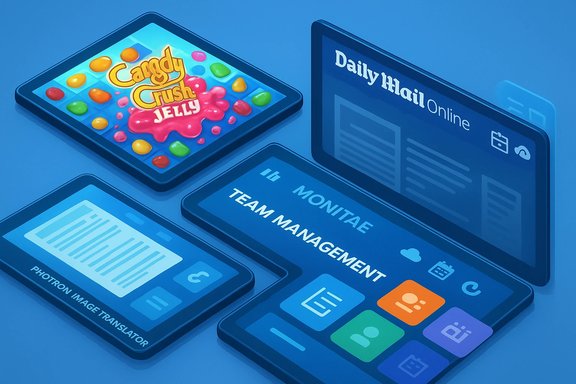
Three glossy tablets float, showing Candy Crush Jelly, Daily Mail Online, and a team management app.Background​

The “Best Windows apps this week” series is a long‑running feature that scans the Microsoft Store for noteworthy releases, updates, and promotions. Each short roundup functions as a discovery service: it flags discounts and small utilities that may otherwise get lost in the Store’s noise and highlights games and UWP ports that demonstrate how mobile-first developers adapt to Windows devices. This particular issue arrives in a slow release week—reasonable given the immediate post‑Christmas lull—but still surfaces a few apps that matter to both casual and power users.
The Windows Store ecosystem remains heterogeneous: native UWP apps, wrapped Win32 titles, Play‑Anywhere and Steam releases, and incremental cross‑platform ports coexist. That diversity is a strength for discovery but increases the burden on users to verify compatibility, privacy, and update cadence before installing. The rest of this feature peels back that complexity and validates the most important claims where third‑party sources exist.

Overview of the highlights​

  • Candy Crush Jelly Saga — King’s newest match‑3 variant, with jelly‑spreading mechanics and competitive boss encounters.
  • Daily Mail Online — A Universal Windows Platform (UWP) app for reading and preloading MailOnline content, optimized for larger screens.
  • Photron Image Translator — A lightweight OCR + translation app that supports text input and image OCR for translation and read‑aloud.
  • Monitae — Described as a team management and coaching tool; availability and independent documentation are sparse.
  • Mage and Minions — Action RPG (hack‑and‑slash) later distributed under the name Eternium in some marketplaces; loot, classes, and rune‑style spellcasting are the core hooks.
  • Minor updates — Fused received new collections and a Facebook share option; Power Planner is noted as having become universal for Windows 10 devices (desktop and mobile). These claims are listed in the roundup but carry limited corroboration outside the original post.

What’s new and why it matters​

Candy Crush Jelly Saga — familiar, but more bite​

Candy Crush Jelly Saga is King’s next entry in a franchise that keeps finding new permutations of match‑3 mechanics. The core idea is familiar: line up three or more like candies to clear the board. Jelly Saga twists the formula by making the spread of jelly a central objective and introducing competitive boss modes where you play against the computer to claim territory on the board. Players who enjoy King’s signature progression loops, boosters, and in‑app purchases will recognize the structure; the game is intended to be a new challenge rather than a radical rework.
Independent contemporary coverage of Jelly Saga’s multi‑platform launch confirms the gameplay focus on jelly spread and boss mechanics, and notes that King positioned the title for iOS, Android and the Windows Store at launch. That multi‑platform rollout and longstanding monetization model mean players should expect in‑app purchases and social‑sync features as standard. Key takeaways:
  • If you already like Candy Crush Saga, Jelly Saga is likely to be enjoyable and familiar.
  • Expect a persistent freemium model: in‑game currencies, boosters, and offer bundles are part of the experience.
  • The new boss/competitive elements make some levels feel tougher than previous entries—appeal depends on whether you want more challenge or a more casual session.

Daily Mail Online — a UWP newspaper with offline reading​

The Daily Mail Online app brings the tabloid’s channelized editorial structure (US, UK, Sports, Femail, Science & Tech, and more) into a UWP client. The app includes an offline mode that lets users preload articles and galleries, a read‑later feature, comment and rating options, and localized preferences that attempt to surface regionally relevant content. BetaNews flags some layout quirks—multiple independent scrolling columns can produce a cluttered feel on large displays.
Third‑party writeups and early developer notes confirm the UWP implementation and the single‑page application (SPA) approach used to manage scrolling and content caching. The SPA design was an explicit choice by the developer to work around page caching limitations in WinRT, which helps explain the app’s fluid navigation model but can produce learning‑curve quirks for users accustomed to conventional news apps. What to expect:
  • Robust content coverage and offline reading make this useful for commute reading.
  • The UI leans toward a web‑curated layout and may feel busy on desktop displays.
  • Privacy and comment moderation policies are governed by DMG Media; treat comment threads accordingly given the publication’s editorial style and reputation.

Photron Image Translator — OCR plus translation in a tiny app​

Photron Image Translator is notable for combining OCR (optical character recognition) with translation and optional read‑aloud. The app accepts typed text or images (gallery or camera), extracts the text via OCR and translates it into the target language. That small feature set makes Photron a handy tool for travelers, students, and anyone who needs quick text extraction from screenshots or photographed documents. BetaNews calls out both modes—text input and image OCR—and the app’s integration of translation workflows.
Multiple how‑to guides and tech blogs that cover OCR workflows cite Photron as a simple Windows Store option for extracting and translating text from images. The guidance notes that the app’s OCR quality is useful for reasonably high‑contrast type and printed text, and that translations are of the machine‑translation variety (fast but imperfect). As with any small OCR tool, success depends heavily on the source image quality and the language pair chosen. Practical notes:
  • Photron is convenient for quick translations but not a replacement for professional translation services.
  • OCR accuracy drops on angled, low‑contrast, handwritten, or stylized text; lighting and resolution matter.
  • Use the read‑aloud feature for accessibility and proofreading, but verify sensitive translations separately.

Monitae — a team management claim that needs verification​

BetaNews lists Monitae as a team management and communication app that supports goals, feedback, and real‑time coaching. The description sounds like an on‑prem or cloud‑based HR or team productivity tool oriented at small teams. However, independent corroboration of Monitae as a Windows Store product or a recognized SaaS provider is scarce in public records and trade coverage. The BetaNews mention is likely accurate as a discovery note, but readers should treat the listing as preliminary and verify availability, pricing, and privacy terms directly in the Microsoft Store or on the publisher’s site before deploying it for real team data.
Caveat:
  • No robust third‑party documentation was found during verification; confirm data residency, export options, and administrative controls before adoption.

Mage and Minions — hack‑and‑slash that evolved​

BetaNews describes Mage and Minions as an action RPG with classes, loot, quests, and hack‑and‑slash combat. Independent sources indicate that the game enjoyed mobile success and later adopted the name Eternium in some marketplaces while preserving the core mechanics: rune‑drawing and gesture‑based spellcasting, real‑time looting, and class‑based progression. The title’s design is rooted in mobile action RPG conventions, with offline‑friendly play and touch‑first controls. Player expectations:
  • If you want a Diablo‑adjacent experience on a tablet or touch device, this is a solid pick.
  • Controls are mobile‑native; keyboard/mouse play on desktop may not be as polished as controller input or touch.

Notable updates and small print​

  • Fused: BetaNews reports three new free collections and Facebook sharing for video content. This appears to be an incremental content update for a creative app (photo/video blending) rather than a major V‑next release. The claim is plausible but lacked extensive third‑party coverage at check time, so users seeking the feature should confirm changelog details in the Store.
  • Power Planner: The roundup lists Power Planner as universal for Windows 10 desktop and mobile. Historically, Power Planner has been a student‑facing planner app with a track record of Windows Phone and Windows 8.x versions; the universal update claim is consistent with developers reworking apps for Windows 10 UWP, but the rollout specifics (version numbers, exact platform support) should be confirmed on the Store page before purchase or deployment.
Important verification note: Where BetaNews reports a minor update or a store listing, treat price and feature claims as transient. Store descriptions and app capabilities can change quickly; always verify current versions and read recent reviews before installing.

Critical analysis — strengths, risks, and practical advice​

Strengths surfaced by the roundup​

  • The Microsoft Store still surfaces high‑quality mobile‑to‑desktop ports that are worth attention, such as King’s Candy Crush family or mobile RPGs adapted for Windows screens. Those ports reduce friction for users who want console‑style or touch‑first experiences on tablets and convertibles.
  • Small, task‑focused utilities like Photron provide real, day‑to‑day value: quick OCR and translation saves time and avoids copy‑paste workarounds. Lightweight single‑purpose apps can be more productive than heavy suites for narrow tasks.
  • UWP and SPA design patterns let publishers tailor experiences for both phone and desktop while reusing code, improving consistency across devices in theory. The Daily Mail’s SPA approach is a concrete example of that architecture in practice.

Risks and unknowns​

  • Monetization and privacy: Big freemium titles like Candy Crush traditionally rely on in‑app purchases and data tied to advertising. Users should expect persistent monetization prompts and check each app’s privacy policy for advertising/tracking behavior. King’s apps explicitly include in‑app purchases and tracking elements.
  • App abandonment and third‑party dependency: Many small Store apps have short maintenance windows. Utilities that rely on external APIs (photo services, translation engines, social platforms) can degrade if upstream partners change APIs or revoke access. Before investing in a paid app, check the developer’s update cadence and recent user reviews.
  • Verification gaps: Items such as Monitae and the specific Fused changelog lack broad corroboration. Where a product matters for business processes (team management, grade tracking, or secure data handling), insist on vendor documentation and a trial deployment—don’t rely on a single roundup mention.

Security and privacy checklist (practical steps)​

  • Review the app’s privacy policy and data handling before installing. Look for export options and where data is stored.
  • Check recent user reviews for stability and compatibility reports (Windows version, device specifics).
  • Prefer apps with changelogs and active developer responses in the Store comments.
  • For tools that integrate with enterprise systems or handle sensitive content, use test accounts and confirm admin controls.
  • When an app requires camera or microphone access for OCR/translation, confirm that access is limited to necessary functions and can be revoked.

Recommendations — what to install now​

  • Install immediately (casual/games): Candy Crush Jelly Saga if you want a polished, bite‑sized match‑3 with fresh mechanics and don’t mind freemium progression. Verify device compatibility and watch for community reports about intermittent Windows client stability.
  • Install for productivity: Photron Image Translator as a quick OCR + translation utility for occasional use. It’s compact, free, and convenient for screenshots and travel‑time language checks—just don’t rely on it for legal or high‑stakes translation tasks.
  • Consider with caution: Daily Mail Online if you want MailOnline’s editorial mix and offline loading; be aware of the publication’s editorial reputation and confirm the UI works for you on your device. If you require a clean, minimal news experience, consider alternative news clients.
  • Evaluate before rollout: Monitae for team management—test thoroughly, confirm support and data controls before adding real projects or employee data.

Final verdict​

This week’s BetaNews roundup provides a useful, compact snapshot of what’s new in the Microsoft Store: a recognizable franchise entry in Candy Crush Jelly Saga, a practical OCR/translation tool in Photron, a full‑featured news client from the Daily Mail, and a mix of smaller utilities and game ports. The list is not revolutionary, but it does what these weekly roundups do best: spotlight small wins that can improve daily workflows or provide distraction during breaks.
A final note on verification and safety: the Microsoft Store landscape changes rapidly—features, prices, and even availability can vary by region and over time. Where BetaNews flags an app that matters to your workflow or organization, cross‑check the app’s official Store page, read current user reviews, and verify privacy and maintenance practices before committing. For the handful of items where independent documentation was sparse (notably Monitae, Fused’s update specifics, and some minor changelog claims), treat the BetaNews mention as a discovery lead rather than a definitive endorsement.

Quick reference — apps mentioned in the roundup​

  • Candy Crush Jelly Saga — King (match‑3 franchise, boss modes, jelly spread).
  • Daily Mail Online — UWP news client with offline mode and read‑later.
  • Photron Image Translator — OCR + translation + read‑aloud.
  • Monitae — team management app (limited external documentation; verify before use).
  • Mage and Minions (Eternium) — action RPG with classes, loot, and rune magic.
  • Fused — content update noted (collections and Facebook sharing) — verify Store changelog.
  • Power Planner — listed as now universal for Windows 10 (confirm Store page for details).
This week’s selection is a reminder that discovery still happens in small bursts: major headlines may be rare, but the Microsoft Store continues to funnel useful, niche and entertaining apps to Windows users—so long as you verify the claims, check permissions, and install with a sensible privacy and maintenance plan in place.

Source: BetaNews Best Windows apps this week
 

When a respected tech outlet ran an excoriating opinion piece calling a rumored “borderless” Surface Pro 4 display a “terrible idea,” the headline landed like a lightning strike: it crystallized a long‑running debate about design aesthetics versus practical ergonomics, and it surfaced two parallel stories worth unpacking — the Surface line’s push toward thinner bezels and the steady, reader‑friendly utility of weekly Windows app roundups. The BetaNews commentary arguing that bezel‑less tablets are a usability step backward sits beside Martin Brinkmann’s long‑running “Best Windows apps this week” series, which quietly demonstrates the value of steady, practical curation for Windows users. Both pieces reveal something important about the Windows ecosystem: style grabs headlines, but repeatable usefulness builds community trust.

A hand holds a tablet beside a poster titled 'Best Windows Apps This Week.'Background​

Where the rumor started and why it mattered​

Rumors and mockups about a “bezel‑free” or “borderless” Surface Pro iteration circulated widely in 2015, at a time when PC makers were taking visual cues from phones and laptops that prioritized display real‑estate. The Surface Pro 4, announced by Microsoft in October 2015, did move to a larger 12.3‑inch PixelSense panel with higher resolution and modestly reduced bezels compared with the Surface Pro 3 — but it did not become truly “borderless.” Official specs confirmed the device’s 2736 × 1824 display and continued use of a robust bezel and Type Cover attachment approach. This positioning highlighted an ongoing product design tension: manufacturers covet high screen‑to‑body ratios for marketing and visual appeal, while many users and reviewers emphasize functional bezels for touch comfort and accessory compatibility.

BetaNews’ take and the weekly app series​

The BetaNews op‑ed that labeled the bezel‑free rumor a “terrible idea” framed the debate in practical terms: for touch‑first experiences, a usable bezel is a feature, not a cosmetic flaw. The piece argued that removing that hold space undermines gesture reliability and increases accidental touches — real problems for people who use Surfaces as both tablets and laptops. In a different lane, BetaNews’ “Best Windows apps this week” (a long‑running series by Martin Brinkmann) illustrates a more measured editorial approach: weekly curation that lists new apps, discounts and practical notes about changes in the Windows ecosystem. Together these two threads capture a balance between hot design narratives and steady, actionable information that users actually rely on.

Surface Pro 4 borderless rumors: what was being argued​

The opinion: bezels as functional hardware​

The central claim of the BetaNews commentary is simple and emphatic: bezel space is a critical ergonomic feature for tablet‑style computing. The argument rests on a few concrete points:
  • Bezels provide a secure place to hold the device during one‑handed or on‑the‑move use, reducing accidental screen taps.
  • Edge gestures (swipe‑in actions) require a predictable area to begin the gesture; thin or absent bezels make those gestures inconsistent.
  • Protective cases and keyboard attachments (notably Microsoft’s Type Cover) impose mechanical constraints that favor a consistent bezel layout.
These observations reflect a practical product‑use perspective rather than a purely aesthetic one. The commentary drew from personal experience with Surface‑class devices and generalizes to how many users interact with tablets in real environments — standing, commuting, or holding with one hand.

The counterpoint: marketing, screens, and the thin‑bezel obsession​

On the other side of the aisle, OEMs and many reviewers have celebrated reduced bezels for entirely understandable reasons. Smaller bezels:
  • Increase perceived screen size without making the chassis larger.
  • Improve the device’s visual modernity and “wow” factor in press photos and retail displays.
  • Allow OEMs to claim a higher screen‑to‑body ratio in spec sheets — a headline metric that sells.
Reviews of high‑screen‑to‑body devices (the Dell XPS family is an oft‑cited example) underscore that when executed well with proper hinge and accessory design, narrow bezels can deliver an immersive experience without crippling everyday use. Still, engineers and designers must reconcile the slim visuals with touch reliability, hinge geometry, and accessory attachment — a design puzzle that’s rarely solved by aesthetics alone.

Technical realities: why bezel design matters more than it looks​

Edge gestures, OS expectations, and developer workarounds​

Modern mobile and desktop OSes use edge gestures for navigation and system controls. Those gestures were not invented in a vacuum: they assume a predictable band of interaction along the screen edge. When hardware margins change, software must adapt. Developers and platform teams have devised mitigation techniques (gesture edge thickness settings, gesture buffers, and event arbitration) to avoid conflicts between app UI elements (e.g., hamburger menus and drawers) and the system back gesture. But adaptation takes time and introduces complexity for both platform and app developers. The real takeaway: hardware changes ripple through software in subtle and sometimes fragile ways.

Accidental touches, cases, and real‑world ergonomics​

Aesthetics rarely capture the messy realities of pocketable devices: cases change grip geometry, temper‑glass protectors alter touch sensitivity, and real hands are not idealized test rigs. Multiple user reports (across forums and product reviews) repeatedly document accidental triggers or unreliable back gestures on narrow‑bezel or curved displays. These anecdotes are not proof of inevitable failure, but they are a persistent signal: reducing bezel width increases the probability of usability friction unless compensated by deliberate engineering in both hardware and software layers.

Accessory interoperability: why the Type Cover matters​

Microsoft’s Type Cover and similar keyboard accessories impose mechanical and magnetic constraints that interact with bezel design. The Surface ecosystem historically used magnetics and a consistent edge geometry to ensure reliable cover attachment and keyboard alignment. Removing or radically changing bezel geometry risks mechanical asymmetry, inconsistent attachment strength, and diminished typing stability — not trivial problems for users who depend on the Surface as a primary laptop replacement. Repairability and internal design trade‑offs also come into play: tight bezels can complicate internal routing and make display removal and repair more difficult, as teardown reports repeatedly show.

Cross‑referenced verification of key claims​

  • Surface Pro 4 product facts (display size, resolution, release): verified against multiple contemporary reports and official announcements showing a 12.3‑inch PixelSense display at 2736 × 1824, announced October 2015 and shipping later that month. These technical details confirm the device’s intended balance of screen size and usable bezel.
  • BetaNews’ opinion piece and its central argument (bezel use for gestures and grip): the commentary explicitly frames bezel‑space as an ergonomic asset and criticizes the trend toward “Infinity” or bezel‑free displays for touch‑first devices. This is a first‑party editorial position, not a specification claim.
  • Community experience and repairability concerns: independent teardown reporting and forum posts confirm that Surface class devices historically trade some repairability and internal accessibility for thinness and performance. iFixit teardowns of Surface family models document adhesive display assemblies and service complexity. Those findings support the cautionary perspective on radical reshaping of the chassis.
Where claims were anecdotal or speculative — for example, that a future Surface would be outright unusable in tablet mode — those should be flagged as opinion rather than verifiable fact. The BetaNews piece is an editorial stance grounded in real user experience, not a technical failure report about a shipped product. The practical conclusion is to treat strong claims about future usability consequences as plausible warnings that require actual device testing to confirm.

Strengths and blind spots in the BetaNews argument​

Notable strengths​

  • User‑centered framing: The op‑ed foregrounds real ergonomics. Grip and gestures determine day‑to‑day satisfaction more than pixel counts.
  • Operational examples: The writer uses concrete personal experience with Surface 3 and phones with smaller bezels to illustrate the problem — a persuasive rhetorical strategy for readers who also treat Surfaces as work tools.
  • Call for measured design: Rather than demanding no change, the piece advocates for thoughtful design decisions that preserve essential physical affordances.

Potential blind spots and limitations​

  • Generality vs. nuance: The article risks overgeneralizing from phone and older tablet behavior to future hardware iterations that may incorporate software fixes or mechanical redesigns.
  • Insufficient engagement with engineering trade‑offs: Designers balancing screen area, thermal envelopes, battery capacity, and docking interfaces weigh many constraints. An op‑ed’s rhetorical focus naturally reduces these complexities.
  • Absence of long‑term data: The commentary lacked testing of any actual bezel‑free Surface hardware (it was responding to rumors and mockups), so it necessarily relied on analogies and projection rather than hardware measurement.

The “Best Windows apps this week” series: editorial value and impact​

What the series does well​

  • Consistent curation: Martin Brinkmann’s weekly posts act as a dependable gateway for users to discover new Windows apps, store deals and notable updates. The format — short, categorized, and link‑rich — is optimized for busy readers who want actionable recommendations. BetaNews has carried this column for years, amassing hundreds of entries that function as an archive of Windows software evolution.
  • Contextual notes: The series often includes brief context about Windows changes (feature updates, deprecations, Store policy shifts), which helps readers interpret why certain apps or categories matter right now.
  • Practical SEO utility: For publishers and users searching for “best Windows apps” or “Windows app deals,” the weekly roundup remains discoverable and frequently updated, making it a valuable SEO foothold for the site and a practical resource for readers.

Risks, biases, and editorial caveats​

  • Selection bias: Any curated list is subjective. The series is editorially curated and may favor apps that are easy to discover or that advertise/promote visibility through channels that the curator monitors.
  • Monetization and disclosure: Where deals or affiliate programs exist, transparent disclosures are essential. Readers must assume that commercial relationships may affect which discounts or apps are emphasized unless the loop is explicitly closed.
  • Sustainability of relevance: Weekly lists rely on the health of the Windows Store and developer engagement. If the platform’s app ecosystem stagnates or shifts away from the model used in previous years, the format will need adaptation.

Practical takeaways for Windows enthusiasts, IT buyers and designers​

For enterprise and power users (buying guidance)​

  • Prioritize function over fashion when choosing a 2‑in‑1 if tablet use is frequent.
  • When accessories (keyboard cases, docks) are mission‑critical, prefer devices with proven mechanical and magnetic compatibility rather than the latest bezel‑reduction gimmick.
  • Evaluate touch‑gesture reliability in real use — tests done in retail lighting and on demo units often miss edge‑case behavior like case interference or glove use.

For designers and OEMs (product guidance)​

  • Treat bezel reduction as a systems problem, not a single‑feature sprint: mechanical attachment, gesture arbitration, ambient sensors, and case ecosystems must be co‑designed.
  • Invest in software fallback modes for edge gestures (configurable edge thickness, long‑press mitigation) to guard against accidental triggers.
  • Consider modular accessories and standard magnetic interfaces that preserve accessory longevity across product generations.

For editors and content curators (content strategy)​

  • Maintain weekly curation cadence for discoverability; it builds audience trust and recurring traffic.
  • Combine curated lists with short‑form testing or community feedback to surface longer‑term value and avoid transient hype.
  • Be explicit about editorial criteria and any affiliate relationships when highlighting deals or sponsored listings.

Design trade‑offs illustrated by Surface history​

  • Screen area vs. grip: The Surface line’s iterative approach — larger screen but retained bezel — shows a pragmatic middle path. The firm’s decision to keep some bezel preserved Type Cover mechanics, gesture stability, and accessory compatibility while delivering a noticeable increase in usable pixels. That middle path tends to be the most pragmatic for productivity devices.
  • Repairability and thinness: Teardowns of Surface units reveal adhesive and tight packaging that complicate repair. This is a cautionary datapoint: squeezing the chassis for slimness and display ratios has downstream costs in serviceability and long‑term lifecycle management. IT buyers in enterprise settings should weigh these total‑cost considerations.

Conclusion​

The BetaNews editorial on a rumored “borderless” Surface Pro 4 crystallized a fundamental tension in modern device design: the allure of bezel‑free aesthetics versus the practical necessities of touch‑first ergonomics, accessory compatibility, and long‑term reliability. The commentary’s insistence that bezels are useful is not contrarian technophobia — it is a reminder that human factors and real‑world usage scenarios deserve equal billing alongside product photography and spec sheets. At the same time, the enduring value of BetaNews’ “Best Windows apps this week” series shows that consistency, curation and practical utility often matter more to users than the latest design trend. Together, these two threads reinforce a durable lesson for product teams, IT buyers, and editorial managers: novel design must be validated against how people actually hold, type, update and repair their devices; editorial novelty must be balanced with repeatable usefulness.
Key quick references (high‑impact claims verified above): Surface Pro 4 release and display specs; BetaNews op‑ed arguing against bezel‑free Surface devices; long‑running BetaNews “Best Windows apps this week” series as a dependable curated resource; iFixit teardown notes on Surface repairability; developer guidance on edge gesture edge cases.
Source: BetaNews https://betanews.com/commentary/sur....com/series/best-windows-apps-this-week-187/]
 

Back
Top