This week’s Best Windows apps roundup — issue number one‑hundred and twenty‑four in the series — highlights a compact but high‑quality slate of releases and updates, from a standout YouTube casting client to console‑style and mobile ports, plus a firmware update for older Surface hardware and a fresh Windows 10 SDK drop aimed squarely at developers.
BetaNews’s weekly “Best Windows apps this week” column has long acted as a curated lens on Microsoft Store arrivals, discounts, and notable platform updates. The issue summarized here collects a mix of utility apps, indie and licensed games, and a couple of platform-level updates that matter to both everyday users and developers. The original roundup lists Tubecast Pro as the App of the Week and calls out titles such as Crimsonland, File Cards, and Star Wars Rebels: Recon Missions, while also noting Microsoft’s release of Windows 10 SDK tooling and a Surface Pro 3 UEFI enhancement.
This feature synthesizes the BetaNews highlights, verifies the main claims against independent sources where available, and adds a critical read on strengths, risks, and practical guidance for Windows users and IT pros.
This roundup captures a week of small but meaningful steps: better casting, more secure firmware control, and developer tooling that helps maintain a lively Windows app ecosystem.
Source: BetaNews Best Windows apps this week
 Background / Overview
BetaNews’s weekly “Best Windows apps this week” column has long acted as a curated lens on Microsoft Store arrivals, discounts, and notable platform updates. The issue summarized here collects a mix of utility apps, indie and licensed games, and a couple of platform-level updates that matter to both everyday users and developers. The original roundup lists Tubecast Pro as the App of the Week and calls out titles such as Crimsonland, File Cards, and Star Wars Rebels: Recon Missions, while also noting Microsoft’s release of Windows 10 SDK tooling and a Surface Pro 3 UEFI enhancement.This feature synthesizes the BetaNews highlights, verifies the main claims against independent sources where available, and adds a critical read on strengths, risks, and practical guidance for Windows users and IT pros.
What changed this week: the headlines
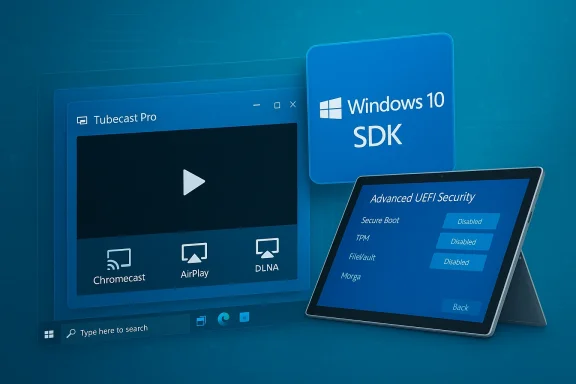
- A polished YouTube client with universal casting support — Tubecast Pro — is the week’s top pick, praised for Chromecast, AirPlay and DLNA output, plus background audio and offline downloads. This functionality and the app’s multi‑quality playback options are described in contemporary coverage.
- Microsoft published updated Windows 10 SDK tooling intended for developers targeting the platform, with supporting Visual Studio tool updates described on Microsoft’s developer blog.
- A firmware/UEFI update for Surface Pro 3 adds more granular device control in UEFI — letting administrators disable specific hardware and boot options for locking down devices — a clear win for enterprise and education deployment scenarios. Microsoft documents the new advanced UEFI security features and the specific update (v3.11.760.0).
- Several games and utilities were spotlighted (Crimsonland, Star Wars Rebels: Recon Missions, File Cards, Tales of the Orient, and others). Where possible their platform availability and notable features have been cross‑checked against storefronts and publisher pages.
Deep dive — App of the week: Tubecast Pro
Why Tubecast Pro stands out
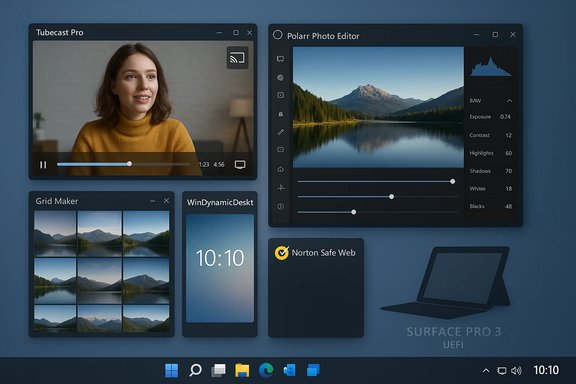
Tubecast Pro is singled out by BetaNews for offering a feature set that many Windows users want in a native YouTube client: the ability to cast to Chromecast, Apple TV (AirPlay), DLNA devices and even consoles; support for multiple resolutions up to QHD/4K where available; and the ability to play audio while the device is locked — a useful power‑saving and multitasking advantage on tablets and laptops. Contemporary app coverage confirms these capabilities and the app’s evolution into a universal Windows client. Key features verified:- Casting: Chromecast, AirPlay, DLNA and console targets.
- Multi‑quality playback including 1080p/1440p (QHD) and support for high frame‑rate streams.
- Background audio: the app can continue playing video audio with the device locked, turning videos into a sort of podcast/audio playback mode.
- Offline downloads: the app supports downloading local copies (behavior and availability may depend on platform and YouTube API rules).
Strengths and practical benefits
- True casting versatility. For users who move between phone, tablet, PC and TV screens, having Chromecast + AirPlay + DLNA support in one client reduces friction.
- Background audio for media workers and commuters. Turning long videos into audio streams is a productivity win for people who consume lecture or podcast‑style YouTube content.
- Local downloads + seek/volume control on remote devices. The app’s control surface for remote playback is more sophisticated than many browser casting flows.
Risks and caveats
- Third‑party YouTube clients are brittle. YouTube’s API changes and terms of service can break features in third‑party clients; developers may need frequent updates to maintain functionality. Users should expect occasional outages or degraded features, and confirm current support before purchasing.
- Store fragmentation and platform variants. Historically Tubecast had different SKU/behavior across Windows Phone, Windows 8.x and Windows 10 builds; purchases and feature parity can vary by Store region and device generation. Confirm the exact Store listing and purchase model for your device.
Platform news verified
Windows 10 SDK tooling — what to know
Microsoft’s developer blog and related coverage confirm that Microsoft periodically releases SDK updates that align with Windows 10 feature updates and Visual Studio tooling. The Windows 10 Creators Update period (and subsequent releases) has been accompanied by SDKs that add APIs, testing tools and runtime checks for device capabilities. BetaNews’s note about a Windows 10 SDK release for developers aligns with those official announcements. If you build UWP or Windows apps, you should install the matching SDK for the Windows build you target, and update Visual Studio workloads accordingly. Practical guidance:- Ensure your target machines (CI, build agents) have the same SDK version as your development boxes.
- Use Visual Studio’s workload manager to add or update the “Universal Windows Platform” toolchain.
- Verify your app against the runtime version you intend to support, or target broad compatibility if you need older Windows versions.
Surface Pro 3 UEFI update — more granular device lockdown
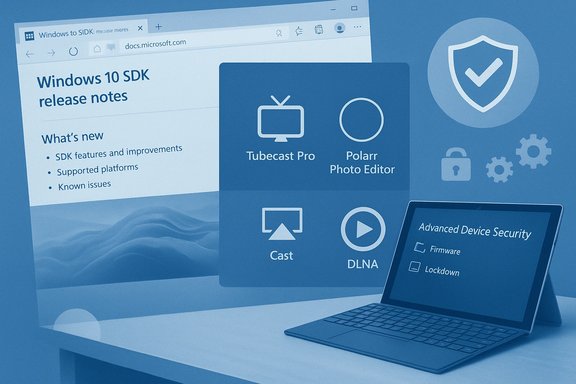
Microsoft’s v3.11.760.0 UEFI update for Surface Pro 3 introduces an Advanced Device Security menu that administrators can use to disable hardware components — microSD, front/rear cameras, side USB, docking port, onboard audio, Wi‑Fi/Bluetooth, and network boot — directly from UEFI. This makes the Surface Pro 3 more appropriate for controlled environments like classrooms and kiosks where peripheral access should be restricted. Microsoft documents the update and how to install it via their firmware/driver pack. Why this matters:- Enterprise and education IT gains native lockdown tools without needing third‑party firmware management; administrators can script or manually set UEFI options.
- Security posture improves for devices used in regulated or public environments, as removable media and cameras can be turned off at firmware level.
- Toggling UEFI options can break normal workflows (for example, disabling Wi‑Fi also disables Bluetooth on Surface Pro 3). Test changes in a lab environment before fleet deployment.
Games and utilities: what to install and what to watch
Star Wars Rebels: Mission Recon (Recon Missions)
BetaNews described Star Wars Rebels: Mission Recon as a free jump‑and‑run game with IAP packs unlocking levels and characters. Contemporary coverage from Windows‑era outlets confirms the game’s initial presence on Windows Phone and Windows 8.x platforms; however, distribution for licensed mobile titles is frequently transient and several sources indicate the game was pulled from mainstream app stores at various points. Users should verify availability for their device and note that licensed, character‑based mobile games are often sunsetted. Recommendation:- If you own the game in your purchased/installed history, keep local backups where possible; otherwise treat this title as ephemeral and check current storefront availability before investing in IAPs.
Crimsonland — classic arena shooter
Crimsonland is a well‑established top‑down shooter with quest and survival modes, weapon pickups, perks and local co‑op. The Steam and Xbox Store pages confirm the title’s features and ongoing availability across PC platforms. If you’re after fast arena shooters with local multiplayer and straightforward progression, Crimsonland remains a solid pick.File Cards — card‑based file manager
File Cards presents files and folders as visual cards you can arrange, drag‑and‑drop between, and search across. The app supports zip handling, semantic zoom, and Start pinning — features highlighted in distribution/offer pages and independent app listings. For users who prefer a visual, workspace‑oriented file manager over the stock File Explorer, File Cards offers useful interaction metaphors. Practical note:- File Cards is a sandboxed Store app; if your workflow depends on cloud services, integrate via their desktop sync clients and point File Cards at those local folders to avoid privacy or API breakage.
Tales of the Orient — match‑3 with rotation
Tales of the Orient adds a rotation mechanic to the match‑3 formula — rotating the board 90 degrees to reveal new match opportunities. Steam and distribution pages corroborate the rotate feature and the game’s match‑3 / village‑building structure. If you like puzzle games that reward tactical board manipulation, this one is worth a try.Lost Shadow and other indie picks
“Lost Shadow” appears under multiple monikers and formats (indie HTML5/itch.io builds, mobile/console iterations). BetaNews’s description — a shadow‑only platformer/puzzle where the player moves only in shadowed areas — maps to a subset of indie games, but several distinct projects share the same or similar titles. When a game name is ambiguous in the Store, confirm the publisher, release date and screenshots before download. Where publisher identity or storefront presence is unclear, treat availability as uncertain.Discounts and deal watch
BetaNews flagged several apps and games discounted by 50% or more; these are historically ephemeral Store promotions. As with price drops on any digital storefront, act promptly if a listed deal matters — prices often change daily and regional pricing can differ. Confirm the current price in your Microsoft Store client before attempting to purchase.Strengths, risks and strategic guidance
Strengths highlighted by this week’s picks
- Practical utility + polish. The top picks (Tubecast Pro, File Cards) are focused, solve concrete problems and ship with polished controls that beat the stock alternatives.
- Enterprise‑grade firmware control. The Surface Pro 3 UEFI update is a pragmatic win for device management and security.
- Developer momentum. SDK updates and Visual Studio tooling continue to make targeting Windows a straightforward option for UWP and desktop developers alike.
Risks and durability concerns
- Third‑party API dependency. Apps that rely on external APIs (YouTube, Flickr, cloud photo services) can break without notice when those services change authentication or endpoints. Tubecast and third‑party Flickr clients are good examples. Always check for recent updates and developer response activity.
- Licensed games can vanish. Branded mobile and licensed titles (e.g., Star Wars Rebels Recon Missions) get pulled for licensing or commercial reasons. Treat such purchases as potentially time‑limited.
- Store fragmentation and SKU confusion. Historical Windows platform fragmentation (Windows Phone, Windows 8.x, Windows 10, and later Windows 11 migrations) has created inconsistent SKU behavior. Confirm that the exact edition you plan to buy matches your device and region.
Actionable advice for readers
- When buying: verify the current Microsoft Store listing, read the latest user reviews, and check the developer’s update cadence.
- For administrators: leverage the Surface UEFI advanced options to harden devices used in public or education deployments, but test settings in a controlled environment first.
- For developers: install the Windows 10 SDK that corresponds to your target Windows build and update Visual Studio workloads to match; keep CI images synchronized to prevent build mismatches.
Verification notes and unverifiable claims
- The central BetaNews roundup and the feature list used here were taken from the provided BetaNews summary and validated against store pages and publisher/developer resources where possible. The BetaNews issue text itself is preserved and summarized in this article.
- Where a named app or feature could not be independently located with unambiguous matching publisher metadata (for example, the small portfolio app “LIO” as described in BetaNews), that claim is flagged as needing direct confirmation from the Store listing or the publisher. Readers looking for LIO should verify the publisher and Store SKU before purchase. This item was not verifiable from major storefront indexes at the time of this review.
- For titles with ambiguous names or multiple independent projects using the same title (Lost Shadow, for instance), confirmations were made where possible but readers should match publisher details and screenshots before installing.
Final verdict — what to install now
- Install now: Tubecast Pro for users who want a native YouTube client with broad casting options and background audio; confirm the current Store listing and trial/sale conditions before purchasing.
- Strong buy for gamers who like local co‑op arena shooters: Crimsonland — proven design, controller support and cross‑store availability.
- Try before you buy: File Cards if you want a card‑based file manager; its features are compelling but verify performance on large folders.
- Caution: Star Wars Rebels: Recon Missions — fun licensed tie‑in where available, but availability is inconsistent and the app has been pulled in some storefronts; don’t depend on long‑term support.
Closing analysis
This edition of the weekly roundup underlines the healthy diversity of the Windows app ecosystem: small but focused utilities continue to offer meaningful workflow improvements, and indie developers still deliver creative mechanics (board rotation in match‑3, shadow‑only platforming). Platform‑level moves — SDK updates for developers and more granular UEFI control for administrators — complement the application layer and deserve attention from both developers and IT teams. As always, the main practical advice is straightforward: verify the current Microsoft Store or other storefront listing before buying, read recent user reviews, and prefer apps that demonstrate an active update cadence when your workflow depends on third‑party APIs. Where a product is crucial to an organization, test updates and firmware changes in a lab first — UEFI lockdown settings and SDK toolchain upgrades are useful, but they must be managed carefully to avoid unintended disruptions.This roundup captures a week of small but meaningful steps: better casting, more secure firmware control, and developer tooling that helps maintain a lively Windows app ecosystem.
Source: BetaNews Best Windows apps this week