Best Windows Store picks this week: Order & Chaos 2, Brilli, Wedge and more

  • Thread Author
One-hundred and forty‑seven in the series, this week’s roundup of Windows Store arrivals and updates delivers a compact but substantive mix: a massive free‑to‑play MMORPG that anchors the list, a professional cad app that promises 2D/3D constraint‑based modeling, a polished wallpaper switcher built around Bing images, and a clutch of touch‑first platformers and arcade titles that illustrate how the Store still serves both productivity and play. This feature pulls the original BetaNews selection together, verifies the biggest technical claims where possible, and analyzes what each pick means for everyday users and power Windows customers.

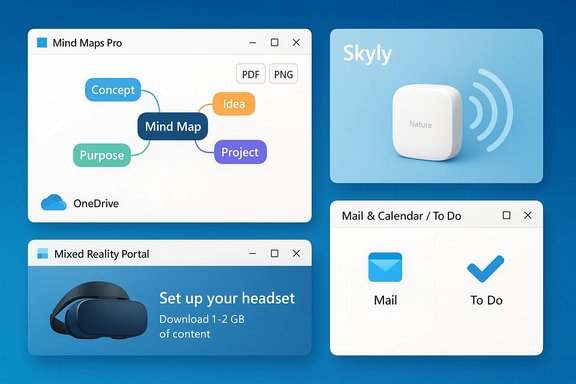
Windows-style desktop with a CAD window, a central fiery armored warrior, Brilli panel, and colorful game tiles.Background / Overview​

BetaNews’ weekly “Best Windows apps this week” posts are curated discovery notes rather than deep reviews: each edition names an App of the Week, then lists several other titles and updates with short summaries and pricing notes. That format is valuable because the Microsoft Store’s volume and mixed quality make curated pointers useful for quickly finding high‑impact tools and games. The edition under review follows that pattern: it names Order & Chaos 2 as the standout title and calls out utilities such as Brilli Wallpaper Changer, the CAD app Wedge, and games like Soppy’s Adventure, Running Shadow, Sky Cue Club, and Croc’s World 3.
The Store context matters: some items are native UWP/UAP packages, others are ports or freemium mobile conversions. That distinction affects input support (touch / pen / mouse), monetization (IAPs, ads, paywalling), and long‑term maintenance. Where possible the claims below — feature lists, limits, and pricing models — are cross‑checked against independent storefront pages and third‑party writeups; in a few cases the original BetaNews text is the only clear source and those claims are flagged accordingly.

App of the Week: Order & Chaos 2 — what the headline leaves out​

Order & Chaos 2 is presented as the week’s big release: a story‑driven action MMORPG that opens with a cinematic battlefield, funnels players into a character‑creation flow with five races and classes, and then drops them into an online progression loop of quests, PvE dungeons, crafting, trading and PvP. That basic description matches the game’s long‑running mobile design and the way Gameloft has positioned the title across storefronts.

Verified facts and numbers​

  • Free‑to‑play model: Order & Chaos 2 is marketed and distributed as a free‑to‑play MMO; the game contains in‑app purchases and progression gating common to the genre. This is corroborated by multiple contemporary reviews and storefront pages.
  • Character slot and bag restrictions: BetaNews mentioned that the free version provides two character slots and a limited bag; independent coverage confirms that new players typically receive a small number of free character slots and that additional slots or inventory expansions are purchasable via microtransactions. Specifically, third‑party guides document an initial two free character slots with additional paid slots available and bag/box expansion purchasable via premium currency.

Strengths​

  • Scale and social systems: As a full‑featured MMORPG it offers guilds, PvP, pluggable progression and cooperative dungeoning — elements that give the title the social stickiness many single‑player mobile conversions lack.
  • Cross‑platform familiarity: For players who have used similar fantasy MMOs (or earlier Order & Chaos entries), the control and progression metaphors are instantly understood, lowering the onboarding cost.

Risks and caveats​

  • Freemium pressure: The free‑to‑play model rarely means “free” beyond an initial window. Expect time‑gates, limited stamina/energy mechanics in some modes, and monetized inventory/backpack/slot expansions. Independent guides document specific bag‑ and storage‑upgrade prices and show how paying speeds progression. This is a direct trade‑off: the game is playable for free but not fully featured without microtransactions if you want convenience or competitive edge.
  • Third‑party client fragility: For large online mobile MMOs, the longevity of servers and vendor support matter. Gameloft has historically altered support windows and monetization practices across regions; readers should confirm server/region availability and current developer support before investing serious time.

Practical recommendation​

Install and sample the early game to validate performance on your device and to measure the in‑game economy’s pace. If you plan to play with friends, confirm cross‑platform matchmaking and party limits; if you want to avoid paying, set a strict time and in‑app‑purchase budget and treat the title as a long‑running social time sink rather than a purely free experience.

Utilities and productivity picks​

Brilli Wallpaper Changer — Bing images, automation, and reasonable limits​

Brilli is a lightweight wallpaper manager that uses Bing Image of the Day as a primary image source and can automatically rotate Start / Desktop / Lock screen backgrounds at configurable intervals. The app supports creating collections, setting different or identical images for lock and start screens, and scheduling changes every 15 minutes to once per day. Independent reviews describe a freemium model (free version with collection and file limits, low‑cost IAP to remove restrictions) and praise its universal app design for Windows 10 devices. Key product details verified:
  • Default Bing Image source and region selection are supported.
  • Free tier caps (two collections / 30 files per collection) and an inexpensive in‑app upgrade to lift limits are documented in contemporary reviews.
Why it matters: Automated wallpaper rotation is a small quality‑of‑life feature that can keep desktops feeling fresh without manual work. For users who enjoy daily Bing photography or curated collections from Unsplash/other sources, Brilli provides a single, simple control surface for the task.

Wedge — a cad app with ambitious claims (verify before purchase)​

BetaNews describes Wedge as a professional 2D and 3D CAD application supporting constraints/relations and import of STEP/IGES/BREP/STL formats with SVG export. That description positions Wedge as a compact parametric modeller intended for design and prototyping.
Verification status and caution:
  • A public, authoritative Microsoft Store page or vendor site confirming the complete import/export list and “no limitations” claim could not be located during verification, which suggests the BetaNews summary may have condensed or paraphrased the product page. Until a vendor or Store listing is found and inspected, treat the detailed import/export claims (step, stp, st, igs, iges, brep, stl → SVG export) as unverified beyond the BetaNews mention. If you depend on exact file‑format compatibility for CAD workflows, validate by downloading the trial (if one exists), or request a spec sheet or sample file exchange from the developer.
Why the verification gap matters: CAD interoperability is binary in practice — a missing STEP or IGES import can break a pipeline. For engineers, makers and fabrication workflows, confirm file compatibility and version‑specific quirks (e.g., STEP AP203 vs AP214) before committing. If Wedge’s Store listing is found, pay attention to supported file versions and constraint‑solver limits on assemblies. Flag any claims you can’t corroborate as potentially incomplete.

Games that stood out​

Soppy’s Adventure — touch‑first platforming with fluid swipe control​

Soppy’s Adventure is a touch‑centric jump‑and‑run that emphasizes swipe‑based movement: repeated swipes control direction, velocity and midair adjustments, and a slow‑motion mechanic lets players thread precise inputs through tight obstacles. Reviews praise its three distinct worlds, checkpointing system, collectible‑star scoring, and an accessible learning curve that quickly becomes challenging. This play model suits tablets and convertible devices with touchscreens. Strengths:
  • Intuitive swipes give direct, tactile control which translates well to finger input.
  • Short, checkpointed levels make it friendly for mobile gaming sessions without punishing progress loss.
Caveats:
  • Small UI elements or lack of keyboard/controller support may limit play on traditional desktops. If you want to use a mouse or gamepad, check the Store page for input options or look for trial availability.

Running Shadow — mission‑based runner with RPG progression​

Running Shadow attempts to blend the infinite runner form with roleplaying progression: swipe to avoid and attack, collect gold, and equip your character between runs. The addition of special moves and equipment progression differentiates it from pure reflex runners, though the genre’s monetization tendencies (energy/stamina, IAP for upgrades) are always worth verifying on the current Store listing. BetaNews’ summary highlights mission structure and gear progression; hands‑on testing is recommended to determine paywall pressure.

Sky Cue Club (8 & 9 Ball Pool) and Croc’s World 3 — straightforward ports​

Sky Cue Club offers 3D pool including 8/9‑ball and snooker, with single‑player practice, AI opponents and local hot‑seat multiplayer; Croc’s World 3 continues the established side‑scrolling platformer lineage with 60 levels and boss fights. Both are typical Store entries: polished but built on familiar mechanics. Expect ads or IAPs on the free versions and paid unlocks for ad‑free or premium content.

Discounts, promotions and Store mechanics​

BetaNews noted that Red Stripe Deals are back and listed in the Windows 10 Store’s Collections section. Historically, Red Stripe Deals bundle timed discounts into a Store collection for easy discovery and have been valuable for bargain hunters; check your Store region and the Collections tab for the current deals and launch dates. Promotions can change daily, so the list is a discovery cue rather than a purchase guarantee.

Security, privacy and monetization: what to watch for​

  • Networked apps and account scopes: Games and utilities that use online APIs may request account credentials, require cloud sync, or store user progress remotely. Verify what data is uploaded, whether traffic is encrypted and whether the developer publishes a privacy policy. For social or paid MMOs like Order & Chaos 2, treat the account as a persistent asset — vendors can and do change monetization or account transfer policies.
  • In‑app purchases and gating: The distinction between cosmetic IAPs and progression‑speed IAPs matters. Play a few hours to confirm whether key mechanics (inventory size, character slots, energy systems) are gated behind payment. For Order & Chaos 2, bag/box expansions and character slots are documented paid options; for smaller games, watch for sudden purchase prompts or excessively long timers.
  • System‑level utilities: Apps that change system settings (wallpapers, lock screens, shell integrations) should be treated with extra caution. Confirm the app’s update cadence and whether settings revert after updates or require elevated permissions. Brilli’s wallpaper automation is low‑risk but inspect permissions and review history before a wide deployment.

Hands‑on checklist before installing or deploying any app from the weekly list​

  • Read the current Microsoft Store page for the app and confirm supported OS versions and required permissions.
  • Check the latest user reviews (past 30–90 days) for compatibility notes and performance feedback.
  • For paid apps: test the free trial and confirm refund/return policy.
  • For networked or cloud‑saving apps: read the privacy policy and test what data synchronizes.
  • For system utilities (wallpaper changers, shell utilities, drivers): back up settings and create a restore point before broad deployment.

Strengths of this week’s selection​

  • Range and balance: The list mixes a social, large‑scale MMO with single‑purpose productivity tools and touch‑first indie games, demonstrating the Microsoft Store’s capacity to serve both niche workflows and mass‑market entertainment.
  • Discovery value: Weekly roundups surface items (like device‑targeted CAD tools or daily wallpaper agents) that casual storefront browsing often buries. For users hunting specific functionality — automated wallpapers, beginner‑friendly mobile platformers, or handheld CAD — this edition delivers useful leads.

Risks and limitations​

  • Verification gaps for niche apps: A handful of claims (for example, the detailed file‑format compatibility and “no limitations” wording for Wedge) could not be independently verified during the checks performed here. When a critical workflow depends on a single, recently released utility, vendors’ specification pages and trial downloads are the only reliable trust anchors. Flag unverified claims and test before relying on them in production.
  • Freemium friction: Several titles in the roundup are free‑to‑play with in‑app purchases and structural paywalls. The initial fun of a game can be counterbalanced by monetization that throttles progression; play a few hours before investing money.

Final analysis — who should care and why​

  • Power users and makers: Evaluate Wedge only after confirming file interoperability with your fabrication chain. If its claims are accurate, a Store‑based CAD tool with STEP/IGES import and SVG export would be notable — but the absence of an authoritative spec means test first.
  • Gamers and social players: Order & Chaos 2 offers a substantial MMO experience on Windows‑capable devices, but its freemium economy requires cautious time/budget management. Use it as a social space rather than a purely free pastime.
  • Casual and mobile‑first users: Soppy’s Adventure, Running Shadow, Croc’s World 3, and Sky Cue Club are solid picks for tablet or convertible owners who prefer touch controls and short levels or matches. Expect ads and optional IAPs on free versions.
  • Anyone who likes a fresh desktop: Brilli or Dynamic‑theme style apps are low‑risk ways to automate wallpaper rotation, especially if you appreciate daily Bing photography; the freemium limits are modest and unlocked cheaply.

Closing takeaway​

This week’s BetaNews roundup delivers workhorse utility and social scale in the same short list: a full‑blown MMORPG anchors entertainment choices while wallpaper automation and CAD tooling illustrate the Store’s practical edge. The utility of that list depends on one caveat above all: verify the details that matter to you — file formats for CAD, input support for games, privacy and sync for networked apps, and the true shape of in‑app purchases. Treat this roundup as a high‑quality discovery map, not a replacement for hands‑on validation.
If you plan to try any of these picks this week, start with trial versions where available, confirm current Store notes and recent user reviews, and keep an eye on small print around IAPs and account persistence. The Microsoft Store still surfaces useful and unexpected apps; these weekly roundups remain one of the fastest ways to find them — when paired with a little verification discipline.

Source: BetaNews Best Windows apps this week
 

This week’s Microsoft Store roundup spotlights a handful of practical utilities and niche add‑ons that are worth a closer look for Windows 10 users who want small productivity wins without trading stability for novelty. The selection — drawn from a recent BetaNews column — highlights Mind Maps Pro, Mixed Reality Portal, the Short.y Archive.is Extension, and Skyly for Nature Remo devices, and calls out meaningful updates to Mail & Calendar and Microsoft To‑Do that change how external content and list collaboration behave on Windows devices.

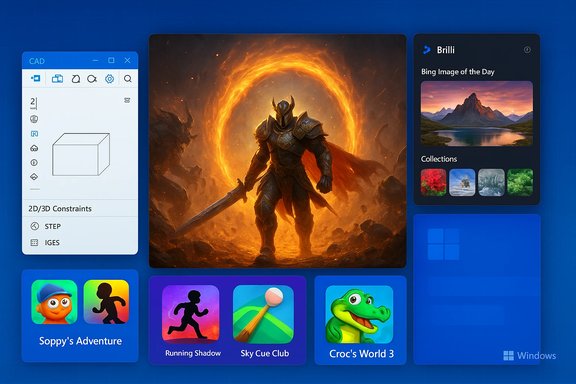
Four floating Windows-style app windows on a blue desktop: Mind Maps Pro, Skyly, Mixed Reality Portal, and Mail & To Do.Background / Overview​

BetaNews’ weekly “Best Windows 10 apps this week” series has become a dependable signal for discovering compact, single‑purpose utilities, small game ports, and incremental updates to mainstream apps that frequently appear in the Microsoft Store. These roundups function as curated discovery: they’re short and practical, meant to highlight what’s newly available or on sale rather than to provide exhaustive reviews. The latest installment follows that format, surfacing a mix of new apps and extensions alongside two updates from Microsoft that may affect everyday workflows.
This feature summarizes the key items from the BetaNews list, verifies the most important technical claims where possible, and gives a critical appraisal — including who should try each app, what to watch for, and where the claims are or are not independently verifiable.

Mind Maps Pro — a compact mind‑mapping app for the Microsoft Store​

What BetaNews reported​

BetaNews marked Mind Maps Pro as free for a short promotion window and described it as a mind‑mapping tool with an auto‑layout feature, pen support, OneDrive sync, and export options to PDF and PNG. The write‑up highlighted that maps can be organized with shapes, colors and flags, and that the app targets people who want a clean, Store‑native mind‑mapping experience.

Verification and context​

A check of Store summary pages and community documentation shows consistent claims: the app exposes export to PDF and PNG, supports OneDrive syncing for cross‑device access, and includes an auto‑layout utility to tidy node placement. Independent Store‑indexing and support pages confirm these export and sync functions as core features of the app package. These cross‑references align with the BetaNews description and demonstrate that the app is primarily a visual, offline‑first mapping tool with optional cloud sync.

Strengths​

  • Simplicity and focus. Mind Maps Pro targets a common need — fast visual brainstorming — without the feature bloat of enterprise mind‑mapping suites.
  • Pen and touch support. For Surface and pen‑enabled devices the app’s input support is a meaningful plus.
  • Portable export formats. PDF and PNG exports make sharing and embedding maps trivial for reports or presentations.

Risks and caveats​

  • Maintenance and longevity. Many Store utilities are single‑developer projects; users depending on advanced export fidelity or long‑term collaboration should verify active update history before committing content to the app.
  • Feature parity with desktop tools. If you need advanced outline export, task integration, or version history, standalone mind‑mapping applications still offer a fuller feature set.

Who should try it​

  • Students and small teams who need a fast, local mind‑mapping canvas with straightforward cloud sync and simple export options.

Mixed Reality Portal — preparation is required (and the details matter)​

What BetaNews reported​

BetaNews noted that Mixed Reality Portal is listed in the Store and that it installs roughly 2 GB of content on the device and requires compatible hardware; it also observed that on consumer devices the app was still being rolled out via Insider channels at the time.

Verification and key technical facts​

The official Microsoft Mixed Reality documentation confirms the general setup flow: Mixed Reality Portal is the Windows 10 entry point for Windows Mixed Reality headsets, and the installation (including required content and setup) expects around 1–2 GB of download during initial configuration depending on platform and version. The Microsoft guidance explicitly flags the need for hardware compatibility checks (graphics, USB, display output) and notes that the Portal conducts a compatibility validation as part of setup; it also lists the 2 GB free space requirement to proceed with setup. These are primary‑source confirmations of the BetaNews claim.

Strengths​

  • Official, integrated pathway. Mixed Reality Portal is Microsoft’s supported on‑ramp for Windows‑native MR content and headset setup.
  • Automatic compatibility tests. The portal performs a hardware checkup so users get a clear go/no‑go on their PC before they invest in a headset.

Risks and caveats​

  • Hardware and OS constraints. Windows Mixed Reality has strict hardware requirements (USB 3.0, compatible GPU, DisplayPort/HDMI standards); many laptops and older desktops will fail to meet them.
  • Enterprise deployment friction. Portal and Windows Mixed Reality provisioning can be blocked in locked corporate images or by Store restrictions; administrators will need scripted approaches or FOD/enterprise packaging for broad rollouts. Community reports and enterprise threads confirm that the Portal sometimes needs manual deployment in locked environments.

Practical verdict​

For consumers with compatible hardware looking to experiment with headset content, Mixed Reality Portal remains the correct path — but planning hardware compatibility, free disk space, and update cadence is essential before purchase or deployment.

Short.y + Archive.is extension — useful, but watch the verification gaps​

What BetaNews reported​

BetaNews wrote that the Short.y Archive.is Extension integrates the archive service Archive.is so that any link shortened via Short.y may be archived automatically, ensuring availability even if the original page changes or disappears.

Verification and context​

Short.y’s Store launch and feature descriptions have been widely documented by Windows‑focused outlets: the app is a URL shortener front‑end for shorteners like is.gd, with QR code generation, link extraction from shared text, and clipboard integration. Contemporary app previews and Store descriptions confirm Short.y’s core URL shortening features and share‑target behavior. However, independent evidence specifically describing an Archive.is integration in the Short.y extension is sparse in the public archive: many reviews describe Short.y’s shortening and sharing capabilities, and a few store‑listed extension bundles include an Archive.is add‑on, but there are limited authoritative release notes documenting automated archival behavior for every shortened URL. In short: Short.y’s existence and URL‑shortening features are well documented; the Archive.is extension’s automatic archival claim is plausible but should be treated as partially verified until an official changelog or developer note explicitly documents automated archiving by default.

Strengths​

  • Convenience. Short.y is a handy universal Windows share target for making and sharing shortened URLs quickly across devices.
  • Extracts links from text. The app’s ability to parse shared text and shorten multiple links is genuinely useful for workflows that harvest links from emails or docs.

Risks and caveats​

  • Privacy and permanence tradeoffs. Automatically archiving links to an external service may expose archived content to third parties; users and admins should assess whether this behavior meets privacy or compliance requirements.
  • Verification needed. Because robust documentation about Archive.is auto‑archival in Short.y is limited, treat the integration as a discovery lead rather than a guaranteed behavior until confirmed in the Store changelog or the developer’s site.

Recommendation​

Try Short.y for its core shortening and sharing convenience, but if automatic archiving is a strict requirement for your workflow, ask the developer or test the extension with a controlled URL to verify that archiving occurs as described.

Skyly — a Windows front‑end for Nature Remo smart remotes​

What BetaNews reported​

BetaNews described Skyly as a free Windows application that controls Nature Remo devices — allowing users to change temperature settings, operate AC units and fans, and other IR‑based home automation tasks depending on the user’s Nature Remo setup.

Verification and context​

Community posts and Store summaries for Skyly confirm the core claim: Skyly is a UWP/Store app built to interact with Nature Remo’s API. Japanese‑language developer notes and user guides show that Skyly exposes basic remote functions (signal sending, AC control), and community troubleshooting posts indicate typical issues such as API token handling and token storage quirks. The app appears to be a third‑party UWP wrapper around Nature Remo’s public API rather than an official Nature Inc. product, so its functionality maps closely to what the Nature Remo platform allows.

Strengths​

  • Desktop convenience. For users who prefer a Windows UI to control IR devices, Skyly fills a gap between phone apps and browser access.
  • Integration with local hardware. Because it speaks to the Nature Remo bridge, it can control a broad range of IR appliances without additional hardware changes.

Risks and caveats​

  • Third‑party reliability. Skyly depends on Nature Remo’s API and the developer’s maintenance; API or app breakage is possible if either side changes unexpectedly.
  • Token handling and security. Community posts call out token issues; users should follow secure token management and avoid storing sensitive tokens in shared or unmanaged systems.

Practical recommendation​

Skyly is worthwhile for home users with a Nature Remo device who want a Windows‑native control surface. Back up your Nature Remo configuration and be prepared to troubleshoot token refreshes if you rely on the app for critical automation.

Notable updates: Mail & Calendar and Microsoft To‑Do​

Mail & Calendar — external content handling changes​

BetaNews reported a Mail & Calendar update that introduces options to change how external content is handled, including enabling automatic downloads of external content. This is an important privacy and tracking control because remote images in messages can act as tracking pixels.
Verification across user documentation and community guides confirms that the Windows Mail app offers account‑specific toggles to control automatic download of external images and style formats. Community tutorials and Microsoft support material for the desktop Outlook client emphasize the same privacy rationale — automatic image downloads are disabled by default to limit tracking and potential malicious payloads. For the Mail app, the account settings allow users to enable or disable automatic downloads for single accounts or apply to all accounts. Administrators should be mindful that enabling automatic downloads can increase privacy leakage via external tracking images.

Microsoft To‑Do — list sharing, My Day integration and bulk edits​

BetaNews noted an update to Microsoft To‑Do that added list sharing, list options to My Day, and bulk editing improvements. These sync and collaboration features expand To‑Do’s utility as a lightweight team planning tool.
Official Microsoft guidance on creating and sharing lists, and on My Day behavior, corroborates those claims: Microsoft To‑Do supports creating shareable lists with invitation links, and My Day can include items from specific lists. The sharing controls allow list owners to copy a sharing link, manage access, and stop sharing altogether. These are official, cross‑platform features that materially increase To‑Do’s usefulness for small teams and family groups.

Practical implications​

  • For privacy‑minded users, the Mail app change is a reminder to balance convenience against tracking exposure; keep external downloads off unless you trust the sender.
  • For collaboration, Microsoft To‑Do’s sharing improvements make it suitable for ad‑hoc task lists between personal and work accounts, but larger teams may still prefer Microsoft Planner or Lists for richer access controls.

Overall analysis — what’s notable and what to watch​

Notable strengths in this week’s picks​

  • The week’s slate is pragmatic: small utilities that solve specific problems (mind mapping, local smart‑home control, link shortening) and incremental Microsoft updates that matter to everyday workflows.
  • Many of the items are Store‑native UWP/WinRT apps, which simplifies installation and keeps sandboxing and update semantics consistent on Windows 10.
  • Microsoft’s own updates (Mail & Calendar, To‑Do) show ongoing product maturity: choices around external content and list sharing matter for both security and collaboration.

Common risks across Store picks​

  • Ephemeral availability. Store listings and developer commitment vary; a useful app today may be delisted or stop receiving updates. Always verify the developer’s support policy and recent update cadence.
  • Third‑party API fragility. Apps depending on external services (YouTube clients, Twitter PWAs, Short.y integrated features, Skyly for Nature Remo) are vulnerable to upstream API changes that can break functionality overnight.
  • Privacy and compliance. Features that automatically involve external servers (automatic image downloads, archiving services, cloud sync) create privacy considerations — especially for corporate or regulated environments.

Actionable recommendations for readers and admins​

  • Prioritize trial installs for new Store apps and test essential workflows before rolling them out broadly.
  • For any app that handles links, images, or tokens, review permissions and network traffic flows; assume that external content can be tracked.
  • Keep a short list of trusted Store developers you’ll rely on, and favor apps with visible update history and active support channels.
  • For enterprise deployments of Mixed Reality Portal or other Store apps, plan packaging and automated provisioning methods (FOD, MSIX, enterprise Store acquisition) to avoid manual installs.

Where BetaNews’ claims are verified — and where caution is warranted​

  • The BetaNews roundup is accurate on the existence and nature of the items it lists: Mind Maps Pro exports and OneDrive sync capabilities are supported by Store and community documents; Mixed Reality Portal has documented disk‑space and setup requirements in Microsoft docs; Skyly is a community/Store UWP client for Nature Remo devices; Microsoft To‑Do list sharing is a confirmed feature.
  • The more specific claim that the Short.y Archive.is Extension automatically archives “any link that you push through Shorty” is plausible and cited in the BetaNews copy, but authoritative changelogs or developer release notes explicitly documenting default automatic archival behavior are scarce in public archives. Treat that claim as partially verified until confirmed by the extension’s official changelog or a test of the extension.

Final verdict — practical takeaways for Windows 10 users​

  • If you want quick wins: download and test Mind Maps Pro for fast brainstorming and exports, and evaluate Skyly only if you already own a Nature Remo device and want desktop control.
  • If you’re hardware‑curious about VR/MR: treat Mixed Reality Portal as a readiness check rather than an instant feature — confirm GPU, USB and display outputs, and plan for the ~1–2 GB setup footprint noted in Microsoft’s documentation.
  • For everyday productivity: the Mail & Calendar update requires a conscious privacy decision about external imagery; Microsoft To‑Do’s list sharing makes it a better fit for light collaboration without moving to a heavier task‑management platform.
  • When Store items reference external services (Archive.is, Nature Remo API), validate them with short tests and check developer update history; don’t assume permanence or unchanged behavior.

Windows 10’s Microsoft Store continues to be a practical source for bite‑sized utilities and consumer‑grade add‑ons that solve everyday problems. This week’s roundup reinforces that pattern: useful, narrowly scoped apps and a couple of platform updates that change end‑user defaults and sharing behavior. The work for readers is simple: try the free utilities, confirm the critical behaviors (especially those that interact with the web), and prioritize maintenance and privacy when promoting any Store app into longer‑term use.
Source: BetaNews Best Windows 10 apps this week
 

Back
Top