

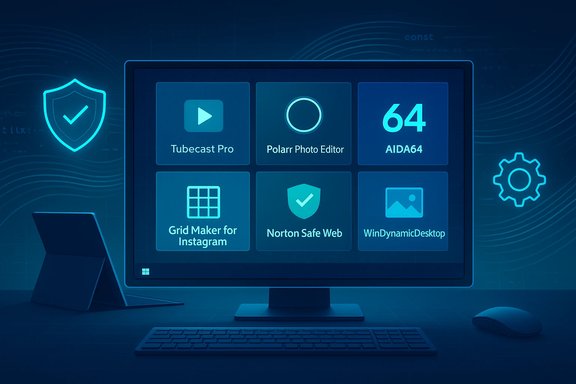
This week’s BetaNews roundups deliver the familiar mix of small, focused utilities, indie and mobile-to-Windows ports, and a handful of platform-level items that matter to power users and IT professionals alike; the two installments under review curate hits such as Tubecast Pro, Polarr Photo Editor and AIDA64 while flagging practical utilities like Grid Maker for Instagram, Norton’s Safe Web extension, WinDynamicDesktop and a Surface Pro 3 UEFI security update.
Background / Overview
BetaNews’s weekly “Best Windows apps this week” series functions as a short-form discovery feed: concise capsule reviews, a single “App of the Week” pick when applicable, and a curated list of other notable Store arrivals or updates. These roundups prioritize signal over exhaustive testing — surfacing software that’s worth trying now — and they emphasize practical caveats readers should check before installing. That editorial aim is visible across the two supplied pieces: one squarely aimed at Windows 10-era picks and another wider Microsoft Store roundup that spans utility, security, and entertainment titles.The two BetaNews posts are typical in format and intent. They give readers:
- A single standout pick or “App of the Week.”
- A short list of other notable apps (games, utilities, PWAs and extensions).
- Brief notes about platform-level updates (SDKs, firmware/UEFI patches, and Store behavior).
Highlights from the BetaNews roundups
App-of-the-week and marquee picks
- Tubecast Pro — highlighted as an App of the Week for offering a native YouTube client experience with broad casting options and background audio.
- Polarr Photo Editor — flagged as a commercial-grade image editor in a Store package, notable for RAW support, presets and advanced sliders.
- AIDA64 — chosen in a separate issue as a go-to diagnostic and system-information tool for quick hardware/firmware checks.
Utility, security and cosmetic picks
- Grid Maker for Instagram — a compact image slicer for creating Instagram grids (3×1 to 3×5) and related posting workflows; BetaNews suggests it simplifies multi-tile posting. The Store listing and independent archival evidence for the exact title are limited; treat the BetaNews mention as a discovery lead rather than a definitive endorsement.
- Norton Safe Web (Edge extension) — listed as a URL-safety extension for Microsoft Edge that annotates links and offers safety ratings; useful as an extra protective layer for browsing.
- WinDynamicDesktop — a popular open-source port of macOS Mojave’s Dynamic Desktop behavior, available on GitHub and the Microsoft Store, which automates wallpaper rotation by local time and supports theme packs.
Platform-level items called out
- Windows SDK updates and tooling — BetaNews flagged new SDK tooling in the Windows 10 timeframe; the Windows SDK remains the canonical developer distribution channel for headers, libraries and tooling.
- Surface Pro 3 UEFI update — a firmware update that added more granular UEFI controls for device security and provisioning (UEFI v3.11.760.0 in BetaNews’s summary).
Verification: cross-checking the key claims
When a weekly roundup names platform updates or features that affect security and manageability, verification matters. Below are cross-checks of the load-bearing claims using independent sources.Tubecast Pro: casting, background audio and downloads
BetaNews highlights Tubecast Pro for its casting capabilities to Chromecast, Apple TV (AirPlay), DLNA devices and consoles, plus background audio and offline downloads. The Tubecast product has a long Windows lineage: independent coverage and historical Store reporting confirm that Tubecast’s Windows builds supported Chromecast, AirPlay, DLNA, console targets and offline downloads in past releases, and were frequently marketed as offering 4K/QHD playback and background audio on mobile and tablet platforms. This long-running feature set aligns with BetaNews’s description. Caveat: the Tubecast references and feature pages available publicly date back to Windows 8/Windows Phone era and to early Windows 10 Store listings; the app’s current Store availability, pricing model and exact feature parity can vary by region and by the developer’s update cadence. Verify the current Microsoft Store listing on your device before purchasing or relying on specific casting workflows.Surface Pro 3 UEFI v3.11.760.0: enterprise controls and disk encryption support
BetaNews called out a Surface Pro 3 UEFI update that adds more granular device disablement and boot-control options. Microsoft’s documentation confirms the UEFI update v3.11.760.0 is an official firmware release that adds advanced UEFI security features, including the ability to disable specific hardware and to support enterprise disk encryption and provisioning scenarios. Microsoft’s Surface documentation explains the update, and how administrators can install and configure the advanced UEFI settings after installing the UEFI package. This corroborates the BetaNews description and explains the enterprise value of the update. Operational note: Surface firmware updates are staged through Windows Update and cannot be rolled back; administrators should stage and test the update before mass deployment. Microsoft’s guidance highlights that firmware updates include cumulative changes and can be delivered in stages through Windows Update.Windows SDK: continued cadence and downloads
BetaNews flagged updated Windows 10 SDK tooling aimed at developers. Microsoft’s official Windows SDK landing and release-notes pages document SDK releases and incremental builds, and they remain the authoritative distribution for headers, libraries and preview components. The SDK is continually updated via stable and preview channels; developers should use the official SDK downloads and release notes for accurate version numbers and compatibility guidance. BetaNews’s summary aligns with the documented cadence of SDK updates.WinDynamicDesktop: open-source Mojave-style dynamic wallpaper
BetaNews listed WinDynamicDesktop as a Mojave Dynamic Desktop port. The project is actively hosted on GitHub and maintains a project site describing features — 24-hour schedules, theme packs, and PowerShell script hooks — and is available on the Microsoft Store. The independent GitHub and project site corroborate BetaNews’s feature description and the app’s open-source status. For users wanting macOS-style dynamic wallpapers on Windows, WinDynamicDesktop is a reliable choice so long as you accept the community-maintained nature of the project.Norton Safe Web: extension and functionality
BetaNews highlighted Norton Safe Web for Edge as a URL-safety extension that annotates links. Norton’s product pages and documentation show Norton Safe Search and Norton Safe Web technologies are distributed via browser extensions for popular browsers, including Microsoft Edge. These extensions provide site safety ratings, phishing protection heuristics, and search-result annotations — matching BetaNews’s characterization. Users who already run Norton security suites may already have Safe Search capabilities enabled; standalone extensions exist but may change availability across browser stores. Caveat: browser extension availability can fluctuate between stores and browser blocking policies; check the Edge Add-ons store and Norton’s product pages for the current download experience.Critical analysis — strengths, limits and risks
The BetaNews roundups continue to be useful weekly signals for Windows users who prefer curated discovery to wading through the Microsoft Store. That said, several structural realities of the Store and the apps it hosts demand attention.Strengths
- Rapid discovery: a short, curated list surfaces useful or fun apps you may not otherwise find. BetaNews efficiently packages candidates for quick trial.
- Practical picks: the roundups combine productivity, security and entertainment picks — from diagnostic tools like AIDA64 to creative apps like Polarr and handy small utilities like Grid Maker and WinDynamicDesktop. These hits often solve small, real-world problems with minimal risk.
- Platform awareness: when BetaNews flags SDK changes or firmware/UEFI updates, readers who manage fleets or want to leverage new APIs get a timely nudge. The Surface Pro 3 UEFI example is a concrete case where awareness is valuable.
Limits and risks
- Store volatility: Microsoft Store listings, pricing, trial behavior and even availability can change rapidly. Small utilities and one-person projects are especially at risk of being abandoned or delisted; users should treat a weekly mention as an invitation to test rather than a long-term endorsement. BetaNews repeatedly cautions that readers verify the Store page and recent reviews prior to rollout.
- Documentation gaps: several small apps lack complete, authoritative documentation on codec support, hardware acceleration or the exact permissions used. When a tool touches media playback or device hardware, the absence of a clear feature matrix makes compatibility testing essential.
- Privacy and permission exposure: many Store apps rely on online APIs (translation, cloud sync, OCR). For privacy-minded users and administrators, the distinction between local computation and cloud-assisted processing matters; inspect permissions and privacy policies, and prefer local-processing options where privacy or regulatory constraints exist.
- Firmware update operational risk: device firmware and UEFI updates can be high risk if applied without staging. The Surface Pro 3 UEFI update adds enterprise controls, but firmware updates are cumulative and non-reversible — make image-level backups and test restores before deploying across managed devices.
Practical guidance — what to do next
The weekly roundup’s value lies in short, low-friction experimentation. Below is a pragmatic checklist for personal users and IT pros who want to act on these picks responsibly.- Verify the current Store listing and changelog for any app you’ll rely on — check the publisher, last update date, in-app purchase model and region availability. BetaNews offers a discovery lead; the Store is the authoritative source.
- Test on a non-production device first:
- For utilities (Grid Maker, WinDynamicDesktop), test core flows (export, wallpaper schedule) and verify expected resource usage.
- For casting clients (Tubecast Pro), validate your specific casting targets (Chromecast firmware, AirPlay/Apple TV, DLNA TV model) and make sample playback tests at the resolutions you need. Historical coverage indicates Tubecast supported broad casting and downloads, but the current Store edition should be validated.
- For security extensions (Norton Safe Web), confirm extension provenance in the Edge Add-ons store and whether the extension interacts with or changes default search engines or new-tab behaviors; review whether corporate policies permit the extension.
- For firmware/UEFI updates (Surface family):
- Stage in pilot rings.
- Take full backups (system image, BitLocker key export if encrypted).
- Read the firmware release notes and vendor guidance — Microsoft documents the UEFI v3.11.760.0 sequence and advanced settings for Surface Pro 3; follow the manual or scripted configuration steps Microsoft provides.
- For developer tooling (Windows SDK), follow Microsoft’s official SDK page and release notes for the exact SDK build you need; avoid guessing on version numbers — the SDK download page and release notes are authoritative.
Deep-dive: when the small apps matter most
Small utilities can deliver outsized value when they solve a narrow, repetitive task. Consider these realistic workflows where BetaNews picks translate to productivity wins:- Social-media creators: an Instagram grid-slicing utility saves time preparing multi-tile posts. But confirm export resolution and direct-post behavior; some such apps rely on web or mobile APIs and may only simulate “direct posting” by calling a helper workflow or cloud API. If you run a creator account at scale, automate only after validating pixel-perfect outputs on your target device.
- Classroom or kiosk scenarios: WinDynamicDesktop can provide context-aware wallpaper or branding across devices if you standardize themes. Because it’s community-maintained, bundle theme packs centrally, test the update behavior on shared accounts and ensure the app’s scheduling aligns with your asset policy.
- AV and living-room setups: casting clients like Tubecast historically provided an elegant way to stream YouTube content to non-browser devices (Chromecast, AirPlay, DLNA, consoles). For users who frequently deliver video feeds to TVs, confirm whether the current Tubecast build supports modern Chromecast firmware and whether downloads are permitted under YouTube’s terms in your jurisdiction. Historical reporting validates the casting feature set, but the licensing environment and API surface can change.
Final verdict — the good, the care and the catch
BetaNews’s weekly app roundups do exactly what they set out to do: surface a short, actionable list of Store picks and small platform updates that matter to Windows users. The two editions reviewed continue that pattern, mixing practical tools and entertainment picks with useful platform alerts (SDK drops, Surface UEFI changes). For readers who value curation and quick discovery, these roundups are time-efficient and low-friction discovery feeds.At the same time, the Microsoft Store’s heterogeneity — from well-documented commercial apps to one-person utilities with limited documentation — requires a modest safety-first approach:
- For personal use, favor short trials and verify device compatibility.
- For managed environments, pilot small batches, verify firmware rollbacks and backup/restore procedures, and prefer apps from publishers with an active update cadence and clear privacy policies.
- Be particularly cautious with any app that requests broad device or network permissions, or that depends on cloud APIs for core functionality.
Quick reference: what was mentioned and where to verify
- Tubecast Pro — App-of-the-week pick for casting and background playback; historical coverage confirms casting and download features, but check the current Microsoft Store listing for up-to-date details.
- Polarr Photo Editor — commercial Store editor noted for RAW support and pro features; verify latest features and pricing on the publisher’s Store page.
- AIDA64 — recommended for quick hardware diagnostics and inventories; the desktop and mobile suites remain widely used by technicians.
- Grid Maker for Instagram — small image-slicing utility flagged by BetaNews; independent verification of direct-post claims is sparse — treat as a discovery lead.
- Norton Safe Web (Edge extension) — URL-safety extension and Safe Search technology available via Norton; check Norton’s product pages and the Edge Add-ons store for current availability.
- WinDynamicDesktop — open-source Mojave Dynamic Desktop port; GitHub and the project site document features and theme support.
- Windows SDK updates — BetaNews flagged updated tooling; Microsoft’s Windows SDK pages and release notes are the authoritative verification points.
- Surface Pro 3 UEFI v3.11.760.0 — official Microsoft firmware update that adds advanced UEFI controls for enterprise provisioning and device hardening; follow Microsoft’s install and configuration guidance when deploying.
Conclusion
Weekly app roundups like BetaNews’s deliver efficient discovery and a useful starting point for trialling new Windows software. The two editions reviewed this week continue the tradition: a mix of polished third-party clients, compact utilities and platform notices that are valuable if approached with sensible verification. Where BetaNews highlights system-level changes — SDK revisions or firmware updates — administrators and power users should give those items operational priority: read vendor notes, test in pilot rings, and confirm backup and rollback readiness before broad deployment. For small app picks, use short trials, read recent user reviews, and validate permissions and privacy policies; the Store is full of helpful tools, but the responsibility for safe, reliable adoption remains squarely in the hands of the user and IT operations teams.
Source: BetaNews Best Windows 10 apps this week
Source: BetaNews Best Windows apps this week
