

A prominent product listing promising “Top DJI GO on PC” with free shipping — hosted on a French classifieds-style site — should set off immediate caution for anyone who owns or plans to buy a DJI drone and wants to run official DJI software on a Windows PC. The claim that DJI’s mobile-first flight-control app can be obtained as a native Windows program and shipped with “free shipping” is misleading at best and potentially dangerous at worst: DJI’s core flight-control apps are delivered and maintained for mobile platforms (iOS/Android) and DJI’s official PC tools follow a different, limited footprint. Users who follow third‑party download links or buy so‑called “DJI GO for PC” packages from non-official stores risk installing counterfeit software, exposing credentials or firmware files, or even infecting their systems with malware.
Over the past few years DJI’s app ecosystem also shifted: the newer DJI Fly app and other specialized pieces (Virtual Flight, DJI Assistant 2, FlightHub, Terra, etc.) serve different roles and target platforms. Some DJI titles historically had Windows or macOS components — notably firmware utilities and simulators — but DJI GO itself remains fundamentally a mobile product. The company’s own download portal and app listings make that architecture explicit.
Conclusion
The “DJI GO on PC — free shipping” listing you encountered is a classic example of demand meeting opportunism. DJI’s official stance and product lineup favor mobile apps for flight control and a distinct set of PC tools for firmware and simulation. For anyone who shoots, inspects, or flies with DJI gear: verify before downloading, prefer DJI’s official channels, and if in doubt, mirror a trusted mobile device or use an official simulator rather than chasing a too‑good‑to‑be‑true desktop package.
Source: info-mag-annonce.com Info-mag-annonce.com | Magazine Immobilier, Business & Déco
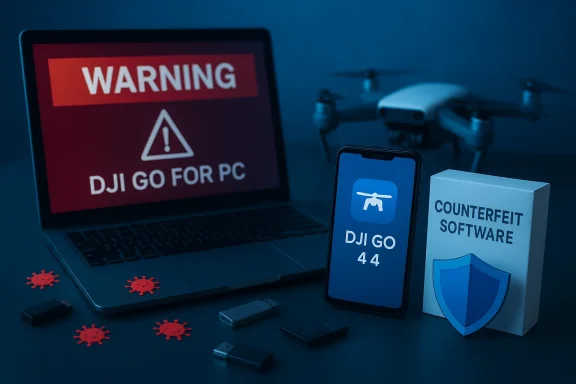 Background
What “DJI GO” actually is
DJI GO (and the later DJI GO 4) were designed as smartphone and tablet applications that provide near‑real‑time telemetry, video feed, camera control, and mission logging for several DJI aircraft lines. DJI still offers the DJI GO 4 app distribution through its official download center and continues to maintain mobile app releases via the App Store and official APK channels; that distribution model indicates these apps are mobile‑first and not native Windows desktop applications.Over the past few years DJI’s app ecosystem also shifted: the newer DJI Fly app and other specialized pieces (Virtual Flight, DJI Assistant 2, FlightHub, Terra, etc.) serve different roles and target platforms. Some DJI titles historically had Windows or macOS components — notably firmware utilities and simulators — but DJI GO itself remains fundamentally a mobile product. The company’s own download portal and app listings make that architecture explicit.
Why a PC version claim circulates
There are three reasons you’ll see “DJI GO on PC” offers:- People want a large‑screen preview and recording experience and assume desktop equals better workflow.
- Developers and hobbyists have created third‑party wrappers, emulator workflows, or companion utilities that try to stream or repackage phone functionality to a PC.
- Scammers and opportunistic sellers exploit that demand by repackaging APKs, bundling questionable installers, or offering counterfeit downloads and paid “PC ports.”
The listing you saw: what to watch for
Who runs info‑mag‑annonce.com?
The site that hosts the listing appears to be a French online magazine/announcement platform with a variety of consumer content and product posts. Its published pages and contact form show editorial content in French, and the site publishes a broad set of lifestyle, finance, and real‑estate items rather than acting as a dedicated DJI reseller. Independent third‑party reputation checks show a middling trust score and private WHOIS information — not a firm signal of legitimacy for transactional e‑commerce. Those are the exact red flags to watch for when a site offers downloadable software or physical products tied to a high‑value brand.Red flags in the product listing
When a non‑specialist site advertises “DJI GO for PC” with shipping options, consider these warning signs:- The product name implies a native Windows application that DJI does not publish.
- The listing may offer an installer or “boxed” download instead of pointing users to official DJI channels.
- The seller’s site lacks verifiable reseller authorization or clear vendor contact details.
- Price or “free shipping” messaging is used to lower users’ guard and drive impulse downloads or purchases.
The technical truth: official DJI software for PC
Official PC and desktop software from DJI
DJI does publish a number of desktop and PC tools, but their roles differ from what DJI GO provides on mobile. Important, officially supported PC tools include:- DJI Assistant 2 (Windows/macOS): firmware upgrades, logs, calibration, and device‑level utilities for many DJI products.
- DJI Flight Simulator / Virtual Flight: a simulator experience (historically mobile‑first and desktop builds at times) intended for training and practice; note that maintenance for some of DJI’s simulators has been discontinued and distribution varies.
Mobile app distribution nuances
DJI’s primary consumer apps (DJI GO 4, DJI Fly, DJI Virtual Flight) are distributed as iOS and Android builds. For Android users, DJI often provides official APK downloads on its site rather than relying on app stores — a distribution approach that helps DJI control the versioning but also creates opportunity for malicious actors to mirror those APKs. iOS users get the apps via the App Store. DJI’s own download center and official app listings are the only places you should trust for authentic application packages.How attackers and scammers exploit demand
Fake desktop apps, charged APKs, and repackaged installers
Scammers exploit two consistent user behaviors: (1) impatience to get a working app on a preferred device and (2) difficulty obtaining older or compatible app versions. Common scam tactics include:- Hosting repackaged APKs inside executable installers that also install unrelated software (adware, credential stealers, or remote access trojans).
- Charging money for what should be a free app or offering “pro” desktop versions that never existed.
- Pretending to be an authorized reseller or offering “boxed” downloads with physical shipping as social proof.
Real examples from the field
Forum and community threads show users being directed to third‑party mirrors or paid “apps” that turn out to be fake or nonfunctional. Some users have reported apps that install extraneous files or create suspicious binaries on their devices; others have suggested that DJI’s absence from mainstream app stores has left a vacuum filled by malicious actors offering impostor apps. Those community signals should reinforce caution, not be dismissed as mere noise.Safer ways to run DJI software on a PC (if you must)
If your goal is legitimate — for instance, to view live video on a larger screen, practice in a simulator, or use firmware utilities — there are safer, documented ways to proceed.Option A — Use DJI’s official PC tools for the right tasks
- Use DJI Assistant 2 for firmware, logs, calibration, and hardware maintenance.
- Use the DJI Store app or official simulators where DJI provides desktop support; check DJI’s downloads portal for supported PC software. These are official avenues and are the safest choice for system‑level operations.
Option B — Use mobile apps and mirror or stream the phone screen
If you want a big‑screen view of the mobile app:- Connect your official mobile device to your PC using a wired capture device (HDMI/USB capture) or a reliable screen‑sharing tool you trust.
- Use the mobile app on the recommended, compatible phone or tablet and mirror the screen to your PC for review and capture — this preserves DJI’s intended workflow and avoids untrusted third‑party installers.
Option C — Emulators and third‑party wrappers (risky, use only as last resort)
Some hobbyists use Android emulators (Bluestacks, Nox, etc.) to run DJI mobile APKs on Windows. If you go this route, follow strict safeguards:- Download the official APK directly from DJI’s download center and verify file details where possible.
- Run the emulator in an isolated virtual machine to avoid cross‑contamination with your main system.
- Keep network access restricted and use a freshly‑created emulator image; do not use your production account credentials without multi‑factor protection.
- Expect reduced reliability and possible incompatibility between the emulator, USB controller passthrough, and live video feed.
Practical, step‑by‑step checklist to protect yourself
If you’ve encountered a listing like the one on info‑mag‑annonce.com and you want to verify or act safely, follow these steps:- Pause. Don’t click “download” or pay for anything yet. Take screenshots of the listing for reference.
- Verify official sources:
- Search DJI’s official Download Center or the App Store for the app name. If the app isn’t listed on DJI’s official site as a Windows program, it’s almost certainly not authentic as a native desktop app.
- Check the seller’s legitimacy:
- Confirm the site’s contact page and look for verifiable business details. If the domain is privately registered and the site’s content is not specialized e‑commerce, treat transactional listings with suspicion.
- If you need an app file:
- Only download DJI mobile APKs from DJI’s official download center. Avoid third‑party APK mirrors and installers that bundle extra software.
- Sandbox and verify:
- If you must test unknown software, isolate it in a disposable virtual machine or use a test machine, scan with multiple up‑to‑date endpoint tools, and check binary signatures where possible.
- Use payment protections:
- If you already paid and suspect fraud, open a dispute via your payment method (credit card, PayPal) and preserve transaction records. Scamadviser and community reporting guides suggest similar remedial steps for consumer protection.
If you downloaded or installed suspect software: triage steps
- Disconnect the machine from the network immediately to limit outbound connections and potential data exfiltration.
- Run a full scan with an up‑to‑date antivirus/endpoint tool and consider using a second on‑demand scanner to cross‑check results.
- If you entered DJI credentials into an app you don’t trust, change your DJI account password and enable multifactor authentication where available.
- For firmware or device‑level doubts, reset the controller and drone to factory settings and verify firmware via DJI Assistant 2 downloaded from DJI’s official site.
- Report scams to your payment provider, local consumer protection authorities, and the platform where the ad appeared. Document everything.
Balance: why people still look for PC options
It’s worth acknowledging legitimate reasons users seek a “DJI GO on PC” experience. Pilots want:- Larger live view for cinematography review.
- Easier capture and editing on a desktop workstation.
- Flight simulation and training on a full PC rig.
Final verdict and recommendations
- The product listing promising “DJI GO on PC” with free shipping on a generalist classifieds or magazine site is almost certainly not selling an official DJI native Windows application. Treat it as suspect until proven otherwise.
- For firmware, logs, and device maintenance, use DJI Assistant 2 and other official DJI desktop tools from DJI’s download center. For the DJI GO / DJI Fly experience, use an authorized mobile device or mirror that device to a monitor rather than installing unknown PC ports.
- Avoid third‑party installers and paid “PC” ports. If you must explore community tools, run them in an isolated VM, verify the source, and keep backups of critical data. Community reports and independent analysts repeatedly highlight the real risks of repackaged DJI apps and unofficial mirrors.
Conclusion
The “DJI GO on PC — free shipping” listing you encountered is a classic example of demand meeting opportunism. DJI’s official stance and product lineup favor mobile apps for flight control and a distinct set of PC tools for firmware and simulation. For anyone who shoots, inspects, or flies with DJI gear: verify before downloading, prefer DJI’s official channels, and if in doubt, mirror a trusted mobile device or use an official simulator rather than chasing a too‑good‑to‑be‑true desktop package.
Source: info-mag-annonce.com Info-mag-annonce.com | Magazine Immobilier, Business & Déco
