

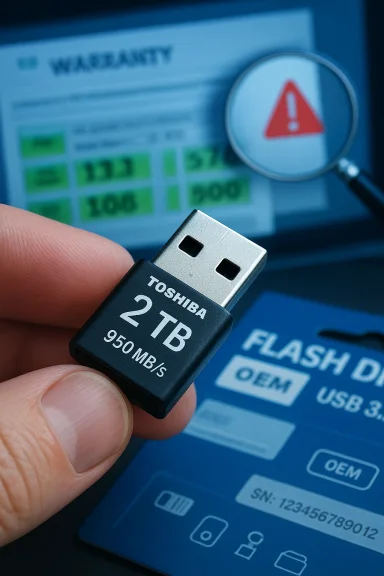
A heavily promoted “TOSHIBA OTG 32/64/128/256/512GB/1TB/2TB FLASH DRIVE — Transmisi 950mb/s” listing that popped up on a Paraguayan retail page is a useful case study in how modern storage marketing, cross‑branding, and platform confusion can mislead buyers. The short version: the speed and capacity claims in that promo deserve skepticism; similar numbers are realistic for small portable SSDs using USB 3.2/USB‑C controllers, but they are atypical (and sometimes impossible) for tiny OTG-style pendrives, and there is strong evidence many marketplace listings with identical wording are resellers or generic imports rather than official Toshiba (Kioxia) products. Buyers should verify interface, controller, and warranty information before purchasing, and run real tests after receiving any unit.
The promo copy you supplied names “TOSHIBA,” lists a long range of capacities from 32 GB to 2 TB, and advertises “Transmisi 950mb S” (read: 950 MB/s transfer). That combination — very small stick form factor + OTG + up to 2 TB + sustained 950 MB/s throughput — is a red flag that requires verification.
There are two distinct product classes often conflated in retail listings:
Conversely, Toshiba (now operating its consumer flash under the Kioxia brand for many product lines) markets TransMemory USB flash drives in modest capacities (commonly 32–256 GB) with USB 3.0/3.2 connections; those product pages and catalogs do not show a 2 TB, pocket‑stick TransMemory model that claims 950 MB/s in a tiny OTG form factor.
Marketplace evidence also shows dozens of reseller listings using the same speed/capacity phrasing across marketplaces in Asia and Latin America — many of them are generic OEM items, sometimes labeled with big brand names in product titles even when the product images or small print do not confirm genuine manufacturer origin. That same pattern is common on wholesale platforms where factory‑branded and unbranded items are mixed.
Storage marketing has matured, but so have the ways unscrupulous or sloppy listings appear on regional retail sites. A claim is only as good as its supporting interface spec, part number, warranty, and — ultimately — independent performance verification. Before you trust a five‑figure capacity/speed combo in a one‑line product title, ask for proof and test the device the moment it lands on your desk.
Source: hotelier.com.py https://hotelier.com.py/product/256-512GB-1TB-2TB-FLASH-DRIVE-Transmisi-950mb-S-Putih-32gb/775045/
 Background / overview
The promo copy you supplied names “TOSHIBA,” lists a long range of capacities from 32 GB to 2 TB, and advertises “Transmisi 950mb S” (read: 950 MB/s transfer). That combination — very small stick form factor + OTG + up to 2 TB + sustained 950 MB/s throughput — is a red flag that requires verification.There are two distinct product classes often conflated in retail listings:
- USB flash drives (pendrives) — small, controller + NAND packages that historically target portability and low cost. Typical real-world speeds vary widely; high‑end USB sticks can hit a few hundred MB/s for reads on good controllers, but large capacities above 512 GB are uncommon from major manufacturers in compact form factors.
- Portable external SSDs — these use NVMe or SATA SSD controllers inside an enclosure and commonly advertise read speeds in the 800–1,050 MB/s range when paired with USB 3.2 Gen‑2 interfaces. They are physically larger than most OTG sticks and usually carry different product names (e.g., “portable SSD,” “external SSD”).
Conversely, Toshiba (now operating its consumer flash under the Kioxia brand for many product lines) markets TransMemory USB flash drives in modest capacities (commonly 32–256 GB) with USB 3.0/3.2 connections; those product pages and catalogs do not show a 2 TB, pocket‑stick TransMemory model that claims 950 MB/s in a tiny OTG form factor.
What the promo actually claims (and why each claim needs validation)
The ad text you provided contains three core claims that buyers should treat separately:- Claim 1 — Brand: “TOSHIBA”
- Why check: Many third‑party marketplace listings use well‑known brand names in product titles or images to increase clicks. Authentic products usually have manufacturer part numbers, packaging photos, and warranty statements.
- Claim 2 — Capacities: 32 / 64 / 128 / 256 / 512 GB / 1 TB / 2 TB
- Why check: Major manufacturers do sell 1–2 TB in the external SSD category, but not typically as a tiny OTG pendrive. When a single SKU set claims both 32 GB and 2 TB in the same small form factor, that suggests a generic product family (often OEM/ODM) rather than a validated manufacturer line.
- Claim 3 — Speed: “Transmisi 950mb S” (950 MB/s)
- Why check: Sustained 950 MB/s is plausible for USB 3.2 Gen‑2-equipped portable SSDs using an NVMe-to-USB bridge; it is not plausible for many cheap USB sticks or for USB 2.0/3.0 OTG devices that lack the necessary controller and NAND architecture.
Technical reality check: What’s required to hit ~950 MB/s?
To achieve roughly 950 MB/s sequential throughput you need all of the following:- A fast NAND subsystem (typically multi‑channel TLC/QLC or even SLC cache behavior).
- A controller capable of sustaining high sequential throughput, often an NVMe SSD controller.
- A high‑bandwidth host interface: typically USB 3.2 Gen‑2 (10 Gbps) or USB 3.2 Gen‑2×2 (20 Gbps) in practice. USB 3.1 Gen‑1 / USB 3.0 (5 Gbps) is capped near ~400–500 MB/s at best in real use.
- Adequate thermal design to avoid throttling under sustained transfer.
Brand and distribution reality: Is Toshiba selling 2 TB OTG sticks?
Toshiba’s consumer flash memory has been reorganized and marketed under Kioxia / TransMemory lines for several years. Official catalog listings for TransMemory flash drives show mainstream USB capacities (32–256 GB commonly) and typical USB 2.0/3.0/3.2 connectivity on standard stick form factors; they do not show a mainstream 2 TB stick in the classic OTG pendrive profile. If you want a manufacturer‑backed 2 TB high‑speed device, look to portable SSDs from established brands (Transcend, SanDisk, Samsung, Kingston, etc.), not to tiny OTG sticks from Toshiba’s TransMemory line.Marketplace evidence also shows dozens of reseller listings using the same speed/capacity phrasing across marketplaces in Asia and Latin America — many of them are generic OEM items, sometimes labeled with big brand names in product titles even when the product images or small print do not confirm genuine manufacturer origin. That same pattern is common on wholesale platforms where factory‑branded and unbranded items are mixed.
How to verify a listing and reduce risk before buying
If you find a retail listing similar to the one you saw, follow a disciplined verification checklist:- Ask the seller for the full model/part number and a photo of the sealed package. Genuine branded items almost always show part numbers on the box and on the device.
- Confirm the interface: is it USB‑A, USB‑C, or dual? Does the listing state “USB 3.2 Gen‑2” or only “USB 3.0/USB 3.1”? Higher throughput claims must be supported by a Gen‑2 or better interface.
- Request a warranty statement: who honors returns and warranty — the retailer or the manufacturer? Genuine Toshiba/Kioxia/Transcend products include manufacturer warranty terms.
- Compare the sted retailers for the same part number. If it’s dramatically cheaper, treat that as suspicious.
- Read buyer photos and reviews carefully — look for CrystalDiskMark screenshots, written transfer tests, or H2testw verification results from other buyers.
What to test immediately after receiving the device
If you decide to buy and the device arrives, verify everything with these tests (short, actionable steps):- Check genuine capacity
- Run H2testw (Windows) or F3 (macOS/Linux) across the full device to confirm real usable capacity and check for fake reporting.
- Measure sequential performance
- Use CrystalDiskMark (Windows) or Blackmagic Disk Speed Test (macOS) and run several sequential read and write passes with a file size larger than the on‑device cache (e.g., 10–20 GB) to measure sustained throughput.
- Check sustained write consistency
- Copy a large file (several GB) and monitor whether write speed suddenly drops — a telltale sign of small SLC caches and QLC/TLC slowdowns.
- Verify file integrity
- Copy known chhe drive and confirm with a hash (SHA‑256/MD5).
- Inspect firmware/serial
- Look for a valid serial number and model printed on the device and package. Contact the manufacturer support with that serial to confirm authenticity if in doubt.
Signs the listing might be a generic import or misbranded product
- Title lists dozens of capacities and brands in the same line (e.g., “32/64/128/256/512GB/1TB/2TB”): often indicates a generic product family sold across many SKUs.
- “Transmisi 950mb/s” without specifying read vs write or the host interface (Gen‑1/Gen‑2): marketers sometimes quote peak read numbers to create impressions of performance.
- Price far below comparable branded portable SSDs: a real NVMe-based external SSD capable of sustained 950 MB/s will command a market price aligned with major brands; significantly cheaper listings often indicate low-cost NAND and weaker controllers.
- Small form factor images with claims matching external SSD speeds: either the device is a cleverly packaged external SSD, or the listing is overstating performance.
Alternatives and legitimate product comparisons
If you need genuine high throughput and up to 2 TB capacity, consider these realistic product categories and examples that have public tests and warranties:- Portable NVMe external SSDs (true 900–1,050 MB/s class) — these are actual external SSDs with NVMe + USB bridge. Independent reviews and vendor specs confirm sustained speeds near 950 MB/s:
- Transcend ESD310S (benchmarked near 1050/950 MB/s).
- SanDisk / Western Digital “portable SSD” and Kingston models advertise similar speeds on Gen‑2 USB interfaces (check product part numbers and real reviews).
- Large‑capacity USB sticks (compact form factor) — exist up to 1 TB from some brands, but their sustained speeds are lower and they often use cheaper NAND; do not expect 950 MB/s sustained performance.
- External SSD in compact enclosures — if you want the speed but prefer a small footprint, look at branded offerings whose packaging and spec sheet explicitly call them “portable SSD” with Gen‑2 USB and manufacturer part numbers.
- If you need sustained 900+ MB/s throughput, buy a portable SSD from an established brand and confirm the product’s USB standard (USB 3.2 Gen‑2 or higher) and part number.
- If you need a small OTG stick for casual file transfers, prioritize brand reputation, warranty and verified user tests rather than promotional peak numbers.
- Avoid listings where the description recycles manufacturer names without part numbers or where images are stock photos used for many unrelated SKUs.
- Never rely on a single cheap pendrive as a backup. Use duplicated backups and cloud or spinning/platter/external SSD solutions for critical data, as many community threads have long advised.
Why sellers and marketplaces do this — a brief market analysis
Two forces drive the proliferation of ambiguous listings:- Wholesaler / OEM model: Factories produce generic flash devices at scale; resellers rebrand them or list them with high‑impact specs. On wholesale platforms, the same model descriptions are copy‑pasted across hundreds of shops, generating many near‑identical listings.
- Advertising copy vs real performance: Marketing emphasizes peak read numbers because they’re eye‑catching. Sellers frequently omit critical constraints — thermal throttling, sustained write collapse after small caches, and the host interface limit — that determine real user experience.
Final evaluation and recommendation
- The hotelier.com.py promo you referenced mixes brand, capacity, and speed claims in a way that is plausible for portable SSDs, but implausible for classic tiny OTG pendrives from Toshiba’s TransMemory family. That means the listing is either (a) a portable SSD packaged or described as a “flash drive,” or (b) a generic import falsely leveraging brand recognition and headline numbers.
- Treat “950 MB/s” as meaningful only when the listing explicitly states the USB standard (USB 3.2 Gen‑2/Gen‑2×2), the controller type (NVMe/bridge model), and the manufacturer part number/warranty. Without those, expect real-world speeds to be significantly lower and real capacity possibly fake.
- If you already purchased one of these units, run H2testw/F3 and CrystalDiskMark immediately; document results and initiate a return if numbers and capacity don’t match advertised claims.
- If you’re shopping for high performance and legitimate warranty support, buy a branded portable SSD with documented benchmarks (examples above) rather than a suspicious “Toshiba OTG 2 TB 950 MB/s” stick from a generic listing.
Storage marketing has matured, but so have the ways unscrupulous or sloppy listings appear on regional retail sites. A claim is only as good as its supporting interface spec, part number, warranty, and — ultimately — independent performance verification. Before you trust a five‑figure capacity/speed combo in a one‑line product title, ask for proof and test the device the moment it lands on your desk.
Source: hotelier.com.py https://hotelier.com.py/product/256-512GB-1TB-2TB-FLASH-DRIVE-Transmisi-950mb-S-Putih-32gb/775045/
