

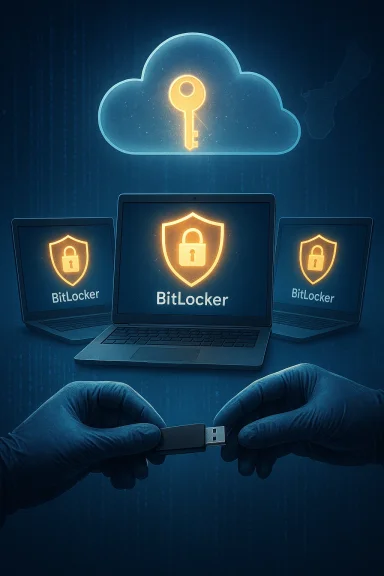
Microsoft quietly handed investigators the literal keys to unlock BitLocker‑protected laptops in a federal probe tied to pandemic unemployment fraud in Guam — a single act that crystallizes a broad, uncomfortable truth: encryption alone does not guarantee control if key custody rests with a cloud provider.
For most Windows users, BitLocker is the invisible safety net that protects data-at-rest. It encrypts whole drives so files are unreadable without the correct key, and Microsoft has long promoted convenience features that make recovery painless — including backing recovery keys to a Microsoft account. That design trade-off is at the heart of the controversy raised by the Guam case: when a provider stores a customer’s recovery key, it can produce that key in response to lawful process, turning what many users regard as a “warrant‑proof” protection into one that is accessible on demand.
The sequence reported so far is straightforward. Federal agents seized three Windows laptops during an investigation into alleged Pandemic Unemployment Assistance fraud. The devices were BitLocker‑protected and would not yield their contents without recovery keys. Investigators served legal process, Microsoft provided the backed‑up BitLocker recovery keys, and forensic examiners unlocked the drives. The company’s compliance appears to have been based on valid orders, but the technical ability to comply — the fact Microsoft held the keys at all — is what magnified the privacy implications.
Below are practical, platform‑specific steps and considerations that follow the same principle: know where your recovery material lives and, if privacy is critical, keep it outside provider control.
Key recommendations:
We stand at a crossroads between two models. One model privileges convenience and centralized recovery; the other privileges user sovereignty and technical impossibility of provider access. Both are defensible depending on threat models, but the choice should be explicit, well‑explained, and presented as a meaningful privacy trade‑off — not buried in setup screens and silent defaults. The technical capability to unlock encrypted drives exists; the policy question is whether that capability should be the default.
In the meantime, small, deliberate actions by users and admins — auditing key locations, moving recovery material offline when appropriate, and hardening endpoints — will remain the most effective, immediate ways to reclaim real control over encrypted data.
Source: AOL.com Microsoft crosses privacy line few expected
 Background
For most Windows users, BitLocker is the invisible safety net that protects data-at-rest. It encrypts whole drives so files are unreadable without the correct key, and Microsoft has long promoted convenience features that make recovery painless — including backing recovery keys to a Microsoft account. That design trade-off is at the heart of the controversy raised by the Guam case: when a provider stores a customer’s recovery key, it can produce that key in response to lawful process, turning what many users regard as a “warrant‑proof” protection into one that is accessible on demand.The sequence reported so far is straightforward. Federal agents seized three Windows laptops during an investigation into alleged Pandemic Unemployment Assistance fraud. The devices were BitLocker‑protected and would not yield their contents without recovery keys. Investigators served legal process, Microsoft provided the backed‑up BitLocker recovery keys, and forensic examiners unlocked the drives. The company’s compliance appears to have been based on valid orders, but the technical ability to comply — the fact Microsoft held the keys at all — is what magnified the privacy implications.
Why this matters: key custody vs. cryptography
Encryption is mathematical; key custody is architectural. The strength of BitLocker’s cryptography is not in question. What changed in practice is who has practical access to the keys that unlock that cryptography.- If you keep your BitLocker recovery key wholly under your control — offline, printed, or on a hardware token you manage — Microsoft cannot hand it to anyone because it doesn't possess it.
- If you accept the convenience of cloud backup and the recovery key is tied to your Microsoft account, the provider can produce that key when legally compelled, because it stores the key in a form it can recover.
The Guam case: facts and limits of public reporting
What the public reporting establishes with reasonable confidence:- Federal investigators seized three laptops connected to a pandemic‑unemployment fraud probe in Guam.
- Those devices were protected with BitLocker.
- Microsoft provided BitLocker recovery keys to investigators after being served with legal process, enabling the drives to be decrypted.
- The precise legal instruments (search warrants, court orders, statutes invoked) and the scopes of those orders have not been exhaustively published in the reporting available to date. Because the public record is limited, readers should not assume facts about the particular warrants beyond the general statements reported.
- The number of cases where Microsoft has complied with similar requests is reported in some coverage as “roughly 20 per year,” but that figure is company‑level reporting and may change over time; it is appropriate to treat such numbers as company statements rather than independently audited metrics.
How BitLocker key escrow works (concise technical primer)
To understand the risk model, a short technical primer will help.What BitLocker does
- BitLocker encrypts volumes using strong symmetric ciphers (e.g., XTS‑AES) so files are unreadable without unlocking the volume at boot or by recovery procedures. The cryptography is robust; the question is not "can BitLocker be broken?" but "who controls the unlocking material?"
Recovery keys and escrow
- Windows exposes several recovery options. A recovery key can exist only on the device, be stored in Active Directory (for enterprise devices), or be backed up to a Microsoft account for consumer devices. When the recovery key is stored in the cloud, Microsoft retains the ability to retrieve it under the terms of its operational design. That retrieval capability is what made the Guam decryptions possible.
Why cloud escrow is attractive — and risky
- Benefits: automatic backup of keys, less risk of permanent data loss, easier helpdesk operations for enterprises and consumers.
- Downsides: the provider becomes a technical custodian of keys, creating a legal and security vector for access, and a central point of failure if breached or compelled. The Guam incident illustrates the downside at scale.
Industry comparisons: design choices that matter
Not all major platforms handle key custody the same way. In public debates referenced in coverage of the Guam case, experts contrasted Microsoft’s approach with other vendor choices.- Apple: offers optional features (like Advanced Data Protection for iCloud) designed to limit the company’s own access to certain user data — effectively making some data unrecoverable even to Apple, which can complicate compliance but protects user privacy in those categories.
- Google: provides client‑side encryption options in some services and enterprise offerings that allow customers to hold keys so Google cannot decrypt the content. Those choices illustrate that a provider can simultaneously obey law enforcement and design systems where compelled disclosure is technically impossible for data the provider does not hold keys to.
Legal and policy context: lawful compliance vs. systemic risk
Legality and policy are distinct lenses. Microsoft’s production of keys in response to legal process may well have been lawful. But lawfulness does not equate to harmlessness, and the fact the company could comply raises persistent policy questions:- Centralized key custody increases systemic risk. When a provider stores tens of millions of recovery keys, it becomes both a legal target (courts and law enforcement) and a technical target (hackers and hostile states). Historical incidents — from high‑profile data breaches to leaks — demonstrate what happens when central stores are compromised. The Guam case is an operational example where the availability of keys turned encryption into a recoverable asset rather than an inaccessible one.
- Law enforcement utility vs. privacy erosion. Investigators argue that access to encrypted evidence sometimes requires technical routes like recovery keys. Privacy advocates counter that building systems that can be unlocked on demand creates an inevitable practice of access and widens the surface of potential abuse or mistake. The tension is real and technical design choices can tilt the balance.
- Transparency and oversight. If providers keep keys, transparency reporting and narrow, court‑based oversight can help, but they cannot change the underlying architecture that makes compelled access technically possible. Public debate should therefore move beyond "did they comply" to "should this capability exist and under what constraints?"
Practical advice for users and admins — regain control where you can
The takeaway for readers is both simple and actionable: control your keys if you want meaningful control over your data. Convenience is a default; privacy is a decision.Below are practical, platform‑specific steps and considerations that follow the same principle: know where your recovery material lives and, if privacy is critical, keep it outside provider control.
Windows (consumer)
- Check BitLocker status and recovery key location in Settings under Privacy & security → Device encryption or BitLocker.
- If your recovery key is backed up to your Microsoft account and you want exclusive control, export the key and store it offline (USB drive stored securely or a printed copy in a safe). Then remove cloud escrow if your threat model allows.
- For enterprise devices, prefer Active Directory or a company-managed key strategy that enforces desired controls; for sensitive roles, consider hardware-based encryption tokens and policies that restrict cloud escrow.
macOS / iPhone (Apple)
- For iCloud: enable Advanced Data Protection to extend end‑to‑end encryption to more categories. Set up account recovery options (recovery contact or recovery key) carefully; note that these can complicate standard account recovery flows if mismanaged.
Android / Google services
- Review what your Google Account backs up and whether keys or backups are protected by client‑side encryption. Strengthen account security with 2‑Step Verification and consider alternatives for highly sensitive data.
Universal best practices
- Use hardware tokens or secure elements for highest assurance where supported.
- Keep recovery material offline whenever your threat model demands it.
- Apply robust account security: strong passwords, 2FA, and device‑bound security keys.
- Audit backup settings after device setup; defaults favor convenience and most users never revisit them.
Risks that remain even with careful key custody
Holding your own keys reduces provider disclosure risk, but it does not remove all threats.- Endpoint compromise. If malware runs on your device before encryption is enforced (or after you unlock it), attackers can exfiltrate plain text. Encryption protects data at rest, not data in use. Strong endpoint security and safe browsing habits remain essential.
- Recovery loss. If you exclusively control keys and lose them, you risk permanent data loss. The recoverability vs. secrecy trade-off is real and must be managed with robust operational practices.
- Legal cross‑jurisdiction complexity. Even when keys are stored outside a provider, law enforcement has other legal tools (device searches, compelled testimony, subpoenas to other custodians). Key custody helps, but it is not an absolute shield against all investigative methods. Treat it as one layer in a layered defense.
What Microsoft and other platform vendors should consider
The Guam incident exposes design choices that companies can reasonably and technically change. Policy and product roadmaps should consider shifting defaults and offering clearer user choice.Key recommendations:
- Make customer‑controlled keys the default for consumer devices where privacy is the priority, or at least present a clear, prominent choice with step‑by‑step guidance and plain‑language consequences for each option. Default matters; most users stick with it.
- Offer stronger client‑side encryption options for consumer cloud services that make provider access technically impossible for specific data types, while leaving enterprise or law‑enforcement‑facing workflows unaffected. Apple and Google already demonstrate that different choices are viable; Microsoft can adapt its consumer model to offer equivalent protections.
- Improve transparency reporting: publish granular metrics on the number of recovery‑key production requests, the legal bases, and whether keys were available in cloud escrow. Transparency alone does not prevent compelled access, but it allows public oversight and better policy debate.
- Design recovery mechanisms that don't centralize power: escrow approaches that distribute parts of the key to multiple custodians or require multi‑party consent could reduce single‑point production risk while preserving recoverability. Such approaches are more complex, but they are not novel or impossible.
Critical analysis: strengths and systemic risks
There are two complementary truths worth emphasizing.- Strength: Microsoft’s design choices reflect a pragmatic balance for consumers. Cloud key escrow reduces the risk of permanent data loss for countless users who would otherwise become locked out of their own devices. For helpdesk operations, enterprise management, and everyday consumers, the ability to recover devices is a real benefit and aligns with user expectations of convenience.
- Risk: Centralized recovery creates systemic exposure. When a provider holds the keys, the company becomes a focal point for legal compulsion and malicious attack. The Guam case shows that the ability to unlock encrypted devices is not merely theoretical. Commoditizing key escrow as a default increases the chance that keys will be produced and that large sets of data will become accessible to parties beyond the device owner. The systemic danger is not limited to lawful, well‑founded investigations; it exists equally for misused warrants, insider errors, and successful breaches.
Where this leaves consumers, IT teams, and policymakers
- Consumers: audit your device and cloud backup settings today. Decide whether recoverability or exclusive control matters more for your personal threat model. If privacy is paramount, take the time to manage keys offline.
- IT teams: re‑examine default provisioning workflows. For sensitive roles and regulated data, require customer‑managed keys, hardware encryption, or enterprise key management systems that align with your compliance and privacy goals.
- Policymakers and advocates: focus on architectural safeguards. Laws addressing compelled access are necessary, but they are not sufficient if systems are built to make compelled access trivial. Encourage or require technical designs that reduce centralized key custody for consumer data categories where feasible, and demand transparency about escrow practices and production volumes.
Final thoughts
The Guam case is a concrete, teachable moment: encryption is necessary, but insufficient if key management defaults hand the keys to third parties. The story forces a cultural and engineering shift. Users must stop assuming that “encrypted” always means “inaccessible,” and vendors must acknowledge that convenience‑first defaults have privacy consequences that extend far beyond any single investigation.We stand at a crossroads between two models. One model privileges convenience and centralized recovery; the other privileges user sovereignty and technical impossibility of provider access. Both are defensible depending on threat models, but the choice should be explicit, well‑explained, and presented as a meaningful privacy trade‑off — not buried in setup screens and silent defaults. The technical capability to unlock encrypted drives exists; the policy question is whether that capability should be the default.
In the meantime, small, deliberate actions by users and admins — auditing key locations, moving recovery material offline when appropriate, and hardening endpoints — will remain the most effective, immediate ways to reclaim real control over encrypted data.
Source: AOL.com Microsoft crosses privacy line few expected
