

Bluefish444’s Windows 11 plug‑in refresh — released as Installer 2025.14.1 — brings native support for SMPTE ST 2110 IP I/O, extended SDI connectivity across the KRONOS and Epoch card families, and explicit HDR workflow compatibility for a broad set of professional content‑creation applications. This is a pragmatic, industry‑facing update: it aligns Bluefish444’s hardware drivers, firmware and application plug‑ins with modern Windows 11 environments and IP‑centric studio infrastructures while promising a straightforward migration path for existing customers.
Bluefish444 builds specialized video I/O cards — the KRONOS and Epoch ranges — that are commonly embedded into broadcast, post, virtual production and live‑event systems to provide ultra‑low‑latency, high‑quality capture and playout. Over the last several product cycles the company has moved to a hybrid model that supports both coax SDI and SMPTE ST 2110 video‑over‑IP, plus HDR pixel formats and expanded firmware features on the KRONOS Optikos3G line. The new Windows 11 plug‑in installer is presented by Bluefish as the vehicle to enable those capabilities within third‑party creative tools. The update was covered in industry press on December 3, 2025 and appears in Bluefish444’s own media centre, which positions this release as a compatibility and feature update targeted at Adobe, Avid, Assimilate, Foundry (Nuke), Unity and other host applications. Bluefish’s public statement emphasises Windows 11 readiness, SMPTE 2110 I/O support and HDR workflow compatibility as headline benefits.
That said, the technical lift required for robust SMPTE 2110 production — network design, timing, switch configuration, and NIC/CUDA/NIC offload tuning — should not be underestimated. Organizations must undertake validation cycles and maintain disciplined rollback processes for firmware updates. Finally, while Bluefish’s public messaging emphasizes free migration for installed customers, procurement and support teams must verify vendor and third‑party licensing and confirm that host‑application versions used in production are supported and tested within the facility’s test harness.
Source: Content + Technology https://content-technology.com/post...win-11-plugin-support-sdi-st2110-i-o-and-hdr/
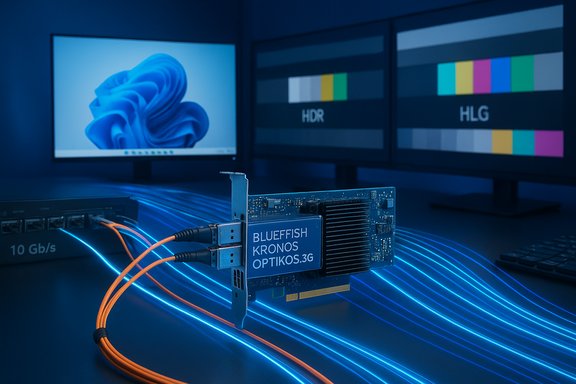 Background
Bluefish444 builds specialized video I/O cards — the KRONOS and Epoch ranges — that are commonly embedded into broadcast, post, virtual production and live‑event systems to provide ultra‑low‑latency, high‑quality capture and playout. Over the last several product cycles the company has moved to a hybrid model that supports both coax SDI and SMPTE ST 2110 video‑over‑IP, plus HDR pixel formats and expanded firmware features on the KRONOS Optikos3G line. The new Windows 11 plug‑in installer is presented by Bluefish as the vehicle to enable those capabilities within third‑party creative tools. The update was covered in industry press on December 3, 2025 and appears in Bluefish444’s own media centre, which positions this release as a compatibility and feature update targeted at Adobe, Avid, Assimilate, Foundry (Nuke), Unity and other host applications. Bluefish’s public statement emphasises Windows 11 readiness, SMPTE 2110 I/O support and HDR workflow compatibility as headline benefits. What’s included in Installer 2025.14.1
Supported host applications (plug‑in coverage)
The installer updates or provides plug‑ins for widely used post‑production and realtime graphics applications. The published list includes:- Adobe Creative Cloud (2020–2025)
- ASSIMILATE Scratch (9.2–9.8)
- Avid Media Composer (2020–2025)
- Avid Pro Tools (2020–2025)
- Foundry Nuke / Nuke Studio (15)
- Unity (1.6.3.4)
Supported hardware and I/O modes
Installer 2025.14.1 is explicitly targeted at the full KRONOS and Epoch line, encompassing cards and I/O permutations that cover:- KRONOS K8 / K8(R) — coax SDI I/O up to 4K 60p.
- KRONOS Optikos3G CX SDI — coax SDI up to 4K 60p, with interchangeable interfaces.
- KRONOS Optikos3G ST IP — hybrid SDI / SMPTE ST 2110 I/O with support up to six HD (1080p60) SMPTE 2110 streams per card.
- KRONOS Optikos3G (interchangeable) — modular interfaces across SDI coax, SDI fibre, SMPTE 2110/2022 and HDMI 1.4.
- Epoch | 4K Supernova S+ / Supernova CG — multichannel SDI I/O (x4).
- Epoch | 4K Neutron / Epoch Neutron — multichannel SDI I/O (x3).
HDR workflow support
The release headline declares HDR workflow support: Bluefish is shipping plug‑ins that surface HDR capable pixel formats and signaling where host applications and GPU pipelines permit. Windows 11 itself supports HDR10 workflows and system HDR pipelines, a dependency that makes the OS a baseline for HDR on the PC platform; the local Windows HDR documentation and community reporting also highlight the OS role in end‑to‑end HDR handling. Organizations must also ensure GPU‑driver chains, capture/playout pipelines and displays are correctly configured for HDR operation.Why this matters to studios and post houses
1) IP transition without rip‑and‑replace
SMPTE ST 2110 is the industry standard for uncompressed (and near‑uncompressed) video, audio and ancillary data over IP networks. By providing driver and plug‑in support for the KRONOS Optikos3G ST IP models, Bluefish enables studios to adopt IP‑based routing and virtualization without sacrificing low latency capture/playout or native integration with creative tools. For facilities looking to scale ingest/playout or to orchestrate multiple feeds across virtualized render farms, this is a major operational enabler.2) HDR in the editorial and finishing chain
Native HDR capture/playout path through the I/O card and into editing or color grading applications avoids double conversions, clamp issues and gamut clipping. For high‑end finishing — where PQ/HLG pipelines and wide color gamut are required — having the card, driver and application plug‑in working cohesively reduces risk and simplifies certification in the post pipeline. Bluefish’s explicit HDR note means the plug‑ins are exposing HDR pixel formats where the host apps support them. That said, the end‑to‑end HDR experience still depends on GPU drivers, host app implementation and display support.3) Modern Windows 11 compatibility
Many media organizations have moved Windows desktops and render nodes to modern Windows 11 builds. This release is billed as a Windows 11 plug‑in installer and driver packaging refresh, which is important for integration testing and enterprise patch cycles. Having a release explicitly targeted to Windows 11 reduces the friction of OS upgrades in production environments by providing a vendor‑supported installer that lists compatible operating systems and driver versions.Technical verification — what’s independently confirmable
Key technical claims in the announcement are cross‑checked against Bluefish product documentation and the published industry coverage:- Bluefish’s own product and downloads pages list the KRONOS Optikos3G family and its SFP+ modular approach, supporting ST 2110/2022 streams via SFP+ modules; the product pages detail the per‑card stream capacities and the interchangeable physical interface concept. This confirms the manufacturer’s stated hardware capabilities.
- The Epoch Supernova family’s multi‑channel SDI capability and bi‑directional BNC connectors are documented on Bluefish product pages, which aligns with the installer’s supported hardware list.
- The industry article that first reported the Installer 2025.14.1 release lists the updated plug‑ins (Adobe, Avid, Nuke, Assimilate, Unity) and reiterates Bluefish’s quote about free migration for installed customers — this corroborates Bluefish’s public messaging beyond the company site.
Practical deployment checklist (recommended)
- Inventory current cards and firmware versions; confirm model (KRONOS K8, Optikos3G variants, or Epoch family) and note current firmware/driver build numbers.
- Backup configuration and create a rollback plan for both driver and firmware updates (firmware changes can be non‑reversible in field units).
- Validate host application versions against Bluefish’s supported plug‑in list (for example, confirm whether your facility uses Adobe CC 2020–2025 or specific Nuke/Media Composer builds) and test in a staging environment.
- Verify Windows 11 build and relevant OS updates are installed; cross‑check GPU driver compatibility for HDR pipelines.
- For SMPTE ST 2110 deployments: ensure network infrastructure (10GbE or better with low‑latency switching, IEEE‑1588/PTP timing or NMOS support) is in place and tested; confirm SFP+ modules are the correct type for your fiber or copper links.
- Install the 2025.14.1 plug‑in package in a controlled node; run automated capture/playout tests including HDR frame transfers and ST 2110 stream ingest/egress validation.
- Validate audio embedding/disembedding paths, LTC/TC, and any machine‑control (RS‑422) integrations that your chain relies on.
Strengths and likely benefits
- Friction‑reduced migration to IP workflows: SFP+ modularity and ST 2110 support let facilities convert coax I/O cards into IP‑capable interfaces without wholesale hardware replacement. This reduces CapEx for staged transitions.
- Vendor‑supported Windows 11 path: Official installers targeted for Windows 11 reduce the integration risk of OS upgrades and help IT teams manage driver rollouts in large estates.
- Broad host‑app compatibility: Covering mainstream editorial, mixing and compositing tools in a single installer helps multi‑department facilities standardize on a single I/O driver set.
- HDR pipeline support: Enabling HDR through the capture/playout chain supports modern deliverables and high‑end finishing without software workarounds that could introduce quantization errors or tone‑mapping artifacts.
Risks, caveats and operational concerns
- Firmware updates vs driver updates: Some feature additions require firmware updates on the cards themselves. Firmware changes are more invasive than driver installs and may have non‑reversible elements. Staged testing and backups are essential.
- IP infrastructure requirements: SMPTE ST 2110 is demanding on network design. Misconfigured or under‑spec switches, lack of PTP timing, or insufficient NIC/CPU offload capabilities will create jitter, frame loss or timing problems that look like hardware faults. Treat IP adoption as a systems engineering project, not just a driver swap.
- Host app and plugin version quirks: While the installer claims compatibility across wide version ranges (for example Adobe CC 2020–2025), real‑world edge cases exist where specific versions of host apps changed internal APIs or SDK behavior — particularly for HDR pixel formats. Always run a representative test suite for each major app and version in production.
- HDR end‑to‑end dependencies: Declaring HDR support at the driver/plug‑in level does not guarantee correct HDR results if GPU driver tone‑mapping, OS HDR handling, or monitor LUTs are misconfigured. HDR is a cross‑stack concern; assume additional calibration and driver validation will be required.
- Licensing and third‑party certification: Bluefish’s statement about allowing “installed customers to migrate up, for free” should be validated against third‑party application licensing, subscription policies, and any reseller‑delivered entitlements. That is a practical procurement and legal step, not a purely technical one.
Recommendations for testing and validation
- Establish a golden node test machine that mirrors production hardware — GPU, display, NICs — and use it for plug‑in and capture/playout certification before farm‑wide rollout.
- Run the following verification sequence on the golden node:
- Install the 2025.14.1 plug‑in and confirm driver versions and firmware reported by BlueToolBox or vendor utilities.
- Run baseband SDI capture + playout with reference video and audio tones; confirm pixel‑accurate round trips.
- Test SMPTE ST 2110 ingest and playout (for Optikos3G ST IP) with synthetic sources and record packet metrics for jitter and packet loss.
- Execute HDR content transfer: capture PQ/HLG test content, import into host app, and verify metadata, pixel values and final playout on an HDR‑capable monitor.
- Stress test multi‑channel ingest/playout scenarios to expose driver scheduling or DMA edge cases.
- Document the test results and rollback plan; include driver installer checksums and the previous driver/firmware images to allow reversion.
Marketplace and support considerations
Bluefish’s cards are sold through authorised distributors and resellers; the plug‑in installer and driver packages are available via their support/downloads channels. For enterprise or broadcast production installations, coordinate with your distributor or systems integrator for validated kits and any optional EX‑1 extension boards or AUX modules described in Bluefish firmware notes. Firmware and driver release notes should be used to determine whether additional hardware (for example AES audio boards or RS‑422/LTC extension hardware) requires separate configuration steps.Final analysis — who should care, and why now
Facilities with hybrid SDI/IP environments, post houses delivering HDR deliverables, and teams running Windows 11 desktops should view Installer 2025.14.1 as a timely update that reduces friction for modern workflows. The package is particularly meaningful for organizations that have already invested in Bluefish KRONOS or Epoch cards and are planning staged IP transitions: the SFP+ modularity and ST 2110 readiness allow gradual migration without replacing capture/playout hardware.That said, the technical lift required for robust SMPTE 2110 production — network design, timing, switch configuration, and NIC/CUDA/NIC offload tuning — should not be underestimated. Organizations must undertake validation cycles and maintain disciplined rollback processes for firmware updates. Finally, while Bluefish’s public messaging emphasizes free migration for installed customers, procurement and support teams must verify vendor and third‑party licensing and confirm that host‑application versions used in production are supported and tested within the facility’s test harness.
Conclusion
Installer 2025.14.1 is a practical, engineering‑forward release from Bluefish444 that modernizes the Windows 11 integration of its KRONOS and Epoch card ranges by surfacing SMPTE ST 2110 IP I/O and HDR capabilities to the most commonly used creative host applications. For facilities moving to IP and HDR pipelines, the update unlocks operational flexibility and reduces the hardware churn associated with format transitions. However, the true value will depend on disciplined testing of firmware and drivers, validated network infrastructure for ST 2110, and careful verification of HDR signal chains from capture through finish. The release is therefore a significant step for Bluefish customers, but one that must be absorbed into the existing engineering and QA processes of any professional facility before being trusted in live production.Source: Content + Technology https://content-technology.com/post...win-11-plugin-support-sdi-st2110-i-o-and-hdr/
