

Microsoft’s BitLocker is getting a structural overhaul: Windows 11 will now support hardware-accelerated BitLocker, moving bulk encryption off the main CPU and sealing critical keys inside silicon to deliver major I/O and battery improvements—but the change also reshapes management, compliance, and threat models in ways IT teams must prepare for.
Microsoft announced hardware-accelerated BitLocker in a Windows IT Pro blog post published on Dec 19, 2025 and in its Ignite 2025 briefings, and the building blocks for the feature were introduced into Windows 11 servicing (starting with the September 2025 update for Windows 11 24H2 and continuing in Windows 11 25H2). On compatible systems, BitLocker will now:
Key implementation points in the Windows change:
Microsoft is also improving tooling readouts over time so administrators can better understand which capability (offload, wrapping) is actually in use on a machine.
But the change also shifts trust and operational complexity upstream to SoC vendors and firmware. Enterprises must balance the performance and security benefits with new management requirements: thorough vetting of platform implementations, updated recovery and escrow procedures, stricter firmware controls, and careful compliance validation. The technical promise is clear; the practical challenges will be resolved through vendor documentation, independent testing, and field experience as hardware ships in 2026.
Preparing now—by auditing hardware inventories, running pilot deployments on supported systems, and demanding clear recovery playbooks from OEMs—will let organizations safely realize the performance and security benefits of hardware‑accelerated BitLocker while keeping control over the risks that come with moving critical security boundaries into silicon.
Source: www.guru3d.com https://www.guru3d.com/story/windows-11-gets-hardwareaccelerated-bitlocker-with-major-i-o-gains/
 Overview
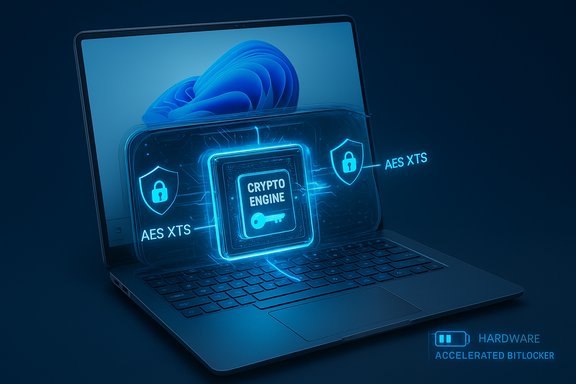
Microsoft announced hardware-accelerated BitLocker in a Windows IT Pro blog post published on Dec 19, 2025 and in its Ignite 2025 briefings, and the building blocks for the feature were introduced into Windows 11 servicing (starting with the September 2025 update for Windows 11 24H2 and continuing in Windows 11 25H2). On compatible systems, BitLocker will now:- Offload bulk AES/XTS encryption and decryption to a dedicated crypto engine inside the SoC or CPU.
- Keep the BitLocker Data Encryption Key (DEK) hardware-wrapped and used inside a protected silicon boundary so the OS never sees the plaintext DEK.
- Default to the XTS‑AES‑256 algorithm when hardware acceleration is in use.
- Expose a simple verification path for admins and users via the
manage-bde -statuscommand, which will show Encryption Method: Hardware accelerated when active.
Background: why this matters now
The problem with software-only disk encryption
For more than a decade, BitLocker has relied on CPU execution—often accelerated by AES‑NI instructions—to do symmetric crypto on reads and writes. That worked well when drives and workloads rarely saturated the host CPU. Modern NVMe SSDs, however, can deliver such high throughput and low latency that the CPU time spent encrypting and decrypting on-the-fly becomes measurable and, in some scenarios, significant.- High-throughput workloads (large sequential media edits, batch builds, VM host storage) can show the largest penalties.
- Benchmarks and reports over the past years documented single-digit overhead for many workloads, but also up to tens of percentage points of throughput loss in the most I/O-bound cases.
- The result is user-visible slowdowns and higher CPU use (and thus higher power draw) on devices where BitLocker is enabled by default.
What changed in Windows
Microsoft updated the Windows storage and security stacks in the 2025 servicing updates so BitLocker can talk to hardware crypto engines where present. The OS changes are ready, but the feature requires platform-level support (SoC/CPU, firmware, drivers) to actually activate hardware-accelerated BitLocker on a device.Key implementation points in the Windows change:
- The BitLocker control path can detect a platform’s crypto offload capability and a hardware key-wrapping facility.
- When both offload and hardware-wrapping are supported, BitLocker uses XTS‑AES‑256 by default and routes cryptographic I/O through the hardware engine.
- If an admin or policy specifies an algorithm or key size that the SoC does not support, the OS will not fall back to hardware acceleration in most cases. Microsoft plans to auto-upgrade certain policies (e.g., XTS‑AES‑128 upgrades to XTS‑AES‑256) in an early spring update, but algorithm mismatches (such as AES‑CBC policies) remain an exclusion.
- The feature honors enterprise controls: FIPS enforcement policies and explicit algorithm choices can prevent hardware-accelerated BitLocker from being used unless the SoC reports compliant hardware key wrapping.
The performance and battery case (what Microsoft shows)
Microsoft’s internal data and partner demonstrations highlight dramatic gains for certain I/O patterns:- The company reports that storage performance with hardware-accelerated BitLocker can approach unencrypted NVMe performance across common workloads.
- Microsoft published a metric showing an average 70% reduction in CPU cycles consumed by BitLocker operations when hardware offload is used.
- Independent previews and demonstrations included benchmark runs showing sequential read and write throughput that in some cases nearly doubled compared to software BitLocker on the same device configuration.
- Gaming rigs and creative workstations that push NVMe throughput should see lower latency and fewer frame hitching or slowdown artifacts when BitLocker is active.
- Laptops can expect reduced CPU load during heavy I/O bursts, which helps battery life under sustained storage activity.
- Large-scale encryption tasks (initial full-disk encryption, migrating large VHDs) will complete faster on supported platforms.
Security improvements — real gains and new trade-offs
Hardware-accelerated BitLocker introduces two important security shifts:- Hardware-protected keys: the DEK can be generated, wrapped, and used entirely within a protected hardware domain (a secure enclave or fixed-function secure element), meaning the OS never holds the plaintext DEK in RAM. This reduces the attack surface against memory-scraping or kernel exploits that aim to extract key material.
- Reduced CPU exposure: with bulk AES operations executed in silicon, there's less sensitive material in transit on general-purpose cores during encryption operations.
- The key-wrapping model increases resilience against certain classes of attacks (RAM scraping, some kernel-level extraction techniques).
- Tight integration with existing TPM protections preserves the layered approach: TPM still protects intermediate keys, while the SoC seals bulk keys to silicon.
- When implemented and validated correctly, hardware-wrapped keys can prevent attackers with physical access to the drive from mounting it on another host and decrypting contents.
- Trust moves to SoC vendors and firmware. Security now depends on correct, vetted implementations in the silicon vendor ecosystem. Bugs or design flaws in hardware crypto engines could be catastrophic because the OS assumes the hardware is both correct and honest.
- Certification and verification matter. Microsoft ties hardware-accelerated BitLocker to FIPS reporting from SoC vendors; but enterprise compliance teams will need strong evidence (vendor attestations, independent testing) that the hardware key wrapping and crypto engine implementations meet required standards.
- Forensic and recovery handling change. When DEKs are sealed to silicon, usual forensic strategies (move drive, attach to another host) no longer work. Enterprises will need new recovery and escrow processes to handle device replacement, CPU failure, or end-of-life scenarios.
- Supply chain and firmware update risk: a malicious or buggy firmware update at the SoC or UEFI level could undermine the sealed-key model. Change control and firmware provenance become more important.
Management and enterprise implications
Detection and control
Administrators can check a device with the standard BitLocker tooling. Running:- Open an elevated command prompt.
- Run
manage-bde -status.
Microsoft is also improving tooling readouts over time so administrators can better understand which capability (offload, wrapping) is actually in use on a machine.
Policy interactions
- Group Policy and MDM controls still govern algorithm and key size choices. If an enterprise policy specifies an algorithm unsupported by the SoC vendor, the OS will not use hardware acceleration.
- Microsoft intends to auto-upgrade certain key-size policies (e.g., XTS‑AES‑128 → XTS‑AES‑256) for new BitLocker enablements to maximize hardware offload usage, but explicit algorithm mismatches remain an exclusion.
- If a FIPS policy is enabled, hardware-accelerated BitLocker will only be used if the SoC indicates it is FIPS-certified for the hardware wrapping and crypto offload capabilities.
Key escrow and recovery workflows
This is the most sensitive area for enterprises. When keys are sealed to silicon:- Recovery keys still need to be escrowed to Microsoft accounts, Azure AD/Entra ID, or corporate key escrow solutions—Microsoft continues to support traditional recovery key backup mechanisms.
- However, sealed keys introduce additional scenarios where standard recovery procedures may fail (e.g., CPU replacement, chip-level failure). IT teams will need vendor guidance and documented procedures to recover data from hardware-accelerated BitLocker devices when the silicon boundary changes.
- Microsoft has not published a comprehensive platform compatibility matrix or a detailed enterprise playbook (as of the initial announcements), and that gap is a practical problem for large scale rollouts.
Deployment timing and platform availability
- Windows platform changes were rolled into updates in September 2025 (Windows 11 24H2 servicing) and in Windows 11 25H2.
- Initial hardware support was announced for upcoming Intel vPro devices using Intel Core Ultra Series 3 (Panther Lake), with other silicon vendors (AMD, Arm-based SoC vendors) expected to add support later.
- Microsoft positions the feature as shipping on new devices first—older machines without the required SoC capabilities will continue to use software BitLocker and fall back to the existing model.
- Broad adoption depends on OEM listings, firmware updates, and driver maturity—expect staggered availability through 2026 as new systems ship.
Practical guidance for consumers, prosumers, and IT admins
For consumers and prosumer power users
- Expect faster and more battery-friendly encrypted storage on new, supported laptops and PCs starting as vendors ship Intel Core Ultra Series 3 systems and compatible notebooks.
- You can confirm hardware-accelerated BitLocker on your device with
manage-bde -status. If the device lacks hardware support the output will show the traditional algorithm (XTS‑AES‑128/256) without the "Hardware accelerated" label. - If you rely on third-party disk encryption tools, consider testing workloads and backups. Hardware-accelerated BitLocker affects the way keys are stored and used and may alter interaction with imaging and cloning tools.
For enterprise IT and security teams
- Do not enable hardware-accelerated BitLocker at scale until you have vendor guidance on recovery, warranty, and firmware update processes. Request an enterprise playbook from OEMs and silicon vendors.
- Update asset inventories to include SoC/CPU SKUs and firmware versions. You need to know which machines have supported crypto engines and which do not.
- Update recovery key escrow policies and test recovery procedures on representative hardware. Verify that key backup to the corporate key escrow behaves as expected when keys are hardware-wrapped.
- Consider FIPS and compliance implications. If your environment requires FIPS-compliant cryptography, confirm that the SoC-level key wrapping and crypto offload are independently validated and reported as compliant to Windows.
- Review Group Policy and MDM settings for algorithm enforcement; test how policy-specified algorithms interact with hardware support and whether automatic key-size upgrades meet your compliance posture.
- Prepare for firmware management and supply chain scrutiny—firmware updates to SoCs and system firmware become higher risk and need stricter change control.
Risks and unanswered questions
Microsoft’s announcement is a meaningful evolution for BitLocker, but several operational and security questions remain open or only partially addressed:- No exhaustive compatibility matrix yet: Microsoft published initial vendor guidance (Intel vPro/Core Ultra Series 3) but did not release a public, exhaustive SoC/CPU SKU compatibility list at announcement. That means IT teams must coordinate with OEM and silicon suppliers to confirm device support before mass deployment.
- Enterprise recovery playbooks are incomplete: sealing keys to silicon changes recovery assumptions. Microsoft’s initial documentation covers the high-level behavior but lacks exhaustive enterprise-oriented recovery scenarios (CPU replacement, device refurbishment, device retirement).
- Third-party verification: hardware crypto engines and key wrapping must be independently validated for high-assurance environments. Until robust third-party validation and independent FIPS attestations are widely available for each vendor implementation, some organizations will be reluctant to rely fully on hardware-wrapped keys.
- Firmware update attack surface: the trust boundary now includes more firmware and SoC-level code. Firmware provenance, secure update mechanisms, and rollback protections become central security concerns.
- Forensics and eDiscovery: organizations need to update legal and forensic playbooks. Encrypted drives on sealed-key devices cannot be trivially moved to another host for analysis; appropriate legal and technical processes must be established.
- Potential for new vulnerabilities: historically, hardware crypto engines have occasionally contained design or implementation flaws. Relying on new silicon engines at scale increases the blast radius of a single bug or exploit.
Real-world impact: scenarios and examples
- Performance-sensitive content creators
- Video editors working with multi-hundred-GB source libraries will see shorter load and export times when storage is encrypted on hardware-accelerated platforms. The CPU is freed for codecs and rendering instead of crypto.
- Gamers with large NVMe libraries
- High-throughput title streaming and asset streaming should be smoother when BitLocker offload removes the encryption overhead from the CPU.
- Enterprise fleet refresh
- IT teams refreshing fleets to hardware-accelerated BitLocker-capable machines can lower aggregate power consumption and make encrypted desktops behave closer to unencrypted ones. But they must first solve key escrow and recovery workflows.
- Incident response and eDiscovery
- Forensics teams must re-evaluate evidence acquisition strategies since moving the drive to another host will no longer provide access if the DEK is sealed to the original silicon.
How to prepare and what to prioritize now
- Inventory hardware capabilities: collect CPU/SoC SKU, firmware version, and NVMe controller details for the fleet.
- Request vendor documentation: ask OEMs and silicon vendors for explicit documentation about hardware crypto engine capabilities, FIPS/compliance status, and recommended recovery procedures.
- Test on pilot hardware: pick a small set of supported devices and validate BitLocker enablement,
manage-bde -statusbehavior, key escrow flows, and common recovery scenarios. - Update change control for firmware: treat firmware updates to SoC, UEFI, and NVMe controllers as high-impact and require testing before wide deployment.
- Policy review: audit Group Policy and MDM profiles that govern BitLocker algorithms and key sizes to ensure compatibility with hardware-accelerated expectations.
- Train help desks and security teams: ensure frontline support understands the differences in recovery workflows for hardware-wrapped keys versus purely TPM-stored keys.
Conclusion
Hardware‑accelerated BitLocker is a significant leap for Windows disk encryption. By moving bulk AES/XTS work into silicon and sealing the Data Encryption Key inside protected hardware domains, Microsoft is addressing two long-standing trade-offs: encryption must be secure, and it should not make fast storage feel slow. The potential wins are concrete—measurable I/O gains, large CPU cycle savings, and lower power draw during heavy I/O.But the change also shifts trust and operational complexity upstream to SoC vendors and firmware. Enterprises must balance the performance and security benefits with new management requirements: thorough vetting of platform implementations, updated recovery and escrow procedures, stricter firmware controls, and careful compliance validation. The technical promise is clear; the practical challenges will be resolved through vendor documentation, independent testing, and field experience as hardware ships in 2026.
Preparing now—by auditing hardware inventories, running pilot deployments on supported systems, and demanding clear recovery playbooks from OEMs—will let organizations safely realize the performance and security benefits of hardware‑accelerated BitLocker while keeping control over the risks that come with moving critical security boundaries into silicon.
Source: www.guru3d.com https://www.guru3d.com/story/windows-11-gets-hardwareaccelerated-bitlocker-with-major-i-o-gains/
