

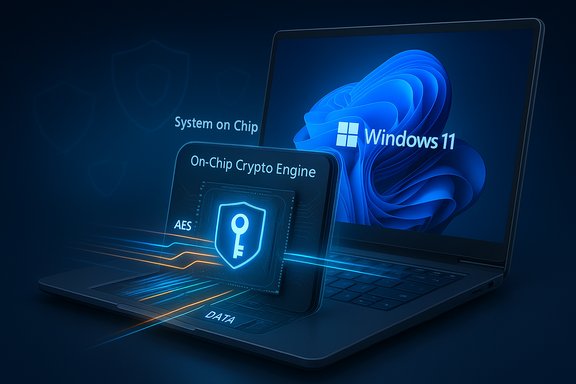
Microsoft's move to push BitLocker encryption into dedicated silicon marks one of the most consequential changes to Windows disk security in years — one designed to eliminate the CPU and power cost that has grown visible as NVMe SSDs outpaced the software-only encryption model. The new hardware-accelerated BitLocker architecture offloads bulk AES encryption to on‑chip crypto engines and can store BitLocker bulk keys inside a protected hardware domain on supported System-on-Chips (SoCs). That combination promises substantially lower CPU utilization, lower latency for storage I/O, and stronger protection for encryption keys, while changing important operational and recovery trade‑offs for both consumers and enterprise IT teams.
Modern NVMe SSDs routinely saturate PCIe lanes and deliver sequential and random I/O speeds that make CPU-based encryption an increasingly visible performance factor. Historically, BitLocker and operating system encryption relied on the host CPU (with AES-NI acceleration where available) and the TPM for storing and protecting certain keys. That model worked well when drives were slower and CPU cycles were abundant; with today’s high-throughput drives, software encryption can account for a significant portion of I/O CPU overhead.
Microsoft has responded with a platform-level redesign that treats disk encryption like other hardware-accelerated subsystems: the OS issues cryptographic commands, and a dedicated crypto engine on the SoC performs the heavy lifting. Simultaneously, Microsoft is moving toward hardware-protected keys — keys that are generated, wrapped, and used inside a silicon boundary so the OS never sees unwrapped keys in RAM. The changes were highlighted in Microsoft’s recent Windows security materials and platform updates for Windows 11, and are being positioned as the default behavior on qualifying new hardware.
Key effects:
Security benefits:
Reported claims and expectations:
That said, the change also introduces operational shifts. Binding keys to silicon complicates certain workflows — drive mobility, forensic access, and recovery — and places a premium on vendor firmware quality and thoughtful enterprise processes. Past incidents involving hardware encryption (self-encrypting drive vulnerabilities) are a reminder that claims of “hardware security” require independent validation and robust firmware governance.
For consumers and IT teams, the sensible approach is clear:
Source: Windows Report BitLocker Gets Major Speed Boost on Windows 11 With New Hardware Acceleration
 Background
Modern NVMe SSDs routinely saturate PCIe lanes and deliver sequential and random I/O speeds that make CPU-based encryption an increasingly visible performance factor. Historically, BitLocker and operating system encryption relied on the host CPU (with AES-NI acceleration where available) and the TPM for storing and protecting certain keys. That model worked well when drives were slower and CPU cycles were abundant; with today’s high-throughput drives, software encryption can account for a significant portion of I/O CPU overhead.Microsoft has responded with a platform-level redesign that treats disk encryption like other hardware-accelerated subsystems: the OS issues cryptographic commands, and a dedicated crypto engine on the SoC performs the heavy lifting. Simultaneously, Microsoft is moving toward hardware-protected keys — keys that are generated, wrapped, and used inside a silicon boundary so the OS never sees unwrapped keys in RAM. The changes were highlighted in Microsoft’s recent Windows security materials and platform updates for Windows 11, and are being positioned as the default behavior on qualifying new hardware.
What changed: the two technical pillars
Crypto offloading — disk encryption that doesn’t tax the CPU
At the core is crypto offloading, which shifts bulk encryption/decryption of storage I/O from general‑purpose CPU cores to a dedicated cryptographic engine inside the SoC or storage controller. That engine accepts commands and data buffers and returns ciphertext or plaintext without exposing the raw encryption key to the host.Key effects:
- Reduces CPU usage during heavy I/O workloads, freeing cycles for foreground tasks and decreasing fan activity under load.
- Lowers power consumption because specialized hardware performs AES operations far more efficiently than general‑purpose cores.
- Reduces observable latency for reads and writes in many real‑world workloads, especially on PCIe/NVMe SSDs whose raw throughput exposes CPU bottlenecks.
Hardware-protected keys — minimizing key exposure
Complementing offload is hardware-protected keys, where the Data Encryption Key (DEK) — the key that encrypts disk sectors — is created, stored, and used inside a protected hardware domain (secure enclave, secure element, or equivalent). The OS issues operations (encrypt/decrypt) but never obtains the plaintext key.Security benefits:
- Reduces attack surface for memory-scraping, speculative-execution side channels, and other attacks that target keys in RAM.
- Augments TPM-based protections by keeping bulk keys outside of the system memory and CPU context.
- Enables a path toward keys that never leave silicon, which is a stronger security posture than keys that must be momentarily present in system memory.
What Microsoft says about performance and availability
Microsoft positions the new BitLocker model as delivering storage performance that is far closer to unencrypted performance than earlier software-only BitLocker. The company has published architecture notes and updated Windows security documentation describing crypto offload and hardware-wrapped keys as platform enhancements available with Windows 11 updates and on supported silicon.Reported claims and expectations:
- Initial device support is targeted to new OEM systems with SoCs exposing crypto offload capabilities. Early references point to upcoming Intel vPro systems based on Core Ultra Series 3 (Panther Lake) as among the first devices to ship with support on new SKUs.
- Windows 11 updates (24H2/25H2 and later platform servicing) include OS-level plumbing to enable the feature when hardware and drivers are present.
- Microsoft internal performance figures — quoted in product briefings — indicate large CPU-cycle savings and strong gains in sequential and random read/write I/O when hardware acceleration is used. Internal numbers have cited up to roughly 70% savings in CPU cycles compared with software-only BitLocker in certain test scenarios. These results are presented as platform- and workload-dependent.
How this will roll out and the system requirements to watch
Microsoft’s update model ties the feature to both OS updates and silicon/OEM support. Practical points for buyers and admins:- Windows 11 version requirement: The new BitLocker behavior is surfaced via recent Windows 11 releases and platform updates; devices should be running Windows 11 24H2/25H2 or later with the appropriate cumulative updates for the management and storage stack.
- Hardware requirement: Support requires a SoC/CPU that includes a documented crypto engine and hardware key wrapping capability. Early public messaging points at upcoming Intel vPro platforms with Core Ultra Series 3 (Panther Lake) as among the initial shipping devices, with additional vendors planned to follow.
- Encryption algorithm: Where hardware acceleration is used, Microsoft plans to default to XTS‑AES‑256 for on‑chip acceleration in new enablements (a stronger XTS key size than historical defaults). Policy or manual settings that request incompatible algorithms may prevent hardware acceleration from being applied.
- Firmware and driver support: OEM firmware, device drivers, and Windows platform updates must expose the SoC crypto engine to the OS via standard interfaces before BitLocker will offload operations.
- Enterprise features: Group Policy, MDM, and enterprise deployment tooling need updated guidance; Microsoft intends to phase out some legacy restrictions but enterprises should expect a staged rollout.
Real-world impact — what you can expect
Practical gains will depend on your profile:- For laptops and thin-and-light notebooks, crypto offload should reduce sustained CPU load during disk-heavy tasks, which can lengthen battery life and reduce fan noise in prolonged workloads (video editing, VM storage I/O, large transfers).
- For gaming and content-creation machines with high-performance NVMe SSDs, encryption overhead should become negligible for many workflows.
- For enterprise fleets, the net benefit is a smaller performance impact for always‑on full‑disk encryption and easier compliance with “encrypt by default” policies on capable hardware.
Security trade-offs and operational risks
Hardware-accelerated BitLocker improves some security boundaries while introducing new operational considerations. Below are the major trade‑offs IT must weigh.Strengths and security advantages
- Reduced exposure of bulk keys: Keys wrapped and sealed in hardware are not present in plaintext in RAM, making many memory‑based attacks and transient exposures far harder.
- Reduced software attack surface: Offloading reduces the amount of cryptographic code executed in kernel/OS space under high load.
- Better energy and performance posture: Less CPU work for crypto means lower thermal stress and better responsiveness under load.
New risks and caveats
- Drive portability and recovery: If keys are sealed to a specific silicon boundary, moving a drive to a different machine can become infeasible without a prior recovery strategy. That changes how IT and forensic teams approach drive imaging, replacement, or data recovery.
- Firmware and update fragility: System or firmware updates that change platform measurements can trigger BitLocker recovery prompts. Historically, BitLocker recovery events after updates have occasionally surprised users; hardware-sealed keys raise the stakes for carefully managing update testing and recovery key escrow.
- Vendor implementation risks: Hardware encryption in drives and controllers has a mixed history. Self‑encrypting drive (SED) standards like TCG Opal have been subject to implementation flaws in the past that allowed bypasses or key-recovery attacks. Any new SoC or controller implementation must be validated and audited; hardware claims are only as good as the implementation and firmware security.
- Forensics and legal access: Lawful data access workflows are affected. If keys cannot be exported or unwrapped, authorized recovery requires clear enterprise key escrow policies before deployment.
- Certification and FIPS constraints: Some hardware key wrapping or crypto offload paths may depend on vendors achieving FIPS or certified attestation. Enabling FIPS policies in Windows may block hardware acceleration unless the hardware reports the necessary certifications.
Lessons from the past: why hardware encryption needs scrutiny
History shows that hardware encryption is powerful but can be brittle if implementations are flawed. Independent research has demonstrated practical weaknesses in some self‑encrypting SSD implementations in the past, where firmware or ATA/Opal management paths allowed keys to be bypassed or exposed under certain attack models. Those incidents underscore two enduring truths:- Standards compliance does not equal security — correct, audited implementation is essential.
- Hardware features need independent validation — vendors and IT teams should not rely on vendor marketing claims alone.
Deployment checklist and recommended actions
For IT teams and power users planning to adopt hardware‑accelerated BitLocker, here's a practical checklist and guidance.- Verify Windows build and updates:
- Ensure devices are running supported Windows 11 builds (24H2/25H2 with the relevant platform updates).
- Keep Windows servicing rings for pilot groups to catch update-triggered recovery behavior before broad deployment.
- Confirm hardware and firmware readiness:
- Confirm with OEMs and silicon vendors whether the SoC exposes a crypto offload engine and hardware key wrap.
- Validate OEM firmware and driver versions that expose these capabilities. Do not assume all devices with the same CPU family will present the feature the same way.
- Validate recovery and key escrow:
- Enforce recovery key backup to Entra ID / Microsoft account or an enterprise key escrow solution before deploying to users.
- Create documented recovery workflows for lost keys, owner replacement, drive repurposing, and forensic needs.
- Test updates and patch cycles:
- Run firmware and Windows update tests in a lab environment with hardware-accelerated devices.
- Validate that firmware updates do not inadvertently trigger BitLocker recovery or break escrow.
- Policy and configuration controls:
- Review Group Policy and MDM settings for BitLocker; understand how policies that force legacy algorithms (e.g., AES-CBC) may prevent hardware acceleration.
- If you require software encryption for portability or forensic needs, explicitly configure BitLocker policies to use software encryption.
- Monitoring and validation:
- Verify encryption method reports on test devices. Tools such as
manage-bde -statusandGet-BitLockerVolumecan be used to inspect the Encryption Method; some platforms may eventually indicate an explicit “Hardware accelerated” status when the SoC is in use. - Run representative I/O and application performance benchmarks before and after enabling acceleration to quantify gains for your workloads.
How to check if your device is using hardware-accelerated BitLocker
On a device where the OS and firmware expose the feature, BitLocker status tools will indicate the type of encryption in use. Two common approaches:- Command line:
manage-bde -status— the output includes an Encryption Method field. Where the OS supports reporting the new mode, it may indicate the hardware accelerated method or show the algorithm (e.g., XTS-AES-256) that was selected for hardware offload.- PowerShell:
Get-BitLockerVolume— inspect the returned object for details on encryption method and protectors. Management tooling is being refined as the feature is rolled out.
Recommended guidance for consumers and early adopters
- If you are buying a new Windows laptop and care about both performance and security, prefer devices that explicitly list hardware-accelerated BitLocker or SoC crypto engine support in their security feature list.
- Always back up your BitLocker recovery key to your Microsoft account or enterprise escrow before enabling or upgrading encryption.
- For single-machine enthusiasts, enabling the hardware-accelerated mode (when supported) is generally a net win for performance and energy efficiency. Just ensure you retain recovery keys and test drive‑move scenarios if you might move drives between machines.
- For device rescues, repair, or resale, document whether the drive is encrypted with keys bound to silicon — you may need to decrypt a drive while it remains installed before removing it.
Enterprise concerns — policy, forensics, and lifecycle management
Large organizations must treat this as a platform change, not just a performance tweak:- Update asset and procurement policies to require clear vendor statements about recovery, escrow, and support for hardware-wrapped keys.
- Update forensic and device decommission playbooks to account for non‑portable drives if keys are silicon‑sealed.
- Confirm that existing backups and shadow copies suffice if a drive cannot be unwrapped outside its original device.
- Use staged rollouts with canary groups and robust telemetry for BitLocker recovery events after firmware or Windows updates.
Final assessment — a strong step forward with real-world caution
Hardware-accelerated BitLocker is a technically sound response to a real problem: disk encryption must evolve to match the performance of modern storage while tightening key protections. Offloading AES work to dedicated engines and sealing keys within silicon brings measurable advantages in CPU utilization, battery life, and attack surface reduction.That said, the change also introduces operational shifts. Binding keys to silicon complicates certain workflows — drive mobility, forensic access, and recovery — and places a premium on vendor firmware quality and thoughtful enterprise processes. Past incidents involving hardware encryption (self-encrypting drive vulnerabilities) are a reminder that claims of “hardware security” require independent validation and robust firmware governance.
For consumers and IT teams, the sensible approach is clear:
- Treat hardware-accelerated BitLocker as an opportunity to improve both performance and security.
- Implement it deliberately: verify hardware and firmware support, back up and escrow recovery keys, test update and recovery paths, and stage rollouts.
- Demand transparency and documentation from OEM and SoC vendors about how keys are wrapped, what recovery options exist, and how firmware updates are managed.
Source: Windows Report BitLocker Gets Major Speed Boost on Windows 11 With New Hardware Acceleration
