

Three decades after it first landed on desktops, Windows 95 has found a second life inside modern browsers — booting, running classic apps, and serving nostalgia — but the browser-based resurrection carries the same practical and legal risks as the original OS, plus a few new ones unique to web emulation.
Windows 95 is one of the most consequential consumer operating systems Microsoft ever shipped. It was released to retail on August 24, 1995, introduced the Start menu and taskbar paradigm that still anchors Windows today, and set a benchmark for mainstream PC usability. Official minimum hardware at the time specified an Intel 386DX CPU, roughly 4 MB of RAM and 50–55 MB of disk space — modest by modern standards, but significant constraints in 1995. The past few years have seen a surge in browser-based emulation projects that recreate vintage operating environments for recreation, education, digital preservation, and curiosity. These projects deliver immediate access: open a tab, wait for the emulator and disk image to load, and the 1990s desktop appears — icons, Start menu, bundled utilities, and all. But unpacking how this illusion works, what it can and cannot do, and what risks it poses is essential before clicking “Boot.”
Above all, enjoy the moment: these browser revivals make it easy to revisit the UI that reshaped personal computing, and they create an accessible way to teach, preserve, and celebrate software history — provided the community does so responsibly and with respect for legal and security realities.
Source: Windows Central Windows 95 is back in your web browser — but it’s buggy and risky. Here's why.
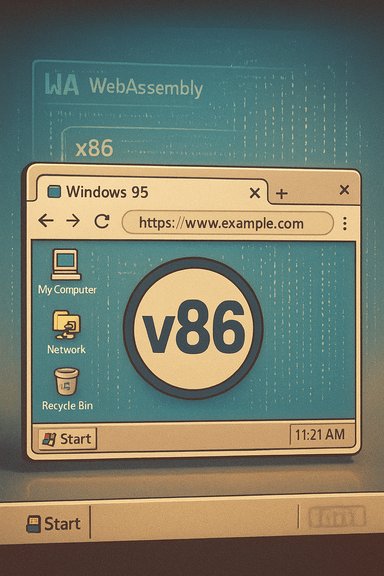 Background / Overview
Windows 95 is one of the most consequential consumer operating systems Microsoft ever shipped. It was released to retail on August 24, 1995, introduced the Start menu and taskbar paradigm that still anchors Windows today, and set a benchmark for mainstream PC usability. Official minimum hardware at the time specified an Intel 386DX CPU, roughly 4 MB of RAM and 50–55 MB of disk space — modest by modern standards, but significant constraints in 1995. The past few years have seen a surge in browser-based emulation projects that recreate vintage operating environments for recreation, education, digital preservation, and curiosity. These projects deliver immediate access: open a tab, wait for the emulator and disk image to load, and the 1990s desktop appears — icons, Start menu, bundled utilities, and all. But unpacking how this illusion works, what it can and cannot do, and what risks it poses is essential before clicking “Boot.”How browser-based Windows 95 emulation actually works
What the emulator does (at a high level)
Modern browser-based emulators recreate a full PC stack inside a web page: CPU, BIOS, VGA, disk controllers, keyboard/mouse, and (sometimes) sound and networking. The usual pattern:- A small JavaScript/WebAssembly engine emulates x86 CPU and legacy hardware.
- A prebuilt disk image (an entire Windows install) is streamed into the page.
- The emulator maps the image to virtual IDE devices and boots the OS inside the browser’s process memory.
- Interaction is then handled via keyboard/mouse events and the canvas element for display.
v86 and the WebAssembly translation model
The single most widely used engine for browser-based x86 emulation is v86 — an open-source project that translates guest x86 machine code into WebAssembly (or optimized JavaScript) at runtime. v86 implements CPU instruction translation, device emulation, and useful APIs for loading BIOS and disk images. The project’s README explicitly describes the runtime translation-to-WebAssembly JIT as the mechanism that enables decent in-browser performance. Other projects and forks extend or accelerate the idea — from QEMU-in-the-browser experiments to wrappers that add Hypervisor acceleration — but the core trick is the same: convert x86 behavior into browser-executable modules, then emulate the rest of the machine. This approach trades raw hypervisor speed for portability and convenience.What you can realistically do with Windows 95 in a browser
Typical capabilities
- Boot into the familiar Windows 95 desktop and UI.
- Run built-in utilities: Notepad, Paint, Calculator, Control Panel, and Solitaire.
- Launch many early Win32 applications and simple DOS-era games that don’t require exotic hardware.
Practical limits
- Advanced graphics modes, complex drivers, and sound can be partially or poorly emulated; some games and multimedia apps will fail or behave oddly.
- Networked features may be disabled by demo hosts for safety, or implemented as simplified, non-standard virtual networking that differs from a real NIC. Expect mixed performance and compatibility.
- Boot times can be slow on first load as the emulator downloads the BIOS blobs and disk image. Once cached, repeat boots are faster.
The engineering achievement — why this is impressive
Emulating a full PC stack inside a sandboxed browser tab is a feat of engineering. The system must:- Accurately emulate complex CPU behavior (x86 quirks matter).
- Provide device-level emulation (BIOS, VGA, IDE, floppy/CD, timers).
- Efficiently translate or interpret machine code into WebAssembly or JavaScript for runtime performance.
- Package and stream disk images without breaking browser resource limits.
The security and privacy calculus: nostalgia with caveats
The core problem: an unpatched OS is an unpatched threat surface
Running Windows 95 in an emulator is not the same as running it on naked hardware, but it is not risk-free. The original operating system contains decades-old code with no security updates, and it lacks modern mitigations like kernel patching, ASLR variants, and hardened network stacks. If the vintage stack is given network access, it becomes an unpatched target for contemporary threats — even when running inside a browser tab.Browser sandbox vs. legacy-exploit realism
Browser sandboxes are robust, and escape attempts are rare. However, the emulation layer itself is complex code; vulnerabilities in the emulator or in the browser runtime could, in theory, be chained into a sandbox escape. Security researchers treat emulators and JITs as non-trivial attack surfaces. For that reason, it’s prudent to treat demos as educational curiosities rather than secure execution environments.File transfer: a hidden privacy hazard
Many demos permit uploading a file to the emulated environment or allow drag-and-drop. If you aren’t careful, exposing host files to a legacy OS — especially one you don’t fully control — can leak sensitive data. Likewise, running unknown executables inside the vintage OS could trigger downloads or behaviors that, while confined inside the emulator, may be recorded in the browser cache or transferred unintentionally. Treat mapped folders and upload interfaces as potential leakage channels.Licensing and legal ambiguity
Windows 95 is proprietary Microsoft software. The emulator engines are generally open source, but distributing Microsoft’s disk images without explicit permission is legally problematic. Many community demos rely on archival images of uncertain provenance; preservation and education are valid goals, but redistributing copyrighted OS images publicly sits in a legal gray area. Use demos provided with clear provenance or supply your own legally obtained image if you care about licensing.Real-world examples and cultural context
The browser-resurrection trend isn’t limited to Windows 95. Recent projects have recreated Windows XP in the browser (complete with Solitaire and Minesweeper), and the classic Windows pack-in game 3D Pinball: Space Cadet has seen unofficial ports and ports to modern platforms. These projects demonstrate both the appetite for retro experiences and the technical flexibility of web emulation. Separately, Raymond Chen’s “Old New Thing” and longstanding Windows lore remind us of the original OS’s scale and cultural impact — including anecdotes such as Microsoft’s Windows 95 team buying out a software store to test compatibility (an effort legendary enough to stress the store’s register). That story is retold across Microsoft’s own developer blog and contemporary coverage, illustrating the level of compatibility effort that went into the original release.Critical analysis — strengths, limits, and risks
Strengths
- Accessibility: Browser emulators remove friction — no VM setup, no legacy hardware, no floppy drives. Try Windows 95 on practically any modern device.
- Preservation & education: Researchers can inspect UI choices, installers, and file formats without reconstructing antique lab benches. Emulation helps document software behavior for future study.
- Engineering demonstration: Translating x86 to WebAssembly and emulating hardware in JS is technically impressive and advances the state of portable emulation.
Key limitations and risks
- Security: An unsupported, unpatched OS connected to networks is a liability. Even if the OS runs in a browser, the effective threat model is worse if networking is enabled.
- Legal exposure: Publicly hosting copyrighted disk images without appropriate rights can expose maintainers or hosts to legal pushback. Preservation projects should be explicit about provenance and licensing.
- Compatibility & UX: Many applications and games will not behave identically to a native installation — drivers, multimedia, and advanced graphics suffer. Expect an imperfect experience.
How to try Windows 95 in your browser — a safe checklist
If you want to experiment with a browser-based Windows 95 demo, follow these steps to reduce risk and protect data:- Use a throwaway or separate browser profile to keep cookies, logins, and saved credentials isolated from the emulation session.
- Prefer demos that explicitly disable networking or that run totally offline; if you must enable networking, assume the vintage OS is fully vulnerable.
- Never upload sensitive files into the emulated disk or map host folders to the emulator unless you fully understand how the demo handles uploads.
- Avoid running unknown executables or installers inside the vintage environment. Treat the emulation tab as a museum exhibit, not a sandbox for arbitrary software.
- If you need a safer, production-capable environment for legacy testing, use a local VM (QEMU, VirtualBox, Hyper‑V) with disk images you control; virtualization offers stronger isolation and more control than a public demo.
Why preservation matters — and why archivists worry
Browser emulation is an accessible way to preserve digital heritage: running installers, reproducing UI flow, and testing file compatibility without complex hardware setups. That said, preservationists stress provenance: a disk image without metadata (who created it, what build, what patches) has limited archival value and introduces legal risk if distributed without permission. Many demos opt to ship only the emulator and ask users to supply their own images, which is a pragmatic compromise that honors licensing while preserving access.Notable caveats and unverifiable claims
Not every claim floating in headlines or social posts is fully verifiable: some demos package images from unknown archival sources, some claims about performance on specific hardware vary by browser and host, and some anecdotes (while widely repeated) may be colored by memory. Where a claim cannot be independently confirmed it should be treated cautiously. For example, community-hosted images may be assembled from archival repositories, but the provenance of individual files is not always documented — so assume uncertain licensing unless the host states otherwise.Final verdict — nostalgia balanced with responsibility
Booting Windows 95 in your browser is an undeniably delightful experience for anyone who remembers the era or wants to study computing history. The emulation movement is a technical triumph: translating x86 to WebAssembly and mapping legacy hardware into modern web APIs is no small feat. Projects like v86 demonstrate that the web can be used as a platform for lightweight virtualization and historical preservation. That said, the most important takeaway is this: treat browser-based vintage OS demos as museum exhibits, not as production platforms. The combination of an unpatched legacy OS, legal uncertainty around disk images, and the non-zero risk of emulation bugs means enthusiasts and educators should proceed cautiously. Use private or offline sessions, don’t expose sensitive data to the emulated environment, and prefer local VMs for any work that requires stronger isolation.Above all, enjoy the moment: these browser revivals make it easy to revisit the UI that reshaped personal computing, and they create an accessible way to teach, preserve, and celebrate software history — provided the community does so responsibly and with respect for legal and security realities.
Quick reference: recommended reading and projects to explore
- The v86 project (open-source x86-to-WebAssembly emulator) — the technical core behind many browser demos.
- Community discussions and preservation guidance — practical safety, licensing, and archival concerns summarized in forum threads.
- Browser recreations of Windows XP and classic games — examples of the trend and its nostalgic appeal.
Source: Windows Central Windows 95 is back in your web browser — but it’s buggy and risky. Here's why.
