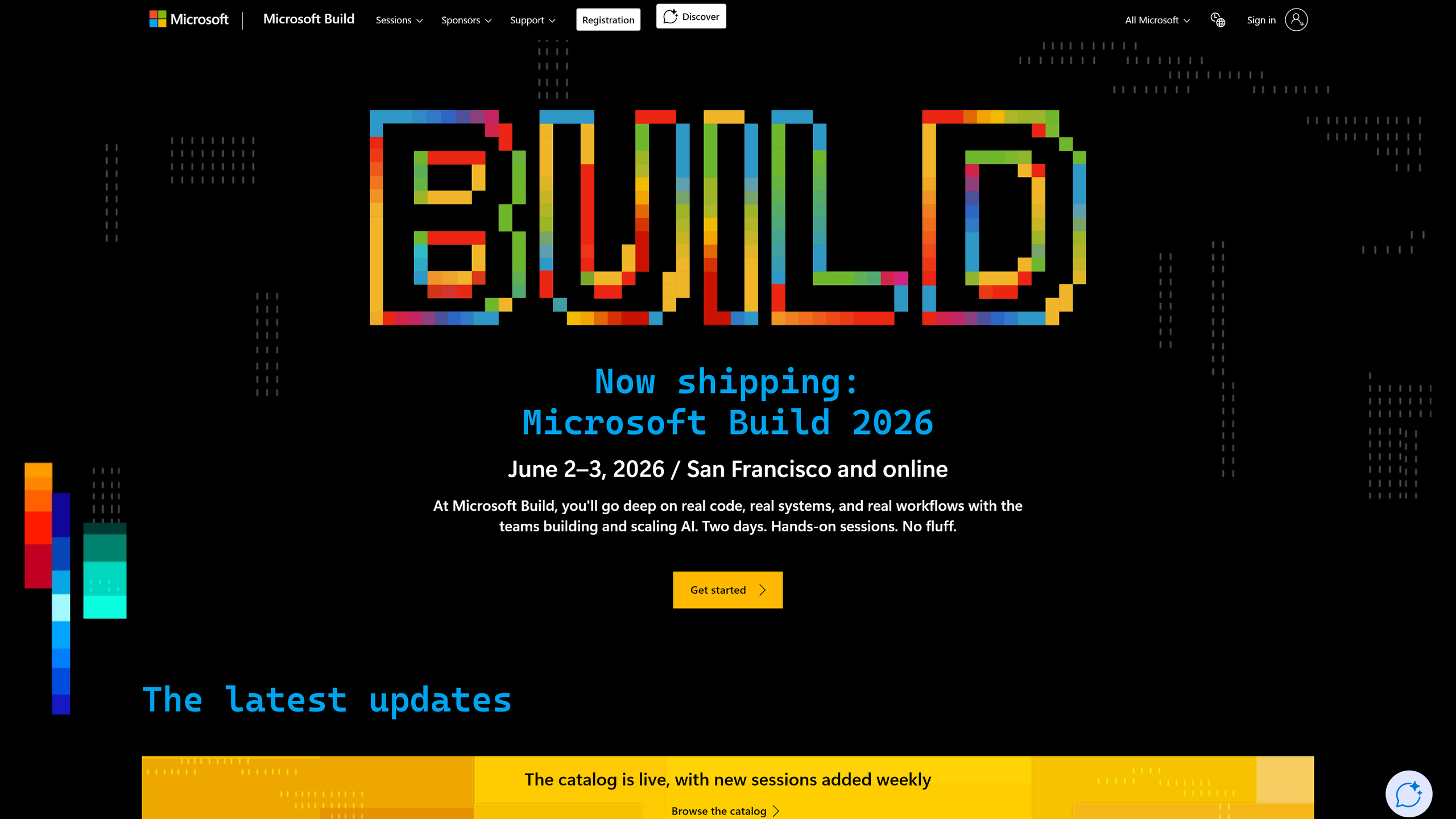
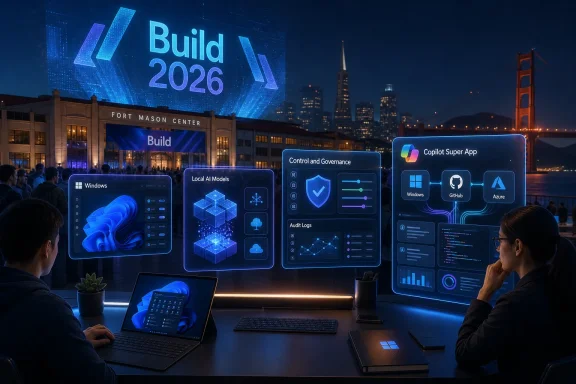
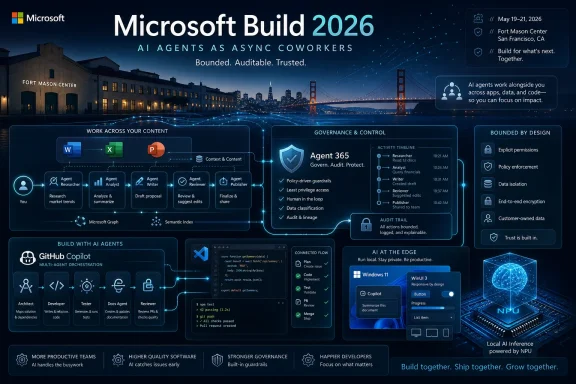
Microsoft Build 2026 runs June 2–3 at Fort Mason Center in San Francisco and online, with Microsoft expected to focus less on a hypothetical Windows 12 reveal and more on AI agents, GitHub Copilot, Azure AI Foundry, Windows AI tooling, and the developer plumbing behind its next software cycle. That makes this year’s Build less of a consumer spectacle and more of a map of Microsoft’s priorities. If the last two years were about convincing everyone that Copilot belonged in every product, Build 2026 looks like the moment Microsoft tries to prove those copilots can actually do useful work.

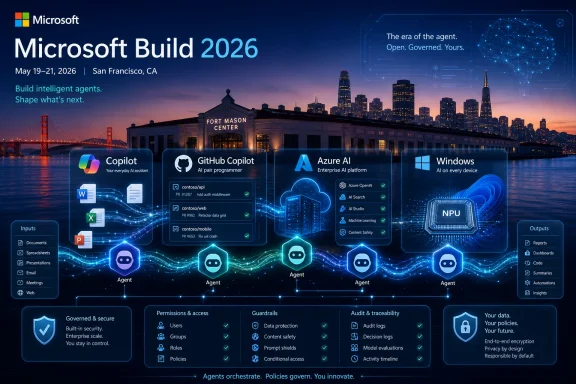
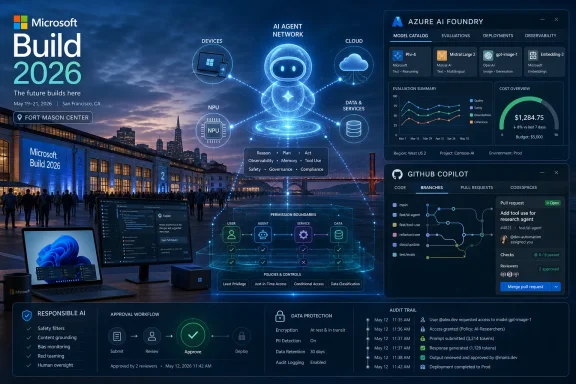
Microsoft Build 2026 event poster with Azure AI Foundry dashboard and futuristic AI agent network graphics.Microsoft Has Moved Build Closer to the AI Industry’s Center of Gravity​

Build has always been a strange hybrid: part developer conference, part corporate state-of-the-union, part weather report for the Windows ecosystem. In the Windows 8 era, it was where Microsoft tried to rally developers around a new app model. In the Azure years, it became a cloud conference wearing a Windows badge. In the Copilot era, it has become Microsoft’s annual attempt to translate enormous AI investment into APIs, SDKs, and demos developers can ship.
The 2026 edition’s move to San Francisco is not just a logistics detail. It places Build physically closer to the AI startup market, model labs, venture-backed tooling companies, and developer communities now shaping the assumptions Microsoft has to compete with. Seattle still represents Microsoft’s institutional home; San Francisco represents the audience it is trying hardest to keep from drifting toward Anthropic, OpenAI’s direct platforms, Google, Cursor, Replit, or whichever agentic coding tool is having a good week.
The venue and shorter two-day format also suggest a tighter show. Microsoft’s own event language emphasizes “real code, real systems, and real workflows,” which is a revealing phrase. The company knows developers have grown tired of AI keynotes where every demo ends just before the hard part: permissions, observability, cost control, data leakage, rollback, and support tickets.
That is the tension going into Build 2026. Microsoft does not merely need to show that AI agents can book travel, write boilerplate, or summarize a document. It needs to show that agentic systems can be governed, debugged, billed, deployed, and trusted by people whose jobs depend on software not behaving like a caffeinated intern with admin rights.

The Agent Is the New App, and Microsoft Wants to Own the Runtime​

The phrase likely to dominate Build 2026 is agentic AI, a term that has already become overused enough to make sensible engineers suspicious. In its simplest form, it means AI systems that can take steps toward a goal rather than merely answer a prompt. Instead of asking a chatbot for instructions, a user might ask an agent to investigate an issue, modify a document, open a pull request, schedule a meeting, or coordinate with other agents.
That shift sounds subtle until you consider how much software is built around waiting for humans to click the next button. The old app model assumes the user drives every stage of the workflow. The agent model assumes software can plan, call tools, inspect results, recover from errors, and ask for approval only when needed. If Microsoft can make that reliable, it changes the center of gravity for Office, Windows, Azure, GitHub, Dynamics, and every enterprise workflow glued together with scripts and Teams messages.
Microsoft’s advantage is not that it has the best single chatbot. Its advantage is distribution and identity. It owns the operating system used by enormous numbers of business PCs, the productivity suite where corporate work happens, the developer platform where code is written, the cloud platform where workloads run, and the directory service that decides who is allowed to do what. Agents become far more interesting when they can safely inherit those permissions without turning into a security disaster.
That is why Build 2026 is likely to spend so much time on orchestration, model routing, evaluation, and operational controls. A single impressive agent demo is not enough. The real platform story is about a stack where one agent can reason, another can retrieve company data, another can write code, another can test the result, and a policy layer can decide when the system must stop and ask a human.
The pitch is seductive. The risk is obvious. A bad chatbot gives you a wrong answer; a bad agent can change a file, email a customer, deploy a bug, or delete something important. Microsoft cannot talk about autonomy without talking about blast radius.

Azure AI Foundry Becomes the Factory Floor​

Azure AI Foundry is expected to sit at the center of this year’s Build narrative because it gives Microsoft a place to gather the messy middle of AI development. Model catalogs, fine-tuning, evaluation, safety tooling, prompt management, deployment options, telemetry, and cost controls are not glamorous keynote material. They are, however, what separates a lab demo from a system an enterprise might actually run.
This is where Microsoft’s cloud strategy becomes more pragmatic than flashy. Developers do not want to bet everything on one model provider, one latency profile, or one cost curve. They want to route tasks among models, swap components when prices change, test whether a smaller model is good enough, and keep sensitive data out of places it should not go. Foundry gives Microsoft a way to argue that Azure is not just hosting the AI boom; it is organizing it.
Expect Microsoft to emphasize multi-model orchestration. That phrase may sound like marketing fog, but it points to a real architectural problem. Some tasks need frontier models with expensive reasoning. Others can be handled by smaller local or open-weight models. Some workloads need speed, others need accuracy, and still others need regulatory boundaries. An AI platform that treats every problem as a single prompt to a single model is already starting to look primitive.
For WindowsForum readers, the Azure Foundry story matters even if they never log into the Azure portal. The design patterns Microsoft promotes to developers usually become the assumptions baked into the software everyone else uses. If Microsoft teaches developers to build apps as networks of agents with policy controls and model routing, those patterns will eventually surface in business apps, consumer utilities, IT support tools, and Windows-integrated experiences.
The cost angle will be just as important. AI features have often arrived with vague business models and very real compute bills. If Build 2026 spends time on making AI cheaper to run, that is not charity. It is a recognition that developers cannot ship agentic features broadly if every successful workflow becomes a margin problem.

GitHub Copilot Has to Grow Beyond Fancy Autocomplete​

GitHub Copilot is one of Microsoft’s clearest AI wins, but it is also under pressure. The product helped normalize AI-assisted coding, yet the market has moved quickly from inline suggestions to agentic development environments that can inspect a repository, modify multiple files, run tests, explain failures, and iterate. Copilot cannot remain merely a helpful ghost in the editor if rivals are selling something closer to a tireless junior developer.
Build 2026 is therefore likely to show Copilot moving deeper into the full development lifecycle. That means more than writing functions. It means planning changes, creating pull requests, fixing build failures, generating tests, managing issues, explaining legacy code, and connecting development work to production telemetry. The more Copilot can understand the whole loop from issue to deployment, the more valuable it becomes to teams rather than just individual developers.
The obvious integration points are Visual Studio, VS Code, GitHub, Azure DevOps, and Microsoft’s cloud observability stack. A developer might ask Copilot to investigate a regression, inspect recent commits, identify a likely culprit, propose a fix, run unit tests, and prepare a pull request. That is a far more compelling story than asking it to autocomplete a for-loop.
But Microsoft has to be careful with the framing. Developers are not uniformly asking for an autonomous machine that changes code while they look away. Many want a powerful assistant that accelerates tedious work while keeping human review at the center. The winning version of Copilot is not the one that pretends developers are obsolete; it is the one that makes developers less likely to waste half a day spelunking through build logs and brittle configuration files.
Security will matter here, too. An AI coding agent with repository access is not a toy. It can introduce vulnerabilities, leak secrets into prompts, misunderstand licensing constraints, or confidently generate code that passes superficial tests while failing under real conditions. If Microsoft wants Copilot to become more autonomous, it needs to make review, auditability, and policy enforcement first-class features rather than afterthoughts.

The Windows Story Is Smaller Than Windows 12, but More Important This Year​

Anyone waiting for a grand Windows 12 reveal at Build 2026 is probably watching the wrong show. Microsoft may hint at future Windows directions, and pieces of the next operating system strategy may be visible in developer sessions, but Build is not shaping up as a consumer Windows launch event. The more meaningful Windows story is about turning the PC into a local AI execution environment.
That is where Windows AI Foundry and local model support come in. Microsoft wants developers to build apps that can use the NPU, GPU, and CPU inside modern PCs rather than sending every task to the cloud. This matters for latency, privacy, offline use, and cost. It also gives Microsoft a stronger reason to keep pushing Copilot+ PCs and newer silicon with neural processing units.
The local AI pitch has matured because the industry has run into the limits of cloud-only enthusiasm. Sending every document, image, audio snippet, and workflow to a remote model creates privacy questions, bandwidth constraints, and recurring cost. Local inference is not a cure-all, but it gives developers a practical option for features such as summarization, classification, image processing, accessibility tools, personal search, and lightweight agents that should not require a round trip to a data center.
For Windows enthusiasts, this is arguably more interesting than another Start menu redesign. A Windows app ecosystem that can assume local AI acceleration could change what desktop software feels like over the next few years. File managers, note apps, photo tools, IDEs, security utilities, accessibility software, and line-of-business apps could all become more context-aware without constantly phoning home.
The challenge is fragmentation. Not every PC has an NPU. GPUs vary wildly. CPU-only inference remains useful but limited. Developers need abstractions that let them target a range of hardware without creating a support nightmare. If Build 2026 is serious about Windows AI, Microsoft will need to show not just demos, but developer pathways that work across the messy installed base of Windows machines.

Responsible AI Moves From Compliance Slide to Product Requirement​

Responsible AI sessions can sound like the broccoli of developer conferences: everyone agrees they should be there, but many attendees are waiting for the flashier dessert. That would be a mistake this year. The more Microsoft pushes agents, the more safety, evaluation, and governance become core product architecture.
A chatbot can be fenced off as an advisory layer. An agent is different because it takes actions. Once a system can read mail, modify data, query business systems, write code, or invoke external tools, responsible AI stops being a philosophical topic and becomes an operational one. Who approved the action? What data did the model see? Why did it choose that tool? How do you reverse the result? What logs exist when legal or security teams come calling?
Enterprise customers will demand answers because they have already learned the hard way that software automation scales mistakes as efficiently as it scales productivity. The AI layer adds probabilistic behavior on top of already complex distributed systems. That makes observability and control more important, not less.
Microsoft is likely to frame responsible AI as a differentiator. Compared with smaller vendors, it can argue that its identity systems, compliance tooling, security products, and enterprise relationships give it a better foundation for trustworthy agents. That argument will land with some customers, especially those already standardized on Microsoft 365, Azure, Entra, Defender, and Purview.
Still, trust will not be won with policy language alone. Developers need test harnesses, red-team tools, eval frameworks, permission models, approval workflows, and logs that normal teams can understand. If Microsoft can make responsible AI feel like a set of usable engineering practices rather than a PDF, it will have a much stronger case.

The Model Context Protocol Is Quietly One of the Most Strategic Threads​

One of the less consumer-friendly topics likely to surface at Build is the Model Context Protocol, or MCP. It is easy to overlook because protocol announcements rarely make splashy headlines. But if agents are going to become a real software layer, they need standard ways to discover tools, access context, and interact with systems beyond a single vendor’s sandbox.
This is where Microsoft’s platform instincts matter. The company has spent decades turning developer abstractions into ecosystems. Win32, .NET, Office add-ins, PowerShell, Azure Resource Manager, and Graph are all examples of Microsoft trying to define how other people’s software plugs into its world. MCP gives Microsoft a chance to participate in the next version of that contest for AI-native workflows.
If Microsoft embraces MCP broadly across GitHub, Azure AI Foundry, Copilot Studio, Semantic Kernel, Windows, and other developer tools, it can make its agent platform feel less closed while still keeping Azure and Microsoft 365 at the center. That is a familiar Microsoft move: support the standard, provide the best enterprise implementation, and make the path of least resistance run through Redmond’s stack.
For admins, this could become a governance problem hiding inside a developer convenience. Every new connector or tool exposed to an agent expands what that agent can potentially do. The same mechanism that lets an AI assistant query an internal ticketing system could also create a new attack surface if permissions, logging, and validation are sloppy.
That is why MCP and related agent-tooling announcements deserve more attention than they will probably get in mainstream coverage. The glamorous demo is an agent completing a task. The important question is what it was allowed to touch, how it authenticated, and whether an administrator can understand the chain of actions after the fact.

Microsoft’s Consumer Message Will Be Indirect but Unavoidable​

Build is not a consumer show, but its announcements eventually wash into consumer products. The AI features in Windows, Edge, Office, Photos, Teams, and third-party apps do not appear out of nowhere. They begin as developer primitives, cloud services, SDKs, and platform decisions shown first to the people building software.
That is why ordinary Windows users should still care. If Build 2026 is heavy on local AI, future apps may become faster and more private. If it is heavy on agents, consumer services may start taking more initiative, for better or worse. If it is heavy on Copilot integration, the line between application, assistant, and automation layer will continue to blur.
The risk is that Microsoft’s AI strategy becomes more pervasive than persuasive. Users have already seen AI buttons appear in places where they did not ask for them. The next phase will be more consequential because agents will not merely sit in sidebars waiting for prompts. They will offer to act. That requires a higher standard of usefulness and consent.
Microsoft’s consumer challenge is therefore less about naming and more about restraint. People do not need another Copilot-branded surface that summarizes something poorly. They need features that save time without creating anxiety. They need local processing where privacy matters, clear controls where automation matters, and the ability to say no without being nagged into adoption.
The companies that win the next phase of AI software may not be the ones with the loudest demos. They may be the ones that make AI feel less like a feature being marketed at users and more like a capability quietly improving the work users already intended to do.

Windows 12 Is the Shadow Announcement Microsoft Probably Will Not Make​

The absence of Windows 12 from the expected Build agenda is itself revealing. Microsoft does not need to announce a new Windows brand to reshape Windows. It can change the developer model, the hardware requirements, the AI runtime, the security posture, and the app ecosystem under the Windows 11 banner while reserving a future name change for when marketing conditions improve.
That does not mean Windows 12 is fiction. It means Build 2026 is unlikely to be the place where Microsoft spends its political capital on a version-number spectacle. The company has more immediate work to do: convincing developers that Windows is a credible AI platform and convincing customers that Copilot+ PCs are more than a sticker on premium laptops.
The Windows installed base also complicates any dramatic break. Microsoft has spent the Windows 11 era dealing with hardware requirements, upgrade friction, enterprise caution, and the long tail of Windows 10. A sudden Windows 12 announcement would risk distracting from the AI developer story unless Microsoft had a finished, coherent OS narrative ready to go.
More likely, Build will show ingredients. Better local inference. Improved Windows developer tooling. WinUI and app model updates. WSL improvements. AI integrations that make sense for developers rather than consumers. These are the things that could eventually form part of a future Windows release, but they do not require Microsoft to print a new box label.
For WindowsForum’s audience, that distinction matters. Version names are easy to argue about. Platform capabilities are what determine whether the next generation of Windows software is worth using.

Hardware Will Lurk Behind Every Software Demo​

Microsoft may not announce major Surface hardware at Build, but hardware will be present in nearly every AI discussion. Local inference needs silicon. Copilot+ PC features need NPUs. Developer workflows need machines capable of running models, containers, IDEs, browsers, and emulators without collapsing into fan noise and thermal throttling.
That creates an awkward but important dynamic. Microsoft’s AI software ambitions depend partly on the PC replacement cycle. If developers build local AI features that only work well on newer machines, adoption will be uneven. If they target the lowest common denominator, the experiences may be too limited to impress anyone. The platform has to span premium AI PCs and older business fleets that will remain in service for years.
This is where Windows differs from Apple’s more controlled ecosystem. Microsoft has reach, variety, and enterprise depth, but it also has fragmentation. Qualcomm, Intel, AMD, NVIDIA, and OEM partners all matter. Driver quality matters. Power efficiency matters. Runtime abstraction matters. The Windows AI story is not just about models; it is about making heterogeneous hardware feel like a coherent platform.
Build is the right venue for that conversation because developers need to know what assumptions they can safely make. Can an app expect an NPU? Should it fall back to GPU? How does it choose a model? How does it explain degraded features on unsupported hardware? How does IT manage these capabilities across a fleet?
If Microsoft answers those questions well, AI PCs become more than a marketing category. If it does not, developers may simply keep sending work to the cloud and treat local AI as an optional bonus for demo machines.

The Enterprise Buyer Will Hear Productivity and Think Risk​

Microsoft’s Build messaging will probably emphasize speed: faster development, faster deployment, faster workflows, faster decision-making. Enterprise IT will hear something more complicated. Speed is attractive, but only when it comes with control.
Agents that can act across systems create governance questions that many organizations are not ready to answer. A human employee’s actions are constrained by training, policy, interface design, access controls, and social context. An AI agent may operate across APIs at machine speed, using permissions delegated by a user who may not fully understand the implications. That does not make agents unusable, but it makes sloppy deployment dangerous.
The first wave of enterprise agent adoption will likely be narrow and heavily supervised. IT help desk triage, internal knowledge retrieval, code review assistance, report generation, data cleanup, and workflow drafting are easier to justify than fully autonomous customer-facing actions. Microsoft will want to show ambition, but customers will often start with containment.
This is why Microsoft’s security and management products matter to the Build story. Defender, Entra, Purview, Intune, Sentinel, and related tools may not be the stars of the keynote, but they form the trust infrastructure around AI adoption. If Microsoft can connect agents to identity, device posture, data classification, conditional access, audit logs, and incident response, it can make a stronger enterprise argument than AI-native startups that treat governance as a roadmap item.
The danger for Microsoft is overpromising. Enterprises have heard productivity miracles before. They will want evidence that agents reduce work rather than merely move it into prompt-writing, exception-handling, and post-hoc cleanup. Build demos will be polished; real deployments will be judged by support queues.
The Build 2026 Story Is Really About Control​

The most concrete things to watch at Build 2026 are not the loudest slogans but the control surfaces Microsoft gives developers and administrators. Agentic AI is easy to describe and hard to operationalize. The difference between an impressive demo and a durable platform will be found in permissions, costs, logs, local execution, and developer experience.
  • Microsoft Build 2026 is expected to center on AI agents, Azure AI Foundry, GitHub Copilot, Windows AI development, responsible AI, and the infrastructure needed to move AI systems from demos into production.
  • A Windows 12 announcement is unlikely, but Windows sessions may reveal the platform components that shape future Windows releases.
  • GitHub Copilot’s next challenge is to become a lifecycle assistant that can reason across issues, code, tests, pull requests, and production signals without undermining human review.
  • Local AI on Windows and Copilot+ PCs will matter if Microsoft can make hardware acceleration usable across a fragmented PC ecosystem.
  • Enterprise adoption will depend less on magical agent demos than on identity, auditability, permission boundaries, cost controls, and rollback paths.
  • The most important announcements may be the least flashy ones: protocols, SDKs, model routing, evaluation tools, and management features that make agentic software safe enough to deploy.
Microsoft enters Build 2026 with the advantage of owning much of the terrain where work already happens, but that advantage now comes with a higher burden of proof. The company has spent years putting Copilot labels across its empire; this event is a chance to show whether those labels are becoming a coherent platform or just a branding layer over uneven AI experiments. If Microsoft gets the developer plumbing right, the most important Build 2026 announcements may not feel dramatic on June 3, but they will shape the Windows PCs, business apps, coding tools, and cloud services users encounter long after the keynote lights go down.

References​

  1. Primary source: Tom's Guide
    Published: 2026-05-29T10:30:14.706125
  2. Related coverage: techradar.com
  3. Official source: build.microsoft.com
  4. Official source: developer.microsoft.com
  5. Related coverage: chatforest.com
  6. Official source: devblogs.microsoft.com
 

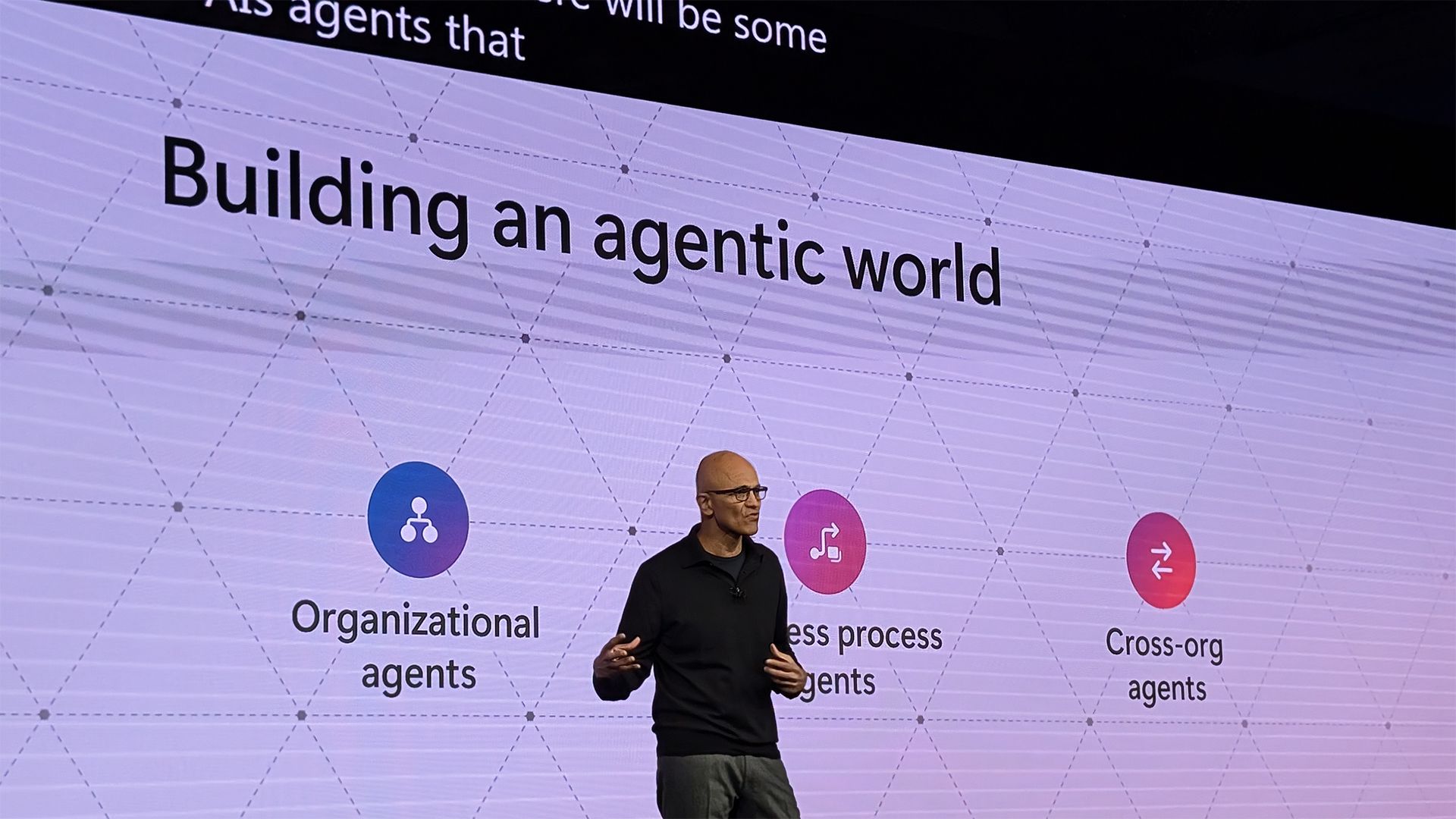
Microsoft Build 2026 opens June 2 at Fort Mason Center in San Francisco with Satya Nadella’s keynote scheduled for 9:30 a.m. Pacific, and the published agenda points to Copilot, AI agents, Azure AI Foundry, and Windows local AI rather than a Windows 12 reveal. That is not an accidental omission. It is Microsoft telling developers that the next platform fight is not over a new Start menu badge or a version number. It is over who owns the agent layer between users, applications, cloud infrastructure, and the operating system.

Build 2026 San Francisco keynote graphic with an AI agent layer and GitHub, Azure, Microsoft 365, and Windows.Microsoft Makes the Missing Windows 12 the Point​

For decades, Build has carried a gravitational pull toward Windows. Even when Azure, .NET, Office, and GitHub took their turns in the spotlight, the Windows roadmap gave developers a familiar frame: new APIs, new shells, new deployment targets, new compatibility headaches. A Windows 12 announcement would have been the old kind of platform news.
Instead, Microsoft is using Build 2026 to argue that the platform has moved. Windows is still present, but it is no longer the headline act. The center of gravity is now Copilot, agents, model routing, governance, and the machinery needed to turn demos into managed enterprise systems.
That shift matters because it reframes what “the next Windows” even means. Microsoft does not need to call something Windows 12 if it can change the way developers build software on Windows 11, Azure, GitHub, Microsoft 365, and the browser all at once. The version number becomes less important than the control plane.
This is a subtle but consequential bet. Microsoft is asking developers to stop waiting for a monolithic operating-system reveal and start thinking about applications as agentic workflows that can run across cloud, edge, desktop, and enterprise data estates.

The Developer Conference Becomes an Agent Conference​

The Build 2026 agenda is not coy about the theme. Sessions cluster around agentic applications, GitHub Copilot workflows, Azure AI Foundry, responsible AI, Windows local inference, model selection, and enterprise governance. That is not an AI track bolted onto a normal developer event. That is the event.
The word agent is doing a lot of work here. In Microsoft’s framing, agents are not just chatbots with better branding. They are software actors that can reason over context, call tools, perform tasks, coordinate with other agents, and operate inside policy boundaries set by an organization.
That is a much larger ambition than autocomplete. It reaches into DevOps, security operations, help desk automation, business-process orchestration, document handling, customer service, and desktop productivity. It also creates a new management problem: once agents can act, someone has to decide what they are allowed to touch.
This is why Build 2026 feels less like a product launch and more like a platform doctrine. Microsoft wants the developer community to internalize a new stack: build agents with GitHub and Microsoft Foundry, run them through Azure, govern them with Microsoft 365 and security controls, and surface them through Copilot and Windows.
The risk is that “agent” becomes the new “metaverse,” a word stretched so widely that it loses precision. Microsoft’s advantage is that it can attach the term to products developers already use. The question for Build is whether the company can show enough practical plumbing to make agentic development look like a workflow, not a slogan.

Azure AI Foundry Is Where Microsoft Tries to Turn Model Chaos Into Platform Gravity​

Azure AI Foundry is likely to be one of the most important names at Build 2026 because it answers a problem enterprises already have. The AI market has become a crowded model bazaar, with OpenAI, Anthropic, Mistral, DeepSeek, Meta, xAI, Cohere, and others competing on capability, cost, latency, context length, safety posture, and deployment model.
For developers, that abundance is exciting. For CIOs, it is a procurement and governance headache. A system that works well with one model in March may be cheaper or safer on another in June. A coding agent might need a frontier model for one task, a small local model for another, and a cheaper hosted model for routine classification.
Foundry is Microsoft’s attempt to make that mess feel like a Microsoft platform problem rather than an open-ended vendor-management crisis. The pitch is not simply “we have models.” It is “we can help you choose, route, observe, evaluate, secure, and pay for models inside the enterprise environment you already trust.”
That is why cost control is not a side issue. Token consumption has become the cloud bill nobody fully understands until the invoice arrives. Agentic systems make that harder because they may call models repeatedly, invoke tools, search data, generate intermediate reasoning artifacts, and run in the background.
At Build, expect Microsoft to emphasize evaluation, observability, routing, and policy as much as raw intelligence. The enterprise buyer has already heard that AI can write code and summarize documents. The harder question is whether a company can let hundreds of agents loose without creating an expensive, insecure, un-auditable shadow IT layer.

Copilot Moves From Helpful Assistant to Development Surface​

GitHub Copilot began as an astonishing autocomplete system. Then it became a chat companion. Then it became a coding agent. Build 2026 appears designed to push it further still: from something inside the editor to something that spans issues, pull requests, terminals, cloud resources, and multi-agent workflows.
That is the logical evolution of AI-assisted development. The editor was the easiest place to start because the context was narrow and the payoff was immediate. But real software work does not live only in a file buffer. It crosses ticketing systems, build logs, test failures, infrastructure templates, package managers, security scanners, and deployment pipelines.
Copilot CLI’s general availability earlier this year fits that pattern. Once Copilot enters the terminal, it stops being merely a code-writing aid and becomes part of the operational loop. It can suggest commands, explain flags, interact with repositories, and potentially sit closer to the messy interface between developer intent and system state.
That also raises the stakes. A bad completion in a source file is annoying. A bad terminal action can delete data, alter infrastructure, leak secrets, or trigger a broken deployment. This is where agentic convenience and administrative caution collide.
Microsoft’s challenge is to make Copilot feel powerful without making it feel reckless. The company needs developers to trust agents enough to delegate work, while giving organizations enough hooks to monitor and constrain what those agents can do.

Windows Is Still in the Story, Just Not as a New Logo​

The absence of Windows 12 does not mean Windows has disappeared from Build. It means Windows is being repositioned. The operating system is less a dramatic new package and more a local execution environment for AI, identity, security, and user context.
That is a more interesting story than it first sounds. If AI agents are going to help with real work, the local PC matters again. It has the user’s applications, files, window state, peripherals, authentication context, and hardware acceleration. It is also where privacy expectations are highest and where bad design becomes visible fastest.
Windows local AI sessions at Build point to this new role. Microsoft has been steadily building toward on-device inference through Copilot+ PCs, local models such as Phi Silica, Windows AI components, and runtime infrastructure that lets developers use neural processing units without becoming hardware specialists. The platform pitch is that AI should not always require a round trip to the cloud.
That matters for latency, cost, privacy, and resilience. A local summarizer, classifier, OCR tool, or intent detector does not need the same economics as a frontier cloud model. If Windows can provide predictable local AI primitives, developers get a new tier of compute that sits between traditional desktop APIs and Azure-hosted intelligence.
But Windows users have reason to be skeptical. Microsoft’s recent history with AI in Windows has included useful ideas, confusing branding, rough edges, and privacy-sensitive features that required painful public refinement. Local AI will succeed only if it feels like a capability users control, not another layer imposed on top of the desktop.

The Start Menu Changes Are a Small Signal With a Bigger Meaning​

The late-May Windows 11 Insider build that added deeper Start menu customization looks, at first glance, unrelated to the Build 2026 AI push. It is a conventional Windows quality-of-life improvement: more control over sections, sizing, visibility, and account presentation. For many users, it is also the sort of thing Windows 11 should have offered from the beginning.
Yet the timing is revealing. Microsoft is trying to sell a future in which Windows becomes more context-aware, more assistive, and more deeply connected to Copilot and agents. That future requires trust at the interface level. If users feel the shell is rigid, promotional, or indifferent to their preferences, they will not welcome more intelligence layered into it.
A customizable Start menu is not an AI breakthrough. It is trust repair. It tells Windows users that Microsoft has at least heard the complaint that the desktop became less personal in the move from Windows 10 to Windows 11.
That matters because AI on the desktop will be judged by consent and control as much as capability. A model that can understand local context sounds helpful when the user is in charge. It sounds intrusive when it appears without clear boundaries.
Microsoft’s best Windows strategy in 2026 may not be a new version number. It may be proving that Windows 11 can become both more flexible and more intelligent without making users feel trapped in an experiment.

Agent 365 Is the Unsexy Product That Explains the Strategy​

If Copilot is the demo and Foundry is the builder platform, Agent 365 is the governance story. It is also the part of Microsoft’s AI strategy that administrators should watch most closely. Enterprise AI does not fail only because models hallucinate. It fails because nobody knows which agents exist, what they can access, who owns them, or how their actions are logged.
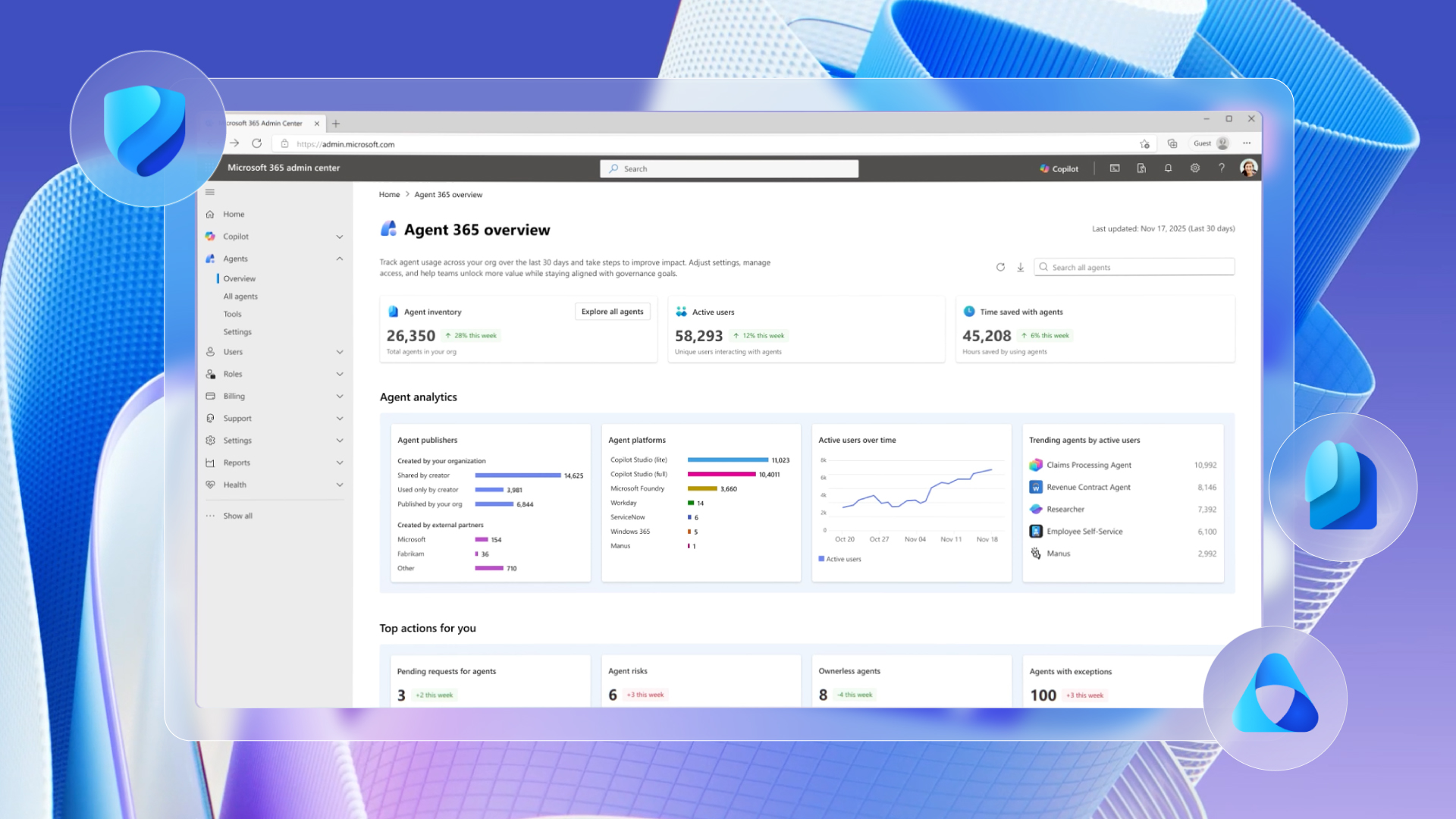
Microsoft Agent 365, now generally available, is meant to address that control problem. The pitch is that organizations need a way to manage agents across Microsoft 365 and beyond, including discovery, policy, access controls, lifecycle management, and security posture. In plain English: if workers and developers are going to create agents, IT needs inventory and brakes.
This is where Microsoft’s enterprise instincts give it an advantage. The company understands that many corporate customers are less interested in a magical AI assistant than in whether their compliance team can explain what the assistant did. Auditability is not glamorous, but it is the thing that turns pilot projects into production deployments.
The deeper implication is that Microsoft does not see agents as isolated app features. It sees them as a new class of digital identity. Agents will need permissions, owners, records, connectors, secrets, and retirement policies. They may need to be treated less like macros and more like service accounts with reasoning capabilities.
That should make sysadmins both relieved and nervous. Relieved because Microsoft is acknowledging the governance gap. Nervous because the existence of Agent 365 implies that agent sprawl is not hypothetical; it is the future Microsoft is preparing customers to manage.

Microsoft Wants Developers to Build on the Stack, Not Around It​

Build conferences are always partly persuasion exercises. Microsoft does not merely announce tools; it tries to convince developers that the path of least resistance runs through its ecosystem. Build 2026 is no different, but the scope of the persuasion is wider.
The company’s preferred architecture is becoming clear. Use GitHub to plan, code, review, and automate. Use Copilot to assist and delegate. Use Azure AI Foundry to choose and run models. Use Microsoft 365 and Graph-connected data for enterprise context. Use Agent 365 and security tooling for governance. Use Windows for local AI and user-facing productivity.
That is an elegant story if you are already a Microsoft customer. It is also a lock-in story, though Microsoft will avoid that word. The more an organization relies on Microsoft’s identity, data graph, agent governance, model routing, and developer tooling, the harder it becomes to swap out any single piece.
To be fair, every major platform vendor is making the same move. Google, Amazon, Apple, OpenAI, Anthropic, and a crowd of developer-tool startups all want to own some part of the agent loop. The difference is that Microsoft can connect the loop from the developer’s terminal to the office worker’s inbox to the Windows taskbar to the Azure subscription.
That breadth is the company’s greatest strength and its greatest source of complexity. Developers may like powerful integrations, but they also fear opaque licensing, administrative friction, and product overlap. Microsoft will need to prove that its AI stack is coherent enough to build on, not merely vast enough to market.

The Windows 12 Rumor Cycle Misses the Real Platform Shift​

The fascination with Windows 12 is understandable. Windows versions are easy to talk about. They create clean narratives: before and after, supported and unsupported, old shell and new shell. They also give hardware makers and PC buyers a simple reason to care.
But the Windows 12 rumor cycle may be looking for the wrong kind of change. Microsoft’s current strategy suggests that the next major Windows transition will arrive as a sequence of AI capabilities, runtime changes, hardware requirements, app integrations, and cloud-connected services rather than a single boxed-release moment.
That does not mean Windows 12 will never happen. It means Microsoft has little incentive to make Build 2026 about it. Windows 11 still gives the company a large installed base, an active Insider pipeline, a Copilot+ PC story, and a vehicle for iterative AI features. A new brand would create attention, but also fragmentation and expectation debt.
There is also a risk in launching a new Windows too early. Microsoft has spent years persuading users and enterprises to move to Windows 11, and Windows 10’s end-of-support transition remains a major operational concern for many organizations. Dropping a Windows 12 banner into that environment could create more confusion than momentum.
By contrast, an AI-first Build lets Microsoft talk about the future without forcing a migration narrative. It can tell developers that the platform is changing while telling IT departments that the operating system foundation remains familiar. That is less dramatic, but probably more commercially useful.

The Enterprise Audience Wants Proof, Not Poetry​

Microsoft’s Build 2026 messaging lands in a market that has become more skeptical about AI. The first wave of enthusiasm produced experiments, pilots, and impressive demos. The second wave is asking harder questions about cost, accuracy, security, compliance, change management, and measurable productivity.
That is why the practical details matter. Developers and administrators need to know how agents authenticate, how they are monitored, how prompts and outputs are logged, how data boundaries are enforced, and how model choices affect cost and reliability. A keynote demo cannot answer all of that.
The strongest version of Microsoft’s Build story would show agents doing boring but valuable work. Not a cartoonish assistant booking a vacation, but a coding agent fixing a flaky test with trace context. Not a vague office helper, but an agent that can process a procurement request while obeying retention rules and access policies. Not “AI everywhere,” but AI in places where delegation saves time without creating chaos.
This is where Microsoft has an opportunity to separate itself from AI theater. Enterprises do not need more proof that models can generate fluent text. They need patterns for production: evaluations, rollback, least-privilege access, human approval, exception handling, cost ceilings, and incident response.
The more Build 2026 talks about those operational details, the more credible the AI-first message becomes. The less it does, the more it risks sounding like another round of platform exuberance ahead of the hard parts.

Developers Are Being Asked to Change Their Mental Model​

The agentic development pitch asks developers to think differently about software architecture. Instead of writing deterministic workflows from beginning to end, they may increasingly compose systems that include planners, tools, memory, retrieval, model selection, and guardrails. That is a genuine shift.
It also complicates debugging. Traditional software fails in ways that are often reproducible. Agentic systems can fail because the model misread context, chose the wrong tool, exceeded a budget, retrieved stale information, or produced a plausible but incorrect intermediate step. The stack trace is no longer the whole story.
Microsoft’s developer tooling will need to meet that reality. Observability for agents cannot simply mean logging the final answer. It has to include tool calls, model versions, prompts, policy decisions, retrieved context, user approvals, and cost. Without that, developers will be flying blind.
This is why Azure AI Foundry, GitHub Copilot, and Agent 365 belong in the same conversation. The developer experience, runtime environment, and governance plane are converging. Microsoft is trying to make that convergence feel native to its ecosystem before competitors define the defaults.
The danger is that developers may experience the new stack as another layer of abstraction that hides too much. Microsoft’s best move is to expose enough detail for serious builders while smoothing the path for teams that just want to ship. That balance has defined successful developer platforms for decades.

Security Teams Inherit the Agent Era First​

For security-minded readers, the agent push should trigger a familiar response: useful capability, expanded attack surface. Any system that can act on behalf of a user or organization becomes a target. Any agent that can read files, query business systems, invoke APIs, or write code needs boundaries.
The threat model is not limited to a rogue model. Prompt injection, malicious documents, compromised connectors, poisoned retrieval sources, over-permissive tokens, and confused-deputy problems all become more serious when the AI system can take action. The more autonomous the agent, the more important the guardrails.
Microsoft knows this, which is why responsible AI and governance are prominent in the Build story. But the real test will come after the conference, when organizations start wiring agents into production workflows. Policy slides are easier than messy deployment realities.
Windows adds another dimension. Local AI can reduce cloud exposure, but it also puts more sensitive inference closer to user data. That may be good for privacy when designed well. It may be alarming when users do not understand what is happening on the device.
Administrators should approach Build 2026 with curiosity and caution. The right question is not whether agents are coming. They are. The question is whether Microsoft gives IT enough control to make them survivable at enterprise scale.

The Real Competition Is for the Default Agent Runtime​

Microsoft’s Build 2026 posture also reflects a broader industry contest. The next platform battle is not just about who has the best model. It is about who provides the default place where agents are built, run, governed, discovered, and trusted.
OpenAI wants agents close to ChatGPT and its API ecosystem. Anthropic wants them close to Claude and safety-oriented enterprise workflows. Google wants them tied to Workspace, Android, Chrome, and Cloud. Amazon wants them connected to AWS infrastructure and enterprise data. Apple will almost certainly frame its approach around device integration and privacy.
Microsoft’s answer is integration at industrial scale. GitHub for developers, Azure for infrastructure, Microsoft 365 for business context, Windows for the endpoint, Entra for identity, Defender and Purview for security and compliance, and Copilot as the user-facing brand. Few competitors can match that distribution.
But distribution is not destiny. Microsoft Teams had distribution and still became a source of user frustration in many organizations. Windows has distribution and still faces trust issues around ads, defaults, and unwanted prompts. Copilot has distribution, but developers and office workers will judge it by whether it saves time or simply occupies more screen space.
The default agent runtime will be earned through reliability, transparency, ecosystem support, and cost discipline. Microsoft has the pieces. Build 2026 is about convincing developers those pieces now form a platform.

The Fort Mason Message Is That Windows Is Becoming a Host for Agents​

The venue detail matters less than the symbolism, but Build’s return to a physical developer gathering in San Francisco fits the moment. Microsoft wants proximity to the AI developer conversation, not just the Windows ecosystem. It wants to be seen as the place where agentic software gets industrialized.
That is why Windows 12 would almost be a distraction. A new OS brand would pull attention back toward shell changes, upgrade paths, hardware requirements, and compatibility matrices. Microsoft wants the conversation higher up the stack, where the same agent architecture can touch desktop apps, cloud services, repositories, and enterprise workflows.
For WindowsForum readers, the practical consequence is this: Windows remains important, but increasingly as an AI-capable endpoint in a larger Microsoft fabric. The PC is not being abandoned. It is being recruited.
That recruitment will show up in small ways before it shows up in grand ones. More local models. More Copilot entry points, hopefully better chosen than some earlier attempts. More APIs for local inference. More integration between Windows search, taskbar surfaces, and enterprise Copilot experiences. More pressure on hardware makers to ship NPUs that matter.
The next Windows story may therefore be less about a clean break and more about accumulation. Feature by feature, runtime by runtime, policy by policy, Microsoft is building an AI layer over the existing Windows base.

The Signal Beneath the Keynote Hype​

Build 2026 is likely to produce announcements, demos, and branding refinements, but the core message is already visible. Microsoft is prioritizing the agent platform over the operating-system spectacle.
  • Microsoft Build 2026 runs June 2–3 in San Francisco, with the keynote scheduled for 9:30 a.m. Pacific on June 2.
  • The published agenda points toward AI agents, GitHub Copilot, Azure AI Foundry, responsible AI, Windows local AI, and model development rather than a Windows 12 launch.
  • Azure AI Foundry is becoming the center of Microsoft’s model strategy because enterprises need routing, evaluation, governance, and cost control as much as they need raw model capability.
  • GitHub Copilot is moving beyond the editor into terminals, repositories, pull requests, and agent-based workflows that touch more of the software lifecycle.
  • Windows remains strategically important as a local AI runtime and user-context surface, even if Microsoft is not using Build to introduce a new Windows generation.
  • Agent 365 shows that Microsoft expects agent sprawl to become an administrative reality, not merely a developer experiment.
The most important thing Microsoft can do at Build 2026 is not convince the world that AI agents are impressive; that argument has already been made, sometimes too loudly. The harder and more useful task is to show that agents can be built, governed, paid for, debugged, and trusted across the messy reality of modern IT. If Microsoft succeeds, the absence of Windows 12 will not look like a missing announcement. It will look like the moment Microsoft decided the next platform was not a version of Windows, but an agent layer running through all of it.

References​

  1. Primary source: Qoo Media
    Published: 2026-06-01T07:10:09.643299
  2. Related coverage: techradar.com
  3. Related coverage: tomsguide.com
  4. Official source: news.microsoft.com
  5. Official source: build.microsoft.com
  6. Related coverage: github.blog
  1. Official source: microsoft.com
  2. Related coverage: aws.amazon.com
  3. Official source: devblogs.microsoft.com
  4. Related coverage: infoq.com
  5. Official source: github.com
  6. Related coverage: elastic.co
  7. Official source: docs.github.com
  8. Related coverage: veriland.co.uk
  9. Related coverage: windowsforum.com
  10. Related coverage: itpro.com
  11. Related coverage: windowscentral.com
  12. Related coverage: tomshardware.com
  13. Related coverage: licensingschool.co.uk
  14. Related coverage: kleinloog.ch
  15. Related coverage: notebookcheck.net
  16. Official source: support.microsoft.com
  17. Related coverage: pureinfotech.com
  18. Related coverage: dataconomy.com
 

Microsoft Build 2026 begins June 2 at San Francisco’s Fort Mason Center, with CEO Satya Nadella scheduled to open the developer conference at 12:30 p.m. Eastern as Microsoft uses the event to push AI agents, Windows 11 developer tooling, Copilot, Azure, and Arm-native app work. The keynote will stream online, but the more important story is not merely how to watch it. Build is where Microsoft tells developers what kind of Windows future it wants them to help manufacture. This year, that future looks less like a traditional desktop operating system and more like a managed workspace for humans, cloud services, local models, and autonomous software actors.

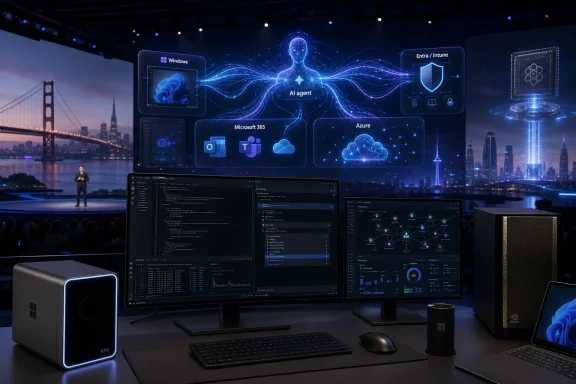
Microsoft Build 2026 stage graphic showcasing Windows 11, Azure AI tools, and coding dashboards.Microsoft Moves Build to the City Where the AI Platform War Is Being Fought​

The venue matters. Microsoft taking Build to San Francisco, rather than staging another familiar Seattle-area developer gathering, is not just event logistics with better scenery. It puts the company inside the geography of the AI boom, surrounded by the investors, model labs, infrastructure companies, and developer startups that now define the platform conversation.
Build has always been Microsoft’s way of talking to developers before talking to everyone else. Consumer users hear about Start menu changes, Copilot buttons, Photos features, and new Surface hardware after the platform has already been laid down. Developers hear the pitch earlier: here are the APIs, here are the runtimes, here is the preferred architecture, and here is the direction of travel whether the market is ready or not.
That is why a Windows-focused reader should pay attention even if this conference does not deliver a shiny “Windows 12” moment. Build rarely needs a version-number banner to matter. When Microsoft spends two days telling developers to build agents, integrate models, port apps to Arm, target WinUI, and treat Windows as a serious AI workstation, it is also telling users and administrators what kinds of software will soon show up on their PCs.
The practical question is not whether Microsoft will say “AI” too many times. It will. The question is whether Build 2026 marks the point where AI stops being a Copilot sidebar bolted onto Windows and becomes part of the assumptions behind Windows app design itself.

The Keynote Is the Trailer; the Session Catalog Is the Plot​

Satya Nadella’s keynote will get the headlines because keynotes are designed to manufacture headlines. Expect broad claims about developers, productivity, agents, responsible AI, cloud scale, and Windows as an open platform. That is the cinematic version of Build.
The session catalog is usually more revealing. PCMag’s preview notes hundreds of listed sessions, many unavailable as recordings and many aimed squarely at in-person developers. That split is telling: Microsoft is still happy to livestream the inspirational layer, but the operational layer is for people who are actually expected to build with the new stack.
The catalog points to several connected bets. Microsoft wants developers to build agentic systems, use GitHub Copilot as something closer to an engineering teammate, revive native Windows applications through AI-assisted coding, bring Linux-heavy AI workflows into Windows through WSL, and make Arm-based Windows PCs more credible development targets. None of those are isolated announcements. Together, they describe an operating system strategy.
Windows has spent years absorbing pressure from the web, from mobile platforms, and from cross-platform frameworks that made the native Windows app feel less essential. Microsoft’s Build 2026 message appears to be that AI changes the economics of native development. If code-generation tools lower the cost of targeting Windows properly, Microsoft can argue that developers no longer have to choose between reach and platform depth.
That is an attractive argument. It is also one that depends on whether the tools actually work beyond staged demos.

Agents Are Microsoft’s New Runtime Ambition​

The most provocative thread running through the Build preview is Microsoft’s interest in AI agents on Windows. An agent is not just a chatbot that answers questions. In the current industry vocabulary, it is software that can plan tasks, use tools, inspect files, call APIs, manipulate interfaces, and sometimes keep working after the user has moved on.
That distinction matters for Windows because the desktop is a tool-rich environment. A browser tab can answer a question; a desktop agent can potentially open an app, read a document, run a script, file a ticket, summarize a meeting, change settings, deploy code, or make a mistake at machine speed. The same flexibility that makes agents interesting makes them dangerous.
PCMag points to Microsoft sessions around OpenClaw-style agents and “Claws on Windows,” along with sessions that discuss building systems for both people and large language models. Strip away the branding and the message is blunt: Microsoft expects software to be used by non-human actors, and it wants Windows to be ready for that. That is a bigger shift than adding another Copilot pane.
For decades, operating systems have treated the human user as the center of authority. Permissions, windows, prompts, notifications, and interface affordances all orbit the assumption that a person is looking at the screen and making decisions. Agentic software weakens that assumption. It creates a new class of user that may operate on behalf of a person but does not perceive risk, ambiguity, or context the same way a person does.
That is why Windows administrators should read the agent push through a security lens. If an agent can use the desktop, the browser, the terminal, and the file system, then identity, audit logs, sandboxing, least privilege, and policy controls become central to the user experience. The desktop becomes not merely a place to run apps, but a place to govern delegated action.

The Security Problem Arrives Before the Productivity Dividend​

Microsoft’s AI pitch often begins with productivity. Agents can handle rote work. Copilot can write boilerplate. A model can summarize, classify, refactor, generate tests, or help move code across architectures. For overworked IT teams and developers, this is not fantasy; plenty of narrow AI-assisted workflows already save time.
But the security problem arrives at the same time, not afterward. When AI systems can act, the threat model changes. Prompt injection stops being a clever demo against a chatbot and becomes a way to influence a tool-using process. A malicious document, website, repository, email, or support ticket can become part of the instruction stream for software that has access to real systems.
OpenClaw’s reported security troubles are therefore not an awkward side note to Microsoft’s agent ambitions. They are a warning label for the entire category. Experimental agent frameworks often move quickly because developers value power, composability, and speed. Enterprises value auditability, containment, reversibility, and clear ownership when something goes wrong.
Microsoft knows this. The company’s enterprise business depends on convincing customers that AI can be governed, not merely demonstrated. That means Build’s agent story cannot be judged by how impressive the demos look. It should be judged by whether Microsoft gives developers practical patterns for identity, policy enforcement, data boundaries, approvals, logging, and incident response.
The danger is that “agent supervision” becomes a glamorous phrase for “someone must watch the robot because we are not sure what it will do.” If agent supervision is indeed becoming a senior engineering skill, then Microsoft has to make it manageable rather than mystical. Enterprises do not need a new priesthood of prompt babysitters. They need systems whose behavior can be constrained and examined.

Native Windows Apps Get a Second Chance, This Time With a Machine in the Loop​

One of the more interesting possibilities at Build 2026 is that Microsoft uses AI to reopen an old argument about native Windows development. For years, the gravitational pull has moved toward web apps, Electron shells, mobile-first services, and cross-platform frameworks. Native Windows apps still matter, but they have not felt like the default center of software culture.
Microsoft appears to see AI-assisted development as a way to reduce that friction. If developers can use agents and Copilot-style tools to generate WinUI 3 interfaces, handle Windows integration, test against platform conventions, and modernize old code, the cost-benefit calculation changes. Native Windows development becomes less of a bespoke investment and more of an AI-accelerated target.
That would be good news for Windows users if it produces faster, cleaner, more integrated applications. Native apps can offer better performance, deeper shell integration, stronger offline behavior, richer accessibility support, and more efficient use of hardware. The dream is not nostalgia for the Win32 era; it is a modern Windows app ecosystem that does not feel like a web page reluctantly wrapped in a desktop frame.
Still, there is a trap here. AI can generate code quickly, but it does not automatically generate product judgment. A wave of AI-written Windows apps could just as easily mean more mediocre utilities, more brittle interfaces, and more abandoned projects that compile but are not maintained. Microsoft’s challenge is to make AI-assisted native development produce quality, not just quantity.
This is where Build’s developer education matters. If Microsoft treats agents as code vending machines, the result will be noise. If it treats them as tools inside disciplined workflows — design systems, tests, accessibility checks, packaging, telemetry, security review, and update practices — then Windows might actually benefit from a renaissance of native software.

Arm Windows Needs Developers More Than It Needs Another Benchmark​

The Arm version of Windows has improved enormously from the awkward days when compatibility was a caveat attached to every sentence. Copilot+ PCs and Qualcomm Snapdragon hardware made the platform feel more credible, and emulation has carried much of the legacy burden. But compatibility is not the same thing as confidence.
For Arm-based Windows machines to become normal, developers need to treat Arm as a first-class target. That means native builds, tested installers, drivers where required, performance tuning, and support teams that do not reflexively blame the architecture when a bug appears. Microsoft can ship a good operating system and OEMs can ship attractive hardware, but developer inertia still decides whether users feel safe buying these machines.
That is why a Build session about using agentic AI to port x86 applications to Arm matters. The immediate pitch is practical: let AI help with the tedious work of migration. The strategic pitch is more ambitious: Microsoft wants to compress the time it takes the Windows ecosystem to adapt to new hardware assumptions.
If this works, Arm Windows could become less dependent on emulation as a psychological crutch. Developers could maintain x86 and Arm targets without treating the latter as charity work. Enterprises could evaluate Arm laptops for battery life and manageability without worrying that half their internal tools will misbehave.
But again, the agent cannot be the whole story. Porting code is one thing; validating behavior across plugins, drivers, dependencies, installers, update channels, and enterprise configurations is another. AI can help accelerate the journey, but Microsoft cannot declare the journey complete just because a demo app builds successfully onstage.

WSL Becomes the Bridge Between Windows and the AI Code That Was Born Elsewhere​

The Windows Subsystem for Linux has long been one of Microsoft’s most pragmatic developer moves. It acknowledged a reality that older Microsoft would have resisted: a huge amount of modern development happens in Linux-first tooling, and Windows remains more useful when it can host that world rather than pretend it does not exist.
AI makes WSL even more important. Many local model tools, Python stacks, container workflows, inference experiments, and open-source AI projects assume a Linux environment. Developers may still prefer Windows hardware, Windows management, Windows desktop apps, and Windows enterprise integration, but the AI software supply chain often begins on Linux.
Microsoft’s Build sessions around WSL, Windows Terminal, and AI-powered applications suggest that the company sees this clearly. It does not need every AI developer to abandon Linux conventions. It needs Windows to be the machine where Linux-based AI work can run comfortably alongside Visual Studio Code, GitHub Copilot, Microsoft 365, Azure tooling, and enterprise security controls.
Azure Linux 4.0 also fits this strategy. Microsoft’s Linux story is no longer a contradiction; it is an infrastructure reality. The company runs Linux in Azure, supports Linux development on Windows, and now wants AI workloads to flow between cloud and desktop with fewer seams.
For Windows enthusiasts, this is an odd but healthy evolution. The old platform war was about winning by exclusion. The new one is about winning by becoming the place where rival assumptions can coexist under Microsoft’s identity, management, and developer tooling.

Copilot Is Becoming Less of a Feature and More of a Labor Model​

The Build 2026 preview points to agentic coding with GitHub Copilot as a major theme. That is not surprising. Coding assistants are one of the few AI categories where the value proposition is already concrete enough for daily use: autocomplete, explanation, refactoring, test generation, bug investigation, documentation, and pull request help.
The next step is autonomy. Microsoft and GitHub have been pushing Copilot from assistant toward agent, from suggesting code to taking on tasks. That changes the social contract inside engineering teams. If a tool can open a pull request, write tests, respond to review comments, and attempt bug fixes, it becomes part of the production pipeline rather than a private productivity aid.
This is where the phrase “agent supervision” lands with force. A senior engineer’s job has never been merely to type code. It is to understand systems, tradeoffs, failure modes, maintainability, and the difference between a passing test and a correct design. AI does not eliminate that responsibility; it raises the cost of neglecting it.
For Windows developers, Copilot’s deeper integration could be transformative if it understands the platform’s messy reality. Windows development involves old APIs, new frameworks, packaging formats, enterprise deployment models, accessibility expectations, hardware diversity, and compatibility baggage going back decades. A coding agent that handles that complexity well would be genuinely useful.
A coding agent that hallucinates its way through it would be another source of technical debt with a friendly icon.

Windows 365 Hints at the Cloud PC as an Agent Host​

One of the more revealing ideas in the preview is Microsoft’s interest in running agents on Windows 365 cloud PCs rather than local machines. That may sound like a narrow deployment option, but it exposes a larger strategic preference. If agents are going to act continuously, access sensitive resources, and require governance, Microsoft would rather they live somewhere manageable.
A cloud PC is easier to monitor than a random unmanaged endpoint. It can be provisioned, isolated, reset, logged, and policy-controlled. It sits inside an enterprise identity and compliance environment. For a company that sells both Windows and cloud services, the idea of agent workloads running on managed Windows instances is almost too natural.
This also solves a hardware problem. Local AI is attractive, especially on Copilot+ PCs and systems with strong NPUs or GPUs, but not every organization wants powerful autonomous tools running on every laptop. Some tasks are better centralized. Others need access to cloud data, enterprise applications, and long-running sessions that should not depend on whether a user closes the lid.
The risk is that Windows becomes more segmented. Consumer Windows gets visible Copilot features. Developer Windows gets local model tooling and WSL. Enterprise Windows gets cloud-hosted agents with policy wrappers. That may be rational, but it also makes the Windows story harder to explain to anyone outside Microsoft’s product org chart.

The Consumer Impact Will Be Delayed, But Not Optional​

PCMag is right to warn that Build is not WWDC or Google I/O. Most ordinary Windows users will not watch a Build keynote and immediately receive a dramatically different desktop. Developer conferences move through APIs, SDKs, previews, partner demos, and enterprise pilots before they turn into consumer-facing behavior.
But delayed impact is not the same as no impact. The Windows features people eventually experience are often downstream from earlier developer decisions. If Microsoft convinces developers to build agent-aware apps, Copilot-connected workflows, Arm-native packages, and local AI features, users will encounter those choices in the next wave of software.
The phrase “whether or not you want them” captures the tension around agents. Many users are tired of AI features that appear before they have asked for them. They are even more skeptical when AI is inserted into core system surfaces such as the taskbar, search, Office apps, browsers, and file workflows. Microsoft’s enthusiasm is not always matched by user consent.
The company’s task is to make AI feel less like a campaign and more like competence. If an agent saves time, respects boundaries, explains its actions, and can be turned off, users may accept it. If it behaves like another channel for prompts, upsells, and unwanted automation, Windows users will treat it as bloat with a neural-network budget.

Gaming Is Probably a Sideshow, and That Is Telling​

The Build preview suggests little reason to expect major Xbox or gaming news. That is not a knock on gaming’s importance to Microsoft; it is a reminder that Build’s AI agenda is aimed elsewhere. The audience is developers, enterprise teams, cloud architects, and platform builders, not players waiting for a showcase.
There may be gaming-adjacent implications. AI-assisted coding could affect game development. New chips, Arm laptops, Nvidia partnerships, and local AI hardware could eventually influence creator workflows and game tooling. But Build 2026 is unlikely to be the stage for a consumer Xbox reset.
That absence is itself revealing. Microsoft’s most intense platform energy right now is not around entertainment ecosystems. It is around productivity, infrastructure, agents, developer tooling, and cloud-connected work. Windows is being positioned less as a consumer lifestyle hub and more as the operating environment for AI-era labor.
That may frustrate some enthusiasts who want Microsoft to show more imagination in consumer experiences. But it also reflects where the company makes its strongest case. Microsoft’s AI strategy is most credible when it is attached to work people already do, systems companies already manage, and developers already need to build.

Surface and AI Hardware Are the Physical Proof Point​

The mention of a Surface Laptop Ultra and Arm-based RTX Spark laptops points to the hardware side of the same thesis. AI needs a place to run. Sometimes that place is Azure. Sometimes it is a cloud PC. Sometimes it is a local machine with an NPU, GPU, or enough memory bandwidth to make local inference practical.
Microsoft’s hardware challenge is to make those distinctions feel purposeful rather than confusing. Copilot+ PCs introduced the idea that some Windows features require specific AI-capable hardware. That is defensible technically, but risky commercially if buyers cannot understand which features run where, which chips matter, and how long today’s hardware will remain eligible.
A more powerful Surface-class device aimed at local AI development would help Microsoft tell a cleaner story. Developers could prototype locally, deploy to Azure, manage agents through Microsoft tooling, and target Windows users with apps that understand the new hardware baseline. That is the full-stack dream.
The danger is fragmentation. Windows already spans low-cost laptops, gaming rigs, enterprise desktops, workstations, virtual machines, Arm ultraportables, and cloud PCs. Add local AI requirements, model sizes, GPU tiers, NPU capabilities, and agent-hosting patterns, and the platform becomes harder to reason about. Microsoft must give developers abstractions that hide hardware complexity without hiding performance reality.
If Build 2026 spends time on hardware, the key detail will not be the sizzle reel. It will be whether Microsoft can explain what developers can reliably assume about the next generation of Windows machines.

Microsoft’s AI Windows Is Really an Ecosystem Bargain​

Every platform company makes a bargain with developers. Apple offers a lucrative, tightly controlled ecosystem with strong consumer spending and strict rules. Google offers Android scale and web reach. Microsoft’s Windows bargain has historically been openness, compatibility, enterprise presence, and enormous installed base.
AI lets Microsoft update that bargain. The new pitch is that Windows can be the richest environment for building, running, supervising, and distributing AI-assisted work. It has the local desktop, the Linux bridge, the enterprise identity layer, the developer tools, the cloud, GitHub, Office, and a vast legacy software universe waiting to be modernized.
That is a powerful combination. It is also messy in the way Microsoft platforms are often messy: many overlapping products, many names, many runtimes, many routes to the same destination. Build 2026’s job is to turn that sprawl into a coherent developer story.
The company has done this before. Azure was once difficult to summarize and is now one of the pillars of the enterprise cloud. Microsoft 365 turned Office from boxed software into a subscription platform. GitHub Copilot turned AI from an abstract Microsoft investment into a daily developer tool. Windows AI now needs the same clarification.
If Microsoft cannot provide it, developers will take the useful parts and ignore the rest. They will use Copilot but not WinUI. They will use WSL but deploy elsewhere. They will build agents but host them outside Microsoft’s governance stack. They will buy Windows hardware but treat the OS as a shell around browser tabs and terminals.

Where Administrators Should Keep Their Eyes​

For sysadmins, Build 2026 is not just future-gazing. It is a preview of the policies they will be asked to enforce in six to eighteen months. AI agents will raise questions about endpoint permissions, data loss prevention, identity delegation, logging, software inventory, and user training. Arm PCs will raise procurement and compatibility questions. Local AI will raise hardware lifecycle questions.
The administrative challenge is that AI features often arrive as product improvements rather than as separate systems. A Copilot capability appears in an app. A model-powered workflow shows up in a developer tool. An agent integration appears inside a cloud service. Each may be useful on its own, but together they expand the operational surface area.
IT departments should resist both panic and passivity. Not every AI feature is a security disaster. Not every agent is production-ready. The right posture is selective enablement: test with real workflows, isolate risky capabilities, define approval chains, and demand logs that make sense after an incident.
Microsoft can help by making controls visible and licensing comprehensible. If AI governance is scattered across Entra, Intune, Microsoft 365 admin centers, Azure portals, GitHub settings, Windows policies, and product-specific toggles, administrators will struggle. A platform strategy that cannot be governed cleanly will not be trusted cleanly.

The Build 2026 Windows Bet in Plain English​

Build 2026 is shaping up as a developer conference about AI, but for Windows readers the more specific story is that Microsoft wants the PC to become an agent-ready, AI-assisted, cloud-connected development and productivity environment. That is a narrower claim than “AI will change everything,” and a more testable one.
The concrete implications are already visible:
  • Microsoft is using Build 2026 to position AI agents as a serious Windows development target, not just as experimental chatbot-adjacent software.
  • Windows 11’s future AI experience will likely be shaped first through developer tools, APIs, WSL improvements, Copilot integrations, and app frameworks rather than through one sudden consumer-facing redesign.
  • Native Windows development could benefit if AI coding tools make WinUI, Arm ports, packaging, and testing less expensive for developers to support.
  • Enterprise administrators should treat agentic AI as a permissions, identity, audit, and governance problem before treating it as a productivity feature.
  • Arm-based Windows PCs need more native software commitment, and Microsoft appears ready to use AI-assisted porting as one way to accelerate that ecosystem.
  • WSL and Azure Linux show that Microsoft’s Windows strategy now depends on embracing Linux-based AI workflows rather than competing with them head-on.
The surprise would be if Build 2026 were not saturated with AI. The real test is whether Microsoft can turn that saturation into a usable platform rather than another layer of branding.
Microsoft’s strongest Windows argument has always been that the platform meets users and developers where they already are, even when that place is untidy. Build 2026 looks like an attempt to extend that bargain into the age of agents: Windows as the desktop for humans, the workstation for developers, the bridge to Linux, the client for Azure, and the controlled environment where autonomous software can be useful without becoming ungovernable. If Microsoft can make that coherent, this year’s Build will matter long after the keynote stream ends; if it cannot, Windows users will inherit yet another wave of AI features that feel less like a future and more like weather.

References​

  1. Primary source: PCMag UK
    Published: Mon, 01 Jun 2026 16:38:11 GMT
  2. Related coverage: techradar.com
  3. Related coverage: notebookcheck.net
  4. Related coverage: notebookcheck.com
  5. Related coverage: nvidia.com
  6. Related coverage: tomsguide.com
  1. Related coverage: financialexpress.com
  2. Related coverage: uncrownedaddiction.com
  3. Related coverage: dataconomy.com
  4. Related coverage: lensmor.com
  5. Related coverage: conferencegrid.com
  6. Related coverage: windowscentral.com
  7. Related coverage: multishoring.com
  8. Official source: news.microsoft.com
  9. Related coverage: msthesource.thesourcemediaassets.com
  10. Official source: eventtools.event.microsoft.com
 

Microsoft Build 2026 runs June 2–3 at Fort Mason Center in San Francisco and online, with Microsoft expected to center the conference on Windows, Copilot, AI agents, developer tooling, and the next phase of Arm-based PCs. The useful way to read this year’s show is not as a hunt for a Windows 12 logo, but as a referendum on whether Microsoft can turn its AI story into a platform developers actually want to build on. Build has always been where Microsoft tells developers what kind of Windows it wants them to believe in. In 2026, that pitch is likely to be less about the desktop shell and more about who gets to control the intelligent layer sitting on top of it.

Presenter demonstrates an AI agent platform dashboard with secure build, audit logs, policy controls, and local edge inference.Microsoft Brings Build Back to the City Where Platform Wars Are Won​

Build returning to San Francisco is not just a venue note. It puts Microsoft’s developer conference closer to the venture-backed AI companies, tooling startups, and chip vendors that now define the speed of the software industry. Seattle remains Microsoft’s home, but San Francisco is where the company has to prove that Windows, Azure, GitHub, and Copilot are not merely enterprise defaults in a world increasingly shaped by agentic software.
That matters because the old Build formula is under strain. For years, Microsoft could use the conference to unveil APIs, preview SDKs, talk up Visual Studio, and rely on the gravitational pull of Windows and Office to keep developers listening. Today, developers are being courted by model providers, browser vendors, cloud platforms, open-source frameworks, and hardware companies that all claim to be the new center of gravity.
The PCMag framing gets the surface-level excitement right: Copilot, Arm hardware, and the future of Windows are the right things to watch. But the deeper story is whether Microsoft can stitch those pieces together. Copilot without a credible local runtime is a web service with a keyboard shortcut. Arm without app confidence is a battery-life story with compatibility footnotes. Windows without a developer narrative is just an installed base waiting to be managed.
Build 2026 is therefore less likely to be remembered for one giant announcement than for the coherence of the pitch. Microsoft needs to show that the Windows PC can become an AI development target, an AI runtime, and an AI client at the same time. That is an ambitious triangle, and it is exactly where the company’s recent Windows strategy has been pointing.

The Windows 12 Watch Is a Distraction From the Real Operating System Shift​

Every Build preview now seems obliged to ask whether Microsoft will show Windows 12. That is understandable, but it is also the least interesting version of the question. Microsoft has spent the last two years teaching users that Windows can change underneath them through feature drops, Copilot updates, Store-delivered components, and cloud-connected experiences without a new box on a retail shelf.
The more consequential issue is whether Windows 11 is becoming a shell around a set of AI services and local inference capabilities. That shift does not require a new major version number. It requires APIs, permissions, hardware baselines, developer tooling, and enough user trust that people do not immediately disable the new features.
Microsoft’s public Windows messaging has already moved in that direction. The company no longer treats the PC merely as the place where apps run. It increasingly treats it as a device with local context, local acceleration, and local models that can participate in a broader Copilot ecosystem. That is a much bigger change than a Start menu redesign, and it is also harder to explain.
The risk is that users experience this as creep rather than progress. Windows enthusiasts have long memories, and features that feel bolted on tend to become symbols of Microsoft overreach. Build gives Microsoft a chance to describe the developer-side architecture before the user-side reaction hardens into another round of “why is this in my taskbar?”

Copilot Has to Graduate From Feature to Substrate​

Copilot is everywhere in Microsoft’s product line, which is not the same thing as being indispensable. For Windows users, Copilot has often felt like a branded assistant in search of a workflow. For developers, the GitHub Copilot story has been much stronger because it sits directly in the act of writing, reviewing, and shipping code.
That distinction is likely to shape Build 2026. Microsoft’s strongest AI demos will not be the ones where a chatbot answers a general question. They will be the ones where an agent understands a repo, modifies a project, tests the change, explains the risk, and hands control back to the developer at the right moment. That is where Copilot becomes less like Clippy with better models and more like an automation layer for modern software work.
Windows needs a version of that same move. A Copilot that opens apps and summarizes documents is useful, but not yet transformative. A Copilot-aware Windows platform that gives developers safe ways to expose app actions, local data, model choices, and device capabilities could change what Windows software feels like over the next several years.
The catch is that Microsoft has to avoid turning every app into a plugin farm. Developers do not want another brittle integration surface that only works well in keynote demos. They want contracts, diagnostics, permission models, lifecycle rules, and distribution paths that make sense. If Build 2026 is serious, the most important Copilot announcements will probably look boring at first glance.

Arm Is No Longer a Side Quest for Windows​

Windows on Arm has lived through enough false starts that skepticism is not only fair; it is earned. Surface RT was a warning, Surface Pro X was a compromise, and even the better Snapdragon X-era machines had to fight years of assumptions about compatibility. But the situation heading into Build 2026 is different because the Arm PC is no longer just a Microsoft-Qualcomm experiment.
Reports and pre-event signaling point toward Nvidia and Microsoft using this season of conferences to push a new class of Windows on Arm machines. If that materializes, it would change the Windows hardware conversation in a way that matters beyond benchmarks. Nvidia entering the Windows PC CPU story would bring GPU credibility, AI acceleration muscle, and a developer ecosystem that already dominates much of the machine-learning stack.
That does not mean x86 is suddenly in danger of vanishing from Windows desks. Intel and AMD remain deeply entrenched, and enterprise fleets move slowly for good reasons. But it does mean Windows is entering a more heterogeneous hardware phase. The same app may need to run well on Intel, AMD, Qualcomm, Nvidia Arm silicon, local NPUs, discrete GPUs, cloud GPUs, and virtual desktops.
Build is where Microsoft has to make that complexity look manageable. Developers will need better guidance on native Arm builds, emulation boundaries, performance profiling, driver expectations, AI model deployment, and store packaging. If Microsoft wants Arm PCs to feel mainstream, it cannot leave app makers to discover the edge cases after customers complain.

The AI PC Needs Software Worth the Sticker​

The phrase AI PC has been doing a lot of marketing work for hardware vendors. NPUs have appeared in spec sheets faster than compelling local AI experiences have appeared in daily workflows. That gap is dangerous because users eventually notice when a premium device category feels like a badge rather than a capability.
Copilot+ PCs were supposed to solve that by creating a Windows hardware baseline for local AI features. The strategy made sense: define a minimum NPU capability, give OEMs a badge, and ship features that show why the silicon matters. But the rollout also exposed the challenge. Some features were delayed, some were controversial, and many users still struggle to articulate why their next laptop must have an NPU.
Build 2026 can help close that gap, but only if Microsoft talks to developers as much as it talks to OEMs. Hardware becomes meaningful when software targets it confidently. If developers can use local models for transcription, search, image processing, semantic indexing, privacy-preserving classification, and offline assistance without becoming experts in every vendor’s silicon stack, the AI PC starts to have a reason to exist.
This is where Windows has an advantage if Microsoft executes. The company controls the OS, owns major developer tools, operates a massive cloud, has GitHub, and can coordinate with OEMs. Few companies can connect local inference, cloud fallback, identity, management, and distribution at Windows scale. The question is whether Microsoft can make that advantage feel like a platform instead of a bundle of branded initiatives.

Developers Will Listen for APIs, Not Adjectives​

The Build keynote will almost certainly be full of words like agents, multimodal, secure, responsible, and productivity. Those words are now table stakes. The developer audience will be listening for verbs: build, test, deploy, observe, revoke, debug, package, meter, and roll back.
That is especially true for AI agents. A demo agent that books travel or triages a ticket is easy to admire and hard to trust. The real enterprise questions arrive immediately afterward. What identity does it act under? What logs prove what it did? How do administrators restrict it? How does a developer test failure modes? What happens when a model changes behavior after an update?
Microsoft is better positioned than most companies to answer those questions because enterprise control is part of its institutional DNA. Entra, Intune, Defender, Purview, Azure, GitHub, and Windows management are all pieces of a governance story. But those pieces have to meet developers where they work, not just appear as compliance slides for CIOs.
The most credible Build announcements will therefore be the ones that make AI systems more inspectable. Developers do not need Microsoft to tell them agents are powerful. They need Microsoft to show how agents can be constrained, audited, evaluated, and integrated into existing software delivery practices. The platform that wins may not be the one with the flashiest demo; it may be the one that makes the demo survivable in production.

GitHub Is Microsoft’s Most Convincing AI Product​

If Windows is the emotional center of Build for this audience, GitHub may be the strategic center. GitHub Copilot gave Microsoft a working proof point for AI-assisted labor before much of the industry had moved past chat windows. It also gave the company a direct relationship with developers across languages, platforms, and employers.
That matters because developer trust does not automatically flow from Windows market share. Many developers use Windows because their company gives them a Windows machine. They use GitHub because their work lives there. If Microsoft wants to shape the next generation of software development, GitHub is the more natural control plane.
Expect Build to emphasize agentic development workflows: issue-to-code paths, automated pull request assistance, test generation, security review, documentation updates, and possibly deeper integration with Azure deployment targets. The pitch will be that Copilot is moving from helping developers type to helping teams move work through the pipeline.
The danger is that coding agents can produce a new kind of technical debt at machine speed. A tool that writes boilerplate is helpful. A tool that makes architectural decisions, updates dependencies, and modifies infrastructure needs adult supervision. Microsoft’s challenge is to sell acceleration without pretending that review, ownership, and accountability have become obsolete.

Windows Admins Will Read the Fine Print​

For sysadmins and IT pros, Build can be a strange event. The conference speaks in developer optimism, but the consequences often land in deployment rings, help desks, endpoint policies, and procurement meetings. Every exciting new Windows capability eventually becomes a question about supportability.
That will be especially true this year. AI features touch data governance, privacy, user training, network behavior, storage, identity, and incident response. Even local AI is not automatically simple. If a feature indexes user activity, stores embeddings, invokes cloud services, or lets an agent act across applications, administrators need controls before users need enthusiasm.
Microsoft appears to understand this better than many of its competitors. The company knows that enterprise adoption depends on toggles, policy templates, audit logs, licensing clarity, and documentation. But the history of Windows also shows that controls sometimes arrive after the marketing push. Admins have learned to wait for the second or third revision before trusting the first wave of a new experience.
Build 2026 should be judged partly on how much of the AI story is manageable on day one. Can organizations disable features cleanly? Can they separate consumer Copilot behavior from enterprise Copilot behavior? Can they keep sensitive workloads local? Can they prove what an agent accessed? These questions are not anti-innovation. They are the price of deploying innovation to machines that contain real work.

Recall Still Shadows the Conversation​

No discussion of AI on Windows can fully escape the privacy debate around Recall. Microsoft’s original pitch for a searchable memory of PC activity collided with obvious concerns about surveillance, sensitive data, and user consent. The company revised the feature and its rollout, but the episode left a mark.
That mark matters because Recall was not a random feature. It was an early expression of Microsoft’s belief that the PC should understand context over time. That is also the foundation many useful AI features will require. Search, summarization, workflow automation, and personal assistance all get better when the system knows more about what the user has done.
The tension is not going away. Users want computers that help them find things, remember context, and reduce repetitive work. They also do not want their operating system to feel like a flight recorder for their private life. Microsoft’s task is to prove that local processing, encryption, opt-in design, and administrative controls are not just mitigation language but binding product principles.
Build is not a consumer privacy town hall, but developers will still be watching for the architecture. If Microsoft wants third-party software to participate in Windows AI experiences, it must define how context is shared, how consent is granted, and how data boundaries are enforced. Otherwise, every new capability will inherit the suspicion created by the last one.

The Browser, the Cloud, and the Desktop Are Colliding Again​

One of the oddities of modern Windows is that some of Microsoft’s most important platform bets no longer require Windows at all. GitHub runs everywhere. Azure runs everywhere. Copilot runs in the browser. Microsoft 365 has long since become a cloud service first and a Windows application suite second.
That could make Windows less important. Microsoft’s counterargument is that Windows remains the richest client for identity, hardware acceleration, local files, native apps, enterprise management, gaming, and specialized workflows. The PC is still where many users combine browser work, legacy applications, local peripherals, and high-performance tools.
AI makes this boundary more interesting. A cloud-only assistant can be powerful, but it lacks direct access to local application state, offline data, device sensors, and system-level workflows. A purely local assistant can be private and responsive, but it may lack the model scale and enterprise knowledge available in the cloud. Windows can become valuable if it brokers the two.
That is likely where Microsoft wants to go. The company can frame Windows as the local edge of its AI platform: a place where models, agents, apps, and cloud services meet under user and administrator control. It is a compelling idea. It is also a difficult one, because every boundary crossing creates a security, privacy, latency, or reliability question.

Build’s Most Important Windows News May Be Hidden in Developer Sessions​

Keynotes dominate coverage, but Build’s practical direction often lives in the sessions. Session titles about local AI, Windows app development, Arm readiness, GitHub workflows, and Azure integration may reveal more than polished stage demos. Developers should watch for the unglamorous details: SDK maturity, supported languages, tooling quality, sample apps, deployment requirements, and compatibility notes.
This is especially important for Windows enthusiasts who want a clean product announcement. Microsoft’s platform changes often arrive as a constellation rather than a single comet. A new Windows capability might depend on a Store component, a Visual Studio extension, a GitHub feature, an Azure service, an NPU requirement, and an enterprise policy setting. That makes for messy coverage but real strategic movement.
The same applies to Arm. A flashy laptop announcement is useful, but the developer story decides whether users feel the difference after the battery test is over. Native app availability, driver coverage, peripheral behavior, virtualization support, and game compatibility will matter more than any one keynote chart.
For WindowsForum readers, the right posture is curiosity with a healthy distrust of slogans. Microsoft is almost certainly going to describe a more intelligent Windows. The question is whether that intelligence shows up as better workflows, better performance, and better developer opportunity — or as another layer of services users must tame.

The San Francisco Bet Comes With a Developer Trust Deficit​

Microsoft enters Build 2026 with genuine advantages. It has Windows, Azure, GitHub, Office, Visual Studio, Teams, Defender, and deep enterprise relationships. It also has a credibility problem whenever it asks users and developers to accept more automation inside the operating system.
Part of that is historical. Windows users have seen unwanted prompts, confusing defaults, ads in system surfaces, account nudges, Edge pressure, and feature churn. Even when individual changes are defensible in isolation, the cumulative effect is suspicion. An AI-powered Windows must overcome that before it asks for broader permissions.
Developers have a related concern. They want Microsoft platforms to be stable enough to invest in. If the company introduces a new AI framework, renames it, folds it into another stack, changes its licensing assumptions, or restricts its best features to narrow hardware classes, developers will route around it. The AI boom is moving quickly, but platform trust still compounds slowly.
That is why Build 2026 has to be more disciplined than bombastic. Microsoft can afford excitement, but it cannot afford vagueness. The company must show how Windows AI development works, what hardware is required, what is optional, what is enterprise-ready, and what remains experimental. The future of Windows does not need more branding. It needs sharper commitments.

The Announcements That Will Matter After the Keynote Lights Go Down​

The most durable Build 2026 news will be the news that changes what developers and IT teams do next week, next quarter, or during the next hardware refresh. That is a higher bar than an impressive demo. It requires Microsoft to connect the keynote to practical adoption.
A few signals will be worth watching closely:
  • Microsoft needs to explain whether local AI on Windows is becoming a general developer platform or remains a showcase for selected first-party experiences.
  • The company needs to make Windows on Arm feel like a normal deployment target rather than a compatibility adventure for motivated early adopters.
  • Copilot’s next phase has to include real developer and administrator controls, not just more places where an assistant appears.
  • Nvidia’s expected role in the Windows PC ecosystem could reshape AI PC expectations if it produces credible hardware and software support rather than another speculative badge.
  • Enterprise buyers should look for management, audit, and data-boundary details before treating any agentic Windows feature as production-ready.
  • Windows enthusiasts should pay less attention to whether Microsoft says “Windows 12” and more attention to how much of Windows becomes programmable by AI.
The best version of Build 2026 is a conference where Microsoft makes the PC feel newly relevant without pretending the last few years of user skepticism never happened. If the company can turn Copilot from a floating assistant into a disciplined platform, make Arm boring in the best possible way, and give administrators real control over agentic features, Windows could enter its most interesting phase since the move to Windows 10. If it cannot, Build will still be full of impressive demos — but the future of Windows will remain something Microsoft describes more convincingly than it delivers.

References​

  1. Primary source: PCMag UK
    Published: 2026-06-01T19:10:28.867592
  2. Related coverage: techradar.com
  3. Related coverage: tomshardware.com
  4. Related coverage: windowscentral.com
  5. Related coverage: axios.com
  6. Related coverage: tomsguide.com
  1. Related coverage: notebookcheck.com
  2. Related coverage: nvidia.com
  3. Related coverage: thurrott.com
  4. Related coverage: ebisuda.net
  5. Related coverage: windowsforum.com
  6. Related coverage: pcworld.com
  7. Related coverage: notebookcheck.nl
  8. Related coverage: ia-medias.com
  9. Related coverage: tech.yahoo.com
 

Microsoft will use Build 2026, running June 2–3 at Fort Mason Center in San Francisco and online, to pitch developers on new Windows AI models, a Microsoft AI reasoning model, a broader Copilot app strategy, and developer-focused Windows 11 setup improvements. The move is not just another AI keynote. It is Microsoft trying to repair a strained bargain with the people who build on its platforms. The company wants developers to believe Windows can again be a serious workstation, not merely a billboard for services.

People review AI dashboard screens at a nighttime tech conference with “Build 2026” projected.Microsoft Brings Build Back to the City Where Platform Wars Are Won​

Build’s move to San Francisco matters because developer conferences are never only about announcements. They are theater, recruitment, and apology, often in equal measure. Microsoft has spent years telling developers that Windows, Azure, GitHub, Visual Studio Code, and Copilot form one coherent stack; the complaint from the field is that the stack increasingly feels coherent for Microsoft before it feels coherent for users.
The reported venue shift to a smaller, more intimate Build fits the moment. This is not the era of chanting Windows launch crowds or giant platform manifestos. It is the era of skeptical developers comparing local AI runtimes, cloud inference bills, editor agents, package managers, and operating-system friction with brutal pragmatism.
That is why the phrase “win back” lands harder than the usual pre-conference hype. Microsoft does not lack developer reach. GitHub remains central to software development, VS Code is everywhere, Azure is deeply embedded in enterprise IT, and Windows still dominates many corporate desktops. What Microsoft risks losing is not presence, but goodwill.
Goodwill is the difference between developers tolerating a platform and advocating for it. It is what makes a developer choose Windows for a new machine instead of merely accepting it from procurement. It is what makes a maintainer optimize for WinUI, package through the Microsoft Store, target Copilot+ PC hardware, or bother testing Windows-specific AI APIs rather than treating Windows as just another compatibility surface.

The AI Pitch Has to Escape the Demo Loop​

The headline announcements reportedly coming to Build are familiar in shape: new AI models inside Windows, a new reasoning model from Microsoft AI, and a Copilot “super app.” That sounds like the Microsoft of the last several years, where every event eventually bends toward Copilot. The problem is that developers have become fluent in separating impressive demos from useful platform primitives.
A local or Windows-integrated AI model could be valuable if it solves actual developer problems: low-latency inference, offline behavior, privacy-sensitive workflows, predictable APIs, and hardware acceleration that does not require each app vendor to become an AI infrastructure company. It could also become one more half-integrated feature that consumes memory, confuses policy settings, and ships before the management story is finished.
That distinction matters especially for Windows. A browser can add an AI sidebar and move on. An operating system carries a heavier burden because its features become part of the trust boundary for work, identity, files, telemetry, accessibility, and administration. If Microsoft wants AI in Windows to be treated as infrastructure, it has to behave like infrastructure: observable, controllable, documented, and removable where policy demands it.
The reported reasoning model from Microsoft AI raises a different question. Microsoft already has deep ties to OpenAI, its own Phi model family, Azure AI Foundry, and Copilot-branded experiences across work and consumer products. A Microsoft AI reasoning model could be a sign that the company wants more ownership over the intelligence layer it places in front of Windows and Copilot users. It may also be an attempt to reduce the strategic ambiguity of a platform company whose AI story has sometimes looked dependent on partners and sometimes looked determined to become vertically integrated.
For developers, the model branding is less important than the contract. Can they call it? Can they run it locally? Can they fine-tune, meter, sandbox, audit, or swap it? Does it live behind a consumer Copilot interface, or does it arrive as a serious SDK surface? Build audiences can applaud a new model, but they adopt a platform only when the economics and operational behavior make sense.

Copilot’s Super App Sounds Like a Fix for a Problem Microsoft Created​

The reported Copilot “super app” is, on paper, the most Microsoft solution imaginable: unify the sprawl by creating a larger umbrella. Copilot has appeared in Windows, Edge, Microsoft 365, Teams, GitHub, security products, Azure tooling, and consumer experiences, often with different capabilities, account requirements, and user-interface conventions. The brand has become both the centerpiece of Microsoft’s AI strategy and a symptom of its fragmentation.
A consolidated Copilot app could help if it gives users one place to understand what Copilot can do, what data it can reach, and which agents or skills are active. It could also make the fragmentation more visible by gathering the contradictions into a single surface. A “super app” is only clarifying if the underlying identity, privacy, extensibility, and enterprise-control models are coherent.
The reported inclusion of an agent called Microsoft Scout suggests Microsoft is still chasing the bigger agentic vision: software that does not merely answer questions, but observes context, plans work, calls tools, and completes tasks. That is the direction the whole industry is moving. It is also the direction where operating-system trust becomes more fragile.
On Windows, an agent is not just a chatbot with nicer verbs. It may want access to files, settings, applications, browser sessions, screenshots, messages, terminals, credentials, and enterprise data. Each new capability creates a management question for IT and a consent question for users. If Microsoft is serious about making Copilot a daily shell for work, it will need to show less magic and more governance.
The danger is that a Copilot super app becomes a container for ambition rather than a product with boundaries. Microsoft has done this before: a single brand stretches across consumer, enterprise, developer, and admin use cases until no one can explain precisely what it is. The best version of this announcement would be boring in the right ways. It would tell users what is local, what is cloud, what is logged, what is governed by tenant policy, what can be disabled, and what APIs developers can depend on.

Windows Developers Want Less Ceremony and More Respect​

The most immediately practical reported Windows announcement is the developer-optimized setup for Windows 11: a distraction-free environment with preinstalled apps, tools, and scripts. This sounds smaller than a reasoning model, but it may be more important. Developers can forgive a platform that lacks glamour. They have a harder time forgiving one that wastes the first day of every machine.
Windows development setup has improved over the years, especially with Windows Terminal, Windows Subsystem for Linux, winget, Dev Home, Dev Drive, PowerShell improvements, and better integration with GitHub. But the experience still often feels like a scavenger hunt through installers, policy prompts, Store dependencies, optional features, reboot cycles, and conflicting documentation. For enterprise developers, that friction can be multiplied by endpoint management, antivirus scanning, corporate images, and constrained local-admin rights.
A developer-optimized setup acknowledges something Microsoft has sometimes treated too casually: the default Windows experience is not neutral. It comes with consumer affordances, notifications, bundled apps, account nudges, search integrations, and background services that may be defensible for a retail PC but maddening on a workstation. A “distraction-free” setup is Microsoft implicitly conceding that developers do not want to spend their first hour de-bloating the machine they are supposed to use to build software.
The word scripts is doing a lot of work here. If Microsoft merely ships a curated checklist, the impact will be modest. If it provides reproducible configuration, team-shareable setup profiles, package installation, policy-aware customization, and reliable rollback, it could turn Windows setup into something closer to infrastructure-as-code for workstations.
That would be a meaningful win for IT, not just individual developers. Standardized dev environments reduce drift, speed onboarding, simplify compliance, and make support less artisanal. The challenge is that Microsoft already has many pieces of this puzzle. Build needs to show whether those pieces are finally becoming a clean path or merely being renamed again.

GitHub Is the Crown Jewel Microsoft Cannot Afford to Tarnish​

The Verge’s framing reportedly includes developer frustration with GitHub, and that is a more delicate subject than Windows frustration. Windows has long had detractors in the developer world. GitHub, by contrast, was one of Microsoft’s great credibility purchases: a platform that gave Redmond a central role in open-source development without requiring developers to love Windows.
That makes GitHub Copilot both a triumph and a risk. It is one of the most successful AI developer products in the market, but its expansion also changes the emotional texture of GitHub. The more GitHub becomes a vehicle for AI workflows, enterprise monetization, security scanning, hosted runners, and platform automation, the more developers will ask whether the old GitHub bargain still holds.
The risk is not that developers abandon GitHub overnight. Network effects are powerful, and repositories do not migrate on vibes. The risk is that developers begin treating GitHub as a necessary utility rather than a trusted home. That distinction matters when Microsoft wants GitHub to become the command center for AI-assisted development.
AI coding agents also intensify long-running concerns around code quality, maintainership burden, licensing, security, and review fatigue. A tool that opens pull requests can save time. It can also generate more work for humans who must validate, test, and own the resulting changes. If Build leans too hard into autonomous coding without acknowledging the maintenance reality, Microsoft may sound like it is selling productivity to managers while exporting cleanup to developers.
The better argument is not that AI will replace the developer workflow. It is that AI can remove the worst parts of it: repetitive scaffolding, environment setup, test generation, documentation searches, migration chores, and tedious bug reproduction. Microsoft has a credible case here, but only if it speaks to developers as practitioners rather than as inputs in a productivity spreadsheet.

Windows as an AI Platform Is Stronger Than Windows as an AI Billboard​

Microsoft’s most promising Windows AI strategy is not putting Copilot everywhere. It is making Windows a serious runtime for AI applications. That means models, APIs, acceleration, permissions, deployment, diagnostics, and developer tools that make AI features easier to build and safer to ship.
This is where Copilot+ PCs, NPUs, Windows AI Foundry-style tooling, and inbox models could become more than marketing. If a developer can rely on a known set of local capabilities for text recognition, image understanding, summarization, language tasks, or on-device inference, Windows gains platform value. If those capabilities are inconsistent, poorly documented, limited to a small hardware base, or wrapped primarily around Microsoft’s own apps, developers will route around them.
The local-versus-cloud balance is also crucial. Enterprises are interested in AI, but they are not uniformly eager to send every workflow to a remote model. On-device processing can help with latency, privacy, cost, and resilience. It can also create a fragmented target if only some Windows machines have the right silicon and only some Windows versions expose the right APIs.
That is why Microsoft needs to be precise at Build. “AI in Windows” can mean a consumer assistant, a developer API, a hardware certification story, a cloud subscription funnel, or a policy-controlled enterprise feature. Those are different products with different buyers. The company’s habit of grouping them under one Copilot-shaped banner may help marketing, but it can obscure the implementation details developers and admins need.
For WindowsForum readers, the practical question is simple: will these features make Windows 11 faster, cleaner, more capable, and easier to manage, or will they make it noisier? Microsoft’s answer cannot be a keynote animation. It has to be visible in Settings, Group Policy, Intune, resource usage, documentation, and the first-run experience.

The Developer Desktop Is Now a Competitive Surface​

For years, Microsoft could assume Windows was the default corporate desktop and focus its developer charm offensive elsewhere. That assumption is weaker than it used to be. Developers can work comfortably on macOS, Linux, cloud workstations, containers, remote development environments, and browser-based IDEs. Windows remains hugely important, but it is no longer the automatic center of gravity for every developer workflow.
This changes the meaning of Windows polish. A slow context menu, a confusing default app, an unwanted notification, a fragile Store dependency, or an inconsistent settings page is not just an annoyance. It is evidence in an ongoing platform trial. Developers collect these small moments and turn them into recommendations.
Microsoft knows this, which is why the reported developer-optimized Windows setup is strategically sharper than it first appears. It targets the moment when platform opinion is formed: the first boot, the first clone, the first build, the first failed dependency, the first time a developer says, “Why is this on my machine?” Make that moment clean, and Microsoft earns attention for the bigger AI story. Fumble it, and every Copilot demo starts from a deficit.
There is also a cultural dimension. Developers resent being treated as consumers when they are trying to work. They do not want dark patterns, upsell surfaces, or unexplained background behavior on a machine that serves as their toolbench. A real developer mode for Windows must be more than a theme. It must be a different posture.
That posture should be quiet, deterministic, scriptable, and respectful of user control. Those words do not sound as exciting as “reasoning model,” but they are the words that make platforms durable.

Enterprise IT Will Judge the Policy Surface, Not the Keynote​

For sysadmins and IT pros, Build announcements always arrive with a second set of questions. How is it licensed? How is it disabled? How is it updated? What telemetry does it produce? Which tenant controls apply? Does it respect existing compliance boundaries? Can it be audited after something goes wrong?
AI raises the stakes for every one of those questions. A Copilot app that crosses data boundaries is not just a help feature. A local model that processes sensitive files is not just a convenience. An agent that can take actions inside apps is not just a productivity enhancer. These are systems that need administrative architecture.
Microsoft has improved its enterprise messaging around AI governance, but Windows remains the front line where policy abstractions meet real user behavior. If a feature appears unexpectedly after an update, admins take the blame. If a Copilot button shows up before legal or security teams are ready, IT gets the ticket. If a local AI component consumes resources on older hardware, help desks hear about it first.
That is why Build’s Windows news should be judged by management detail. Microsoft does not need to convince IT pros that AI is important; most already know that. It needs to convince them that AI features in Windows will not become another uncontrolled layer of exceptions, registry edits, emergency guidance, and forum archaeology.
The best enterprise outcome would be boring clarity. Admins should know which Windows editions get which AI features, what hardware is required, which settings govern them, what data flows where, how updates are delivered, and how to stage adoption. Without that, even useful AI features will be met with defensive skepticism.

Microsoft’s Real Opponent Is Its Own Sprawl​

The irony of Microsoft’s Build 2026 moment is that the company has nearly all the ingredients it needs. It has Windows on the client, Azure in the cloud, GitHub in the repository, VS Code in the editor, Teams and Microsoft 365 in the workplace, and Copilot as the AI brand tying the story together. Few companies can match that breadth.
Breadth, however, is not the same as coherence. Microsoft’s recurring problem is that each part of the empire has its own incentives, release rhythm, interface habits, licensing model, and branding impulse. Users experience the result as sprawl: many Copilots, many portals, many settings surfaces, many overlapping promises.
Build is an opportunity to impose order. Not by pretending everything is one seamless intelligence layer, but by drawing boundaries that users can understand. Windows should be the trustworthy local platform. GitHub should be the developer workflow hub. Azure should be the scalable AI and cloud substrate. Copilot should be the assistant layer where it actually helps, not a sticker applied to every surface that needs quarterly excitement.
If Microsoft can articulate that division of labor, the announcements will feel less like a pile of AI features and more like a roadmap. If it cannot, the Copilot super app may become the perfect metaphor for the problem: a large container built to hold the consequences of too many overlapping strategies.

The Build 2026 Bet Comes Down to Control​

The most concrete stakes of this Build are not whether Microsoft can produce more AI. It obviously can. The stakes are whether it can make AI feel controllable enough for developers and administrators to welcome it into the operating system and daily workflow.
A developer-optimized Windows setup suggests Microsoft understands at least part of the complaint. Developers want a machine that starts clean, installs predictably, stays out of the way, and lets them build. They are not opposed to intelligence. They are opposed to friction disguised as innovation.
The same principle applies to Copilot. A super app could be genuinely useful if it reduces confusion, exposes capabilities cleanly, and respects enterprise boundaries. It will be resented if it becomes another unavoidable surface competing for attention inside an already busy operating system.
Microsoft has won developers before by making the practical path the easiest path. Windows succeeded when it gave developers reach. Visual Studio succeeded when it made complexity manageable. GitHub succeeded because it became the place where collaboration already was. VS Code succeeded because it felt fast, extensible, and developer-led. The question now is whether Copilot-era Microsoft can remember that adoption is earned through usefulness, not saturation.

The Signals WindowsForum Readers Should Watch From San Francisco​

Build’s announcements will arrive wrapped in keynote language, but the real test will be in the implementation details that follow. Watch for whether Microsoft talks like a platform vendor or like a company trying to place AI branding on every available surface.
  • Microsoft is expected to present Build 2026 as a developer reset, not merely another AI showcase.
  • The reported Windows 11 developer-optimized setup may matter more day to day than the flashier model announcements.
  • A Copilot super app will succeed only if it reduces fragmentation rather than hiding it behind a larger interface.
  • New Windows AI models need clear APIs, hardware expectations, privacy boundaries, and enterprise controls to become platform assets.
  • GitHub’s role in Microsoft’s AI strategy will be judged by whether AI agents reduce maintainer burden or simply generate more work to review.
  • For IT pros, the decisive details will be policy, deployment, telemetry, licensing, and rollback, not keynote demos.
Microsoft heads into Build with an unusually clear assignment: prove that Windows can be both an AI platform and a better everyday development machine. The company does not need to choose between ambition and restraint, but it does need to show that it knows the difference between an operating system and an ad surface. If Build 2026 delivers cleaner setup, clearer controls, and AI primitives that developers can actually trust, Microsoft may start rebuilding the credibility it has spent too freely. If it delivers only more Copilot-shaped promises, the developers it wants to win back will keep doing what they always do when a platform gets noisy: automate around it, minimize it, or move on.

References​

  1. Primary source: TipRanks
    Published: 2026-06-01T16:10:37.924157
  2. Related coverage: techradar.com
  3. Related coverage: tomshardware.com
  4. Related coverage: investing.com
  5. Official source: blogs.windows.com
  6. Related coverage: techspot.com
  1. Related coverage: techbuzz.ai
  2. Related coverage: aichief.com
  3. Related coverage: windowscentral.com
  4. Related coverage: techcrunch.com
  5. Official source: techcommunity.microsoft.com
  6. Official source: news.microsoft.com
  7. Official source: microsoft.com
  8. Related coverage: tomsguide.com
  9. Official source: developer.microsoft.com
  10. Official source: build.microsoft.com
  11. Related coverage: windowsreport.com
  12. Related coverage: livemint.com
  13. Related coverage: reworked.co
  14. Related coverage: conferencegrid.com
  15. Related coverage: notebookcheck.com
  16. Related coverage: sageweekly.com
  17. Related coverage: lensmor.com
  18. Official source: info.microsoft.com
 

Microsoft opens Build 2026 on June 2 at San Francisco’s Fort Mason Center with Satya Nadella’s keynote centered on AI agents, Office 365 Copilot’s Agent Mode, GitHub Copilot, Azure AI Foundry, and Windows local AI rather than Windows 12 or new PC hardware. The choice of venue matters less than the choice of default: Microsoft is no longer pitching AI as a sidebar in productivity software. It is trying to make agents the operating model for work, development, administration, and eventually the Windows desktop itself.

Microsoft Build 2026 banner showcasing AI agent workflows, governance, and local inference near San Francisco’s Fort Mason Center.Microsoft Moves the Center of Gravity from Copilot to Coworker​

For the past three years, Microsoft’s AI story has mostly been told through the word Copilot. It was a useful brand because it sounded safe, subordinate, and familiar: a helper beside the human, not a process acting on its own. Build 2026 marks the point where that framing starts to feel too small for what Microsoft is trying to sell.
Nadella’s reported description of agents as “async coworkers” is the meaningful phrase. A copilot waits for a prompt and returns output. An agent receives a goal, gathers context, uses tools, crosses application boundaries, and may keep working after the user has moved on.
That distinction is not semantic. It changes how organizations think about identity, compliance, software architecture, licensing, and risk. A chatbot can be audited like an application feature; an agent starts to look more like a user, a service account, a workflow engine, and a junior employee all at once.
Microsoft’s strategic bet is that the next platform shift will not be a new operating system splash screen. It will be the relocation of work from human-operated apps into persistent software actors that can read, write, schedule, summarize, execute, and escalate. Build is the company’s annual opportunity to tell developers where the platform is going, and this year the answer is blunt: build for agents, or build around them.

Office Becomes the First Battlefield Because It Already Owns the Work​

Agent Mode becoming the default across several Office 365 Copilot products is the most important claim in the Build preview because Office is where Microsoft can make agents feel ordinary. Word, Excel, and PowerPoint are not exotic developer sandboxes. They are the daily machinery of budgets, proposals, sales decks, legal drafts, status reports, and executive decision-making.
That is exactly why the default matters. Optional features are experiments; defaults are strategy. If Agent Mode is what users see first, Microsoft is nudging them away from one-shot prompts and toward delegated work.
In Word, that means a drafting assistant that can reason across source materials, comments, prior versions, and organizational context. In Excel, it points toward agents that can investigate data, generate models, explain anomalies, and keep iterating instead of merely producing a formula. In PowerPoint, it means the slide generator is no longer just a content machine but a packaging layer for work performed elsewhere.
The risk is that Office users often do not know where application boundaries begin and end. If an agent can read a spreadsheet, consult email, update a presentation, and prepare a Teams message, it has become part of the workflow fabric. That creates real value, but it also makes provenance harder to explain when something goes wrong.
Microsoft’s pitch is that enterprise users want fewer blank canvases and more completed tasks. The quiet counterargument from administrators is that completed tasks require accountability. If an agent produces a flawed forecast or sends a misleading summary, the organization will not blame the model in the abstract. It will blame the controls around the model.

Agent 365 Is Microsoft’s Attempt to Sell the Guardrails Before the Crash​

Agent 365 reaching general availability on May 1 gives Build 2026 its enterprise backbone. Without it, Microsoft’s agent story would sound like another round of AI exuberance: powerful demos, vague governance, and a lot of “trust us” energy. With it, Microsoft can argue that it is building not just agents but a management plane for agents.
That distinction is essential for IT pros. Enterprises already struggle with unmanaged SaaS, overprivileged service accounts, stale OAuth grants, and shadow automation. AI agents take all of those old problems and add natural-language instruction, tool use, model uncertainty, and memory.
Agent 365 is Microsoft’s answer to a question every security team is now asking: if agents behave like users and applications, where do they live in the identity and security stack? Microsoft’s response is predictable but commercially powerful. Put them under Microsoft governance, attach them to Microsoft identity, observe them through Microsoft security tooling, and manage them as part of the Microsoft 365 estate.
That is sensible architecture, but it is also classic platform leverage. The more agentic work moves through Microsoft 365, Entra, Purview, Defender, Copilot Studio, and Azure AI Foundry, the harder it becomes to treat agents as a neutral layer above vendors. Microsoft is not merely responding to the agent trend; it is trying to define the administrative surface of the trend.
For customers, the practical question is whether Agent 365 becomes a meaningful safety layer or another premium SKU required to make the rest of the stack tolerable. Microsoft’s history gives skeptics reason to watch closely. Some of the company’s best security ideas have arrived as upsell paths, and many organizations will ask whether agent governance should be a paid add-on or a baseline requirement in an AI-first productivity suite.

The Absence of Windows 12 Is the Message​

The easiest Build 2026 headline would have been Windows 12. Microsoft appears determined not to provide it. Reports ahead of the event say the company has no Windows 12 announcement on the agenda, and Windows watchers have pushed the earliest realistic window into 2027.
That absence is not a lack of Windows strategy. It is the strategy. Microsoft is trying to turn Windows 11 into a living AI platform rather than burn marketing capital on a new major version number.
This is a more pragmatic choice than it may look. Windows 10’s end-of-support pressure has already pushed many reluctant PCs toward Windows 11, while enterprises are still digesting hardware requirements, migration work, and the uneven state of Windows 11’s user experience. A Windows 12 reveal in 2026 would risk resetting the conversation before Microsoft has finished repairing the current one.
The old Windows playbook was version-led. A new release carried the story: Windows 95, XP, 7, 10, 11. The new playbook is capability-led, with Windows positioned as the local execution layer for AI models, agents, silicon-specific acceleration, and native app development.
That is less glamorous than a new Start menu animation in a keynote reel. It is also more consequential. If Microsoft succeeds, the next Windows transition may feel less like an OS upgrade and more like a gradual redefinition of what the PC is allowed to do on the user’s behalf.

Local AI Gives Windows a Reason to Matter Again​

For years, Windows has been squeezed between cloud services above it and browser-based apps running through it. Microsoft’s own reliance on web wrappers often made the OS feel like a host for cross-platform compromises rather than the best place to run native software. The Build 2026 focus on Windows local AI is an attempt to reverse that perception.
On-device model execution gives Microsoft a Windows story that cloud-only AI cannot provide. Local inference can reduce latency, preserve privacy-sensitive context, support offline scenarios, and take advantage of NPUs shipping in modern PCs. It also gives developers a reason to care about Windows APIs again.
Foundry Local is important in that context because it suggests Microsoft wants a pipeline from cloud model development to local deployment. Azure AI Foundry can be the place where models, agents, evaluations, and orchestration live. Windows can become the place where parts of that intelligence run close to the user, the files, the devices, and the UI.
This does not mean the cloud becomes less important. Microsoft’s economics still favor Azure consumption, and the most capable models will remain heavily cloud-dependent. But local AI gives Windows a sharper role than “the thing under Teams and Edge.”
For administrators, local AI also complicates management. A model running on a laptop is not just another desktop app. It may process sensitive files, invoke local tools, retain context, and operate outside the clean telemetry boundaries of a centralized SaaS service. The same feature that improves privacy by keeping data on device can also reduce visibility if the platform controls are weak.

Native Windows Apps Become Part of the AI Argument​

The WinUI 3 push may sound like a separate developer-platform story, but it is tightly connected to the agent narrative. If Windows is going to host local AI experiences, agents, and richer on-device workflows, the shell and app platform cannot feel sluggish, inconsistent, or web-wrapped into mediocrity.
Rudy Huyn’s move to form a team focused on 100 percent native Windows apps landed because it addressed a long-running complaint from Windows enthusiasts and developers. Microsoft has spent years asking developers to care about native Windows experiences while shipping too many first-party surfaces that felt like web views in costume. That contradiction damaged trust.
The reported WinUI 3 performance improvements in File Explorer are therefore more than benchmark trivia. Fewer allocations, fewer function calls, and less time spent in framework code translate into the kind of responsiveness users actually notice. Performance work at the framework level compounds across every app and shell surface built on top of it.
The Start menu rebuild matters for the same reason. Start is not just a launcher; it is one of the most emotionally loaded surfaces in Windows. If Microsoft wants users to accept AI entry points in Start, the taskbar, and system search, those surfaces must first feel fast, native, and under control.
There is an irony here. Microsoft is pushing toward a future in which agents may do more work without visible UI, yet it is rediscovering the importance of high-quality native UI at the same time. That is not a contradiction. The more invisible automation becomes, the more users need trustworthy visible surfaces for consent, review, interruption, and correction.

GitHub Copilot Is Becoming a Team, Not a Text Box​

Build’s GitHub Copilot sessions point to the same shift happening in software development. The original Copilot value proposition was autocomplete with uncanny timing. The next version is a multi-agent development environment in which different agents can plan, code, test, review, document, and operate across repositories and infrastructure.
VS Code is the natural theater for that transition. It is where Microsoft can blend local project context, cloud-hosted models, terminal workflows, GitHub identity, issue tracking, pull requests, and Azure deployment targets. A single chat panel is no longer enough for that ambition.
Copilot CLI reaching general availability earlier this year fits the pattern. The terminal is where developers and administrators already perform consequential actions. Giving Copilot a stronger terminal presence moves it closer to real execution, not just suggestion.
That is productive and dangerous in equal measure. A code suggestion can be ignored. A terminal agent can install packages, alter configuration, run migrations, rotate credentials, deploy infrastructure, or delete resources if permissions and guardrails allow it. The UX must make the difference between recommendation and action painfully clear.
Reports that Microsoft may introduce a new coding model to expand Copilot adoption are credible in strategic terms even if the final branding remains unknown before the keynote. GitHub Copilot is too important to rely entirely on generic model competition. Microsoft needs models tuned for repository-scale reasoning, tool use, code review, and enterprise policy constraints if it wants Copilot to become a default development layer rather than a clever assistant.

The Security Story Has Finally Caught Up with the Demo​

The Build session on safe, bounded agent actions may be one of the event’s most important, even if it does not generate the flashiest headlines. The central problem is simple: agents become useful when they can act, and they become risky for the same reason. Read-only AI is a search problem; tool-using AI is a security problem.
OpenClaw’s prominence in the agent conversation has helped force that issue into the open. Local agents with broad system access can interact with files, browsers, credentials, developer tools, and business systems. If they ingest hostile instructions or operate with excessive privileges, the damage path is obvious.
The industry’s first instinct has often been to talk about model safety, but agent safety is not the same thing. A model may refuse a harmful request in isolation and still participate in a dangerous workflow if the surrounding agent framework mishandles permissions, memory, tool descriptions, or user confirmation. The system boundary matters more than the chat transcript.
Microsoft’s challenge is to make bounded action feel like an engineering discipline rather than a keynote slogan. Developers need patterns for scoped permissions, reversible operations, policy enforcement, audit logs, sandboxing, human approval, and least-privilege tool access. Administrators need ways to discover agents they did not deploy and constrain agents they did.
This is where the agent era stops being magical and starts looking like every other computing era. The demo arrives first; the management model arrives later; the security model arrives after the first wave of fear. Build 2026 suggests Microsoft wants to collapse that timeline before enterprises decide agents are too risky to deploy broadly.

Microsoft’s “No Fluff” Build Is Still a Sales Pitch​

The “no fluff” framing is savvy because developers have grown allergic to AI theater. They have seen too many stage demos where a model produces a full-stack application, a perfect presentation, or a business plan without encountering legacy code, authentication, compliance, permissions, flaky APIs, or a confused product owner. Microsoft knows it needs credibility with a technical audience.
But no major platform keynote is ever free of theater. Build exists to align developers with Microsoft’s roadmap, and Microsoft’s roadmap increasingly runs through paid Copilot tiers, Azure consumption, premium Microsoft 365 bundles, GitHub subscriptions, and security add-ons. The technical story and the commercial story are inseparable.
That does not make the strategy illegitimate. Microsoft has real assets: Office distribution, Windows reach, GitHub’s developer footprint, Azure infrastructure, Entra identity, Defender telemetry, and a massive enterprise sales channel. Few companies can connect productivity, development, cloud, endpoint, and security into one agent platform.
The question is whether that integration becomes empowering or enclosing. Developers want open protocols, portable agents, flexible model choice, and local execution where it makes sense. Microsoft wants all of that to work best when attached to its identity, management, and cloud stack.
Build 2026 will likely be full of gestures toward openness: model choice, open-source frameworks, protocol support, integration with external tools, and local workflows. The real test will come later, when customers discover which features work broadly and which become meaningfully better only inside the Microsoft estate.

Enterprise IT Gets the Bill for the Agent Era​

For sysadmins and IT leaders, the agent shift lands as another layer on top of an already crowded Microsoft roadmap. Windows 11 migration, Windows 10 aftermath, endpoint security, Entra governance, Teams sprawl, Copilot licensing, data classification, and cloud cost management are not solved problems. Agents arrive anyway.
The near-term work is not glamorous. Organizations need inventories of where agents can operate, which data they can access, which actions they can perform, and which logs prove what happened. That sounds like ordinary governance, but agents blur the categories administrators have traditionally relied on.
A human user has intent but limited speed. A service account has speed but a predefined purpose. An agent may have delegated intent, high speed, broad context, and adaptive behavior. Treating that as merely another app registration will not be enough.
Data governance will become the bottleneck. Microsoft 365 Copilot already exposed how messy enterprise permissions can be when AI makes hidden access visible. Agents raise the stakes because they do not just summarize what they can see; they may act on it.
That means the organizations best prepared for Agent Mode will not be the ones with the most enthusiastic AI steering committees. They will be the ones with clean identity practices, disciplined SharePoint permissions, useful sensitivity labels, mature endpoint controls, and a culture of testing automation before unleashing it.

Windows Enthusiasts Should Watch the Shell, Not the Version Number​

For Windows enthusiasts, the temptation is to treat Build 2026 as disappointing because it is not a Windows 12 event. That misses the more interesting story. Microsoft is modifying the meaning of Windows without changing the nameplate.
A customizable Start menu in late-May Insider builds may look like ordinary polish, but it sits inside a broader shift. Start, search, taskbar, Copilot, local models, and native UI are converging into a new interaction layer. The PC is becoming a place where users ask, delegate, review, and interrupt—not just launch apps.
That future can go well or badly. A good version feels like a faster, more personal Windows that lets power users automate safely and lets ordinary users accomplish more without surrendering control. A bad version feels like Clippy with filesystem access, advertising instincts, and enterprise licensing complexity.
Microsoft has not yet earned the benefit of the doubt on Windows UX restraint. The company has repeatedly mixed useful features with unwanted prompts, cloud nudges, account pressure, and inconsistent settings migrations. If agents become another surface for upsell and interruption, users will revolt long before they appreciate the platform architecture.
The hopeful sign is the renewed attention to native performance and local capability. Windows users do not merely want AI. They want a system that feels responsive, coherent, private where possible, and respectful of local control. If Microsoft understands that, Build 2026 could be remembered less as an AI hype event and more as the start of a better Windows development cycle.

The Fort Mason Agenda Redraws Microsoft’s Map​

The concrete story from Build 2026 is not a single product launch. It is the alignment of Microsoft’s major platforms around agents as a default assumption. Office becomes the user-facing proving ground, Agent 365 becomes the governance layer, GitHub Copilot becomes the developer implementation surface, Azure AI Foundry becomes the model and orchestration platform, and Windows becomes the local runtime.
That map is ambitious because it touches nearly every Microsoft constituency. Information workers get Agent Mode in familiar apps. Developers get multi-agent coding workflows and local AI tooling. Administrators get a new control plane to evaluate. Security teams get a fresh class of risk. Windows users get incremental platform changes that may matter more than a version bump.
The tension is that each constituency defines success differently. Microsoft wants adoption and platform gravity. Developers want capability without lock-in. IT wants control without another licensing maze. Users want productivity without losing agency.
Those goals can coexist, but only if Microsoft treats agentic AI as infrastructure rather than sparkle. Infrastructure must be observable, governable, debuggable, reversible, and boring in the best possible way. The more autonomous the software becomes, the less tolerance customers will have for mystery.

The Practical Read from a Build That Starts Before the Demos​

The first day of Build will produce announcements, demos, model names, and probably a few phrases that Microsoft’s marketing teams will repeat for the next year. The useful signal is already visible in the agenda. Microsoft is preparing developers and customers for a world where agents are no longer preview features orbiting the real products; they are becoming the products’ operating mode.
For WindowsForum readers, the practical take is narrower and more immediate:
  • Microsoft is using Build 2026 to make agents the main story across Office, Azure, GitHub, and Windows rather than reserving AI for isolated Copilot features.
  • Office 365 Copilot’s Agent Mode default matters because it moves AI from reactive assistance toward delegated work inside everyday business documents.
  • Agent 365 is positioned as the enterprise governance layer for discovering, managing, and securing agents before they become another form of shadow IT.
  • Windows 12 is not the event; Windows local AI, Foundry Local, WinUI 3, and Start menu modernization are the Windows story to watch.
  • GitHub Copilot’s trajectory is toward multi-agent development workflows that can operate across editors, terminals, repositories, and Azure infrastructure.
  • The biggest unresolved issue is not whether agents can act, but whether Microsoft can make those actions bounded, auditable, reversible, and understandable.
Build 2026 is Microsoft’s clearest admission yet that the AI assistant phase was transitional. The company now wants agents to become the connective tissue of work, code, security, and Windows itself. If it can make that shift with real controls and better native experiences, Microsoft may have a platform transition worthy of the Build stage; if it cannot, it will have given enterprises a faster way to automate their existing mess.

References​

  1. Primary source: Technobezz
    Published: 2026-06-01T23:25:31.595183
  2. Related coverage: techradar.com
  3. Related coverage: tomsguide.com
  4. Related coverage: windowscentral.com
  5. Official source: blogs.microsoft.com
  6. Related coverage: doolpa.com
  1. Official source: microsoft.com
  2. Related coverage: architectnow.net
  3. Official source: techcommunity.microsoft.com
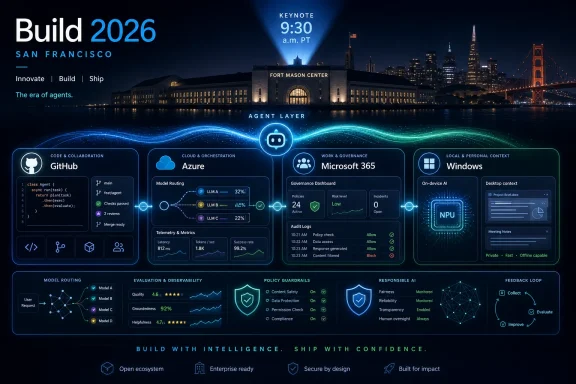
  4. Related coverage: notebookcheck.com
  5. Related coverage: veriland.co.uk
  6. Related coverage: andrew.ooo
  7. Official source: build.microsoft.com

  8. Related coverage: pcworld.com
  9. Related coverage: licensingschool.co.uk
  10. Related coverage: notebookcheck.net
  11. Official source: learn.microsoft.com
  12. Related coverage: windowsreport.com
  13. Related coverage: windowslatest.com
  14. Official source: devblogs.microsoft.com
  15. Related coverage: pcgamer.com
  16. Related coverage: windowsforum.com
 

Microsoft Build 2026 begins June 2 in San Francisco and online, with Microsoft’s official live coverage starting at 9:30 a.m. Pacific time ahead of a two-day developer conference focused on AI-powered tools, Copilot, Azure, GitHub, Windows, and the agent software stack. The practical answer is simple: you can watch it free online, while in-person attendees paid conference pricing to be in the room. The more important answer is that Build is now less a Windows showcase than a referendum on Microsoft’s bet that agents are the next application platform. If the company gets that story right, Build 2026 could define how Windows PCs, Office documents, developer tools, and cloud services behave for the next several years.

Microsoft Build 2026 promo graphic shows Copilot, Azure AI, and agent orchestration over a San Francisco skyline.Microsoft Moves Build to the Center of the Agent Economy​

Build has always been where Microsoft explains itself to developers, but the explanation has changed. A decade ago, the company needed to persuade developers that Windows, Azure, and Visual Studio were still the gravitational center of software work. In 2026, it needs to persuade them that Copilot is not merely a chatbot bolted onto Microsoft 365, but the interface layer for a new kind of computing.
That is why this year’s event matters even if no single consumer product announcement dominates the keynote. Microsoft does not need a surprise gadget to make Build consequential. It needs to show developers, administrators, and enterprise buyers that the pieces it has been scattering across Windows, GitHub, Azure, and Office now form a coherent platform.
The timing is not accidental. Google I/O has already put AI into the bloodstream of search, Android, Chrome, and developer tooling. Apple’s WWDC is close enough that Microsoft knows every AI claim it makes will be compared with Cupertino’s more device-centered pitch. Build therefore becomes Microsoft’s chance to argue that its advantage is not a model, a PC, or a productivity app in isolation, but the connective tissue between them.
That is also why the conference’s San Francisco setting feels symbolic. Microsoft is bringing Build closer to the AI startup ecosystem even as it tries to convince enterprises that it can industrialize what the labs and open-source communities have been improvising. The message is not subtle: the AI platform war is moving from demos to deployment, and Microsoft wants to own the boring, lucrative middle.

Watching Build Is Easy; Understanding the Stakes Is Harder​

For viewers, the logistics are straightforward. Microsoft is streaming Build online, with official coverage beginning on the morning of June 2, and the company is also making sessions available through its event site and video channels. The in-person version runs June 2–3 at Fort Mason Center in San Francisco, but the online audience is clearly part of the intended constituency, not an afterthought.
That matters because Build is not just a stage show. The keynote will carry the headlines, but the session catalog is where Microsoft tends to reveal what it actually expects developers to build. If the keynote says “agents,” the breakout sessions explain where those agents will run, which APIs they will call, how identity will be handled, and what security model Microsoft believes administrators should accept.
For WindowsForum readers, the most useful way to watch is with two tabs open: the keynote stream and the session schedule. The keynote will tell you Microsoft’s preferred narrative. The sessions will tell you which teams got budget, engineering attention, and executive backing.
Expect the first day to be heavy on platform language: Copilot, agents, Azure AI, GitHub Copilot, developer workflows, Microsoft 365 integration, and Windows as an AI-capable endpoint. Expect the second day to become more concrete, with demos and technical sessions that reveal whether Microsoft’s agent story is a set of products or a disciplined architecture.

Copilot Is No Longer the Feature; It Is the Distribution Channel​

The most important shift going into Build 2026 is that Copilot has stopped being a single product. Microsoft now uses the name as a wrapper for consumer assistance, enterprise automation, Office productivity, developer tooling, security operations, Windows search, and cloud orchestration. That branding sprawl can be annoying, but it also tells us where Microsoft is placing its bet.
The company’s pitch is moving from ask a bot to delegate a workflow. That sounds like marketing until you consider the difference between a synchronous assistant and an asynchronous coworker. A synchronous assistant waits for prompts and replies in a chat pane. An asynchronous agent takes a goal, runs for a while, touches files and services, makes decisions within boundaries, and returns with something closer to completed work.
That distinction is the heart of Build 2026. If Microsoft can make agentic workflows manageable inside Microsoft 365, GitHub, Azure, and Windows, it will have converted Copilot from an upsell into infrastructure. If it cannot, Copilot risks becoming the Clippy joke with a larger GPU bill.
The Office angle will be especially important. Word, Excel, PowerPoint, Outlook, and Teams are where Microsoft has the strongest claim that AI can save time because the work is already structured around documents, meetings, mail, and spreadsheets. But they are also where mistakes carry social and business consequences. An AI that drafts a memo is useful; an AI that files the wrong report, sends the wrong email, or misreads a spreadsheet can become expensive very quickly.
Build should therefore be judged less by how magical the Copilot demos look and more by how carefully Microsoft explains permissions, audit trails, rollback, supervision, and administrative control. The future Microsoft is selling depends on users trusting agents enough to let them act. That trust will not come from a better animation in the sidebar.

Agentic AI Is the Theme Because Microsoft Needs a New Platform Story​

Every major tech company is talking about agents because agents promise what chatbots alone do not: recurring utility. A chatbot can answer a question. An agent can monitor a project, modify a file, schedule a meeting, open a pull request, triage alerts, or coordinate a chain of tasks across services. That makes it easier to charge for, easier to embed, and easier to justify to executives.
Microsoft has a particular reason to lean hard into this idea. Its most durable businesses are platforms: Windows for PCs, Office for productivity, Azure for cloud computing, Active Directory and Entra for identity, GitHub for code, and Defender for security. Agents give Microsoft a way to stitch those assets together under a single conceptual roof.
This is also where Microsoft has an advantage over companies that only own a model or a chat app. Enterprise agents need access to documents, calendars, repositories, tickets, logs, policies, secrets, endpoints, and identity graphs. Microsoft already sits across much of that terrain in large organizations, which means it can present agents as an extension of existing infrastructure rather than a foreign layer.
But the same integration creates the danger. An agent with shallow access is unimpressive. An agent with deep access is risky. Microsoft’s challenge at Build is to convince IT departments that it can make delegation granular enough to be useful and constrained enough to be safe.
That is not a small ask. The classic enterprise security model assumed humans were the actors and software was the tool. Agentic AI blurs that line by making software an actor that uses other software on behalf of humans. Build 2026 is where Microsoft must show whether its identity, compliance, and observability systems are ready for that inversion.

GitHub Copilot Becomes the Laboratory for Microsoft’s Bolder Claims​

If Microsoft wants to prove that agents can do serious work, GitHub is the obvious stage. Developers already accept automation in their workflow, from CI pipelines to code formatters to dependency bots. They are also more likely than average office workers to understand what went wrong when an AI-generated change breaks something.
GitHub Copilot has already evolved from autocomplete into chat, code explanation, test generation, pull request help, and more ambitious coding assistance. Build 2026 is likely to push that progression further. The rumored direction is unsurprising: more specialized models, more autonomous coding workflows, deeper repository context, and tighter integration with GitHub’s issue and review systems.
The coding model speculation is worth watching, but the more important question is not whether Microsoft introduces another model name. It is whether GitHub Copilot can become an accountable participant in software delivery. Developers do not merely need code suggestions; they need traceable changes, reproducible reasoning, tests that matter, and confidence that generated work does not smuggle in vulnerabilities or licensing surprises.
For enterprises, this is where AI optimism meets procurement reality. A coding agent that can open pull requests is useful only if organizations can govern what repositories it sees, what actions it can take, what secrets it cannot touch, and how its output is reviewed. The same basic problem appears in Microsoft 365, but code makes it sharper because software mistakes scale.
Expect Microsoft to frame GitHub Copilot as the developer-facing edge of the agent platform. That framing is smart. Developers are both the first customers and the necessary evangelists. If Microsoft cannot convince them that agentic workflows are more than autocomplete with ambition, it will struggle to convince the rest of the enterprise.

Windows 12 Is the Tempting Headline Microsoft Probably Does Not Need​

The obvious consumer question is whether Build 2026 will bring Windows 12. The honest answer is that Microsoft has not clearly signaled such an announcement, and Build has become a less natural venue for a traditional Windows version reveal than it once was. Windows still matters enormously, but Microsoft’s strategy no longer depends on saving features for a new number on the box.
That may frustrate enthusiasts who want a clean break from Windows 11. There is a real appetite for a release that feels more coherent, less ad-heavy, less nagging, and less like a rolling experiment in AI placement. Microsoft could generate excitement by showing a future Windows that is faster, more disciplined, and more respectful of user intent.
But the company may prefer a different story: Windows as a constantly updated AI endpoint. That means new runtime components, local models, developer APIs, Copilot integration, and hardware acceleration can arrive without the drama of a new major version. For Microsoft, that is operationally easier. For users, it is emotionally less satisfying.
The Windows 12 speculation also exposes a deeper problem. Many Windows users are not asking for a new version because they crave novelty. They are asking because Windows 11 has trained them to associate change with imposition: more cloud prompts, more account nudges, more AI surfaces, more settings that move around, and more features that feel designed for Microsoft’s business model before the user’s workflow.
If Build has a Windows story, it should address that trust deficit directly. A smarter Windows is not automatically a better Windows. The decisive question is whether Microsoft can make AI features feel optional, legible, and controllable, especially for power users and managed environments.

Local AI on Windows Is Where the PC Story Gets Interesting​

The strongest Windows-related case Microsoft can make at Build is not “Windows 12.” It is that Windows PCs are becoming viable local inference machines. Copilot+ PCs started that conversation, but developers need more than branding. They need runtimes, APIs, documentation, performance targets, and predictable hardware capabilities.
Local AI matters for three reasons. First, latency improves when simple inference tasks do not have to round-trip to the cloud. Second, privacy and data residency become easier to argue when sensitive content can remain on-device. Third, Microsoft needs a reason for users and businesses to buy new Windows hardware at a time when many existing PCs are good enough.
The difficulty is fragmentation. Windows runs on a vast range of devices, from budget laptops to high-end workstations to Arm-based ultraportables. If Microsoft wants developers to build AI-native Windows apps, it has to make the target less chaotic. A developer cannot optimize for a marketing term.
That is why Build’s Windows sessions may be more important than any Windows keynote tease. Watch for how Microsoft talks about the Copilot Runtime, ONNX, NPUs, local model deployment, privacy boundaries, and developer tooling. The future of Windows AI will be decided less by whether Copilot can summarize a document and more by whether third-party developers can build useful features that behave consistently across real hardware.
There is a defensible version of this strategy. Windows could become the place where cloud-scale agents meet local context: your files, your apps, your device state, your corporate policies, and your hardware accelerator. But that vision requires restraint. Without it, Windows becomes the place where every surface asks to be an assistant.

OpenClaw Forces Microsoft to Talk About the Dangerous Version of Its Own Dream​

One reason Build 2026 feels more interesting than the average AI conference is the OpenClaw factor. The viral agent tool has become shorthand for both the promise and danger of personal AI agents: powerful, extensible, self-hosted, and capable of acting across real services. Its popularity makes it impossible for Microsoft to pretend that agentic AI is only happening inside carefully managed enterprise products.
OpenClaw’s presence in the broader Build conversation is revealing because it represents a bottom-up version of the future Microsoft wants to package. Developers and power users are not waiting for polished corporate agents. They are wiring together tools that browse, edit, message, call APIs, and manipulate local files, often with permissions that would make a security architect reach for coffee and aspirin.
That creates a strategic tension. Microsoft wants to harness the excitement around personal and organizational agents, but it also wants to be the adult in the room. Its business depends on telling enterprises that agent workflows can be governed, secured, audited, and insured against disaster. The more chaotic the agent ecosystem becomes, the more valuable Microsoft’s managed alternative looks.
But Microsoft cannot simply scold the open agent world. Some of the most compelling patterns will come from exactly that messy experimentation. If Build treats OpenClaw-style tools only as a security problem, Microsoft will sound like a platform owner protecting its moat. If it treats them only as inspiration, it will underplay the real risks.
The mature position is harder: acknowledge that autonomous tools with broad access change the threat model, then show developers how to build useful agents without turning every workstation into a soft target. This is where Microsoft’s security messaging has to be more than a compliance slide. Agent safety is not a decorative concern; it is the condition under which the entire category becomes deployable.

Security Is the Plot Twist Hiding Inside Every Agent Demo​

The agent pitch is seductive because it compresses work. Tell the system what you want, and it does the tedious parts. But every tedious part is also a control point: reading the right document, choosing the right recipient, verifying a command, checking a permission, confirming a payment, opening a port, merging a change.
When agents perform those steps, the security model changes. Prompt injection stops being an amusing chatbot exploit and becomes a way to influence software that can act. Data leakage stops being only a search problem and becomes an execution problem. Identity stops being a login event and becomes a continuing question of what an agent may do in a user’s name.
Microsoft is one of the few companies with a plausible full-stack answer here. It has Entra for identity, Purview for compliance, Defender for security, Intune for device management, GitHub for development workflows, and Azure for infrastructure. That portfolio gives it the raw material for governed agents.
The risk is that Microsoft will sell the portfolio as proof of safety rather than proving safety in the product behavior. Administrators will need policy controls that are comprehensible. Security teams will need logs that explain agent actions in human terms. End users will need consent prompts that do not become meaningless wallpaper.
Build 2026 should therefore be watched with a skeptical administrator’s eye. Every agent demo should trigger the same questions: Who authorized that action? Where is the record? Can it be undone? What data did the model see? What happens if an instruction hidden in a document conflicts with the user’s intent?

Azure Is the Factory Floor Behind the AI Keynote​

Even when Build appears to be about Copilot, much of the commercial action is in Azure. Agents need models, orchestration, storage, retrieval, observability, security boundaries, deployment pipelines, and billing. Microsoft would like as much of that machinery as possible to run through Azure.
This is where the company’s AI strategy becomes more durable than any individual assistant. If developers build agent systems using Azure AI services, GitHub, Microsoft identity, and Microsoft’s data tools, then Copilot becomes only the most visible expression of a much larger platform capture. The real prize is not getting users to open a chat pane. It is getting organizations to build their next generation of workflow automation on Microsoft infrastructure.
Expect Microsoft to emphasize model choice. The company has learned that enterprises do not want to hear that one model will rule them all. They want performance, price flexibility, regional availability, compliance posture, and the ability to switch models as capabilities change. Azure’s value proposition is increasingly that it can be the control plane for a changing model marketplace.
That pitch is compelling, but not frictionless. AI workloads are expensive, unpredictable, and difficult to benchmark across real enterprise tasks. Developers want capability; finance departments want cost control. IT leaders want innovation; security teams want boundaries. Azure has to satisfy all of them without turning agent development into a procurement labyrinth.
Build’s Azure announcements will probably be less flashy than the Copilot demos, but they may matter more. The companies that actually deploy agents at scale will care about monitoring, evaluation, governance, and integration. That is boring only until the first autonomous workflow touches production data.

Microsoft 365 Is Where Agents Meet Office Politics​

Microsoft 365 Copilot is the most natural home for business agents because the work is already there. Documents, mail, calendars, meetings, spreadsheets, presentations, and chats form the everyday substrate of white-collar productivity. If agents cannot help there, the category’s enterprise promise shrinks dramatically.
But Microsoft 365 is also where AI runs into organizational reality. A company’s documents are full of stale plans, contradictory drafts, sensitive personnel details, half-formed strategy, legal exposure, and accidental oversharing. An agent that sees “everything the user can see” may inherit years of messy permissions that nobody has audited.
This is why Build’s Microsoft 365 story should not be judged only by feature count. The key issue is whether Microsoft helps organizations prepare their information estate for agentic access. Many companies are already discovering that Copilot readiness is really data governance readiness with a more fashionable name.
The shift from assistant to coworker makes that more urgent. A summarization tool can expose bad permissions. An action-taking agent can operationalize them. That is a profound difference.
Microsoft will likely present agents as a way to reduce busywork and accelerate teams. That can be true. But the hidden prerequisite is disciplined information architecture, and many organizations do not have it. Build may inspire enthusiasm; it should also inspire cleanup projects.

Xbox Belongs at a Different Show​

Gaming is unlikely to be the center of Build 2026, and that is probably appropriate. Build is a developer conference, but not every developer story belongs there. Xbox has its own strategic problems, its own audience, and its own awkward relationship with Microsoft’s AI branding.
The recent pullback from bringing Copilot deeper into console experiences suggests Microsoft understands the sensitivity. Gamers are not clamoring for an AI assistant to mediate play, and the Xbox brand has enough challenges without becoming another test surface for corporate AI enthusiasm. Build attendees care more about APIs, cloud infrastructure, Windows, and developer tools than whether Copilot can explain an achievement.
That does not mean gaming is irrelevant to Microsoft’s platform story. Game development pushes hardware, graphics, networking, identity, marketplaces, and content pipelines. AI tools for game developers could plausibly appear in a broader developer context. But Xbox as a consumer platform is unlikely to drive the keynote.
There is a lesson here for Windows as well. Not every surface needs Copilot simply because Copilot exists. Microsoft’s strongest AI deployments will be the ones where the assistant or agent clearly improves a workflow. Its weakest will be the ones where AI feels like a corporate mandate in search of a user problem.

The Real Build Test Is Whether Microsoft Can Make AI Feel Governed​

The easy version of Build 2026 is predictable: Satya Nadella talks about a platform shift, Copilot demos grow more autonomous, GitHub gets smarter, Azure gets more AI services, and Windows receives more developer hooks for local inference. That version will generate headlines and a few impressive clips. It may even include a surprise or two.
The harder version is what matters after the stream ends. Can administrators control these agents without reading a thesis? Can developers build against stable interfaces? Can users tell when an agent is acting, what it is doing, and how to stop it? Can Microsoft separate serious productivity gains from the ambient pressure to paste AI into every corner of the product line?
Microsoft has been here before in different form. The company has repeatedly tried to define new layers of computing: Windows APIs, .NET, Azure, Teams as a platform, Microsoft Graph, Power Platform, and now Copilot. Some became durable foundations. Others became confusing brands wrapped around useful but uneven technology.
Agents could go either way. They might become the next real abstraction in enterprise software, sitting above apps and coordinating work across them. Or they might become a costly UX fad that forces users to supervise unreliable automation while pretending that supervision is productivity.
The difference will be execution, and Build is where Microsoft must show its work. Not just the polished prompt. Not just the happy path. The permissions, logs, failures, constraints, and developer ergonomics are the product now.

The Build 2026 Scorecard Belongs on the Admin’s Desk​

Build 2026 is worth watching not because every announcement will matter, but because Microsoft is trying to turn AI agents into the next default layer of work. The most useful lens is practical: what changes for the people who run Windows fleets, build software, secure tenants, and support users when the assistant becomes an actor?
  • Microsoft Build 2026 runs June 2–3 in San Francisco and online, with official streaming coverage beginning on the morning of June 2 Pacific time.
  • Copilot will almost certainly dominate the conference, but the real story is Microsoft’s attempt to make agents a governed platform rather than a collection of chat features.
  • Windows 12 is possible as a headline tease, but Microsoft does not need a new Windows version number to advance its AI strategy on the PC.
  • GitHub Copilot is likely to be the clearest test case for whether autonomous agents can produce useful work inside reviewable, auditable workflows.
  • Azure will be the commercial backbone of the announcements because serious agents need orchestration, model choice, monitoring, identity, and governance.
  • Security and permissions should be treated as first-order product features, not as caveats attached after the demo.
Microsoft’s Build 2026 pitch will almost certainly be that agents are becoming the dominant workload and that Copilot is the way enterprises, developers, and Windows users will meet them. The company has the distribution, infrastructure, and enterprise relationships to make that argument credible, but credibility is not the same as inevitability. If Microsoft can make agents useful without making Windows and Microsoft 365 feel more intrusive, Build may mark the point where AI moves from spectacle to operating layer. If it cannot, the conference will be remembered as another moment when the industry confused automation with trust.

References​

  1. Primary source: CNET
    Published: 2026-06-01T23:50:28.144091
  2. Related coverage: techradar.com
  3. Related coverage: nvidia.com
  4. Official source: news.microsoft.com
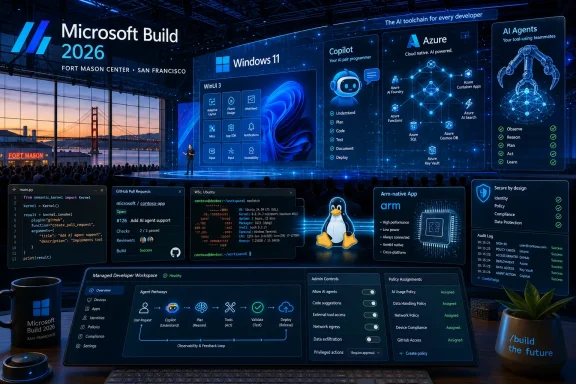
  5. Related coverage: notebookcheck.net
  6. Related coverage: notebookcheck.com
  1. Official source: build.microsoft.com
  2. Related coverage: bighatgroup.com
  3. Related coverage: tomsguide.com
  4. Related coverage: lensmor.com
  5. Official source: microsoft.com
  6. Related coverage: techspot.com
  7. Related coverage: windowscentral.com
  8. Related coverage: insiderllm.com
  9. Official source: learn.microsoft.com
 

Microsoft used Build 2026 in San Francisco on June 2–3 to present an AI-first roadmap for Windows, Microsoft 365, developer tooling, hardware, and quantum research, with Scout, Project Solara, new MAI models, Windows AI APIs, WSL containers, and AI-focused dev boxes forming the event’s main spine. The message was not that one more Copilot button is coming to one more corner of the desktop. It was that Microsoft now wants AI to become the connective tissue between Windows, Office, Azure, GitHub, security policy, local hardware, and whatever comes after the app model. That is a much bigger bet, and it is also a much riskier one.

Microsoft AI and cloud technology keynote display with “Microsoft 365” and “Azure” on stage screens.Microsoft Stops Selling AI as a Feature and Starts Selling It as the Platform​

For the past few years, Microsoft’s AI story has often felt like a layer painted over existing products. Copilot appeared in Windows, Edge, Office, GitHub, Teams, security tools, and management consoles, but the organizing principle was still familiar: apps, documents, tabs, prompts, and subscriptions. Build 2026 marked a sharper turn. Microsoft’s pitch is no longer simply that AI will help inside software; it is that software should increasingly be structured around AI systems acting on the user’s behalf.
That distinction matters. A chatbot can be ignored. A sidebar can be closed. A summarization feature can be treated as a convenience. But an always-on agent that reads context from calendars, messages, files, meetings, source code, device state, and enterprise identity becomes part of the operating environment itself. Once that happens, AI is not an accessory to Windows or Microsoft 365. It is part of the control plane.
The company’s announcements were scattered across product categories, but the underlying logic was consistent. Windows needs local AI APIs and developer hardware. Microsoft 365 needs persistent agents that understand work context. Azure and Foundry need Microsoft-controlled model families. Security products need containers, identities, permissions, and audit trails for autonomous software. Even quantum computing, with the Majorana 2 chip announcement, was folded into the broader claim that AI is becoming a research accelerator as well as a productivity layer.
That is why Build 2026 feels less like another developer conference and more like Microsoft attempting to redraw the boundary of the personal computer. The PC has historically been a place where users launch programs. Microsoft is now describing a future where users express intent and agents assemble actions across services, devices, and clouds. The company has made similar promises before, but the difference this time is that it is trying to wire the promise into Windows itself.

Windows Becomes the Test Bed for Local Intelligence​

The most important Windows announcements were not necessarily the flashiest. Support for WSL containers, improved environment configuration, broader Windows AI APIs, and the experimental Intelligent Terminal sound like developer plumbing because they are developer plumbing. But platform shifts usually begin as plumbing. The browser became an application runtime before users started thinking of it as an operating environment; containers became infrastructure before becoming a business model; now Microsoft is trying to make Windows the machine-room floor for local AI.
The WSL container work is especially revealing. Microsoft has spent years making Windows more hospitable to Linux-based development, first by letting Linux tooling run beside Windows, then by integrating WSL more deeply into the developer workflow. At Build 2026, that story moved from compatibility to orchestration. A built-in way to create and interact with Linux containers from Windows is not just a convenience for web developers. It is a recognition that much of the modern AI stack is Linux-native, containerized, Python-heavy, and GPU-conscious.
The Intelligent Terminal fits the same pattern. A terminal with agent context is not just a command prompt with autocomplete wearing a new jacket. If Microsoft gets it right, it becomes a place where developers can ask an agent to inspect a project, debug a failed build, explain a container error, or assemble commands without leaving the workflow. If it gets it wrong, it becomes another noisy assistant inserted into one of the few computing spaces where experts still value precision over personality.
That tension runs throughout the Windows AI strategy. Microsoft wants Windows to be approachable enough for mainstream users but powerful enough for developers building agentic systems. The company also wants local AI to run across more PCs, not only premium systems with the newest neural processing units. Expanding Windows AI APIs beyond the narrowest class of AI PCs is a practical necessity. If developers cannot assume a meaningful install base, they will not build serious Windows AI applications. If users need a new machine for every AI feature, the platform story collapses into another hardware refresh cycle.
The local-versus-cloud question is also becoming more complicated. Microsoft is not abandoning Azure; it would be absurd to think so. But it is increasingly clear that every AI task does not belong in the cloud. Speech recognition, image enhancement, accessibility features, document summarization, coding assistance, and small workflow actions can benefit from local execution for latency, cost, privacy, and resilience reasons. The trick is making that local capability predictable enough for developers and governable enough for IT.

The Agent Needs a Cage Before It Gets a Key​

The most mature part of Microsoft’s Build 2026 message may be the least glamorous: agent security. Once software stops waiting for direct commands and starts taking actions across files, calendars, messages, and business systems, the old mental model of user consent begins to crack. Clicking “Allow” once is not the same as approving every downstream action an autonomous agent may take.
Microsoft’s answer is a stack of controls: execution containers, identity management, Entra integration, Intune policy, Defender protections, Purview governance, and Windows 365 environments. That may sound like the usual Microsoft enterprise product roll call, but this time the integration is not decorative. Agents need identities. They need scoped permissions. They need isolation boundaries. They need logs that administrators can inspect after something goes wrong. They need revocation paths when an agent, model, plug-in, connector, or workflow behaves badly.
This is where Microsoft has an advantage over many AI-native startups. It already owns the enterprise identity layer in countless organizations. It already sells endpoint management, data loss prevention, compliance tooling, virtual desktops, and productivity software. If agents are going to operate inside companies rather than merely demo well on stage, they must live inside those administrative systems. The future of enterprise AI may be less about who has the liveliest model and more about who can answer the auditor’s question six months later.
But the same advantage creates risk. Microsoft is effectively telling customers to route more work through Microsoft-controlled identity, policy, storage, productivity, and security systems. For some enterprises, that is a comforting consolidation. For others, it is the latest turn of the dependency ratchet. The more autonomous the agent, the more important the platform owner becomes. An assistant that drafts a paragraph is replaceable. An agent embedded into scheduling, records, meetings, code, compliance, and endpoint policy is infrastructure.
This is why containers and managed identities are not side details. They are the difference between agents as toys and agents as deployable software. Microsoft’s Build 2026 argument is that the age of autonomous systems cannot arrive safely unless autonomy is wrapped in enterprise control. The skeptical reading is that Microsoft is defining “safe” in a way that also makes Microsoft harder to leave.

Scout Is the New Outlook Rule With Ambition​

Scout, Microsoft’s new personal work agent for Microsoft 365, is the announcement most likely to matter to ordinary knowledge workers first. Unlike a conventional assistant that waits for a prompt, Scout is designed to operate continuously across Teams, Outlook, OneDrive, SharePoint, and related work data. It is supposed to understand context, prepare users for meetings, identify scheduling conflicts, draft messages, and surface relevant material before being explicitly asked.
That is a plausible next step for Microsoft 365. The company has spent decades turning corporate work into structured digital exhaust: email threads, calendar entries, chat logs, documents, version histories, meeting transcripts, file permissions, org charts, and task lists. An always-on agent is useful only if it has access to context, and Microsoft 365 is one of the richest context reservoirs in enterprise computing. Scout is Microsoft’s attempt to turn that reservoir into a persistent work companion rather than a searchable archive.
The appeal is obvious. Every office worker knows the small tax of modern collaboration: catching up on threads, finding the right document, remembering what was decided in a meeting, working out who needs to be included, and composing yet another polite response. If Scout can reliably remove even a portion of that tax, it will be more consequential than another generative writing panel.
The danger is equally obvious. A system that continuously reads work context must be trusted not only by the person using it but by everyone whose work appears in that context. A meeting summary may include sensitive personnel information. A scheduling suggestion may reveal priorities. A drafted reply may carry a tone or commitment the user did not intend. A retrieved document may be technically accessible but socially inappropriate to surface. Microsoft can build permission checks, but permission is not the same as judgment.
Scout also raises a cultural question that Microsoft will have to confront. Work is already over-instrumented. Employees live under calendars, presence indicators, productivity analytics, ticket queues, compliance archives, and automated reminders. An agent that helps may also become another layer of expectation: faster responses, better preparation, fewer excuses, more measurable output. The difference between assistance and surveillance will depend less on the demo and more on how organizations deploy it.

Project Solara Points Beyond the App Icon​

Project Solara is the more speculative announcement, but it may reveal the destination more clearly than Scout. Microsoft described Solara as a platform for agent-first devices, with prototype concepts including wearable and desk-based systems. Instead of organizing work around traditional apps, Solara is meant to let agents interpret user intent and complete tasks across services.
That idea is not new in the abstract. The industry has repeatedly tried to move beyond apps, from voice assistants to smart displays to ambient computing devices. Most attempts have failed or settled into narrow roles because they could not combine context, reliability, input flexibility, privacy, and developer economics. Users still open apps because apps are legible. They have boundaries. They show state. They fail in familiar ways.
Solara’s promise is that agents can make the app boundary less important. If a user wants to prepare for a client call, the agent should know which calendar event matters, pull the relevant documents, check recent emails, summarize open issues, draft talking points, and perhaps update the CRM afterward. In that model, Teams, Outlook, Word, SharePoint, and line-of-business systems become resources the agent uses rather than destinations the user visits.
The problem is that the app model also protects users from ambiguity. When you open Excel, you know roughly what kind of thing is about to happen. When an agent acts across five services, the boundaries are less visible. Which system owns the truth? Which action is reversible? Which data was used? Which policy applied? Which vendor gets blamed when the agent does the wrong thing?
Microsoft’s best chance with Solara may be in managed environments rather than consumer gadgets. Enterprises can define roles, permitted actions, approved connectors, logging rules, and device policies. Consumers are harder. They want magic until magic mishandles a bank transfer, deletes the wrong photo, or records the wrong conversation. The history of post-smartphone hardware is littered with devices that promised to simplify computing by removing interfaces users later discovered they still needed.

Microsoft’s Model Strategy Looks Like Independence, Not Divorce​

The announcement of seven new models under the Microsoft AI family is easy to read as a move away from dependence on OpenAI. That reading is tempting, but it is too simple. Microsoft’s AI business still benefits from model diversity, and OpenAI remains central to much of the public understanding of Copilot. What Build 2026 showed is not a clean break but a desire for leverage.
The MAI family gives Microsoft more control over cost, latency, specialization, deployment terms, and product integration. Image generation, speech-to-text, text-to-speech, reasoning, coding, and other model categories do not all require the same architecture or vendor relationship. A productivity suite at Microsoft’s scale cannot rely on one model class for every task. It needs a portfolio.
The Aion family of small language models is particularly important for Windows. Small local models are not glamorous in the same way frontier models are, but they may matter more to day-to-day computing. A model that can summarize a document, rewrite a paragraph, classify a notification, assist accessibility features, or operate offline can be embedded into the operating system in ways a massive cloud model cannot. It can also run with lower latency and less obvious data movement.
This is the pragmatic side of Microsoft’s AI-first future. The company does not need every Windows task to be handled by the most powerful model in the world. It needs the right task to be routed to the right model under the right policy at the right price. That is a systems problem, and Microsoft is a systems company when it is at its best.
Still, model proliferation introduces its own complexity. Developers will need to know which models are available where, what they cost, how they behave, how they are updated, and what happens when a local model produces different results from a cloud model. Administrators will need controls over which models can process which data. Users will need transparency about whether an action happened locally, in Microsoft’s cloud, or through another provider. “AI everywhere” sounds clean on a keynote slide; in production it becomes a routing table with legal, technical, and operational consequences.

The New AI PC Is a Workstation, a Cloud Client, and a Policy Object​

The Surface RTX Spark Dev Box and NVIDIA-powered DGX Station for Windows are not mass-market PC announcements in the traditional sense. They are signals to developers and enterprises that Microsoft wants serious AI workloads to feel native on Windows. Local inference, model experimentation, agent development, and hybrid cloud workflows all require hardware that goes beyond a thin client with a Copilot key.
This is a notable reversal of a long-running assumption about Windows and advanced development. For many AI developers, the default environment has been Linux, often on cloud GPUs or dedicated workstations. Windows was the desktop, the corporate endpoint, or the place where finished applications landed. Microsoft wants to collapse that distance. With WSL, containers, local AI APIs, GPU and NPU support, and purpose-built AI hardware, it is trying to make Windows acceptable not just for consuming AI but for building it.
The Surface branding is also meaningful. Microsoft has used Surface for years to define what it thinks a Windows device category should look like, even when OEMs ultimately ship the volume. A Surface AI dev box is less about unit sales than permission. It tells developers, OEMs, and IT departments that local AI development on Windows is an official lane, not a workaround.
The DGX Station for Windows pushes the same message higher up the stack. Microsoft knows that not every enterprise wants every model experiment or sensitive workload shipped directly to the cloud. Some work must happen locally for privacy, compliance, cost, bandwidth, or performance reasons. A Windows-based AI workstation gives those organizations a path that keeps developers inside Microsoft’s management and security orbit while still offering serious compute.
But this hardware story also exposes the class divide inside the AI PC narrative. Microsoft says more AI features will run on more PCs, and that matters. Yet the most ambitious local AI workflows will still require expensive silicon. The average Windows 11 laptop will not become a miniature data center. For the foreseeable future, Windows AI will be tiered: basic local features for many, richer NPU-accelerated experiences for newer systems, and heavyweight development on specialized boxes. That is not a failure, but it is a reality Microsoft should not blur.

Quantum Reappears as the Long Game Beside the AI Land Grab​

The Majorana 2 chip announcement sat somewhat apart from the Windows and agent news, but Microsoft clearly wanted it in the same story. Quantum computing is the long horizon; AI is the immediate platform war. By linking the two, Microsoft is arguing that AI is not only a product layer but a tool for scientific and hardware progress.
The company’s claim that AI contributed to the chip’s development fits a broader trend in research computing. Machine learning is increasingly used to search materials, optimize designs, analyze experimental data, and accelerate engineering cycles. In that sense, AI is becoming part of the laboratory apparatus. It does not replace physics, but it changes the pace and shape of the search.
Quantum, however, remains a field where timelines demand caution. Microsoft’s stated ambition of a scalable quantum computer by 2029 is bold, and bold timelines in quantum computing have a way of aging poorly. Reliability, error correction, manufacturing, control systems, and useful workloads are all hard problems. A better chip is progress, not proof that the finish line is near.
Still, the inclusion of Majorana 2 at Build 2026 tells us something about Microsoft’s self-image. The company is not presenting AI as a feature cycle that will peak and fade. It is presenting AI as the organizing substrate for everything from office work to developer tooling to hardware research. That is ambitious. It is also convenient, because it makes almost every Microsoft business unit part of the same story.

The Windows Community Should Read the Fine Print, Not Just the Keynote​

For Windows enthusiasts, the Build 2026 announcements are genuinely interesting. WSL containers, terminal intelligence, broader local AI APIs, and stronger developer setup tools are the kinds of changes that can make Windows a better daily driver for technical users. The platform has often suffered from a split personality: friendly to mainstream users, powerful in enterprise, but awkward for modern open-source and cloud-native development. Microsoft is clearly trying to reduce that awkwardness.
For sysadmins, the picture is more complicated. Agents that integrate with Entra, Intune, Defender, Purview, Microsoft 365, and Windows 365 may be easier to govern than unsanctioned browser-based AI tools. But they also add new failure modes. A misconfigured agent is not just a bad macro. It may have access to mailboxes, files, calendars, chats, workflows, and business systems. The attack surface is not only technical; it is procedural.
Developers should welcome the local tooling but remain wary of abstraction. An AI terminal that can explain commands is useful. An agent that can modify a repo, run tests, open a pull request, and update a ticket is more powerful. Power demands observability. Developers will need to see what the agent did, why it did it, what context it used, and how to undo it. Otherwise the productivity gain will be offset by debugging the assistant.
Security-minded readers should pay close attention to Microsoft’s language around isolation and identity. The company appears to understand that agents require cages before they get keys. The question is how strong those cages are, how much policy is available outside premium SKUs, and how much control tenants retain when agent behavior is shaped by Microsoft-hosted models and services.

Build 2026’s Real Message Is That Windows Wants the Agent Workload​

The most concrete lesson from Build 2026 is not that Microsoft announced a lot of AI products. It is that the company wants the next major workload category to land on Windows, Microsoft 365, Azure, and Microsoft-managed identity before competitors define the defaults. That makes the announcements more coherent than they first appear.
  • Microsoft is positioning Windows as a serious local AI development platform, not merely a client for cloud-based Copilot services.
  • Scout turns Microsoft 365 from a collection of productivity apps into a context source for persistent workplace agents.
  • Project Solara shows that Microsoft is already thinking beyond the app icon, even if agent-first hardware still faces a difficult adoption path.
  • The MAI and Aion model families give Microsoft more control over performance, cost, specialization, and local execution.
  • WSL containers and the Intelligent Terminal are developer infrastructure moves disguised as convenience features.
  • The security stack around agents will determine whether enterprise AI becomes deployable infrastructure or another shadow IT problem.
The next phase will be less about whether Microsoft can make AI impressive on stage and more about whether it can make AI boring in production. Boring means governed, reversible, observable, policy-aware, and useful even when the network is bad or the model is mediocre. If Microsoft can do that, Build 2026 may be remembered as the point where Windows stopped chasing the AI wave and started trying to host it. If it cannot, the same announcements will look like a grand unification theory for features users disable, admins restrict, and developers route around.

References​

  1. Primary source: The Hans India
    Published: 2026-06-03T12:24:11.418187
  2. Related coverage: windowscentral.com
  3. Related coverage: techradar.com
  4. Related coverage: phoronix.com
  5. Related coverage: windowslatest.com
  6. Related coverage: thetechportal.com
  1. Official source: blogs.microsoft.com
  2. Official source: learn.microsoft.com
  3. Official source: blogs.windows.com
  4. Related coverage: techtimes.com
  5. Official source: opensource.microsoft.com
  6. Official source: news.microsoft.com

  7. Related coverage: news9live.com
  8. Related coverage: blocktempo.com
 

Microsoft used Build 2026 in San Francisco on June 2–3 to announce a broad AI-first developer agenda spanning Windows, Microsoft Foundry, new MAI models, Scout, Project Solara, and enterprise agent infrastructure. The message was not subtle: Windows is being repositioned from the place where apps run into the place where agents are built, governed, and eventually trusted. That is a bigger claim than another Copilot button, and it deserves more scrutiny than another round of keynote applause.
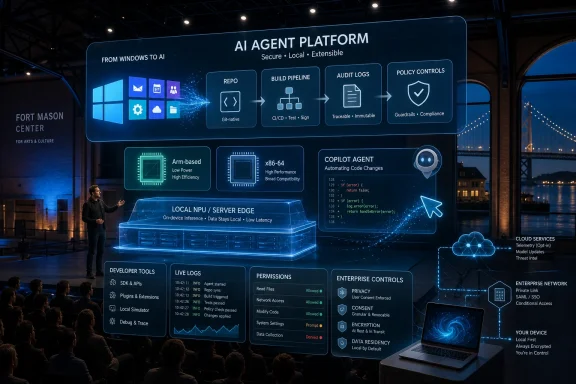
The old Microsoft would have led Build with APIs, SDKs, database demos, and an obligatory Windows flourish. The new Microsoft still has all of that, but the center of gravity has moved. Build 2026 was the company arguing that AI is no longer a product category inside Windows or Microsoft 365; it is becoming the operating model for the whole stack.

Futuristic cityscape with glowing AI agent runtime dashboard linking Windows APIs, containers, and secure devices.Microsoft Is Turning Windows Into the Agent Runtime​

The most important Windows announcement at Build 2026 was not a single feature. It was the framing. Microsoft is increasingly describing Windows as a platform for local AI workloads, agent execution, and developer-controlled inference rather than merely the client operating system that sits beneath Office, Edge, games, and enterprise software.
That shift matters because Microsoft has spent several years trying to bolt AI onto Windows from the outside. Copilot in Windows often felt like a sidebar looking for a job. Recall became a lightning rod because it asked users to trust a sweeping AI memory layer before Microsoft had fully earned that trust. Build 2026 tries to move the conversation from “AI feature in Windows” to “Windows as the secure substrate for AI.”
The technical pieces support that argument. Microsoft highlighted broader Windows AI APIs, local model execution, expanded support for AI-powered speech and video features, development environment configuration tools, and an Intelligent Terminal that brings assistant-style help into command-line workflows. For developers and sysadmins, that last item is not cosmetic. Terminals are where real work, fragile scripts, and production mistakes live.
The Windows Subsystem for Linux also gets a more strategic role. Support for Linux containers through WSL is not just another checkbox for developers who prefer Ubuntu tooling. It gives Microsoft a cleaner bridge between the Windows desktop and the container-native AI ecosystem that has grown around Linux-first frameworks, GPU workloads, and reproducible environments.
The result is a Windows pitch that sounds less like nostalgia and more like infrastructure. Microsoft is not saying Windows will win AI because users love the Start menu. It is saying Windows will matter because hundreds of millions of PCs can become managed, governable, local endpoints for AI execution.

The Desktop Is Becoming a Control Plane​

For years, the cloud was the destination and the PC was the access device. Build 2026 complicates that model. Microsoft still wants Foundry, Azure, Microsoft 365, and the cloud identity stack at the center, but it is now making the case that the PC itself needs to run more intelligence locally.
That is partly about latency. Voice, vision, and interaction loops feel better when they do not depend on a round trip to the cloud. It is partly about cost. Running every small reasoning, transcription, or enhancement task through a datacenter meter is not a sustainable design for mass deployment. And it is partly about privacy, because the next wave of AI features wants access to the most sensitive material on a device: screen contents, documents, meetings, credentials, and work context.
The local AI story is also a hardware story. Microsoft’s announcements sit alongside the industry’s wider push toward NPUs, AI PCs, Arm-based Windows machines, and workstation-class local inference devices. That explains why Windows AI APIs matter beyond the small circle of developers who read SDK release notes. APIs are how Microsoft turns a messy hardware transition into a programmable platform.
The tricky part is fragmentation. Windows runs on everything from enterprise laptops with aging silicon to new Copilot+ PCs and high-end developer workstations. If the AI platform only works well on a narrow slice of premium hardware, developers will treat it as a demo path rather than a deployment target. If Microsoft can abstract that hardware variance without hiding performance realities, Windows gains a credible role in the local AI stack.
That is the balance Build 2026 is trying to strike. Microsoft wants developers to build for Windows AI without forcing them to bet on one chip vendor, one cloud endpoint, or one device class. It is an ambitious promise, and Windows history is full of ambitious abstraction layers that became uneven in practice.

Scout Is Microsoft’s Bet That the Assistant Must Stop Waiting​

Scout, Microsoft’s newly introduced always-on AI agent, is the clearest consumer-facing expression of the Build 2026 thesis. It is designed to live across Microsoft 365 services such as Teams, Outlook, OneDrive, and SharePoint, using a user’s work context to prepare meetings, surface relevant material, draft responses, and manage scheduling friction. The key distinction is that Scout is not positioned as another chatbot waiting for a prompt.
Microsoft calls this class of systems “autopilots,” and the word is revealing. A copilot implies the human is actively steering. An autopilot implies delegation, monitoring, and intervention only when necessary. That is a profound product shift, especially inside productivity software where mistakes are not theoretical.
The appeal is obvious. Knowledge workers spend vast amounts of time reconnecting context that already exists somewhere in their inboxes, calendars, chat histories, and document libraries. If Scout can reliably bring the right brief to the right meeting, warn about conflicts, and draft routine correspondence in the user’s voice, it attacks some of the most stubborn inefficiencies in office work.
The risk is equally obvious. An always-on agent with access to mail, files, calendar data, and chats is only as acceptable as its boundaries. Users will want to know what it reads, what it remembers, what it can act on, and how it explains itself after the fact. Enterprises will want audit logs, policy controls, data-loss prevention, retention handling, and identity boundaries that map cleanly to existing governance.
Scout therefore becomes a test of Microsoft’s credibility. The company has the distribution, the graph, and the enterprise relationships to make a background agent useful. But the more useful Scout becomes, the more it resembles a privileged coworker that never clocks out.

The MAI Models Signal Microsoft’s Post-OpenAI Hedge​

Microsoft’s announcement of seven new MAI models underlines one of the most important strategic subplots of Build 2026: Microsoft wants more of its own AI stack. The company remains deeply tied to OpenAI, but it is no longer content to be seen as merely the cloud landlord and product wrapper for someone else’s frontier models.
The MAI family now spans reasoning, code, image, voice, speech, and domain-specific use cases. MAI-Thinking-1 is the headline because it is Microsoft AI’s first reasoning model, but the broader story is portfolio control. Microsoft wants models that can be optimized for price, speed, enterprise deployment, Windows devices, Copilot experiences, and Foundry customers without waiting for another lab’s roadmap.
That does not mean Microsoft is abandoning model pluralism. Foundry remains a marketplace and orchestration layer for many models, including third-party and open-source options. But first-party MAI models give Microsoft leverage in a market where model access, licensing terms, safety behavior, latency, and cost can change quickly.
There is also a branding issue. Copilot has become Microsoft’s universal AI label, but Copilot is not a model. It is a product surface, a workflow concept, and sometimes a confusing umbrella. MAI gives Microsoft a way to say: this intelligence is ours, trained and optimized by our AI organization, and available through our platforms.
For developers, the question is less emotional. They will care whether MAI models are good, cheap, reliable, observable, and easy to swap out. Build 2026 suggests Microsoft understands that model loyalty will be earned through deployment economics, not keynote theatrics.

Foundry Is the Factory Microsoft Wants Developers to Live In​

If Windows is the endpoint and MAI is part of the intelligence layer, Microsoft Foundry is the factory floor. Build 2026 expanded Foundry’s role around model access, agent runtime, tools, memory, grounding, evaluation, observability, and governance. That is a mouthful, but it describes the real problem enterprises face: building a demo agent is easy; operating one safely is not.
The AI market has spent the last two years producing prototypes faster than organizations can absorb them. Every department has a workflow that could be agentic in theory. Far fewer have the instrumentation, permission model, cost control, evaluation pipeline, and incident process needed to let an agent touch real business systems.
Microsoft is trying to package those missing pieces. Foundry is not just where models are listed. It is where Microsoft wants developers to build, test, monitor, and govern AI applications that may involve multiple models, external tools, business data, and human approvals.
That is strategically convenient for Microsoft. The more agent development depends on grounding in Microsoft 365, governance through Entra and Purview, deployment through Azure, and monitoring through Microsoft’s enterprise stack, the harder it becomes to treat AI as a portable commodity. Microsoft’s platform advantage is not that it has one magical model. It is that it owns so many of the places where enterprise work already happens.
The counterargument is lock-in. Developers and IT leaders will want escape hatches, standards support, and credible interoperability with non-Microsoft systems. Build 2026 leans into protocols and multi-model access, but the economic center is unmistakably Microsoft’s cloud and management plane.

Security Is the Feature Microsoft Cannot Afford to Treat as a Feature​

The company’s agent-security announcements may sound less exciting than Scout or Project Solara, but they are arguably more important. Microsoft described capabilities such as agent containment through execution containers, identity management for agents, integration with Entra and Intune, protections through Defender and Purview, and Windows 365-based agent environments. These are not accessories. They are prerequisites.
The fundamental problem with agents is agency. Software that merely displays information can be annoying when it is wrong. Software that sends emails, moves files, edits records, schedules meetings, invokes APIs, or executes commands can cause damage at machine speed.
That is why identity for agents matters. Enterprises need to distinguish between what a human user did, what an agent did on behalf of that user, what the agent was allowed to do, and which policy approved the action. Without that separation, audit trails become mush and blame becomes impossible to assign.
Containment matters for the same reason. If an agent can browse local files, call network services, inspect screens, and run scripts, it needs a sandbox that is more than a marketing term. Windows has long carried the burden of being the world’s most attacked general-purpose client platform. Turning it into an agent runtime increases the value of compromising it.
Microsoft appears to understand the stakes, at least rhetorically. The harder question is whether the controls will be understandable enough for ordinary admins to deploy correctly. Security architectures often fail not because the primitives do not exist, but because they require heroic configuration discipline across messy real-world estates.

Project Solara Is the Weirdest Announcement Because It May Be the Most Honest​

Project Solara, Microsoft’s experimental Android-based platform for agents, is the announcement that sounds most like science fiction and least like a near-term enterprise procurement item. It reportedly imagines a device and software environment organized around agents rather than traditional apps, with scenarios such as a desk hub, secondary display, or cloud-backed Windows endpoint through Windows 365.
The oddity is the point. If agents really become the primary interface to digital work, the app grid starts to look like a legacy UI. A platform designed for agents would not necessarily begin with icons, windows, and user-initiated app launches. It might begin with context, tasks, permissions, sensors, and persistent ambient assistance.
Choosing Android as the base is also telling. Microsoft has long since made peace with the idea that Windows is not the only operating system surface through which it reaches users. Android gives Project Solara a hardware ecosystem, touch-first assumptions, and embedded-device flexibility that Windows does not always provide gracefully.
But Solara also exposes the speculative edge of Microsoft’s AI strategy. The industry has repeatedly declared the death of apps, browsers, search boxes, and operating systems, only to rediscover that users like predictable tools. Agents may change the interface model, but they will not eliminate the need for visible state, reversibility, and user control.
The best way to read Project Solara is not as a product promise. It is a research flare. Microsoft is signaling that if the agent era weakens the traditional app model, it wants to be building the next shell rather than defending the old one.

The Intelligent Terminal Is Small Only If You Do Not Use Terminals​

Among the more practical Windows developer announcements, the Intelligent Terminal deserves attention because it targets a place where AI assistance can be genuinely useful without pretending to reinvent computing. The command line is powerful, unforgiving, and full of tribal knowledge. It is also where developers and administrators often work under pressure.
An AI-assisted terminal can help explain commands, generate scripts, translate between shells, identify errors, and suggest safer alternatives. That is valuable if implemented with restraint. It is dangerous if the assistant becomes too eager to execute or too confident about destructive operations.
The difference between “explain this command” and “run this command” is enormous. A terminal assistant that helps users understand flags, syntax, environment variables, and error messages could become a daily tool. One that encourages copy-paste automation without comprehension could become a spectacular source of outages.
Microsoft’s challenge is to design for friction in the right places. The best AI developer tools do not remove all pauses; they insert pauses where consequences become irreversible. In a terminal, that means clear previews, permission boundaries, command explanations, and a strong bias against silent action.
For Windows administrators, this could be especially useful if it bridges PowerShell, WSL, Azure CLI, Microsoft Graph, and local system management. But again, trust will depend on whether the tool behaves like a careful senior admin or an overcaffeinated intern.

Build 2026 Is Really About Microsoft IQ​

One of the less flashy but more strategically central ideas from Build 2026 is Microsoft IQ, the company’s shared intelligence foundation for the agent era. The basic premise is that useful agents need context: work context, web context, organizational data, user permissions, business relationships, and memory. Microsoft wants to provide that layer.
This is where the company’s enterprise advantage becomes obvious. Microsoft 365 is already where many organizations keep their mail, meetings, documents, chats, identities, and compliance policies. Fabric and Azure extend that footprint into structured data and application infrastructure. If Microsoft can turn that sprawl into a coherent context layer, it gives agents something competitors cannot easily replicate.
The risk is that context becomes surveillance by another name. An agent that understands your workday can be helpful. A system that continuously interprets employee behavior, ranks attention, and infers intent can become managerial instrumentation. The line between productivity assistance and workplace monitoring will not be drawn by technology alone.
Microsoft will likely frame IQ as the missing substrate that makes agents useful and safe. That is partly true. But WindowsForum readers should watch the administrative controls, data boundaries, and licensing details more closely than the keynote demos. The power in an AI platform often lives in the defaults.

The Developer Story Has Shifted From Code to Operations​

Build has always been a developer conference, but Build 2026 reflects a changing definition of development. The glamorous part of AI development is prompting a model into doing something impressive. The durable part is turning that behavior into a system that can be tested, secured, updated, observed, and retired.
Microsoft’s announcements point squarely at that second phase. Agent frameworks, Foundry tooling, evaluation systems, model catalogs, local runtimes, governance controls, and identity integration all suggest a market moving beyond novelty demos. The agent era, if it arrives, will be an operations era.
That is good news for professional developers and IT pros. It means the work does not disappear into natural-language magic. It changes shape. Someone still has to define permissions, design workflows, validate outputs, handle exceptions, integrate systems, monitor costs, and decide where automation is inappropriate.
It is also a warning to organizations that think AI adoption is mainly a subscription decision. Buying Copilot or enabling a model endpoint is not the same as redesigning work. Microsoft can provide the platform, but enterprises will still have to decide which processes deserve agents and which ones deserve better human tooling.
The most mature organizations will treat agents like junior digital employees with constrained roles, training data, supervision, and offboarding. The least mature will treat them like browser extensions with expense accounts.

Windows Enthusiasts Should Watch the Defaults, Not the Demos​

For Windows users, the practical impact of Build 2026 will arrive unevenly. Some features will show up first for developers. Others will land in Microsoft 365 enterprise tenants. Some will require newer AI-capable hardware. Some may remain preview-only or experimental long enough to become trivia.
That is normal for Build. What is less normal is the scope of Microsoft’s ambition. The company is trying to connect Windows client APIs, local inference, cloud models, Microsoft 365 context, agent identity, security policy, and experimental hardware into a single story. If it works, Windows becomes more relevant to the next computing cycle. If it fails, Windows risks becoming a container for AI ideas that users tolerate rather than trust.
The defaults will matter more than the announcements. Will local AI features be opt-in, opt-out, or quietly enabled? Will admins get clean policy controls before features reach users? Will Microsoft separate consumer convenience from enterprise governance? Will hardware requirements be transparent? Will agents explain what they did after they did it?
These are not anti-AI questions. They are Windows questions. Every major Windows transition, from UAC to telemetry to Windows as a service, has taught users and admins that implementation details decide whether a strategy feels empowering or coercive.

The Build 2026 Signal Through the Noise​

The most concrete lesson from Build 2026 is that Microsoft is trying to make agents feel less like a product category and more like a platform layer. The company’s announcements are sprawling, but they point in a consistent direction.
  • Microsoft is repositioning Windows as a local AI and agent runtime, not just a desktop operating system with Copilot attached.
  • Scout represents a move from prompted assistants toward always-on workplace agents that act across Microsoft 365 context.
  • The seven new MAI models show Microsoft building more first-party AI capacity while still using Foundry as a multi-model platform.
  • Project Solara is experimental, but it reveals Microsoft’s belief that agent-first devices may not look like traditional Windows PCs.
  • The security and governance stack around agents will determine whether enterprises deploy this vision broadly or keep it locked in pilots.
  • For Windows users and admins, the decisive issues will be hardware reach, policy control, privacy boundaries, and whether local AI features are useful without being intrusive.
Microsoft has spent decades winning by owning the layers where developers build and businesses standardize. Build 2026 is the company’s argument that the next such layer is not the app, the cloud region, or even the model by itself, but the governed agent runtime that connects them. Windows now has a role in that argument again, which is good news for the platform. Whether it is good news for users depends on whether Microsoft can make agents feel less like ambient surveillance and more like competent software with boundaries.

References​

  1. Primary source: ETV Bharat
    Published: 2026-06-03T15:39:13.993448
  2. Related coverage: windowscentral.com
  3. Related coverage: tomshardware.com
  4. Related coverage: techradar.com
  5. Official source: devblogs.microsoft.com
  6. Related coverage: techcrunch.com
  1. Related coverage: ai-beat.github.io
  2. Official source: microsoft.ai
  3. Related coverage: windowslatest.com
  4. Official source: news.microsoft.com
  5. Official source: blogs.microsoft.com
  6. Related coverage: gihyo.jp
  7. Related coverage: arstechnica.com
  8. Related coverage: axios.com
  9. Related coverage: omni.se
  10. Official source: cdn-dynmedia-1.microsoft.com
  11. Related coverage: its.fsu.edu
  12. Official source: adoption.microsoft.com
 

Back
Top