

Microsoft is expected to use Build 2026, opening June 2 at Fort Mason Center in San Francisco, to preview new AI models, a Copilot “super app,” local Windows AI work, and developer-focused Windows 11 improvements aimed at rebuilding confidence in its platform. The venue is smaller, but the stakes are larger than the room. Microsoft is no longer merely pitching tools; it is trying to convince developers that Windows, GitHub, Copilot, and its AI stack still belong at the center of their work. That is a harder sell than any keynote demo.
Build has always been part conference, part state-of-the-union address. In the old Professional Developers Conference era, Microsoft used the stage to tell developers where Windows was going and why they should follow. In the Azure era, Build became the place where Microsoft argued that its cloud was not an escape from Windows but the next layer of the platform.
This year’s reported agenda lands differently. The story is not simply that Microsoft has more AI models, more Copilot surfaces, and more Windows features to show. The story is that Microsoft has to persuade a skeptical developer base that the company can still execute coherently across the stack it already owns.
That skepticism did not appear overnight. Windows 11 has spent years accumulating small irritations: inconsistent UI behavior, slow context menus, File Explorer complaints, advertising-like prompts, Copilot placement churn, and uneven update quality. GitHub, meanwhile, has become both more central to Microsoft’s developer strategy and more exposed to criticism when outages, security incidents, or leadership departures shake confidence.
Microsoft’s problem is therefore not a lack of ambition. If anything, ambition has been the easy part. The harder question is whether the company can translate its AI-first strategy into products that feel faster, calmer, more reliable, and less like every surface has been drafted into a monetization experiment.
If Microsoft really delivers a Windows setup that arrives with developer tools, scripts, and a distraction-free baseline, it would be acknowledging something the company has often resisted saying plainly: the default Windows experience is not the best experience for every serious user. That matters because developers do not merely use operating systems. They judge them, script them, recommend them, image them, and complain about them loudly when they get in the way.
The phrase “developer optimized” could still collapse into branding if Microsoft is not careful. A few preinstalled tools and a new wallpaper do not make an operating system better for development. What developers want is a machine that can be provisioned quickly, patched predictably, kept quiet during focused work, and tuned without spelunking through a dozen competing settings panels.
There is also a larger competitive backdrop. macOS has won mindshare among many developers not because Apple caters lovingly to every enterprise scenario, but because a new Mac can often become a useful dev machine quickly. Linux wins trust because it is scriptable, transparent, and less eager to interrupt. Windows, for all its compatibility advantages, has too often felt like the operating system that must be disciplined before it can be productive.
A real developer mode for Windows 11 could be Microsoft’s attempt to stop treating power users as an edge case. That would be a welcome reversal. But the proof will be in whether the experience is durable after the keynote ends: whether it survives updates, supports enterprise deployment, and avoids becoming another half-integrated Windows initiative.
The reported Build focus on rewritten parts of Windows 11 fits into that wider rehabilitation campaign. If Microsoft can speed up File Explorer, reduce UI lag, improve taskbar behavior, and make everyday actions feel less brittle, it will have done more for Windows than any AI sidebar could do. For most users, the emotional experience of an operating system is not formed by its most advanced feature. It is formed by the hundred tiny interactions that either feel instant or feel inexplicably sticky.
That is why “fix Windows 11” is not a single engineering project. It is a product philosophy problem. Windows has accumulated layers of legacy compatibility, modern UI frameworks, web-powered shells, cloud account prompts, background services, widgets, notifications, and AI entry points. The result can be powerful, but it can also feel as if multiple Microsofts are competing for the same square inch of glass.
Developers and IT pros see this more sharply than casual users because they live in the seams. They notice when a settings page points to an old Control Panel surface. They notice when a context menu hides the command they actually need. They notice when a feature appears in Insider builds, disappears, returns under a new name, and then ships in a form that seems designed more for telemetry than taste.
Microsoft can talk about AI as the future of Windows, but the immediate demand from many Windows loyalists is more basic: make the operating system feel intentional again. If Build shows that Microsoft understands that, the conference will matter beyond its demos.
That model has obvious limits. Cloud inference costs money, latency matters, privacy constraints are real, and enterprise customers are not always comfortable sending sensitive workflow context to a remote model. Local AI does not solve all of those problems, but it changes the trade-off. If Windows can expose local compute in a clean, developer-friendly way, AI features become something applications can build into the client, not merely something they call from a distant API.
This is where new silicon matters. Qualcomm’s continued work on Windows on Arm, Nvidia’s RTX-based local AI push, and the broader Copilot+ PC effort all point toward a Windows ecosystem in which NPUs and GPUs are no longer optional curiosities. They become part of the platform contract. Developers need to know what hardware capabilities they can count on, how to target them, and how Windows will arbitrate between local and cloud execution.
That arbitration is crucial. A good local AI strategy cannot be a chaos market of vendor SDKs, incompatible runtimes, and mysterious performance cliffs. Windows has a role to play as the layer that makes local models discoverable, deployable, permissioned, and manageable. Microsoft has spent decades abstracting hardware differences for developers. The AI era asks it to do that again, but this time for accelerators, model formats, privacy boundaries, and cost.
There is a risk, however, that local AI becomes another feature Microsoft markets before it standardizes. Developers do not need five ways to run a small model badly. They need one or two credible paths that work across real hardware and survive the next platform reorg.
That does not mean Microsoft is walking away from OpenAI. The partnership remains deeply embedded in Azure, Copilot, and Microsoft’s market positioning. But platform companies dislike dependency at the core of their future. If reasoning models become essential for enterprise agents, software development, planning, and automation, Microsoft will want models it can tune, govern, price, and roadmap on its own terms.
The reported detail that MAI-Thinking-1 was not created through distillation from another model is also notable. Distillation has become a common way to produce smaller or cheaper models by training them on outputs from more capable systems. If Microsoft is emphasizing that it avoided that route, it is likely trying to send a message about provenance, enterprise trust, and technical legitimacy.
Enterprise buyers will care less about model bragging rights than about control. They will ask whether the model can be deployed within their compliance boundaries, whether its reasoning behavior is auditable enough for sensitive workflows, and whether Microsoft can explain how it performs on tasks that matter to business users rather than leaderboard spectators. A reasoning model aimed at enterprise use has to be boring in the right ways: predictable, governable, supportable, and integrated.
The expected image models, including MAI-Image-2.5 and a faster Flash variant, fit the same pattern. Microsoft wants a house brand for AI capability across modalities. The question is whether that house brand becomes a coherent developer platform or just another shelf of model names inside an already crowded catalog.
A unified Copilot interface could help. Users should not need to understand Microsoft’s org chart to know which assistant can summarize a document, search a tenant, inspect code, schedule a meeting, or change a Windows setting. A single front door could make Copilot feel less like a set of disconnected demos and more like a working layer across Microsoft’s ecosystem.
But super apps are easy to overpromise. The term implies a central place where many workflows converge, yet Microsoft’s customer base is not a single market. A consumer using Copilot to plan travel, a developer asking GitHub Copilot to refactor code, and a compliance officer querying enterprise data are not just different personas. They involve different permissions, risk models, data sources, and failure costs.
That is why the reported timing matters. If the app is still being built and is not expected in preview until later in the summer, Build may offer more vision than product. Microsoft can show a mockup, hint at agents, and frame Copilot as the connective tissue across Windows and work. But developers and admins will want details: extension points, identity controls, logging, tenant boundaries, data retention, and whether the app respects existing management policies.
There is also a human factor. Many users are already fatigued by AI surfaces that appear before they are useful. A Copilot super app will succeed only if it reduces noise. If it becomes a launcher for every Microsoft assistant, it will merely consolidate confusion.
That makes GitHub’s trust problem especially dangerous. Developers tolerate a lot from platforms when the platform feels reliable and independent enough to serve their interests. They become far less forgiving when they suspect the platform is being bent too aggressively toward a parent company’s strategic agenda, or when operational issues raise doubts about resilience.
Microsoft deserves credit for not smothering GitHub immediately after the acquisition. For several years, GitHub retained enough identity to reassure many skeptics. But the more GitHub becomes intertwined with Copilot, Azure, enterprise sales, and Microsoft’s AI ambitions, the harder it becomes to preserve that sense of independence.
Build cannot fix GitHub’s trust issues in one keynote. Nor should Microsoft pretend it can. What it can do is show respect for the seriousness of the problem: clearer reliability commitments, more transparent security practices, better communication around incidents, and product improvements that serve developers rather than merely funneling them into higher-margin AI subscriptions.
If Microsoft ignores GitHub’s credibility problem while asking developers to embrace another wave of AI tooling, it will look tone-deaf. Developers do not want to hear that AI will transform their workflows if the platform hosting those workflows feels unstable or strategically captured. Trust is infrastructure, too.
Microsoft now has to manage a more complex silicon ecosystem. Qualcomm wants Windows on Arm to become a mainstream laptop platform. Nvidia sees an opening for AI-heavy local compute and potentially Arm-based Windows machines that lean on its GPU strengths. AMD and Intel remain foundational to the Windows PC market. Microsoft’s job is to keep all of them invested without letting fragmentation become the developer’s problem.
That is a familiar role for Windows, but the stakes have changed. In the x86 era, Microsoft’s abstraction layer was mature and the performance expectations were well understood. In the AI PC era, developers must think about NPUs, GPUs, memory bandwidth, model acceleration, battery life, and runtime compatibility. If Microsoft cannot provide a stable target, developers will either stick to the cloud or optimize for narrower ecosystems.
Windows on Arm also has to prove that compatibility is not merely “good enough for light users.” Developers need toolchains, virtualization, containers, drivers, debugging workflows, and native performance. IT departments need deployment and management parity. Consumers need the old Windows promise: the apps they expect should simply run.
The Build message will likely be optimistic, as keynotes tend to be. The real test will come after the conference, when developers try to build and ship software that uses local AI across Snapdragon laptops, future Nvidia systems, and traditional x86 PCs without creating a support matrix from hell.
That distinction matters. In the 2010s, Microsoft had to persuade developers that it had survived the mobile platform shift and could compete in cloud. In the 2020s, it has to persuade developers that its AI platform is not just a distribution strategy for Copilot. The company must show that it understands developers as builders, not just as customers to be routed through subscription funnels.
This is where Microsoft’s messaging often strains. The company can speak fluently about productivity, agents, copilots, and transformation, but developers listen for different signals. They want to know whether APIs will be stable, whether pricing will be sane, whether tools will work offline or locally when needed, whether the platform owner will compete with them, and whether yesterday’s strategic priority will be abandoned tomorrow.
Build is therefore a credibility exercise. Every AI announcement will be filtered through the same question: does this make the developer’s work better, or does it make Microsoft’s story tidier? Those are not always the same thing.
A developer-optimized Windows experience sounds promising, but admins will ask whether it can be deployed through Intune, configured through policy, audited, rolled back, and supported across hardware fleets. Local AI sounds efficient, but security teams will ask how models are obtained, where prompts are stored, whether sensitive data is exposed, and how inference workloads are monitored. A Copilot super app sounds convenient, but enterprise architects will ask which data boundaries it crosses and how permissions are enforced.
Microsoft has been here before. Windows features often arrive first as consumer-visible experiences, then acquire management controls later after enterprises complain. That sequence is increasingly untenable. AI features are not like a new Start menu layout. They can touch data, identity, workflows, and decision-making in ways that make governance a day-one requirement.
If Microsoft wants developers and IT pros back onside, it should treat manageability as part of the product, not as an enterprise appendix. The best Build announcements would be the ones that show Microsoft has internalized that lesson.
Microsoft is better positioned than most companies to turn AI from spectacle into platform work. It owns Windows, Azure, Visual Studio, GitHub, Microsoft 365, Teams, Edge, and a sprawling enterprise identity and management stack. If any company can make AI feel like a coherent layer across development, productivity, and device computing, Microsoft can.
The danger is that the same breadth becomes the source of confusion. Copilot can mean too many things. Windows can serve too many masters. GitHub can become too strategically important to feel neutral. Azure can make every local AI story sound like a prelude to cloud consumption. Microsoft’s opportunity and its problem are the same: it has the whole stack.
That is why Build 2026 matters. It is not just another AI showcase. It is a referendum on whether Microsoft can impose clarity on its own abundance.
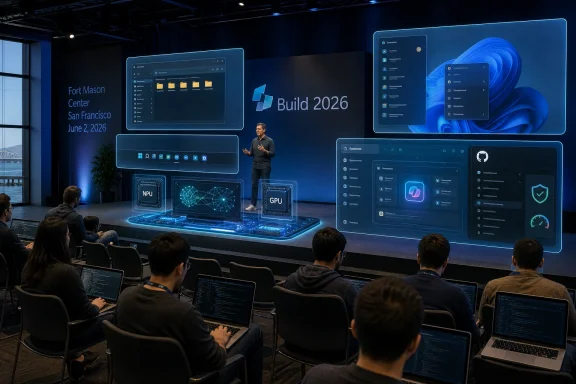 Microsoft Comes to Build With a Trust Deficit, Not Just a Product Roadmap
Build has always been part conference, part state-of-the-union address. In the old Professional Developers Conference era, Microsoft used the stage to tell developers where Windows was going and why they should follow. In the Azure era, Build became the place where Microsoft argued that its cloud was not an escape from Windows but the next layer of the platform.This year’s reported agenda lands differently. The story is not simply that Microsoft has more AI models, more Copilot surfaces, and more Windows features to show. The story is that Microsoft has to persuade a skeptical developer base that the company can still execute coherently across the stack it already owns.
That skepticism did not appear overnight. Windows 11 has spent years accumulating small irritations: inconsistent UI behavior, slow context menus, File Explorer complaints, advertising-like prompts, Copilot placement churn, and uneven update quality. GitHub, meanwhile, has become both more central to Microsoft’s developer strategy and more exposed to criticism when outages, security incidents, or leadership departures shake confidence.
Microsoft’s problem is therefore not a lack of ambition. If anything, ambition has been the easy part. The harder question is whether the company can translate its AI-first strategy into products that feel faster, calmer, more reliable, and less like every surface has been drafted into a monetization experiment.
The Developer Pitch Starts With Windows Getting Out of the Way
The most interesting reported Windows announcement is not the flashiest one. A “developer optimized experience” for Windows 11 sounds modest next to new reasoning models and Copilot agents, but it may be the most politically important part of the show. Developers have been asking Microsoft for a cleaner Windows environment for years: fewer distractions, fewer consumer defaults, more predictable tooling, and less time spent undoing decisions made for a mass-market PC buyer.If Microsoft really delivers a Windows setup that arrives with developer tools, scripts, and a distraction-free baseline, it would be acknowledging something the company has often resisted saying plainly: the default Windows experience is not the best experience for every serious user. That matters because developers do not merely use operating systems. They judge them, script them, recommend them, image them, and complain about them loudly when they get in the way.
The phrase “developer optimized” could still collapse into branding if Microsoft is not careful. A few preinstalled tools and a new wallpaper do not make an operating system better for development. What developers want is a machine that can be provisioned quickly, patched predictably, kept quiet during focused work, and tuned without spelunking through a dozen competing settings panels.
There is also a larger competitive backdrop. macOS has won mindshare among many developers not because Apple caters lovingly to every enterprise scenario, but because a new Mac can often become a useful dev machine quickly. Linux wins trust because it is scriptable, transparent, and less eager to interrupt. Windows, for all its compatibility advantages, has too often felt like the operating system that must be disciplined before it can be productive.
A real developer mode for Windows 11 could be Microsoft’s attempt to stop treating power users as an edge case. That would be a welcome reversal. But the proof will be in whether the experience is durable after the keynote ends: whether it survives updates, supports enterprise deployment, and avoids becoming another half-integrated Windows initiative.
The Windows Repair Job Is Bigger Than Performance
Microsoft’s recent public messaging around Windows quality has emphasized performance, reliability, and craft. Those are the right nouns. They are also the nouns companies reach for when users have started to doubt the basics.The reported Build focus on rewritten parts of Windows 11 fits into that wider rehabilitation campaign. If Microsoft can speed up File Explorer, reduce UI lag, improve taskbar behavior, and make everyday actions feel less brittle, it will have done more for Windows than any AI sidebar could do. For most users, the emotional experience of an operating system is not formed by its most advanced feature. It is formed by the hundred tiny interactions that either feel instant or feel inexplicably sticky.
That is why “fix Windows 11” is not a single engineering project. It is a product philosophy problem. Windows has accumulated layers of legacy compatibility, modern UI frameworks, web-powered shells, cloud account prompts, background services, widgets, notifications, and AI entry points. The result can be powerful, but it can also feel as if multiple Microsofts are competing for the same square inch of glass.
Developers and IT pros see this more sharply than casual users because they live in the seams. They notice when a settings page points to an old Control Panel surface. They notice when a context menu hides the command they actually need. They notice when a feature appears in Insider builds, disappears, returns under a new name, and then ships in a form that seems designed more for telemetry than taste.
Microsoft can talk about AI as the future of Windows, but the immediate demand from many Windows loyalists is more basic: make the operating system feel intentional again. If Build shows that Microsoft understands that, the conference will matter beyond its demos.
Local AI Is the Sensible Counterweight to Cloud Copilot
The expected emphasis on local models running on Windows is more than a developer convenience. It is a strategic correction. For two years, much of the AI industry has behaved as though every useful prompt should leave the machine, run through a vast cloud inference stack, and return with a subscription-shaped shadow behind it.That model has obvious limits. Cloud inference costs money, latency matters, privacy constraints are real, and enterprise customers are not always comfortable sending sensitive workflow context to a remote model. Local AI does not solve all of those problems, but it changes the trade-off. If Windows can expose local compute in a clean, developer-friendly way, AI features become something applications can build into the client, not merely something they call from a distant API.
This is where new silicon matters. Qualcomm’s continued work on Windows on Arm, Nvidia’s RTX-based local AI push, and the broader Copilot+ PC effort all point toward a Windows ecosystem in which NPUs and GPUs are no longer optional curiosities. They become part of the platform contract. Developers need to know what hardware capabilities they can count on, how to target them, and how Windows will arbitrate between local and cloud execution.
That arbitration is crucial. A good local AI strategy cannot be a chaos market of vendor SDKs, incompatible runtimes, and mysterious performance cliffs. Windows has a role to play as the layer that makes local models discoverable, deployable, permissioned, and manageable. Microsoft has spent decades abstracting hardware differences for developers. The AI era asks it to do that again, but this time for accelerators, model formats, privacy boundaries, and cost.
There is a risk, however, that local AI becomes another feature Microsoft markets before it standardizes. Developers do not need five ways to run a small model badly. They need one or two credible paths that work across real hardware and survive the next platform reorg.
Microsoft’s Own Models Signal a More Independent AI Strategy
The reported unveiling of Microsoft AI’s MAI-Thinking-1 reasoning model would be symbolically significant even if it does not immediately reshape the market. Microsoft’s AI story has been inseparable from OpenAI, but the company has been steadily building a more independent model portfolio. A first-party reasoning model would be another sign that Microsoft wants its own AI identity, not merely privileged access to someone else’s.That does not mean Microsoft is walking away from OpenAI. The partnership remains deeply embedded in Azure, Copilot, and Microsoft’s market positioning. But platform companies dislike dependency at the core of their future. If reasoning models become essential for enterprise agents, software development, planning, and automation, Microsoft will want models it can tune, govern, price, and roadmap on its own terms.
The reported detail that MAI-Thinking-1 was not created through distillation from another model is also notable. Distillation has become a common way to produce smaller or cheaper models by training them on outputs from more capable systems. If Microsoft is emphasizing that it avoided that route, it is likely trying to send a message about provenance, enterprise trust, and technical legitimacy.
Enterprise buyers will care less about model bragging rights than about control. They will ask whether the model can be deployed within their compliance boundaries, whether its reasoning behavior is auditable enough for sensitive workflows, and whether Microsoft can explain how it performs on tasks that matter to business users rather than leaderboard spectators. A reasoning model aimed at enterprise use has to be boring in the right ways: predictable, governable, supportable, and integrated.
The expected image models, including MAI-Image-2.5 and a faster Flash variant, fit the same pattern. Microsoft wants a house brand for AI capability across modalities. The question is whether that house brand becomes a coherent developer platform or just another shelf of model names inside an already crowded catalog.
The Copilot Super App Could Simplify a Mess Microsoft Created
A Copilot “super app” is both an obvious idea and an admission of sprawl. Microsoft has attached the Copilot name to Windows, Microsoft 365, Edge, GitHub, security tools, business apps, and consumer experiences. The brand is everywhere, which is another way of saying the product boundaries are blurry.A unified Copilot interface could help. Users should not need to understand Microsoft’s org chart to know which assistant can summarize a document, search a tenant, inspect code, schedule a meeting, or change a Windows setting. A single front door could make Copilot feel less like a set of disconnected demos and more like a working layer across Microsoft’s ecosystem.
But super apps are easy to overpromise. The term implies a central place where many workflows converge, yet Microsoft’s customer base is not a single market. A consumer using Copilot to plan travel, a developer asking GitHub Copilot to refactor code, and a compliance officer querying enterprise data are not just different personas. They involve different permissions, risk models, data sources, and failure costs.
That is why the reported timing matters. If the app is still being built and is not expected in preview until later in the summer, Build may offer more vision than product. Microsoft can show a mockup, hint at agents, and frame Copilot as the connective tissue across Windows and work. But developers and admins will want details: extension points, identity controls, logging, tenant boundaries, data retention, and whether the app respects existing management policies.
There is also a human factor. Many users are already fatigued by AI surfaces that appear before they are useful. A Copilot super app will succeed only if it reduces noise. If it becomes a launcher for every Microsoft assistant, it will merely consolidate confusion.
GitHub Is the Platform Microsoft Cannot Afford to Squander
For developers, GitHub may matter more than Windows. That would have sounded strange in the old PDC era, but it is plainly true now. GitHub is where code lives, where open-source projects coordinate, where issues are tracked, where CI pipelines run, and where GitHub Copilot has become one of Microsoft’s most visible AI products.That makes GitHub’s trust problem especially dangerous. Developers tolerate a lot from platforms when the platform feels reliable and independent enough to serve their interests. They become far less forgiving when they suspect the platform is being bent too aggressively toward a parent company’s strategic agenda, or when operational issues raise doubts about resilience.
Microsoft deserves credit for not smothering GitHub immediately after the acquisition. For several years, GitHub retained enough identity to reassure many skeptics. But the more GitHub becomes intertwined with Copilot, Azure, enterprise sales, and Microsoft’s AI ambitions, the harder it becomes to preserve that sense of independence.
Build cannot fix GitHub’s trust issues in one keynote. Nor should Microsoft pretend it can. What it can do is show respect for the seriousness of the problem: clearer reliability commitments, more transparent security practices, better communication around incidents, and product improvements that serve developers rather than merely funneling them into higher-margin AI subscriptions.
If Microsoft ignores GitHub’s credibility problem while asking developers to embrace another wave of AI tooling, it will look tone-deaf. Developers do not want to hear that AI will transform their workflows if the platform hosting those workflows feels unstable or strategically captured. Trust is infrastructure, too.
Windows on Arm Is No Longer a Side Quest
The reported Qualcomm presence and Nvidia’s renewed interest in Windows on Arm point to another important Build subplot. For years, Windows on Arm was an asterisk: technically interesting, commercially constrained, and haunted by memories of Surface RT. The Copilot+ PC generation changed the conversation, but it did not end the work.Microsoft now has to manage a more complex silicon ecosystem. Qualcomm wants Windows on Arm to become a mainstream laptop platform. Nvidia sees an opening for AI-heavy local compute and potentially Arm-based Windows machines that lean on its GPU strengths. AMD and Intel remain foundational to the Windows PC market. Microsoft’s job is to keep all of them invested without letting fragmentation become the developer’s problem.
That is a familiar role for Windows, but the stakes have changed. In the x86 era, Microsoft’s abstraction layer was mature and the performance expectations were well understood. In the AI PC era, developers must think about NPUs, GPUs, memory bandwidth, model acceleration, battery life, and runtime compatibility. If Microsoft cannot provide a stable target, developers will either stick to the cloud or optimize for narrower ecosystems.
Windows on Arm also has to prove that compatibility is not merely “good enough for light users.” Developers need toolchains, virtualization, containers, drivers, debugging workflows, and native performance. IT departments need deployment and management parity. Consumers need the old Windows promise: the apps they expect should simply run.
The Build message will likely be optimistic, as keynotes tend to be. The real test will come after the conference, when developers try to build and ship software that uses local AI across Snapdragon laptops, future Nvidia systems, and traditional x86 PCs without creating a support matrix from hell.
The Smaller Room Makes the Stakes Feel Larger
The move to Fort Mason Center gives this Build a different texture. A smaller, more intimate conference can be read as a practical event decision, but it also reflects the moment. Microsoft does not need to fill a giant hall to prove it is important. It needs to convince the people in the room that the platform is worth building on.That distinction matters. In the 2010s, Microsoft had to persuade developers that it had survived the mobile platform shift and could compete in cloud. In the 2020s, it has to persuade developers that its AI platform is not just a distribution strategy for Copilot. The company must show that it understands developers as builders, not just as customers to be routed through subscription funnels.
This is where Microsoft’s messaging often strains. The company can speak fluently about productivity, agents, copilots, and transformation, but developers listen for different signals. They want to know whether APIs will be stable, whether pricing will be sane, whether tools will work offline or locally when needed, whether the platform owner will compete with them, and whether yesterday’s strategic priority will be abandoned tomorrow.
Build is therefore a credibility exercise. Every AI announcement will be filtered through the same question: does this make the developer’s work better, or does it make Microsoft’s story tidier? Those are not always the same thing.
The Demos Need to Survive Contact With Admin Reality
For WindowsForum’s core audience, the most important Build announcements are rarely the ones that generate the cleanest keynote clips. Sysadmins and IT pros live after the applause, when preview features meet policy, compliance, update rings, user training, procurement cycles, and help desk tickets.A developer-optimized Windows experience sounds promising, but admins will ask whether it can be deployed through Intune, configured through policy, audited, rolled back, and supported across hardware fleets. Local AI sounds efficient, but security teams will ask how models are obtained, where prompts are stored, whether sensitive data is exposed, and how inference workloads are monitored. A Copilot super app sounds convenient, but enterprise architects will ask which data boundaries it crosses and how permissions are enforced.
Microsoft has been here before. Windows features often arrive first as consumer-visible experiences, then acquire management controls later after enterprises complain. That sequence is increasingly untenable. AI features are not like a new Start menu layout. They can touch data, identity, workflows, and decision-making in ways that make governance a day-one requirement.
If Microsoft wants developers and IT pros back onside, it should treat manageability as part of the product, not as an enterprise appendix. The best Build announcements would be the ones that show Microsoft has internalized that lesson.
The Real Build Story Is Whether Microsoft Can Make AI Feel Like Platform Work Again
The AI boom has encouraged every major tech company to speak in abstractions. Agents will do work. Models will reason. Assistants will orchestrate. Workflows will transform. The language is grand, but developers eventually need boring specifics: SDKs, runtimes, permissions, latency, cost, documentation, debugging, and deployment.Microsoft is better positioned than most companies to turn AI from spectacle into platform work. It owns Windows, Azure, Visual Studio, GitHub, Microsoft 365, Teams, Edge, and a sprawling enterprise identity and management stack. If any company can make AI feel like a coherent layer across development, productivity, and device computing, Microsoft can.
The danger is that the same breadth becomes the source of confusion. Copilot can mean too many things. Windows can serve too many masters. GitHub can become too strategically important to feel neutral. Azure can make every local AI story sound like a prelude to cloud consumption. Microsoft’s opportunity and its problem are the same: it has the whole stack.
That is why Build 2026 matters. It is not just another AI showcase. It is a referendum on whether Microsoft can impose clarity on its own abundance.
The Build 2026 Scorecard Is Already Taking Shape
If Microsoft wants this week’s announcements to land, it needs to win on practicality rather than spectacle. The company has enough AI theater. What it needs now is evidence that the platform is becoming more coherent, more respectful of developer time, and more accountable to the people who run Windows and GitHub in the real world.- Microsoft needs its developer-focused Windows experience to be more than a preset; it must be deployable, scriptable, quiet, and resilient across updates.
- Windows 11 performance work will matter most if users feel improvements in daily surfaces such as File Explorer, context menus, search, windowing, and app launch behavior.
- Local AI on Windows will succeed only if Microsoft gives developers a stable way to target NPUs and GPUs without forcing them into vendor-specific fragmentation.
- Microsoft’s in-house AI models will be judged less by branding than by whether they offer enterprise control, predictable behavior, and credible integration.
- A Copilot super app can reduce confusion only if it respects permissions, separates consumer and enterprise contexts, and avoids becoming a junk drawer for every assistant.
- GitHub trust cannot be repaired with a keynote, but Microsoft can start by treating reliability, security, and developer confidence as first-order platform features.
References
- Primary source: The Verge
Published: Mon, 01 Jun 2026 14:39:03 GMT
Loading…
www.theverge.com - Related coverage: techradar.com
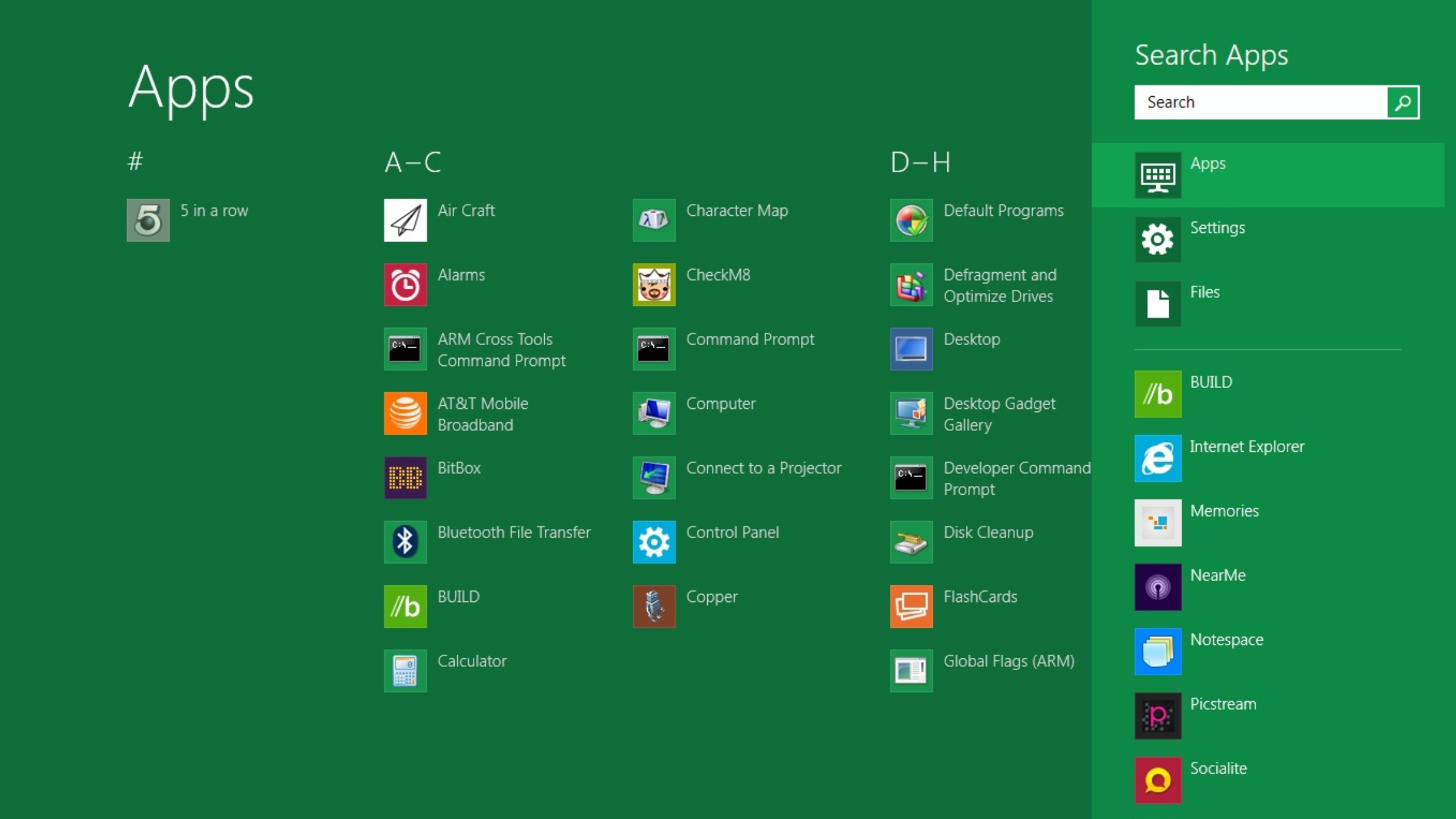
10 products that launched at Microsoft Build — and what happened to them
From Windows 8 to Copilot, here’s everything that was born at Buildwww.techradar.com
- Related coverage: windowscentral.com
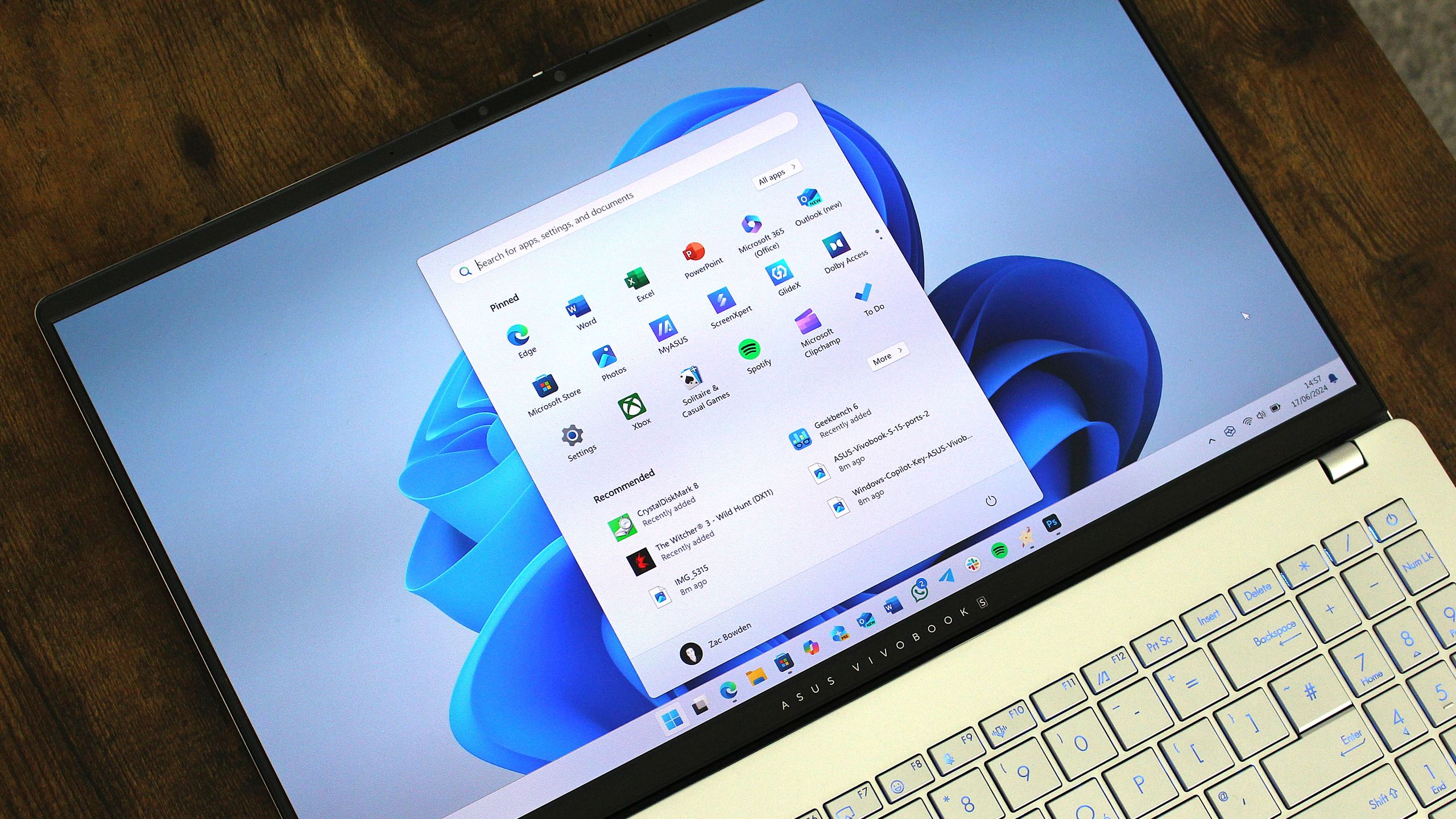
Windows 11's latest OS update is packing serious performance gains
Windows 11 update KB5089573 is now generally available as Microsoft's non-security preview update for May, and is packing genuinely notable performance improvements. www.windowscentral.com
- Related coverage: tomsguide.com
Loading…
www.tomsguide.com - Official source: build.microsoft.com

Microsoft Build
Go deep on real code and real systems with the teams building and scaling AI at Microsoft Build, June 2–3, 2026, in San Francisco and online.build.microsoft.com
- Related coverage: notebookcheck.net
Microsoft Build 2026: What to expect from the June 2 keynote
Microsoft Build 2026 opens June 2 in San Francisco with AI agents, GitHub Copilot updates, and Windows local AI. Here is what developers can expect. www.notebookcheck.net
- Official source: developer.microsoft.com

Microsoft Developer
Any platform. Any language. Our tools. Develop solutions, on your terms, using Microsoft products and services.developer.microsoft.com - Related coverage: nvidia.com

- Related coverage: notebookcheck.com
Microsoft Build 2026: Das erwartet Zuschauer bei der Keynote am 2. Juni
Die Microsoft Build 2026 beginnt am 2. Juni in San Francisco. Im Mittelpunkt stehen KI-Agenten, Neuerungen für GitHub Copilot sowie lokale KI-Funktionen für Windows. Das können Entwickler von der Konferenz erwarten. www.notebookcheck.com
- Related coverage: pcworld.com
Loading…
www.pcworld.com - Related coverage: conferank.com
Microsoft Build 2026 | ConfeRanK - Premier Technology Conference
Join Microsoft Build 2026 on June 2, 2026 in San Francisco, CA, USA. Discover industry leaders, exclusive sessions, and networking opportunities at this premier Technology conference. Microsoft Build is the annual developer conference for Azure, Windows, Microsoft 365, GitHub, and AI...www.conferank.com
- Related coverage: endorlabs.com

- Related coverage: reworked.co
Microsoft Build San Francisco 2026
www.reworked.co
- Related coverage: conferencegrid.com
Microsoft Build 2026
Microsoft Build 2026 is a two-day developer conference focused on hands-on sessions around AI, coding, and technical workflows. Attendees gain access to deep technical content, keynotes, interactive lconferencegrid.com
- Related coverage: windowslatest.com

Microsoft is putting together the team that could finally fix Windows 11
Microsoft engineers and leaders are actively replying on X, confirming Windows 11 fixes for updates, ads, and performance are in progress. www.windowslatest.com
- Related coverage: uncrownedaddiction.com
Loading…
www.uncrownedaddiction.com - Related coverage: tomshardware.com
Microsoft is reportedly working to fix Windows 11's most annoying flaws — wants to restore the operating system's reputation
Apparently, complaints from the Windows Insider community have reached a tipping point for Microsoft higher-ups.www.tomshardware.com
- Official source: microsoft.com
Loading…
www.microsoft.com - Official source: cdn-dynmedia-1.microsoft.com
Loading…
cdn-dynmedia-1.microsoft.com

