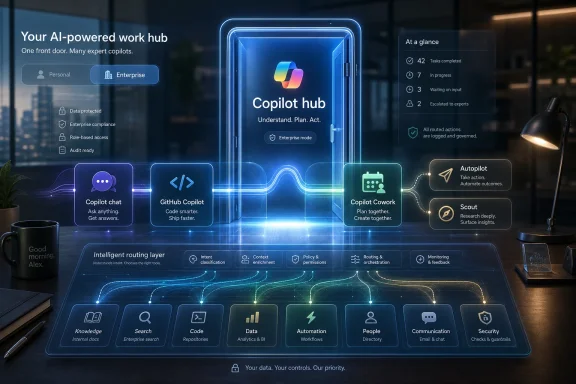
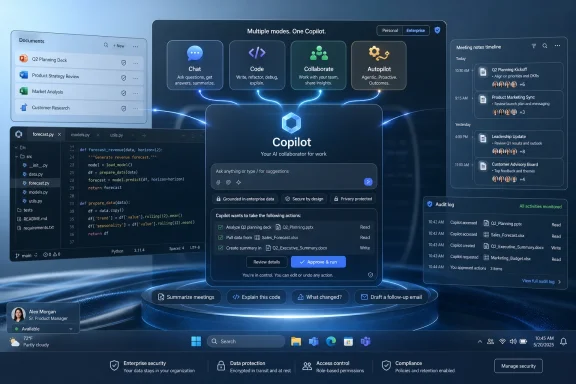
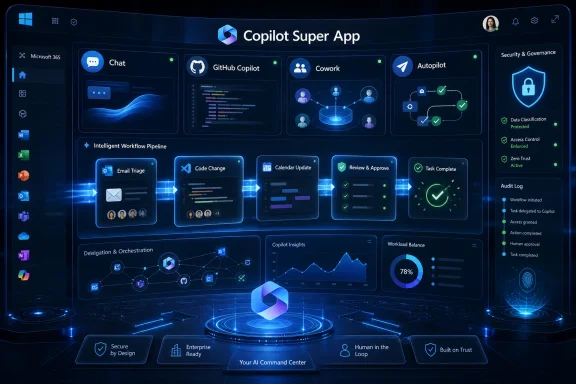
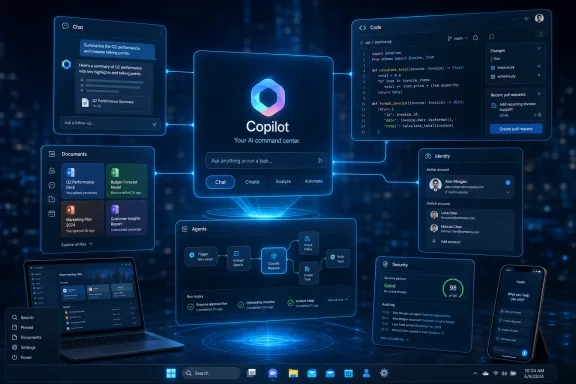
Microsoft is reportedly building a unified “super app” for Copilot that would combine coding assistance, workplace chat, collaborative agents, and internal automation tools into one product experience, with elements potentially referenced around Build and a launch target by the end of summer 2026. The move is less a flashy product expansion than an admission that Microsoft’s AI portfolio has become too fragmented for the very customers it is trying to convert. If Copilot is going to become the next Office, Windows, or Azure-scale platform, Microsoft first has to make it feel like one thing. Right now, it too often feels like a brand pasted across many things.
Microsoft has spent the past three years ensuring that no Windows, Office, Edge, Teams, or GitHub user can plausibly say they have not encountered Copilot. The button is everywhere, the branding is everywhere, and the company’s product roadmaps increasingly assume that AI assistance is not an add-on but the new surface area of work.
That saturation makes the reported “super app” effort revealing. Microsoft is not suffering from a lack of Copilot exposure. It is suffering from a lack of Copilot coherence.
For users, Copilot can mean a chatbot in the browser, a drafting assistant in Word, a meeting summarizer in Teams, a coding partner in GitHub, an agent builder in Copilot Studio, or a Windows-side search-and-action layer that appears and disappears depending on release channel, geography, licensing, and corporate policy. For IT departments, it can mean another licensing matrix, another governance question, another data boundary to explain, and another adoption campaign to justify.
That is a dangerous place for Microsoft to be. The company’s greatest platform successes have usually been boring in exactly the right way: Windows runs the PC, Office runs the document workflow, Active Directory runs identity, Azure runs cloud infrastructure, and Teams runs workplace communication. Copilot, by contrast, still asks the customer to understand the product map before the product value becomes obvious.
A single app will not solve that by itself. But the reported internal slogan, “Delivering one Copilot,” points to the real ambition: Microsoft wants Copilot to stop being a collection of integrations and start being the place where work is initiated, routed, completed, and measured.
Reports have pegged Microsoft 365 Copilot’s paid penetration at only a small fraction of the broader Microsoft 365 and Office 365 base. Microsoft has also said paid Copilot usage is growing, and the company has pointed to large enterprise rollouts as evidence that the product is gaining traction. Both things can be true: Copilot can be growing quickly and still be underpenetrated relative to the scale of Microsoft’s opportunity.
That distinction matters because Wall Street and enterprise IT are asking different versions of the same question. Investors want to know whether Microsoft’s AI spending becomes durable software revenue. CIOs want to know whether Copilot is a measurable productivity product or simply the next expensive feature bundle arriving before the last transformation program has finished.
GitHub Copilot gives Microsoft a cleaner success story. Developers have a repeatable workflow, an obvious productivity bottleneck, and an environment where a good suggestion can be accepted or rejected quickly. Code completion, test generation, and repository-aware assistance produce value in ways that are easier to observe than “better knowledge work.”
The office worker is a harder customer. Drafting emails, summarizing meetings, building slide decks, and querying spreadsheets are real tasks, but their value is fuzzier. The productivity gain is distributed across moments rather than concentrated in a build pipeline or pull request.
That is why the super app idea matters. Microsoft is implicitly betting that Copilot adoption is being slowed not only by price or skepticism, but by product sprawl. If the assistant is everywhere but the workflow is nowhere, users may sample it without forming the habit Microsoft needs.
That is the version Microsoft appears to be chasing. A unified Copilot would not merely collect existing tools under a cleaner menu. It would become the front door to Microsoft’s AI model stack, productivity graph, enterprise data, developer workflow, and automation layer.
That is a much more ambitious product than a chatbot. A chatbot waits for a prompt. A control plane understands context, invokes tools, delegates tasks, checks permissions, writes into systems of record, and remembers enough of the user’s workflow to become useful tomorrow rather than impressive today.
Microsoft already has many of the raw ingredients. It has the Microsoft Graph, Entra identity, SharePoint, Exchange, Teams, Office documents, Power Platform connectors, GitHub repositories, Azure AI infrastructure, and a global base of enterprise administrators who already trust Microsoft more than most standalone AI startups. The missing piece is not the database. It is the user experience that makes those assets feel like one system.
This is where Microsoft’s history cuts both ways. The company is excellent at bundling, integrating, and turning distribution into default behavior. It is less consistently excellent at making sprawling suites feel elegant to the person sitting in front of the keyboard.
A Copilot super app would therefore be judged on an old Microsoft tension: can the company convert architectural advantage into a product that feels simpler, not heavier?
A worker who sees Copilot in Word may not understand how that differs from Copilot Chat. A manager who uses meeting summaries in Teams may not know whether those capabilities are included, metered, limited, or governed differently from agents. A developer who pays for GitHub Copilot may not see a natural bridge to Microsoft 365 Copilot, even if their company lives inside Microsoft’s broader stack.
The naming has not helped. Microsoft has used Copilot as a product name, feature name, assistant name, subscription name, and umbrella brand. That may be defensible from a marketing perspective, but it creates product ambiguity. When everything is Copilot, the word stops explaining anything.
Administrators face a parallel problem. Copilot touches data access, compliance, retention, identity, endpoint policy, auditability, and user training. Even when Microsoft provides controls, the controls must be understood across multiple products and admin centers. That slows deployment because every AI feature becomes a governance conversation.
The super app approach is an attempt to lower that tax. If users can enter one Copilot environment and find chat, agents, coding help, coworking workflows, and business context in a predictable way, Microsoft can turn experimentation into routine. If administrators can govern that environment with clearer policy boundaries, they may be more willing to expand access.
But consolidation has a downside. A single front door can also become a single point of frustration. If the app is slow, noisy, overbearing, or too aggressive about surfacing itself, users will not experience unity. They will experience intrusion.
Yet the immediate business battlefield is Microsoft 365. That is where the seats are, where the subscriptions live, and where corporate budgets can be expanded. Windows can surface Copilot, but Microsoft 365 has to justify Copilot.
This is why the super app report is more important than another taskbar experiment. Windows integration may make Copilot visible, but Microsoft 365 integration must make it valuable. The value proposition is not “ask your PC a question.” It is “ask your work environment to do something useful with the data and permissions you already have.”
That difference is crucial. Consumer AI assistants often compete on general knowledge, personality, multimodal tricks, and search-like convenience. Enterprise AI competes on context, security, workflow completion, and trust. Microsoft has a better chance in the second category than the first because the company already sits inside the enterprise workflow.
The challenge is that enterprise context is messy. Documents are duplicated, permissions are inconsistent, meetings are poorly named, Teams channels decay, SharePoint sites sprawl, and organizational knowledge is often buried in formats no assistant can fully rescue. Copilot can expose the condition of a company’s information architecture as much as improve it.
A unified app could make that reality more visible. It could also make the benefits more concrete. If Copilot becomes a place where a user can move from a meeting transcript to a project plan, from a project plan to assigned tasks, from assigned tasks to generated code or documents, and from there to status reporting, Microsoft may finally have a workflow story strong enough to move beyond demos.
That is why folding GitHub Copilot into a broader Copilot super app is both attractive and risky. The attraction is obvious: developers are often the earliest power users of new computing paradigms, and GitHub gives Microsoft a credible AI product with paid traction. The risk is that GitHub Copilot’s clarity gets diluted inside a broader productivity suite.
Developers are unusually sensitive to workflow disruption. They live in editors, terminals, repositories, issue trackers, and CI/CD systems. If a unified Copilot respects that environment, it could become a bridge between software engineering and the rest of the enterprise. If it tries to drag developers into a generic chat portal, it will feel like management software wearing a coding badge.
The more interesting possibility is that Microsoft sees GitHub Copilot not merely as a product to bundle, but as a pattern to replicate. GitHub Copilot works because it is embedded where the work happens, understands the artifact being edited, and produces output in a form the user can immediately evaluate. The average office workflow needs the same discipline.
That means Copilot in Microsoft 365 cannot just be a prompt box hovering near Office documents. It has to understand the shape of a deliverable, the surrounding business process, the approval chain, and the user’s tolerance for automation. A sales proposal, a legal memo, a financial model, and an incident report are not interchangeable “content.”
If the super app turns Copilot into a workflow-aware shell rather than a generic assistant, GitHub’s lessons may scale. If it simply gives every user one more place to chat, it will not.
That overlap raises the stakes for Copilot. If Microsoft’s AI layer feels fragmented, users may default to whichever assistant feels most direct, even if it sits outside Microsoft’s preferred workflow. ChatGPT, Gemini, Claude, Perplexity, and specialized enterprise AI tools all compete for attention at the moment of intent.
Microsoft’s defensive advantage is distribution. Its offensive advantage is context. OpenAI can offer a powerful general assistant, but Microsoft can theoretically offer an assistant that knows the spreadsheet, the email thread, the Teams meeting, the SharePoint folder, the calendar, the security group, and the Power Automate workflow. That is a formidable moat if the product experience makes it accessible.
The super app is therefore a response not only to internal clutter but to external pressure. Google is pushing Gemini through Workspace and Android. AI startups are attacking narrow workflows with cleaner interfaces and faster iteration. OpenAI is building tools that look less like research demos and more like productivity platforms.
Microsoft cannot assume that owning the enterprise suite guarantees ownership of the AI interface. The history of computing is full of incumbents who controlled the system of record while losing the system of engagement. Copilot is Microsoft’s attempt to control both.
But controlling both requires restraint. If Microsoft pushes Copilot into every surface without making it reliably useful, it risks training users to ignore it. The industry has seen that pattern before with assistants, notifications, widgets, and “smart” features that became background noise.
There are free Copilot experiences, paid Microsoft 365 Copilot seats, GitHub Copilot subscriptions, Copilot Studio capabilities, agent-related metering, consumer Copilot offerings, and business chat tiers. For procurement teams, this is manageable only if the value is clear. For end users, it is often invisible until a feature fails, disappears, or prompts an upgrade.
That is a problem for adoption because AI tools depend on continuity. A user who cannot predict whether Copilot will have the right context, the right permission, or the right capability will not build the muscle memory Microsoft wants. They will use it experimentally, not habitually.
The reported adoption gap suggests that Microsoft has not yet convinced enough customers that the premium tier is indispensable. That does not mean Copilot lacks value. It means the value has not yet become obvious enough, broadly enough, to overcome price, governance, and change-management friction.
A unified app could help by making feature boundaries more legible. It could show what is included, what requires premium access, what is governed by corporate policy, and what data is being used. Or it could make the maze feel worse by concentrating upsell prompts and disabled features in one place.
For WindowsForum readers who administer Microsoft environments, this is not a minor detail. The success of Copilot will depend as much on deployment clarity as model quality. A brilliant assistant trapped behind ambiguous entitlements is still an adoption problem.
That pitch will resonate with administrators who already worry about employees pasting sensitive data into external chatbots. If users are going to use AI anyway, Microsoft can argue, they should use an assistant governed by enterprise identity, compliance boundaries, audit trails, and data protection policies.
This is a practical argument, and it may be more persuasive than broad claims about productivity transformation. Security teams do not need Copilot to be magical. They need it to be controllable, observable, and less risky than shadow AI.
A super app could strengthen that case. One sanctioned place for AI work is easier to communicate than a scatter of features across apps. It gives IT a cleaner adoption message: use this, not that; your data stays within these boundaries; your access follows existing permissions; your activity is governed by corporate policy.
But Microsoft has to earn trust here. AI systems can produce incorrect summaries, overconfident answers, and outputs that obscure the source of truth. In regulated environments, a convenient assistant can become a liability if users treat generated text as authoritative without verification.
The right enterprise posture is not “Copilot knows.” It is “Copilot helps, and the system shows its work.” A unified app should make provenance, permissions, citations, and auditability more visible, not less.
That unsettled experience has consequences. Windows users are tolerant of change when it clearly improves the operating system. They are much less tolerant when new surfaces feel like advertising inventory for a corporate strategy.
Microsoft has to be careful not to confuse Windows distribution with Windows value. A Copilot button on the taskbar is not inherently useful. A Copilot experience that can reliably find settings, explain system behavior, troubleshoot errors, summarize local context with permission, and connect personal productivity across devices might be.
The super app could provide the product center that Windows integration currently lacks. Instead of Copilot being a scattered set of entry points, Windows could become one doorway into a consistent assistant environment. That would be a cleaner model than repeatedly reinventing the shell around AI experiments.
Still, Windows is not Microsoft 365. Personal PC users have different expectations around privacy, performance, and control. The more Copilot feels like an enterprise service grafted onto the consumer desktop, the more resistance it will face from users who simply want the operating system to stay out of the way.
The path forward is likely optionality with depth. Microsoft can make Copilot powerful for users who want it, integrated for organizations that deploy it, and removable or quiet for users who do not. The company’s temptation will be to make it unavoidable. That would be a mistake.
But the real test will not be a Build demo. Microsoft has produced dazzling AI demos before. The test will be what happens in September, October, and November when administrators try to explain the product to users, finance teams evaluate the licenses, and workers decide whether the app saves enough time to earn a permanent place in the day.
A successful launch would make Copilot feel less like a collection of AI cameos and more like a dependable workbench. It would reduce the distance between asking, creating, assigning, coding, documenting, and reporting. It would also make clear when the assistant is using enterprise data, when it is invoking an agent, and when a human needs to approve the next step.
A weak launch would add another layer to the pile. It would give Microsoft a new container for old confusion, a larger surface for upsell, and another round of branding that does not answer the user’s simplest question: what should I do with this that I could not do yesterday?
The difference between those outcomes will come down to product discipline. Microsoft does not lack ambition. It needs subtraction, consistency, and a ruthless focus on the workflows where AI is genuinely better than the old way.
Copilot is not there yet for most people. Many users still treat AI assistants as occasional tools: useful for a summary, a rewrite, a brainstorm, or a quick explanation, but not the default environment for work. Microsoft’s super app effort is an attempt to move Copilot from occasional utility to habitual interface.
That is a difficult transition. Habits require reliability more than novelty. Users will forgive a chatbot for being amusingly wrong during experimentation; they will not forgive a work assistant that mishandles a deadline, invents a fact, or buries a critical source.
The habit Microsoft wants also requires social acceptance inside organizations. Workers need to know when it is appropriate to use AI-generated material, managers need to know how to evaluate it, and companies need policies that are clearer than vague encouragement to “use AI responsibly.” A unified app can support that cultural shift, but it cannot replace it.
In that sense, the super app is not merely a product consolidation. It is Microsoft’s attempt to create a new workplace ritual: start with Copilot, let it gather context, let it propose action, and then supervise the result. That is a profound change in how Microsoft imagines office work.
Whether workers want that ritual is still an open question.
 Microsoft’s Copilot Problem Is No Longer Visibility
Microsoft has spent the past three years ensuring that no Windows, Office, Edge, Teams, or GitHub user can plausibly say they have not encountered Copilot. The button is everywhere, the branding is everywhere, and the company’s product roadmaps increasingly assume that AI assistance is not an add-on but the new surface area of work.That saturation makes the reported “super app” effort revealing. Microsoft is not suffering from a lack of Copilot exposure. It is suffering from a lack of Copilot coherence.
For users, Copilot can mean a chatbot in the browser, a drafting assistant in Word, a meeting summarizer in Teams, a coding partner in GitHub, an agent builder in Copilot Studio, or a Windows-side search-and-action layer that appears and disappears depending on release channel, geography, licensing, and corporate policy. For IT departments, it can mean another licensing matrix, another governance question, another data boundary to explain, and another adoption campaign to justify.
That is a dangerous place for Microsoft to be. The company’s greatest platform successes have usually been boring in exactly the right way: Windows runs the PC, Office runs the document workflow, Active Directory runs identity, Azure runs cloud infrastructure, and Teams runs workplace communication. Copilot, by contrast, still asks the customer to understand the product map before the product value becomes obvious.
A single app will not solve that by itself. But the reported internal slogan, “Delivering one Copilot,” points to the real ambition: Microsoft wants Copilot to stop being a collection of integrations and start being the place where work is initiated, routed, completed, and measured.
The Adoption Numbers Turn a Product Story Into a Business Story
The most uncomfortable number in the current Copilot debate is not the billions Microsoft is spending on AI infrastructure. It is the gap between Microsoft 365’s enormous installed base and the comparatively small share of users paying for premium Copilot features.Reports have pegged Microsoft 365 Copilot’s paid penetration at only a small fraction of the broader Microsoft 365 and Office 365 base. Microsoft has also said paid Copilot usage is growing, and the company has pointed to large enterprise rollouts as evidence that the product is gaining traction. Both things can be true: Copilot can be growing quickly and still be underpenetrated relative to the scale of Microsoft’s opportunity.
That distinction matters because Wall Street and enterprise IT are asking different versions of the same question. Investors want to know whether Microsoft’s AI spending becomes durable software revenue. CIOs want to know whether Copilot is a measurable productivity product or simply the next expensive feature bundle arriving before the last transformation program has finished.
GitHub Copilot gives Microsoft a cleaner success story. Developers have a repeatable workflow, an obvious productivity bottleneck, and an environment where a good suggestion can be accepted or rejected quickly. Code completion, test generation, and repository-aware assistance produce value in ways that are easier to observe than “better knowledge work.”
The office worker is a harder customer. Drafting emails, summarizing meetings, building slide decks, and querying spreadsheets are real tasks, but their value is fuzzier. The productivity gain is distributed across moments rather than concentrated in a build pipeline or pull request.
That is why the super app idea matters. Microsoft is implicitly betting that Copilot adoption is being slowed not only by price or skepticism, but by product sprawl. If the assistant is everywhere but the workflow is nowhere, users may sample it without forming the habit Microsoft needs.
The Super App Is Really a Control Plane
The phrase “super app” carries baggage. In consumer technology, it evokes sprawling platforms like WeChat, where messaging, payments, commerce, services, and identity collapse into one daily operating layer. In enterprise software, the equivalent is less glamorous but potentially more consequential: a control plane for work.That is the version Microsoft appears to be chasing. A unified Copilot would not merely collect existing tools under a cleaner menu. It would become the front door to Microsoft’s AI model stack, productivity graph, enterprise data, developer workflow, and automation layer.
That is a much more ambitious product than a chatbot. A chatbot waits for a prompt. A control plane understands context, invokes tools, delegates tasks, checks permissions, writes into systems of record, and remembers enough of the user’s workflow to become useful tomorrow rather than impressive today.
Microsoft already has many of the raw ingredients. It has the Microsoft Graph, Entra identity, SharePoint, Exchange, Teams, Office documents, Power Platform connectors, GitHub repositories, Azure AI infrastructure, and a global base of enterprise administrators who already trust Microsoft more than most standalone AI startups. The missing piece is not the database. It is the user experience that makes those assets feel like one system.
This is where Microsoft’s history cuts both ways. The company is excellent at bundling, integrating, and turning distribution into default behavior. It is less consistently excellent at making sprawling suites feel elegant to the person sitting in front of the keyboard.
A Copilot super app would therefore be judged on an old Microsoft tension: can the company convert architectural advantage into a product that feels simpler, not heavier?
Fragmentation Has Been Copilot’s Silent Tax
Copilot’s sprawl is not just a branding annoyance. It imposes a cognitive tax on users and an operational tax on administrators.A worker who sees Copilot in Word may not understand how that differs from Copilot Chat. A manager who uses meeting summaries in Teams may not know whether those capabilities are included, metered, limited, or governed differently from agents. A developer who pays for GitHub Copilot may not see a natural bridge to Microsoft 365 Copilot, even if their company lives inside Microsoft’s broader stack.
The naming has not helped. Microsoft has used Copilot as a product name, feature name, assistant name, subscription name, and umbrella brand. That may be defensible from a marketing perspective, but it creates product ambiguity. When everything is Copilot, the word stops explaining anything.
Administrators face a parallel problem. Copilot touches data access, compliance, retention, identity, endpoint policy, auditability, and user training. Even when Microsoft provides controls, the controls must be understood across multiple products and admin centers. That slows deployment because every AI feature becomes a governance conversation.
The super app approach is an attempt to lower that tax. If users can enter one Copilot environment and find chat, agents, coding help, coworking workflows, and business context in a predictable way, Microsoft can turn experimentation into routine. If administrators can govern that environment with clearer policy boundaries, they may be more willing to expand access.
But consolidation has a downside. A single front door can also become a single point of frustration. If the app is slow, noisy, overbearing, or too aggressive about surfacing itself, users will not experience unity. They will experience intrusion.
Windows Is the Prize, but Microsoft 365 Is the Battlefield
For Windows enthusiasts, the obvious question is how this plays into the operating system. Microsoft has repeatedly treated Windows as both a distribution vehicle for Copilot and a proving ground for AI-native interaction. The taskbar, Start menu, search box, and system-level assistant concepts all suggest a future where Copilot is not merely an app but an ambient layer across the PC.Yet the immediate business battlefield is Microsoft 365. That is where the seats are, where the subscriptions live, and where corporate budgets can be expanded. Windows can surface Copilot, but Microsoft 365 has to justify Copilot.
This is why the super app report is more important than another taskbar experiment. Windows integration may make Copilot visible, but Microsoft 365 integration must make it valuable. The value proposition is not “ask your PC a question.” It is “ask your work environment to do something useful with the data and permissions you already have.”
That difference is crucial. Consumer AI assistants often compete on general knowledge, personality, multimodal tricks, and search-like convenience. Enterprise AI competes on context, security, workflow completion, and trust. Microsoft has a better chance in the second category than the first because the company already sits inside the enterprise workflow.
The challenge is that enterprise context is messy. Documents are duplicated, permissions are inconsistent, meetings are poorly named, Teams channels decay, SharePoint sites sprawl, and organizational knowledge is often buried in formats no assistant can fully rescue. Copilot can expose the condition of a company’s information architecture as much as improve it.
A unified app could make that reality more visible. It could also make the benefits more concrete. If Copilot becomes a place where a user can move from a meeting transcript to a project plan, from a project plan to assigned tasks, from assigned tasks to generated code or documents, and from there to status reporting, Microsoft may finally have a workflow story strong enough to move beyond demos.
GitHub Copilot Shows What Good AI Monetization Looks Like
GitHub Copilot remains Microsoft’s strongest proof that users will pay for AI when the job is specific and the feedback loop is immediate. Developers do not need a philosophical argument about AI transformation when an assistant completes boilerplate, explains a function, writes a test, or helps navigate an unfamiliar codebase.That is why folding GitHub Copilot into a broader Copilot super app is both attractive and risky. The attraction is obvious: developers are often the earliest power users of new computing paradigms, and GitHub gives Microsoft a credible AI product with paid traction. The risk is that GitHub Copilot’s clarity gets diluted inside a broader productivity suite.
Developers are unusually sensitive to workflow disruption. They live in editors, terminals, repositories, issue trackers, and CI/CD systems. If a unified Copilot respects that environment, it could become a bridge between software engineering and the rest of the enterprise. If it tries to drag developers into a generic chat portal, it will feel like management software wearing a coding badge.
The more interesting possibility is that Microsoft sees GitHub Copilot not merely as a product to bundle, but as a pattern to replicate. GitHub Copilot works because it is embedded where the work happens, understands the artifact being edited, and produces output in a form the user can immediately evaluate. The average office workflow needs the same discipline.
That means Copilot in Microsoft 365 cannot just be a prompt box hovering near Office documents. It has to understand the shape of a deliverable, the surrounding business process, the approval chain, and the user’s tolerance for automation. A sales proposal, a legal memo, a financial model, and an incident report are not interchangeable “content.”
If the super app turns Copilot into a workflow-aware shell rather than a generic assistant, GitHub’s lessons may scale. If it simply gives every user one more place to chat, it will not.
OpenAI Is Both Microsoft’s Engine and Its Warning Sign
Microsoft’s relationship with OpenAI has always been more complicated than the clean partner narrative suggests. Microsoft has benefited enormously from privileged access to OpenAI models and from the market validation created by ChatGPT. At the same time, OpenAI’s consumer and enterprise ambitions increasingly overlap with Microsoft’s own.That overlap raises the stakes for Copilot. If Microsoft’s AI layer feels fragmented, users may default to whichever assistant feels most direct, even if it sits outside Microsoft’s preferred workflow. ChatGPT, Gemini, Claude, Perplexity, and specialized enterprise AI tools all compete for attention at the moment of intent.
Microsoft’s defensive advantage is distribution. Its offensive advantage is context. OpenAI can offer a powerful general assistant, but Microsoft can theoretically offer an assistant that knows the spreadsheet, the email thread, the Teams meeting, the SharePoint folder, the calendar, the security group, and the Power Automate workflow. That is a formidable moat if the product experience makes it accessible.
The super app is therefore a response not only to internal clutter but to external pressure. Google is pushing Gemini through Workspace and Android. AI startups are attacking narrow workflows with cleaner interfaces and faster iteration. OpenAI is building tools that look less like research demos and more like productivity platforms.
Microsoft cannot assume that owning the enterprise suite guarantees ownership of the AI interface. The history of computing is full of incumbents who controlled the system of record while losing the system of engagement. Copilot is Microsoft’s attempt to control both.
But controlling both requires restraint. If Microsoft pushes Copilot into every surface without making it reliably useful, it risks training users to ignore it. The industry has seen that pattern before with assistants, notifications, widgets, and “smart” features that became background noise.
The Licensing Maze Still Has to Be Solved
No unified app can fully compensate for licensing confusion. Microsoft’s commercial genius has always included packaging complexity, but AI raises the cost of that complexity because users are being asked to develop new habits around features that may or may not be available to them.There are free Copilot experiences, paid Microsoft 365 Copilot seats, GitHub Copilot subscriptions, Copilot Studio capabilities, agent-related metering, consumer Copilot offerings, and business chat tiers. For procurement teams, this is manageable only if the value is clear. For end users, it is often invisible until a feature fails, disappears, or prompts an upgrade.
That is a problem for adoption because AI tools depend on continuity. A user who cannot predict whether Copilot will have the right context, the right permission, or the right capability will not build the muscle memory Microsoft wants. They will use it experimentally, not habitually.
The reported adoption gap suggests that Microsoft has not yet convinced enough customers that the premium tier is indispensable. That does not mean Copilot lacks value. It means the value has not yet become obvious enough, broadly enough, to overcome price, governance, and change-management friction.
A unified app could help by making feature boundaries more legible. It could show what is included, what requires premium access, what is governed by corporate policy, and what data is being used. Or it could make the maze feel worse by concentrating upsell prompts and disabled features in one place.
For WindowsForum readers who administer Microsoft environments, this is not a minor detail. The success of Copilot will depend as much on deployment clarity as model quality. A brilliant assistant trapped behind ambiguous entitlements is still an adoption problem.
The Security Argument Is Stronger Than the Productivity Pitch
Microsoft’s strongest enterprise argument may not be that Copilot makes every worker dramatically more productive. It may be that a governed Microsoft AI environment is safer than the uncontrolled use of consumer AI tools.That pitch will resonate with administrators who already worry about employees pasting sensitive data into external chatbots. If users are going to use AI anyway, Microsoft can argue, they should use an assistant governed by enterprise identity, compliance boundaries, audit trails, and data protection policies.
This is a practical argument, and it may be more persuasive than broad claims about productivity transformation. Security teams do not need Copilot to be magical. They need it to be controllable, observable, and less risky than shadow AI.
A super app could strengthen that case. One sanctioned place for AI work is easier to communicate than a scatter of features across apps. It gives IT a cleaner adoption message: use this, not that; your data stays within these boundaries; your access follows existing permissions; your activity is governed by corporate policy.
But Microsoft has to earn trust here. AI systems can produce incorrect summaries, overconfident answers, and outputs that obscure the source of truth. In regulated environments, a convenient assistant can become a liability if users treat generated text as authoritative without verification.
The right enterprise posture is not “Copilot knows.” It is “Copilot helps, and the system shows its work.” A unified app should make provenance, permissions, citations, and auditability more visible, not less.
The Windows User Experience Remains Unsettled
For everyday Windows users, Copilot has been a moving target. It has appeared as a sidebar, a web app, a taskbar presence, a keyboard key, and a branded concept that sometimes feels more tied to Microsoft’s strategic priorities than to a specific user need.That unsettled experience has consequences. Windows users are tolerant of change when it clearly improves the operating system. They are much less tolerant when new surfaces feel like advertising inventory for a corporate strategy.
Microsoft has to be careful not to confuse Windows distribution with Windows value. A Copilot button on the taskbar is not inherently useful. A Copilot experience that can reliably find settings, explain system behavior, troubleshoot errors, summarize local context with permission, and connect personal productivity across devices might be.
The super app could provide the product center that Windows integration currently lacks. Instead of Copilot being a scattered set of entry points, Windows could become one doorway into a consistent assistant environment. That would be a cleaner model than repeatedly reinventing the shell around AI experiments.
Still, Windows is not Microsoft 365. Personal PC users have different expectations around privacy, performance, and control. The more Copilot feels like an enterprise service grafted onto the consumer desktop, the more resistance it will face from users who simply want the operating system to stay out of the way.
The path forward is likely optionality with depth. Microsoft can make Copilot powerful for users who want it, integrated for organizations that deploy it, and removable or quiet for users who do not. The company’s temptation will be to make it unavoidable. That would be a mistake.
Build Is the Stage, but Not the Test
If Microsoft references the super app effort around Build, the audience will be primed to hear a developer-platform story. That makes sense. Developers are the people who extend Microsoft’s platforms, build agents, wire up APIs, and decide whether a new assistant layer is programmable enough to matter.But the real test will not be a Build demo. Microsoft has produced dazzling AI demos before. The test will be what happens in September, October, and November when administrators try to explain the product to users, finance teams evaluate the licenses, and workers decide whether the app saves enough time to earn a permanent place in the day.
A successful launch would make Copilot feel less like a collection of AI cameos and more like a dependable workbench. It would reduce the distance between asking, creating, assigning, coding, documenting, and reporting. It would also make clear when the assistant is using enterprise data, when it is invoking an agent, and when a human needs to approve the next step.
A weak launch would add another layer to the pile. It would give Microsoft a new container for old confusion, a larger surface for upsell, and another round of branding that does not answer the user’s simplest question: what should I do with this that I could not do yesterday?
The difference between those outcomes will come down to product discipline. Microsoft does not lack ambition. It needs subtraction, consistency, and a ruthless focus on the workflows where AI is genuinely better than the old way.
The Real Bet Is Habit, Not Hype
The phrase “daily habit” has become central to how Microsoft talks about Copilot, and for good reason. Software platforms win when they become muscle memory. Word processors, spreadsheets, email clients, browsers, shells, terminals, and chat apps all became powerful because users returned to them without needing to be persuaded each morning.Copilot is not there yet for most people. Many users still treat AI assistants as occasional tools: useful for a summary, a rewrite, a brainstorm, or a quick explanation, but not the default environment for work. Microsoft’s super app effort is an attempt to move Copilot from occasional utility to habitual interface.
That is a difficult transition. Habits require reliability more than novelty. Users will forgive a chatbot for being amusingly wrong during experimentation; they will not forgive a work assistant that mishandles a deadline, invents a fact, or buries a critical source.
The habit Microsoft wants also requires social acceptance inside organizations. Workers need to know when it is appropriate to use AI-generated material, managers need to know how to evaluate it, and companies need policies that are clearer than vague encouragement to “use AI responsibly.” A unified app can support that cultural shift, but it cannot replace it.
In that sense, the super app is not merely a product consolidation. It is Microsoft’s attempt to create a new workplace ritual: start with Copilot, let it gather context, let it propose action, and then supervise the result. That is a profound change in how Microsoft imagines office work.
Whether workers want that ritual is still an open question.
The Summer Copilot Push Leaves Microsoft With Little Room for Ambiguity
Microsoft’s reported plan gives the company a narrow window to turn a sprawling AI brand into a product users can understand. The practical stakes are now concrete, and they cut across Windows, Microsoft 365, GitHub, and enterprise governance.- Microsoft’s reported super app is best understood as a consolidation play, not merely another Copilot-branded product launch.
- The central business problem is that Copilot’s visibility has outpaced paid adoption across the broader Microsoft 365 base.
- GitHub Copilot remains the strongest evidence that users will pay for AI when the workflow is specific, measurable, and close to the work.
- A unified Copilot experience could help IT departments govern AI usage, but only if licensing, permissions, and data boundaries become easier to understand.
- Windows integration will matter most if it makes Copilot useful at the system level rather than simply more prominent.
- The launch will succeed or fail on habit formation, not demo quality.
References
- Primary source: Crypto Briefing
Published: Fri, 29 May 2026 19:59:06 GMT
Microsoft builds super app integrating Copilot AI tools and chat into one platform
Microsoft is building a super app to unify GitHub Copilot, Copilot chat, and other AI tools, aiming to fix fragmentation and boost its sub-4.5% adoption rate. cryptobriefing.com
- Related coverage: windowscentral.com
Microsoft confirms plans to integrate Copilot with the Taskbar on Windows 11 this summer: Ask Copilot expected to debut "mid-2026" | Windows Central
First announced last year, a new document has confirmed that Microsoft's upcoming "Ask Copilot" feature for Windows 11's Taskbar is arriving mid-2026.www.windowscentral.com - Related coverage: techradar.com
10 products that launched at Microsoft Build — and what happened to them | TechRadar
From Windows 8 to Copilot, here’s everything that was born at Buildwww.techradar.com - Related coverage: pcworld.com
Microsoft adds free Copilot Chat to Microsoft 365 apps
Microsoft is adding chat capabilities to all of its Microsoft 365 apps, for free, though more premium features are still locked away behind a subscription. www.pcworld.com
- Related coverage: techcrunch.com
Microsoft says it has over 20M paid Copilot users, and they really are using it | TechCrunch
Despite the lingering perception that no one really uses Copilot, Microsoft said on Wednesday that the number of users and engagement is growing.techcrunch.com - Official source: blogs.microsoft.com
Announcing Copilot leadership update - The Official Microsoft Blog
Satya Nadella, Chairman and CEO, and Mustafa Suleyman, Executive Vice President and CEO of Microsoft AI, shared the below communications with Microsoft employees this morning. SATYA NADELLA MESSAGE I want to share two org changes we’re making to our Copilot org and superintelligence effort. It’s...blogs.microsoft.com
- Related coverage: fortune.com
Exclusive: Microsoft is building a super app that combines coding, chat, and other Copilot AI tools | Fortune
The project is being spearheaded by new Copilot chief Jacob Andreou, as Microsoft seeks to streamline its lineup of AI tools amid competition from Google, OpenAI, and Anthropic.fortune.com
- Related coverage: fool.com
Microsoft Finally Revealed How Many Paying Copilot Customers It Has. The Answer Was Shocking for More Reasons Than One. | The Motley Fool
For years, investors have tried to figure out how many users are actually paying for a product that is at the center of Microsoft's artificial intelligence strategy.www.fool.com
- Related coverage: windowslatest.com
Microsoft says MS 365 Copilot is now a daily habit, Copilot for consumers daily users up 3X after telling everybody to use it
Microsoft says Copilot usage is booming.... which was sort of expected after it integrated Copilot into nearly every product it owns. www.windowslatest.com
- Related coverage: theregister.com
Microsoft reveals just 3.3% of Copilot Chat users pay for it
: CEO talks momentum while paid uptake remains minimalwww.theregister.com
- Related coverage: computerworld.com
Microsoft’s M365 Copilot AI assistant gets third-party app integrations
Plugin extensions will let users of Microsoft’s productivity suite hook the app into third-party apps from vendors including Atlassian, ServiceNow, and Mural. www.computerworld.com
- Official source: microsoft.com
</rdf:Alt> </dc:title> <dc:description> <rdf:Alt> <rdf:li xml:lang="x-default"/> </rdf:Alt> </dc:description> <dc:creator> <rdf:Seq> <rdf:li>Lukas V
</rdf:Alt> </dc:description> <dc:creator> <rdf:Seq> <rdf:li>Lukas Velushwww.microsoft.com
- Related coverage: bloomberg.com
- Related coverage: gamesradar.com
Xbox CEO confirms it's "winding down" Microsoft Copilot on mobile and ending it on console | GamesRadar+
Xbox originally announced Copilot for console in Marchwww.gamesradar.com - Related coverage: itpro.com
Satya Nadella says “our multi-model approach goes beyond choice’ as Microsoft adds Claude AI models to 365 Copilot | IT Pro
Users can choose between both OpenAI and Anthropic models in Microsoft 365 Copilotwww.itpro.com