Microsoft is reportedly building a unified “super app” for Copilot that would combine coding assistance, workplace chat, collaborative agents, and internal automation tools into one product experience, with elements potentially referenced around Build and a launch target by the end of summer 2026. The move is less a flashy product expansion than an admission that Microsoft’s AI portfolio has become too fragmented for the very customers it is trying to convert. If Copilot is going to become the next Office, Windows, or Azure-scale platform, Microsoft first has to make it feel like one thing. Right now, it too often feels like a brand pasted across many things.

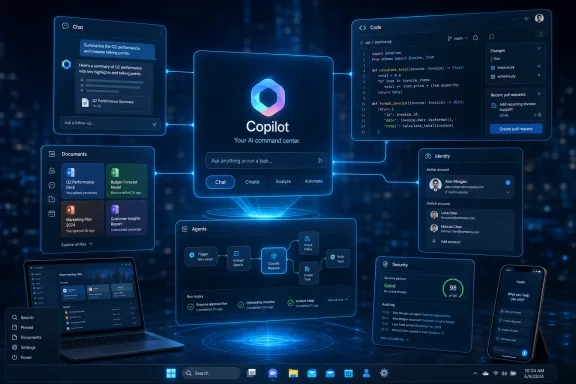
Futuristic office scene showing Microsoft Copilot interface panels over a laptop workstation.Microsoft’s Copilot Problem Is No Longer Visibility​

Microsoft has spent the past three years ensuring that no Windows, Office, Edge, Teams, or GitHub user can plausibly say they have not encountered Copilot. The button is everywhere, the branding is everywhere, and the company’s product roadmaps increasingly assume that AI assistance is not an add-on but the new surface area of work.
That saturation makes the reported “super app” effort revealing. Microsoft is not suffering from a lack of Copilot exposure. It is suffering from a lack of Copilot coherence.
For users, Copilot can mean a chatbot in the browser, a drafting assistant in Word, a meeting summarizer in Teams, a coding partner in GitHub, an agent builder in Copilot Studio, or a Windows-side search-and-action layer that appears and disappears depending on release channel, geography, licensing, and corporate policy. For IT departments, it can mean another licensing matrix, another governance question, another data boundary to explain, and another adoption campaign to justify.
That is a dangerous place for Microsoft to be. The company’s greatest platform successes have usually been boring in exactly the right way: Windows runs the PC, Office runs the document workflow, Active Directory runs identity, Azure runs cloud infrastructure, and Teams runs workplace communication. Copilot, by contrast, still asks the customer to understand the product map before the product value becomes obvious.
A single app will not solve that by itself. But the reported internal slogan, “Delivering one Copilot,” points to the real ambition: Microsoft wants Copilot to stop being a collection of integrations and start being the place where work is initiated, routed, completed, and measured.

The Adoption Numbers Turn a Product Story Into a Business Story​

The most uncomfortable number in the current Copilot debate is not the billions Microsoft is spending on AI infrastructure. It is the gap between Microsoft 365’s enormous installed base and the comparatively small share of users paying for premium Copilot features.
Reports have pegged Microsoft 365 Copilot’s paid penetration at only a small fraction of the broader Microsoft 365 and Office 365 base. Microsoft has also said paid Copilot usage is growing, and the company has pointed to large enterprise rollouts as evidence that the product is gaining traction. Both things can be true: Copilot can be growing quickly and still be underpenetrated relative to the scale of Microsoft’s opportunity.
That distinction matters because Wall Street and enterprise IT are asking different versions of the same question. Investors want to know whether Microsoft’s AI spending becomes durable software revenue. CIOs want to know whether Copilot is a measurable productivity product or simply the next expensive feature bundle arriving before the last transformation program has finished.
GitHub Copilot gives Microsoft a cleaner success story. Developers have a repeatable workflow, an obvious productivity bottleneck, and an environment where a good suggestion can be accepted or rejected quickly. Code completion, test generation, and repository-aware assistance produce value in ways that are easier to observe than “better knowledge work.”
The office worker is a harder customer. Drafting emails, summarizing meetings, building slide decks, and querying spreadsheets are real tasks, but their value is fuzzier. The productivity gain is distributed across moments rather than concentrated in a build pipeline or pull request.
That is why the super app idea matters. Microsoft is implicitly betting that Copilot adoption is being slowed not only by price or skepticism, but by product sprawl. If the assistant is everywhere but the workflow is nowhere, users may sample it without forming the habit Microsoft needs.

The Super App Is Really a Control Plane​

The phrase “super app” carries baggage. In consumer technology, it evokes sprawling platforms like WeChat, where messaging, payments, commerce, services, and identity collapse into one daily operating layer. In enterprise software, the equivalent is less glamorous but potentially more consequential: a control plane for work.
That is the version Microsoft appears to be chasing. A unified Copilot would not merely collect existing tools under a cleaner menu. It would become the front door to Microsoft’s AI model stack, productivity graph, enterprise data, developer workflow, and automation layer.
That is a much more ambitious product than a chatbot. A chatbot waits for a prompt. A control plane understands context, invokes tools, delegates tasks, checks permissions, writes into systems of record, and remembers enough of the user’s workflow to become useful tomorrow rather than impressive today.
Microsoft already has many of the raw ingredients. It has the Microsoft Graph, Entra identity, SharePoint, Exchange, Teams, Office documents, Power Platform connectors, GitHub repositories, Azure AI infrastructure, and a global base of enterprise administrators who already trust Microsoft more than most standalone AI startups. The missing piece is not the database. It is the user experience that makes those assets feel like one system.
This is where Microsoft’s history cuts both ways. The company is excellent at bundling, integrating, and turning distribution into default behavior. It is less consistently excellent at making sprawling suites feel elegant to the person sitting in front of the keyboard.
A Copilot super app would therefore be judged on an old Microsoft tension: can the company convert architectural advantage into a product that feels simpler, not heavier?

Fragmentation Has Been Copilot’s Silent Tax​

Copilot’s sprawl is not just a branding annoyance. It imposes a cognitive tax on users and an operational tax on administrators.
A worker who sees Copilot in Word may not understand how that differs from Copilot Chat. A manager who uses meeting summaries in Teams may not know whether those capabilities are included, metered, limited, or governed differently from agents. A developer who pays for GitHub Copilot may not see a natural bridge to Microsoft 365 Copilot, even if their company lives inside Microsoft’s broader stack.
The naming has not helped. Microsoft has used Copilot as a product name, feature name, assistant name, subscription name, and umbrella brand. That may be defensible from a marketing perspective, but it creates product ambiguity. When everything is Copilot, the word stops explaining anything.
Administrators face a parallel problem. Copilot touches data access, compliance, retention, identity, endpoint policy, auditability, and user training. Even when Microsoft provides controls, the controls must be understood across multiple products and admin centers. That slows deployment because every AI feature becomes a governance conversation.
The super app approach is an attempt to lower that tax. If users can enter one Copilot environment and find chat, agents, coding help, coworking workflows, and business context in a predictable way, Microsoft can turn experimentation into routine. If administrators can govern that environment with clearer policy boundaries, they may be more willing to expand access.
But consolidation has a downside. A single front door can also become a single point of frustration. If the app is slow, noisy, overbearing, or too aggressive about surfacing itself, users will not experience unity. They will experience intrusion.

Windows Is the Prize, but Microsoft 365 Is the Battlefield​

For Windows enthusiasts, the obvious question is how this plays into the operating system. Microsoft has repeatedly treated Windows as both a distribution vehicle for Copilot and a proving ground for AI-native interaction. The taskbar, Start menu, search box, and system-level assistant concepts all suggest a future where Copilot is not merely an app but an ambient layer across the PC.
Yet the immediate business battlefield is Microsoft 365. That is where the seats are, where the subscriptions live, and where corporate budgets can be expanded. Windows can surface Copilot, but Microsoft 365 has to justify Copilot.
This is why the super app report is more important than another taskbar experiment. Windows integration may make Copilot visible, but Microsoft 365 integration must make it valuable. The value proposition is not “ask your PC a question.” It is “ask your work environment to do something useful with the data and permissions you already have.”
That difference is crucial. Consumer AI assistants often compete on general knowledge, personality, multimodal tricks, and search-like convenience. Enterprise AI competes on context, security, workflow completion, and trust. Microsoft has a better chance in the second category than the first because the company already sits inside the enterprise workflow.
The challenge is that enterprise context is messy. Documents are duplicated, permissions are inconsistent, meetings are poorly named, Teams channels decay, SharePoint sites sprawl, and organizational knowledge is often buried in formats no assistant can fully rescue. Copilot can expose the condition of a company’s information architecture as much as improve it.
A unified app could make that reality more visible. It could also make the benefits more concrete. If Copilot becomes a place where a user can move from a meeting transcript to a project plan, from a project plan to assigned tasks, from assigned tasks to generated code or documents, and from there to status reporting, Microsoft may finally have a workflow story strong enough to move beyond demos.

GitHub Copilot Shows What Good AI Monetization Looks Like​

GitHub Copilot remains Microsoft’s strongest proof that users will pay for AI when the job is specific and the feedback loop is immediate. Developers do not need a philosophical argument about AI transformation when an assistant completes boilerplate, explains a function, writes a test, or helps navigate an unfamiliar codebase.
That is why folding GitHub Copilot into a broader Copilot super app is both attractive and risky. The attraction is obvious: developers are often the earliest power users of new computing paradigms, and GitHub gives Microsoft a credible AI product with paid traction. The risk is that GitHub Copilot’s clarity gets diluted inside a broader productivity suite.
Developers are unusually sensitive to workflow disruption. They live in editors, terminals, repositories, issue trackers, and CI/CD systems. If a unified Copilot respects that environment, it could become a bridge between software engineering and the rest of the enterprise. If it tries to drag developers into a generic chat portal, it will feel like management software wearing a coding badge.
The more interesting possibility is that Microsoft sees GitHub Copilot not merely as a product to bundle, but as a pattern to replicate. GitHub Copilot works because it is embedded where the work happens, understands the artifact being edited, and produces output in a form the user can immediately evaluate. The average office workflow needs the same discipline.
That means Copilot in Microsoft 365 cannot just be a prompt box hovering near Office documents. It has to understand the shape of a deliverable, the surrounding business process, the approval chain, and the user’s tolerance for automation. A sales proposal, a legal memo, a financial model, and an incident report are not interchangeable “content.”
If the super app turns Copilot into a workflow-aware shell rather than a generic assistant, GitHub’s lessons may scale. If it simply gives every user one more place to chat, it will not.

OpenAI Is Both Microsoft’s Engine and Its Warning Sign​

Microsoft’s relationship with OpenAI has always been more complicated than the clean partner narrative suggests. Microsoft has benefited enormously from privileged access to OpenAI models and from the market validation created by ChatGPT. At the same time, OpenAI’s consumer and enterprise ambitions increasingly overlap with Microsoft’s own.
That overlap raises the stakes for Copilot. If Microsoft’s AI layer feels fragmented, users may default to whichever assistant feels most direct, even if it sits outside Microsoft’s preferred workflow. ChatGPT, Gemini, Claude, Perplexity, and specialized enterprise AI tools all compete for attention at the moment of intent.
Microsoft’s defensive advantage is distribution. Its offensive advantage is context. OpenAI can offer a powerful general assistant, but Microsoft can theoretically offer an assistant that knows the spreadsheet, the email thread, the Teams meeting, the SharePoint folder, the calendar, the security group, and the Power Automate workflow. That is a formidable moat if the product experience makes it accessible.
The super app is therefore a response not only to internal clutter but to external pressure. Google is pushing Gemini through Workspace and Android. AI startups are attacking narrow workflows with cleaner interfaces and faster iteration. OpenAI is building tools that look less like research demos and more like productivity platforms.
Microsoft cannot assume that owning the enterprise suite guarantees ownership of the AI interface. The history of computing is full of incumbents who controlled the system of record while losing the system of engagement. Copilot is Microsoft’s attempt to control both.
But controlling both requires restraint. If Microsoft pushes Copilot into every surface without making it reliably useful, it risks training users to ignore it. The industry has seen that pattern before with assistants, notifications, widgets, and “smart” features that became background noise.

The Licensing Maze Still Has to Be Solved​

No unified app can fully compensate for licensing confusion. Microsoft’s commercial genius has always included packaging complexity, but AI raises the cost of that complexity because users are being asked to develop new habits around features that may or may not be available to them.
There are free Copilot experiences, paid Microsoft 365 Copilot seats, GitHub Copilot subscriptions, Copilot Studio capabilities, agent-related metering, consumer Copilot offerings, and business chat tiers. For procurement teams, this is manageable only if the value is clear. For end users, it is often invisible until a feature fails, disappears, or prompts an upgrade.
That is a problem for adoption because AI tools depend on continuity. A user who cannot predict whether Copilot will have the right context, the right permission, or the right capability will not build the muscle memory Microsoft wants. They will use it experimentally, not habitually.
The reported adoption gap suggests that Microsoft has not yet convinced enough customers that the premium tier is indispensable. That does not mean Copilot lacks value. It means the value has not yet become obvious enough, broadly enough, to overcome price, governance, and change-management friction.
A unified app could help by making feature boundaries more legible. It could show what is included, what requires premium access, what is governed by corporate policy, and what data is being used. Or it could make the maze feel worse by concentrating upsell prompts and disabled features in one place.
For WindowsForum readers who administer Microsoft environments, this is not a minor detail. The success of Copilot will depend as much on deployment clarity as model quality. A brilliant assistant trapped behind ambiguous entitlements is still an adoption problem.

The Security Argument Is Stronger Than the Productivity Pitch​

Microsoft’s strongest enterprise argument may not be that Copilot makes every worker dramatically more productive. It may be that a governed Microsoft AI environment is safer than the uncontrolled use of consumer AI tools.
That pitch will resonate with administrators who already worry about employees pasting sensitive data into external chatbots. If users are going to use AI anyway, Microsoft can argue, they should use an assistant governed by enterprise identity, compliance boundaries, audit trails, and data protection policies.
This is a practical argument, and it may be more persuasive than broad claims about productivity transformation. Security teams do not need Copilot to be magical. They need it to be controllable, observable, and less risky than shadow AI.
A super app could strengthen that case. One sanctioned place for AI work is easier to communicate than a scatter of features across apps. It gives IT a cleaner adoption message: use this, not that; your data stays within these boundaries; your access follows existing permissions; your activity is governed by corporate policy.
But Microsoft has to earn trust here. AI systems can produce incorrect summaries, overconfident answers, and outputs that obscure the source of truth. In regulated environments, a convenient assistant can become a liability if users treat generated text as authoritative without verification.
The right enterprise posture is not “Copilot knows.” It is “Copilot helps, and the system shows its work.” A unified app should make provenance, permissions, citations, and auditability more visible, not less.

The Windows User Experience Remains Unsettled​

For everyday Windows users, Copilot has been a moving target. It has appeared as a sidebar, a web app, a taskbar presence, a keyboard key, and a branded concept that sometimes feels more tied to Microsoft’s strategic priorities than to a specific user need.
That unsettled experience has consequences. Windows users are tolerant of change when it clearly improves the operating system. They are much less tolerant when new surfaces feel like advertising inventory for a corporate strategy.
Microsoft has to be careful not to confuse Windows distribution with Windows value. A Copilot button on the taskbar is not inherently useful. A Copilot experience that can reliably find settings, explain system behavior, troubleshoot errors, summarize local context with permission, and connect personal productivity across devices might be.
The super app could provide the product center that Windows integration currently lacks. Instead of Copilot being a scattered set of entry points, Windows could become one doorway into a consistent assistant environment. That would be a cleaner model than repeatedly reinventing the shell around AI experiments.
Still, Windows is not Microsoft 365. Personal PC users have different expectations around privacy, performance, and control. The more Copilot feels like an enterprise service grafted onto the consumer desktop, the more resistance it will face from users who simply want the operating system to stay out of the way.
The path forward is likely optionality with depth. Microsoft can make Copilot powerful for users who want it, integrated for organizations that deploy it, and removable or quiet for users who do not. The company’s temptation will be to make it unavoidable. That would be a mistake.

Build Is the Stage, but Not the Test​

If Microsoft references the super app effort around Build, the audience will be primed to hear a developer-platform story. That makes sense. Developers are the people who extend Microsoft’s platforms, build agents, wire up APIs, and decide whether a new assistant layer is programmable enough to matter.
But the real test will not be a Build demo. Microsoft has produced dazzling AI demos before. The test will be what happens in September, October, and November when administrators try to explain the product to users, finance teams evaluate the licenses, and workers decide whether the app saves enough time to earn a permanent place in the day.
A successful launch would make Copilot feel less like a collection of AI cameos and more like a dependable workbench. It would reduce the distance between asking, creating, assigning, coding, documenting, and reporting. It would also make clear when the assistant is using enterprise data, when it is invoking an agent, and when a human needs to approve the next step.
A weak launch would add another layer to the pile. It would give Microsoft a new container for old confusion, a larger surface for upsell, and another round of branding that does not answer the user’s simplest question: what should I do with this that I could not do yesterday?
The difference between those outcomes will come down to product discipline. Microsoft does not lack ambition. It needs subtraction, consistency, and a ruthless focus on the workflows where AI is genuinely better than the old way.

The Real Bet Is Habit, Not Hype​

The phrase “daily habit” has become central to how Microsoft talks about Copilot, and for good reason. Software platforms win when they become muscle memory. Word processors, spreadsheets, email clients, browsers, shells, terminals, and chat apps all became powerful because users returned to them without needing to be persuaded each morning.
Copilot is not there yet for most people. Many users still treat AI assistants as occasional tools: useful for a summary, a rewrite, a brainstorm, or a quick explanation, but not the default environment for work. Microsoft’s super app effort is an attempt to move Copilot from occasional utility to habitual interface.
That is a difficult transition. Habits require reliability more than novelty. Users will forgive a chatbot for being amusingly wrong during experimentation; they will not forgive a work assistant that mishandles a deadline, invents a fact, or buries a critical source.
The habit Microsoft wants also requires social acceptance inside organizations. Workers need to know when it is appropriate to use AI-generated material, managers need to know how to evaluate it, and companies need policies that are clearer than vague encouragement to “use AI responsibly.” A unified app can support that cultural shift, but it cannot replace it.
In that sense, the super app is not merely a product consolidation. It is Microsoft’s attempt to create a new workplace ritual: start with Copilot, let it gather context, let it propose action, and then supervise the result. That is a profound change in how Microsoft imagines office work.
Whether workers want that ritual is still an open question.

The Summer Copilot Push Leaves Microsoft With Little Room for Ambiguity​

Microsoft’s reported plan gives the company a narrow window to turn a sprawling AI brand into a product users can understand. The practical stakes are now concrete, and they cut across Windows, Microsoft 365, GitHub, and enterprise governance.
  • Microsoft’s reported super app is best understood as a consolidation play, not merely another Copilot-branded product launch.
  • The central business problem is that Copilot’s visibility has outpaced paid adoption across the broader Microsoft 365 base.
  • GitHub Copilot remains the strongest evidence that users will pay for AI when the workflow is specific, measurable, and close to the work.
  • A unified Copilot experience could help IT departments govern AI usage, but only if licensing, permissions, and data boundaries become easier to understand.
  • Windows integration will matter most if it makes Copilot useful at the system level rather than simply more prominent.
  • The launch will succeed or fail on habit formation, not demo quality.
Microsoft has a rare opportunity here because it owns so much of the terrain where modern work already happens, but that same breadth is what made Copilot confusing in the first place. The company’s next AI chapter will not be won by placing another button in another app. It will be won if Microsoft can make Copilot feel like one trustworthy workspace instead of a dozen strategic initiatives wearing the same name.

References​

  1. Primary source: Crypto Briefing
    Published: Fri, 29 May 2026 19:59:06 GMT
  2. Related coverage: windowscentral.com
  3. Related coverage: techradar.com
  4. Related coverage: pcworld.com
  5. Related coverage: techcrunch.com
  6. Official source: blogs.microsoft.com
 

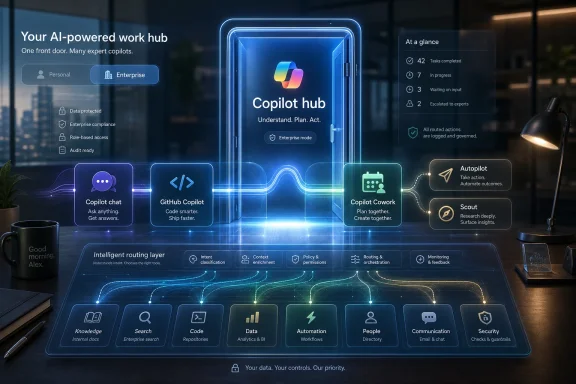
Microsoft is reportedly developing a single AI “super app” that would combine Copilot chat, GitHub Copilot, Copilot Cowork, and new agentic features called Autopilot and Scout, with internal plans pointing toward a possible public launch near the end of summer 2026. The report matters less because Microsoft has found another name for another Copilot, and more because it suggests Redmond has finally identified its AI problem as a product problem. Copilot is everywhere, yet still too often feels like it is nowhere in particular. A unified app is Microsoft’s attempt to turn a scattered platform strategy into something users can actually understand.

Futuristic office dashboard showing a “Copilot hub” AI work hub with integrated tools, routing, and analytics.Microsoft’s Copilot Sprawl Has Become the Product​

The modern Microsoft AI experience is not short on ambition. It is short on coherence. There is Copilot for consumers, Microsoft 365 Copilot for work, GitHub Copilot for developers, Copilot Chat, Copilot in Windows, Copilot in Edge, Copilot in Office apps, agents in Teams, and now a growing vocabulary of agentic features that sound adjacent but not interchangeable.
That sprawl was not accidental. Microsoft’s first Copilot push was a land grab, and land grabs reward speed over elegance. The company had OpenAI momentum, enterprise distribution, Windows placement, Office surface area, and a sudden chance to define the AI assistant category before Google fully recovered its footing.
The result was predictable: Copilot became less a product than a brand umbrella. Users saw the same name attached to different capabilities, different subscriptions, different admin controls, different data boundaries, and different entry points. That might be tolerable for a cloud SKU matrix, but it is poison for a personal assistant.
A “super app” is therefore not just a new container. It is an admission that Microsoft’s AI strategy has become too fragmented for the very users it is supposed to assist. If an assistant requires the user to remember which assistant to open, the assistant has already failed.

The Super App Is Really a Navigation Layer for Work​

According to the reporting, Microsoft’s unreleased app would bring together Copilot chat, GitHub Copilot, Copilot Cowork, and an internal agentic workflow capability called Autopilot. A separate leaked screenshot reportedly shows another proactive agent named Scout. The app may also let users switch between personal and enterprise Microsoft 365 Copilot contexts, while still allowing access to individual Copilots outside the unified experience.
That last point is important. Microsoft is not apparently killing the existing Copilot surfaces, at least not yet. It is trying to create a central interface above them, a layer where the user starts work before the system routes that work to the right agent, model, data source, or workflow.
In practical terms, that is the only version of a super app that makes sense for Microsoft. The company does not need a WeChat-style consumer empire where payments, messaging, shopping, and government services collapse into one mobile interface. Microsoft needs a work router: one place where a user can ask, code, summarize, plan, delegate, search, and automate without caring which Copilot product boundary sits behind the curtain.
The hard part is that Microsoft’s boundaries are not arbitrary. Consumer Copilot and enterprise Copilot differ for reasons that matter: identity, compliance, tenant data, auditability, retention, connectors, licensing, and administrator control. A toggle between personal and work Copilots sounds convenient until the wrong document, account, memory, or agent permission crosses the wrong line.
That is why this project should be judged less by how slick the interface looks and more by how cleanly it handles context. A unified Copilot that blurs work and personal identities will alarm IT departments. A unified Copilot that makes those identities obvious, enforceable, and reversible could finally make Microsoft’s AI stack feel less like a pile of demos.

Redmond Is Chasing ChatGPT’s Simplicity and Google’s Distribution​

The competitive backdrop is unforgiving. OpenAI has turned ChatGPT into the default mental model for mainstream AI usage: open one box, ask for nearly anything, and expect the system to figure out the mode. Google, meanwhile, has been using Gemini’s reach across Search, Android, Workspace, and developer tools to recover from its early stumble and reassert the power of distribution.
Microsoft has distribution too, arguably the strongest distribution in enterprise software. Windows, Office, Teams, Outlook, Azure, GitHub, Edge, and Microsoft 365 form a map of modern work. Yet the Copilot experience has not consistently converted that map into a single user habit.
This is the paradox of Microsoft’s AI position. The company has inserted Copilot into more places than almost anyone else, but broad placement has not automatically created deep attachment. For many users, Copilot is still a button they see rather than a tool they trust.
A super app is a bid to change the habit loop. Instead of waiting for users to notice Copilot inside Word, Teams, Edge, GitHub, or Windows, Microsoft can push them toward one front door. Once there, the company can make Copilot feel less like a feature bolted onto existing software and more like the command center for the Microsoft cloud.
That is also why the reported inclusion of GitHub Copilot matters. Developers already understand Copilot as a serious tool because GitHub Copilot solved a specific pain point early: writing and navigating code. Folding that credibility into a broader Copilot app gives Microsoft a way to connect knowledge work and software work under one interface, but it also risks diluting one of the few Copilot brands with unmistakable product-market fit.

Agents Are the Excuse, but Trust Is the Product​

The words “Autopilot” and “Scout” point toward the next phase of AI competition: agents that do not merely answer but act. In Microsoft’s world, that could mean booking meetings, preparing documents, triaging messages, opening pull requests, monitoring projects, updating records, or carrying out multistep tasks across Microsoft 365 and third-party systems.
That shift explains why a unified app is suddenly more urgent. Chatbots can survive as separate windows because they are mostly reactive. Agents need continuity. They need permissions, memory, workflow state, user intent, and a clear record of what they did and why.
The danger is that Microsoft’s naming habit may outrun its governance story. “Autopilot” is a familiar Microsoft-flavored term, but in an AI workflow context it carries a promise of delegated action. “Scout” suggests proactive discovery. Those ideas are powerful, but they also trigger the obvious questions: What can the agent see? What can it change? Who approved the action? How does an admin stop it? What happens when it is wrong?
For WindowsForum readers, this is not theoretical. An agent that can summarize a mailbox is one thing. An agent that can modify a SharePoint library, update a CRM record, generate code, or send messages on behalf of a user is another. The former is an assistant; the latter is a new class of enterprise actor.
Microsoft has been trying to frame this transition through security, governance, and control. That is the right language, but language will not be enough. The company needs visible permission models, useful logs, tenant-level policy, granular data boundaries, and a user experience that makes delegation feel deliberate rather than magical.

The Build No-Show Would Be the Smartest Part of the Plan​

The reporting says Microsoft does not plan to reveal the super app at Build next week. That may sound surprising, but it is probably wise. Build is where Microsoft sells the developer platform, and a half-finished super app would invite a keynote demo that overpromises before the product is ready.
Microsoft has a long history of announcing big visions before the details settle. In the AI era, that habit is riskier because users have become more skeptical of flashy demos and more sensitive to workflow disruption. A super app that launches with unclear licensing, uneven account switching, or inconsistent feature availability would reinforce the very fragmentation it is meant to solve.
There is also a sequencing issue. Microsoft just introduced a redesigned Microsoft 365 Copilot experience, emphasizing cleaner interaction patterns and a more focused design language. If the company immediately announced yet another Copilot container, the message would become muddled: is the Microsoft 365 Copilot app the hub, or is the new super app the hub?
Waiting until late summer gives Microsoft time to reconcile those surfaces. It also gives the company room to use Build for the plumbing: models, agents, developer tools, Microsoft 365 extensibility, Windows AI integration, and security controls. The app can arrive later as the consumer-facing proof that the plumbing has a point.
That split would be unusually disciplined. It would also suggest Microsoft has learned something from the last three years of AI product churn: the platform story and the user story are not the same story.

The Personal-Enterprise Toggle Is Where the Risk Lives​

The most intriguing reported feature is a toggle between personal and enterprise Copilot accounts. It is easy to see why Microsoft wants it. Many people now live in overlapping Microsoft identities: a personal Microsoft account, a work Entra ID account, perhaps multiple tenants, a GitHub identity, and a Windows device that may be personally owned but work-managed.
A single Copilot app could make that mess tolerable. It could let a user move from planning a family trip to summarizing a work meeting to reviewing a pull request without opening three different AI products. That is the consumer dream: one assistant that knows which hat the user is wearing.
But enterprise computing is built around the refusal to let hats blur. Corporate data does not become less sensitive because the UI is elegant. The moment a unified app handles both personal and work contexts, Microsoft must prove that the separation is not cosmetic.
Admins will want policy before polish. They will want to know whether personal Copilot can be disabled on managed devices, whether enterprise Copilot memory can be scoped or purged, whether GitHub activity can be separated from Microsoft 365 data, and whether agents can be restricted by sensitivity labels, Conditional Access, device compliance, or role.
Users will want a different kind of reassurance. They need to know when Copilot is using work data, when it is using web data, when it is remembering something, and when a response is grounded in documents they are allowed to access. If Microsoft hides too much in the name of simplicity, the super app will feel untrustworthy. If it exposes too much complexity, it will recreate the fragmentation it set out to eliminate.

Windows Is Still the Most Tempting Front Door​

For this audience, the obvious question is how a Copilot super app fits with Windows. Microsoft has spent years trying, retreating, and trying again to make Windows a natural home for Copilot. The company has experimented with taskbar placement, keyboard keys, sidebars, app windows, contextual entry points, and deeper system-level AI hooks.
The temptation is obvious. Windows is where work begins for hundreds of millions of people. If Microsoft can make Copilot feel like the command line for everyday computing, it can reshape how users launch apps, find files, manipulate settings, and move between local and cloud data.
But Windows is also where Copilot has been most politically sensitive. Enthusiasts resent unwanted buttons. Enterprises resent surprise changes. Privacy-conscious users resent anything that feels like system-wide observation. A super app could either reduce that tension by giving Copilot a cleaner, optional home, or intensify it if Microsoft uses Windows as a funnel into yet another AI subscription experience.
The smarter path is restraint. Let Windows provide ambient access, context, and system integration, but let the super app carry the full conversational and agentic workload. That would keep the OS from becoming a billboard while still letting Microsoft use Windows as a launchpad.
There is precedent for this kind of split. Windows has long been both a platform and a promotional surface for Microsoft services. The difference with AI is that the promotional surface can now act on the user’s behalf. That raises the stakes from annoyance to agency.

GitHub Copilot Could Be the Anchor or the Casualty​

GitHub Copilot’s inclusion in the reported app is strategically important because it gives Microsoft’s super app a practical constituency. Developers were among the first users to experience AI assistance as something more than a novelty. Code completion, test generation, documentation help, bug fixing, and repository-aware chat are concrete workflows with measurable value.
Bringing GitHub Copilot into a broader Copilot environment could unlock useful crossovers. A product manager could move from a meeting transcript to a GitHub issue. A developer could ask about a customer requirement stored in Microsoft 365 and map it to code. A team lead could use an agent to track whether implementation matches planning documents.
That is the upside. The downside is that GitHub Copilot works in part because it sits where developers already work: editors, pull requests, issues, and repositories. If Microsoft turns it into just another tile in a generic productivity super app, it could weaken the focus that made it valuable.
The best version of the strategy leaves GitHub Copilot deeply embedded in developer tools while making the super app a coordination layer. Developers should not have to leave VS Code or GitHub to satisfy a Microsoft org chart. But non-developers should be able to interact with software work without pretending they live in an IDE.
That balance will be hard. Microsoft’s enterprise instinct is to integrate everything. Developers often prefer tools that feel composable rather than absorbed.

Microsoft’s Model Strategy Is Becoming Less OpenAI-Centric​

The super app rumor also lands during a broader shift in Microsoft’s AI posture. The company remains deeply tied to OpenAI, but it has been moving toward a more model-diverse strategy. Microsoft has added alternatives in some Copilot contexts, continued developing in-house models, and framed its AI stack less around a single partner and more around orchestration.
That change is not merely technical. It affects product power. If Copilot is a unified app, Microsoft can decide which model handles which task behind the scenes: one model for coding, another for long-context document work, another for lightweight local actions, another for enterprise search, another for vision, another for agent planning.
Users may never see that routing, and most should not have to. The promise of Copilot is not model selection; it is outcome selection. But Microsoft’s ability to swap, blend, or specialize models would make the super app more resilient commercially and strategically.
It also gives Microsoft leverage. Depending too heavily on OpenAI gave Microsoft speed, but it also made the company’s flagship AI experience feel partly downstream of another company’s product trajectory. A super app that presents Microsoft as the orchestrator rather than merely the distributor helps Redmond reclaim the customer relationship.
That is particularly important in the enterprise. CIOs buy accountability as much as capability. If Copilot fails, leaks, hallucinates, or disrupts workflows, the vendor in the room is Microsoft. The underlying model provider matters, but the governance contract belongs to the platform owner.

The Name “Super App” May Be the Wrong Metaphor​

The industry’s use of “super app” is doing a lot of work here, and not all of it is helpful. In consumer tech, a super app usually means a dominant mobile hub that absorbs many daily activities. In Microsoft’s case, the more accurate metaphor is probably control plane.
That distinction matters because Microsoft does not need users to order lunch inside Copilot. It needs them to trust Copilot as the interface for work across files, messages, meetings, code, tasks, and enterprise systems. The value is not that everything lives inside one app; the value is that the app understands where everything lives.
If Microsoft chases the wrong metaphor, it may build a bloated dashboard. If it chases the right one, it may build a thin but powerful orchestration layer. The difference will show up in the first five minutes of use.
A bloated dashboard says, “Here are all your Copilots.” A useful orchestration layer says, “What are you trying to get done?” Microsoft has too often shipped the former and described it as the latter.
The leaked and reported pieces suggest the company understands the direction. Chat, coding, coworking, proactive discovery, and delegated workflows are not separate destinations. They are modes of work. The product challenge is to make those modes fluid without making them invisible.

The Admin Center Will Decide Whether This Lands​

Consumer AI products win through delight. Enterprise AI products win through deployment. That means the fate of Microsoft’s super app will depend partly on a place most users never see: the admin controls.
For IT departments, a unified Copilot raises immediate operational questions. Which licenses activate which features? Can Autopilot or Scout be disabled independently? Are prompts and outputs logged? Can data access be audited by user, agent, connector, and sensitivity label? Will the app respect existing Microsoft Purview, Defender, Entra, Intune, and compliance configurations?
These are not edge cases. They are procurement blockers. Microsoft can put Copilot in the prettiest shell imaginable, but if admins cannot explain the risk boundary, they will slow-roll deployment or disable the most interesting features.
The other challenge is support. A unified app may reduce user confusion at the front end, but it could increase help desk complexity if failures become harder to diagnose. Did the model fail? Did the connector fail? Did the user lack permission? Did an agent hit a policy wall? Did the personal-work toggle use the wrong context?
Microsoft’s advantage is that it owns much of the enterprise management stack already. Its disadvantage is that customers know exactly how messy that stack can become when branding moves faster than documentation. The super app will need a clean admin story on day one, not six months after rollout.

The Copilot Super App Would Succeed by Being Boring in the Right Places​

The most useful version of this product will not feel like science fiction. It will feel like Microsoft finally cleaned up the hallway. Users will open one app, see the right account, understand the current context, and ask for work to be done without navigating a maze of Copilot variants.
That is harder than it sounds. Microsoft must make the experience simple without concealing risk, powerful without feeling invasive, proactive without becoming noisy, and cross-platform without becoming generic. It must also resist the urge to treat every surface as an upsell opportunity.
The concrete stakes are already visible:
  • Microsoft is reportedly trying to unify Copilot chat, GitHub Copilot, Copilot Cowork, Autopilot, and Scout inside one central AI experience.
  • The reported late-summer launch window gives Microsoft time to separate Build platform announcements from a user-facing app reveal.
  • The personal-enterprise toggle could be the app’s most useful feature, but only if identity, data boundaries, and admin controls are unmistakably clear.
  • GitHub Copilot’s inclusion could connect software development to broader Microsoft 365 workflows, though Microsoft must avoid weakening the developer experience that already works.
  • The move suggests Microsoft knows Copilot’s biggest weakness is not raw AI capability but fragmentation, habit formation, and trust.
The irony is that Microsoft’s next major AI move may be less about adding another Copilot than making the existing ones disappear into a single workflow. That is the right instinct. The AI assistant that wins the workplace will not be the one with the most buttons, the most brand extensions, or the loudest keynote demo; it will be the one that knows where the user is, what rules apply, and when to get out of the way. If Microsoft can make its super app feel less like a bundle and more like a dependable front door to work, Copilot may finally become what the company has been calling it all along.

References​

  1. Primary source: thurrott.com
    Published: Sat, 30 May 2026 09:20:45 GMT
  2. Related coverage: windowscentral.com
  3. Related coverage: techradar.com
  4. Related coverage: fortune.com
  5. Related coverage: sources.news
  6. Related coverage: siliconreport.com
 

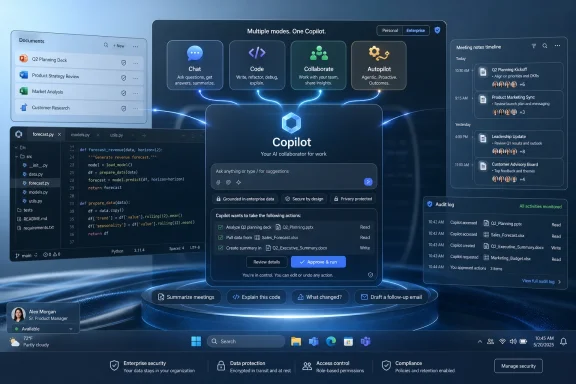
Microsoft is developing a unified Copilot “super app” that would combine GitHub Copilot, Copilot chat, Copilot Cowork, and an internal agentic workflow feature called Autopilot, with Fortune reporting on May 29, 2026, that Microsoft is targeting a launch by the end of summer. The move is less about inventing yet another AI assistant than admitting the current Copilot sprawl has become a product problem. For Windows users, developers, and Microsoft 365 administrators, the stakes are obvious: Microsoft wants Copilot to become the default work surface before rivals define what an AI operating layer should feel like. The question is whether unification will make Copilot coherent — or merely concentrate its confusion in one larger window.

Futuristic Copilot interface with code, documents, meeting timeline, and audit log on a glowing desktop.Microsoft Finally Confronts Its Copilot Sprawl​

Microsoft has spent the past few years attaching the Copilot name to almost every surface it controls: Windows, Edge, Microsoft 365, Teams, Outlook, GitHub, Azure, security tools, and developer workflows. That ubiquity was supposed to be the company’s advantage. Instead, it has often left users wondering which Copilot they are talking to, what data it can see, what license unlocks which feature, and why the same brand behaves differently depending on where it appears.
The reported super app is an attempt to solve that by collapsing several major AI experiences into one place. GitHub Copilot would bring code assistance, Copilot chat would provide the general conversational layer, Copilot Cowork would push the product toward collaborative execution, and Autopilot would represent the more ambitious agentic workflow Microsoft has been gesturing toward for more than a year. If the report is accurate, Microsoft is not just redesigning a launcher. It is trying to turn Copilot from a scattered feature family into a single product.
That distinction matters. A feature can live inside Word or Visual Studio Code and succeed on narrow terms. A product has to explain itself, remember context, manage identity, earn trust, and justify habit. Copilot has had pieces of that equation, but not the center of gravity.
The irony is that Microsoft’s greatest distribution advantage has also been its biggest UX liability. The company can put an AI button almost anywhere, but every additional entry point risks making Copilot feel less like an assistant and more like corporate wallpaper. A super app is Microsoft’s admission that AI cannot win merely by being present everywhere. It has to be understandable somewhere.

Jacob Andreou Inherits the Interface War​

The reported role of Jacob Andreou is one of the most revealing parts of the story. Microsoft reorganized Copilot leadership earlier this year, putting Andreou in charge of a more unified Copilot experience spanning consumer and commercial use. That is a notable shift for a company whose internal structure has historically mirrored its product fragmentation.
Andreou’s background at Snap is relevant not because Copilot should become social software, but because Microsoft appears to understand that AI adoption is now partly an interface and habit-formation problem. Enterprise buyers may sign contracts, but users still have to choose to open the thing. If Copilot remains a set of disconnected panels buried in apps, Microsoft risks owning the license without owning the daily workflow.
This is where the “super app” phrase earns its keep, even if it sounds borrowed from consumer tech. In Asia, super apps became powerful by aggregating adjacent activities — messaging, payments, shopping, travel, services — into one habitual surface. Microsoft’s version would be less about mini-app commerce and more about routing work: write code, query documents, summarize meetings, assign follow-ups, invoke agents, and move between personal and enterprise contexts.
That sounds elegant in a strategy deck. In practice, it is extremely hard. Microsoft must make a unified Copilot feel powerful without making it feel invasive, flexible without becoming chaotic, and integrated without turning into another Teams-like gravity well where every workflow is absorbed whether users want it or not.

The Toggle Between Personal and Enterprise Copilots Is the Real Fault Line​

The reported consideration of a toggle between personal and enterprise Microsoft 365 Copilots may sound like a small interface detail. It is not. It is the fault line running through Microsoft’s entire AI strategy.
Consumer AI assistants are trained by convenience. They move fast, ask fewer questions, and thrive on ambiguous personal context. Enterprise assistants are constrained by permissions, compliance, retention, auditability, tenant boundaries, data residency, and administrator policy. Microsoft wants the same user to glide between those worlds, but IT departments are paid to make sure the glide path does not become a data leak.
A visible toggle could help by making context explicit. Users need to know whether they are asking a personal assistant, a work assistant grounded in Microsoft Graph, a coding assistant connected to repositories, or an agent with permission to act. If Microsoft gets that boundary wrong, the super app becomes a security training nightmare.
The company has spent considerable effort telling enterprise customers that Microsoft 365 Copilot and Copilot Chat come with enterprise data protection, respect tenant permissions, and do not use customer prompts and Graph-grounded data to train foundation models. Those commitments matter, but they become harder to communicate as Copilot absorbs more capabilities. A chat box that can summarize an email is one thing. A unified app that can touch code, documents, calendars, agents, and automated workflows is a different governance challenge.
The toggle is therefore not a cosmetic switch. It is Microsoft’s attempt to make identity, permission, and intent legible to ordinary users. If that legibility fails, administrators will not care how slick the app looks.

Autopilot Signals the Shift From Answering to Acting​

The reported Autopilot component is the most strategically important and least proven part of the plan. Microsoft and the broader AI industry have been moving from chatbots that answer questions toward agents that perform tasks. That shift changes the risk profile entirely.
A chatbot can be wrong in text. An agent can be wrong in action. It can send the email, modify the file, open the issue, change the configuration, trigger the workflow, or make a decision that creates downstream cleanup work. The value proposition is larger, but so is the blast radius.
Microsoft has been preparing the ground for this shift through Copilot Studio, Microsoft 365 agents, Copilot Actions, and Windows experiments that point toward background task execution. A unified Copilot app would give those capabilities a more obvious home. Instead of asking users to discover agents inside separate Microsoft 365 surfaces, Microsoft could present Copilot as the place where work begins and agents become the execution layer.
That is the dream. The operational reality is messier. Enterprises will want approval flows, logs, rollback options, scoped permissions, role-based access, and clear distinctions between suggested actions and autonomous actions. Developers will want to know when GitHub Copilot is merely completing code and when a broader Copilot agent is reasoning across repositories, tickets, build output, and documentation.
The name Autopilot also carries baggage. In Microsoft land, Autopilot already means Windows device provisioning. Outside Microsoft, it suggests automation with partial human supervision — a promise that can be misunderstood. If this internal name ever becomes external branding, Microsoft will need to be careful. “Autopilot” sounds reassuring until the machine does something expensive.

GitHub Copilot Gives the Super App Credibility Microsoft 365 Has Not Fully Earned​

The inclusion of GitHub Copilot is critical because it remains one of Microsoft’s clearest AI successes. Developers may argue about quality, pricing, model choice, and workflow fit, but GitHub Copilot has a more concrete value proposition than many office-assistant scenarios. It sits close to the work, offers immediate suggestions, and can be judged against compilable output.
Microsoft 365 Copilot has had a harder road. Summarizing meetings, drafting emails, and synthesizing documents can be useful, but the return on investment is less obvious and more dependent on organizational data hygiene. If a tenant is full of stale SharePoint sites, overshared files, messy Teams channels, and inconsistent permissions, Copilot does not magically become wise. It becomes a fluent interface to the mess.
Bringing GitHub Copilot into the same orbit as Microsoft 365 Copilot could strengthen the overall story. A product manager could move from a Teams discussion to a spec, from the spec to a GitHub issue, from the issue to code context, and from code context back to release notes. That is exactly the kind of cross-domain workflow Microsoft is uniquely positioned to sell.
But it also risks diluting GitHub Copilot’s developer-first identity. Developers are famously allergic to corporate productivity theater. If the super app feels like Microsoft 365 swallowing GitHub, Redmond could irritate one of the audiences that has actually embraced its AI tooling. The integration has to respect the norms of software work rather than forcing developers into a generalized office cockpit.

The Super App Is Also a Defensive Move Against ChatGPT, Gemini, and Claude​

Microsoft’s move fits a broader industry pattern. OpenAI, Google, Anthropic, Salesforce, ServiceNow, Atlassian, and others are all trying to become the place where knowledge work is routed through AI. The interface is no longer just a chat window. It is becoming a command center for tools, files, memory, connectors, and agents.
That puts Microsoft in a strange position. It has the deepest enterprise distribution of any AI platform contender, but it does not automatically have the cleanest AI experience. ChatGPT became the mental model for consumer AI. Claude built a reputation around writing, reasoning, and long-context work. Google is threading Gemini through Search, Workspace, Android, and Chrome. Microsoft has reach, but reach is not the same thing as affection.
A Copilot super app is an attempt to fight at the interface layer before someone else becomes the front door to Microsoft’s own ecosystem. If users start their day in ChatGPT or Claude and merely use Microsoft 365 as a file store, Microsoft loses strategic control even if Office remains installed. The danger is not that Word disappears. The danger is that Word becomes a backend.
This is why the super app matters beyond branding. Microsoft wants Copilot to mediate work before a rival assistant does. The company’s vast suite gives it a plausible claim to that role, but only if the unified experience is faster, clearer, and more trusted than the alternatives.

Windows Is the Silent Stakeholder​

Although the report centers on Copilot as an app rather than Windows itself, Windows users should pay attention. Microsoft has been steadily positioning Windows as an AI-aware client, from Copilot integration and Recall-related experiments to local AI features on Copilot+ PCs. A unified Copilot app could become the bridge between cloud AI services and the Windows desktop.
That could be useful. A single Copilot surface that understands local context, work identity, cloud files, code repositories, and approved agents might finally make AI feel less bolted onto Windows. For power users, it could become a command palette with memory and permissions. For less technical users, it could become the place to ask for help without knowing which app contains the answer.
But Windows history offers a warning. Microsoft has repeatedly tried to make central surfaces that users did not ask for: assistants, feeds, widgets, search integrations, Start menu recommendations, and bundled experiences that blur the line between utility and promotion. If the Copilot super app becomes another mandatory pane, users will resist it before they understand it.
The winning version would be deeply integrated but not coercive. It would let administrators control availability, let users choose defaults, and make its data access visible. The losing version would be a glossy funnel into subscriptions, agents, and upsells.

Enterprise IT Will Judge the Plumbing, Not the Demo​

The most important audience for this product may not be the users who see the first splash screen. It may be the administrators who decide whether the app is enabled, pinned, restricted, audited, or quietly buried.
For IT departments, a unified Copilot surface raises immediate questions. Which licenses are required? Which logs are generated? Can personal and work modes be separated by policy? Can GitHub data be kept within approved boundaries? How do retention policies apply to agent conversations? Are prompts discoverable? Can risky connectors be disabled? Can agents be approved centrally? Can users tell when Copilot is using web grounding, Graph data, code context, or third-party tools?
Microsoft has answers to some of these questions across its existing documentation and admin controls, but a super app concentrates the concerns. Fragmentation is annoying, but it can also contain risk. A single interface that combines chat, coding, enterprise data, and action-taking agents becomes a higher-value target for misconfiguration, prompt injection, oversharing, and user error.
This is where Microsoft’s enterprise muscle could become an advantage. The company knows how to sell governance, compliance, and admin control. If it can make the super app manageable through familiar Microsoft 365, Entra, Purview, GitHub Enterprise, and Power Platform controls, it can offer something consumer-first AI rivals struggle to match.
But the burden of proof is on Microsoft. Enterprises have heard the productivity pitch. Now they need evidence that the control plane is as unified as the app.

The Branding Problem Is Bigger Than the App​

Copilot is now one of Microsoft’s most valuable and most overloaded brands. It means a consumer chatbot, a Microsoft 365 assistant, a Windows feature, a developer tool, a security assistant, a sales assistant, an agent framework, and a paid enterprise SKU. That breadth gives Microsoft a unifying story, but it also creates semantic exhaustion.
A super app could reduce that confusion by becoming the canonical Copilot. Users would no longer need to understand every product boundary before starting. They would open Copilot and let the app route the request.
Yet routing is not the same as clarity. If users ask Copilot to “summarize the customer issue and draft a fix,” the app must know whether to look in Outlook, Teams, Dynamics, GitHub, Jira, a SharePoint folder, or a local file. It must also explain what it used and what it did not. Otherwise, a unified brand simply hides complexity instead of resolving it.
Microsoft’s best path is to make Copilot less mystical. The app should show its context, permissions, and sources in plain language. It should distinguish between “I can answer,” “I can draft,” “I can act if you approve,” and “I am not allowed to do that.” The more agentic Copilot becomes, the more important humility becomes as a product feature.

The Calendar Is Aggressive Because the Market Is Moving Anyway​

Fortune’s reported end-of-summer target is ambitious, especially for a product that appears to cross so many internal boundaries. Microsoft can ship a shell quickly; the hard part is making the shell feel like one coherent system rather than a tabbed collection of existing Copilots.
The timing also suggests Microsoft does not believe it can wait for perfection. AI interface habits are forming now. Developers are choosing coding assistants. Workers are building personal routines around ChatGPT, Claude, Gemini, Perplexity, and specialized agents. Enterprises are experimenting with Copilot but also hedging with multi-vendor AI strategies.
Microsoft has an advantage in procurement, identity, documents, and installed base. Its disadvantage is that users increasingly compare every AI experience to the best standalone assistant they have used, not merely to the last version of Office. A mediocre unified Copilot would be judged harshly precisely because Microsoft has so much raw material to work with.
That is the central tension. Microsoft can move fast because it controls the stack. It can also trip over the stack because every layer has legacy, licensing, and organizational complexity attached.

The Summer Copilot Bet Comes Down to Trust​

The most concrete lesson from this reported project is that Microsoft now sees fragmentation as a strategic liability. The company does not want Copilot to be a label pasted onto dozens of products. It wants Copilot to be the work hub through which those products are understood and controlled.
That ambition will live or die on trust. Users must trust the app to know the difference between personal and work context. Developers must trust it not to turn GitHub Copilot into a generic enterprise assistant with code features attached. Administrators must trust that policies apply consistently. Security teams must trust that agentic workflows can be constrained, observed, and stopped.
The likely near-term reality is incremental rather than revolutionary. Microsoft may reference pieces of the effort at an upcoming event, while the full app reportedly remains offstage for now. Plans may change, and internal names may never become public product names. But the direction is clear enough.

A Few Hard Truths Before the Super App Arrives​

Microsoft’s reported Copilot consolidation should be read as both a product cleanup and a strategic escalation. It is a cleanup because users cannot be expected to navigate endless Copilot variants. It is an escalation because a unified app gives Microsoft a stronger claim to be the AI front end for work itself.
  • Microsoft is reportedly targeting the end of summer 2026 for a unified Copilot app, but the plan remains subject to change.
  • The most important integration may be the boundary between personal and enterprise Copilot experiences, not the presence of another chat box.
  • Autopilot-style agentic workflows would raise the stakes from generating answers to performing actions.
  • GitHub Copilot gives the project credibility, but Microsoft must avoid burying developer workflows inside Microsoft 365 assumptions.
  • Enterprise adoption will depend less on launch-day demos than on licensing clarity, admin controls, auditability, and data governance.
  • The super app will succeed only if it makes Copilot’s context and permissions more visible, not less.
Microsoft’s Copilot super app, if it ships as reported, will be the company’s clearest attempt yet to turn AI from a scattered feature set into a daily operating surface for work. That is the right problem to attack, but it is also the hardest version of the problem: not just making AI more capable, but making it coherent, governable, and worth trusting. The next phase of Copilot will not be decided by whether Microsoft can add one more assistant to Windows or Microsoft 365. It will be decided by whether the company can make users believe that one Copilot is finally better than many.

References​

  1. Primary source: Let's Data Science
    Published: 2026-05-30T09:50:14.881075
  2. Related coverage: fortune.com
  3. Related coverage: startupfortune.com
  4. Related coverage: aiweekly.co
  5. Related coverage: computerworld.com
  6. Related coverage: siliconreport.com
 

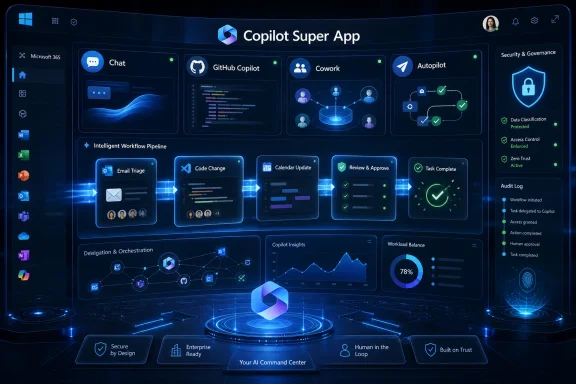
Microsoft is reportedly developing a unified Copilot “super app” that would combine Copilot chat, GitHub Copilot, Copilot Cowork, and an unreleased agentic workflow tool called Autopilot into one application, according to reporting published on May 29 and amplified by Thurrott on May 30, 2026. The move is less about inventing another chatbot than about admitting that Microsoft’s AI strategy has become too fragmented for normal people to understand. If the report is accurate, Redmond is trying to turn Copilot from a brand slapped across products into a single operating layer for work. That could be useful, powerful, and deeply messy all at once.

Futuristic dashboard titled “Copilot Super App” shows chat, workflow pipeline, and security governance visuals.Microsoft’s Copilot Sprawl Has Finally Met Its Counterweight​

Microsoft has spent the past three years putting the Copilot name on almost everything it could plausibly connect to a large language model. There is Copilot in Windows, Copilot in Microsoft 365, GitHub Copilot for developers, Copilot in Edge, Copilot in Bing, Copilot Studio for builders, Security Copilot for defenders, and an expanding cast of agents meant to do more than answer questions. The result is not one assistant but a product family that often feels like a committee wearing the same badge.
That was tolerable when Copilot was mostly a text box. It becomes a product-design problem when these assistants start taking action. A chat pane that summarizes a document can be scattered across apps; an agent that reads mail, edits code, files tickets, schedules meetings, and invokes workflows needs a much clearer home.
The reported super app is Microsoft’s answer to that problem. It would pull together chat, coding assistance, Copilot Cowork, and a new Autopilot workflow layer into a single experience. The term “super app” is doing a lot of work here, but the strategic shape is obvious: Microsoft wants one place where users go to ask, delegate, inspect, and approve AI-mediated work.
This is also a defensive move. OpenAI, Google, Anthropic, and smaller agent startups are all trying to become the first screen for knowledge work. Microsoft owns the productivity estate, but ownership of Word, Excel, Teams, Outlook, Windows, and GitHub does not automatically translate into ownership of the AI front door. A unified Copilot app is an attempt to make sure the AI front door opens into Microsoft’s house.

A Super App Is an Admission That the Brand Got Ahead of the Product​

The Copilot brand has been both Microsoft’s greatest AI asset and its most obvious liability. It is short, understandable, and broadly associated with assistance rather than replacement. But Microsoft stretched it across so many scenarios that the word now describes a vibe more than a product.
For consumers, Copilot can mean a chatbot in a browser, a Windows taskbar button, an app, a mobile assistant, or an AI feature inside Microsoft 365. For business users, it can mean a licensed Microsoft 365 assistant, a tenant-aware productivity layer, a meeting summarizer, an app-builder framework, or an agent platform. For developers, GitHub Copilot is already its own mature product with a clearer identity and workflow than many of its Microsoft-branded cousins.
That fragmentation matters because AI products are not like traditional Office features. Users need to know what an assistant can see, what it can change, which account it is using, which model is powering it, and whether its output is governed by enterprise controls. A scattered collection of Copilots makes that harder, not easier.
A single app does not magically solve those problems. In fact, it may expose them. But it at least creates a place where Microsoft can impose a hierarchy: chat for conversation, coding for development, Cowork for delegation, Autopilot for agentic workflows, and administrative controls for trust. If Microsoft cannot impose that hierarchy, the Copilot brand risks becoming the AI equivalent of “Live,” “Store,” or “Plus”: everywhere, and therefore nowhere.

The Real Prize Is Not Chat, It Is Delegation​

The most important reported ingredient is not Copilot chat or GitHub Copilot. It is the agentic workflow capability internally called Autopilot. The name is almost too perfect: Microsoft wants users to stop asking an assistant for one-off answers and start assigning work that runs across apps, services, and time.
That is the shift every major AI vendor is chasing in 2026. Chatbots are useful, but they are also limited by the prompt-response loop. Agents promise something more commercially interesting: durable tasks, background work, multi-step plans, approvals, and integration with enterprise systems. The money is not in answering “summarize this.” The money is in “prepare the weekly sales packet, check the pipeline exceptions, draft follow-up emails, update the CRM, and ask me before sending anything.”
Copilot Cowork already points in that direction. Microsoft has positioned it as an assistant that can operate across Microsoft 365 apps rather than being trapped inside one surface. Pair that with GitHub Copilot’s coding capabilities and a broader Autopilot workflow engine, and the super app starts to look less like a prettier chatbot and more like a command center for AI labor.
That is also where risk enters. The more useful an agent becomes, the more authority it needs. An assistant that cannot touch anything is safe but boring; an assistant that can touch everything is powerful but scary. Microsoft’s challenge is to make delegation feel controlled rather than reckless.

Windows Is the Stage, Even If Microsoft Pretends This Is Just an App​

Microsoft can describe a Copilot super app as a productivity product, but Windows users know better. Once Microsoft builds a unified AI command center, the pressure to wire it into Windows becomes irresistible. The company has already been experimenting with taskbar and Start menu integration, and Windows 11 has spent years oscillating between “Copilot is central” and “Copilot will be less intrusive.”
That oscillation has damaged trust. Enthusiasts and administrators have watched Copilot move from sidebar to app, from button to keyboard key, from promised convenience to perceived bloat. Microsoft has sometimes treated criticism as a UI placement issue, when the deeper objection is about agency: who decides when AI appears, what it can see, and how easy it is to remove?
A super app could make that tension better if it consolidates clutter. Instead of Copilot buttons scattered across every surface, Microsoft could provide one coherent app with predictable permissions and clean entry points. That is the optimistic version.
The pessimistic version is more familiar. Microsoft could use the super app as a reason to put Copilot deeper into Windows, the taskbar, File Explorer, Search, Settings, and Office, while still claiming it is all one unified experience. For WindowsForum readers, that distinction matters. Consolidation is welcome only if it reduces noise and preserves control.

GitHub Copilot Is the Model Microsoft Wishes the Rest of Copilot Followed​

GitHub Copilot is the outlier in Microsoft’s AI portfolio because it has a clear job. Developers know where it lives, what it does, and how to evaluate whether it helped. It suggests code, explains code, writes tests, assists with pull requests, and increasingly acts as a coding agent inside a workflow developers already understand.
That clarity is valuable. GitHub Copilot did not become important because it was called Copilot; it became important because it attached AI to a high-friction, high-value task with measurable results. It had a natural user base, a clear environment, and a visible productivity claim.
Microsoft 365 Copilot has had a harder road. Its pitch is broader: make knowledge work better. That sounds compelling in a keynote, but it is harder to prove in a spreadsheet. Summarizing meetings, drafting emails, and answering questions over enterprise data can be helpful, but the value varies wildly depending on data hygiene, user habits, licensing, and whether employees trust the output.
A super app that includes GitHub Copilot borrows some of that credibility. It also risks diluting it. Developers may not want their focused coding assistant folded into a broader corporate AI dashboard unless the integration adds real value. Microsoft needs to avoid turning its most successful Copilot into merely another tab in a larger branding exercise.

The Enterprise Sales Pitch Writes Itself, But Admins Will Read the Fine Print​

For enterprise buyers, Microsoft’s super app concept has an obvious appeal. One interface for chat, code, agents, workflows, and Microsoft 365 context is easier to explain than a dozen Copilot entry points. It also gives CIOs a cleaner story to tell boards that are asking why the company is spending heavily on AI subscriptions.
The governance pitch is even stronger. Microsoft can argue that organizations should prefer a unified Copilot stack because it sits closer to identity, compliance, audit logs, data loss prevention, sensitivity labels, and existing Microsoft 365 controls. In a world where employees are already pasting sensitive data into random AI tools, that is not a trivial argument.
But IT administrators will want more than a story. They will want tenant-level switches, granular app controls, clear retention policies, exportable logs, model transparency, licensing clarity, and a way to keep experimental agents away from regulated workflows. They will also want to know whether the app respects existing Microsoft 365 boundaries or quietly creates new pathways for data exposure.
The naming of Autopilot is especially sensitive in enterprise Windows circles. Microsoft already uses Autopilot for device provisioning, and IT pros have muscle memory around that term. Reusing it for an AI workflow engine may make sense inside a product team, but outside Redmond it invites confusion. Microsoft has a long history of naming collisions; with AI, those collisions become operational hazards.

The Consumer Version Has a Harder Job Than the Enterprise Version​

The enterprise case for a Copilot super app is relatively coherent: consolidate AI work tools, govern agents, and attach them to Microsoft 365 subscriptions. The consumer case is harder. Most consumers do not think in terms of workflows, tenant data, or productivity agents. They think in terms of whether an app is useful enough to open twice.
Microsoft’s consumer AI effort has been awkward because it competes with ChatGPT, Gemini, Claude, and Perplexity on terrain where Microsoft does not have the same default advantage it enjoys in Office. Bing gave Copilot a distribution channel, Edge gave it a browser surface, and Windows gave it a launchpad. None of that guarantees affection.
A super app could improve matters if it becomes a genuinely useful personal assistant: one place for search, planning, writing, shopping, device help, and app actions. But Microsoft must resist the temptation to confuse distribution with demand. A taskbar icon can create usage. It cannot create loyalty.
Consumers are also less forgiving of product confusion than enterprises. They will not parse the difference between Copilot Pro, Microsoft 365 Copilot, Microsoft 365 Premium, and whatever bundle comes next. If Microsoft wants a consumer super app, the subscription story needs to be brutally simple. So far, simplicity has not been the company’s strongest AI product feature.

The Super App Fight Is Really About the First Screen of Work​

Every platform shift creates a fight over the first screen. In the PC era, it was the desktop. In the web era, it was the browser and search box. In mobile, it was the app launcher and notification shade. In the AI era, the first screen may be the agent that decides which app, file, service, or person you need before you do.
That is why Microsoft cannot afford to let Copilot remain scattered. If users begin their workday inside ChatGPT, Gemini, Claude, or another agent environment, Microsoft risks becoming the backend repository rather than the active interface. Word documents, Teams chats, GitHub repositories, and Outlook mailboxes would still matter, but the user relationship could shift elsewhere.
This is the strategic anxiety behind the super app. Microsoft wants Copilot to be the place where intent begins. Not where a finished document is edited, not where a meeting is summarized after the fact, but where work is assigned and coordinated from the start.
That ambition explains the mix of products reportedly going into the app. Chat captures intent. GitHub Copilot captures code. Cowork captures collaborative office tasks. Autopilot captures repeatable agentic workflows. Together, they form a sketch of Microsoft’s desired future: the user tells Copilot what outcome they want, and Microsoft’s stack figures out which tools to use.

A Cleaner Interface Will Not Fix Bad Defaults​

Microsoft recently redesigned parts of Microsoft 365 Copilot with an emphasis on cleaner surfaces and more thoughtful entry points. That is the right direction. The company appears to understand that users grew tired of AI buttons appearing everywhere like digital kudzu.
But design polish is not the same as product discipline. A super app can have a beautiful interface and still fail if it interrupts too often, guesses poorly, hides costs, or blurs the line between suggestion and action. The best AI interface may be one that is visible when needed and quiet when not.
This is where Microsoft’s incentives become complicated. The company needs usage to justify enormous AI infrastructure spending and premium licensing. Usage metrics reward visibility, prompts, nudges, and default placement. User satisfaction often rewards restraint.
The tension will define Copilot’s next phase. Microsoft can build an AI layer that feels like a power tool, or it can build one that feels like another growth-hacked surface inside Windows and Microsoft 365. The super app will make that choice harder to hide.

Security Is the Feature That Cannot Be Added Later​

Agentic AI turns security from a checkbox into the product’s foundation. A chatbot that hallucinates is embarrassing. An agent that hallucinates while modifying files, sending messages, approving transactions, or changing code is a business incident.
Microsoft knows this, and its enterprise advantage depends on convincing customers that Copilot agents inherit the company’s identity, compliance, and security model. That is a strong starting point. Microsoft Entra, Purview, Defender, Intune, and Microsoft 365 admin controls give Redmond a governance vocabulary that many AI startups simply do not have.
Still, the risks are not abstract. Prompt injection, malicious documents, overshared permissions, stale access rights, and poisoned repositories all become more dangerous when an AI system can act across tools. The more connected the super app becomes, the more it needs clear permission boundaries and human approval patterns.
For developers, the stakes are especially direct. GitHub Copilot and agentic coding tools can accelerate work, but they can also introduce vulnerable code, misread project conventions, or automate changes without sufficient review. The right model is not “trust the agent.” It is “make the agent productive inside a reviewable, logged, reversible workflow.”

Microsoft’s Biggest Competitor May Be Its Own Product Chart​

The obvious external competitors are OpenAI, Google, Anthropic, and the wave of AI-agent startups. But Microsoft’s internal complexity may be just as dangerous. The company has a habit of turning promising platforms into licensing matrices, renamed bundles, overlapping portals, and admin-center archaeology.
Copilot is already vulnerable to this. Microsoft 365 Copilot, Copilot Pro, Copilot Studio, GitHub Copilot, Security Copilot, Windows Copilot experiences, Frontier programs, and premium Microsoft 365 bundles all speak to different markets. That segmentation may make sense to product managers and revenue teams. To users, it can feel like a maze.
A super app can either simplify the maze or become its new entrance. If opening the app presents users with unavailable features, license prompts, work-versus-personal account confusion, and unclear data boundaries, Microsoft will have consolidated the clutter without reducing it.
The company’s task is therefore editorial as much as technical. It must decide what Copilot is for. If the answer is “everything,” the product will collapse under its own ambition. If the answer is “the place where Microsoft users delegate work safely,” the super app has a fighting chance.

The Windows Community Should Watch the Toggles, Not the Trailer​

The first demo of a Copilot super app will almost certainly look impressive. It will show a user asking for an outcome, an agent making a plan, Copilot pulling context from Microsoft 365, GitHub Copilot handling code, and Autopilot coordinating the dull middle steps. The video will be smooth because demos always are.
Windows enthusiasts and IT pros should look past the choreography. The real product will be defined by defaults, controls, and failure modes. Can the app be uninstalled? Can taskbar integration be disabled? Can admins block consumer accounts? Can agent actions be audited? Can organizations prevent Copilot from crossing data boundaries? Can users see exactly why the assistant recommended or performed an action?
Those questions matter more than whether the interface looks modern. Microsoft has the pieces to build the most complete AI work surface in the industry. It also has the habits that make users brace for unwanted integration.
The super app, if it ships, will be judged less by what it can do in a keynote than by what it does on a Tuesday afternoon when a user is busy, a tenant is messy, a document is confidential, and an agent is confident but wrong.

The Copilot Super App Will Succeed Only If It Makes Microsoft Smaller​

The clearest way to understand the reported project is this: Microsoft is trying to make Microsoft feel less sprawling. The company’s great advantage is that it owns so many surfaces of modern work. Its great disadvantage is that it owns so many surfaces of modern work.
A good Copilot super app would hide that sprawl without hiding control. It would let users move from intention to result without remembering which Microsoft product contains the right feature. It would give administrators a central place to govern agentic behavior. It would give developers the power of GitHub Copilot without forcing them into a generic productivity dashboard. It would make Windows integration optional, legible, and respectful.
A bad Copilot super app would do the opposite. It would become another Microsoft launcher, another licensing upsell, another place where work and personal identities collide, another AI pane that appears because Microsoft needs engagement. That outcome would not just annoy enthusiasts; it would weaken the case for Copilot as a serious work platform.
The distinction is simple. The app should make Microsoft’s ecosystem feel coherent. It should not make users feel captured by it.

Redmond’s Next Copilot Test Is Control, Not Intelligence​

The reported super app is still unreleased, and key details remain unknown, including timing, pricing, availability, supported platforms, and whether Microsoft will present it as a consumer app, enterprise hub, developer tool, or all of the above. But the direction is clear enough to draw practical conclusions.
  • Microsoft is reportedly trying to consolidate Copilot chat, GitHub Copilot, Copilot Cowork, and an Autopilot agentic workflow layer into a single application.
  • The project appears designed to fix Copilot fragmentation as much as to introduce new AI capabilities.
  • The most consequential feature is likely to be agentic delegation, not another chat interface.
  • Windows users should pay close attention to whether the app reduces scattered AI entry points or becomes a justification for deeper OS integration.
  • Enterprise administrators will need granular controls, auditability, licensing clarity, and strong permission boundaries before agentic workflows can be trusted at scale.
  • Microsoft’s success will depend on whether Copilot becomes a coherent command center for work rather than another confusing bundle in the company’s product catalog.
Microsoft has the distribution, data access, developer foothold, and enterprise trust infrastructure to make a Copilot super app matter. What it has not yet proven is that it can apply restraint equal to its ambition. If the next phase of AI is about agents that do real work, the winning product will not be the one that shouts “AI” from the most corners of the screen; it will be the one that earns enough trust to be given the keys, and enough humility to ask before turning them.

References​

  1. Primary source: thurrott.com
    Published: Sun, 31 May 2026 02:30:47 GMT
  2. Related coverage: techradar.com
  3. Related coverage: windowscentral.com
  4. Related coverage: tomshardware.com
  5. Related coverage: techcrunch.com
  6. Related coverage: fortune.com
 

Microsoft is reportedly developing a unified Copilot “super app” in 2026 to bring chat, coding, Microsoft 365 assistance, account switching, and future agentic workflows into one central AI interface across consumer and business use. The project, described in reporting by Fortune and echoed by WION, is less a surprise product than an admission that Microsoft’s AI strategy has become hard to explain. The company that once made Windows the front door to personal computing now has too many front doors for Copilot. A single app may simplify the story, but it will also expose the harder question: whether Microsoft can turn AI ubiquity into AI coherence.

Futuristic dashboard showcasing Copilot AI with chat, code, identity, security, and workflow panels.Microsoft’s Copilot Problem Is No Longer Capability, It Is Comprehension​

For the past two years, Microsoft has behaved as if the answer to every product question was “add Copilot.” Windows got Copilot. Microsoft 365 got Copilot. GitHub had already trained developers to think of Copilot as a coding partner. Teams, Edge, Bing, security tools, admin consoles, and business workflows all acquired some version of the assistant metaphor.
That saturation was tactically logical. Microsoft wanted to make AI feel native to its estate before rivals could define the user interface of the next platform shift. If AI was going to sit between users and software, Microsoft wanted that layer to be branded Copilot, not ChatGPT, Gemini, Claude, or a fast-moving startup’s agent.
But ubiquity creates its own tax. Users now face a brand that means different things depending on context: a chatbot in one place, a paid enterprise add-on in another, a coding tool somewhere else, a document assistant inside Word, a sidebar in Edge, and an emerging agent system in business workflows. The name may be unified, but the experience is not.
That is why the reported super app matters. It is not merely another app in the Microsoft catalog. It is an attempted correction to the sprawl Microsoft created by moving quickly, branding aggressively, and assuming the center would hold.

“One Copilot” Is a Product Strategy Disguised as Cleanup​

The reported internal slogan, “Delivering One Copilot,” is doing more work than most slogans. It suggests Microsoft understands that its AI portfolio has become fragmented not only for consumers, but also for its own employees, partners, and enterprise customers. If even people inside the company are asking how customers are supposed to navigate the Copilot family, the problem is no longer cosmetic.
A super app would let Microsoft pull several threads together. GitHub Copilot could remain the coding specialist. Microsoft 365 Copilot could remain the productivity layer. Copilot Chat could remain the broad conversational interface. Future agents and workflow automation could sit behind a common shell. The strategic move is to stop asking users to understand Microsoft’s org chart before they can use Microsoft’s AI.
That last point is crucial. Many Microsoft products still reveal the internal divisions that built them. Consumer Microsoft, enterprise Microsoft, developer Microsoft, Windows Microsoft, Office Microsoft, and Azure Microsoft often meet the customer as separate personalities. Copilot has inherited that problem at AI speed.
A unified app is therefore not only about convenience. It is about teaching users that Copilot is a destination rather than a feature scattered across destinations. That is a much harder repositioning than adding another icon to the Start menu.

The Super App Ambition Runs Through Windows, Even If It Does Not Start There​

Microsoft has not officially announced the reported app, and details may change before any launch. But the concept has obvious implications for Windows users. If Copilot becomes a central hub for identity, work context, files, coding, chat, and automation, Windows becomes one of the surfaces feeding that hub rather than the sole center of gravity.
That is a meaningful shift. For decades, Microsoft’s advantage was that users started inside Windows and moved outward into applications. AI threatens to invert that relationship. If a user starts with a prompt, an intent, or an agent, the operating system becomes plumbing unless Microsoft can make it part of the assistant’s awareness and control.
This is why Windows enthusiasts should not dismiss the reported super app as just another chatbot wrapper. The fight is over the next command layer. In the old model, the user opened an application, navigated menus, and manipulated files. In the AI model Microsoft is chasing, the user states an outcome and expects the assistant to know which apps, services, accounts, documents, and permissions are relevant.
That kind of assistant cannot live entirely inside Word, Edge, or GitHub. It needs a cross-product identity. It also needs a trust model that does not make administrators wake up in a cold sweat.

Enterprise IT Will See the Promise and the Blast Radius​

For businesses, the case for consolidation is easy to understand. A single Copilot hub could reduce training overhead, simplify onboarding, and help employees understand which AI assistant to use for which job. If the app can switch cleanly between personal and work accounts, it could also reduce the mess created when users bounce between consumer AI tools and corporate environments.
But the same consolidation that simplifies the interface can complicate governance. A single place that touches documents, code, chats, calendar data, customer records, and workflow agents becomes a powerful control point. It also becomes a risk concentration point.
Administrators will want answers before they celebrate. Which tenant policies apply when a user moves between accounts? How are prompts, responses, and generated artifacts logged? Can organizations disable specific modules without breaking the entire experience? Will GitHub Copilot data boundaries, Microsoft 365 data boundaries, and agentic workflow permissions remain legible inside one shell?
Microsoft has spent years telling enterprises that Copilot respects existing permissions. That principle becomes even more important in a super app model. A unified interface that accidentally blurs data context would be worse than fragmentation. It would create the appearance of simplicity while hiding complexity where only security teams can find it.

The Consumer Version Has to Beat the App Drawer Problem​

Consumers face a different version of the same confusion. Microsoft has the standalone Copilot app, Copilot in Edge, Copilot on the web, Copilot integrations in Windows, and AI features threaded through Microsoft 365 consumer offerings. To a normal user, this does not feel like a product ecosystem. It feels like the same assistant appearing in multiple places with slightly different powers.
A super app could fix that by becoming the default place to ask, create, plan, search, summarize, and automate. That is the dream every AI company is chasing: an assistant that becomes sticky not because it is forced into the interface, but because it remembers enough, connects enough, and acts reliably enough to earn the habit.
The challenge is that Microsoft’s consumer AI brand has not had the same clarity as ChatGPT. OpenAI’s product is simple to explain: you go there and talk to the model. Microsoft’s pitch has often been more layered: Copilot is in the browser, in Windows, in Office, in search, in apps, and perhaps now in one more app that explains all the other apps.
That is why execution matters more than naming. If the super app feels like a launcher for existing Copilots, it will add another layer to the maze. If it feels like a coherent assistant that understands the user’s context and routes tasks intelligently, Microsoft may finally have the consumer AI surface it has been trying to build since Bing Chat.

GitHub Copilot Is the Cleanest Piece of a Messier Puzzle​

The most interesting reported component is GitHub Copilot, because it is the Copilot that already has a strong identity. Developers understand what it does. It helps write, explain, review, and reason about code. It has a defined workspace, a clear job, and a user base that judges it by output rather than corporate promise.
Bringing GitHub Copilot into a broader super app could make sense if Microsoft wants coding to become one task among many in an AI workbench. A developer might ask the assistant to summarize a Teams discussion, locate the relevant product spec, generate a branch plan, draft code, open a pull request, and prepare release notes. That workflow crosses Microsoft 365, GitHub, chat, identity, and possibly Azure.
But GitHub Copilot also illustrates the danger of over-unification. Developers tend to be allergic to bloated productivity portals. They want tools that live where they work: IDEs, terminals, repositories, issue trackers, and CI pipelines. If Microsoft tries to drag GitHub Copilot into a generalized AI dashboard at the expense of its native developer experience, it risks diluting one of the few Copilot brands that already works.
The smarter play is federation, not absorption. Let the super app orchestrate. Let specialized Copilots remain excellent in their native habitats. The hub should connect the tools, not flatten them.

Microsoft Is Chasing the Interface Before Someone Else Owns It​

The reported project lands in a broader industry shift. AI companies are no longer competing only over model benchmarks. They are competing over the place where users begin their work. The model matters, but the interface determines habit, distribution, and eventually lock-in.
OpenAI has ChatGPT as a destination. Google has Gemini threaded through search, Android, Workspace, and its consumer services. Anthropic has Claude as a high-trust assistant for writing, coding, and analysis. Apple is trying to make intelligence feel system-level, though its rollout has been uneven. Microsoft, meanwhile, has the broadest productivity footprint but one of the most complicated AI maps.
A super app is Microsoft’s attempt to turn distribution into a product. The company has Windows, Office, Teams, Outlook, GitHub, Azure, LinkedIn, and enterprise identity. Few competitors can match that surface area. But surface area is not the same as user love.
The next stage of AI competition will reward companies that reduce cognitive load. Users do not want to think about model routing, product SKUs, app boundaries, or which Copilot has access to which file. They want to ask for an outcome and trust that the system can pursue it safely. Microsoft’s opportunity is enormous because it owns so much of the work graph. Its risk is equally enormous because every boundary it crosses increases the cost of getting the experience wrong.

The Nadella Era Has Always Favored Platforms Over Purity​

Satya Nadella’s Microsoft has repeatedly chosen platform leverage over product purity. Azure became the company’s cloud backbone. Teams became the collaboration layer for Microsoft 365. GitHub gave Microsoft credibility with developers it once alienated. OpenAI gave Microsoft a lead in generative AI before many competitors were ready.
Copilot is supposed to be the next platform layer, but it has not yet achieved the clean mental model that Azure or GitHub enjoy. Part of the reason is that Copilot is both a product and a label. It names individual assistants, paid services, embedded features, and a broader AI direction. That ambiguity helped Microsoft move fast, but it now makes the brand harder to sell.
The reported leadership role of Jacob Andreou is notable in that context. Microsoft appears to be placing consumer and commercial Copilot experience under leadership tasked with making the product feel unified. That is a design and product challenge as much as a technical one.
The company does not lack AI ingredients. It lacks a single recipe customers can understand. A super app is one way to publish that recipe.

The Super App Could Solve Fragmentation—or Institutionalize It​

The phrase “super app” carries baggage. In some markets, it evokes mobile platforms that combine messaging, payments, services, commerce, and identity. In the AI context, it suggests a central assistant that can talk, code, search, write, automate, and coordinate across apps. That sounds powerful, but it also risks becoming a junk drawer.
Microsoft’s worst version of this product would be a portal with tiles for every Copilot-branded thing the company already sells. That would let Microsoft claim unification while leaving users to do the routing themselves. It would be a Start menu for AI confusion.
The better version would hide product seams until they matter. A user should not need to decide whether a request belongs to Microsoft 365 Copilot, Copilot Chat, GitHub Copilot, or some future workflow agent. The system should infer the task, disclose the relevant data context, ask for permission when needed, and produce work in the right place.
That requires more than UI polish. It requires consistent memory, identity, permissions, billing, model selection, auditability, and failure handling. It also requires Microsoft to resist the temptation to make every business unit visible on the first screen.

Windows Users Should Watch the Default Settings​

For Windows users, the key question is how aggressively Microsoft would promote such an app. The company has a long history of using Windows placement to push strategic services, from browsers to search to cloud accounts. Copilot has already appeared in prominent Windows surfaces, and Microsoft clearly wants AI to feel like a native part of the operating system.
A unified Copilot app could become a default Windows presence, especially on new PCs. It could sit on the taskbar, appear in setup flows, integrate with search, and become the place Microsoft routes AI features that no longer fit neatly into individual applications. That would make it visible to hundreds of millions of users.
Visibility is useful only if the product earns the space. Windows users have become more skeptical of promotional surfaces, account nudges, and feature clutter. If Microsoft treats the super app as another growth channel, it will invite backlash. If it treats it as a genuinely useful command center that respects local control and enterprise policy, it could become one of the more important Windows-adjacent launches of the AI era.
The difference will show up in defaults. Can users remove it? Can organizations manage it cleanly? Does it respect regional privacy rules? Does it create work locally, in the cloud, or both? Does it explain what it can see? Those questions are not footnotes. They are the product.

The Real Product Is Trust​

The more Microsoft asks Copilot to do, the less it can rely on novelty. A chatbot that gives a mediocre answer is annoying. An agent that edits a file, sends a message, changes code, or acts across business systems has a different risk profile. As AI moves from suggestion to action, trust becomes the central feature.
That is why the super app’s success will depend on restraint. Microsoft needs to show users what Copilot knows, what it is doing, and where the boundaries are. The assistant should not feel like a black box with corporate branding. It should feel like a delegated worker whose permissions can be inspected and revoked.
For sysadmins, this means policy needs to be first-class. For developers, logs and code provenance matter. For consumers, privacy and control matter. For Microsoft, the hard part is satisfying all three without burying the user in admin-console complexity.
A unified Copilot can make AI easier to access. It cannot make governance disappear. If anything, it makes governance more visible because users will finally encounter the whole Copilot estate in one place.

The Copilot Maze Finally Gets a Map​

Microsoft’s reported super app is best understood as a course correction, not a moonshot. The company is trying to turn a sprawling AI land grab into an intelligible product strategy before user confusion hardens into indifference.
  • Microsoft is reportedly trying to unify Copilot chat, GitHub Copilot, Microsoft 365 Copilot, and future agentic tools behind a single interface.
  • The effort appears designed to reduce brand and product fragmentation created by Copilot’s rapid expansion across Windows, Office, GitHub, Teams, Edge, and business services.
  • A successful version would route tasks intelligently across specialized Copilots instead of forcing users to choose the right assistant manually.
  • Enterprise adoption will depend on whether Microsoft can preserve clear identity, compliance, logging, and permission boundaries inside a unified shell.
  • Windows users should watch how prominently Microsoft places the app and whether it becomes a helpful command center or another default surface for service promotion.
  • The project’s real test is not whether Microsoft can build one more AI app, but whether it can make Copilot feel like one coherent product.
The most charitable reading is that Microsoft has learned the obvious lesson of its own AI blitz: customers do not experience strategy decks, they experience interfaces. If the reported super app ships as a disciplined hub that makes Copilot easier to understand, Microsoft could turn its sprawling advantage into a real platform. If it ships as another branded container for overlapping assistants, it will prove the criticism it was meant to answer. Either way, the next phase of Microsoft’s AI push will be judged less by how many places Copilot appears and more by whether users can finally tell what Copilot is for.

References​

  1. Primary source: WION
    Published: 2026-05-31T16:16:15.048019
  2. Related coverage: fortune.com
  3. Related coverage: newsbytesapp.com
  4. Related coverage: windowscentral.com
  5. Related coverage: aiweekly.co
  6. Related coverage: letsdatascience.com
 

Back
Top