

Microsoft’s deadline left millions of machines in limbo, and some users answered by quietly rewriting the migration playbook: registry tweaks, patched installer flows and custom ISOs can — in many cases — move “ineligible” Windows 10 PCs onto Windows 11, but they do so by deliberately sidestepping Microsoft’s security gates and support guarantees.
When Microsoft set October 14, 2025 as the end-of-support date for consumer Windows 10, it created a hard operational deadline for households, small businesses and institutions that still run the decade‑old OS. Microsoft’s lifecycle page spells this out: after that date, routine security updates, quality fixes and standard technical assistance cease unless a device is migrated to Windows 11 or enrolled in Extended Security Updates (ESU). Windows 11 enforces a higher hardware baseline than Windows 10. The principal gating items are UEFI with Secure Boot, TPM 2.0, and a restricted CPU compatibility list (plus the usual RAM/storage minimums). These requirements are the technical justification Microsoft gives for the tighter policy, and they’re the same checks the installer uses to decide whether your device is “eligible.” That mismatch — a large installed base of still-functional Windows 10 PCs and a stricter Windows 11 hardware floor — led to two predictable responses. Vendors and IT teams began planning refresh waves and ESU enrollments, while enthusiasts and community troubleshooters looked for ways to keep older hardware useful. The latter approach is the focus here: what people are doing, how it works, the real risks, and why this matters to the wider industry.
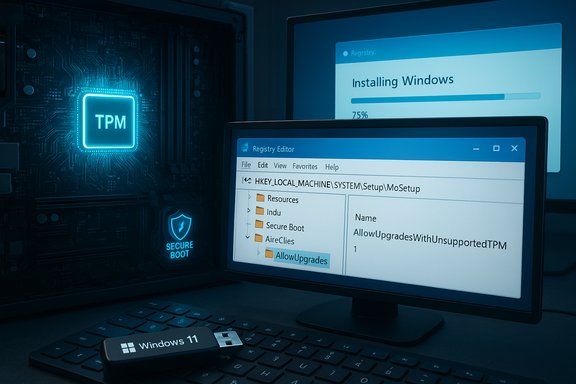
HKEY_LOCAL_MACHINE\SYSTEM\Setup\MoSetup
AllowUpgradesWithUnsupportedTPMOrCPU = 1 (DWORD)
That single change allows the Setup program to proceed past the CPU/TPM checks when you run Setup.exe from inside Windows (mounted ISO or upgrade flow). ZDNet’s coverage and community reports show this approach has been used successfully by many who have mostly‑capable machines but are blocked by Microsoft’s CPU list. Important nuance: this approach generally applies to in-place upgrades (running setup.exe from a mounted ISO). Boot-time installer flows — the ones used for clean installs from USB — can be controlled differently, described below.
There’s also an environmental angle. Advocacy organizations warned that Microsoft’s hardware gating risks creating an e‑waste surge — but community-driven reimaging and safe replatforming programs offer mitigation paths that extend device lifetimes. In other words, bypasses both undermine vendor upgrade cycles and arguably reduce device churn if practiced responsibly (e.g., by refurbishers who reimage and repurpose hardware for low‑risk uses).
From Microsoft’s perspective, the company balances security objectives against user backlash. Historically, Microsoft has maintained that the installer checks are about long-term security and reliability; insiders have acknowledged that manual ISOs and certain manual upgrade paths can be used if customers insist. That tension — between strict enforcement and practical tolerance — is visible in both policy and public reactions.
Future readers should assume the technical landscape will continue to shift: Microsoft can and has changed installer behavior and update policies; tooling like Rufus can be updated; and published hacks that work today may be mitigated tomorrow. Any upgrade plan built on bypasses must therefore include active monitoring for vendor changes, an up‑to‑date testing loop, and a pathway to supported configurations when feasible.
Source: WebProNews Defying Microsoft’s Walls: Sneaky Upgrades for ‘Ineligible’ Windows 10 Machines
 Background
When Microsoft set October 14, 2025 as the end-of-support date for consumer Windows 10, it created a hard operational deadline for households, small businesses and institutions that still run the decade‑old OS. Microsoft’s lifecycle page spells this out: after that date, routine security updates, quality fixes and standard technical assistance cease unless a device is migrated to Windows 11 or enrolled in Extended Security Updates (ESU). Windows 11 enforces a higher hardware baseline than Windows 10. The principal gating items are UEFI with Secure Boot, TPM 2.0, and a restricted CPU compatibility list (plus the usual RAM/storage minimums). These requirements are the technical justification Microsoft gives for the tighter policy, and they’re the same checks the installer uses to decide whether your device is “eligible.” That mismatch — a large installed base of still-functional Windows 10 PCs and a stricter Windows 11 hardware floor — led to two predictable responses. Vendors and IT teams began planning refresh waves and ESU enrollments, while enthusiasts and community troubleshooters looked for ways to keep older hardware useful. The latter approach is the focus here: what people are doing, how it works, the real risks, and why this matters to the wider industry.What “ineligible” really means
Windows 11’s installer performs a set of pre-flight checks before it permits an upgrade or clean install. The most visible checkpoints are:- TPM version (Microsoft requires TPM 2.0 for a supported install)
- UEFI boot with Secure Boot enabled
- CPU family and feature support (Microsoft published compatibility lists)
- Minimum RAM (4 GB) and storage (64 GB)
The toolkit: how users are bypassing Microsoft’s checks
1) The Registry Bypass (in-place upgrades)
One of the simplest documented techniques is a small Registry edit that instructs the Windows Setup process to accept an unsupported CPU or TPM for an in-place upgrade. The key commonly used is:HKEY_LOCAL_MACHINE\SYSTEM\Setup\MoSetup
AllowUpgradesWithUnsupportedTPMOrCPU = 1 (DWORD)
That single change allows the Setup program to proceed past the CPU/TPM checks when you run Setup.exe from inside Windows (mounted ISO or upgrade flow). ZDNet’s coverage and community reports show this approach has been used successfully by many who have mostly‑capable machines but are blocked by Microsoft’s CPU list. Important nuance: this approach generally applies to in-place upgrades (running setup.exe from a mounted ISO). Boot-time installer flows — the ones used for clean installs from USB — can be controlled differently, described below.
2) Custom install media and Rufus
Rufus, the popular USB-creation utility, added explicit options to generate Windows 11 installation media that suppresses TPM, Secure Boot and RAM checks in the booted installer environment. Technically, Rufus modifies the Windows PE runtime the installer uses and injects the registry entries (LabConfig-style values like BypassTPMCheck and BypassSecureBootCheck) into the installer image so the setup doesn't abort during pre‑flight checks. That means a clean install from that USB can proceed on hardware that would otherwise be blocked. Users and outlets have documented this capability, and Rufus’ own GitHub/wiki explains how the feature affects the installation path. Note the important limitation: Rufus’ bypass applies to the booted installer. If you simply mount an official ISO inside Windows and run setup.exe, those Rufus tweaks won’t be active — the in-place Setup will perform its checks unless you use the registry tweak described above.3) Custom ISOs and scripts (community tools)
Beyond Rufus, community projects and scripts — some of them open-source, some distributed in forums — create modified ISOs, slipstreamed images or use automation to apply the same LabConfig registry overrides. Tools such as Flyby11 or small scripts appear in community threads; they automate registry changes, retrieve ISOs, or orchestrate in-place workflows for batches of machines. These scripts lower the technical bar but also amplify risk, because you’re running community code with deep system privileges.How reliable are these techniques?
- The registry trick and customized installation media are repeatable and widely reported; they work for many machines that are otherwise blocked. Numerous user reports and technical writeups corroborate this.
- They are not universal. Some older CPUs lack instruction-set features (for example, SSE4.2 / POPCNT) that later Windows 11 builds require, and those machines will fail or suffer degraded behaviour even if the installer runs. Similarly, some firmware-level protections or locked OEM images can block or complicate the process.
- These are explicitly unsupported by Microsoft. That has two consequences: (1) Microsoft may withhold or block some updates for those installations, and (2) the vendor won’t provide support if the system becomes unstable or fails security checks later on.
The Media Creation Tool regression — and why it mattered
Timing amplified the impact of these workarounds. In late September–October 2025, Microsoft acknowledged a regression in the Windows 11 Media Creation Tool (MCT): a specific MCT build could close immediately when run on Windows 10 hosts, preventing some users from creating official USB installers on the very machines they were trying to migrate. Microsoft’s advisory recommended downloading the ISO directly until a fixed MCT is released. Independent outlets reproduced and reported the issue, and community threads captured the same symptoms. That hiccup pushed even more users to rely on custom media and Rufus workarounds. Practically speaking, the MCT regression meant the “official” convenience path for making installation media was temporarily less reliable for users still running Windows 10 — precisely the group scrambling to migrate before end-of-support. That increased adoption of third‑party tooling for last-minute migrations.Real-world risks: security, stability and update eligibility
These bypass methods work because they change the installer’s decision logic; they do not change hardware capabilities. That distinction matters for both performance and security.- Security posture: Windows 11’s hardware gates (TPM 2.0, Secure Boot) are not arbitrary. They underpin features such as hardware-backed credential storage, device encryption keys, and virtualization-based security features. Installing Windows 11 on hardware that lacks these protections can leave the OS running without the full security posture Microsoft expects, and Microsoft warns that such installations are unsupported and may not receive regular updates.
- Update eligibility: Microsoft has signaled — and in practice enforced — that some feature updates and builds may be blocked for unsupported installs. The company’s policy is that unsupported devices “are not guaranteed to receive updates,” and community reports show that Microsoft has occasionally been stricter about blocking feature builds on bypassed installs. That means a one-off bypass now could create a machine that eventually becomes stuck on older builds.
- Stability and driver compatibility: Older CPUs, firmware and peripheral drivers may not play nicely with Windows 11’s newer subsystems. Expect more driver‑related glitches, performance regressions and potential battery or thermal issues on laptops with older silicon. Community threads include mixed reports: some users report smooth upgrades, others face boot loops and driver failures.
- Legal/support implications: For corporate deployments, an unsupported OS state can create compliance and insurance headaches. If a regulated environment runs unsupported endpoints, auditors and insurers will treat that as a risk vector. Enterprise guidance therefore tends toward ESU or hardware refresh rather than bypasses.
Community benefits — and hazards
Online communities and forums have been instrumental in documenting methods, troubleshooting failures, and packaging repeatable steps for others. That collaborative documentation has real benefits:- It lowers the cost of migration for users unwilling or unable to buy new hardware.
- It reduces e‑waste by extending the practical lifespan of functional machines for web‑centric or low‑risk tasks. Community refurb programs and non-profit reimaging projects have leaned on such methods to keep devices useful.
- Distribution of modified ISOs or opaque scripts risks malware and supply-chain concerns. Running third-party system-level scripts introduces trust issues; community packages are not audited by the OS vendor.
- The “illusion of security”: a machine that looks like Windows 11 may not enjoy the same protections or update guarantees. That creates a false sense of safety for non-technical users. Investigations of refurbished marketplaces found devices marketed with Windows 11 that, upon inspection, were running unsupported installs or lacked disclosure, creating consumer-protection problems.
Practical, risk‑aware playbook for power users and IT pros
If you’re an IT pro or experienced home user considering one of these workarounds, apply a conservative, test-first approach.- Inventory and triage
- Run PC Health Check or vendor tools to identify which devices are truly upgradeable under Microsoft’s supported path.
- For devices that are ineligible but still useful, mark them for either ESU, replatforming (Linux/ChromeOS Flex) or a carefully tested bypass.
- Test in an isolated lab
- Create representative VMs or spare hardware and validate the precise method: registry in-place vs bootable USB via Rufus vs custom ISO.
- Test driver stacks and critical apps.
- Backup and rollback
- Full disk image and file backups are non-negotiable. The Windows upgrade rollback window is short; if something goes wrong after that window, only a clean install will recover the system.
- Prefer minimal compromise
- If you must proceed, try to enable hardware features where possible: enable firmware TPM (fTPM/PTT) and Secure Boot in UEFI if the machine supports them. That preserves more security features and can improve update eligibility.
- Avoid unknown binaries
- Use official ISOs from Microsoft and reputable tools (Rufus from its official site). Avoid one-off patched ISOs from random posts. If you use community scripts, read the code, run in test VMs, and verify checksums where possible.
- Plan for medium-term migration
- Treat any bypass as a stopgap, not a permanent solution. Budget for replacement, ESU enrollment or migration to an alternative OS within the ESU window.
Industry impact: hardware sales, e‑waste and vendor strategy
These bypasses complicate the narrative Microsoft and OEMs had anticipated: a natural upgrade cycle from Windows 10 to Windows 11 driving device refresh. If significant numbers of users keep older PCs on user‑initiated Windows 11 installs, the immediate uplift in new PC sales could soften — especially for price‑sensitive segments and refurbish markets. Analysts flagged this as a potential drag on OEM replacement cycles and a factor in refurbished-device supply demand.There’s also an environmental angle. Advocacy organizations warned that Microsoft’s hardware gating risks creating an e‑waste surge — but community-driven reimaging and safe replatforming programs offer mitigation paths that extend device lifetimes. In other words, bypasses both undermine vendor upgrade cycles and arguably reduce device churn if practiced responsibly (e.g., by refurbishers who reimage and repurpose hardware for low‑risk uses).
From Microsoft’s perspective, the company balances security objectives against user backlash. Historically, Microsoft has maintained that the installer checks are about long-term security and reliability; insiders have acknowledged that manual ISOs and certain manual upgrade paths can be used if customers insist. That tension — between strict enforcement and practical tolerance — is visible in both policy and public reactions.
What’s verifiable and what remains murky
Verified, cross‑referenced facts:- Windows 10 reached its published end-of-support date on October 14, 2025. Microsoft’s lifecycle guidance and multiple news outlets confirm this.
- Microsoft’s policy: installing Windows 11 on devices that do not meet minimum system requirements is unsupported. The vendor documents this unequivocally.
- Rufus and other utilities provide documented mechanisms to bypass some installer checks by altering the booted installer environment; Rufus’ GitHub/FAQ and independent tech outlets cover this.
- Microsoft acknowledged a Media Creation Tool regression in late September/October 2025 that affected running MCT on Windows 10 hosts and recommended direct ISO downloads as a workaround. Independent reporting reproduced the failure.
- Specific social posts or single-user success claims (e.g., “Barnacules Nerdgasm posted X”) are illustrative but anecdotal; they should be treated as community reports rather than authoritative verification unless corroborated by multiple independent sources. Community threads are invaluable for troubleshooting but vary in reliability.
- Exact numbers about how many devices are truly ineligible for Windows 11 vary by methodology; widely cited estimates (hundreds of millions) are indicative of scale but are model‑driven rather than audited device censuses. Use these only as scale signals.
Bottom line and recommendations
- For mainstream consumers and enterprise fleets, the safest path remains to follow Microsoft: enable TPM and Secure Boot where supported, use Windows Update or the official Installation Assistant for in‑place upgrades, or enroll in ESU where migration is not immediately possible. Those routes preserve update entitlement and vendor support.
- For power users, hobbyists and certain refurbish/referral scenarios, the registry edit and Rufus-created media are practical stopgaps that can extend hardware life — but they carry measurable risks: update blocks, reduced security guarantees and possible instability. Test thoroughly, backup comprehensively, and avoid running unknown third‑party installers without review.
- Organizations that must manage devices at scale should triage endpoints: prioritize ESU for high-risk or regulated devices, replatform where feasible, and treat any bypassed install as a temporary, documented exception with compensating controls (network segmentation, limited Internet exposure, hardened endpoint protections).
Future readers should assume the technical landscape will continue to shift: Microsoft can and has changed installer behavior and update policies; tooling like Rufus can be updated; and published hacks that work today may be mitigated tomorrow. Any upgrade plan built on bypasses must therefore include active monitoring for vendor changes, an up‑to‑date testing loop, and a pathway to supported configurations when feasible.
Source: WebProNews Defying Microsoft’s Walls: Sneaky Upgrades for ‘Ineligible’ Windows 10 Machines
