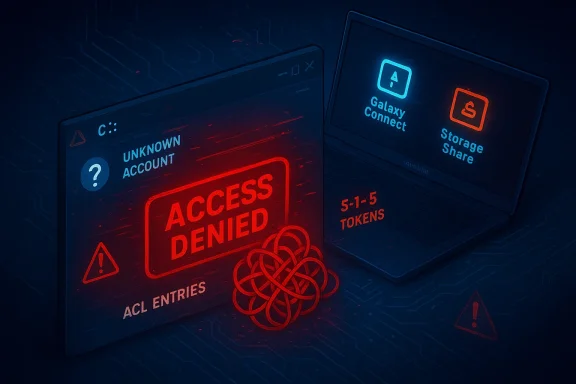
Microsoft and Samsung have confirmed a dangerous interaction between a Samsung-supplied app and recent Windows 11 systems that in some cases leaves the operating system unable to access the C: system volume — users see the alarming message “C:\ is not accessible — Access denied” and are effectively locked out of files, applications and administrative tasks. The problem clustered on certain Samsung Galaxy Book laptops and Samsung desktop models; Microsoft’s investigation concluded the immediate cause was an issue in the Samsung Galaxy Connect application, and the app was temporarily removed from the Microsoft Store while Samsung republished a stable previous version. (learn.microsoft.com)
Windows updates and OEM apps live in close partnership on most modern laptops: Microsoft supplies the platform and security servicing, OEMs supply drivers and convenience software that integrates phones, cloud services and hardware features. That tight coupling is normally beneficial, but when an OEM application misbehaves it can have system‑wide consequences. In this incident, Microsoft’s February 10, 2026 cumulative update (tracked as KB5077181) was initially linked in community reports to a range of post‑update problems — boot loops, network/DHCP faults and sign‑in failures — but Microsoft’s public release‑health notes make an important distinction: the C: access failures observed on a subset of Samsung devices were traced to the Samsung Galaxy Connect app rather than a direct bug in the KB5077181 binary itself. (learn.microsoft.com)
Community forums and tech outlets began reporting symptoms in the days and weeks after Patch Tuesday. A variety of device models were repeatedly mentioned by affected users; the official Microsoft advisory lists specific Galaxy Book 4 models and a handful of desktop SKUs as being observed in the field. Users described the same core failure: normal, everyday actions — opening Explser or Office, or attempting to elevate — returned permission errors for core locations on C:, blocking normal operation. (learn.microsoft.com)
Independent coverage and security news outlets corroborated widespread field reports of KB5077181-related instability and described the larger update wave that preceded these reports, reinforcing that multiple update-related regressions (not only the Samsung app issue) were being tracked by administrators and security journalists. NotebookCheck and BleepingComputer, among others, documented user reports of boot failures, DHCP problems and general post‑update instability tied to the February cumulative and subsequent servicing. Those reports helped push the issue into the public eye and accelerated vendor coordination.
Key technical observations assembled from public reports:
If you are troubleshooting or protecting a fleet, use this short triage checklist:
Recommended steps (general guidance — adapt to your environment):
A few implications to consider:
For policy and product teams at major vendors, this suggests a few concrete measures that would materially reduce future risk:
For users and administrators, the practical takeaways are straightforward: if you own one of the affected Samsung models, treat recent Samsung Store app updates with caution; keep backups; and if you see the “C:\ is not accessible — Access denied” error, escalate promptly to Samsung support and be prepared for image restore or vendor repair. For the ecosystem, the incident underlines the need for stricter testing, clearer vendor post‑mortems, and stronger app‑control policies to keep convenience software from becoming a single point of catastrophic failure. (learn.microsoft.com)
Source: PCWorld New Windows 11 bug breaks Samsung PCs, blocking access to C: drive
Source: Technobezz Microsoft Pulls Samsung App That Blocked Windows 11 C Drive Access
Source: Notebookcheck Windows 11 KB5077181 leaves some Samsung PCs unable to access C: drive, Microsoft confirms
 Background / Overview
Windows updates and OEM apps live in close partnership on most modern laptops: Microsoft supplies the platform and security servicing, OEMs supply drivers and convenience software that integrates phones, cloud services and hardware features. That tight coupling is normally beneficial, but when an OEM application misbehaves it can have system‑wide consequences. In this incident, Microsoft’s February 10, 2026 cumulative update (tracked as KB5077181) was initially linked in community reports to a range of post‑update problems — boot loops, network/DHCP faults and sign‑in failures — but Microsoft’s public release‑health notes make an important distinction: the C: access failures observed on a subset of Samsung devices were traced to the Samsung Galaxy Connect app rather than a direct bug in the KB5077181 binary itself. (learn.microsoft.com)Community forums and tech outlets began reporting symptoms in the days and weeks after Patch Tuesday. A variety of device models were repeatedly mentioned by affected users; the official Microsoft advisory lists specific Galaxy Book 4 models and a handful of desktop SKUs as being observed in the field. Users described the same core failure: normal, everyday actions — opening Explser or Office, or attempting to elevate — returned permission errors for core locations on C:, blocking normal operation. (learn.microsoft.com)
What Microsoft and Samsung say (the official record)
Microsoft’s Windows release‑health entry for Windows 11 version 25H2 explains the timeline and findings in plain language: reports of C: drive access loss arrived in March 2026; Microsoft and Samsung investigated and concluded the root cause was an issue in the Samsung Galaxy Connect application. Microsoft explicitly states the reports coincided with recent Patch Tuesday timing but that the investigation confirmed the problem was not caused by Windows monthly updates themselves. As a mitigation step, Microsoft temporarily removed the affected app from the Microsoft Store and Samsung republished a stable prior version; Microsoft and Samsung continue to collaborate on remediation and guidance for already‑impacted devices. (learn.microsoft.com)Independent coverage and security news outlets corroborated widespread field reports of KB5077181-related instability and described the larger update wave that preceded these reports, reinforcing that multiple update-related regressions (not only the Samsung app issue) were being tracked by administrators and security journalists. NotebookCheck and BleepingComputer, among others, documented user reports of boot failures, DHCP problems and general post‑update instability tied to the February cumulative and subsequent servicing. Those reports helped push the issue into the public eye and accelerated vendor coordination.
The technical picture: what likely went wrong
Microsoft’s advisory stops at the high level: the bug originated in the Samsung Galaxy Connect app and the symptom was an inability to access C:, but it does not publish detailed forensic artifacts in that entry. Community investigators and technicians have, separately, observed a consistent fingerprint in affected machines: the app (or an associated Samsung service) appears to modify file system access control entries (ACLs) at the root of the system volume in a way that produces an “unknown” security principal entry (often reported as a S‑1‑15‑3… style SID or “Unknown Account”) that disrupts normal permission inheris and folders. When the OS, user profile or core services lose expected rights, everyday operations fail and attempts to elevate or collect diagnostic logs can themselves be blocked. Those lower‑level findings come primarily from field reports and forum troubleshooting threads rather than a vendor whitepaper, so they should be treated as likely but not definitive until a full post‑mortem is published. (learn.microsoft.com)Key technical observations assembled from public reports:
- Affected devices are mainly Samsung Galaxy Book 4 laptops and a few Samsung desktop SKUs running Windows 11 24H2 or 25H2. (learn.microsoft.com)
- The visible symptom is “C:\ is not accessible — Access denied”, with applications failing to launch and administrative elevation blocked. (learn.microsoft.com)
- Microsoft and Samsung’s investigation points to a misbehaving Samsung app (Galaxy Connect, and related Samsung storage/share components) that changed permissions in a way that blocked access. (learn.microsoft.com)
- Community authors have reported ACL corruption, unknown SIDs appearing at C:\ root, and that uninstalling the offending app (or restoring a previous app version) prevents new systems from being affected; recovery for already‑broken systems is inconsistent and sometimes requires a factory recovery.
Who’s affected and how to triage now
Affected population: the issue appears limited to specific Samsung SKUs and to Windows 11 versions 24H2 and 25H2. That makes the problem highly targeted — not a universal Windows regression — but the practical impact on an affected user is severe: inability to use the machine, potential data loss if recovery fails, and the time and expense of a restore or service visit. Microsoft’s advisory lists model numbers that have been seen in field reports; if you own one of those models, treat this as a higher‑risk scenario. (learn.microsoft.com)If you are troubleshooting or protecting a fleet, use this short triage checklist:
- Identify devices that match the affected model list (Samsung Galaxy Book 4 models and listed desktop SKUs). If you manage devices centrally, query inventory for those part numbers. (learn.microsoft.com)
- Check for the presence of Samsung Galaxy Connect, Samsung Storage Share, or similar Samsung‑branded apps that provide phone/PC inring. Prioritize review of any Samsung OEM utility installed from the Microsoft Store or shipped with the OEM image. (learn.microsoft.com)
- For unaffected machines, consider preventing the installation of the updated Samsung app by implementing app policies (Block store app, control Store access via device configuration, or deploy an approved previous package). Microsoft’s mitigation — removal of the affected app from the Store and Samsung’s republishing of a stable prior version — reduces new installs, but local policy control is safer for business fleets. (learn.microsoft.com)
- For machines already showing the “C:\ is not accessible” error, collect diagnostics if possible and escalate to Samsung support. Recovery options are limited; in many reported cases users required a factory recovery, image restore, or manual ACL repairs performed in WinRE or offline environments. Back up any recoverable files before attempting invasive remediation. (learn.microsoft.com)
Practical recovery and mitigation steps (for advanced users and IT teams)
Important safety note: when the system volume is permission‑broken, wrong commands can make recovery harder. Always back up accessible user data before attempting repairs and, where possible, perform triage under guidance from vendor support.Recommended steps (general guidance — adapt to your environment):
- Step 1 — Isolate the device: disconnect network access, especially if it is still partially functional. Prevent any further app updates or Store activity until remediation is decided.
- Step 2 — Check for offending app: from Settings > Apps, look for Samsung Galaxy Connect, Samsung Storage Share, or Samsung Device Experience/Phone Link related packages. If you can, uninstall the Samsung app from the affected machine; on many broken devices that may not be possible because uninstalling requires access rights. If uninstall completes you may recover normal access. (learn.microsoft.com)
- Step 3 — Attempt safe restore: use System Restore (if available) to roll back to a restore point created before the app installed or before the update. If System Restore isn’t available, use a full system image restore or vendor recovery media.
- Step 4 — Offline ACL repair (advanced): boot to Windows Recovery Environment (WinRE) or attach the drive to another Windows machine and use ownership and ACL reset tools. Typical commands used by advanced technicians include:
- takeown /f C:\ /r /d Y
- icacls C:\ /reset /t /c /q
These commands can reassign ownership and reset NTFS permissions to reasonable defaults, but they are blunt instruments and may not exactly restore the original ACLs Microsoft and OEM components expect. Use only when you understand the consequences and have backups. Public troubleshooting posts and tech guides explain these commands as a general remedy for access‑denied errors. - Step 5 — Vendor recovery: if manual fixes fail, perform vendor‑recommended recovery — Samsung’s recovery options or a full clean Windows reinstall. Contact Samsung support for device‑specific instruction and, where appropriate, RMA service. Microsoft’s page explicitly directs affected users to Samsung support channels for device‑specific assistance. (learn.microsoft.com)
Why this matters: a deeper look at supply‑chain and app privilege risks
This incident is notable for two complementary reasons. First, it shows that OEM applications installed on top of Windows can, if buggy, create conditions that the OS cannot easily detect or correct — ACL corruption at the root of the system volume is an especially pernicious form of regression. Second, it highlights a real‑world friction point in the platform ecosystem: when a third‑party store app is permitted to operate with system‑level effects, the potential for severe user impact grows.A few implications to consider:
- Platform trust and update fatigue. When visible failures follow a Patch Tuesday wave, users and administrators may reflexively blame the OS vendor even when the proximate cause is a third‑party component. That reflex degrades confidence in updates and can delay applying important security fixes. Independent outlets and community reporting in this case helped separate correlation from causation; Microsoft’s release‑health entry was essential to correct the narrative.
- OEM software posture. OEM convenience apps vary widely in quality and in what privileges they require. This episode argues for stricter privilege minieam testing of OEM components that modify system ACLs, and clearer vendor communication about which OEM services touch core system ACLs. (learn.microsoft.com)
- Enterprise controls matter. Organizations that enforce app whitelisting, control Store access, or stage OEM utilities through IT‑approved packaging will be far less exposed to this class of risk. Enterprises should incorporate vendor app testing into their acceptance criteria for new devices. (learn.microsoft.com)
What vendors did right — and where they can improve
There are a few positives in how this was handled once the incident went public:- Microsoft published a clear release‑health advisory that summarized the investigation, named the implicated third‑party app, and recorded mitigation steps (app removal, Samsung republishing a stable version). That transparency is essential to restore confidence. (learn.microsoft.com)
- Samsung, per Microsoft’s advisory, republished a prior stable app version and is working with Microsoft on remediation for affected devices, which is the correct operational response for an OEM when systemic issues are found. (learn.microsoft.com)
- A detailed technical post‑mortem from Samsung (and ideally a joint technical summary from Microsoft and Samsung) would help sysadmins and forensic teams understand precisely how ACL changes were introduced and what exact remediation is both safe and sufficient. Forum posts and community case studies provide hints (unknown SIDs added at C:\ root, ACL inheritance loss) but a vendor‑backed technical report would be invaluable.
- Stronger pre‑publication testing for OEM apps that interact with file system security and user account controls could have prevented this regression. OEMs should treat any operation that changes permissions on system volumes as high‑risk and subject it to extended compatibility testing across Windows servicing lines.
Guidance for ordinary users
If you have a Samsung Galaxy Book or Samsung desktop and you’re not experiencing the problem, be cautious but not alarmed:- Do not install or update Samsung phone/PC integration apps from the Microsoft Store until your vendor confirms they’re safe; Microsoft’s Store removal reduces exposure but local caution is warranted. (learn.microsoft.com)
- Ensure you have a current backup of your files. If you can, create a full system image and a file backup before you install optional OEM utilities. That one habit significantly reduces the pain of a recovery.
- If your machine is already showing the “C:\ is not accessible” error, stop using it for productive work. If you can still access the web, contact Samsung support; otherwise, prepare for a recovery using WinRE or vendor instructions. Microsoft’s advisory notes recovery options remain limited and recommends contacting Samsung for device‑specific help. (learn.microsoft.com)
Broader lessons for the Windows ecosystem
This incident is a strong reminder that modern OS platforms remain socio‑technical systems: they are products ns from platform engineers, third‑party software vendors, OEMs and distribution channels. A single component — even if it is an apparently lightweight convenience app — can escalate to a system‑level failure when it exercises privileges that intersect with OS security primitives like ACLs.For policy and product teams at major vendors, this suggests a few concrete measures that would materially reduce future risk:
- Treat any app that modifies file system ACLs as high‑risk and require extended compatibility and regression testing across the latest servicing arer telemetry and forensics APIs that, when invoked by OEMs and app developers, allow safe rule‑out of update causality without exposing private data.
- Encourage or require OEMs to adopt a privilege‑minimization design pattern for convenience features: if a feature can be implemented without changing system ACLs, prefer that design.
Conclusion
The Windows 11 C: drive access failures reported in March 2026 were a painful but instructive incident. Microsoft and Samsung’s joint investigation concluded the immediate cause was a Samsung Galaxy Connect app issue rather than a direct bug in the KB5077181 update, and the app was temporarily removed from the Microsoft Store while Samsung republished a stable version. That official posture matters: it clarifies root cause, points affected customers to vendor support, and reduces the chance of widespread misattribution to Windows updates. (learn.microsoft.com)For users and administrators, the practical takeaways are straightforward: if you own one of the affected Samsung models, treat recent Samsung Store app updates with caution; keep backups; and if you see the “C:\ is not accessible — Access denied” error, escalate promptly to Samsung support and be prepared for image restore or vendor repair. For the ecosystem, the incident underlines the need for stricter testing, clearer vendor post‑mortems, and stronger app‑control policies to keep convenience software from becoming a single point of catastrophic failure. (learn.microsoft.com)
Quick checklist: what to do right now
- If you manage devices: inventory Samsung models and block the updated Galaxy Connect package until vendors confirm stability. (learn.microsoft.com)
- If you’re a Samsung user: back up immediately and avoid installing Samsung phone‑PC integration apps until you confirm the app version is the republished stable release. (learn.microsoft.com)
- If you’re already affected: contact Samsung support and prepare for offline recovery; avoid experimental fixes unless guided by a vetted recovery procedure. (learn.microsoft.com)
Source: PCWorld New Windows 11 bug breaks Samsung PCs, blocking access to C: drive
Source: Technobezz Microsoft Pulls Samsung App That Blocked Windows 11 C Drive Access
Source: Notebookcheck Windows 11 KB5077181 leaves some Samsung PCs unable to access C: drive, Microsoft confirms

 has a tightly scoped security descriptor that balances user access for daily operations with protections needed for OS integrity and recovery. If that security descriptor is corrupted, overwritten, or replaced by an incorrect template, explorer and most processes can be denied access even though data remains physically present. Several investigator notes and community analyses point to a misapplied or malformed security descriptor on affected devices’ root volume as the proximate cause.