

Canva has opened Canva Code 2.0 to free and education accounts, making its prompt-driven tool for building interactive websites, lightweight apps, games and embedded experiences available across the company’s full plan lineup.
The update, announced by Canva on July 15, lets users describe a project in plain language, start from one of more than 50 templates, or import existing HTML. The resulting project can then be edited in Canva’s familiar drag-and-drop interface rather than treated as a fixed block of generated code.
Canva Code 2.0 can create standalone pages or add interactive elements to a Canva presentation, whiteboard or other design. Users can alter text, layout, images, colors, fonts and individual components by hand or with follow-up AI prompts.
The HTML import feature is a notable addition for Windows users who have experimented with other AI coding tools. Canva says imported HTML becomes an editable Canva design, allowing users to revise the visual output, apply brand assets and publish without rebuilding the project from scratch. That does not make Canva a replacement for a conventional IDE or source-control workflow, but it could be useful for quick internal tools, event pages, classroom material and prototype interfaces.
Per Canva’s newsroom announcement, projects can use uploaded files and assets from the company’s library, support collaborative editing and comments, and adapt to different screen sizes before publishing. Forms can send responses into Canva Sheets.
The company also claims that code generation is 75 percent faster and that the median time from prompt to publishing is 30 percent lower. Canva did not provide a benchmark, test methodology or comparison baseline for either figure.
Publishing remains inside Canva’s platform: users can publish through a free Canva-hosted domain, buy a custom domain through Canva, or share work within an organization using single sign-on where supported by the account setup.
That could suit IT teams producing simple self-service guides, onboarding pages, status explainers or internal event forms, provided the normal review process still covers accessibility, data handling, authentication and content ownership. Admins should also be cautious about importing HTML or publishing employee-facing tools before confirming their organization’s Canva policy and available controls.
Canva Code 2.0 is available now in the Canva Visual Suite, though organizations will need to verify their own account permissions and AI usage limits before rolling it out broadly.
The update, announced by Canva on July 15, lets users describe a project in plain language, start from one of more than 50 templates, or import existing HTML. The resulting project can then be edited in Canva’s familiar drag-and-drop interface rather than treated as a fixed block of generated code.
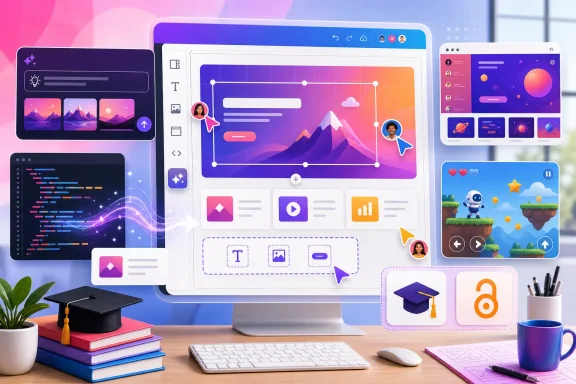 A visual editor for AI-generated web experiences
Canva Code 2.0 can create standalone pages or add interactive elements to a Canva presentation, whiteboard or other design. Users can alter text, layout, images, colors, fonts and individual components by hand or with follow-up AI prompts.The HTML import feature is a notable addition for Windows users who have experimented with other AI coding tools. Canva says imported HTML becomes an editable Canva design, allowing users to revise the visual output, apply brand assets and publish without rebuilding the project from scratch. That does not make Canva a replacement for a conventional IDE or source-control workflow, but it could be useful for quick internal tools, event pages, classroom material and prototype interfaces.
Per Canva’s newsroom announcement, projects can use uploaded files and assets from the company’s library, support collaborative editing and comments, and adapt to different screen sizes before publishing. Forms can send responses into Canva Sheets.
Free access, with limits still unclear
Canva Code 2.0 is now listed for Free, Pro, Business, Enterprise and Education users. Canva has not published a plan-by-plan breakdown of prompt allowances, generation caps or feature restrictions for the coding tool, so free availability should not be read as a promise of unlimited AI use.The company also claims that code generation is 75 percent faster and that the median time from prompt to publishing is 30 percent lower. Canva did not provide a benchmark, test methodology or comparison baseline for either figure.
Publishing remains inside Canva’s platform: users can publish through a free Canva-hosted domain, buy a custom domain through Canva, or share work within an organization using single sign-on where supported by the account setup.
Useful for prototypes, not production development
The practical appeal is not that Canva has created a full development environment. It is that non-developers can now turn a rough requirement into something interactive, then make visual corrections without repeatedly rewriting prompts or asking a developer to adjust CSS.That could suit IT teams producing simple self-service guides, onboarding pages, status explainers or internal event forms, provided the normal review process still covers accessibility, data handling, authentication and content ownership. Admins should also be cautious about importing HTML or publishing employee-facing tools before confirming their organization’s Canva policy and available controls.
Canva Code 2.0 is available now in the Canva Visual Suite, though organizations will need to verify their own account permissions and AI usage limits before rolling it out broadly.
References
- Primary source: EdTech Innovation Hub
Published: 2026-07-16T08:54:51+00:00
Canva Code 2.0 opens AI website builder to free users | ETIH EdTech News — EdTech Innovation Hub
Canva Code 2.0 brings AI website and app creation to free and Education users. ETIH edtech news covers its HTML imports, editable designs, classroom learning hubs, games, Canva Sheets integration and AI in education use cases.www.edtechinnovationhub.com
- Related coverage: canva.com
Vibe coding that matches your vision: Canva Code 2.0 is now available to all
Canva Code 2.0 is here: vibe code websites, apps and interactive experiences, then edit like a Canva design.www.canva.com
- Related coverage: blogdumoderateur.com
Canva Code passe en version 2.0 et s’ouvre à tous les utilisateurs
Un an après son lancement, Canva Code passe en version 2.0 et s'ouvre à l'ensemble des utilisateurs de la plateforme. Il intègre également de nombreuses nouveautés.www.blogdumoderateur.com - Related coverage: gadgetsnow.indiatimes.com
- Related coverage: techradar.com
Canva just made another tool completely free for creators | TechRadar
Canva strips out subscriptions from its newly acquired professional motion platform, and gives Affinity some big love, toowww.techradar.com
