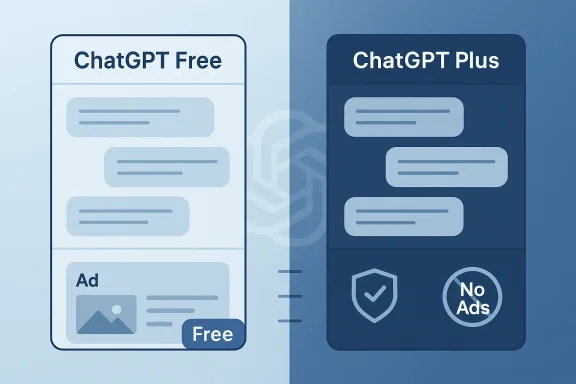
OpenAI's decision to begin testing advertisements inside ChatGPT has redefined what "free" means for conversational AI — and it forces a practical choice on users: pay to escape ads, switch to a competitor that promises ad‑free chat, or accept a world where some AI answers come with sponsored cards and shopping CTAs attached to them.
The economics of modern large language models (LLMs) are stark: running real‑time multimodal assistants for hundreds of millions of users requires enormous compute, storage, and safety tooling. That reality is the proximate driver behind OpenAI's January 16, 2026 announcement introducing a lower‑cost ChatGPT Go tier and a plan to test ads for logged‑in adults on the Free and Go tiers in the U.S., while keeping higher paid tiers ad‑free.
OpenAI frames ads as a pragmatic way to subsidize broad access without forcing everyone to pay, promising key guardrails: ads will be clearly labeled and visually separated from assistant answers, excluded from sensitive topics (health, mental health, political queries), and not shown to accounts known or predicted to be minors. The company also says paid tiers such as Plus, Pro, Business and Enterprise will remain ad‑free. But policy promises are only the start — the implementation details and telemetry that advertisers see will determine whether trust and privacy survive the shift.
This article explains what changed, how to upgrade to an ad‑free ChatGPT experience, practical alternatives you can switch to today, and the enterprise and privacy considerations every IT leader should be watching. It cross‑checks vendor pricing and claims against public product pages and independent reporting, flags unverifiable technical claims, and provides clear, actionable steps to upgrade or migrate.
For consumers: upgrading to a paid tier remains the most straightforward path to an ad‑free ChatGPT experience. For privacy‑sensitive users and enterprises: consider Claude or paid enterprise contracts with explicit auditability. For heavy prosumers and teams: compare Pro/Max/Ultra tiers across vendors for model freshness, usage limits, and integrations — and remember that the most expensive plan isn’t necessarily the best fit for every workflow.
Source: CNET ChatGPT Ads Are Here: Here's How to Upgrade to Ad-Free or Switch to Another Chatbot
 Background / Overview
The economics of modern large language models (LLMs) are stark: running real‑time multimodal assistants for hundreds of millions of users requires enormous compute, storage, and safety tooling. That reality is the proximate driver behind OpenAI's January 16, 2026 announcement introducing a lower‑cost ChatGPT Go tier and a plan to test ads for logged‑in adults on the Free and Go tiers in the U.S., while keeping higher paid tiers ad‑free. OpenAI frames ads as a pragmatic way to subsidize broad access without forcing everyone to pay, promising key guardrails: ads will be clearly labeled and visually separated from assistant answers, excluded from sensitive topics (health, mental health, political queries), and not shown to accounts known or predicted to be minors. The company also says paid tiers such as Plus, Pro, Business and Enterprise will remain ad‑free. But policy promises are only the start — the implementation details and telemetry that advertisers see will determine whether trust and privacy survive the shift.
This article explains what changed, how to upgrade to an ad‑free ChatGPT experience, practical alternatives you can switch to today, and the enterprise and privacy considerations every IT leader should be watching. It cross‑checks vendor pricing and claims against public product pages and independent reporting, flags unverifiable technical claims, and provides clear, actionable steps to upgrade or migrate.
What exactly changed in ChatGPT — the short version
- OpenAI launched ChatGPT Go as a lower‑cost paid tier and announced tests of ads for the Free and Go tiers in the U.S.; the rollout to other countries will be phased. Ads are being tested beneath answers and are meant to be separate from the assistant’s organic response.
- Paid ChatGPT tiers (Plus, Pro, Business, Enterprise) are stated to be ad‑free. If your goal is an ad‑free ChatGPT experience, upgrading to one of those paid tiers is OpenAI's recommended path.
- OpenAI states it will not sell raw conversation text to advertisers and will provide controls to clear or disable personalization signals used for ads, but exact telemetry and advertiser signals remain to be independently audited. Treat any claim about “we won’t share conversation text” as a policy commitment until you can verify the enforcement details via legal terms or enterprise contracts.
Price and capability snapshot — what the major consumer plans cost (verified)
Below are the vendor‑level price points and what they promise in practical terms. Prices and packaging change quickly; these entries reflect public pricing pages and recent reporting as of early February 2026. Where vendors publish regional variants, I use the widely quoted U.S. consumer prices and note when vendors list yearly billing discounts.- ChatGPT
- Go — $8 / month (lower‑cost tier; ads tested on Free & Go).
- Plus — $20 / month (extended access to advanced models and higher usage limits).
- Pro — $200 / month (unlimited messages/uploads and access to more powerful GPT‑5 Pro / o3 Pro models). Verify enterprise and professional contract specifics before relying on no‑ad guarantees for business workflows.
- Google (Gemini / Google AI)
- Gemini Plus — commonly listed at roughly $8 / month in promotional windows; exact promotional pricing can vary. Google’s premium tiers include Gemini access, Flow filmmaking tool, extra storage, and Workspace integration in higher plans.
- Google AI Pro — ~ $20 / month; bundles Gemini into Workspace apps, adds the Flow tool and more cloud storage.
- Google AI Ultra — $249.99 / month for the top tier (Gemini AI Ultra / AI Ultra), offering the largest limits, 30TB storage and additional perks like YouTube Premium in some markets.
- Anthropic (Claude)
- Claude Pro — typically billed at $20 / month when paid monthly (or $200 billed annually as shown on Anthropic’s pricing page when discounted). Offers more per‑session usage and features such as Claude Code and Research mode.
- Claude Max — tiered starting at $100 / month up to $200 / month (Max 5x or 20x options) for significantly higher usage and priority access.
- Microsoft (Copilot / Microsoft 365)
- Copilot is now deeply integrated into Microsoft 365 bundles. Microsoft has adjusted consumer Microsoft 365 plans to include Copilot features (e.g., Microsoft 365 Personal / Family / Premium bundles), and pricing depends on package: Microsoft 365 Premium is often cited at around $19.99 / month for power users where Copilot is included; regional variations apply. Microsoft’s documentation clarifies Copilot inclusion and the migration path for existing subscribers. If you need Copilot as a standalone chatbot, check the regional Microsoft product pages — bundling rules and prices have changed rapidly through 2025–26.
- Perplexity
- Pro — $20 / month; gives unlimited "Pro Searches," file uploads, and access to better models.
- Max — $200 / month (or $2,000 / year for web app annual billing in some offerings) and historically included Comet, Perplexity’s AI browser. Recent moves have made some Comet features available more widely; verify whether Comet Plus remains part of the paid plan in your region.
- Grok (xAI)
- SuperGrok — about $30 / month or $300 / year for broader Grok 4 access and extended context windows.
- SuperGrok Heavy — high‑end at roughly $300 / month (or $3,000 / year) for the heaviest workloads and earliest feature access. Pricing varies and is sometimes tied to X Premium discounts; double‑check directly in the Grok app for the latest offers.
How to upgrade ChatGPT to ad‑free (step‑by‑step)
If your primary goal is to avoid ChatGPT ads, OpenAI’s published path is simple and effective: move to a paid tier that OpenAI has stated will be ad‑free. The following steps walk a typical consumer or small business user through the upgrade.- Audit your account
- Sign in, open Account Settings and note whether you are on Free, Go, Plus, or another plan. If you see an option to upgrade, click that to view paid tiers. If you manage multiple seats for an organization, check whether your account is a Business/Edu/Enterprise seat — those tiers already have different guarantees.
- Choose the right paid tier
- For light users who only need ad‑free chat and better limits: ChatGPT Plus ($20/mo) is the common consumer upgrade.
- For heavy, professionaneeds: ChatGPT Pro ($200/mo) or Business/Enterprise support will provide higher limits, more advanced models (GPT‑5 Pro / o3 Pro in some cases), and commercial contracts.
- Purchase and verify ad status
- Complete the purchase via your OpenAI account. After upgrading, verify that the UI no longer shows ad cards under answers. OpenAI’s help center and blog indicate paid tiers should be ad‑free; if you still see ads after paying, contact support and preserve screenshots for dispute resolution.
- Harden personalization and memory (optional but recommended)
- If you want to reduce targeting signals more broadly, disable personalization and clear memory data in account privacy settings. This helps limit contextual targeting even in ad‑eligible tiers tied to personalization opt‑ins. Note: disabling personalization may reduce convenience features such as memory‑based follow‑ups.
- For organizations: move to Enterprise or API with contractual guarantees
- If you must guarantee no advertising, no telemetry sharing, and detailed data handling, negotiate enterprise contracts or use self‑hosted/API deployments where contract language explicitly forbids advertising telemetry uses. Policy statements are not the same as contractual commitments.
How to switch to another chatbot (ad‑free alternatives and tradeoffs)
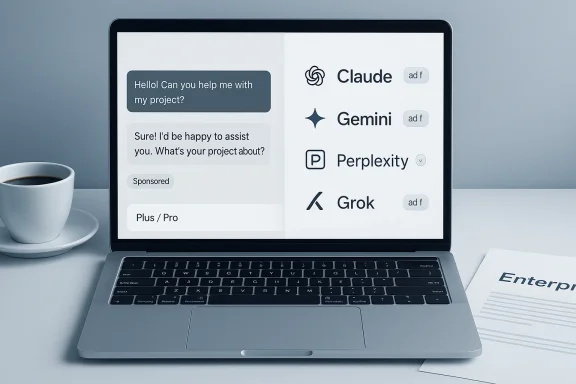
If you prefer not to pay OpenAI (or want a truly ad‑free consumer alternative), several current options exist — each with tradeoffs:- Anthropic Claude — explicitly ad‑free in conversation. Anthropic funds Claude primarily through subscriptions and enterprise deals and has publicly stated it will not inject advertising into chat. This makes Claude the clearest major option if your priority is an ad‑free assistant for sensitive or corporate workflows. Verify the specific plan limits (Pro, Max) against your usage needs.
- Google Gemini (AI Pro/Ultra) — Google offers powerful search integration and large model options; the top tiers (AI Pro / AI Ultra) provide more advanced models and higher quotas. Google’s model for where ads appear differs (often focusing on adjacent surfaces and commerce placements), so read its policies if you’re worried about ad bleed between Search and Gemini features.
- Perplexity — strong research and citation features; Pro removes the three‑search free limit and Max provides the broadest access. Perplexity historically tied heavy features like Comet to paid tiers (though Comet availability has shifted), so check current status for the Comet browser and Pro vs Max feature maps.
- Grok (xAI) — attractive for X users and heavy social integration; SuperGrok tiers open the largest models and context windows but are comparatively expensive. Grok’s pricing can be tied to X Premium discounts; confirm the final checkout price for your account.
- For strict ad‑free conversation with good enterprise support: Claude is the leading candidate.
- For search + AI integration and massive model capability: Google AI Pro/Ultra or Microsoft Copilot via Microsoft 365 Premium are compelling.
- For research workflows with citation‑ready answers: Perplexity Pro/Max remains a top pick.
Practical checklist: migrating away from ChatGPT Free/Go to an ad‑free alternative
- Inventory the workflows where you use the assistant.
- Map required features: multi‑modal (images/video), file uploads, model freshness (e.g., GPT‑5 or Gemini 3 Pro), agentic actions, and enterprise integrations.
- Compare limits and guarantees — look for:
- Explicit ad‑free policy (and whether it covers adjacent surfaces).
- Data handling and training clauses (is customer data used for training?).
- Auditability and contractual guarantees for enterprise users.
- Run a short pilot: test the chosen alternative with real tasks you do daily for at least a week.
- Update contract language and procurement specs for enterprise seats to insist on ad‑free guarantees where required.
What to watch for — risks, caveats and unverifiable claims
- Labeling and UI separ labeled, separated ads; weak labeling or fused ad content could erode trust quickly. Watch the first public pilots and look for any UI patterns that mix ad content with assistant answers.
- Telemetry and targeting signals: OpenAI says it will not text to advertisers and that personalization can be toggled off. However, the precise telemetry advertisers will receive, retention policies, and whether memory features can be used for ad targeting are implementation details that require independent verification. Until vendors publish detailed technical docs or allow third‑party audits, treat claims about “no data sharing” as policy statements, not fully auditable guarantees. ([openai.com] and timing: OpenAI’s Help Center notes ads began phased testing in the U.S. starting February 9, 2026; global timing varies. If you travel frequently or manage global teams, test from the same geographic region as production users to see the live ad behavior.
- Vendor lock‑in and feature parity: switching assistants often means trading some features (e.g., ChatGPT's specific GPT‑5 model capabilities or Sora video generation) for others (e.g., Claude’s safety posture or Gemini’s Search integration). Evaluate substitution costs and automation dependencies before switching.
- Pricing fluidity: companies change pricing and bundling frequently. The “by the numbers” snapshot above is accurate as of early February 2026 but confirm before committing. Vendors run promotions, bundle discounts, and regional pricing adjustments that materially change the cost of switching.
Enterprise implications — what IT and procurement teams must do now
- Audit where consumer assistants are embedded in workflows. Map consumer ChatGPT access points (desktop apps, browser extensions, Slack integrations) and restrict them where ad exposure or data leakage would create compliance risk.
- Demand contractual clarity. Insist on written guarantees that enterprise seats will remain ad‑free, plus explicit clauses on telemetry, training data, retention, and audit rights. Policy pages are useful, but enterprise contracts are enforceable.
- Use MDM / client gating. Hold consumer app updates in controlled channels and prevent early ad experiments from reaching managed endpoints. Block or monitor known ad endpoints if needed, but test carefully to avoid breaking legitimate service calls.
- Educate staff. Tell employees how memory and personalization features affect targeting and teach them to avoid pasting sensitive corporate data into free consumer assistants. Provide a sanctioned list of ad‑free, enterprise‑approved assistants for internal use.
Final assessment — what this moment means for users and the market
OpenAI’s ad experiments are the clearest sign yet that conversational AI has graduated from novelty to a mainstream consumer product with the economic pressures of any scale platform. Ads can keep powerful assistants available without forcing every user to pay, but they also reorient incentives and create new trust and privacy risks. Vendors such as Anthropic and Perplexity are positioning ad‑free or research‑focused alternatives, while Google and Microsoft are bundling AI features into platform ecosystems where advertising or commerce experiences are handled at different layers.For consumers: upgrading to a paid tier remains the most straightforward path to an ad‑free ChatGPT experience. For privacy‑sensitive users and enterprises: consider Claude or paid enterprise contracts with explicit auditability. For heavy prosumers and teams: compare Pro/Max/Ultra tiers across vendors for model freshness, usage limits, and integrations — and remember that the most expensive plan isn’t necessarily the best fit for every workflow.
Quick decision guide (if you just want a one‑line answer)
- Want a quick, low‑friction, ad‑free experience within ChatGPT? Upgrade to ChatGPT Plus or Pro (verify limits and features you need).
- Want guaranteed ad‑free chat and clear enterprise posture? Evaluate Anthropic’s Claude Pro/Max and negotiate contractual guarantees.
- Want strong search and AI integration with big storage and media perks? Google AI Pro/Ultra or Microsoft 365 Premium may be better fits. Confirm whether the specific AI features you rely on are included.
Conclusion
ChatGPT’s move to test ads is not just a product tweak — it’s a market inflection that surfaces the core tradeoff of consumer AI today: who pays for compute, and what are users willing to exchange for free access. You have practical choices: upgrade to an ad‑free paid plan, switch to an alternative that pledges ad‑free chat, or accept an ad‑supported Free/Go experience and manage personalization settings carefully. Whatever path you choose, validate vendor promises against published product pages and your organization’s compliance needs before making a long‑term commitment — because in the generative AI era, policy promises must be translated into contracts and technical controls to be truly dependable.Source: CNET ChatGPT Ads Are Here: Here's How to Upgrade to Ad-Free or Switch to Another Chatbot