

On April 28, 2026, Google shipped Chrome 147.0.7727.137/138 for Windows and Mac and 147.0.7727.137 for Linux, fixing CVE-2026-7341, a high-severity use-after-free flaw in WebRTC that could let a remote attacker run code inside Chrome’s sandbox through a crafted HTML page. The bug is not the loudest item in the release, but it is the one Windows admins should not casually file under “browser churn.” WebRTC is exactly the sort of always-nearby browser machinery that turns a normal page visit into an attack surface. The lesson is blunt: if your patching model treats Chromium as an application update rather than infrastructure maintenance, you are already late.
The remarkable thing about CVE-2026-7341 is how unremarkable its delivery vehicle looks. It arrived in a routine Stable Channel update, surrounded by a long list of other memory-safety fixes, including several critical and high-severity Chromium vulnerabilities. Google’s advisory says the update contains 30 security fixes, with CVE-2026-7341 listed as a high-severity use-after-free issue in WebRTC reported by Google on April 20.
That is the modern browser-security problem in miniature. A flaw capable of arbitrary code execution can appear not as a banner emergency but as one row in a weekly release note. The exploit path may still require user interaction — in this case, the victim must be induced to load crafted content — but on the web, “user interaction” often means nothing more exotic than clicking a link, visiting a compromised site, or opening a page inside a workflow the business already trusts.
NVD’s entry adds the plain-English risk statement: Chrome versions before 147.0.7727.138 are affected, the bug is a CWE-416 use-after-free, and the attack can be mounted remotely through a crafted HTML page. CISA’s ADP scoring assigned CVSS 3.1 8.8 High with network attack vector, low complexity, no privileges required, and user interaction required. That is not a theoretical hygiene issue; it is the shape of a browser exploit that belongs in the same operational bucket as email gateways, VPN clients, and exposed collaboration tools.
The wrinkle for WindowsForum readers is that “Chrome” is no longer just Chrome. The Chromium engine sits underneath Google Chrome, Microsoft Edge, Brave, Vivaldi, Opera, Electron shells, embedded WebViews, and a long tail of vendor-packaged browsers that may or may not move at Google’s speed. When Chromium fixes a WebRTC memory bug, the security clock starts ticking across an ecosystem.
The phrase use after free sounds like compiler-room jargon, but the operational meaning is simple enough: software keeps using memory after it should have stopped trusting it. If an attacker can shape what occupies that memory next, the bug can become a path to code execution. Modern browsers add sandboxing, site isolation, control-flow protections, fuzzing, and memory sanitizers to make that path harder, but “harder” is not “safe enough to ignore.”
Google’s wording says CVE-2026-7341 allowed arbitrary code execution inside a sandbox. That caveat matters. A sandbox-contained exploit is not automatically a full system compromise, and responsible reporting should not pretend otherwise. But it is also not harmless, because browser attack chains are built in stages: first code execution in a renderer or component, then a sandbox escape, then credential theft, token access, extension abuse, or lateral movement through the user’s authenticated browser state.
The browser is where identity now lives. It holds sessions to Microsoft 365, Google Workspace, GitHub, admin portals, SaaS consoles, dashboards, remote desktops, and ticketing systems. A bug that starts “inside a sandbox” can still be valuable to an attacker because the sandbox is wrapped around a process sitting inches away from the most privileged thing many users do all day: staying signed in.
For browser flaws, user interaction has always been a slippery phrase. Nobody needs to convince a victim to launch an obscure binary if the payload is a web page. The entire phishing economy is built on making users click links that look ordinary, arrive through trusted services, or are embedded in business processes.
That is why admins should read “UI:R” with the web’s reality in mind. A crafted HTML page can be delivered through a malicious site, a compromised CMS, a poisoned ad chain, a link in chat, an email campaign, a QR code, or a SaaS document preview. The browser’s convenience collapses the distance between “the user made a choice” and “the attacker reached code.”
The change history also shows how vulnerability intelligence evolves after publication. NVD initially had no NIST CVSS score, while CISA-ADP provided an 8.8 High vector. This is common in the first days of a CVE’s public life: vendor description arrives, enrichment follows, CPEs may lag, and downstream scanners begin arguing with each other about affected products. The operational answer is not to wait for every database to converge; it is to patch the fixed versions and verify deployment.
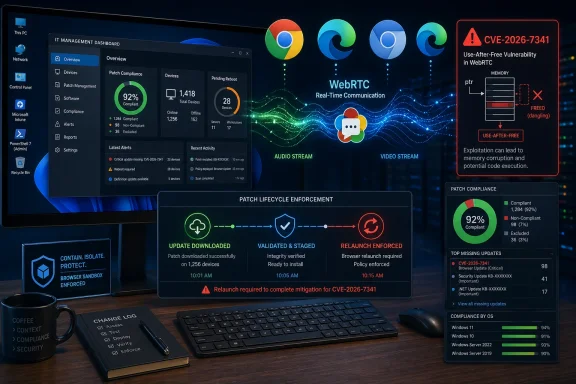
On Windows, Chrome updates normally arrive through Google Update and complete after a browser restart. That last clause is where many environments quietly fail. A machine can download the update and still leave users running the old vulnerable browser process for days if the browser is never relaunched. The update pipeline is not finished when the MSI is installed or the updater reports success; it is finished when the running process is the fixed build.
Microsoft Edge brings a second timeline. Microsoft’s April 30, 2026 Edge Stable release, version 147.0.3912.98, incorporates the latest Chromium security updates according to Microsoft’s release notes. That is the correct mental model for Edge: its version number will not match Chrome’s, but its security posture depends on Microsoft pulling in the Chromium fixes and shipping them through the Edge Stable channel.
This is where asset inventory earns its keep. If your vulnerability scanner only flags Google Chrome, it may miss Edge. If it only checks Edge, it may miss Chrome installed per-user. If it ignores portable browsers, developer-installed Chromium builds, kiosk runtimes, or Electron applications, it may present a comforting fiction. The browser fleet is usually larger than the browser line item in procurement.
That convenience pushes complex media and networking code into a process that also parses untrusted documents, executes JavaScript, renders fonts, decodes images, manages graphics acceleration, stores cookies, and authenticates the user to half the company. WebRTC is not uniquely reckless; it is representative of what the web platform has become.
Memory-safety bugs in that environment are hard to eradicate. Chromium invests heavily in fuzzing and sanitizers, and Google’s advisory again credits tools such as AddressSanitizer, MemorySanitizer, UndefinedBehaviorSanitizer, Control Flow Integrity, libFuzzer, and AFL as part of the broader bug-detection pipeline. The list is reassuring and unsettling at the same time: reassuring because the machine is finding bugs before attackers do, unsettling because the machine keeps finding bugs.
That is the real story behind CVE-2026-7341. It is not that WebRTC is unusually broken. It is that the web platform’s scale and complexity mean security is now a continuous delivery problem. If an organization cannot reliably move browsers within days, it has a standing exposure window, not an occasional patch gap.
Edge is not a passive skin over Chromium. Microsoft has its own release cadence, enterprise policies, Extended Stable channel, update mechanisms, and security features. It also has the advantage of being present by default across managed Windows estates. That default presence makes Edge a baseline exposure even in companies that “standardize on Chrome.”
The result is a dual-browser reality in many Windows environments. Chrome may be the user-preferred browser, Edge may remain installed and callable by Windows components, and WebView2 may sit underneath desktop applications. Blocking one icon on the taskbar does not remove the engine from the endpoint. Patch policy has to follow components, not user habits.
Administrators should also beware the false clarity of CPE matching. The NVD record’s configuration points to Google Chrome across Windows, Linux, and macOS, but ecosystem exposure is broader than a single CPE string. That does not mean every Chromium-based product is automatically vulnerable in the same way at the same moment; it means security teams must track each vendor’s Chromium uptake rather than assume the Google advisory has closed the book.
A sandbox can prevent an initial memory-corruption exploit from immediately owning the operating system. It can restrict file access, process privileges, and system calls. It can force attackers to bring a second vulnerability to escape. Those are huge wins, and defenders should be grateful for them.
But attackers do not need every exploit to be a one-click full-chain miracle. A sandboxed foothold can still be useful for exploit development, fingerprinting, data exposure inside the browser context, or chaining with another bug. In targeted operations, an attacker may already have a second stage ready. In commodity campaigns, the difference between “works only in the sandbox” and “full compromise” may be a matter of waiting for the next disclosed escape.
This is why browser patching deserves urgency even when there is no public claim of active exploitation. Google’s advisory for this update does not say CVE-2026-7341 is being exploited in the wild. That absence is good news, but it is not a reason to delay. Once a patch ships, the race between defenders and reverse engineers begins.
That model fails in exactly the cases that matter. High-risk users — developers, executives, finance teams, help desk staff, cloud admins — are often the same users who keep dozens of tabs open for weeks. Shared workstations, kiosks, VDI pools, and call-center machines may suppress restarts to preserve productivity. Security tools may report installed package versions without proving that old browser processes have exited.
CVE-2026-7341 is a reminder to measure the thing attackers care about. They do not care whether your software inventory database eventually lists 147.0.7727.138. They care whether the user who clicks the malicious link is still running the vulnerable code path.
The fix is not exotic. Force browser relaunches after a grace period. Use enterprise policies to communicate pending restarts. Monitor running process versions where possible. Treat browser updates as emergency-capable, even when they arrive through normal channels. The organizations that do this well are not necessarily the ones with the fanciest tooling; they are the ones that stopped pretending browsers are less critical than agents and VPN clients.
Electron deserves special mention, not because CVE-2026-7341 is automatically an Electron vulnerability in every app, but because Electron made Chromium a desktop application runtime. Messaging clients, password managers, developer tools, note apps, dashboards, and internal enterprise software may all carry browser engine code. If those apps expose WebRTC or other affected Chromium components, the patch question may move from the browser team to application owners.
The same concern applies to embedded web components and bundled runtimes. A vendor may ship a “secure browser” for testing, a kiosk app, or a remote support tool with its own Chromium build. Users may never recognize it as a browser, but attackers and researchers do not care what the icon says.
This is the inventory problem security teams keep rediscovering. You cannot patch what you cannot name, and you cannot prioritize what you wrongly classify as “not a browser.” CVE-2026-7341 is a Chrome CVE, but the discipline it demands is Chromium-aware asset management.
That breadth matters. Attackers do not need a philosophical preference for WebRTC. They need one reachable bug, a delivery path, and enough users left unpatched. Browser exploit development is an economics game: target the biggest installed base, study the patch, identify laggards, and chain where needed.
For defenders, the operational takeaway is to resist CVE tunnel vision. CVE-2026-7341 is worth attention because WebRTC is a juicy component, but the same release fixed multiple other memory-safety flaws that may be just as relevant depending on an attacker’s chain. Patching to the fixed build closes the batch; debating which single CVE is scariest can become a distraction.
There is also a communications lesson. Users hate browser restarts because browser state feels like work state. Admins who want faster compliance need to explain that the restart is not cosmetic. A browser update may be the difference between a malicious page failing and the same page getting code execution in a renderer process.
That standard must include process restart. Security teams should look for machines with stale running browser processes after the update package lands. They should also watch for user-level Chrome installations that bypass central software deployment and for unmanaged browsers installed in developer profiles.
The WebRTC angle also suggests targeted urgency for users who live in real-time collaboration tools. Call centers, recruiters, telehealth staff, education users, sales teams, support engineers, and executives jumping between browser meetings all touch WebRTC-heavy workflows. The patch priority is not only “all endpoints,” but “all endpoints where a crafted link can plausibly intersect high-value authenticated sessions.”
Finally, admins should track whether third-party Chromium browsers have shipped corresponding updates. If a vendor cannot say when it absorbed Chromium 147.0.7727.137/138-era security fixes, that browser should not sit on privileged workstations. Convenience browsers and niche builds are a liability when their update cadence is opaque.
Source: NVD / Chromium Security Update Guide - Microsoft Security Response Center
 Chrome’s Ordinary Update Cadence Is Now the Security Perimeter
The remarkable thing about CVE-2026-7341 is how unremarkable its delivery vehicle looks. It arrived in a routine Stable Channel update, surrounded by a long list of other memory-safety fixes, including several critical and high-severity Chromium vulnerabilities. Google’s advisory says the update contains 30 security fixes, with CVE-2026-7341 listed as a high-severity use-after-free issue in WebRTC reported by Google on April 20.That is the modern browser-security problem in miniature. A flaw capable of arbitrary code execution can appear not as a banner emergency but as one row in a weekly release note. The exploit path may still require user interaction — in this case, the victim must be induced to load crafted content — but on the web, “user interaction” often means nothing more exotic than clicking a link, visiting a compromised site, or opening a page inside a workflow the business already trusts.
NVD’s entry adds the plain-English risk statement: Chrome versions before 147.0.7727.138 are affected, the bug is a CWE-416 use-after-free, and the attack can be mounted remotely through a crafted HTML page. CISA’s ADP scoring assigned CVSS 3.1 8.8 High with network attack vector, low complexity, no privileges required, and user interaction required. That is not a theoretical hygiene issue; it is the shape of a browser exploit that belongs in the same operational bucket as email gateways, VPN clients, and exposed collaboration tools.
The wrinkle for WindowsForum readers is that “Chrome” is no longer just Chrome. The Chromium engine sits underneath Google Chrome, Microsoft Edge, Brave, Vivaldi, Opera, Electron shells, embedded WebViews, and a long tail of vendor-packaged browsers that may or may not move at Google’s speed. When Chromium fixes a WebRTC memory bug, the security clock starts ticking across an ecosystem.
WebRTC Makes the Browser Feel Like an Endpoint
WebRTC exists because the web stopped being a document viewer. It powers real-time audio, video, and peer-to-peer data flows in conferencing apps, browser-based support tools, collaboration platforms, remote interviews, telehealth portals, classrooms, and any number of “join from browser” enterprise workflows. That utility is why a WebRTC flaw matters even when the user never knowingly installs a plugin.The phrase use after free sounds like compiler-room jargon, but the operational meaning is simple enough: software keeps using memory after it should have stopped trusting it. If an attacker can shape what occupies that memory next, the bug can become a path to code execution. Modern browsers add sandboxing, site isolation, control-flow protections, fuzzing, and memory sanitizers to make that path harder, but “harder” is not “safe enough to ignore.”
Google’s wording says CVE-2026-7341 allowed arbitrary code execution inside a sandbox. That caveat matters. A sandbox-contained exploit is not automatically a full system compromise, and responsible reporting should not pretend otherwise. But it is also not harmless, because browser attack chains are built in stages: first code execution in a renderer or component, then a sandbox escape, then credential theft, token access, extension abuse, or lateral movement through the user’s authenticated browser state.
The browser is where identity now lives. It holds sessions to Microsoft 365, Google Workspace, GitHub, admin portals, SaaS consoles, dashboards, remote desktops, and ticketing systems. A bug that starts “inside a sandbox” can still be valuable to an attacker because the sandbox is wrapped around a process sitting inches away from the most privileged thing many users do all day: staying signed in.
The CVSS Edit Tells Its Own Story
One telling detail in the NVD change history is that CISA’s ADP vector appears to have been corrected from UI:N to UI:R. In other words, the scoring moved from no user interaction required to user interaction required. That lowers the exploitability picture, but it does not make the risk small.For browser flaws, user interaction has always been a slippery phrase. Nobody needs to convince a victim to launch an obscure binary if the payload is a web page. The entire phishing economy is built on making users click links that look ordinary, arrive through trusted services, or are embedded in business processes.
That is why admins should read “UI:R” with the web’s reality in mind. A crafted HTML page can be delivered through a malicious site, a compromised CMS, a poisoned ad chain, a link in chat, an email campaign, a QR code, or a SaaS document preview. The browser’s convenience collapses the distance between “the user made a choice” and “the attacker reached code.”
The change history also shows how vulnerability intelligence evolves after publication. NVD initially had no NIST CVSS score, while CISA-ADP provided an 8.8 High vector. This is common in the first days of a CVE’s public life: vendor description arrives, enrichment follows, CPEs may lag, and downstream scanners begin arguing with each other about affected products. The operational answer is not to wait for every database to converge; it is to patch the fixed versions and verify deployment.
The Version Number Is the Control, Not the Advisory
For desktop Chrome, the important line is the fixed release: 147.0.7727.137/138 on Windows and Mac, 147.0.7727.137 on Linux. The CVE text specifically says Chrome prior to 147.0.7727.138, which creates the usual cross-platform awkwardness because Google’s release numbering can differ slightly by operating system. In practice, administrators should validate against the vendor’s current stable build for the platform they manage, not simply compare strings in isolation.On Windows, Chrome updates normally arrive through Google Update and complete after a browser restart. That last clause is where many environments quietly fail. A machine can download the update and still leave users running the old vulnerable browser process for days if the browser is never relaunched. The update pipeline is not finished when the MSI is installed or the updater reports success; it is finished when the running process is the fixed build.
Microsoft Edge brings a second timeline. Microsoft’s April 30, 2026 Edge Stable release, version 147.0.3912.98, incorporates the latest Chromium security updates according to Microsoft’s release notes. That is the correct mental model for Edge: its version number will not match Chrome’s, but its security posture depends on Microsoft pulling in the Chromium fixes and shipping them through the Edge Stable channel.
This is where asset inventory earns its keep. If your vulnerability scanner only flags Google Chrome, it may miss Edge. If it only checks Edge, it may miss Chrome installed per-user. If it ignores portable browsers, developer-installed Chromium builds, kiosk runtimes, or Electron applications, it may present a comforting fiction. The browser fleet is usually larger than the browser line item in procurement.
WebRTC Is Everywhere Because “Install Nothing” Won
WebRTC’s success is rooted in the same trend that made browser security so strategically important: users and vendors both wanted “just open the link” to replace software installation. A meeting platform that runs in the browser lowers friction. A support session that starts from a tab gets through procurement faster. A demo tool, classroom, contact center, or embedded collaboration feature that avoids native installers feels safer to the business.That convenience pushes complex media and networking code into a process that also parses untrusted documents, executes JavaScript, renders fonts, decodes images, manages graphics acceleration, stores cookies, and authenticates the user to half the company. WebRTC is not uniquely reckless; it is representative of what the web platform has become.
Memory-safety bugs in that environment are hard to eradicate. Chromium invests heavily in fuzzing and sanitizers, and Google’s advisory again credits tools such as AddressSanitizer, MemorySanitizer, UndefinedBehaviorSanitizer, Control Flow Integrity, libFuzzer, and AFL as part of the broader bug-detection pipeline. The list is reassuring and unsettling at the same time: reassuring because the machine is finding bugs before attackers do, unsettling because the machine keeps finding bugs.
That is the real story behind CVE-2026-7341. It is not that WebRTC is unusually broken. It is that the web platform’s scale and complexity mean security is now a continuous delivery problem. If an organization cannot reliably move browsers within days, it has a standing exposure window, not an occasional patch gap.
Microsoft’s Role Is Bigger Than Rebranding Chromium
For Windows shops, CVE-2026-7341 arrives through two overlapping channels: Google’s Chrome release and Microsoft’s Edge ecosystem. Microsoft’s Security Update Guide entry for the CVE mirrors the Chromium description, while Edge’s release notes point admins to Stable Channel updates that incorporate Chromium security fixes. That division of labor is familiar but still easy to mishandle.Edge is not a passive skin over Chromium. Microsoft has its own release cadence, enterprise policies, Extended Stable channel, update mechanisms, and security features. It also has the advantage of being present by default across managed Windows estates. That default presence makes Edge a baseline exposure even in companies that “standardize on Chrome.”
The result is a dual-browser reality in many Windows environments. Chrome may be the user-preferred browser, Edge may remain installed and callable by Windows components, and WebView2 may sit underneath desktop applications. Blocking one icon on the taskbar does not remove the engine from the endpoint. Patch policy has to follow components, not user habits.
Administrators should also beware the false clarity of CPE matching. The NVD record’s configuration points to Google Chrome across Windows, Linux, and macOS, but ecosystem exposure is broader than a single CPE string. That does not mean every Chromium-based product is automatically vulnerable in the same way at the same moment; it means security teams must track each vendor’s Chromium uptake rather than assume the Google advisory has closed the book.
The Sandbox Is a Speed Bump, Not a Seat Belt
The phrase “inside a sandbox” will tempt some readers to downgrade the urgency. That would be a mistake. Browser sandboxes are among the most important defensive inventions of the modern web, but their purpose is containment, not absolution.A sandbox can prevent an initial memory-corruption exploit from immediately owning the operating system. It can restrict file access, process privileges, and system calls. It can force attackers to bring a second vulnerability to escape. Those are huge wins, and defenders should be grateful for them.
But attackers do not need every exploit to be a one-click full-chain miracle. A sandboxed foothold can still be useful for exploit development, fingerprinting, data exposure inside the browser context, or chaining with another bug. In targeted operations, an attacker may already have a second stage ready. In commodity campaigns, the difference between “works only in the sandbox” and “full compromise” may be a matter of waiting for the next disclosed escape.
This is why browser patching deserves urgency even when there is no public claim of active exploitation. Google’s advisory for this update does not say CVE-2026-7341 is being exploited in the wild. That absence is good news, but it is not a reason to delay. Once a patch ships, the race between defenders and reverse engineers begins.
Enterprises Still Patch Browsers Like Utilities
The uncomfortable truth is that many organizations still treat browsers as userland conveniences rather than tier-one infrastructure. Server patching has change windows, owners, rollback plans, and dashboards. Browser patching often has “auto-update is probably on” and a vague hope that users eventually restart.That model fails in exactly the cases that matter. High-risk users — developers, executives, finance teams, help desk staff, cloud admins — are often the same users who keep dozens of tabs open for weeks. Shared workstations, kiosks, VDI pools, and call-center machines may suppress restarts to preserve productivity. Security tools may report installed package versions without proving that old browser processes have exited.
CVE-2026-7341 is a reminder to measure the thing attackers care about. They do not care whether your software inventory database eventually lists 147.0.7727.138. They care whether the user who clicks the malicious link is still running the vulnerable code path.
The fix is not exotic. Force browser relaunches after a grace period. Use enterprise policies to communicate pending restarts. Monitor running process versions where possible. Treat browser updates as emergency-capable, even when they arrive through normal channels. The organizations that do this well are not necessarily the ones with the fanciest tooling; they are the ones that stopped pretending browsers are less critical than agents and VPN clients.
The Long Tail Is Where Chromium Risk Hides
Google and Microsoft can move quickly. The rest of the Chromium ecosystem is uneven. Some vendors rebase fast, some lag, and some package Chromium into products where users have no obvious way to see or update the embedded engine. That long tail is where vulnerability management becomes less about Chrome itself and more about software supply chains.Electron deserves special mention, not because CVE-2026-7341 is automatically an Electron vulnerability in every app, but because Electron made Chromium a desktop application runtime. Messaging clients, password managers, developer tools, note apps, dashboards, and internal enterprise software may all carry browser engine code. If those apps expose WebRTC or other affected Chromium components, the patch question may move from the browser team to application owners.
The same concern applies to embedded web components and bundled runtimes. A vendor may ship a “secure browser” for testing, a kiosk app, or a remote support tool with its own Chromium build. Users may never recognize it as a browser, but attackers and researchers do not care what the icon says.
This is the inventory problem security teams keep rediscovering. You cannot patch what you cannot name, and you cannot prioritize what you wrongly classify as “not a browser.” CVE-2026-7341 is a Chrome CVE, but the discipline it demands is Chromium-aware asset management.
The April 2026 Chrome Drop Was a Warning Shot in Bulk
CVE-2026-7341 did not ship alone. The April 28 Chrome Stable update included critical use-after-free fixes in Canvas, iOS, Accessibility, and Views, plus high-severity issues across GPU, ANGLE, Animation, Navigation, Skia, Media, MHTML, WebMIDI, Cast, Codecs, WebRTC, V8, Chromoting, Tint, Feedback, and WebView. The list reads less like a single bug fix than an X-ray of Chromium’s attack surface.That breadth matters. Attackers do not need a philosophical preference for WebRTC. They need one reachable bug, a delivery path, and enough users left unpatched. Browser exploit development is an economics game: target the biggest installed base, study the patch, identify laggards, and chain where needed.
For defenders, the operational takeaway is to resist CVE tunnel vision. CVE-2026-7341 is worth attention because WebRTC is a juicy component, but the same release fixed multiple other memory-safety flaws that may be just as relevant depending on an attacker’s chain. Patching to the fixed build closes the batch; debating which single CVE is scariest can become a distraction.
There is also a communications lesson. Users hate browser restarts because browser state feels like work state. Admins who want faster compliance need to explain that the restart is not cosmetic. A browser update may be the difference between a malicious page failing and the same page getting code execution in a renderer process.
A Practical Patch Standard for This CVE
For Windows endpoints, the standard should be simple: Chrome should be on 147.0.7727.138 or later where Chrome is installed, and Edge should be on a Microsoft release that incorporates the April 30 Chromium security updates, such as Edge Stable 147.0.3912.98 or later. Linux and macOS fleets should verify against their platform’s current stable build rather than blindly applying the Windows version string.That standard must include process restart. Security teams should look for machines with stale running browser processes after the update package lands. They should also watch for user-level Chrome installations that bypass central software deployment and for unmanaged browsers installed in developer profiles.
The WebRTC angle also suggests targeted urgency for users who live in real-time collaboration tools. Call centers, recruiters, telehealth staff, education users, sales teams, support engineers, and executives jumping between browser meetings all touch WebRTC-heavy workflows. The patch priority is not only “all endpoints,” but “all endpoints where a crafted link can plausibly intersect high-value authenticated sessions.”
Finally, admins should track whether third-party Chromium browsers have shipped corresponding updates. If a vendor cannot say when it absorbed Chromium 147.0.7727.137/138-era security fixes, that browser should not sit on privileged workstations. Convenience browsers and niche builds are a liability when their update cadence is opaque.
The Admin’s Calendar Should Move Faster Than the Exploit Writer
The useful response to CVE-2026-7341 is not panic; it is compression. Compress the time from vendor release to installed update. Compress the time from installed update to browser relaunch. Compress the distance between Chrome, Edge, and embedded Chromium ownership. The organizations that do that turn a high-severity browser memory bug into routine maintenance instead of an incident precondition.- Chrome desktop systems should be verified on the fixed Stable build line, with Windows and Mac moving to 147.0.7727.137/138 and Linux to 147.0.7727.137 or later as applicable.
- Edge systems should be verified against Microsoft’s April 30, 2026 Stable release line or later, because Edge uses its own version numbering while incorporating Chromium security updates.
- A downloaded browser update is not enough if users keep vulnerable browser processes alive, so relaunch compliance should be measured and enforced.
- Vulnerability teams should track Chromium-based browsers and embedded runtimes separately from Google Chrome, because CPE coverage rarely captures the full endpoint reality.
- The absence of a public exploitation claim for CVE-2026-7341 should not justify delay, because patch publication gives attackers a roadmap for reverse engineering.
Source: NVD / Chromium Security Update Guide - Microsoft Security Response Center
