

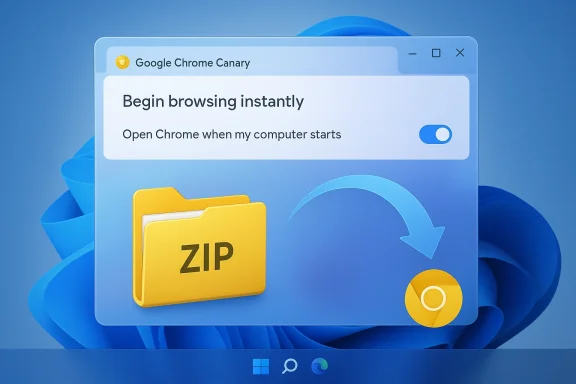
Google’s Chrome is quietly changing how it greets Windows 11 — and one of those changes is small in code but large in perception: Chrome Canary now contains an optional “start with Windows” toggle and an in-product prompt that asks users to let Chrome launch at sign‑in so browsing can “begin instantly.” At the same time, a low‑level Chromium change originating from Microsoft engineers fixes a longstanding annoyance: dragging large files out of ZIP folders used to freeze the browser, and that behavior is now being corrected with an asynchronous, chunked extraction path that keeps the UI responsive. Together these moves — a user-facing startup prompt, a deep fix to drag-and-drop handling, and ongoing experimentation with Windows 11 visuals — show how Chromium teams at Google and Microsoft are balancing perceived speed, resource tradeoffs, and Windows integration as they steer the browser’s future.
Chrome’s approach to perceived speed has long included two families of techniques: surface optimizations (rendering, compositor improvements, fewer layout reflows) and pre‑start strategies (launching helper processes, preloading components, or keeping background processes alive). The first keeps the browser nimble when users interact with it; the second reduces the time between a click and a visible window by starting work earlier — sometimes at system sign‑in. Google’s new Canary prompt and related strings show the company is leaning on the second approach again, offering users the choice to let Chrome start in the background at Windows sign‑in to cut the “first window” latency.
Meanwhile, drag‑and‑drop interoperability between Windows and Chromium has been historically tricky. Windows exposes “virtual files” — data that looks like a file to the receiving app but is backed by streams supplied by the source application (for example, ZIP folder members or Outlook attachments). Chromium’s drag code needed to read those streams without blocking the UI; where it didn’t, users saw freezes when attempting to drag large files directly out of ZIP folders. Microsoft engineers in the Chromium project have now implemented a more robust flow for virtual files that avoids synchronous reads on the UI thread. That change is important because it benefits all Chromium‑based browsers (Chrome, Edge, Brave, Opera) that share the same codebase.
Why is the wording important? Product copy reflects the argument product teams want to make: instant access, less waiting. Calling it “begin browsing instantly” frames the choice as a clear usability win. It’s a persuasive move — and it’s why the message will feel like a gent neutral setting reminder.
That model trades a small, sustained runtime cost (resident RAM and potentially open threads) for lower start latency. In practice, the memory footprint is modest for modern hardware, but on low‑end or battery‑sensitive devices every background process matters. Google’s strings and in‑product rollout show the company will make this an opt‑in experience rather than flipping everyone automatically — but the product copy and prompt design means many users will accept the convenience tradeoff.
For enterprise administrators, such an opt‑in toggle can complicate device management. Organizations that control startup behavior via group policy or endpoint management should verify whether a new Chrome policy is available to centrally manage the “launch on startup” behavior, or whether existing policies override the per‑user toggle. (Enterprises generally have policy controls for Chrome's behavior; administrators should test accordingly.)
From a security posture, the resident process must be treated like any background service: it should be subject to the same patching and update discipline, and organizations should validate whether the preloaded process respects enterprise controls (cookie policies, network proxies, smartcard/SSO behavior) at boot. Notably, Chrome’s enterprise layer already exposes many controls; admins should test startup behavior across the policies they use.
That problem has been fixed in Chromium with a code change that recognizes ZIP folder entries as virtual files and changes the extraction path to avoid synchronous reads on the UI thread. The fix reorders data preparation so virtual files are handled using filenames and deferred content retrieval, and it removes blocking TYMED_ISTREAM handling that previously forced reads early. The change improves responsiveness and supports dragging multiple files from ZIP folders correctly.
Key outcomes:
This is important context: Google is not only tuning background startup behavior and drag paths, it’s also trying to make Chrome feel more native on Windows 11. But bringing a heavy, custom UI into a system‑drawn material has engineering costs — both in correctness and in device power usage — so the company is proceeding cautiously.
For users, the takeaway is simple: you can trade a small always‑on cost for faster startup if you want, and you’ll soon see fewer drag‑and‑drop freezes from ZIPs. For IT teams and privacy‑minded users, the choice requires a short audit: background processes are convenient, but they’re not free. Google’s careful gating and the Chromium community’s fixes show the project is iterating responsibly — with work still to do around opt‑in clarity, enterprise controls, and power‑sensitive UI decisions.
Source: Windows Latest Google tests optional Chrome auto-launch on Windows 11, fixes ZIP drag-and-drop freezes
 Background
Chrome’s approach to perceived speed has long included two families of techniques: surface optimizations (rendering, compositor improvements, fewer layout reflows) and pre‑start strategies (launching helper processes, preloading components, or keeping background processes alive). The first keeps the browser nimble when users interact with it; the second reduces the time between a click and a visible window by starting work earlier — sometimes at system sign‑in. Google’s new Canary prompt and related strings show the company is leaning on the second approach again, offering users the choice to let Chrome start in the background at Windows sign‑in to cut the “first window” latency. Meanwhile, drag‑and‑drop interoperability between Windows and Chromium has been historically tricky. Windows exposes “virtual files” — data that looks like a file to the receiving app but is backed by streams supplied by the source application (for example, ZIP folder members or Outlook attachments). Chromium’s drag code needed to read those streams without blocking the UI; where it didn’t, users saw freezes when attempting to drag large files directly out of ZIP folders. Microsoft engineers in the Chromium project have now implemented a more robust flow for virtual files that avoids synchronous reads on the UI thread. That change is important because it benefits all Chromium‑based browsers (Chrome, Edge, Brave, Opera) that share the same codebase.
What’s changing inst)
- Chrome Canary exposes a user-visible toggle and an infobar prompting users to let Chrome “launch when Windows starts.” The internal strings that implement the UI are present in the Chromium source.
- The browser will start chrome.exe on sign‑in but keep the process in a background/hidden state until the user opens a window; when they do, Chrome can reuse the already‑running processes to show the UI faster.
- Chromium has received a targeted fix that stops synchronous extraction of large virtual files during drag‑and‑drop; the code path now processes virtual files more carefully and avoids blocking the UI thread. The commit was authored by a Microsoft engineer and landed on Chromium’s main branch.
- Chrome continues to experiment with Windows 11 native visuals (Mica titlebar) in Canary; that work is still experimental and has been gated due to layout and power considerations in prior iterations.
Deep dive: the optional auto‑launch feature
What the UI actually says (and why that matters)
The Chromium string table now includes a toggle label and two infobar messages: “Open Chrome when my computer starts” and the onboarding infobar text “Begin browsing instantly. Chrome can now launch when windows starts. Allow Chrome to open automatically?” That exact phrasing is embedded in Chromium’s resources, which means Google is shipping the UI bits needed to ask users to opt in to background auto‑start. Those strings are present in the Chrome resources committed to the Chromium tree.Why is the wording important? Product copy reflects the argument product teams want to make: instant access, less waiting. Calling it “begin browsing instantly” frames the choice as a clear usability win. It’s a persuasive move — and it’s why the message will feel like a gent neutral setting reminder.
How it works technically
When enabled, Chrome registers itself to launch at Windows sign‑in. The binary chrome.exe runs in a background state — there is no visible window and the user’s desktop is not interrupted — but a set of browser processes are already initialized. Later, when the user opens Chrome normally, the UI is created and attached to those running processes, which avoids a cold startup and reduces the time it takes for the first tab and full UI to render.That model trades a small, sustained runtime cost (resident RAM and potentially open threads) for lower start latency. In practice, the memory footprint is modest for modern hardware, but on low‑end or battery‑sensitive devices every background process matters. Google’s strings and in‑product rollout show the company will make this an opt‑in experience rather than flipping everyone automatically — but the product copy and prompt design means many users will accept the convenience tradeoff.
User control and discoverability
If you enable the feature accidentally (or change your mind), the setting is exposed in Chrome’s Settings under the startup options. The presence of a simple toggle and the Settings entry reduces friction for users who want to reverse the choice, but discoverability remains a question: users who click “Allow” in the infobar may not notice the background process until they spot chrome.exe in Task Manager or see a small but continuous memory footprint.For enterprise administrators, such an opt‑in toggle can complicate device management. Organizations that control startup behavior via group policy or endpoint management should verify whether a new Chrome policy is available to centrally manage the “launch on startup” behavior, or whether existing policies override the per‑user toggle. (Enterprises generally have policy controls for Chrome's behavior; administrators should test accordingly.)
Performance and privacy tradeoffs — the critical calculus
Performance: perceived vs. actual
There are two ways to look at “speed”:- Perceived speed: how fast a user thinks the app is. Auto‑launch improves perceived speed because the UI appears faster after sign‑in.
- Actual system cost: CPU cycles, RAM footprint, and IO at sign‑in. A resident chrome.exe process consumes RAM and may create background threads or network activity (depending on what features are enabled). For many modern desktops, this cost is negligible; for laptops on battery or machines with limited memory, the cost adds up.
Privacy and security considerations
A resident browser process can mean data is in memory longer. If users log into Chrome and keep signed‑in sessions, some tokens and cached resources remain available across sign‑in and may be reused more quickly. For most users, this is convenience; for privacy‑conscious users or shared machines, it raises questions about session persistence and the need to clear data when idle.From a security posture, the resident process must be treated like any background service: it should be subject to the same patching and update discipline, and organizations should validate whether the preloaded process respects enterprise controls (cookie policies, network proxies, smartcard/SSO behavior) at boot. Notably, Chrome’s enterprise layer already exposes many controls; admins should test startup behavior across the policies they use.
The ZIP drag‑and‑drop bug, explained
The user problem in plain terms
Users who drag large files directly out of ZIP folders (or from “virtual” sources like Outlook attachments) sometimes saw the Chromium browser freeze — often because the browser attempted to fetch file bytes synchronously on the UI thread. The freeze occurs when the data transfer blocks the main thread while the source drains and hands over bytes, leaving the UI unresponsive until extraction completes.That problem has been fixed in Chromium with a code change that recognizes ZIP folder entries as virtual files and changes the extraction path to avoid synchronous reads on the UI thread. The fix reorders data preparation so virtual files are handled using filenames and deferred content retrieval, and it removes blocking TYMED_ISTREAM handling that previously forced reads early. The change improves responsiveness and supports dragging multiple files from ZIP folders correctly.
The technical fix and why it matters
The fix introduced by Samba Murthy Bandaru and reviewers adds a check that uses GetData (not only QueryGetData) to verify available formats, updates the logic that decides whether to treat files as virtual files, and moves virtual file processing before fallback checks that used to set file_contents (a single‑file path intended for images). That fallback was partly responsible for the synchronous behavior.Key outcomes:
- Virtual files are identified correctly and handled without forcing immediate synchronous reads on the UI thread.
- Multiple files dragged from a ZIP now populate the filenames vector (instead of relying on a single file_contents field), enabling multi‑file drags to work.
- The change lands safely behind feature‑flag gates for incremental rollout and testing.
Mica and Windows 11 visual integration: a continuing experiment
Chrome’s UI team has been testing a native Windows 11 “Mica” material on the browser titlebar for a while. Mica is a translucent, wallpaper‑aware material that helps apps blend with Windows 11 aesthetics. Chrome Canary flags and experimental work continue to refine layout, tabstrip alignment, and how accent colors interact with Mica. The work is visible in Canary branches but remains gated behind flags or milestone expiry windows because of layout edge cases and power considerations. Previous experiments have been paused or tuned because of power consumption and rendering correctness; Google’s UI team is iterating to strike the right balance between visual fidelity and performance.This is important context: Google is not only tuning background startup behavior and drag paths, it’s also trying to make Chrome feel more native on Windows 11. But bringing a heavy, custom UI into a system‑drawn material has engineering costs — both in correctness and in device power usage — so the company is proceeding cautiously.
What this means for end users and admins
For regular users
- If you want Chrome to appear faster right after you sign in, the new toggle will deliver that — but expect chrome.exe to be resident in memory. Want to test it? Canary shows the prompt; stable rollouts may follow.
- If you prefer zero background apps, don’t click “Allow.” You can undo the choice later from Settings > On startup (look for the “Open Chrome when my computer starts” or similar label).
- If you regularly drag files from ZIP folders and saw freezes, the Chromium fix should make that workflow reliable again; this is a quality‑of‑life improvement that affects many Chromium browsers.
For power users and privacy‑minded users
- Be explicit: background browser processes can retain in‑memory session artifacts. If you share a machine or are sensitive about long‑lived sessions, keep the feature off and consider configuring auto‑logout or use ephemeral profiles as needed.
- Monitor startup behavior in Task Manager to audit what runs on boot; Chrome will appear as chrome.exe even if no window is visible.
For IT administrators
- Audit current Chrome policies and test the new startup toggle in a controlled pilot.
- Ensure that enterprise policy controls for startup and sign‑in are applied consistently across machines.
- Consider adding documentation for end users explaining the tradeoffs between faster startup and resident memory usage.
- If you run machines with strict battery or performance constraints, consider blocking the auto‑start via management controls until you can verify resource impact.
Strengths, risks, and the product calculus
Strengths
- Perceived speed gains are immediate: users who opt in will see faster first‑open UI, which improves perceived performance and satisfaction.
- Cross‑project quality fixes improve core OS integrations: the ZIP drag‑and‑drop fix reduces user friction and reduces freeze reports across Chromium browsers.
- User choice preserved: Google is testing an opt‑in path and provides a visible Settings entry to disable the behavior — better than silently enabling resident background processes.
Risks and open questions
- Nudging vs. choice: the infobar copy ("Begin browsing instantly") is a persuasive nudge. Some users accept prompts reflexively; product teams should avoid making convenience feel coercive. The ethics of design nudges matter when resource or privacy tradeoffs exist.
- Battery and device impact: thin laptops and ARM devices are more sensitive to background processes. Even a “tiny chunk” of RAM cumulatively affects multitasking and battery. Google will need telemetry and opt‑out mechanisms to prevent unintended degradation.
- Enterprise policy surface: organizations must confirm how per‑user toggles interact with managed policies; the last thing IT needs is inconsistent boot‑time behavior across a fleet of machines.
Recommendations for Google (if I were a Chrome program manager)
- Keep the feature opt‑in and ensure the default for stable customers stays off while the team clemetry from Canary/Dev cohorts. Small machines and shared devices should not be auto‑opted.
- Surface the setting in an explanatory, low‑pressure UI: show estimated additional memory use for a typical device class and a link to an “advanced” explanation. Transparency reduces unexpected user surprise.
- For enterprise customers, publish an explicit policy key to centrally control auto‑start and document how it interacts with existing startup policies. Provide sample GPO/Intune settings.
- Continue to land the drag‑and‑drop improvements upstream and make sure the change is covered by integration tests that simulate large virtual file drags across Windows versions. The commit in Chromium is a good start — add tests and telemetry to confidently roll it wide.
- Make Mica experimentation conditional on power profiles and device classes; on battery‑sensitive machines default to a less expensive frame and allow users to enable Mica explicitly.
Conclusion
Google’s latest Canary experiments reveal a clear product posture: reduce time‑to‑interactive by moving work earlier in the system lifecycle, while simultaneously tending to the plumbing that makes Windows integration reliable. The optional auto‑launch prompt is a pragmatic attempt to deliver faster perceived performance, and the Chromium drag‑and‑drop fix eliminates a real, irritating freeze that affected interoperability between Windows and browser hosts. Both moves matter: one is surface level and persuasive, the other is deep, technical, and ecosystem‑wide.For users, the takeaway is simple: you can trade a small always‑on cost for faster startup if you want, and you’ll soon see fewer drag‑and‑drop freezes from ZIPs. For IT teams and privacy‑minded users, the choice requires a short audit: background processes are convenient, but they’re not free. Google’s careful gating and the Chromium community’s fixes show the project is iterating responsibly — with work still to do around opt‑in clarity, enterprise controls, and power‑sensitive UI decisions.
Source: Windows Latest Google tests optional Chrome auto-launch on Windows 11, fixes ZIP drag-and-drop freezes
