

Something is changing in the Windows migration story, and Google is making sure it changes in its favor. As Microsoft’s Windows 10 support sunset has pushed millions of older PCs into an uncomfortable security and upgrade decision, Google is offering a free path to ChromeOS Flex for machines that cannot, or should not, move to Windows 11. The pitch is simple: reuse the hardware, reduce maintenance, and avoid the cost of buying a new PC. The reality is more nuanced, because this is not just a recycling story — it is a competitive strike at the very moment Windows users are most anxious about what comes next.
The Windows 10 end-of-support moment has been building for years, but its practical effect only became obvious when users had to confront a simple question: keep an old machine alive, buy new hardware, or switch platforms. In the forum material we reviewed, the central framing is clear: more than 500 million Windows 10 PCs are not eligible for Windows 11, leaving a massive base of machines stranded outside Microsoft’s preferred upgrade path. That kind of scale matters because it turns what might have been a routine lifecycle event into a market-opening event for competitors.
Microsoft’s answer has been predictable and, for many households and businesses, expensive. The company has encouraged upgrades to Windows 11 and, where needed, a move to new Copilot-enabled PCs, while also offering an Extended Security Updates bridge for customers who need extra time. But even when that bridge exists, it is still a bridge, not a destination. For millions of consumers and smaller organizations, the real choice is whether to extend the life of existing hardware or accept a major capital expense.
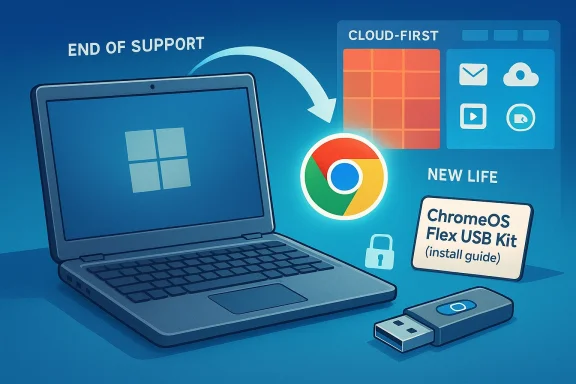
That is the gap Google is targeting with ChromeOS Flex. The platform is pitched as a free operating system that can run on older Windows and Mac hardware, with messaging centered on sandboxing, blocked executables, and IT controls that Google says provide strong protection against data loss on lost or stolen devices. In other words, Google is not just saying “come use our software.” It is saying, your old PC can become useful again, and it may become safer in the process.
The timing of the pitch is important. The forum material repeatedly notes that Google has simplified installation with a ChromeOS Flex USB Kit developed through a partnership with Back Market, a refurbished-hardware marketplace. That turns a software message into a tangible migration kit, which lowers the friction for less technical users. When the physical kit sold out, Back Market directed people to install ChromeOS Flex on their own, confirming that demand was strong enough to overwhelm the initial supply.
This is not the first time Windows lifecycle pressure has opened the door to alternatives. The forum archive includes older discussions about Windows 7 pricing, Windows XP after support ended, and Linux as a fallback for unsupported hardware. The pattern is familiar: when Microsoft’s platform moves on, a subset of users decides they do not want to pay the upgrade tax. What is different now is that Google has packaged the escape route far more aggressively and with better brand polish.
From a market perspective, that is a powerful change in language. Microsoft’s model depends on people viewing the PC refresh cycle as normal and inevitable. Google’s model depends on people questioning that assumption and discovering that many older systems still have enough life left for cloud-first computing, browsing, email, video calls, and basic productivity. In that sense, ChromeOS Flex is less about replacing Windows in every scenario and more about diverting the low-end and mid-life hardware pool away from Microsoft’s ecosystem.
The story is even stronger for users whose PCs are functionally fine but fail Windows 11’s hardware checks. Those machines often still feel modern enough for everyday use, which makes a forced replacement feel arbitrary rather than necessary. Google’s offer gives them a way to keep the hardware in service without pretending that every aging Windows machine should somehow become a future-proof Windows 11 device.
This matters because enterprise buyers often care more about predictability than about raw local power. If a device is mostly used for web apps, remote work, and managed access, the OS becomes an appliance-like layer. Google is betting that a growing share of the market is ready to treat Windows as too much machine for too little need.
Microsoft has tried to soften the blow with paid and temporary support options, but those are fundamentally transitional measures. They are useful if you need time to test software, phase out hardware, or budget for a refresh. They are not a satisfying answer for people who do not want to spend money at all, or who view the purchase of a new PC as a bad trade just to preserve the same daily tasks.
That dynamic is why the forum material repeatedly stresses that “doing nothing is not an option.” Whether a user chooses Microsoft’s extended support, Google’s ChromeOS Flex, Linux, or a brand-new PC, the message is the same: unsupported Windows is a timed problem. The longer the machine remains in place without a plan, the more the cost of inaction rises.
The other difference is messaging. Google is not asking users to become Linux hobbyists or to wrestle with a complex desktop transition. It is offering a cleaner, safer-sounding, and more guided path. That may sound simple, but in consumer tech, simplicity is often the thing that determines whether an idea spreads or stalls.
The inclusion of security messaging is especially important. By emphasizing sandboxing, blocked executables, and IT controls, Google is speaking directly to the anxieties that make unsupported Windows feel dangerous. It is also making a broader argument that modern security can come from architecture rather than from endless patching of a sprawling desktop environment.
Of course, security is not just a slogan. It is a promise that depends on the user’s actual workload, browser habits, identity protection, and administrative setup. But as a market message, it is effective because it gives people a reason to believe that “free” does not automatically mean “cheaply built.”
That partnership also broadens the sustainability angle. Google is not just pushing a software replacement; it is aligning with hardware reuse and refurbished-device economics. That places the company in a favorable conversation about e-waste reduction, device longevity, and the circular economy, all while weakening Microsoft’s pressure to replace hardware prematurely.
The next group is budget-constrained organizations. Schools, charities, volunteer groups, and small offices often have a large number of standard-purpose machines that are not worth replacing all at once. For them, a free operating system can be more than a convenience — it can be the difference between keeping a lab open and shutting it down.
That said, enterprise adoption depends on application compatibility and identity integration. Google’s pitch is strongest where workflows are web-native, identity is cloud-managed, and local software dependencies are modest. It is weaker where specialized Windows applications, peripherals, or offline workflows dominate.
That does not mean the PC market stops replacing devices. It means the replacement logic becomes more contested. In a tighter economy, the value of squeezing another few years out of hardware can be more persuasive than the lure of a new machine with a new logo on the lid.
The challenge is especially sharp because the argument comes wrapped in familiar consumer logic. Google is not trying to beat Microsoft at enterprise desktop dominance or full-featured creative computing. It is aiming at the broad middle of PC usage — the millions of systems used for browsing, streaming, online education, and basic productivity. That is exactly where Windows has long enjoyed dominance by default rather than by passionate preference.
Google also benefits from a perception advantage in this narrow lane. It can present itself as the company helping users avoid waste, not as the company selling them a new lock-in. That distinction may be more important than any individual feature comparison because it shapes how users feel about the choice before they even install anything.
This does not threaten Windows’ core dominance overnight. But it does chip away at the assumption that Microsoft always owns the exit route from old hardware. In a market where control over the transition can be as important as control over the endpoint, that is a meaningful shift.
That matters because the temptation in support-deadline stories is always to assume that all old PCs are interchangeable. They are not. A machine that can browse the web and access email is not the same as a machine that runs accounting software, industrial tools, or old creative applications. The right migration path depends on the workload, not just the hardware age.
The practical lesson is that users should not confuse reviving a PC with preserving their exact Windows experience. Those are very different outcomes. Google is offering the former, not the latter, and the distinction will determine whether the product feels liberating or limiting.
Still, the stockout itself is useful evidence that the market is paying attention. People do not buy install kits for fun. They buy them when the pain of staying put starts to outweigh the hassle of switching.
Microsoft, meanwhile, faces a familiar but newly sharpened challenge: how to keep control of the PC transition when a rival can offer a credible free exit. If the company responds only with hardware replacement messaging, it may keep pushing the problem into the next budget cycle. If it responds with more flexible support, clearer upgrade paths, and a less punitive experience, it may blunt some of Google’s appeal.
Source: Forbes https://www.forbes.com/sites/zakdof...grade-offer-you-must-act-before-its-too-late/
 Background
The Windows 10 end-of-support moment has been building for years, but its practical effect only became obvious when users had to confront a simple question: keep an old machine alive, buy new hardware, or switch platforms. In the forum material we reviewed, the central framing is clear: more than 500 million Windows 10 PCs are not eligible for Windows 11, leaving a massive base of machines stranded outside Microsoft’s preferred upgrade path. That kind of scale matters because it turns what might have been a routine lifecycle event into a market-opening event for competitors.Microsoft’s answer has been predictable and, for many households and businesses, expensive. The company has encouraged upgrades to Windows 11 and, where needed, a move to new Copilot-enabled PCs, while also offering an Extended Security Updates bridge for customers who need extra time. But even when that bridge exists, it is still a bridge, not a destination. For millions of consumers and smaller organizations, the real choice is whether to extend the life of existing hardware or accept a major capital expense.
That is the gap Google is targeting with ChromeOS Flex. The platform is pitched as a free operating system that can run on older Windows and Mac hardware, with messaging centered on sandboxing, blocked executables, and IT controls that Google says provide strong protection against data loss on lost or stolen devices. In other words, Google is not just saying “come use our software.” It is saying, your old PC can become useful again, and it may become safer in the process.
The timing of the pitch is important. The forum material repeatedly notes that Google has simplified installation with a ChromeOS Flex USB Kit developed through a partnership with Back Market, a refurbished-hardware marketplace. That turns a software message into a tangible migration kit, which lowers the friction for less technical users. When the physical kit sold out, Back Market directed people to install ChromeOS Flex on their own, confirming that demand was strong enough to overwhelm the initial supply.
This is not the first time Windows lifecycle pressure has opened the door to alternatives. The forum archive includes older discussions about Windows 7 pricing, Windows XP after support ended, and Linux as a fallback for unsupported hardware. The pattern is familiar: when Microsoft’s platform moves on, a subset of users decides they do not want to pay the upgrade tax. What is different now is that Google has packaged the escape route far more aggressively and with better brand polish.
Why ChromeOS Flex Matters Now
Google’s push lands at exactly the moment when Windows users are most sensitive to security, cost, and hardware waste. The company is essentially saying that the end of Windows 10 support is not a dead end but a reassignment of existing hardware to a different operating model. That is strategically clever because it reframes the debate from “Do I need a new PC?” to “What is the best use of the PC I already own?”From a market perspective, that is a powerful change in language. Microsoft’s model depends on people viewing the PC refresh cycle as normal and inevitable. Google’s model depends on people questioning that assumption and discovering that many older systems still have enough life left for cloud-first computing, browsing, email, video calls, and basic productivity. In that sense, ChromeOS Flex is less about replacing Windows in every scenario and more about diverting the low-end and mid-life hardware pool away from Microsoft’s ecosystem.
The appeal to budget-conscious users
For consumers, the obvious benefit is cost. A free operating system that can revive an aging laptop is a compelling answer to the anxiety that follows every support deadline. It is especially persuasive for students, retirees, families, and small businesses that do not want to spend hundreds of dollars just to preserve access to their existing workflow.The story is even stronger for users whose PCs are functionally fine but fail Windows 11’s hardware checks. Those machines often still feel modern enough for everyday use, which makes a forced replacement feel arbitrary rather than necessary. Google’s offer gives them a way to keep the hardware in service without pretending that every aging Windows machine should somehow become a future-proof Windows 11 device.
The appeal to IT and fleet managers
For organizations, the value proposition is not just savings but simplification. ChromeOS Flex reduces the burden of patching, endpoint hardening, and device retirement planning for machines that are not mission-critical. That can be attractive in schools, nonprofits, branch offices, and kiosk-like environments where the browser is the real application and the operating system is mostly a delivery layer.This matters because enterprise buyers often care more about predictability than about raw local power. If a device is mostly used for web apps, remote work, and managed access, the OS becomes an appliance-like layer. Google is betting that a growing share of the market is ready to treat Windows as too much machine for too little need.
- ChromeOS Flex lowers the entry cost for hardware reuse.
- It shifts the upgrade conversation away from replacement.
- It fits browser-centric and cloud-centric workflows.
- It offers a cleaner story for managed fleets.
- It helps users avoid the uncertainty of unsupported Windows.
The Windows 10 Problem
Windows 10’s end of support created a sharply divided hardware base. Machines that meet Windows 11 requirements can continue inside Microsoft’s world, while millions of older systems are effectively frozen out. That split is more consequential than a normal version transition because it produces a huge population of users who are still functional, still connected, and still undecided.Microsoft has tried to soften the blow with paid and temporary support options, but those are fundamentally transitional measures. They are useful if you need time to test software, phase out hardware, or budget for a refresh. They are not a satisfying answer for people who do not want to spend money at all, or who view the purchase of a new PC as a bad trade just to preserve the same daily tasks.
Security and support pressure
The core issue is security. Once a platform falls off standard support, users begin accumulating risk even if nothing visibly breaks. That risk is abstract until it is not, which is why support deadlines are such effective catalysts for market shifts. A machine that works perfectly can still become a liability if it is no longer receiving the protection it needs.That dynamic is why the forum material repeatedly stresses that “doing nothing is not an option.” Whether a user chooses Microsoft’s extended support, Google’s ChromeOS Flex, Linux, or a brand-new PC, the message is the same: unsupported Windows is a timed problem. The longer the machine remains in place without a plan, the more the cost of inaction rises.
Why this feels different from past migrations
Windows XP and Windows 7 both produced migration waves, but the cloud-first computing landscape was different then. Today, many everyday workflows live in the browser or in managed web apps, which makes a lightweight alternative like ChromeOS Flex more viable than it would have been in the past. That is a major reason this moment feels less like a niche fallback and more like a real alternative route.The other difference is messaging. Google is not asking users to become Linux hobbyists or to wrestle with a complex desktop transition. It is offering a cleaner, safer-sounding, and more guided path. That may sound simple, but in consumer tech, simplicity is often the thing that determines whether an idea spreads or stalls.
- Unsupported Windows creates hidden security debt.
- Paid updates buy time, not peace of mind.
- Browser-first workflows make alternatives more practical.
- Simplicity is a major adoption driver.
- Timing turns a technical event into a behavioral shift.
What Google Is Really Selling
On the surface, Google is selling a free operating system. In practice, it is selling a different relationship with the PC: one that is more cloud-dependent, more centrally managed, and far less tied to legacy desktop assumptions. That is why ChromeOS Flex is best understood as a platform move, not just a cost-cutting option.The inclusion of security messaging is especially important. By emphasizing sandboxing, blocked executables, and IT controls, Google is speaking directly to the anxieties that make unsupported Windows feel dangerous. It is also making a broader argument that modern security can come from architecture rather than from endless patching of a sprawling desktop environment.
Security positioning as a marketing weapon
This part of the pitch is sharp because it addresses one of Windows’ long-running vulnerabilities in public perception: the feeling that security is something you bolt on after the fact. Google is flipping that script and presenting security as the default state of the platform. For users who are tired of worrying about updates, drivers, antivirus prompts, and compatibility warnings, that is emotionally persuasive.Of course, security is not just a slogan. It is a promise that depends on the user’s actual workload, browser habits, identity protection, and administrative setup. But as a market message, it is effective because it gives people a reason to believe that “free” does not automatically mean “cheaply built.”
The USB kit and the Back Market partnership
The Back Market USB kit is more important than it sounds. Distribution friction is often the hidden killer of adoption, and a physical install key can transform a vague idea into a practical weekend project. The fact that the kit was reported as out of stock suggests Google hit a nerve with users who wanted a straightforward answer rather than a theoretical one.That partnership also broadens the sustainability angle. Google is not just pushing a software replacement; it is aligning with hardware reuse and refurbished-device economics. That places the company in a favorable conversation about e-waste reduction, device longevity, and the circular economy, all while weakening Microsoft’s pressure to replace hardware prematurely.
- The product is free, but the strategy is not simple.
- Security messaging is central to the pitch.
- The USB kit reduces installation friction.
- Refurbished-hardware partnerships reinforce the sustainability story.
- The offer speaks to both cost and conscience.
Who Benefits Most
The most obvious beneficiaries are users with older, working PCs that have fallen outside Windows 11 eligibility. These are not necessarily obsolete devices; they are simply devices that Microsoft’s hardware rules have made inconvenient to keep in the mainstream. ChromeOS Flex offers them a second life without requiring a purchase decision.The next group is budget-constrained organizations. Schools, charities, volunteer groups, and small offices often have a large number of standard-purpose machines that are not worth replacing all at once. For them, a free operating system can be more than a convenience — it can be the difference between keeping a lab open and shutting it down.
Enterprise vs consumer impact
Consumers care about price, simplicity, and whether the PC still feels fast enough for daily use. Enterprises care about manageability, supportability, and policy enforcement. ChromeOS Flex hits both audiences, but in different ways, because the same lightweight design that saves a household from buying a new laptop can also reduce an IT department’s endpoint burden.That said, enterprise adoption depends on application compatibility and identity integration. Google’s pitch is strongest where workflows are web-native, identity is cloud-managed, and local software dependencies are modest. It is weaker where specialized Windows applications, peripherals, or offline workflows dominate.
The refurbished market angle
The Back Market tie-in also hints at a broader shift in PC economics. If consumers can buy, refurbish, or repurpose hardware more cheaply, the notion that every support deadline must produce a new device becomes less compelling. This is a subtle but real challenge to the entire upgrade cycle that has sustained the Windows PC market for decades.That does not mean the PC market stops replacing devices. It means the replacement logic becomes more contested. In a tighter economy, the value of squeezing another few years out of hardware can be more persuasive than the lure of a new machine with a new logo on the lid.
- Households can avoid an immediate hardware purchase.
- Schools and nonprofits can stretch limited budgets.
- Web-centric businesses gain a low-maintenance fallback.
- Refurbished hardware becomes more strategically valuable.
- Device lifecycle decisions become more flexible.
Why Microsoft Should Care
Google’s move is not simply opportunistic; it is a direct challenge to Microsoft’s lifecycle strategy. The Windows business depends not only on software sales but on the assumption that users will either upgrade within the ecosystem or buy into new hardware. ChromeOS Flex weakens both assumptions by offering a free alternative that runs on the very machines Microsoft is effectively asking people to replace.The challenge is especially sharp because the argument comes wrapped in familiar consumer logic. Google is not trying to beat Microsoft at enterprise desktop dominance or full-featured creative computing. It is aiming at the broad middle of PC usage — the millions of systems used for browsing, streaming, online education, and basic productivity. That is exactly where Windows has long enjoyed dominance by default rather than by passionate preference.
The emotional competition
This is where the competitive battle becomes interesting. Microsoft asks users to accept a more expensive transition in exchange for remaining inside the familiar Windows universe. Google asks them to consider a cheaper, lighter, and cleaner transition that changes the OS but preserves the device. For a lot of people, that is not a technical debate; it is a budget debate disguised as a platform decision.Google also benefits from a perception advantage in this narrow lane. It can present itself as the company helping users avoid waste, not as the company selling them a new lock-in. That distinction may be more important than any individual feature comparison because it shapes how users feel about the choice before they even install anything.
The broader ecosystem implication
If even a modest fraction of Windows 10 holdouts migrate to ChromeOS Flex, Microsoft loses more than a single device sale. It loses future attachment to the user, possible cloud subscriptions, and the downstream services that tend to follow an OS relationship. That is why even a “free” offer can matter strategically: it can divert a user from a long-term economic relationship.This does not threaten Windows’ core dominance overnight. But it does chip away at the assumption that Microsoft always owns the exit route from old hardware. In a market where control over the transition can be as important as control over the endpoint, that is a meaningful shift.
- Google is targeting the middle of the PC market.
- Microsoft is defending a costly upgrade path.
- The battle is about habit as much as technology.
- Even small migration rates can have strategic value.
- The user relationship extends beyond the OS itself.
The Limits of the Offer
ChromeOS Flex is not a miracle cure, and users should not treat it as one. It is best suited to machines and workflows that are already browser-first, cloud-first, or lightweight. If a user depends on legacy Windows software, specialized peripherals, or offline desktop workflows, the platform may be a poor fit no matter how attractive the price is.That matters because the temptation in support-deadline stories is always to assume that all old PCs are interchangeable. They are not. A machine that can browse the web and access email is not the same as a machine that runs accounting software, industrial tools, or old creative applications. The right migration path depends on the workload, not just the hardware age.
Compatibility is the hidden hurdle
ChromeOS Flex reduces many maintenance headaches, but it also changes the software model in ways some users will experience as a loss of freedom. Local app availability is different, peripheral support can vary, and some workflows may need rethinking rather than simple migration. That is not a flaw in the offer so much as the inevitable cost of switching ecosystems.The practical lesson is that users should not confuse reviving a PC with preserving their exact Windows experience. Those are very different outcomes. Google is offering the former, not the latter, and the distinction will determine whether the product feels liberating or limiting.
Why stockouts matter symbolically
The Back Market kit going out of stock is a small but telling sign. It suggests real consumer interest, but it also highlights the fragility of any physical conversion funnel. A software pitch is infinitely scalable in theory; a kit-based adoption pathway is not. That means the initial surge may tell us more about pent-up demand than about long-term conversion rates.Still, the stockout itself is useful evidence that the market is paying attention. People do not buy install kits for fun. They buy them when the pain of staying put starts to outweigh the hassle of switching.
- Not every PC is a good ChromeOS Flex candidate.
- Legacy apps remain the biggest barrier.
- Peripherals and offline workflows can be problematic.
- A free OS still has switching costs.
- Initial demand can be strong even if long-term adoption is selective.
Strengths and Opportunities
Google’s offer has a lot going for it because it arrives at the intersection of cost pressure, security anxiety, and hardware waste concerns. It is rare for a free product to speak to so many pain points at once, and rarer still for it to do so with a clear installation path and a partner-backed distribution plan. In a market crowded with expensive upgrades and vague promises, that kind of specificity is valuable.- Free migration path for older hardware.
- Strong security framing that appeals to nervous users.
- Lower capital costs for households and organizations.
- Better hardware longevity and reduced e-waste.
- Simple installation story through the USB kit.
- Good fit for browser-centric workflows.
- Competitive pressure on Microsoft’s upgrade strategy.
Risks and Concerns
The biggest risk is that users will overestimate compatibility and underestimate the change in workflow. ChromeOS Flex can be an elegant answer for some machines, but it is not a universal substitute for Windows. When users discover that their favorite app, device, or offline process does not translate cleanly, the goodwill of the free offer can evaporate quickly.- Application incompatibility for legacy Windows software.
- Peripheral support gaps on specialized hardware.
- User resistance to learning a new environment.
- Cloud dependence that may not suit every setting.
- Potential confusion between “free” and “ready for everything.”
- Distribution bottlenecks if physical kits remain scarce.
- Security overpromising if users treat the OS as a total solution.
Looking Ahead
The next few months will likely show whether ChromeOS Flex is a temporary publicity spike or a durable migration path for Windows 10 holdouts. The real test is not whether tech readers notice the offer; it is whether ordinary users, schools, and small businesses actually convert older devices into daily drivers. If the answer is yes, Google will have proven that lifecycle pressure can be monetized without charging the user upfront.Microsoft, meanwhile, faces a familiar but newly sharpened challenge: how to keep control of the PC transition when a rival can offer a credible free exit. If the company responds only with hardware replacement messaging, it may keep pushing the problem into the next budget cycle. If it responds with more flexible support, clearer upgrade paths, and a less punitive experience, it may blunt some of Google’s appeal.
What to watch next
- Whether Back Market restocks the ChromeOS Flex USB Kit quickly.
- Whether Google expands the installation funnel beyond refurbished-hardware partners.
- Whether Microsoft changes its support messaging or extends consumer options.
- How many businesses treat ChromeOS Flex as a fleet strategy.
- Whether users report real-world compatibility issues after switching.
Source: Forbes https://www.forbes.com/sites/zakdof...grade-offer-you-must-act-before-its-too-late/
Last edited:
