

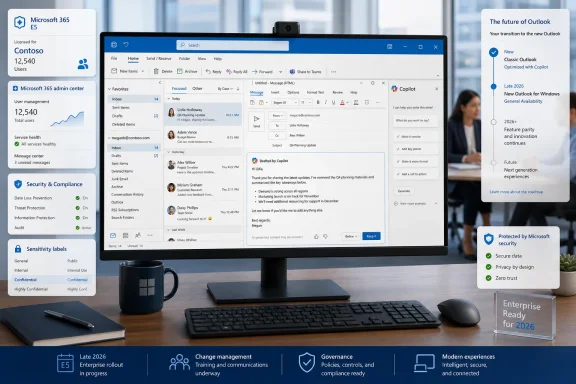
The admin-center notice, which was first reported, describes “Draft an email message” becoming enabled by default without requiring tenant administrators to take action. Microsoft’s own Outlook support documentation now includes the classic desktop client in its instructions for drafting mail with Copilot, confirming that the traditional Win32 application is part of the product’s current AI roadmap.
This is not, however, a universal Copilot rollout to every Outlook installation. The compose experience depends on an eligible account, mailbox configuration, client version, and—most importantly for work users—a paid Microsoft 365 Copilot license. The practical consequence is more modest but still significant: where an organization has assigned Copilot licenses, the new compose surface is set to arrive on rather than as an optional feature an administrator must deploy.
The Compose Window Becomes Copilot’s Next Default Home
Microsoft has offered Copilot functions in Outlook for some time, including message summaries, suggested replies, coaching, and draft generation. What is changing is the placement and prominence of the capability. Instead of treating Copilot as a separate pane or ribbon command, the new experience puts it directly into the email composition workflow.
In classic Outlook, users will be able to open a new message or reply, invoke Copilot from the compose window, enter a prompt, and generate text without leaving the draft. Microsoft says users can then adjust tone and length, regenerate the result, keep it, and edit it before sending. That last step remains important: Copilot drafts are suggestions, not autonomous messages.
The interface may sound like a small refinement, but it makes a difference in how frequently a feature is encountered. A side-pane assistant can be ignored. A persistent entry point in the new-message experience is much harder to miss, particularly for employees already licensed for Microsoft 365 Copilot.
That distinction explains the tension around this rollout. Microsoft has spent years encouraging organizations to test Copilot in limited groups, validate data access, and build internal usage guidance. Turning a highly visible draft-generation tool on by default for eligible users is a different kind of adoption strategy: less pilot program, more product baseline.
Microsoft’s support material also shows that the feature is not identical across every Outlook client. New Outlook and Outlook on the web, for example, require HTML composition for Draft with Copilot; plain-text messages are not supported by that particular experience. Classic Outlook has its own ribbon-based entry point. Administrators should not assume that a user guide written for new Outlook will map perfectly to the desktop application.
A License Gate Does Not Eliminate the Deployment Problem
The central caveat is licensing. Microsoft’s published requirements for Microsoft 365 Copilot still call for a qualifying Microsoft 365 or Office 365 subscription, a Microsoft 365 Copilot license, an Entra ID account, and an Exchange Online mailbox for mailbox-grounded features. An on-premises or hybrid primary mailbox does not meet the requirement for that grounding.
That limits the immediate blast radius. A classic Outlook user with a conventional Microsoft 365 subscription but no Copilot entitlement should not suddenly receive the full paid compose experience simply because the UI has rolled out. Microsoft’s own recent support notice around missing Copilot buttons in classic Outlook makes a similar distinction between basic Copilot Chat access and the paid Microsoft 365 Copilot offering.
But the licensing gate does not make the rollout operationally irrelevant. Most organizations do not keep their Copilot user population static forever. A company that licenses Copilot for executives, sales teams, support staff, or a pilot group may find that the composition experience arrives automatically as soon as a user becomes eligible and receives the client-side rollout.
For IT teams, that means the deployment conversation shifts from “Should we enable Draft with Copilot?” to “What happens when our licensed users see it by default?” Those are not the same question.
The relevant issues include whether employees understand what information they should put into prompts, whether they know generated text requires verification, and whether their existing data classification and sensitivity-labeling policies produce sensible results in an AI-assisted drafting workflow. Microsoft notes in its support documentation that a generated draft’s sensitivity level can change when the output is assigned a higher sensitivity classification than the original message.
That is a useful protection, but it is not a substitute for governance. A generated email can still be factually wrong, overly broad, poorly targeted, or written in a tone that creates an unnecessary escalation. The risk is mundane rather than exotic: an employee sends a polished but inaccurate summary because the assistant made it easy to produce one.
Classic Outlook Is Still the Enterprise Anchor
The timing is notable because Microsoft has largely reserved major investment for new Outlook for Windows while classic Outlook receives maintenance, compatibility work, and a shrinking set of targeted feature additions. Copilot in the compose surface is therefore an exception to the broader pattern—not evidence that classic Outlook has returned to feature parity as Microsoft’s preferred client.
Microsoft’s support page for Draft with Copilot lists classic Outlook alongside new Outlook, web, Mac, Android, and iOS. That reflects the commercial reality that classic Outlook is still indispensable to organizations with COM add-ins, mature workflow integrations, legacy PST practices, specialized profiles, and years of user training tied to the desktop client.
The company’s government-cloud plans underscore that point. A Microsoft 365 Message Center update says new Outlook for Windows began public preview availability for GCC High and Department of Defense environments in July 2026, with general availability scheduled to start in late September and continue through late December. Yet the client remains off by default and opt-in in those sovereign clouds, with admins retaining control through policies and registry settings.
Microsoft also says those government users will not be automatically switched from classic Outlook under this update and that managed environments will receive at least 12 months’ notice before Microsoft-driven migration steps begin. In other words, even where new Outlook is advancing, classic Outlook remains the practical baseline for many high-control environments.
Adding Copilot’s new draft workflow to classic Outlook acknowledges that reality. Microsoft cannot rely solely on a migration campaign to put AI features in front of enterprise users; it also needs those features to reach the client people already use.
Admins Should Treat This as a User-Experience Change
The upcoming rollout does not appear to require a new infrastructure project for organizations already operating Microsoft 365 Copilot. But it does justify a lightweight readiness check before the feature reaches production desktops.
- Review which users currently have Microsoft 365 Copilot licenses and whether they use classic Outlook on Windows.
- Verify that support documentation and help-desk scripts distinguish between Copilot Chat, paid Microsoft 365 Copilot features, classic Outlook, and new Outlook.
- Test the feature with realistic mail templates, sensitivity labels, retention policies, add-ins, and delegated-mailbox workflows before treating the experience as routine.
- Give users a clear instruction to review every generated message for recipients, claims, tone, attachments, and confidentiality before sending.
The last point is especially relevant for Outlook. Email is where a fast draft becomes an external commitment, a contractual statement, or a support promise. Copilot may reduce the time required to write, but it cannot assume accountability for the result.
For classic Outlook holdouts, the late-2026 update means Microsoft is bringing its AI strategy to the familiar desktop compose window rather than waiting for a full migration to new Outlook. For administrators, the question is no longer whether Copilot will be visible in classic Outlook—it is whether the organization will be ready when licensed users start seeing it there by default.
Update: Microsoft signals a permanently visible Copilot entry point for classic Outlook (July 23, 2026)
Microsoft is preparing a broader Copilot interface change for classic Outlook: an always-visible, consistent entry point intended to keep the assistant available while users work. Microsoft describes the design as a unified Copilot system across Microsoft 365 rather than scattered commands in separate parts of each app.
The company has not yet shown the final classic Outlook interface. The implementation could resemble the floating Copilot button recently introduced in Word, Excel, and PowerPoint, where the control can be returned to the ribbon but remains visible. That comparison remains an expectation, not a confirmed Outlook-specific design.
For organizations, this is distinct from the previously reported default enablement of Copilot drafting for eligible users. It suggests Copilot may become more prominent throughout the classic Outlook interface, potentially making AI functions easier to discover beyond the compose window. Microsoft 365 Copilot licensing remains the access gate, so users without the paid entitlement should not receive these Outlook AI capabilities.
Update: Microsoft targets August rollout for classic Outlook Copilot entry point (July 23, 2026)
Microsoft has now listed the dedicated Copilot entry point for classic Outlook on the Microsoft 365 Roadmap as feature ID 567007, with rollout expected to begin in August 2026, according to Windows Report.
That adds a concrete deployment window to the earlier reporting about a more persistent Copilot presence in the Win32 email client. Microsoft says the entry point will let users open Copilot while reading or writing messages, with responses able to draw on the currently open content and relevant Microsoft 365 context.
The final button placement remains unconfirmed. Contrary to speculation that Outlook would simply inherit the controversial floating control used in other Office apps, Microsoft has not shown an Outlook-specific design. The August target may also change if testing, technical issues, or customer feedback require adjustments.
For IT teams, the immediate implication is that classic Outlook users could begin encountering the broader Copilot access surface next month, separate from the draft-generation experience already planned to become enabled by default for eligible licensed users later in 2026.
References
- Copilot Is Coming to Outlook Classic in August 2026 Windows Report · 2026-07-23T13:19:01+00:00
- support.microsoft.com support.microsoft.com