

On a nearly full Windows C: drive, a MakeUseOf writer says Anthropic’s Claude Code helped identify 143 GB of removable data that Windows Storage Sense had not surfaced, including old virtual machines, abandoned AI model folders, GPU caches, developer tooling leftovers, and application data buried under AppData. The story is less about one unusually messy laptop than about the widening gap between Windows’ conservative cleanup model and the reality of modern enthusiast PCs. Storage Sense is built to avoid breaking machines; AI agents are increasingly being used because users want tools that can investigate them. That is useful, risky, and very likely a preview of where Windows maintenance is headed.
The traditional Windows cleanup story has always been a narrow one. Disk Cleanup and Storage Sense can remove temporary files, empty the Recycle Bin, clear selected update leftovers, and manage certain known categories of local storage. That approach is intentionally boring, because boring is what keeps a support ecosystem from drowning.
But the modern Windows C: drive is no longer just Windows, Program Files, Documents, Downloads, and a few browser caches. It is a landfill of developer runtimes, Electron app stores, local AI models, game launchers, shader caches, virtual disks, package managers, WSL distributions, Android SDK fragments, Teams and Slack caches, and abandoned folders under AppData that uninstallers politely pretend not to remember.
That is where the MakeUseOf anecdote lands with force. The author began with 13.63 GB free on a 470 GB partition and ended with 157.06 GB free after asking Claude Code to inspect the drive and reason through what could be deleted. The recovery was not a triumph of compression or hidden Windows magic. It was a triumph of looking in the places Windows is not comfortable judging.
Storage Sense is not “bad” because it missed those files. It is doing exactly what a platform tool is supposed to do: remove what Microsoft can define as broadly safe across hundreds of millions of machines. The problem is that user storage bloat has moved outside those categories, into application-specific piles that require context.
Claude Code runs in a terminal, can execute commands, inspect output, and iterate through a task with the user’s permission. That matters because storage cleanup is not only a size problem. It is a judgment problem. A 70 GB folder may be useless, essential, duplicated, cloud-backed, virtualized, or safe only after an export. A tool that merely says “this is large” has solved the easiest part.
In the MakeUseOf case, Claude Code reportedly produced a structured breakdown of significant folders and indicated whether each category appeared safe to remove. That is the part Windows does not attempt at scale. Microsoft can say a temporary Windows Update cache is safe. It cannot confidently tell every user that an obscure AI model directory, old npm cache, or leftover Playwright browser bundle is disposable.
That judgment layer is why this story resonates beyond novelty. The user did not ask an AI to “clean my PC” in the blind, registry-scrubbing sense that made old optimizer utilities infamous. The user asked it to inspect, explain, and recommend. That is a much more defensible model: AI as analyst, human as approver.
Then came the AI leftovers. LM Studio, AnythingLLM, Jan, GPT4All, and Nomic.ai collectively accounted for roughly 30 GB of models and related data, much of it buried in AppData. This is exactly the kind of bloat that will become more common as local AI tools move from novelty to routine experimentation. A 7 GB model here and a 13 GB model there do not look dramatic when installed intentionally, but they become invisible debt once the front-end app is removed and the data remains.
GPU caches added another large tranche. Nvidia cached driver packages and DirectX shader caches reportedly approached 19 GB. Shader caches can regenerate, and driver packages can be downloaded again, but the user still benefits from knowing the tradeoff. Delete them and some games or applications may stutter briefly while shaders rebuild. Keep them forever and a laptop SSD quietly loses the capacity of a budget phone.
Developer tooling rounded out the mess. WSL Ubuntu, npm cache, Playwright browser binaries, TechSmith data, Notion cache, and an Android SDK installation all appeared in the scan. None of those is exotic to a Windows enthusiast or IT pro. They are the ordinary residue of a machine used for testing, writing, development, troubleshooting, and side projects.
Uninstallers are supposed to remove software, not necessarily user data. That distinction made sense when user data meant preferences, documents, or saved profiles. It becomes absurd when a removed AI application leaves behind tens of gigabytes of model weights. From the user’s point of view, the application is gone. From the filesystem’s point of view, its appetite remains.
This is where Windows’ model shows its age. Storage Sense can reason about broad Windows-defined categories. It cannot maintain a constantly updated semantic map of every vendor’s cache structure, package layout, and safe deletion policy. Even if Microsoft wanted to, it would inherit liability for every bad assumption.
An AI agent does not eliminate that risk, but it changes the interaction. It can inspect folder names, known application patterns, timestamps, file types, and surrounding context. It can ask whether the user still uses a tool. It can suggest moving a folder rather than deleting it. It can identify when something looks like a virtual filesystem rather than real local storage. That last point matters more than it sounds.
That is the difference between storage cleanup and storage vandalism. A folder can look large without representing ordinary deletable local data. Cloud sync placeholders, virtualized mounts, reparse points, package stores, deduplicated data, and application-specific projections can all confuse simplistic cleanup logic. Windows is full of these abstractions because modern storage is not just files on disk anymore.
This is also where AI agents can be dangerously persuasive. If an agent confidently misclassifies a virtual folder, a cache with side effects, or a database with unsynced state, the user may trust the prose more than the filesystem deserves. A pretty explanation is not proof.
The right lesson is not “let Claude delete everything.” It is “use an investigative tool that explains uncertainty.” The best outcome in the story was not that Claude found big folders. It was that it flagged some items to leave alone, move later, or clear through the owning app.
That asymmetry explains a lot of Windows design. The operating system vendor must optimize for safety across consumers, enterprises, regulated environments, and machines administered by people who may never see the desktop. A terminal agent can optimize for a single user who is actively supervising.
Still, Microsoft cannot ignore the underlying gap forever. Windows PCs are accumulating large, non-Windows artifacts that the operating system sees but does not understand. The C: drive is increasingly a shared substrate for ecosystems Microsoft does not control: AI tooling, game engines, virtualization, package managers, container layers, and cross-platform developer stacks.
For ordinary users, the result is confusion. Settings says storage is full. Cleanup recommendations recover a few gigabytes. The real waste is elsewhere, hidden behind vendor names, cryptic directories, and stale caches. For IT departments, the result is policy drift: endpoints fill up not because Windows is bloated, but because developer and productivity tooling leaves unmanaged state behind.
An AI terminal agent fits that workflow when it is constrained. It can run read-only scans first. It can summarize candidate folders. It can separate caches from user-created files. It can generate removal commands but wait for confirmation. It can produce a before-and-after report. That is a far cry from the bad old world of one-click optimizers promising to “repair” the registry and “boost” performance.
But the user still needs discipline. Anything under AppData deserves skepticism. Anything tied to cloud sync, phone integration, virtual machines, WSL, development SDKs, or creative apps deserves a second look. If the folder belongs to software still in use, clear it from inside the app where possible. If it belongs to software no longer installed, confirm there is no project data or exportable state inside before deleting.
The MakeUseOf result was impressive partly because the author recognized context. VirtualBox images were redundant because another machine had taken over the Linux workload. Android SDK pieces were trimmed but platform-tools was preserved for adb. Arduino data was left for a possible move rather than blindly removed. That is not just cleanup; that is system administration.
That middle layer is especially valuable for enthusiasts and IT pros who understand enough to approve a plan but do not want to manually trace every cache convention across dozens of applications. The agent becomes a junior admin with infinite patience: enumerate, categorize, explain, propose, wait.
This does not make it infallible. In fact, it creates new failure modes. Agents can hallucinate package behavior, misunderstand Windows junctions, overlook permissions, or recommend commands that behave differently in PowerShell than in cmd. They can also leak sensitive context if users paste outputs or grant broad filesystem access without thinking through privacy.
But the direction is clear. The future of desktop maintenance is less likely to be another static cleanup wizard and more likely to be contextual assistance layered over real system state. Microsoft is already building AI deeper into Windows, but the storage story shows why that integration will need more than chat. It will need auditable actions, reversible plans, clear ownership boundaries, and enough humility to say “I do not know.”
An agent that can summarize storage by project, identify stale toolchains, and produce safe remediation scripts could save hours. It could also help service desks explain why a machine is full without resorting to remote spelunking through user profiles. The same technique could be adapted into controlled scripts that report candidate cleanup categories without deleting anything.
On the alarming side, letting a cloud-connected AI agent roam through a corporate C: drive is not a casual decision. Directory names, project paths, filenames, logs, and configuration snippets can reveal sensitive information. Even when file contents are not uploaded wholesale, metadata can matter. Enterprises will want local processing options, strict logging, policy controls, and clear data handling commitments before normalizing this kind of workflow.
There is also the problem of authority. If an AI recommends deleting a cache and a developer loses a day rebuilding an environment, who owns that incident? If it removes stale dependencies and fixes a failing build, who gets credit? The practical answer is that AI cleanup will need change-management discipline: dry runs, approved categories, rollback plans, and human sign-off for anything outside known-safe buckets.
Unlike traditional applications, local AI tools often blur the line between program, data, cache, and runtime. A model file may be the core asset, but from Windows’ perspective it is just another large blob under a vendor folder. Uninstalling the shell application may not remove the models because the user might want to reuse them. That is defensible design, but it creates orphaned storage for users who do not know where the assets live.
This will get worse before it gets better. As AI PCs, NPUs, local inference, coding agents, and offline assistants become normal, Windows machines will host more model stores and embeddings indexes. Search tools will build local databases. Note apps will cache semantic indexes. Developer agents will keep context and snapshots. Creative tools will download specialized models.
Microsoft and third-party vendors need a better contract for declaring large removable assets. Windows should not have to guess whether a 13 GB directory is sacred. Applications should expose storage categories in a way the OS can report: models, caches, generated previews, offline packs, test runtimes, and user-created data. Until then, AI agents will keep filling the gap with best-effort reasoning.
What AI adds is interpretation. A treemap cannot tell a casual user whether Playwright browser binaries are safe to remove if the project is gone. It cannot infer that a WSL distro belongs to an abandoned workflow. It cannot suggest that Arduino support files should be moved rather than deleted. It cannot warn that a Phone Link-looking folder may be a virtual projection with side effects.
The ideal workflow may combine both. Use a disk visualizer or PowerShell scan for measurement, then use an agent to reason through candidates and draft commands. Keep the human in the loop for deletion. Treat anything large and unfamiliar as a prompt for investigation, not a target.
That is a more mature model than either blind trust in Windows’ cleanup recommendations or blind trust in an AI. Storage management has become too application-specific for static tools alone, but too consequential for unsupervised agents. The winning pattern is assisted judgment.
What Windows needs is a richer storage contract between the operating system and applications. Apps should be able to declare which data is a cache, which data is reproducible, which data is user-created, which data is cloud-backed, and which data is safe to remove after uninstall. Windows could then surface those categories in Settings without pretending to understand every vendor’s private directory scheme.
There is precedent in mobile operating systems, where apps expose storage categories and users can offload applications while preserving documents. Windows is messier because it has decades of compatibility baggage and far fewer constraints on where software can write. But that is precisely why the current model is inadequate.
AI could help here, but it should not be the only layer. An agent can infer. A platform can require declarations. The most trustworthy future combines both: applications provide machine-readable storage semantics, Windows presents them coherently, and AI assistants help users reason through the edge cases.
Until that exists, stories like this will keep happening. A user will run Microsoft’s cleanup tools, recover little, then ask an AI agent or third-party analyzer to inspect the machine more deeply. The agent will find the real mess because the real mess belongs to everything Windows hosts but does not own.
The uncomfortable truth is that Windows did not fail because it missed 143 GB of “junk”; it behaved like a cautious operating system in a software world that has become increasingly careless with local storage. Claude Code succeeded because it could investigate the particular machine in front of it, not because AI has magically solved maintenance. The next step should not be surrendering the C: drive to agents, but building Windows tools that can pair Microsoft’s safety with the contextual reasoning users are already seeking elsewhere.
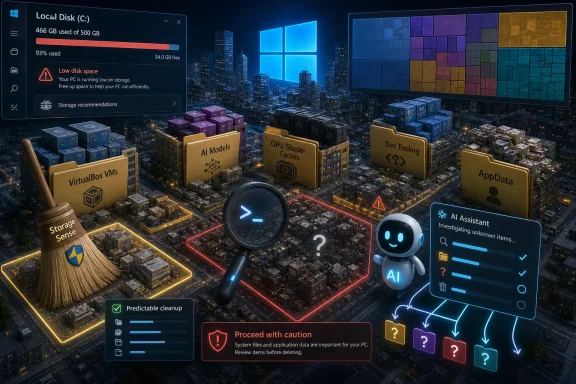 Windows Knows How to Sweep, Not How to Investigate
The traditional Windows cleanup story has always been a narrow one. Disk Cleanup and Storage Sense can remove temporary files, empty the Recycle Bin, clear selected update leftovers, and manage certain known categories of local storage. That approach is intentionally boring, because boring is what keeps a support ecosystem from drowning.But the modern Windows C: drive is no longer just Windows, Program Files, Documents, Downloads, and a few browser caches. It is a landfill of developer runtimes, Electron app stores, local AI models, game launchers, shader caches, virtual disks, package managers, WSL distributions, Android SDK fragments, Teams and Slack caches, and abandoned folders under AppData that uninstallers politely pretend not to remember.
That is where the MakeUseOf anecdote lands with force. The author began with 13.63 GB free on a 470 GB partition and ended with 157.06 GB free after asking Claude Code to inspect the drive and reason through what could be deleted. The recovery was not a triumph of compression or hidden Windows magic. It was a triumph of looking in the places Windows is not comfortable judging.
Storage Sense is not “bad” because it missed those files. It is doing exactly what a platform tool is supposed to do: remove what Microsoft can define as broadly safe across hundreds of millions of machines. The problem is that user storage bloat has moved outside those categories, into application-specific piles that require context.
Claude Code Turned Disk Cleanup Into a Forensic Session
The key difference in the story is not that Claude is smarter than a disk analyzer. WinDirStat, TreeSize, WizTree, and similar tools have been showing users folder sizes for years. The difference is that Claude Code was used as an interactive investigator rather than a passive map.Claude Code runs in a terminal, can execute commands, inspect output, and iterate through a task with the user’s permission. That matters because storage cleanup is not only a size problem. It is a judgment problem. A 70 GB folder may be useless, essential, duplicated, cloud-backed, virtualized, or safe only after an export. A tool that merely says “this is large” has solved the easiest part.
In the MakeUseOf case, Claude Code reportedly produced a structured breakdown of significant folders and indicated whether each category appeared safe to remove. That is the part Windows does not attempt at scale. Microsoft can say a temporary Windows Update cache is safe. It cannot confidently tell every user that an obscure AI model directory, old npm cache, or leftover Playwright browser bundle is disposable.
That judgment layer is why this story resonates beyond novelty. The user did not ask an AI to “clean my PC” in the blind, registry-scrubbing sense that made old optimizer utilities infamous. The user asked it to inspect, explain, and recommend. That is a much more defensible model: AI as analyst, human as approver.
The Biggest Offenders Were Not Windows Files at All
The most revealing detail is that the largest recovered space came from software ecosystems Windows did not create. The single biggest item was 72.6 GB of forgotten VirtualBox virtual machine images. That is an easy deletion if the user no longer needs the VMs, but it is not something Storage Sense should casually remove.Then came the AI leftovers. LM Studio, AnythingLLM, Jan, GPT4All, and Nomic.ai collectively accounted for roughly 30 GB of models and related data, much of it buried in AppData. This is exactly the kind of bloat that will become more common as local AI tools move from novelty to routine experimentation. A 7 GB model here and a 13 GB model there do not look dramatic when installed intentionally, but they become invisible debt once the front-end app is removed and the data remains.
GPU caches added another large tranche. Nvidia cached driver packages and DirectX shader caches reportedly approached 19 GB. Shader caches can regenerate, and driver packages can be downloaded again, but the user still benefits from knowing the tradeoff. Delete them and some games or applications may stutter briefly while shaders rebuild. Keep them forever and a laptop SSD quietly loses the capacity of a budget phone.
Developer tooling rounded out the mess. WSL Ubuntu, npm cache, Playwright browser binaries, TechSmith data, Notion cache, and an Android SDK installation all appeared in the scan. None of those is exotic to a Windows enthusiast or IT pro. They are the ordinary residue of a machine used for testing, writing, development, troubleshooting, and side projects.
AppData Has Become the Basement Nobody Wants to Inspect
If Windows has a hidden storage crisis, it lives under AppData. That directory is where applications stash profiles, caches, downloaded runtimes, model blobs, databases, logs, package stores, and private state. It is also where cleanup tools become cautious, because “application data” may be junk or it may be the only copy of something a user cares about.Uninstallers are supposed to remove software, not necessarily user data. That distinction made sense when user data meant preferences, documents, or saved profiles. It becomes absurd when a removed AI application leaves behind tens of gigabytes of model weights. From the user’s point of view, the application is gone. From the filesystem’s point of view, its appetite remains.
This is where Windows’ model shows its age. Storage Sense can reason about broad Windows-defined categories. It cannot maintain a constantly updated semantic map of every vendor’s cache structure, package layout, and safe deletion policy. Even if Microsoft wanted to, it would inherit liability for every bad assumption.
An AI agent does not eliminate that risk, but it changes the interaction. It can inspect folder names, known application patterns, timestamps, file types, and surrounding context. It can ask whether the user still uses a tool. It can suggest moving a folder rather than deleting it. It can identify when something looks like a virtual filesystem rather than real local storage. That last point matters more than it sounds.
The Phone Link Trap Shows Why Size Alone Is Dangerous
The most important cautionary detail in the MakeUseOf piece is not the 143 GB recovered. It is the 31.36 GB Phone Link-related folder that appeared to contain backed-up phone data but turned out to be a virtual filesystem backed by the feature. Deleting it did not meaningfully free space and reportedly broke integration.That is the difference between storage cleanup and storage vandalism. A folder can look large without representing ordinary deletable local data. Cloud sync placeholders, virtualized mounts, reparse points, package stores, deduplicated data, and application-specific projections can all confuse simplistic cleanup logic. Windows is full of these abstractions because modern storage is not just files on disk anymore.
This is also where AI agents can be dangerously persuasive. If an agent confidently misclassifies a virtual folder, a cache with side effects, or a database with unsynced state, the user may trust the prose more than the filesystem deserves. A pretty explanation is not proof.
The right lesson is not “let Claude delete everything.” It is “use an investigative tool that explains uncertainty.” The best outcome in the story was not that Claude found big folders. It was that it flagged some items to leave alone, move later, or clear through the owning app.
Microsoft’s Conservatism Is a Feature Until It Becomes a Blind Spot
It is tempting to frame this as Windows losing to AI, but that is too easy. Microsoft’s built-in cleanup tools operate under constraints that Claude Code does not. If Storage Sense deletes a user’s local model directory, corrupts a developer environment, breaks Phone Link, or removes a cache that an app expects, Microsoft owns the support burden. If an AI agent recommends it and the user approves it, the responsibility is fuzzier.That asymmetry explains a lot of Windows design. The operating system vendor must optimize for safety across consumers, enterprises, regulated environments, and machines administered by people who may never see the desktop. A terminal agent can optimize for a single user who is actively supervising.
Still, Microsoft cannot ignore the underlying gap forever. Windows PCs are accumulating large, non-Windows artifacts that the operating system sees but does not understand. The C: drive is increasingly a shared substrate for ecosystems Microsoft does not control: AI tooling, game engines, virtualization, package managers, container layers, and cross-platform developer stacks.
For ordinary users, the result is confusion. Settings says storage is full. Cleanup recommendations recover a few gigabytes. The real waste is elsewhere, hidden behind vendor names, cryptic directories, and stale caches. For IT departments, the result is policy drift: endpoints fill up not because Windows is bloated, but because developer and productivity tooling leaves unmanaged state behind.
The New Maintenance Skill Is Knowing What Not to Automate
There is a reason old-school Windows pros still reach for disk visualizers, PowerShell, and manual inspection. Storage cleanup is one of those tasks where automation can help enormously until it crosses the line into irreversible confidence. The right workflow is investigative, not magical.An AI terminal agent fits that workflow when it is constrained. It can run read-only scans first. It can summarize candidate folders. It can separate caches from user-created files. It can generate removal commands but wait for confirmation. It can produce a before-and-after report. That is a far cry from the bad old world of one-click optimizers promising to “repair” the registry and “boost” performance.
But the user still needs discipline. Anything under AppData deserves skepticism. Anything tied to cloud sync, phone integration, virtual machines, WSL, development SDKs, or creative apps deserves a second look. If the folder belongs to software still in use, clear it from inside the app where possible. If it belongs to software no longer installed, confirm there is no project data or exportable state inside before deleting.
The MakeUseOf result was impressive partly because the author recognized context. VirtualBox images were redundant because another machine had taken over the Linux workload. Android SDK pieces were trimmed but platform-tools was preserved for adb. Arduino data was left for a possible move rather than blindly removed. That is not just cleanup; that is system administration.
AI Agents Are Becoming the Missing Middle Between Settings and Sysinternals
Windows has long had a usability canyon. At one end are friendly Settings panels that hide complexity. At the other are professional tools that expose everything but assume the user knows what it means. AI agents are starting to occupy the middle: they can operate on real system output while translating implications into plain English.That middle layer is especially valuable for enthusiasts and IT pros who understand enough to approve a plan but do not want to manually trace every cache convention across dozens of applications. The agent becomes a junior admin with infinite patience: enumerate, categorize, explain, propose, wait.
This does not make it infallible. In fact, it creates new failure modes. Agents can hallucinate package behavior, misunderstand Windows junctions, overlook permissions, or recommend commands that behave differently in PowerShell than in cmd. They can also leak sensitive context if users paste outputs or grant broad filesystem access without thinking through privacy.
But the direction is clear. The future of desktop maintenance is less likely to be another static cleanup wizard and more likely to be contextual assistance layered over real system state. Microsoft is already building AI deeper into Windows, but the storage story shows why that integration will need more than chat. It will need auditable actions, reversible plans, clear ownership boundaries, and enough humility to say “I do not know.”
Enterprise IT Will See Both a Tool and a Governance Problem
For managed environments, the Claude Code cleanup story is both attractive and alarming. On the attractive side, endpoint storage waste is real. Developer workstations in particular can accumulate containers, SDKs, dependency caches, test browsers, local databases, VMs, and old build artifacts at a pace that makes traditional cleanup policy look quaint.An agent that can summarize storage by project, identify stale toolchains, and produce safe remediation scripts could save hours. It could also help service desks explain why a machine is full without resorting to remote spelunking through user profiles. The same technique could be adapted into controlled scripts that report candidate cleanup categories without deleting anything.
On the alarming side, letting a cloud-connected AI agent roam through a corporate C: drive is not a casual decision. Directory names, project paths, filenames, logs, and configuration snippets can reveal sensitive information. Even when file contents are not uploaded wholesale, metadata can matter. Enterprises will want local processing options, strict logging, policy controls, and clear data handling commitments before normalizing this kind of workflow.
There is also the problem of authority. If an AI recommends deleting a cache and a developer loses a day rebuilding an environment, who owns that incident? If it removes stale dependencies and fixes a failing build, who gets credit? The practical answer is that AI cleanup will need change-management discipline: dry runs, approved categories, rollback plans, and human sign-off for anything outside known-safe buckets.
Local AI Has Created a Storage Problem Windows Was Not Designed to See
The irony in this story is delicious: an AI tool helped clean up the mess left by other AI tools. Local model experimentation is one of the fastest ways to consume storage on a Windows machine today. Users download multi-gigabyte models, try a new front end, switch to another, and forget which directory actually holds the weights.Unlike traditional applications, local AI tools often blur the line between program, data, cache, and runtime. A model file may be the core asset, but from Windows’ perspective it is just another large blob under a vendor folder. Uninstalling the shell application may not remove the models because the user might want to reuse them. That is defensible design, but it creates orphaned storage for users who do not know where the assets live.
This will get worse before it gets better. As AI PCs, NPUs, local inference, coding agents, and offline assistants become normal, Windows machines will host more model stores and embeddings indexes. Search tools will build local databases. Note apps will cache semantic indexes. Developer agents will keep context and snapshots. Creative tools will download specialized models.
Microsoft and third-party vendors need a better contract for declaring large removable assets. Windows should not have to guess whether a 13 GB directory is sacred. Applications should expose storage categories in a way the OS can report: models, caches, generated previews, offline packs, test runtimes, and user-created data. Until then, AI agents will keep filling the gap with best-effort reasoning.
The WinDirStat Era Is Not Over, But It Needs a Translator
None of this means classic disk analyzers are obsolete. In many cases, a fast treemap remains the best first step. It shows the truth in a way no marketing copy can soften: this folder is huge, that cache is out of control, those old ISOs are still here.What AI adds is interpretation. A treemap cannot tell a casual user whether Playwright browser binaries are safe to remove if the project is gone. It cannot infer that a WSL distro belongs to an abandoned workflow. It cannot suggest that Arduino support files should be moved rather than deleted. It cannot warn that a Phone Link-looking folder may be a virtual projection with side effects.
The ideal workflow may combine both. Use a disk visualizer or PowerShell scan for measurement, then use an agent to reason through candidates and draft commands. Keep the human in the loop for deletion. Treat anything large and unfamiliar as a prompt for investigation, not a target.
That is a more mature model than either blind trust in Windows’ cleanup recommendations or blind trust in an AI. Storage management has become too application-specific for static tools alone, but too consequential for unsupervised agents. The winning pattern is assisted judgment.
The 143 GB Lesson Windows Users Should Actually Take
The headline number is impressive, but the durable lesson is procedural. The user recovered 143 GB because the machine was treated as a system with history, not a bin of anonymous files. That distinction matters for anyone tempted to reproduce the experiment.- Start with a read-only inventory of large folders before allowing any cleanup command to run.
- Treat AppData as a high-value evidence locker, not a trash folder with a confusing name.
- Delete old virtual machines only after confirming they contain no snapshots, licenses, project data, or unique test environments you still need.
- Clear application caches through the application itself when the software is still installed and actively used.
- Be especially cautious with cloud-backed folders, Phone Link integrations, WSL distributions, junctions, and virtual filesystems because apparent size may not equal recoverable local space.
- Save or screenshot the cleanup plan before acting so you can understand what changed if something breaks later.
Microsoft Needs a Smarter Storage Contract, Not a Bigger Broom
The obvious response would be for Microsoft to make Storage Sense more aggressive, but that would solve the wrong problem. Aggression is not intelligence. A cleanup tool that deletes more categories without understanding them would simply move the risk from user frustration to data loss.What Windows needs is a richer storage contract between the operating system and applications. Apps should be able to declare which data is a cache, which data is reproducible, which data is user-created, which data is cloud-backed, and which data is safe to remove after uninstall. Windows could then surface those categories in Settings without pretending to understand every vendor’s private directory scheme.
There is precedent in mobile operating systems, where apps expose storage categories and users can offload applications while preserving documents. Windows is messier because it has decades of compatibility baggage and far fewer constraints on where software can write. But that is precisely why the current model is inadequate.
AI could help here, but it should not be the only layer. An agent can infer. A platform can require declarations. The most trustworthy future combines both: applications provide machine-readable storage semantics, Windows presents them coherently, and AI assistants help users reason through the edge cases.
Until that exists, stories like this will keep happening. A user will run Microsoft’s cleanup tools, recover little, then ask an AI agent or third-party analyzer to inspect the machine more deeply. The agent will find the real mess because the real mess belongs to everything Windows hosts but does not own.
The uncomfortable truth is that Windows did not fail because it missed 143 GB of “junk”; it behaved like a cautious operating system in a software world that has become increasingly careless with local storage. Claude Code succeeded because it could investigate the particular machine in front of it, not because AI has magically solved maintenance. The next step should not be surrendering the C: drive to agents, but building Windows tools that can pair Microsoft’s safety with the contextual reasoning users are already seeking elsewhere.
References
- Primary source: MakeUseOf
Published: 2026-06-20T14:10:10.899497
I freed up 143 GB by letting Claude scan my C: drive — Windows never found any of it
My C: drive was hiding a small SSD. www.makeuseof.com
- Official source: support.microsoft.com
Free up space for Windows updates | Microsoft Support
Learn how to free up space for Windows update including deleting nonessential files, using an external hard drive, and updating your hard drive.support.microsoft.com - Official source: support.anthropic.com
Use Claude Code with your Pro or Max plan | Claude Help Center
support.anthropic.com
- Official source: microsoft.com
How To Delete Temporary Files | Microsoft Windows
Learn how to delete temporary files in Windows using Storage Sense, Disk Cleanup, or manual methods.www.microsoft.com
- Official source: claude.com
Claude Code by Anthropic | AI Coding Agent, Terminal, IDE
Anthropic's agentic coding tool for developers. Claude Code understands your codebase, edits files, runs commands, and helps you ship faster.claude.com - Official source: techcommunity.microsoft.com
Windows 10 and Storage Sense | Microsoft Community Hub
First published on TECHNET on Aug 30, 2018 What’s new in Storage Sense?Starting with Windows 10, Storage Sense has embarked on a path to keep your storage... techcommunity.microsoft.com
- Related coverage: windowscentral.com
How to free up space automatically with Storage Sense on Windows 11 | Windows Central
Storage Sense can keep storage space under control, and here's how to use the feature on Windows 11.www.windowscentral.com - Related coverage: aiwiki.ai
- Official source: docs.anthropic.com
Advanced setup - Claude Code Docs
System requirements, platform-specific installation, version management, and uninstallation for Claude Code.docs.anthropic.com - Related coverage: techradar.com
Anthropic's Claude Sonnet 4.5 is available now - ‘the best AI model in the world for real-world agents, coding, and computer use’ | TechRadar
The next generation of Claudewww.techradar.com - Related coverage: llmreference.com
Claude Code — CLI for AI Coding (2025) | LLMReference
Claude Code is a proprietary CLI from Anthropic for AI-assisted coding. Runs Claude Sonnet 4.6, Claude Opus 4.6, and Claude Haiku 4.5. Included with Claude Pro/Max subscription (~$20-100/mo); API usage billed separately.www.llmreference.com
- Official source: anthropic.com
Enabling Claude Code to work more autonomously \ Anthropic
Introducing Claude Code upgrades: native VS Code extension, terminal UX updates, and checkpoints for autonomous development. Handle complex tasks with confidence.www.anthropic.com - Related coverage: pcgamer.com
512,000 lines of Claude Code's own CLI source code have leaked due to 'human error', but the company says 'no sensitive customer data or credentials' were exposed | PC Gamer
I'd imagine it'll still be keeping some coders busy over the weekend.www.pcgamer.com - Related coverage: macrumors.com
Anthropic Debuts Claude Sonnet 4.5 With Improved Coding
Anthropic today introduced Claude Sonnet 4.5, which the company says is the "best coding model in the world," outperforming GPT-5 and Gemini 2.5 Pro. It's also the strongest model for building complex agents and using computers, plus Anthropic says that it shows substantial gains in reasoning...www.macrumors.com - Related coverage: tomsguide.com
Anthropic pulls OpenAI’s access to Claude — here's why | Tom's Guide
Anthropic and OpenAI are clashing over a terms of service disagreement.www.tomsguide.com - Related coverage: news.cognizant.com
