

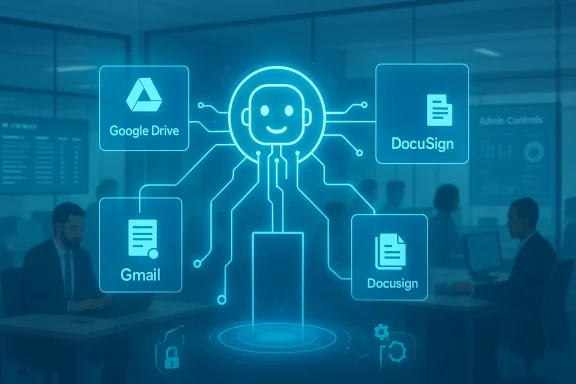
Anthropic’s latest Claude Cowork update moves beyond chat to become an active productivity layer inside the apps knowledge workers already use, adding connectors for Google Drive, Gmail, and DocuSign and pushing the company deeper into the enterprise productivity market.
Anthropic introduced Claude Cowork as an agentic extension of its Claude family of models — an assistant that can not only answer questions but execute multi-step workflows across files and tools. What started as a developer- and researcher-focused capability has been steadily retooled for everyday office work: automating document triage, summarizing long email threads, pulling the right spreadsheet slices into presentations, and even orchestrating contract workflows.
Over the last 12–18 months Anthropic has moved from single-session chat to connectors and interactive apps that let Claude operate within third-party software. The February update expands that strategy: Cowork now offers direct integrations with Google Drive and Gmail (bringing Google Workspace data into Claude’s context) and a formal DocuSign connector that lets agents summarize, draft, and take actions on agreements. Those additions were rolled out alongside a pitched enterprise narrative — Claude not as a new, separate UI to learn, but as an intelligent layer that lives where work already happens.
This approach offers three practical benefits for organizations:
It’s worth noting that quantified impact claims (for example, “saves 30 minutes a day”) are often hypothetical or drawn from limited pilots. Those uplift numbers should be validated during a company’s own evaluation and pilot programs.
That architecture supports:
Two organizational effects to watch:
That said, the technology is not a drop-in fix. Organizations must treat connector enablement as a security and governance project first, and a productivity project second. The upside — measurable time savings, faster cycle times, and better cross-tool synthesis — is real when deployments are well-scoped, audited, and human-supervised. The downside — hallucinations, data leakage, compliance failures, and uncontrolled agent sprawl — is also real if organisations enable connectors without rigorous controls.
If your organization is considering Claude Cowork, the recommended path is incremental: run structured pilots, lock down governance, require human-in-the-loop for high-risk outputs, and measure outcomes carefully. Done right, Cowork can be a powerful productivity layer; done without care, it’s a high-speed conduit for new operational risks.
The Claude Cowork update marks a milestone in practical enterprise AI: the model is migrating from advisory chat to active co-pilot inside the apps people already use. That shift promises real productivity gains, but it also demands that IT, security, and legal teams treat connectors as first-class integration projects — with clear policies, technical guardrails, and human oversight. Organizations that approach Cowork with a disciplined pilot-to-scale plan will be best positioned to capture the upside while minimizing the downside.
Source: The Tech Buzz https://www.techbuzz.ai/articles/anthropic-updates-claude-cowork-for-enterprise-productivity/
 Background
Anthropic introduced Claude Cowork as an agentic extension of its Claude family of models — an assistant that can not only answer questions but execute multi-step workflows across files and tools. What started as a developer- and researcher-focused capability has been steadily retooled for everyday office work: automating document triage, summarizing long email threads, pulling the right spreadsheet slices into presentations, and even orchestrating contract workflows.Over the last 12–18 months Anthropic has moved from single-session chat to connectors and interactive apps that let Claude operate within third-party software. The February update expands that strategy: Cowork now offers direct integrations with Google Drive and Gmail (bringing Google Workspace data into Claude’s context) and a formal DocuSign connector that lets agents summarize, draft, and take actions on agreements. Those additions were rolled out alongside a pitched enterprise narrative — Claude not as a new, separate UI to learn, but as an intelligent layer that lives where work already happens.
What changed in this release
New connectors and the practical effect
- Google Drive / Google Workspace access: Claude Cowork can now reference Drive documents and Google Docs inside its workflows, letting agents fetch specific files, summarize long documents, and surface relevant sections without manual copy-paste. The integration is offered to paid customers and is subject to admin enablement and per-user authorization.
- Gmail integration: Claude can read and analyze email threads to draft replies, summarize chains, and extract action items — folding email context directly into task flows.
- DocuSign connector: With DocuSign available inside Cowork, Claude can move from passive summarization to executing contract-related tasks — drafting clauses, routing documents for review, or preparing signature-ready envelopes as part of a chained workflow.
Availability and product tiers
The new Cowork features are being delivered as part of Anthropic’s paid product tiers and previews. Historically, Google Workspace access launched in staged betas for Pro, Team, Enterprise, and Max customers; later Cowork features and plugin capabilities have followed a similar rollout pattern. Administrators typically must opt in or enable connectors at the org level before end users can grant per-account access.Why this matters: the strategy behind integrating with Drive, Gmail, and DocuSign
Embedding intelligence where work already lives
The core strategic play here is simple and decisive: make AI useful without making users change tools. By plumbing Claude into Drive and Gmail, Anthropic eliminates a common adoption friction — exporting or uploading context to a separate chatbot. Instead, Cowork can pull context in place and keep it fresh.This approach offers three practical benefits for organizations:
- Faster task completion because Claude can fetch the document or message that matters without user set-up.
- Better responses because the assistant has richer context (document histories, email threads, attached files) rather than relying on user-supplied snippets.
- Lower cognitive switching costs: users don’t have to leave Gmail or Drive workflows to get results.
Aimed at the “average office worker”
Anthropic’s public messaging explicitly targets non-technical knowledge workers — the people who live in Gmail, Drive, Sheets, and contract tools. That’s a large and practical market: customer support, HR, legal ops, sales ops, finance, and program managers are all heavy users of email and cloud documents. Small per-user time savings in those roles scale quickly across organizations — which is precisely the value proposition Cowork now pitches.It’s worth noting that quantified impact claims (for example, “saves 30 minutes a day”) are often hypothetical or drawn from limited pilots. Those uplift numbers should be validated during a company’s own evaluation and pilot programs.
Technical and security details you need to know
Authentication and access controls
Anthropic’s integrations use standard OAuth flows and per-user authentication. Connectors must be enabled at the organizational level by an admin, and each user then grants access with their own Google or DocuSign credentials. Anthropic has publicly stated that these connections are bound to the individual organization or user (i.e., the model can’t use one user’s credentials to access another’s data).That architecture supports:
- Least-privilege access: connectors can be scoped to what the user explicitly authorizes.
- Admin governance: enterprise admins can restrict who can enable connectors and monitor usage at an organization level.
Data usage and model training
Anthropic has stated publicly that it does not automatically train its foundational models on customer data. Enterprise connectors are described as isolated by authentication and governance controls. Nevertheless, organizations should insist on contract terms and technical documentation that explicitly define:- Whether customer content may be logged, cached, or used for model improvement.
- Retention windows and deletion controls for connector-derived data.
- Options for enterprise-only deployments or on-prem/private cloud configurations where required by regulation.
Auditability, compliance, and traceability
For productive enterprise deployments, the basic checklist includes:- Detailed audit logs of who asked Claude to access which Drive files or email threads and when.
- Change logs of agent-initiated actions (e.g., "Agent X routed Contract 123 for signature at 14:08").
- Role-based access control integration with existing identity providers (SSO, SCIM).
- The ability to revoke connector authorizations centrally.
Use cases and practical workflows
Legal and procurement: faster contract cycles
The DocuSign connector enables end-to-end contract workflows inside a single agent session. Example task flow:- Claude Cowork fetches a draft contract from Drive, summarizes key clauses, and suggests edits to align with company policy.
- The agent applies edits, prepares a DocuSign envelope, and routes it to the appropriate signatories.
- Claude tracks the signature status and notifies the requester when the final agreement is executed.
Sales and customer success: cleaner handoffs and faster responses
Sales teams can ask Claude to collate the latest proposal draft, extract pricing tables from Sheets, and generate a Gmail reply with tailored language for a specific client — all while ensuring the content conforms to approved templates.HR and internal operations: automating routine admin
- Onboarding packets can be drafted from Drive templates, personalized by Claude, and routed for signature through DocuSign.
- HR can ask Claude to aggregate employee feedback from Drive documents and summarize actionable items for the people team.
Research and synthesis: document triage at scale
For roles that consume long-form content (policy, competitive intelligence, product requirements), Claude can scan a folder of Drive documents and deliver a prioritized summary, plus recommended next steps. That’s valuable for senior leaders who need rapid briefing documents without reading every source.Competing product landscape and differentiation
Anthropic’s Cowork plays in a crowded market:- Microsoft 365 Copilot / Copilot for Microsoft 365 embeds AI into Word, Excel, and Outlook with deep hooks into Microsoft Graph.
- OpenAI / ChatGPT Enterprise offers broad API access and plugins connecting to enterprise data.
- Google’s Gemini and Workspace AI are integrated deeply into Gmail, Drive, and Calendar at a platform level.
- Cross-platform connectors aiming to operate across Google, Microsoft, and third-party services rather than tying users to a single suite.
- Agentic workflows — multi-step execution rather than single-turn assistance.
- A public emphasis on safety and hallucination mitigation as product differentiators.
Risks, limitations, and where to be cautious
Hallucination risk and legal exposure
AI models can produce confidently worded but factually incorrect outputs. When an agent drafts a contract clause, summarizes legal obligations, or prepares a compliance statement, any hallucination can carry real legal risk.- Organizations must require citation, traceability, and human approvals for legal or regulatory outputs.
- Relying on an agent without a human-in-the-loop for legally binding documents is a risky operational choice.
Data exfiltration and unintended access
Even with OAuth and per-user scoping, connectors increase the attack surface:- Misconfigured permissions, overly broad OAuth scopes, or compromised service accounts could expose sensitive files.
- Agents that can "access Drive" and "send Gmail" need strict separation of duties and monitoring.
Operational complexity and shadow AI
When business users create custom agent workflows, IT may lose visibility into what data is being accessed or moved. This leads to:- Shadow AI sprawl (unapproved connectors or scripts).
- Compliance blind spots.
- Difficulty enforcing retention and data residency policies.
Vendor lock-in and interoperability concerns
While Anthropic frames Cowork as an orchestration layer, organizations must assess:- How portable are workflows and plugins if you switch providers?
- Does Cowork export its workflows, logs, and configuration in standards you can reuse?
- Is there an exit path that doesn’t require rebuilding complex agent logic?
Overpromising productivity gains
Quantified time-savings figures (minutes saved per user per day) vary wildly by role and are influenced by pilot design. Treat uplift claims as hypotheses to be tested during a realistic pilot, not as guaranteed ROI.How to evaluate and deploy Claude Cowork in your organization: a practical checklist
- Start with a tightly scoped pilot
- Choose a single department (legal ops, sales ops, HR) and a small group of users.
- Define measurable objectives (time-to-signature, email response time, proposal turnaround).
- Define security and compliance gates before connecting production data
- Require admin enablement for connectors.
- Limit access to non-sensitive document subsets during early pilots.
- Ensure SSO and SCIM provisioning are in place.
- Assess data residency, retention, and training policies
- Get contractual clarity on whether and how Anthropic can use or store customer data for model training.
- Define log retention and audit interfaces for third-party review.
- Require human-in-the-loop for legal and regulatory outputs
- Route any contract drafts or compliance statements to qualified reviewers before execution.
- Put monitoring and rollback controls in place
- Track agent-initiated actions.
- Implement alerting for unusual activity (bulk downloads, mass sharing).
- Build a governance model for plugin and workflow creation
- Approve templates centrally.
- Provide a secure catalog of pre-vetted agent workflows.
- Measure actual ROI and scale progressively
- Use the pilot metrics to model scaled benefits.
- Avoid blanket enablement until governance and security are proven.
Implementation tips for IT and procurement teams
- Negotiate clear SLAs and data protection provisions in contracts, including explicit commitments on training data usage, breach response, and audit rights.
- Insist on role-based logging and exportable audit trails to feed SIEM and DLP systems.
- Require connector scopes to be as narrow as possible; avoid granting global “read all Drive files” permissions where selective access is sufficient.
- Establish a centralized plugin marketplace managed by IT so that only approved workflows are visible to end users.
- Run adversarial tests (red-team) to validate that connectors cannot be coerced into doing the wrong thing via prompt engineering.
The economic and organizational angle
Embedding AI into the everyday productivity stack can yield real operational efficiencies, but it also changes how organizations run knowledge work. Efficiency gains tend to be concentrated where high-volumes of repetitive tasks exist: contract routing, proposal assembly, routine email triage, and internal reporting.Two organizational effects to watch:
- Task reallocation: Routine work may shift from mid-level specialists to fewer, higher-skilled reviewers — which changes headcount planning and training needs.
- Skill premium: Employees who can design and supervise agent workflows become more valuable; investing in internal “AI ops” skills pays dividends.
Final assessment: opportunity and caution in equal measure
Anthropic’s Claude Cowork update is a meaningful step toward agentic AI that actually lives inside business workflows rather than beside them. By integrating with Google Drive, Gmail, and DocuSign, Cowork addresses a key adoption barrier: the need for seamless, trusted access to the very documents and messages that constitute day-to-day work.That said, the technology is not a drop-in fix. Organizations must treat connector enablement as a security and governance project first, and a productivity project second. The upside — measurable time savings, faster cycle times, and better cross-tool synthesis — is real when deployments are well-scoped, audited, and human-supervised. The downside — hallucinations, data leakage, compliance failures, and uncontrolled agent sprawl — is also real if organisations enable connectors without rigorous controls.
If your organization is considering Claude Cowork, the recommended path is incremental: run structured pilots, lock down governance, require human-in-the-loop for high-risk outputs, and measure outcomes carefully. Done right, Cowork can be a powerful productivity layer; done without care, it’s a high-speed conduit for new operational risks.
Quick reference: What to ask your vendor before connecting Cowork to production data
- Will customer content be used to train Anthropic’s models? If yes, under what terms and opt-out mechanisms?
- What specific OAuth scopes are required to enable the Google Drive and Gmail connectors?
- Are there admin controls to whitelist or blacklist connectors at the org or user level?
- How long is connector-derived data cached or retained, and how can it be deleted on demand?
- What audit logs are available, and can they be exported to my SIEM?
- Are there enterprise-only deployment options (VPC, private cloud, or on-prem) for regulated workloads?
- What are the incident response procedures if a connector is misused or data is exposed?
The Claude Cowork update marks a milestone in practical enterprise AI: the model is migrating from advisory chat to active co-pilot inside the apps people already use. That shift promises real productivity gains, but it also demands that IT, security, and legal teams treat connectors as first-class integration projects — with clear policies, technical guardrails, and human oversight. Organizations that approach Cowork with a disciplined pilot-to-scale plan will be best positioned to capture the upside while minimizing the downside.
Source: The Tech Buzz https://www.techbuzz.ai/articles/anthropic-updates-claude-cowork-for-enterprise-productivity/
