
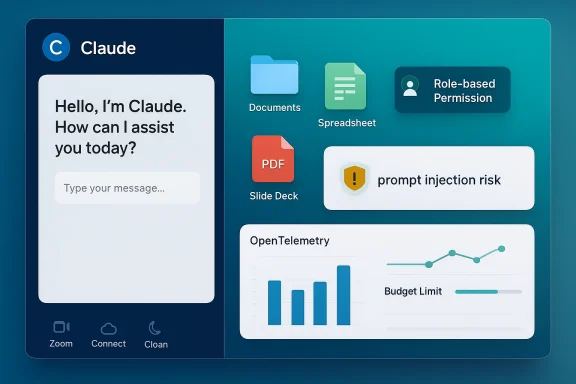
Anthropic’s push to turn Claude into a broader workplace agent has reached a new stage: Claude Cowork is moving beyond a limited preview and onto all paid plans on macOS and Windows, while Anthropic adds the controls large organizations expect before they trust an AI system with real work. The update matters because it brings Cowork into the mainstream of Claude’s paid ecosystem and pairs that access with role-based permissions, budget limits, usage analytics, and OpenTelemetry monitoring. It also sharpens the distinction between a chat assistant and an agentic desktop tool that can operate on local files and integrate with business systems.
Claude Cowork started as Anthropic’s answer to a growing demand for an AI assistant that does more than generate text. The product is positioned as a non-developer counterpart to Claude Code, aimed at people in marketing, finance, legal, operations, and other knowledge-work roles that live in spreadsheets, PDFs, slide decks, and shared folders rather than terminal windows. Anthropic’s own messaging has stressed that Cowork is designed to help with reports, presentations, and research, and that it is especially useful when the assistant can work directly with files on the local machine rather than through upload-and-copy workflows.
That local-file access is the feature that gives Cowork its practical edge, and its risk profile. Anthropic’s documentation describes desktop extensions as running on the user’s computer and accessing local files, applications, and system resources, which makes the product feel closer to an operating-system layer than a normal chatbot. It is exactly this kind of power that also brings prompt-injection concerns into the foreground, because any agent that can read files, connect to services, and take actions can be manipulated if guardrails are weak.
The broader context is that Anthropic has been steadily extending Claude from a conversational model into a tool-using platform. Web connectors, desktop extensions, remote MCP integrations, and enterprise permissions all fit that pattern. Cowork’s expansion to all paid plans suggests Anthropic believes the market is ready for a more aggressive productization strategy: make the tool easy to buy, then make it safe enough for admins to control.
For Windows users in particular, the expansion signals that Cowork is no longer a Mac-centric experiment. Anthropic has already described Claude Desktop as available on Mac and Windows, and the paid-plan connectivity model now spans both ecosystems for desktop and web connectors. That makes Cowork a more credible cross-platform workplace tool rather than a niche companion for one operating system.
That difference is more than convenience. It changes the workflow from “ask a question about work” to “ask an agent to work on the artifacts already on my machine.” In practice, that means summaries, first drafts, analyses, and file organization can happen without users spending time packaging data for a chatbot. It also means the assistant is now operating in a more complex trust environment, because local access and action-taking raise the stakes of every permission prompt.
Anthropic’s framing positions Cowork as a bridge for non-technical workers who want the productivity gains programmers get from Claude Code. That comparison is useful because it helps explain the product’s ambition: Claude Code already proved that agentic workflows can be sticky when they save time on repetitive tasks, and Cowork tries to bring that same dynamic to the knowledge-work desktop. The question is whether general office users want enough autonomy to justify the complexity.
The second distinction is actionability. Connectors are not only about retrieval; they can let Claude perform actions in connected tools. Anthropic’s help center is explicit that users grant access and may permit modifications within those services based on their permissions. That makes the product feel closer to an assistant with delegated authority than a passive interface.
Role-based access helps turn a broad AI rollout into a managed deployment. In enterprise software, that is the difference between a pilot that makes a nice demo and a platform that survives procurement, security review, and internal policy. Anthropic has already been building this direction in its Team and Enterprise offerings, including spend controls and permissioning, so Cowork’s controls look like a continuation of a broader governance strategy rather than a one-off feature drop.
Usage analytics and telemetry are equally important because AI budgets are often invisible until they are not. If a company cannot see which teams are using the system, how heavily they use it, and where spending spikes occur, the finance department will treat AI as a risk rather than an investment. OpenTelemetry support suggests Anthropic wants Cowork to fit into existing observability stacks instead of living as an opaque black box.
The other advantage is policy alignment. Anthropic’s connector documentation stresses permission review, tool monitoring, and careful handling of custom connectors. For larger organizations, that language matters because it maps onto existing security thinking: least privilege, approval workflows, auditability, and separation of duties. That is the right vocabulary for procurement.
This matters because meetings remain one of the most expensive coordination mechanisms in the modern office. If an assistant can extract action items, summarize decisions, and place them into a work queue without a user rebuilding context by hand, the time savings compound quickly. A connector that bridges Zoom and Cowork is therefore less about transcription and more about closing the loop between conversation and execution.
Anthropic’s emphasis on admin restrictions for connector actions is especially relevant here. Meeting tools are rich in sensitive information, and a connector that can read or write data must be treated as an operational extension of the workplace rather than a simple integration. The ability to restrict write access is not just a feature; it is a guardrail against accidental or malicious changes.
That said, meeting automation can create false confidence. A good summary is not the same as an accurate one, and action items can be context-dependent in ways models may miss. Companies that rely on these outputs without review risk turning subtle meeting ambiguity into operational mistakes. The more automated the meeting pipeline becomes, the more important human oversight remains.
That risk is not limited to obvious adversarial cases. A document, meeting note, or connector payload could contain hidden instructions or misleading context that the model interprets as user intent. Because Cowork can interact with local files and connected services, the potential impact of a bad instruction is larger than a chat-only mistake. The danger is not merely bad text; it is bad action.
Anthropic’s strategy appears to be to counter that risk with layered controls: restricted access, authenticated connectors, usage monitoring, and admin-level policy settings. That approach is sound, but it does not eliminate the need for user caution. Enterprises should treat Cowork as they would any privileged automation tool: useful, bounded, and subject to review.
The challenge is cultural as much as technical. Users often want AI to be “smart enough” to do things automatically, but security teams want it to be predictable, reviewable, and constrained. Cowork’s success will depend on whether Anthropic can make those two instincts coexist without making the product feel cumbersome. That balance is hard, and many AI vendors still get it wrong.
This makes competitive sense. Microsoft has every reason to watch tools like Cowork closely because Copilot lives or dies on whether it can move beyond generic chat into concrete workplace execution. If Cowork demonstrates a cleaner pattern for local desktop work, connector governance, or meeting-to-task automation, Microsoft benefits from adapting that playbook rather than reinventing it.
For Anthropic, the upside is broader mindshare and perhaps deeper platform relevance. The downside is that the company may end up teaching the market how to build the very features that erode its own differentiation. That is the classic price of being early in a fast-moving platform race.
The real competition may not be about who has the better chat UI. It may be about who gives enterprises the safest path to autonomous work. If Microsoft can absorb Anthropic’s ideas into Copilot while Anthropic keeps advancing the governance layer, the result may be a market that standardizes around similar capabilities with different distribution advantages.
At the same time, broad availability raises the importance of usage controls. Anthropic’s own help-center material on extra usage and spend management makes clear that it expects some customers to exceed included allowances and to need controls around additional consumption. In other words, access expansion does not mean unlimited usage; it means easier entry into a metered system.
That model is sensible because it aligns costs with value creation. If Cowork is truly helping marketing, finance, or legal teams save time, then usage-based governance lets organizations scale from pilot to standardization without losing financial discipline. The risk is that heavy users may discover limits earlier than expected, turning enthusiasm into frustration if the controls feel arbitrary.
That is a hard balancing act. Consumer users want frictionless power, while enterprise buyers want safe boundaries. Cowork’s broader rollout suggests Anthropic believes it can satisfy both through a combination of product convenience and administrative visibility. If that works, it becomes a template for the rest of the AI market.
Anthropic’s safeguards are promising, but enterprises should still approach Cowork with caution. The main concerns include security, privacy, billing unpredictability, and overreliance on AI-generated summaries or actions. Even with strong admin controls, a tool like this can produce mistakes that are operationally expensive if users trust it too quickly.
Anthropic will also have to continue answering a broader industry question: how much autonomy should an AI assistant have inside a business environment? As these tools become more agentic, the market will likely split between companies that want maximum automation and companies that want strict oversight. Cowork appears designed to straddle that divide, but the tension will not disappear.
What matters next is whether the product can become indispensable without becoming unmanageable. If Anthropic gets that balance right, Cowork could become a major pillar of Claude’s paid ecosystem and a reference point for how desktop AI should be governed. If it gets that balance wrong, the same power that makes it attractive could make it difficult to trust.
Source: the-decoder.com Claude Cowork expands to all paid plans on macOS and Windows with new org controls
 Overview
Claude Cowork started as Anthropic’s answer to a growing demand for an AI assistant that does more than generate text. The product is positioned as a non-developer counterpart to Claude Code, aimed at people in marketing, finance, legal, operations, and other knowledge-work roles that live in spreadsheets, PDFs, slide decks, and shared folders rather than terminal windows. Anthropic’s own messaging has stressed that Cowork is designed to help with reports, presentations, and research, and that it is especially useful when the assistant can work directly with files on the local machine rather than through upload-and-copy workflows.That local-file access is the feature that gives Cowork its practical edge, and its risk profile. Anthropic’s documentation describes desktop extensions as running on the user’s computer and accessing local files, applications, and system resources, which makes the product feel closer to an operating-system layer than a normal chatbot. It is exactly this kind of power that also brings prompt-injection concerns into the foreground, because any agent that can read files, connect to services, and take actions can be manipulated if guardrails are weak.
The broader context is that Anthropic has been steadily extending Claude from a conversational model into a tool-using platform. Web connectors, desktop extensions, remote MCP integrations, and enterprise permissions all fit that pattern. Cowork’s expansion to all paid plans suggests Anthropic believes the market is ready for a more aggressive productization strategy: make the tool easy to buy, then make it safe enough for admins to control.
Why this matters now
The timing is important because AI vendors are no longer competing only on model quality. They are competing on deployment fit, governance, observability, and how easily a company can let employees use AI without creating a shadow-IT mess. Anthropic’s latest changes speak directly to that reality by bundling access expansion with controls that enterprises can understand and audit.For Windows users in particular, the expansion signals that Cowork is no longer a Mac-centric experiment. Anthropic has already described Claude Desktop as available on Mac and Windows, and the paid-plan connectivity model now spans both ecosystems for desktop and web connectors. That makes Cowork a more credible cross-platform workplace tool rather than a niche companion for one operating system.
From chat assistant to desktop agent
Cowork’s defining feature is that it can operate where work happens, not just where conversation happens. On the web, Claude can respond to prompts and access connected services. On the desktop, it can reach into local folders and applications, which is a qualitatively different capability because it allows the assistant to interpret context that users may never upload manually.That difference is more than convenience. It changes the workflow from “ask a question about work” to “ask an agent to work on the artifacts already on my machine.” In practice, that means summaries, first drafts, analyses, and file organization can happen without users spending time packaging data for a chatbot. It also means the assistant is now operating in a more complex trust environment, because local access and action-taking raise the stakes of every permission prompt.
Anthropic’s framing positions Cowork as a bridge for non-technical workers who want the productivity gains programmers get from Claude Code. That comparison is useful because it helps explain the product’s ambition: Claude Code already proved that agentic workflows can be sticky when they save time on repetitive tasks, and Cowork tries to bring that same dynamic to the knowledge-work desktop. The question is whether general office users want enough autonomy to justify the complexity.
What Cowork can do that chat cannot
The strongest practical distinction is that Cowork can work with local hard-drive files directly. Anthropic’s docs for desktop extensions explicitly note access to local files, applications, and system resources, which is a major reason Cowork can act on documents stored on a device rather than only on cloud-connected sources. That matters for teams handling confidential, messy, or partially structured information.The second distinction is actionability. Connectors are not only about retrieval; they can let Claude perform actions in connected tools. Anthropic’s help center is explicit that users grant access and may permit modifications within those services based on their permissions. That makes the product feel closer to an assistant with delegated authority than a passive interface.
- Local file access reduces copy-and-paste friction.
- System-level context can improve document handling and task automation.
- Connector actions extend from reading to writing where permitted.
- Desktop workflows are better suited to recurring office tasks than one-off chats.
- The trade-off is obvious: more capability usually means more governance.
The new org controls are the real enterprise story
If Cowork is the shiny product headline, the organizational controls are the real enterprise message. Anthropic is signaling that it understands what IT administrators care about most: who can use the tool, what they can do with it, how much it costs, and how to monitor whether it is actually being used productively. That is why role-based access, per-team budget limits, usage analytics, and OpenTelemetry monitoring matter as much as the model itself.Role-based access helps turn a broad AI rollout into a managed deployment. In enterprise software, that is the difference between a pilot that makes a nice demo and a platform that survives procurement, security review, and internal policy. Anthropic has already been building this direction in its Team and Enterprise offerings, including spend controls and permissioning, so Cowork’s controls look like a continuation of a broader governance strategy rather than a one-off feature drop.
Usage analytics and telemetry are equally important because AI budgets are often invisible until they are not. If a company cannot see which teams are using the system, how heavily they use it, and where spending spikes occur, the finance department will treat AI as a risk rather than an investment. OpenTelemetry support suggests Anthropic wants Cowork to fit into existing observability stacks instead of living as an opaque black box.
Why admins will care
The administrative controls reduce one of the biggest barriers to adoption: fear of uncontrolled usage. Companies usually do not resist AI because they dislike the technology; they resist it because they do not want runaway cost, unapproved connectors, or a compliance surprise. With budget caps and usage analytics, Cowork starts to look manageable in the same way traditional SaaS platforms are manageable.The other advantage is policy alignment. Anthropic’s connector documentation stresses permission review, tool monitoring, and careful handling of custom connectors. For larger organizations, that language matters because it maps onto existing security thinking: least privilege, approval workflows, auditability, and separation of duties. That is the right vocabulary for procurement.
- Role-based access supports least-privilege deployment.
- Per-team budgets make chargeback and cost control easier.
- Usage analytics help justify ROI.
- OpenTelemetry allows integration with existing observability tools.
- Connector restrictions can reduce the blast radius of risky automations.
Zoom connector and the rise of meeting automation
One of the most visible additions is a new Zoom connector that can pull meeting summaries and tasks into Cowork. On the surface, that sounds like a convenience feature. In practice, it is a big clue about where enterprise AI is heading: from writing support to meeting digestion, follow-up generation, and lightweight workflow orchestration.This matters because meetings remain one of the most expensive coordination mechanisms in the modern office. If an assistant can extract action items, summarize decisions, and place them into a work queue without a user rebuilding context by hand, the time savings compound quickly. A connector that bridges Zoom and Cowork is therefore less about transcription and more about closing the loop between conversation and execution.
Anthropic’s emphasis on admin restrictions for connector actions is especially relevant here. Meeting tools are rich in sensitive information, and a connector that can read or write data must be treated as an operational extension of the workplace rather than a simple integration. The ability to restrict write access is not just a feature; it is a guardrail against accidental or malicious changes.
Meeting notes are only the first layer
The real value of a Zoom connector is not the summary itself. It is the downstream tasks: follow-ups, project updates, calendar adjustments, and document creation. Once those outputs become trusted, AI stops being an assistant that reports on work and starts becoming one that advances work.That said, meeting automation can create false confidence. A good summary is not the same as an accurate one, and action items can be context-dependent in ways models may miss. Companies that rely on these outputs without review risk turning subtle meeting ambiguity into operational mistakes. The more automated the meeting pipeline becomes, the more important human oversight remains.
- Summaries reduce note-taking burden.
- Tasks turn discussions into operational output.
- Write restrictions keep integrations safer.
- Review remains necessary because AI can miss nuance.
- Adoption will likely start with low-risk teams before spreading more broadly.
Security, prompt injection, and the desktop attack surface
Whenever an AI system gains access to files and tools, security shifts from theoretical to practical. Anthropic has explicitly acknowledged that agentic systems are vulnerable to prompt injection, and its security guidance for Claude Code and desktop integrations underscores that risk. Cowork inherits the same basic problem: if malicious content can influence the agent’s instructions, it may cause unintended actions.That risk is not limited to obvious adversarial cases. A document, meeting note, or connector payload could contain hidden instructions or misleading context that the model interprets as user intent. Because Cowork can interact with local files and connected services, the potential impact of a bad instruction is larger than a chat-only mistake. The danger is not merely bad text; it is bad action.
Anthropic’s strategy appears to be to counter that risk with layered controls: restricted access, authenticated connectors, usage monitoring, and admin-level policy settings. That approach is sound, but it does not eliminate the need for user caution. Enterprises should treat Cowork as they would any privileged automation tool: useful, bounded, and subject to review.
The practical security model
The basic security model for a tool like Cowork is simple to describe and hard to execute perfectly. A company must decide which users get access, what files or systems the assistant can touch, what actions are allowed, and how those actions are logged. Anthropic’s documentation points toward exactly this kind of layered administration.The challenge is cultural as much as technical. Users often want AI to be “smart enough” to do things automatically, but security teams want it to be predictable, reviewable, and constrained. Cowork’s success will depend on whether Anthropic can make those two instincts coexist without making the product feel cumbersome. That balance is hard, and many AI vendors still get it wrong.
- Prompt injection remains the headline risk.
- Connector permissions must be reviewed carefully.
- Local file access expands the blast radius of mistakes.
- Admin logging can help with forensics and oversight.
- Human approval loops should stay in place for sensitive workflows.
Microsoft, Copilot, and the competitive chessboard
The most interesting strategic wrinkle is the Microsoft connection. The report says Anthropic partner Microsoft has adapted the Cowork technology for Microsoft Copilot, with a version in testing and broader rollout expected later. If accurate, that is a meaningful signal that Anthropic’s agentic workflow ideas are influencing the wider productivity ecosystem, not just its own app lineup.This makes competitive sense. Microsoft has every reason to watch tools like Cowork closely because Copilot lives or dies on whether it can move beyond generic chat into concrete workplace execution. If Cowork demonstrates a cleaner pattern for local desktop work, connector governance, or meeting-to-task automation, Microsoft benefits from adapting that playbook rather than reinventing it.
For Anthropic, the upside is broader mindshare and perhaps deeper platform relevance. The downside is that the company may end up teaching the market how to build the very features that erode its own differentiation. That is the classic price of being early in a fast-moving platform race.
Copilot versus Cowork
Copilot’s strength is distribution. Microsoft can place assistant features across Windows, Microsoft 365, and enterprise agreements at massive scale. Cowork’s strength is that it looks more purpose-built for file-centric, connector-driven, agentic work, particularly where users want desktop-level access and more explicit control.The real competition may not be about who has the better chat UI. It may be about who gives enterprises the safest path to autonomous work. If Microsoft can absorb Anthropic’s ideas into Copilot while Anthropic keeps advancing the governance layer, the result may be a market that standardizes around similar capabilities with different distribution advantages.
- Microsoft wins on reach and enterprise bundling.
- Anthropic wins on specialization in agentic workflows.
- Governance may matter more than raw model quality.
- Desktop context will be a differentiator for real work.
- Connector ecosystems could determine long-term stickiness.
The economics of AI access on paid plans
Making Cowork available on all paid plans is a classic growth move. It lowers the friction for trial and broadens the base of users who can discover the product’s value without buying into a premium tier first. That can accelerate adoption, especially among small teams that are curious but budget-conscious.At the same time, broad availability raises the importance of usage controls. Anthropic’s own help-center material on extra usage and spend management makes clear that it expects some customers to exceed included allowances and to need controls around additional consumption. In other words, access expansion does not mean unlimited usage; it means easier entry into a metered system.
That model is sensible because it aligns costs with value creation. If Cowork is truly helping marketing, finance, or legal teams save time, then usage-based governance lets organizations scale from pilot to standardization without losing financial discipline. The risk is that heavy users may discover limits earlier than expected, turning enthusiasm into frustration if the controls feel arbitrary.
Consumer appeal versus enterprise discipline
For consumers and small teams, the appeal is obvious: one desktop tool, one subscription, and the ability to work across local files and services. For enterprises, the appeal is more conditional, because adoption depends on policy, monitoring, and connector restrictions. Anthropic is trying to serve both audiences without compromising either one too much.That is a hard balancing act. Consumer users want frictionless power, while enterprise buyers want safe boundaries. Cowork’s broader rollout suggests Anthropic believes it can satisfy both through a combination of product convenience and administrative visibility. If that works, it becomes a template for the rest of the AI market.
- Broader access should increase trial and conversion.
- Metered usage keeps costs aligned with value.
- Admin controls make enterprise deployment possible.
- Limits may frustrate heavy users if they are too tight.
- The product must prove ROI quickly in real workflows.
Strengths and Opportunities
Anthropic’s Cowork rollout has several clear strengths. It moves the product from curiosity to practical workplace tool, and it does so in a way that acknowledges the realities of corporate adoption. By combining desktop access, connector support, and governance features, Anthropic is making a strong bid to become the default AI layer for knowledge work.- Desktop-native workflows reduce copying, uploading, and context loss.
- Paid-plan availability broadens access and accelerates adoption.
- Org controls make procurement and policy review easier.
- Usage analytics help teams measure return on investment.
- OpenTelemetry support can plug into existing monitoring systems.
- Zoom integration extends the tool into everyday collaboration.
- Cross-platform support strengthens the case for mixed Mac/Windows environments.
Risks and Concerns
The same features that make Cowork compelling also make it risky. Giving an AI assistant access to local files, remote connectors, and write actions creates a larger attack surface than traditional chat. The question is not whether something can go wrong, but how often and how visibly it will go wrong once the tool is deployed broadly.Anthropic’s safeguards are promising, but enterprises should still approach Cowork with caution. The main concerns include security, privacy, billing unpredictability, and overreliance on AI-generated summaries or actions. Even with strong admin controls, a tool like this can produce mistakes that are operationally expensive if users trust it too quickly.
- Prompt injection can manipulate agent behavior.
- Misconfigured permissions may expose sensitive files or actions.
- AI summaries can miss nuance or make false assumptions.
- Usage limits may create friction for high-volume teams.
- Connector sprawl can become hard to govern over time.
- Compliance teams may need new review processes.
- Trust can outpace validation if rollout is rushed.
Looking Ahead
The next phase for Claude Cowork will likely be judged less by the novelty of its features and more by how well it behaves in messy real-world deployments. The product now has the ingredients of a serious workplace platform: desktop access, connectors, admin controls, and monitoring. What it needs next is proof that those ingredients hold together at scale.Anthropic will also have to continue answering a broader industry question: how much autonomy should an AI assistant have inside a business environment? As these tools become more agentic, the market will likely split between companies that want maximum automation and companies that want strict oversight. Cowork appears designed to straddle that divide, but the tension will not disappear.
What matters next is whether the product can become indispensable without becoming unmanageable. If Anthropic gets that balance right, Cowork could become a major pillar of Claude’s paid ecosystem and a reference point for how desktop AI should be governed. If it gets that balance wrong, the same power that makes it attractive could make it difficult to trust.
- Enterprise rollout patterns will show whether admins trust the controls.
- Windows adoption will indicate how broad the appeal really is.
- Connector expansion will test governance at scale.
- Security incident handling will shape confidence in agentic workflows.
- Copilot integration signals will reveal how much influence Anthropic’s approach has on the wider market.
Source: the-decoder.com Claude Cowork expands to all paid plans on macOS and Windows with new org controls
Last edited:
