

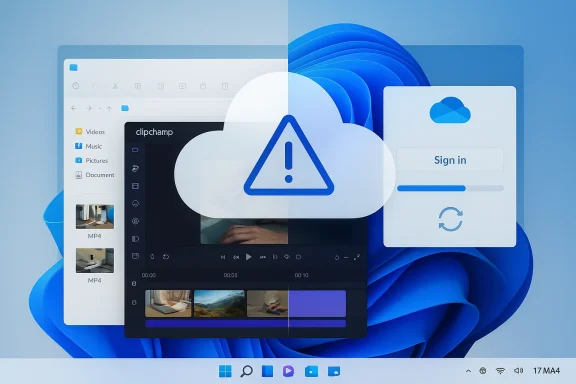
Microsoft’s latest Clipchamp changes have turned a convenient built-in Windows 11 editor into a lightning rod for backlash, and the frustration is easy to understand. What once felt like a lightweight, local-first tool is now being repositioned around OneDrive-backed storage, with Microsoft’s own support pages describing Clipchamp projects as cloud-synced and editable across devices. For many Windows users, that shift reads less like a quality-of-life upgrade and more like a forced ecosystem play. The timing matters too: the change is arriving amid wider skepticism about Microsoft’s cloud-first direction, so even a technically modest product update is landing with outsized emotional force.
Clipchamp did not begin life as a Windows-first utility. It became more tightly associated with Microsoft after the company acquired it and then folded it deeper into the Windows 11 experience, eventually making it easy to launch from the operating system itself. That integration helped Microsoft present Clipchamp as a modern, simple editor for everyday users who wanted to trim, combine, and export video without learning a pro-grade suite. The appeal was obvious: a built-in app that looked approachable, ran on the desktop, and didn’t immediately force users into a complex workflow.
The problem is that “simple” and “cloud-first” do not always coexist happily. Microsoft’s own documentation has long distinguished between Clipchamp’s personal and work/school experiences, and that distinction matters because the storage model is different in each case. For work and education, Clipchamp has been more openly tied to OneDrive and SharePoint, while personal accounts traditionally emphasized local media handling and optional backup. That historical split made the app feel flexible, even when Microsoft clearly wanted to steer users toward its broader ecosystem.
The current controversy comes from a new cloud-storage migration for personal accounts that Microsoft describes as part of an updated Clipchamp experience. In the company’s FAQ, the rollout is framed as a way to ensure projects are “safe, secure, and accessible,” and Microsoft says this lets users move between devices more easily. That may sound reasonable on paper, but it also means that a previously local-feeling workflow is becoming dependent on OneDrive entitlement, storage availability, and account state. For users who never wanted cloud synchronization in the first place, the change is jarring.
This is not a minor UI tweak. Microsoft’s support pages now discuss OneDrive-backed projects, access problems during migration, reactivation of OneDrive entitlements, and the need to archive locally before uploading again later. Those are the kinds of phrases that usually belong to enterprise content systems, not to the built-in editor many Windows 11 users expected to use for a quick trim job. That mismatch between expectation and reality is exactly why the reaction has been so sharp.
Microsoft’s own support language is revealing. One FAQ says Clipchamp is “now integrated with OneDrive,” and that projects are automatically saved to keep them secure and accessible. Another article explains that if users do not want to save projects to OneDrive, they can download them locally, but to edit again in the future, they will need to upload them to OneDrive. That is a meaningful change in posture: local storage may still exist, but editable continuity is being routed through cloud infrastructure.
Users are also being pushed toward account consistency. Microsoft notes that some people may need to reactivate OneDrive entitlements, retry setup, or sign in through the browser if the desktop app stalls. Those are not the kinds of troubleshooting steps casual users expect from a default Windows editor. The more a “simple” app depends on account provisioning and cloud permissions, the less simple it becomes in daily use.
A second source of anger is predictability. Video projects are often larger, messier, and more personal than text documents. They can involve gigabytes of footage, frequent version changes, and a working style that spans offline and online contexts. Forcing cloud workflows onto that kind of use case feels especially intrusive because it can create friction exactly where users need friction to be minimal.
The complaints also have a practical edge. Several users report that the migration process has caused projects to appear missing, duplicate, or inaccessible, and Microsoft’s support pages explicitly acknowledge missing project scenarios during the move to cloud storage. When a product update threatens both convenience and continuity, people stop viewing it as an “improvement” and start viewing it as a risk. That’s a very different emotional equation.
There is also a business angle. Cloud storage drives attachment to Microsoft 365, and attachment drives retention. The more users store creative work in OneDrive, the harder it becomes to leave the ecosystem later. In that sense, Clipchamp is not just an editor; it is an on-ramp to broader Microsoft services.
This is where the tone of the rollout matters. If users perceive an opt-in backup feature, the reception is usually mild. If they perceive a mandatory cloud workflow for editing continuity, the reaction becomes hostile. Microsoft may have rational product reasons, but rationality alone does not buy goodwill if the user feels cornered.
Clipchamp’s support materials are careful to say that media assets are still processed locally in some cases, or stored temporarily in browser cache and temp folders. That sounds reassuring until a user loses cached files, hits an entitlement issue, or discovers that reopening a project now requires cloud state and relinking. The result is a hybrid model that can be efficient for Microsoft but confusing for everyone else.
That shift has consequences for reliability. Cloud systems can be excellent when the connection, account, and storage all line up. But when any one of those pieces fails, the user loses the offline safety net they thought they had. For a creative tool, that loss of predictability is costly because it interrupts momentum and undermines trust in saved work.
Consumer users are another matter. A home user often wants to trim a vacation clip, make a quick montage, or export a family video without thinking about account provisioning or cloud quotas. If OneDrive is full, inactive, or simply unwanted, the consumer experience collapses from “simple editor” to “account troubleshooting.” That is a poor match between product design and audience expectation.
That is why the consumer backlash is so much stronger. When a built-in Windows 11 app acts like an enterprise-managed service, it feels out of place. Users do not merely object to OneDrive; they object to the loss of the familiar desktop bargain, where installed software could still function as software rather than as a subscription gateway. That distinction matters more than Microsoft may realize.
But the competitive risk is that the move pushes users away from Clipchamp and toward alternatives that remain simple, local, and unconstrained. OpenShot, Shotcut, and DaVinci Resolve are not direct apples-to-apples substitutes for every user, but they all have one thing Clipchamp’s critics now crave: the sense that the project belongs to the user, not the cloud provider. Once that psychological line is crossed, migration becomes easier.
This is where Microsoft’s advantage can become a liability. When users leave a default app for an alternative, the decision is not just about features. It is also a small rebellion against platform pressure. In that context, the market impact of the Clipchamp change may extend beyond video editing and into broader feelings about Windows as a platform.
It also shows that Microsoft knows the transition can fail. There are pages on missing projects, access errors, and troubleshooting steps for users who cannot save to OneDrive. If the cloud transition were frictionless, these guides would be short and boring. Instead, they read like a roadmap for rescuing users from a workflow they did not ask to adopt.
The docs also imply a distinction between project archiving and project editing. Downloading to local storage is possible, but the system still nudges users back into OneDrive if they want future editability. So the local path exists, but it is no longer the default path of least resistance. That is the practical difference between an optional cloud feature and a cloud-centered design.
This matters because built-in apps carry a higher expectation of neutrality. A user can forgive a niche SaaS tool for being cloud-first, but they are less likely to forgive a default Windows app for making local workflows awkward. The preinstalled status of Clipchamp means it is judged not as just another product, but as part of the operating system’s promise. That is a much harsher standard.
There is also a cumulative effect. People do not experience one isolated app change; they experience a series of nudges, sign-ins, notifications, sync prompts, and ecosystem tie-ins. Clipchamp becomes part of that cumulative story, which makes its reception harsher than the technical issue alone would suggest. The complaint is cumulative, not isolated.
Microsoft has a narrow but real path forward. It could clarify the migration, reduce ambiguity around project storage, and restore a sense that Windows users still control where their creative work lives. If it does not, this episode may become another example of a larger pattern: a platform vendor optimizing for ecosystem lock-in while underestimating how deeply Windows users value autonomy.
Source: thewincentral.com Microsoft Forces OneDrive on Clipchamp — Windows 11 Users Are Not Happy - WinCentral
 Background
Clipchamp did not begin life as a Windows-first utility. It became more tightly associated with Microsoft after the company acquired it and then folded it deeper into the Windows 11 experience, eventually making it easy to launch from the operating system itself. That integration helped Microsoft present Clipchamp as a modern, simple editor for everyday users who wanted to trim, combine, and export video without learning a pro-grade suite. The appeal was obvious: a built-in app that looked approachable, ran on the desktop, and didn’t immediately force users into a complex workflow.The problem is that “simple” and “cloud-first” do not always coexist happily. Microsoft’s own documentation has long distinguished between Clipchamp’s personal and work/school experiences, and that distinction matters because the storage model is different in each case. For work and education, Clipchamp has been more openly tied to OneDrive and SharePoint, while personal accounts traditionally emphasized local media handling and optional backup. That historical split made the app feel flexible, even when Microsoft clearly wanted to steer users toward its broader ecosystem.
The current controversy comes from a new cloud-storage migration for personal accounts that Microsoft describes as part of an updated Clipchamp experience. In the company’s FAQ, the rollout is framed as a way to ensure projects are “safe, secure, and accessible,” and Microsoft says this lets users move between devices more easily. That may sound reasonable on paper, but it also means that a previously local-feeling workflow is becoming dependent on OneDrive entitlement, storage availability, and account state. For users who never wanted cloud synchronization in the first place, the change is jarring.
This is not a minor UI tweak. Microsoft’s support pages now discuss OneDrive-backed projects, access problems during migration, reactivation of OneDrive entitlements, and the need to archive locally before uploading again later. Those are the kinds of phrases that usually belong to enterprise content systems, not to the built-in editor many Windows 11 users expected to use for a quick trim job. That mismatch between expectation and reality is exactly why the reaction has been so sharp.
What Microsoft Actually Changed
The core shift is straightforward: Clipchamp projects for personal accounts are moving into a cloud-backed storage model tied to OneDrive, and Microsoft is presenting that as the new normal. The company says projects are automatically saved and can be accessed across devices through the Microsoft account ecosystem. It also says users can choose which projects to back up, but the practical reality for many people is that editing now increasingly assumes OneDrive is present and functioning.Microsoft’s own support language is revealing. One FAQ says Clipchamp is “now integrated with OneDrive,” and that projects are automatically saved to keep them secure and accessible. Another article explains that if users do not want to save projects to OneDrive, they can download them locally, but to edit again in the future, they will need to upload them to OneDrive. That is a meaningful change in posture: local storage may still exist, but editable continuity is being routed through cloud infrastructure.
The important distinction
There is a difference between storing exported video files on your PC and storing the project metadata needed to reopen and edit that project later. Microsoft’s documentation suggests the latter is now deeply tied to OneDrive for the updated personal experience. In other words, a finished MP4 may still live locally, but the editable project state increasingly lives in Microsoft’s cloud. That separation is what makes the change feel so restrictive.Users are also being pushed toward account consistency. Microsoft notes that some people may need to reactivate OneDrive entitlements, retry setup, or sign in through the browser if the desktop app stalls. Those are not the kinds of troubleshooting steps casual users expect from a default Windows editor. The more a “simple” app depends on account provisioning and cloud permissions, the less simple it becomes in daily use.
- Projects are now described as OneDrive-backed for personal accounts.
- Editing continuity can depend on a valid OneDrive entitlement.
- Users may need to retry setup or re-upload projects manually.
- Local archiving is possible, but future editing may require cloud rehydration.
- The workflow is less about local files and more about account-linked project state.
Why Users Are Angry
The backlash is not just about technical inconvenience. It is about the feeling that a previously usable local tool has been transformed into a product that demands permission to do basic work. For many Windows enthusiasts, especially those who value control over their files, the promise of a built-in editor was that it would be there when needed, without subscriptions, web logins, or cloud dependencies. Once that promise appears broken, trust evaporates quickly.A second source of anger is predictability. Video projects are often larger, messier, and more personal than text documents. They can involve gigabytes of footage, frequent version changes, and a working style that spans offline and online contexts. Forcing cloud workflows onto that kind of use case feels especially intrusive because it can create friction exactly where users need friction to be minimal.
The trust problem
Microsoft is already under scrutiny from parts of its Windows audience for pushing the platform toward account dependency, online services, and AI-heavy features. Clipchamp lands in that broader cultural context, so even a small product decision can feel symbolic. Users are not simply reacting to one editor; they are reacting to a pattern. That is why the sentiment has spread so quickly through forums and community threads.The complaints also have a practical edge. Several users report that the migration process has caused projects to appear missing, duplicate, or inaccessible, and Microsoft’s support pages explicitly acknowledge missing project scenarios during the move to cloud storage. When a product update threatens both convenience and continuity, people stop viewing it as an “improvement” and start viewing it as a risk. That’s a very different emotional equation.
- People dislike forced sign-in for simple editing.
- Video work often happens offline or on constrained networks.
- Large project files make cloud dependence feel costly.
- Migration bugs amplify the sense that the change is unfinished.
- The update feels like a control decision, not a convenience feature.
Microsoft’s Strategic Logic
From Microsoft’s perspective, the logic is easy to see. OneDrive makes projects portable, supports backup, and keeps users inside the Microsoft account ecosystem where subscriptions and storage plans matter. If a user begins editing on one device and finishes on another, Microsoft gets to present that as a seamless experience rather than a fragmented one. That is a compelling product narrative for a company built around cross-device identity.There is also a business angle. Cloud storage drives attachment to Microsoft 365, and attachment drives retention. The more users store creative work in OneDrive, the harder it becomes to leave the ecosystem later. In that sense, Clipchamp is not just an editor; it is an on-ramp to broader Microsoft services.
Convenience versus coercion
Microsoft’s defense is that cloud storage improves safety and accessibility. That argument is not unreasonable. Projects stored online are easier to recover than projects lost on a failed drive, and syncing across devices can be useful for people who move between laptop, desktop, and browser. The problem is that valuable optionality becomes unpopular when it starts behaving like a requirement.This is where the tone of the rollout matters. If users perceive an opt-in backup feature, the reception is usually mild. If they perceive a mandatory cloud workflow for editing continuity, the reaction becomes hostile. Microsoft may have rational product reasons, but rationality alone does not buy goodwill if the user feels cornered.
- Cloud backup is valuable when it is optional.
- Cloud dependency becomes controversial when it governs editing.
- Retention improves when files live in Microsoft’s ecosystem.
- Cross-device access is a real benefit for some users.
- The user experience fails when the perceived tradeoff becomes “use OneDrive or lose access.”
Local Editing Versus Cloud Editing
The old mental model for Clipchamp was simple: import media, edit locally, export locally. Microsoft’s current documentation complicates that model by describing how projects may be backed up, relinked, or restored from OneDrive when you move devices or lose local cache. That is not inherently bad, but it changes the meaning of “local editing” in a way users can feel immediately.Clipchamp’s support materials are careful to say that media assets are still processed locally in some cases, or stored temporarily in browser cache and temp folders. That sounds reassuring until a user loses cached files, hits an entitlement issue, or discovers that reopening a project now requires cloud state and relinking. The result is a hybrid model that can be efficient for Microsoft but confusing for everyone else.
What “local” now really means
For many users, “local” used to mean independence. Now it often means “cached but not authoritative.” That is a subtle but important distinction, because authoritative project state appears to be moving to OneDrive while the PC becomes a working copy or rendering endpoint. Once that distinction is in place, the app stops feeling like a conventional desktop editor and starts feeling like a cloud application with a desktop shell.That shift has consequences for reliability. Cloud systems can be excellent when the connection, account, and storage all line up. But when any one of those pieces fails, the user loses the offline safety net they thought they had. For a creative tool, that loss of predictability is costly because it interrupts momentum and undermines trust in saved work.
- Local cache is not the same as local ownership.
- Cloud-backed projects can improve cross-device continuity.
- The failure mode is worse when the internet or entitlement breaks.
- Editing software benefits from predictable file paths.
- Hybrid architectures are powerful, but they can also be opaque to ordinary users.
Enterprise Versus Consumer Impact
In enterprise and education environments, the cloud linkage makes more sense. Shared devices, roaming users, and managed storage already encourage centralized workflows, and Microsoft’s work/school Clipchamp experience has long been designed around OneDrive and SharePoint. For those users, a cloud-backed project system can fit into existing compliance, backup, and collaboration policies.Consumer users are another matter. A home user often wants to trim a vacation clip, make a quick montage, or export a family video without thinking about account provisioning or cloud quotas. If OneDrive is full, inactive, or simply unwanted, the consumer experience collapses from “simple editor” to “account troubleshooting.” That is a poor match between product design and audience expectation.
The different risk profiles
Enterprise users can sometimes accept cloud dependency because the organization owns the policy. A consumer user has no such structural support, and no one wants to solve a creative task by reading a storage FAQ. Microsoft’s own support documentation hints at this difference by separating personal, work, and school guidance, but the public perception will still be shaped by the least forgiving scenario: the casual Windows user who just wants the editor to work.That is why the consumer backlash is so much stronger. When a built-in Windows 11 app acts like an enterprise-managed service, it feels out of place. Users do not merely object to OneDrive; they object to the loss of the familiar desktop bargain, where installed software could still function as software rather than as a subscription gateway. That distinction matters more than Microsoft may realize.
- Enterprise workflows can absorb OneDrive/SharePoint more easily.
- Consumers expect immediacy and local control.
- Managed environments tolerate policy-driven storage.
- Home users are more sensitive to cloud quota limits.
- The same product can feel practical in one setting and hostile in another.
The Competitive Angle
Microsoft may not be thinking only about Clipchamp. It may be thinking about how to normalize cloud workflows across Windows itself. If users become accustomed to backing up creative work to OneDrive, then other Microsoft services become easier to promote as natural extensions of the same workflow. That creates an ecosystem moat, even if the individual app draws criticism.But the competitive risk is that the move pushes users away from Clipchamp and toward alternatives that remain simple, local, and unconstrained. OpenShot, Shotcut, and DaVinci Resolve are not direct apples-to-apples substitutes for every user, but they all have one thing Clipchamp’s critics now crave: the sense that the project belongs to the user, not the cloud provider. Once that psychological line is crossed, migration becomes easier.
Why alternatives benefit from this moment
Competing editors do not have to beat Clipchamp on integration to win frustrated users. They only need to beat it on trust, predictability, and file ownership. For a large segment of the consumer market, that is enough. A tool that is slightly less polished but fully local can feel better than a smoother tool that keeps asking permission to work.This is where Microsoft’s advantage can become a liability. When users leave a default app for an alternative, the decision is not just about features. It is also a small rebellion against platform pressure. In that context, the market impact of the Clipchamp change may extend beyond video editing and into broader feelings about Windows as a platform.
- Alternatives gain when users want local autonomy.
- Clipchamp’s polish is less persuasive if it feels coercive.
- Trust can matter more than feature depth for casual creators.
- The backlash feeds the perception that Windows is becoming cloud-first by default.
- Even a niche app can shape opinions about the wider platform.
What the Support Docs Reveal
Microsoft’s support content is more revealing than any marketing statement because it shows how the company expects the product to behave when things go wrong. The documentation covers reactivation of OneDrive entitlements, project recovery, manual downloads, relinking media, and cloud-backed versions. That means the migration is not a rumor or an edge case; it is an operational reality Microsoft is now supporting in public.It also shows that Microsoft knows the transition can fail. There are pages on missing projects, access errors, and troubleshooting steps for users who cannot save to OneDrive. If the cloud transition were frictionless, these guides would be short and boring. Instead, they read like a roadmap for rescuing users from a workflow they did not ask to adopt.
Reading between the lines
Support documentation often tells the truth in the least glamorous way possible. Here, the message is that Clipchamp’s project model is now tightly coupled to Microsoft account state and OneDrive state, and that users may need to repair that coupling when it breaks. That is a strong signal that the product has moved further from standalone desktop simplicity.The docs also imply a distinction between project archiving and project editing. Downloading to local storage is possible, but the system still nudges users back into OneDrive if they want future editability. So the local path exists, but it is no longer the default path of least resistance. That is the practical difference between an optional cloud feature and a cloud-centered design.
- The docs confirm the transition is real, not hypothetical.
- Microsoft is actively supporting migration recovery.
- OneDrive entitlement can affect access.
- Local archiving is treated as a fallback, not a preferred destination.
- The documentation itself signals a new product philosophy.
The Windows 11 Experience Problem
Windows 11 has already accumulated a reputation for mixing convenience with nudges toward Microsoft services. That makes Clipchamp especially sensitive as a case study. When an OS-bundled app starts feeling like an extension of account policy, users begin to question whether Windows is becoming a platform or a funnel.This matters because built-in apps carry a higher expectation of neutrality. A user can forgive a niche SaaS tool for being cloud-first, but they are less likely to forgive a default Windows app for making local workflows awkward. The preinstalled status of Clipchamp means it is judged not as just another product, but as part of the operating system’s promise. That is a much harsher standard.
The symbolism is bigger than the app
Even if Microsoft believes the change is technically sound, the symbolism is awkward. Windows has historically sold itself as flexible, local, and user-controlled. Every time a default app becomes dependent on an online account or service, that identity gets a little thinner. Clipchamp is not the first place users have noticed this trend, but it is a very visible one.There is also a cumulative effect. People do not experience one isolated app change; they experience a series of nudges, sign-ins, notifications, sync prompts, and ecosystem tie-ins. Clipchamp becomes part of that cumulative story, which makes its reception harsher than the technical issue alone would suggest. The complaint is cumulative, not isolated.
- Built-in apps are judged against the Windows promise.
- Cloud dependency feels heavier when it is baked into the OS.
- Users notice the pattern of ecosystem nudges.
- Small product changes can carry symbolic weight.
- The platform’s reputation is shaped by repeated friction, not just one update.
Strengths and Opportunities
Microsoft still has a real opportunity here if it can rebalance the message and the defaults. A cloud-backed Clipchamp can be useful, particularly for people who move between devices, already pay for Microsoft 365, or want safer project continuity. If Microsoft preserves a genuinely usable local-first path alongside cloud syncing, it could turn a backlash into a more mature product story.- Cross-device continuity is genuinely valuable for some workflows.
- OneDrive backup can protect against local drive failure.
- Microsoft 365 subscribers may appreciate integrated storage.
- A better migration design could reduce future data-loss anxiety.
- Clearer UI options could restore trust without abandoning cloud features.
- Microsoft could use Clipchamp as a showcase for hybrid local/cloud editing.
- The company can still position the change as optional convenience rather than enforced dependency.
Risks and Concerns
The biggest risk is that Microsoft has made a basic editing tool feel like a storage-policy problem. Once users connect Clipchamp with forced OneDrive behavior, the app risks becoming synonymous with friction, not simplicity. That kind of reputation can be hard to reverse, especially when alternatives are abundant and easier to trust.- Users may abandon Clipchamp in favor of local-first editors.
- OneDrive quota limits can block projects at the worst possible moment.
- Migration bugs can create lost work anxiety.
- Forced cloud workflows can deepen distrust of Windows 11 design priorities.
- The change may alienate casual users who never wanted a Microsoft account dependency.
- Confusing support flows can increase the perception that the app is unfinished.
- A poor rollout can turn a product advantage into a lasting brand liability.
Looking Ahead
The most important question is not whether cloud-based Clipchamp can work. It can. The question is whether Microsoft can make it feel like a choice again. If the company keeps pushing users into OneDrive without a clean, obvious, local editing path, the backlash will likely continue and the alternatives will keep getting stronger in the minds of everyday users.Microsoft has a narrow but real path forward. It could clarify the migration, reduce ambiguity around project storage, and restore a sense that Windows users still control where their creative work lives. If it does not, this episode may become another example of a larger pattern: a platform vendor optimizing for ecosystem lock-in while underestimating how deeply Windows users value autonomy.
- Make the local path explicit and easy to find.
- Separate backup from mandatory editability.
- Improve migration warnings before users lose access.
- Offer clearer distinctions between desktop storage and cloud project state.
- Reduce the sense that OneDrive is a gatekeeper for basic functionality.
Source: thewincentral.com Microsoft Forces OneDrive on Clipchamp — Windows 11 Users Are Not Happy - WinCentral
