

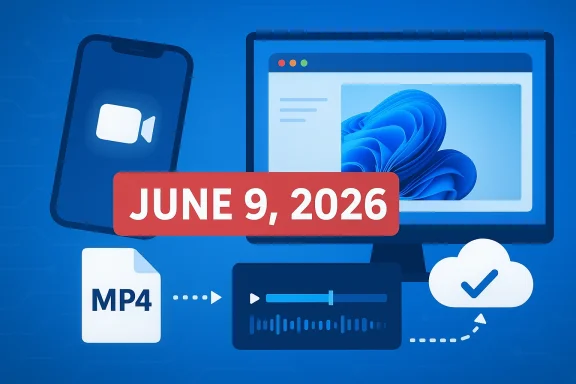
Microsoft’s decision to retire the Clipchamp iOS app is more than a routine mobile product cleanup. It is a clear signal that the company sees Clipchamp’s future in Windows 11 and the web, not in a stand-alone phone editor. The support document now spells out a hard cutoff: changes begin on June 9, 2026, and any projects not exported to a mobile device by then will be deleted. That makes this a practical deadline for users, not just a branding tweak. (support.microsoft.com)
Clipchamp has always occupied an unusual place in Microsoft’s product family. It began as an Australian startup focused on browser-based editing, then joined Microsoft in 2021 and was folded into the Microsoft 365 ecosystem as a lightweight creator tool for consumers, schools, and businesses. Microsoft’s own Clipchamp pages still describe the service as a desktop- and web-first editor, and they emphasize the Windows 11 app as a primary entry point.
That history matters because this retirement does not look like a retreat from video editing so much as a narrowing of the delivery surface. Microsoft says most users prefer editing on web and desktop applications, and that the company wants to focus engineering effort where it sees the most value. In other words, Clipchamp is not going away; the phone app is. (support.microsoft.com)
The timing, however, is what makes the move noteworthy. Microsoft only expanded and refreshed its iOS app in recent years, and the app still carries a strong consumer rating in the U.S. App Store, which makes the discontinuation feel counterintuitive at first glance. Yet the company’s documentation is explicit that Clipchamp Premium, web access, and Windows 11 support remain in place, while the iOS app is being shut down as a supported client.
There is also a broader strategic signal here. Microsoft is increasingly behaving like a company that wants its productivity and creative tools to converge around a handful of durable endpoints: Windows, browser, and cloud sync. The Clipchamp decision fits that playbook neatly, even if it disappoints users who assumed the mobile app would eventually become a full cross-platform product. That is the real story behind the retirement notice. (support.microsoft.com)
This is where the practical consequences begin to matter. Microsoft is not merely turning off a download page; it is warning that content stored locally in the app may be lost if users do not act. For anyone who has used the iPhone version as a scratchpad for travel clips, social media edits, or classroom projects, the retirement is a data-management event as much as a software event. That distinction is easy to miss, but it is critical. (support.microsoft.com)
The company also says the web and desktop apps will remain “fully functional” with no changes. That statement is important because it narrows the scope of the retirement. Microsoft is effectively drawing a line between supported creation environments and an unsupported mobile outpost. (support.microsoft.com)
There is also the question of product consistency. Microsoft tends to prefer environments it can control more tightly, and Clipchamp on Windows 11 slots naturally into the company’s broader desktop strategy. The web app can be updated centrally, while the Windows app reinforces the idea that a PC is the place to do serious editing. The iPhone app, by contrast, creates a parallel product path that risks fragmenting engineering focus. (support.microsoft.com)
The absence of Android is equally revealing. Microsoft has long positioned the iOS app as the only mobile version, and the retirement effectively confirms that an Android rollout is not part of the immediate roadmap. That does not necessarily mean Android will never happen, but it does mean the company is not treating mobile parity as a priority. For now, mobile means iPhone only, and soon that will mean iPhone no longer.
For casual users, the export step is probably enough. For paid subscribers, the decision is more structural: the iPhone app is no longer the centerpiece of the workflow, so the account now behaves like a desktop-first service with mobile access only through indirect means. That is a meaningful change in product identity. (support.microsoft.com)
This also strengthens Microsoft’s pitch to consumers who want a low-friction editor without paying for a full creative suite. The company has been positioning Clipchamp as an accessible, easy-to-use tool for social clips, presentations, and simple marketing assets. Windows is where that story is easiest to tell because the platform already serves as the default computer for a large base of consumers and small businesses. (microsoft.com)
From a product-planning standpoint, the retirement helps Microsoft avoid a common trap: scattering limited innovation across too many endpoints. If the company wants to add features such as smarter templates, AI-assisted creation, or smoother OneDrive integration, it is more efficient to build once for browser and desktop rather than maintain a separate mobile stack. Efficiency is not glamorous, but it often wins inside large software organizations. (support.microsoft.com)
Power users, by contrast, are likely to welcome the shift if it means fewer sync headaches and more focus on the desktop app. The Windows version already offers the familiar benefits of a larger screen, more precise controls, and easier file handling. That makes it better suited to longer-form edits and repeat use. (microsoft.com)
The tension is that Microsoft appears to be optimizing for the majority while leaving a minority with fewer options. That is not unusual in software, but it can still generate backlash, especially when the mobile app has a loyal audience and a good reputation. A well-liked product can still be a strategic casualty.
For business buyers, the retirement is unlikely to be a major procurement issue because the iOS app was never the flagship enterprise path. Microsoft’s documentation focuses on desktop, web, and work-or-education access models, while the mobile app remains limited to personal accounts. In that sense, the retirement simply formalizes what the product already was: a desktop and cloud service with a small personal-mobile annex.
That said, Microsoft 365 customers may still care about continuity. If a worker or teacher has used iOS Clipchamp for quick field edits or classroom clips, losing the app may disrupt a niche but real workflow. The company’s advice to use OneDrive is sensible, but it also shifts the burden onto users to have already built a cloud-centric habit. That is not always a fair assumption. (support.microsoft.com)
At the same time, Microsoft’s retreat may strengthen the perception that serious work belongs on Windows or in a browser. That could help Clipchamp retain users who were already in the Microsoft ecosystem, particularly if they value OneDrive, Microsoft accounts, or Windows 11 integration. In other words, the company may lose some mobile share while deepening loyalty among existing desktop users. (support.microsoft.com)
There is also a reputational angle. When Microsoft retires a mobile app but leaves the core desktop and web service intact, it reinforces a platform hierarchy that rivals can exploit. Apple and Google’s ecosystems are built around mobile ubiquity, while Microsoft is once again signaling that it prefers desktop-first convenience over phone-first completeness. That strategic difference matters. (support.microsoft.com)
But focus has costs. When a company drops a platform, it narrows the funnel for new users and can unintentionally signal that the product is less ambitious than it once was. For Clipchamp, that is particularly sensitive because the app was introduced as a modern, flexible editor and was meant to feel approachable across scenarios. Retiring iOS may make the roadmap cleaner, but it also reduces surface area.
That tradeoff is familiar across Microsoft’s portfolio. The company often prefers depth in a few places over broad parity everywhere, especially when cloud services and subscription economics are involved. Clipchamp’s iOS retirement is simply the latest instance of that philosophy. (support.microsoft.com)
There is also a question of whether Microsoft will use the simpler platform map to make Clipchamp more deeply integrated with Windows 11, Microsoft 365, and OneDrive. If the answer is yes, then the retirement could be remembered as the moment the product became more focused and more useful. If the answer is no, users may simply remember it as the day a beloved app disappeared from iPhone. (support.microsoft.com)
What to watch next:
Source: Windows Latest Microsoft retires Clipchamp’s iOS app, says Windows 11’s built-in video editor is here to stay
 Overview
Clipchamp has always occupied an unusual place in Microsoft’s product family. It began as an Australian startup focused on browser-based editing, then joined Microsoft in 2021 and was folded into the Microsoft 365 ecosystem as a lightweight creator tool for consumers, schools, and businesses. Microsoft’s own Clipchamp pages still describe the service as a desktop- and web-first editor, and they emphasize the Windows 11 app as a primary entry point.That history matters because this retirement does not look like a retreat from video editing so much as a narrowing of the delivery surface. Microsoft says most users prefer editing on web and desktop applications, and that the company wants to focus engineering effort where it sees the most value. In other words, Clipchamp is not going away; the phone app is. (support.microsoft.com)
The timing, however, is what makes the move noteworthy. Microsoft only expanded and refreshed its iOS app in recent years, and the app still carries a strong consumer rating in the U.S. App Store, which makes the discontinuation feel counterintuitive at first glance. Yet the company’s documentation is explicit that Clipchamp Premium, web access, and Windows 11 support remain in place, while the iOS app is being shut down as a supported client.
There is also a broader strategic signal here. Microsoft is increasingly behaving like a company that wants its productivity and creative tools to converge around a handful of durable endpoints: Windows, browser, and cloud sync. The Clipchamp decision fits that playbook neatly, even if it disappoints users who assumed the mobile app would eventually become a full cross-platform product. That is the real story behind the retirement notice. (support.microsoft.com)
What Microsoft Actually Announced
Microsoft’s support article leaves little room for interpretation. It says the company found that most users prefer web and desktop editing, and therefore it is focusing on those applications to deliver improvements and high-value features. The note also says the iOS app will no longer be supported after June 9, 2026, and that projects left only on mobile will be deleted. (support.microsoft.com)The key dates
The most important date is June 9, 2026, which is the date listed in Microsoft’s support article for the start of the iOS app changes. The same page instructs users to export projects to MP4 and remove the app from their devices once the cutoff arrives. Microsoft also says Clipchamp Premium subscribers keep their subscription features and can save projects in OneDrive, with up to 5 GB of cloud storage for video projects. (support.microsoft.com)This is where the practical consequences begin to matter. Microsoft is not merely turning off a download page; it is warning that content stored locally in the app may be lost if users do not act. For anyone who has used the iPhone version as a scratchpad for travel clips, social media edits, or classroom projects, the retirement is a data-management event as much as a software event. That distinction is easy to miss, but it is critical. (support.microsoft.com)
The company also says the web and desktop apps will remain “fully functional” with no changes. That statement is important because it narrows the scope of the retirement. Microsoft is effectively drawing a line between supported creation environments and an unsupported mobile outpost. (support.microsoft.com)
Why iOS, and Why Now?
Microsoft’s explanation is straightforward: web and desktop usage is stronger, so it wants to concentrate resources there. That is not a particularly dramatic rationale, but it is a believable one, especially for a product whose core workflows often involve larger files, longer timelines, and more precise editing than mobile screens handle comfortably. Video editing remains one of the most desktop-friendly creative tasks in consumer software. (support.microsoft.com)Desktop economics are hard to ignore
A mobile editor is expensive to maintain relative to its daily utility. It must track iOS changes, device fragmentation, authentication quirks, cloud sync behavior, and media import/export issues, all while supporting a smaller screen and a shorter editing session. If Microsoft sees most creation happening on Windows and in browsers, the return on mobile investment becomes less compelling. That is especially true when the same company can steer users toward a single web-based product instead. (support.microsoft.com)There is also the question of product consistency. Microsoft tends to prefer environments it can control more tightly, and Clipchamp on Windows 11 slots naturally into the company’s broader desktop strategy. The web app can be updated centrally, while the Windows app reinforces the idea that a PC is the place to do serious editing. The iPhone app, by contrast, creates a parallel product path that risks fragmenting engineering focus. (support.microsoft.com)
The absence of Android is equally revealing. Microsoft has long positioned the iOS app as the only mobile version, and the retirement effectively confirms that an Android rollout is not part of the immediate roadmap. That does not necessarily mean Android will never happen, but it does mean the company is not treating mobile parity as a priority. For now, mobile means iPhone only, and soon that will mean iPhone no longer.
What Users Need to Do
The most immediate issue is preservation. Microsoft says users should export video projects to MP4 and save them on the mobile device before the app changes take effect. It also says users should move to the Clipchamp web app on desktop for new projects. Those instructions are the safest path for consumers who do not want to lose timelines, assets, or final exports. (support.microsoft.com)Practical migration checklist
For anyone still working in the iOS app, the migration process should be treated as urgent rather than optional. The app may continue to launch for a while after the deprecation date, but Microsoft says it will stop connecting and will no longer be supported. That means users should assume the app’s usefulness is temporary even if it remains installed. (support.microsoft.com)- Export every active project to MP4 before the deadline.
- Save copies locally on the iPhone or iPad, not just in the app.
- Move finished work to OneDrive if you use a Microsoft 365 or Premium setup.
- Open future projects in Clipchamp on Windows or the web.
- Uninstall the iOS app once your content is safe.
For casual users, the export step is probably enough. For paid subscribers, the decision is more structural: the iPhone app is no longer the centerpiece of the workflow, so the account now behaves like a desktop-first service with mobile access only through indirect means. That is a meaningful change in product identity. (support.microsoft.com)
Windows 11 Remains the Center of Gravity
Microsoft’s messaging goes out of its way to reassure users that Clipchamp on Windows 11 is staying put. The company says the web and desktop applications remain fully functional, and the Clipchamp marketing pages still promote Windows desktop access as a core experience. The retirement of iOS, then, looks less like contraction and more like reallocation. (support.microsoft.com)Why Windows 11 matters here
Windows 11 is the natural home for a built-in video editor because it gives Microsoft more control over discovery, integration, and monetization. Clipchamp can sit inside the operating system’s creative workflow alongside Photos, Media Player, OneDrive, and Microsoft 365. That makes the editor feel native rather than bolted on. (microsoft.com)This also strengthens Microsoft’s pitch to consumers who want a low-friction editor without paying for a full creative suite. The company has been positioning Clipchamp as an accessible, easy-to-use tool for social clips, presentations, and simple marketing assets. Windows is where that story is easiest to tell because the platform already serves as the default computer for a large base of consumers and small businesses. (microsoft.com)
From a product-planning standpoint, the retirement helps Microsoft avoid a common trap: scattering limited innovation across too many endpoints. If the company wants to add features such as smarter templates, AI-assisted creation, or smoother OneDrive integration, it is more efficient to build once for browser and desktop rather than maintain a separate mobile stack. Efficiency is not glamorous, but it often wins inside large software organizations. (support.microsoft.com)
The Consumer Angle
For consumers, this retirement will feel uneven. People who mainly used Clipchamp to stitch together short videos on a phone will see the change as a loss of convenience. People who already used Clipchamp as a browser-first editor will barely notice. The product is therefore becoming more differentiated by workflow than by brand alone. (support.microsoft.com)Casual creators versus power users
Casual creators often start on mobile because that is where the footage lives. They shoot video on a phone, trim it on a phone, and post it from a phone. For them, a desktop-only recommendation is not automatically better, even if it is technically more capable. Microsoft’s move assumes that editing is a task people are willing to postpone until they reach a PC. (support.microsoft.com)Power users, by contrast, are likely to welcome the shift if it means fewer sync headaches and more focus on the desktop app. The Windows version already offers the familiar benefits of a larger screen, more precise controls, and easier file handling. That makes it better suited to longer-form edits and repeat use. (microsoft.com)
The tension is that Microsoft appears to be optimizing for the majority while leaving a minority with fewer options. That is not unusual in software, but it can still generate backlash, especially when the mobile app has a loyal audience and a good reputation. A well-liked product can still be a strategic casualty.
The Microsoft 365 and Premium Dimension
Clipchamp is not just a consumer app anymore; it is also a subscription feature inside Microsoft 365. That means the retirement affects not only hobbyists but also paying users who may have integrated Clipchamp into their everyday productivity routines. Microsoft says Premium subscribers retain their benefits and can save projects to OneDrive, but the mobile app itself is still being removed. (support.microsoft.com)What subscription users should understand
This is a reminder that subscription value does not always equal platform parity. A feature can be included in Microsoft 365 without being equally available everywhere, and the company’s own product pages make clear that availability varies by platform. Clipchamp remains part of the suite, but only within the endpoints Microsoft wants to support. (microsoft.com)For business buyers, the retirement is unlikely to be a major procurement issue because the iOS app was never the flagship enterprise path. Microsoft’s documentation focuses on desktop, web, and work-or-education access models, while the mobile app remains limited to personal accounts. In that sense, the retirement simply formalizes what the product already was: a desktop and cloud service with a small personal-mobile annex.
That said, Microsoft 365 customers may still care about continuity. If a worker or teacher has used iOS Clipchamp for quick field edits or classroom clips, losing the app may disrupt a niche but real workflow. The company’s advice to use OneDrive is sensible, but it also shifts the burden onto users to have already built a cloud-centric habit. That is not always a fair assumption. (support.microsoft.com)
Competitive Implications
Microsoft is not making this move in a vacuum. The mobile video-editing space is crowded with apps that are faster, more social, and more deeply tuned to phone-first creation. By stepping away from iOS, Microsoft is implicitly conceding that it does not need to compete on the same terms as those apps. Instead, it is competing on integration and familiarity. (support.microsoft.com)Where rivals gain ground
Competitors that live entirely on mobile can position themselves as the obvious choice for on-the-go editing. They can focus on drag-and-drop templates, social formats, and quick sharing without also maintaining a Windows desktop identity. That creates an opening for apps that are more specialized and more nimble than Clipchamp’s broader Microsoft 365 role.At the same time, Microsoft’s retreat may strengthen the perception that serious work belongs on Windows or in a browser. That could help Clipchamp retain users who were already in the Microsoft ecosystem, particularly if they value OneDrive, Microsoft accounts, or Windows 11 integration. In other words, the company may lose some mobile share while deepening loyalty among existing desktop users. (support.microsoft.com)
There is also a reputational angle. When Microsoft retires a mobile app but leaves the core desktop and web service intact, it reinforces a platform hierarchy that rivals can exploit. Apple and Google’s ecosystems are built around mobile ubiquity, while Microsoft is once again signaling that it prefers desktop-first convenience over phone-first completeness. That strategic difference matters. (support.microsoft.com)
The Product Strategy Behind the Move
The broader lesson is that Microsoft appears to be pruning product surfaces that do not pay for themselves. Clipchamp iOS may have been attractive from a branding perspective, but it may not have delivered enough strategic leverage compared with the desktop and browser experiences. This is the sort of decision large platform companies make when they decide focus is more valuable than breadth. (support.microsoft.com)Focus beats diffusion
A focused product strategy can be healthy when it improves quality and speeds up innovation. Microsoft says it wants to deliver more high-value features and improvements where users are most active, and that logic is hard to argue with in a product category as technically demanding as video editing. Better one polished path than three mediocre ones. (support.microsoft.com)But focus has costs. When a company drops a platform, it narrows the funnel for new users and can unintentionally signal that the product is less ambitious than it once was. For Clipchamp, that is particularly sensitive because the app was introduced as a modern, flexible editor and was meant to feel approachable across scenarios. Retiring iOS may make the roadmap cleaner, but it also reduces surface area.
That tradeoff is familiar across Microsoft’s portfolio. The company often prefers depth in a few places over broad parity everywhere, especially when cloud services and subscription economics are involved. Clipchamp’s iOS retirement is simply the latest instance of that philosophy. (support.microsoft.com)
Strengths and Opportunities
Microsoft’s move does have real upside, especially if the company uses the simplified product lineup to improve quality and reduce friction. The decision may help Clipchamp become more reliable, more coherent, and easier to support over the long term.- Sharper engineering focus on web and Windows 11.
- Better feature parity across the desktop and browser experiences.
- Less fragmentation across mobile and desktop workflows.
- Stronger OneDrive integration for cross-device project access.
- Clearer product positioning as a Windows and cloud editor.
- Potentially faster innovation in templates, AI features, and export tools.
- Lower support overhead from retiring a niche mobile client.
Risks and Concerns
The downside is equally clear: users can lose projects, workflows, and trust when a product suddenly stops supporting a device they rely on. Microsoft’s own notice makes the preservation risk explicit, which is good, but it also underscores how disruptive this kind of decision can be.- Project loss if users miss the export deadline.
- Workflow disruption for phone-first creators.
- Perceived retreat from mobile innovation.
- Confusion over dates if users read different regional notices.
- Subscription frustration for Premium users expecting continuity.
- Brand damage if the app feels abandoned rather than evolved.
- Migration friction for users who lack a good desktop alternative.
Looking Ahead
The next several months will tell us whether this is a tidy consolidation or an early sign of deeper Clipchamp narrowing. Microsoft says the web and desktop apps are staying fully functional, and if that promise holds, users may see faster improvements there as the company reallocates attention away from iOS. The real test will be whether those improvements feel meaningful enough to justify the mobile sacrifice. (support.microsoft.com)There is also a question of whether Microsoft will use the simpler platform map to make Clipchamp more deeply integrated with Windows 11, Microsoft 365, and OneDrive. If the answer is yes, then the retirement could be remembered as the moment the product became more focused and more useful. If the answer is no, users may simply remember it as the day a beloved app disappeared from iPhone. (support.microsoft.com)
What to watch next:
- Whether Microsoft adds any new export or migration helpers before June 9, 2026.
- Whether Windows 11 receives new Clipchamp features tied to the retirement.
- Whether the web app gains more mobile-friendly workflows.
- Whether Microsoft clarifies how long the iOS app can technically remain installed.
- Whether user feedback forces any adjustment to the migration guidance.
Source: Windows Latest Microsoft retires Clipchamp’s iOS app, says Windows 11’s built-in video editor is here to stay
