

Overview
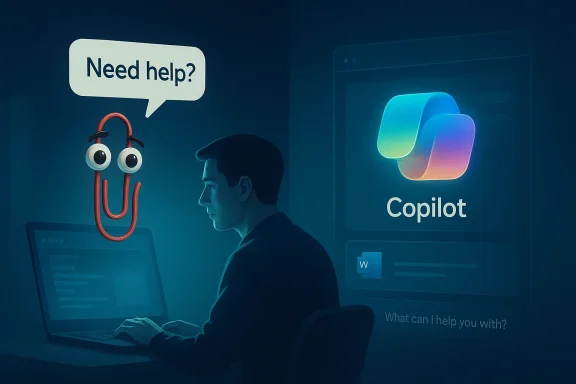
Clippy, better known formally as Clippit, was Microsoft’s most famous attempt to humanize productivity software. Introduced with Office 97, it appeared as an animated paperclip that popped up with unsolicited suggestions, often before users had even asked for help. That approach made sense inside the design philosophy of the time, which was trying to make complex software feel friendlier and less intimidating. In practice, though, the assistant became a symbol of interruption, not support. Microsoft later disabled it by default in Office on April 11, 2001, and the character gradually vanished from the product line entirely.
The retirement mattered because it did not just end a mascot. It marked a broader lesson about how people react when software tries too hard to anticipate their needs. Clippy became the shorthand for bad proactive help, the kind that ignores context, interrupts flow, and confuses novelty with usefulness. That reputation stuck so hard that the paperclip earned a permanent place in internet memory, office jokes, and even lists of infamous technology misfires. Yet time has a way of sanding off the edges of old annoyances, and today Clippy is also remembered with a kind of affectionate irony.
Microsoft has leaned into that nostalgia more than once. In 2021, the company played up Clippy as a paperclip emoji joke, and independent projects have since resurrected the character as a retro AI interface. Those revivals are telling: Clippy is no longer just a cautionary tale. It is also a cultural asset, a meme, and a design reference point for a new generation of assistants that try to sound helpful while hiding much of their complexity behind cleaner interfaces.
The irony is that the company that once stepped away from the paperclip is now everywhere with Copilot. Microsoft has rolled Copilot into Windows, Microsoft 365, Edge, mobile apps, and newer hardware categories, while also describing a future where it can search, change settings, organize files, and collaborate across apps. That is a much more ambitious vision than Clippy ever had, and it also raises the same old question in a louder form: how much assistant is too much?
Why Clippy Became a Symbol
Clippy’s original appeal was straightforward enough. Microsoft wanted a character that could translate software help into a more approachable, conversational form. The Office Assistant framework even offered alternatives such as a dog, a magician, and other personalities, but the paperclip became the default face of the feature. That choice gave the product a recognizable identity, but it also created a target when the system’s suggestions were too frequent or too generic.
What made Clippy memorable was not that it failed completely. It was that it failed in a very specific, very visible way. Users encountered it at moments of focus, when they were already trying to write, format, or finish a task. Instead of reducing friction, the assistant often added another layer of cognitive load. That is why the paperclip became a punchline: it embodied the feeling of being interrupted by software that misunderstood the situation.
The lesson Microsoft learned
Microsoft’s eventual decision to disable the assistant by default was effectively an admission that discoverability is not the same as value. A feature can be memorable and still be unwanted. A character can be friendly and still feel invasive. The company’s later product strategy suggests it absorbed that lesson, at least partly, by moving from visible mascots toward quieter, text-first assistants.
- Friendliness is not enough if the assistant appears at the wrong time.
- Proactive suggestions only work when the context is precise.
- Visible characters become emotional symbols, for better or worse.
- Default settings matter more than marketing language.
- Helpfulness must feel earned, not imposed.
From Office Assistant to AI Companion
The road from Clippy to Copilot is longer than the branding suggests. In the late 1990s, Microsoft was trying to make Office feel less daunting by adding personality to help content. In the 2020s, it is trying to make AI feel less abstract by embedding it into the operating system and everyday productivity tools. The common thread is not the character itself but the belief that software becomes more usable when it can act like a guide rather than a static tool.
The difference is that Copilot is built on a far more capable technical base. Microsoft’s 2025 announcements describe features such as Copilot Vision, voice interaction, screen-aware assistance, and the ability to move across apps and files. The company also says Copilot can help users search, change settings, and organize content, which pushes it much closer to an operating layer than an optional helper. That makes the ambition larger, but also the consequences bigger if the experience feels pushy or inaccurate.
What changed technologically
The shift from scripted guidance to generative AI is fundamental. Clippy mostly surfaced fixed heuristics: if the system thought you were writing a letter, it suggested letter help. Copilot, by contrast, can react to broader context, summarize information, and maintain conversational state. In theory, that makes it more useful; in practice, it also makes expectations much higher.
- Clippy was a heuristics-driven interface.
- Copilot is a generative, context-aware assistant.
- Office help was narrow and task-specific.
- AI assistance is broad and conversational.
- User tolerance is lower today because expectations are higher.
The Modern Copilot Sprawl
One of the most striking aspects of Microsoft’s current strategy is sheer volume. Copilot is no longer a single assistant sitting in one place; it is a brand, a feature family, and a distribution layer spread across products and services. Recent reporting has counted at least 80 Copilot instances and likely more than 100, which tells you everything about how aggressively Microsoft has attached the name to its ecosystem. That breadth is part marketing, part platform strategy, and part insistence that AI should become as ordinary as File or Edit once was.
This is where the Clippy comparison gets uncomfortable. Clippy was annoying because it was too present in one app. Copilot risks becoming annoying because it is present everywhere. Even if each instance is individually useful, the cumulative effect can feel like saturation, especially when the same brand appears repeatedly across Windows, browser surfaces, Office apps, consumer services, and enterprise tools.
Brand consistency or clutter?
There is a strategic upside to ubiquity. Microsoft benefits when users recognize a common AI layer across products, and enterprises benefit when governance and identity features carry across the stack. But consistency has a cost if the product experience becomes repetitive or redundant. Too much Copilot can feel less like integration and more like a marketing overlay.
- One brand can simplify market messaging.
- Many touchpoints can normalize AI usage.
- Too much repetition can erode trust.
- Enterprise buyers care about control and consistency.
- Consumers care more about clarity and convenience.
Windows, Performance, and the New Assistant Debate
Microsoft’s latest Windows messaging suggests the company is trying to balance enthusiasm for AI with concern about operating system weight. Recent updates emphasize performance, reliability, and lower memory usage, while also hinting at fewer Copilot interactions in some Windows experiences. That matters because Windows users have long been sensitive to anything that feels like bloat, especially when the feature in question appears to consume resources without being directly requested.
There is a historical irony here. Clippy was hated partly because it interrupted work, but it was also lightweight in the sense that it mostly irritated attention rather than hardware. Modern Copilot integrations are more capable, but they also live in a software environment where users scrutinize RAM use, background activity, and interface clutter. A product can be technically better and still feel heavier in day-to-day use.
Why Windows users are skeptical
Windows audiences tend to be pragmatic. They will try AI, but they also notice when it slows them down, duplicates something they already know how to do, or occupies screen real estate they did not ask for. That makes assistant design especially delicate on the desktop, where productivity is the primary expectation. Microsoft appears to know this, which is why its recent language has leaned toward performance tuning and selective exposure rather than unconditional presence.
- Performance claims matter more on Windows than on mobile.
- Memory usage is a visible proxy for trust.
- Desktop users prefer control over novelty.
- Optionality can reduce backlash.
- Contextual surfacing is better than permanent presence.
Enterprise Versus Consumer Impact
Copilot’s impact is not the same across Microsoft’s customer base. For consumers, the appeal is convenience: help with writing, web research, image-related tasks, and day-to-day organization. For enterprises, the promise is productivity at scale, with AI features embedded into the same apps employees already use. Those are related use cases, but they have different tolerance levels, different compliance questions, and different definitions of success.
Enterprise buyers are likely to care less about the personality of the assistant and more about whether it fits governance, security, and workflow requirements. Consumers, by contrast, are more likely to judge Copilot by tone, usefulness, and whether it feels intrusive. That split explains why Microsoft keeps broadening the umbrella while also differentiating which features land where, especially around personal versus work accounts.
Different customers, different expectations
The enterprise story is about standardization and productivity lift. The consumer story is about companionship, convenience, and the occasional wow moment. If Microsoft confuses those two stories, it risks building something that satisfies neither audience completely. That has always been the danger of assistant software: it promises universality but is judged in very specific contexts.
- Enterprise wants control, auditability, and clear value.
- Consumers want ease, personality, and speed.
- Security teams need predictable behavior.
- Home users want less friction, not more setup.
- Pricing will affect adoption differently in each segment.
Nostalgia as Product Strategy
Microsoft has clearly recognized that Clippy’s afterlife is more useful as an emotional symbol than as a feature blueprint. The company’s playful resurfacing of the character in emoji and social media contexts shows how an old annoyance can be transformed into a brand asset once enough time has passed. Nostalgia works here because it softens the original criticism while preserving the character’s identity.
That said, nostalgia is a tricky tool. It can buy goodwill, but it cannot solve product problems. If users encounter Copilot as a noisy layer rather than a genuinely useful assistant, Clippy memes will stop being charming and start being accusatory. Microsoft therefore has to balance irony with seriousness: the company can reference the past, but it cannot repeat it.
Why retro branding works
There is a simple reason Clippy resonates in 2026: people now remember the era more than the irritation. The world of Office 97 and early Windows help systems feels quaint compared with today’s AI debates, and that makes the paperclip seem almost innocent. But the underlying design problem has not disappeared; it has simply moved to a much more advanced stage.
- Nostalgia softens criticism without erasing it.
- Irony makes old mascots reusable in modern marketing.
- Shared memory creates instant recognition.
- Retro references work best when paired with real utility.
- Winking at the past cannot substitute for better UX.
The Competitive Landscape
Clippy’s retirement also makes a useful lens for understanding the competitive AI assistant market. Microsoft is not alone in trying to place an AI layer inside everyday software, but it is unusually aggressive about making that layer feel native to the operating system. That puts pressure on competitors to match not just capabilities, but distribution. In this sense, Copilot is as much a platform play as it is a feature set.
The risk for Microsoft is that ubiquity invites comparison. If every app has a Copilot button or prompt, then any weak answer or clumsy interaction becomes a brand-wide problem. Competitors may not have the same reach, but they can be more selective, which often makes their assistants feel cleaner and less invasive. In product categories like this, restraint can be a competitive advantage.
Distribution matters as much as features
Microsoft’s advantage is obvious: it owns the desktop, a major productivity suite, and a growing catalog of AI-capable surfaces. But the same reach can become a liability if users perceive Copilot as unavoidable. Winning this market may depend less on making the assistant omnipresent and more on making it welcome at the right moments.
- Platform control gives Microsoft a head start.
- Selective deployment can reduce annoyance.
- Feature parity is not the same as user delight.
- Brand fatigue is a real risk in crowded AI markets.
- Ease of dismissal may matter as much as activation.
Strengths and Opportunities
Microsoft’s Copilot push has real strengths, and the Clippy anniversary highlights how much more sophisticated the company’s current position is than its late-1990s ancestor. The biggest opportunity is that Copilot can now sit across a broad set of workflows, turning AI from a novelty into an ambient utility. If Microsoft gets the balance right, it could make assistant software feel normal in a way Clippy never did.
The company also has an opportunity to learn from its own history in public. By treating Clippy as a cautionary tale rather than a punchline, Microsoft can signal that it understands the difference between visibility and value. That gives the brand a narrative arc that rivals can’t easily copy.
- Wide integration across apps and devices.
- Stronger AI capabilities than legacy assistants ever had.
- Potential productivity gains for work and personal tasks.
- Better contextual awareness through modern models.
- A built-in cautionary history that can guide product design.
- Brand familiarity that lowers adoption friction.
- Enterprise reach through Microsoft 365 and Windows.
Risks and Concerns
The biggest risk is obvious: Copilot could repeat Clippy’s most damaging trait, which was not bad technology but bad timing. Even a smart assistant becomes unpopular if it intrudes too often, surfaces too randomly, or feels impossible to escape. Microsoft’s challenge is to make AI feel empowering instead of obligatory.
There is also a trust problem. Generative systems can be persuasive even when they are wrong, and an assistant that spreads across Windows and Office raises the stakes of mistakes. If users begin to feel that Copilot is everywhere but not reliably excellent, the brand may inherit a new kind of Clippy problem: not annoyance alone, but skepticism.
- Too much surface area can turn helpful AI into clutter.
- Resource concerns may undermine Windows acceptance.
- Inaccurate answers can damage enterprise trust.
- Feature sprawl can confuse customers.
- Privacy and governance questions may slow adoption.
- Brand fatigue could set in if every app feels the same.
- Nostalgia backfires if it becomes a substitute for quality.
Looking Ahead
Microsoft’s next challenge is not whether Copilot exists everywhere, but whether it earns a permanent place everywhere. The company has already shown that it can ship the brand at scale; the harder task is proving that the experience remains coherent, useful, and light enough not to annoy users. That is especially important on Windows, where people notice friction quickly and forgive it slowly.
The Clippy anniversary is a useful reminder that software memories are long. A product that frustrates people can become iconic for the wrong reasons, and that icon can shadow a company for decades. Microsoft has the chance to do better this time, but only if it treats restraint as a feature, not an omission.
- Watch for fewer intrusive Copilot prompts in future Windows updates.
- Monitor whether Microsoft trims redundant Copilot surfaces across apps.
- Track memory and performance claims as AI is further embedded in Windows.
- Observe enterprise adoption patterns as governance features mature.
- See whether users embrace or resist the assistant’s growing ubiquity.
- Look for clearer product differentiation between consumer and work experiences.
Microsoft does not need Clippy to disappear from memory; in fact, the comparison may help it stay honest. But if Copilot is going to avoid becoming the next paperclip-era cautionary tale, it will need to prove that being helpful is more important than being everywhere. The difference between a beloved assistant and an infamous one is often just a matter of timing, restraint, and whether the user feels in control.