

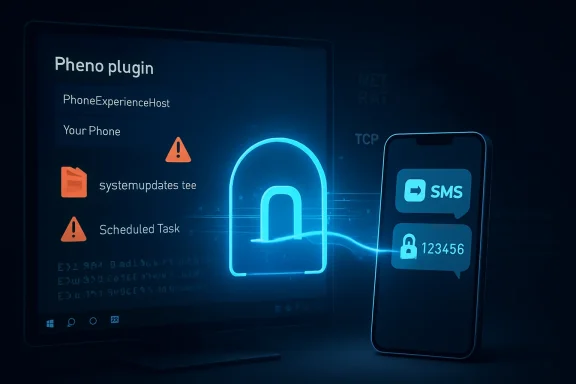
Cisco Talos reported on May 5, 2026, that an intrusion active since at least January deployed the CloudZ remote access trojan and a previously undocumented Pheno plugin on Windows PCs to abuse Microsoft Phone Link and potentially steal credentials, SMS messages, and one-time passwords. The important detail is not that attackers found another way to steal SMS codes; it is that they targeted a trusted convenience bridge already sitting inside Windows. Phone Link was designed to collapse the boundary between phone and PC, and CloudZ shows how quickly that boundary becomes an attack surface. The lesson for Windows users and enterprise IT is blunt: cross-device convenience now needs to be governed like identity infrastructure, not treated like a harmless productivity perk.
The CloudZ campaign is not a story about a spectacular zero-day or a phone fully compromised by spyware. It is more uncomfortable than that. The attacker reportedly implanted malware on the Windows endpoint, then looked for value in the artifacts created by a legitimate Microsoft feature that many users enable precisely because it feels safe.
Microsoft Phone Link, formerly Your Phone, lets Windows 10 and Windows 11 users view notifications, SMS messages, call activity, photos, and other phone-related content from the desktop. That makes sense in the modern workday. If the PC is the main cockpit, the phone becomes another peripheral.
But identity systems have spent the last decade telling users that their phone is a second factor, a device separate enough from the compromised laptop to matter. CloudZ and Pheno attack the soft spot in that assumption. If the one-time password is mirrored onto the same Windows machine where the attacker already has execution, the phone’s separateness becomes partly theatrical.
This does not mean Phone Link is malware, nor does it mean every Phone Link deployment is unsafe. It means the security model around mirrored mobile content is now behind the way attackers think. They do not need to break the phone if the PC helpfully stores or displays the phone’s most valuable messages.
The initial Rust-compiled dropper reportedly appeared under names such as systemupdates.exe or Windows-interactive-update.exe. It dropped or fetched an intermediate .NET loader disguised as a text file under ProgramData, then used a scheduled task named SystemWindowsApis to run the loader at startup through the .NET Assembly Registration Utility. This is the language of modern Windows intrusion: blend into admin tooling, borrow trusted binaries, and make persistence look boring.
The loader then performed the usual checks that separate commodity malware from throwaway scripts. It looked for analysis tools, debuggers, monitoring utilities, virtualized environments, sandbox-like names, and insufficient hardware. These checks are not proof of genius. They are proof that anti-analysis behavior has become standard packaging for malware that wants to survive long enough to collect something useful.
CloudZ itself was described as a modular .NET RAT, obfuscated with ConfuserEx and compiled in mid-January. Once loaded, it decrypted configuration data in memory, fetched secondary configuration from attacker-controlled staging locations, and connected to a command-and-control server over TCP. Its command set included shell execution, file management, credential theft from browser data, plugin handling, recovery logic, and screen recording.
That modularity is the operational clue. CloudZ is not merely a credential stealer with a funny new trick. It is a platform into which Pheno can be plugged when the attacker wants to inspect Phone Link activity. The modular RAT is the workshop; Pheno is the specialized tool pulled from the drawer when the victim’s environment makes SMS and notification theft worth trying.
When it finds those signals, Pheno writes process IDs and file paths to staging files. It also searches output for the word “proxy,” apparently using that as a clue that the local relay between PC and phone is active. If the conditions look promising, it writes the phrase “Maybe connected,” a small artifact that captures a larger strategic shift: malware is now asking whether the victim’s PC is also a window into the victim’s phone.
The attack chain described by Talos points toward potential access to Phone Link’s local SQLite database, where synchronized data such as SMS messages, call logs, and notification history may reside. That is the hinge of the story. The attacker’s target is not only the user’s browser profile or Windows credentials; it is the shadow copy of phone activity made available to Windows for convenience.
This is not a theoretical risk invented by paranoid administrators. Microsoft’s own support material has warned that when messages permission is granted, sensitive data such as two-factor authentication SMS can be visible in Phone Link. The platform is doing what users asked it to do. The attacker is exploiting the fact that what users asked it to do now intersects with authentication.
CloudZ adds a Windows endpoint angle to that familiar critique. If a user receives a bank code, VPN code, Microsoft 365 sign-in prompt, or recovery message via SMS, and that SMS is mirrored to a compromised PC, the attacker may not need to touch the phone network at all. The PC becomes the interception point.
The same logic may apply to notification-based codes from authenticator apps, depending on how the phone and Phone Link handle those notifications. Some mobile platforms increasingly hide sensitive notification content, and Microsoft’s support materials acknowledge that sensitive notifications may be masked. But “may be hidden” is not a control strategy; it is a dependency on device policy, app behavior, OS version, user settings, and the exact notification path.
For defenders, this distinction matters. A company can tell itself it has moved beyond passwords because it requires one-time codes, but if those codes appear inside the same compromised user session as the stolen browser credentials, the practical separation collapses. The factor still exists, but the attacker has changed the geometry.
The issue is that consumer-grade continuity features have moved into business environments faster than governance has caught up. Phone Link, clipboard sync, cloud clipboard, browser profile sync, password managers, notification mirroring, file drop features, and cross-device handoff all exist to make work feel seamless. Seamlessness, by design, hides boundaries.
Attackers love hidden boundaries because users forget they are there and administrators often fail to model them. A synced SMS is no longer just a message on a phone. It is a database row, a notification payload, a desktop toast, a searchable artifact, and possibly a credential-adjacent object on a compromised endpoint.
That does not make Microsoft reckless for building Phone Link. Apple, Google, Samsung, KDE, and countless third-party tools have all pursued similar continuity dreams. The market wants devices to feel like one fabric. Security teams, however, must now ask what happens when that fabric carries authentication secrets.
In many small and midsize environments, Windows endpoints are still the center of identity. Browsers store sessions, password managers autofill credentials, remote support tools open doors for technicians, and SMS codes remain the fallback for account recovery. Add Phone Link, and the PC becomes a richer target without looking dramatically different in inventory.
In larger enterprises, the risk often clusters around exceptions. Executives may pair personal phones. Developers may receive Git or cloud console codes by SMS. Help desk users may authenticate into multiple systems. Contractors may use unmanaged mobile devices with managed Windows laptops. The average policy may look strong while the most valuable edge cases remain soft.
The troubling part is that Phone Link usage may not be well understood. Administrators can inventory installed applications, but the risk depends on pairing state, message permissions, notification permissions, phone platform, user habits, and whether sensitive content is visible. In other words, the dangerous configuration is behavioral as much as technical.
The question is not whether these binaries should exist, but whether their use makes sense in context. A scheduled task under a Microsoft-looking path that runs regasm.exe against a text file in ProgramData should draw scrutiny. A fake update process dropping a .NET loader into a misspelled or imitation Microsoft directory should draw scrutiny. A workstation downloading executables from suspicious staging services should draw scrutiny.
That is easier to write than to operationalize. Windows estates are noisy, and attackers rely on that noise. They choose paths and filenames that are close enough to normal to survive a tired glance but odd enough to avoid direct collisions with legitimate components.
This is where the CloudZ campaign becomes a useful case study rather than just another IOC dump. The specific domains, hashes, and command-and-control infrastructure will age quickly. The behavioral pattern will not. Fake update, loader, scheduled task, LOLBin execution, anti-analysis checks, modular RAT, plugin deployment, local artifact reconnaissance: that is a reusable intrusion grammar.
That means logging and policy should account for cross-device sync features. If Phone Link is permitted, organizations should know where it is allowed, who uses it, and what mobile permissions are granted. If it is not needed, it should be disabled through policy rather than ignored. If it is allowed for productivity, then authentication methods should be chosen under the assumption that SMS content may appear on the endpoint.
Endpoint detection should also treat Phone Link artifacts as sensitive context. A process that enumerates PhoneExperienceHost, searches Phone Link data paths, or reads local SQLite stores associated with synced phone content deserves attention. This is especially true when paired with browser credential access or suspicious network connections.
The more subtle challenge is response. If a machine infected by CloudZ had Phone Link active, responders should not limit scoping to Windows credentials. They should ask what phone data may have been mirrored, whether SMS-based recovery codes were received during the dwell time, whether authenticator notifications exposed codes or approval context, and whether any accounts used SMS as a fallback.
That distinction is important because users often treat the phone as more private and more secure than the PC. They may accept SMS codes as a second factor because the code arrives on a separate device in their pocket. Phone Link changes the user experience by making the separate device feel present on the desktop.
Microsoft could address part of this with clearer enterprise controls, stronger defaults around sensitive notification masking, better admin visibility into pairing state, and more obvious warnings when SMS and notification content are mirrored. Some of this depends on mobile OS behavior, not just Windows. Still, Windows is where the mirrored data becomes attractive to malware like CloudZ.
There is also a product tension here. The more Microsoft makes Phone Link useful, the more sensitive data it may handle. The more aggressively Microsoft hides sensitive content, the less seamless the feature feels. Security, in this case, is not a patch so much as a product philosophy.
Phishing-resistant MFA remains the direction of travel. Passkeys, FIDO2 security keys, platform authenticators with device binding, certificate-based authentication, and conditional access policies are not perfect, but they reduce dependence on codes that can be copied, mirrored, phished, or replayed. The CloudZ campaign is another argument for accelerating that migration.
The difficult part is that SMS often survives as a fallback. Organizations proudly deploy stronger MFA while leaving text messages available for recovery because users lose phones, change devices, travel, or resist hardware tokens. Attackers understand fallback paths. They do not need to defeat the strongest door if the side entrance still accepts a six-digit code.
For WindowsForum readers, the practical advice is to audit the boring defaults. Look at where SMS is still enabled. Look at who uses Phone Link. Look at whether endpoint protection can see suspicious access to Phone Link data. Look at whether remote support tooling and fake update paths are being abused. The glamorous security architecture matters less if the desktop is still allowed to collect the keys to everything.
But it is also not just another RAT. The Pheno plugin shows attacker interest in a category of local data that many organizations have not put into their threat models. It reframes Phone Link from “user convenience” into “identity-adjacent sync surface.”
The most concrete lessons are straightforward:
Source: Cisco Talos Blog CloudZ RAT potentially steals OTP messages using Pheno plugin
 CloudZ Turns a Windows Feature Into an Identity Shortcut
The CloudZ campaign is not a story about a spectacular zero-day or a phone fully compromised by spyware. It is more uncomfortable than that. The attacker reportedly implanted malware on the Windows endpoint, then looked for value in the artifacts created by a legitimate Microsoft feature that many users enable precisely because it feels safe.Microsoft Phone Link, formerly Your Phone, lets Windows 10 and Windows 11 users view notifications, SMS messages, call activity, photos, and other phone-related content from the desktop. That makes sense in the modern workday. If the PC is the main cockpit, the phone becomes another peripheral.
But identity systems have spent the last decade telling users that their phone is a second factor, a device separate enough from the compromised laptop to matter. CloudZ and Pheno attack the soft spot in that assumption. If the one-time password is mirrored onto the same Windows machine where the attacker already has execution, the phone’s separateness becomes partly theatrical.
This does not mean Phone Link is malware, nor does it mean every Phone Link deployment is unsafe. It means the security model around mirrored mobile content is now behind the way attackers think. They do not need to break the phone if the PC helpfully stores or displays the phone’s most valuable messages.
The Malware Chain Is Ordinary, Which Is Exactly the Problem
Talos described an intrusion that began with an unknown initial access vector and led to execution of a fake ScreenConnect application update. That detail matters because it places the campaign in a familiar administrative neighborhood. Remote support tools, fake updates, scheduled tasks, PowerShell, curl, bitsadmin, regasm.exe — these are not exotic words to a Windows defender.The initial Rust-compiled dropper reportedly appeared under names such as systemupdates.exe or Windows-interactive-update.exe. It dropped or fetched an intermediate .NET loader disguised as a text file under ProgramData, then used a scheduled task named SystemWindowsApis to run the loader at startup through the .NET Assembly Registration Utility. This is the language of modern Windows intrusion: blend into admin tooling, borrow trusted binaries, and make persistence look boring.
The loader then performed the usual checks that separate commodity malware from throwaway scripts. It looked for analysis tools, debuggers, monitoring utilities, virtualized environments, sandbox-like names, and insufficient hardware. These checks are not proof of genius. They are proof that anti-analysis behavior has become standard packaging for malware that wants to survive long enough to collect something useful.
CloudZ itself was described as a modular .NET RAT, obfuscated with ConfuserEx and compiled in mid-January. Once loaded, it decrypted configuration data in memory, fetched secondary configuration from attacker-controlled staging locations, and connected to a command-and-control server over TCP. Its command set included shell execution, file management, credential theft from browser data, plugin handling, recovery logic, and screen recording.
That modularity is the operational clue. CloudZ is not merely a credential stealer with a funny new trick. It is a platform into which Pheno can be plugged when the attacker wants to inspect Phone Link activity. The modular RAT is the workshop; Pheno is the specialized tool pulled from the drawer when the victim’s environment makes SMS and notification theft worth trying.
Pheno’s Trick Is Reconnaissance Before Theft
Pheno’s reported behavior is striking because it is modest. It does not need to install malware on the mobile phone. It does not need to bypass Android or iOS sandboxing. It scans the Windows machine for evidence that Phone Link is active, looking for process names and strings associated with Your Phone, PhoneExperienceHost, and Link to Windows.When it finds those signals, Pheno writes process IDs and file paths to staging files. It also searches output for the word “proxy,” apparently using that as a clue that the local relay between PC and phone is active. If the conditions look promising, it writes the phrase “Maybe connected,” a small artifact that captures a larger strategic shift: malware is now asking whether the victim’s PC is also a window into the victim’s phone.
The attack chain described by Talos points toward potential access to Phone Link’s local SQLite database, where synchronized data such as SMS messages, call logs, and notification history may reside. That is the hinge of the story. The attacker’s target is not only the user’s browser profile or Windows credentials; it is the shadow copy of phone activity made available to Windows for convenience.
This is not a theoretical risk invented by paranoid administrators. Microsoft’s own support material has warned that when messages permission is granted, sensitive data such as two-factor authentication SMS can be visible in Phone Link. The platform is doing what users asked it to do. The attacker is exploiting the fact that what users asked it to do now intersects with authentication.
SMS Was Already the Weak Link, But This Makes It Weaker
Security professionals have criticized SMS-based one-time passwords for years. SIM swapping, SS7 weaknesses, phishing proxies, social engineering, and carrier account takeover all made SMS an imperfect second factor. Yet SMS persists because it is universal, cheap, familiar, and easy to deploy across messy user populations.CloudZ adds a Windows endpoint angle to that familiar critique. If a user receives a bank code, VPN code, Microsoft 365 sign-in prompt, or recovery message via SMS, and that SMS is mirrored to a compromised PC, the attacker may not need to touch the phone network at all. The PC becomes the interception point.
The same logic may apply to notification-based codes from authenticator apps, depending on how the phone and Phone Link handle those notifications. Some mobile platforms increasingly hide sensitive notification content, and Microsoft’s support materials acknowledge that sensitive notifications may be masked. But “may be hidden” is not a control strategy; it is a dependency on device policy, app behavior, OS version, user settings, and the exact notification path.
For defenders, this distinction matters. A company can tell itself it has moved beyond passwords because it requires one-time codes, but if those codes appear inside the same compromised user session as the stolen browser credentials, the practical separation collapses. The factor still exists, but the attacker has changed the geometry.
Phone Link Is Not the Villain, But It Is No Longer Neutral
There is a predictable reaction to campaigns like this: uninstall Phone Link everywhere, block the app, declare victory. That may be right for some organizations, particularly those with high-risk users, regulated workflows, or weak endpoint visibility. But the broader issue is not one Windows app.The issue is that consumer-grade continuity features have moved into business environments faster than governance has caught up. Phone Link, clipboard sync, cloud clipboard, browser profile sync, password managers, notification mirroring, file drop features, and cross-device handoff all exist to make work feel seamless. Seamlessness, by design, hides boundaries.
Attackers love hidden boundaries because users forget they are there and administrators often fail to model them. A synced SMS is no longer just a message on a phone. It is a database row, a notification payload, a desktop toast, a searchable artifact, and possibly a credential-adjacent object on a compromised endpoint.
That does not make Microsoft reckless for building Phone Link. Apple, Google, Samsung, KDE, and countless third-party tools have all pursued similar continuity dreams. The market wants devices to feel like one fabric. Security teams, however, must now ask what happens when that fabric carries authentication secrets.
The Enterprise Risk Is Uneven, and That Makes It Harder
Not every organization should panic in the same way. A tightly managed enterprise using phishing-resistant authentication, hardware security keys, conditional access, device compliance, and endpoint detection has a different exposure profile than a small business relying on SMS codes and remote support tools. The CloudZ campaign is dangerous partly because it sits at the intersection of these two worlds.In many small and midsize environments, Windows endpoints are still the center of identity. Browsers store sessions, password managers autofill credentials, remote support tools open doors for technicians, and SMS codes remain the fallback for account recovery. Add Phone Link, and the PC becomes a richer target without looking dramatically different in inventory.
In larger enterprises, the risk often clusters around exceptions. Executives may pair personal phones. Developers may receive Git or cloud console codes by SMS. Help desk users may authenticate into multiple systems. Contractors may use unmanaged mobile devices with managed Windows laptops. The average policy may look strong while the most valuable edge cases remain soft.
The troubling part is that Phone Link usage may not be well understood. Administrators can inventory installed applications, but the risk depends on pairing state, message permissions, notification permissions, phone platform, user habits, and whether sensitive content is visible. In other words, the dangerous configuration is behavioral as much as technical.
Living-off-the-Land Malware Keeps Winning the First Half
CloudZ’s use of familiar Windows components is another reminder that endpoint defense cannot depend on simply spotting “bad tools.” Scheduled tasks are legitimate. PowerShell is legitimate. curl is legitimate. bitsadmin is still encountered in administrative and legacy workflows. regasm.exe belongs to the .NET Framework.The question is not whether these binaries should exist, but whether their use makes sense in context. A scheduled task under a Microsoft-looking path that runs regasm.exe against a text file in ProgramData should draw scrutiny. A fake update process dropping a .NET loader into a misspelled or imitation Microsoft directory should draw scrutiny. A workstation downloading executables from suspicious staging services should draw scrutiny.
That is easier to write than to operationalize. Windows estates are noisy, and attackers rely on that noise. They choose paths and filenames that are close enough to normal to survive a tired glance but odd enough to avoid direct collisions with legitimate components.
This is where the CloudZ campaign becomes a useful case study rather than just another IOC dump. The specific domains, hashes, and command-and-control infrastructure will age quickly. The behavioral pattern will not. Fake update, loader, scheduled task, LOLBin execution, anti-analysis checks, modular RAT, plugin deployment, local artifact reconnaissance: that is a reusable intrusion grammar.
Detection Needs to Watch the Bridge, Not Just the Door
Most security programs are built around the idea of protecting doors: login pages, VPN portals, cloud admin consoles, privileged accounts. CloudZ suggests defenders also need to watch bridges. Phone Link is a bridge between device classes, and bridges create data paths that ordinary access-control diagrams often omit.That means logging and policy should account for cross-device sync features. If Phone Link is permitted, organizations should know where it is allowed, who uses it, and what mobile permissions are granted. If it is not needed, it should be disabled through policy rather than ignored. If it is allowed for productivity, then authentication methods should be chosen under the assumption that SMS content may appear on the endpoint.
Endpoint detection should also treat Phone Link artifacts as sensitive context. A process that enumerates PhoneExperienceHost, searches Phone Link data paths, or reads local SQLite stores associated with synced phone content deserves attention. This is especially true when paired with browser credential access or suspicious network connections.
The more subtle challenge is response. If a machine infected by CloudZ had Phone Link active, responders should not limit scoping to Windows credentials. They should ask what phone data may have been mirrored, whether SMS-based recovery codes were received during the dwell time, whether authenticator notifications exposed codes or approval context, and whether any accounts used SMS as a fallback.
Microsoft’s Convenience Stack Needs Security Labels
The consumer technology industry has become adept at labeling privacy permissions. Apps ask for camera access, microphone access, contacts, photos, location, and notifications. But continuity features need a different kind of label: not merely “this app can read messages,” but “this PC may now contain authentication material from your phone.”That distinction is important because users often treat the phone as more private and more secure than the PC. They may accept SMS codes as a second factor because the code arrives on a separate device in their pocket. Phone Link changes the user experience by making the separate device feel present on the desktop.
Microsoft could address part of this with clearer enterprise controls, stronger defaults around sensitive notification masking, better admin visibility into pairing state, and more obvious warnings when SMS and notification content are mirrored. Some of this depends on mobile OS behavior, not just Windows. Still, Windows is where the mirrored data becomes attractive to malware like CloudZ.
There is also a product tension here. The more Microsoft makes Phone Link useful, the more sensitive data it may handle. The more aggressively Microsoft hides sensitive content, the less seamless the feature feels. Security, in this case, is not a patch so much as a product philosophy.
The Right Answer Is to Retire SMS From Serious Authentication
The obvious strategic answer is not merely “block Phone Link.” It is to reduce the value of anything Phone Link can expose. If SMS is not accepted for privileged access, account recovery, VPN login, cloud administration, or financial workflows, then mirrored SMS becomes less catastrophic.Phishing-resistant MFA remains the direction of travel. Passkeys, FIDO2 security keys, platform authenticators with device binding, certificate-based authentication, and conditional access policies are not perfect, but they reduce dependence on codes that can be copied, mirrored, phished, or replayed. The CloudZ campaign is another argument for accelerating that migration.
The difficult part is that SMS often survives as a fallback. Organizations proudly deploy stronger MFA while leaving text messages available for recovery because users lose phones, change devices, travel, or resist hardware tokens. Attackers understand fallback paths. They do not need to defeat the strongest door if the side entrance still accepts a six-digit code.
For WindowsForum readers, the practical advice is to audit the boring defaults. Look at where SMS is still enabled. Look at who uses Phone Link. Look at whether endpoint protection can see suspicious access to Phone Link data. Look at whether remote support tooling and fake update paths are being abused. The glamorous security architecture matters less if the desktop is still allowed to collect the keys to everything.
The CloudZ Lesson Is Smaller Than Panic and Bigger Than IOCs
There is a temptation in malware reporting to turn every campaign into either apocalypse or trivia. CloudZ deserves neither treatment. It is not proof that Phone Link is irredeemably broken, and Talos’ report describes potential interception based on observed capabilities rather than a public autopsy of every stolen OTP.But it is also not just another RAT. The Pheno plugin shows attacker interest in a category of local data that many organizations have not put into their threat models. It reframes Phone Link from “user convenience” into “identity-adjacent sync surface.”
The most concrete lessons are straightforward:
- CloudZ was observed in an intrusion active since at least January 2026, with a fake ScreenConnect update leading to a Rust dropper, a .NET loader, and a modular RAT.
- Pheno is a previously undocumented plugin that checks for active Microsoft Phone Link components and stages reconnaissance data for CloudZ to exfiltrate.
- Phone Link can mirror SMS messages and notifications to Windows, which means SMS-based OTPs may lose their value as a separate factor when the PC is compromised.
- Defenders should monitor suspicious use of regasm.exe, scheduled tasks, PowerShell, curl, bitsadmin, ProgramData staging paths, and unexpected access to Phone Link artifacts.
- Organizations that still allow SMS for privileged authentication or recovery should treat this campaign as another reason to move toward phishing-resistant MFA.
- Blocking Phone Link may be appropriate in some environments, but the larger task is governing all cross-device sync features that move sensitive data onto endpoints.
Source: Cisco Talos Blog CloudZ RAT potentially steals OTP messages using Pheno plugin
