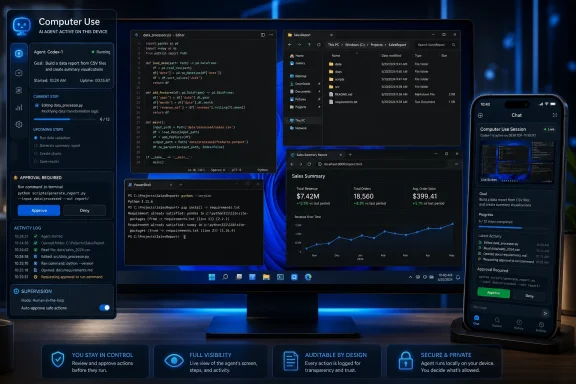
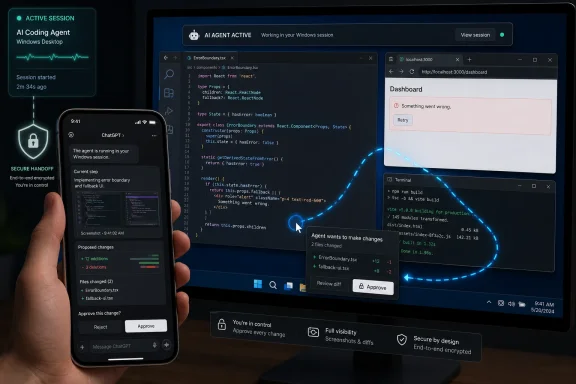
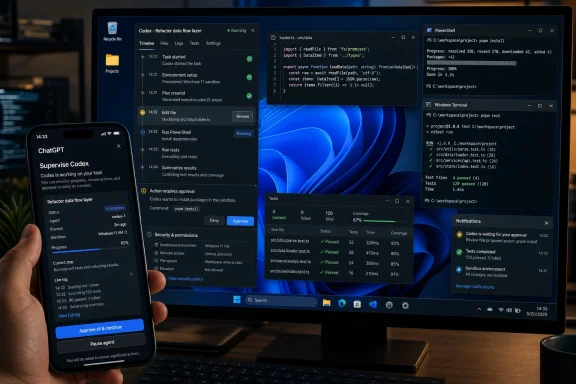
OpenAI said on May 29, 2026, that Codex app users on Windows 11 can now enable computer use and control active Codex work from the ChatGPT mobile app on iPhone and Android. The update sounds incremental, but it closes a conspicuous gap in OpenAI’s developer-agent strategy. Windows is where a huge share of real-world software work still lives, and Codex could not plausibly become the default coding agent while treating Windows as a second-class host. The bigger story is not that Codex can click around a PC; it is that OpenAI is turning the developer workstation into an always-available agent endpoint.
Codex has been moving quickly from coding assistant to coding operator. The old model was familiar: ask an AI to explain a function, generate a test, or suggest a diff. The new model is more intrusive and more ambitious: give the agent a machine, let it inspect the project, run tools, watch failures, and iterate inside the same messy environment where humans already work.
That shift made the Windows gap especially awkward. OpenAI introduced computer-use capabilities for Codex on macOS first, then added mobile access so users could supervise Codex sessions from the ChatGPT app while away from the desk. Windows users could see the outline of the future, but not fully participate in it.
Now the Windows Codex app gets the missing pieces. Once computer use is enabled in Codex settings, users can invoke the machine directly with prompts such as
For Windows developers, that matters because so much of the platform’s work is not neatly contained in a repository. It is bound up in Visual Studio, PowerShell, Windows Terminal, local services, installers, emulators, browser profiles, certificate stores, legacy tools, and vendor-specific management consoles. A coding agent that cannot move through that environment is useful, but bounded. A coding agent that can is suddenly much closer to a junior developer with remote access to the workstation.
That is different from asking a chatbot to write a PowerShell script. It is closer to asking an assistant to reproduce a bug, open the app, click through the broken flow, inspect the logs, patch the code, run the tests, and then show you what changed. The agent becomes part of the loop rather than a tool outside it.
On Windows, that loop is particularly important because application behavior often depends on the desktop environment itself. A web service can be tested from a headless terminal, but a WinUI app, a system tray utility, an installer, a game launcher, or an enterprise line-of-business application may need the actual UI path exercised. Codex gaining the ability to use Windows apps means it can participate in the kinds of testing and debugging that were previously difficult to delegate to text-only agents.
There is a catch. The more an agent can do, the more its mistakes matter. Bad code suggestions are one class of risk; a tool that can operate your desktop is another. OpenAI is framing this as a developer productivity feature, but administrators and security teams will hear a different phrase: delegated execution.
That does not make the feature reckless by default. It does mean the approval path, auditability, permission boundaries, and default settings become part of the product, not secondary documentation. The computer is the trust boundary now.
A developer can start a task on a Windows machine, walk away, and then continue steering the work from the ChatGPT app. That includes checking progress, approving actions, reviewing output, and starting new tasks from iPhone or Android. In practice, OpenAI is trying to make Codex less like a desktop app and more like a distributed work session with the PC as the execution host.
That framing matters because coding agents are most useful when they are not trapped in short chat turns. Large refactors, flaky test hunts, UI debugging, dependency upgrades, and documentation sweeps all benefit from time. They also benefit from intermittent human judgment. Mobile access gives OpenAI a way to keep the human in the loop without requiring the human to sit in front of the machine.
There is an obvious upside for developers who already use remote desktops, cloud dev boxes, or always-on workstations. Codex can continue running where the credentials, files, tools, and local configuration already exist. The phone becomes the checkpoint device, not the development environment.
There is also an obvious downside: approving meaningful technical actions from a small screen is not the same as reviewing them at a workstation. A diff that looks manageable on a monitor can become a blur on a phone. The danger is not that developers will use mobile access; the danger is that the interface will make consequential approvals feel like push notifications.
Windows remains the daily operating system for corporate developers, sysadmins, help desk teams, operations engineers, QA testers, and security analysts. It is where internal tools are launched, where Active Directory-adjacent workflows are managed, where Microsoft 365 and Azure administration often begin, and where countless desktop applications still have to be installed, repaired, tested, and supported.
That is why this update is more important than a simple feature parity note. OpenAI is giving Codex access to the platform where many organizations actually do their unglamorous work. The value of a coding agent is not measured only by how well it writes a clean React component; it is measured by whether it can survive the environment where the build script requires a VPN, the test harness opens a browser, and the installer fails only on one Windows configuration.
For WindowsForum readers, the interesting angle is not whether Codex will replace developers. It is whether agentic tools will become normal participants in PC-based workflows. If they do, Windows becomes less of a passive operating system and more of an execution surface for AI-mediated work.
Microsoft has been pursuing a related vision through Copilot, Windows AI features, and developer tooling. OpenAI’s Codex push creates a slightly different pressure. It asks whether the agent that controls the work needs to be built into Windows at all, or whether it can arrive as an app that sits above the platform and drives it.
That changes the control problem. Organizations are no longer only reviewing code produced by a model; they are governing sessions in which the model can operate tools. The difference is significant. A bad generated function can be caught in review. A bad command, misdirected click, or careless credential exposure can happen before the review process begins.
For individual developers, the answer may be simple: keep the feature off for sensitive work, watch what it does, and treat approvals seriously. For companies, the answer needs to be more formal. Policies will have to address which machines can run agents, which repositories can be exposed, what credentials are available, what logs are retained, and whether mobile approval is permitted for production-adjacent environments.
The strongest case for OpenAI’s approach is that keeping work on the user’s machine can reduce the need to upload everything into a separate cloud environment. Local files, configured tools, and credentials stay where the developer already uses them. That is a practical advantage.
But locality is not the same as safety. A local agent with broad permissions can still make local mistakes. In some environments, the fact that the agent can reach exactly what the developer can reach is the risk.
The company that controls the long-running coding session can become the place where requirements enter, code changes are proposed, tests are run, reviews happen, and deployment preparation begins. That is a far more valuable position than being a clever sidebar in an IDE. Codex on Windows and mobile is OpenAI’s attempt to occupy that position across devices.
This also explains why the mobile piece matters more than it first appears. The phone is not where serious coding happens, but it is where attention is constantly reclaimed. If OpenAI can make developers comfortable supervising agents from mobile, Codex becomes present during the idle spaces of the day: the commute, the meeting break, the couch, the airport gate.
That presence can be productive, but it can also become another channel for work creep. A tool that lets you approve a test run from anywhere also lets work follow you everywhere. The old joke was that smartphones turned email into a leash. Agentic coding tools could do the same for build failures.
The best version of this product would make agent actions legible. It would show the command history, capture meaningful screenshots, distinguish between reversible and risky actions, and force stronger confirmations when the agent approaches credentials, destructive file operations, external network changes, or production systems. It would also give users a fast way to stop the session and inspect what happened.
The worst version would collapse all of that into a stream of vague approvals. “Codex wants to continue” is not enough when continuing might mean editing a registry key, deleting a build artifact, changing a configuration file, or logging into an internal portal. The approval language must be as specific as the risk.
Windows itself adds another layer. The platform already has User Account Control, app permissions, endpoint protection, enterprise management, and auditing tools. Codex will have to coexist with those systems rather than train users to click through them. If AI agents normalize reflexive approval of prompts, the security cost will not stay confined to Codex.
The first wave of internal questions will be familiar. Which users have access? Is it enabled by default? Can it be centrally disabled? What data leaves the machine? What logs are kept? Does mobile access respect existing device management rules? Can approvals from unmanaged phones be blocked? How does this interact with privileged accounts?
Those questions are not signs of paranoia. They are the normal cost of bringing autonomous or semi-autonomous tools into managed environments. Developers may experience Codex as a productivity layer, but administrators will see a remote-control and automation layer attached to machines that may contain source code, secrets, customer data, or internal systems access.
The responsible posture is neither panic nor blind adoption. It is controlled experimentation. Let a small group use it on non-production projects, observe the workflows it improves, document the failure modes, and decide what permission boundaries are necessary before expanding access.
This is where Windows’ enterprise heritage could become an advantage. If OpenAI exposes the right management hooks and respects existing controls, Codex could fit into established administrative practice. If not, organizations will treat it as another unsanctioned productivity tool that must be contained after it spreads.
That has consequences for how machines are configured. Always-on availability, sleep settings, account lock behavior, remote session handling, local credential storage, and endpoint monitoring all become part of the developer-agent experience. The workstation is no longer only a place where work happens; it is infrastructure for delegated work.
This may sound like a small semantic shift, but sysadmins know better. Once a machine becomes infrastructure, uptime matters. Patch timing matters. Policy drift matters. Who can connect to it matters. What happens when the user is away matters.
OpenAI’s update nudges ordinary Windows developer machines in that direction. It does not turn every laptop into a production server, but it does encourage users to leave tasks running, check in remotely, and think of the desktop as a persistent execution environment. That is a subtle but meaningful change in the culture of Windows development.
That includes reproducing UI bugs, updating dependencies, running regression tests, checking installer behavior, generating screenshots, validating documentation steps, and investigating why a local environment behaves differently from CI. These tasks are often too contextual for a pure chatbot and too tedious for a senior engineer’s full attention. They are exactly where an agent with computer use could become useful.
But the product has to be predictable. Developers will forgive an assistant that occasionally writes mediocre code if it is easy to inspect and discard. They will be less forgiving of an agent that leaves a machine in a confusing state, changes files without clear explanation, or requires more babysitting than the task was worth.
Trust in this category will be built slowly. It will come from small wins repeated across real workflows, not from launch-day promises. Windows users, in particular, will test Codex against the awkward corners of the platform: permissions, installers, path weirdness, enterprise proxies, old frameworks, GUI automation, and tools that were never designed for AI supervision.
If Codex can handle that world, OpenAI will have something more serious than a coding chatbot. It will have a workstation agent.
 OpenAI Stops Treating Windows as the Waiting Room
Codex has been moving quickly from coding assistant to coding operator. The old model was familiar: ask an AI to explain a function, generate a test, or suggest a diff. The new model is more intrusive and more ambitious: give the agent a machine, let it inspect the project, run tools, watch failures, and iterate inside the same messy environment where humans already work.That shift made the Windows gap especially awkward. OpenAI introduced computer-use capabilities for Codex on macOS first, then added mobile access so users could supervise Codex sessions from the ChatGPT app while away from the desk. Windows users could see the outline of the future, but not fully participate in it.
Now the Windows Codex app gets the missing pieces. Once computer use is enabled in Codex settings, users can invoke the machine directly with prompts such as
@computer, or target specific apps with references such as @Paint. The point is not Paint, of course. The point is that Codex is no longer limited to editing files or proposing commands; it can operate across the visible desktop and test the result in the context where the user would have tested it.For Windows developers, that matters because so much of the platform’s work is not neatly contained in a repository. It is bound up in Visual Studio, PowerShell, Windows Terminal, local services, installers, emulators, browser profiles, certificate stores, legacy tools, and vendor-specific management consoles. A coding agent that cannot move through that environment is useful, but bounded. A coding agent that can is suddenly much closer to a junior developer with remote access to the workstation.
Computer Use Turns Codex From Pair Programmer Into Workstation Actor
The phrase computer use has become one of the more understated terms in AI product marketing. It suggests convenience, but the actual change is architectural. A model that can use the computer can observe interface state, take actions, wait for results, and chain those results into the next step.That is different from asking a chatbot to write a PowerShell script. It is closer to asking an assistant to reproduce a bug, open the app, click through the broken flow, inspect the logs, patch the code, run the tests, and then show you what changed. The agent becomes part of the loop rather than a tool outside it.
On Windows, that loop is particularly important because application behavior often depends on the desktop environment itself. A web service can be tested from a headless terminal, but a WinUI app, a system tray utility, an installer, a game launcher, or an enterprise line-of-business application may need the actual UI path exercised. Codex gaining the ability to use Windows apps means it can participate in the kinds of testing and debugging that were previously difficult to delegate to text-only agents.
There is a catch. The more an agent can do, the more its mistakes matter. Bad code suggestions are one class of risk; a tool that can operate your desktop is another. OpenAI is framing this as a developer productivity feature, but administrators and security teams will hear a different phrase: delegated execution.
That does not make the feature reckless by default. It does mean the approval path, auditability, permission boundaries, and default settings become part of the product, not secondary documentation. The computer is the trust boundary now.
The Phone Becomes a Remote Control for Long-Running Work
The mobile integration is not just a convenience layer. It changes the rhythm of using Codex.A developer can start a task on a Windows machine, walk away, and then continue steering the work from the ChatGPT app. That includes checking progress, approving actions, reviewing output, and starting new tasks from iPhone or Android. In practice, OpenAI is trying to make Codex less like a desktop app and more like a distributed work session with the PC as the execution host.
That framing matters because coding agents are most useful when they are not trapped in short chat turns. Large refactors, flaky test hunts, UI debugging, dependency upgrades, and documentation sweeps all benefit from time. They also benefit from intermittent human judgment. Mobile access gives OpenAI a way to keep the human in the loop without requiring the human to sit in front of the machine.
There is an obvious upside for developers who already use remote desktops, cloud dev boxes, or always-on workstations. Codex can continue running where the credentials, files, tools, and local configuration already exist. The phone becomes the checkpoint device, not the development environment.
There is also an obvious downside: approving meaningful technical actions from a small screen is not the same as reviewing them at a workstation. A diff that looks manageable on a monitor can become a blur on a phone. The danger is not that developers will use mobile access; the danger is that the interface will make consequential approvals feel like push notifications.
Windows Gives Codex the Messy Enterprise Reality It Needed
OpenAI’s Mac-first rollout made sense for early adopter optics. Many developers who experiment with AI tools live on macOS, and the platform gives vendors a relatively cohesive target. But enterprise software work is far messier, and much of that mess is Windows-shaped.Windows remains the daily operating system for corporate developers, sysadmins, help desk teams, operations engineers, QA testers, and security analysts. It is where internal tools are launched, where Active Directory-adjacent workflows are managed, where Microsoft 365 and Azure administration often begin, and where countless desktop applications still have to be installed, repaired, tested, and supported.
That is why this update is more important than a simple feature parity note. OpenAI is giving Codex access to the platform where many organizations actually do their unglamorous work. The value of a coding agent is not measured only by how well it writes a clean React component; it is measured by whether it can survive the environment where the build script requires a VPN, the test harness opens a browser, and the installer fails only on one Windows configuration.
For WindowsForum readers, the interesting angle is not whether Codex will replace developers. It is whether agentic tools will become normal participants in PC-based workflows. If they do, Windows becomes less of a passive operating system and more of an execution surface for AI-mediated work.
Microsoft has been pursuing a related vision through Copilot, Windows AI features, and developer tooling. OpenAI’s Codex push creates a slightly different pressure. It asks whether the agent that controls the work needs to be built into Windows at all, or whether it can arrive as an app that sits above the platform and drives it.
The Security Model Moves From Code Review to Session Governance
Traditional developer tooling assumes that the user is the actor. The user runs the command, opens the app, applies the patch, and pushes the change. AI agents complicate that chain because the human may authorize an objective rather than each individual action.That changes the control problem. Organizations are no longer only reviewing code produced by a model; they are governing sessions in which the model can operate tools. The difference is significant. A bad generated function can be caught in review. A bad command, misdirected click, or careless credential exposure can happen before the review process begins.
For individual developers, the answer may be simple: keep the feature off for sensitive work, watch what it does, and treat approvals seriously. For companies, the answer needs to be more formal. Policies will have to address which machines can run agents, which repositories can be exposed, what credentials are available, what logs are retained, and whether mobile approval is permitted for production-adjacent environments.
The strongest case for OpenAI’s approach is that keeping work on the user’s machine can reduce the need to upload everything into a separate cloud environment. Local files, configured tools, and credentials stay where the developer already uses them. That is a practical advantage.
But locality is not the same as safety. A local agent with broad permissions can still make local mistakes. In some environments, the fact that the agent can reach exactly what the developer can reach is the risk.
The Competitive Fight Is Really About Developer Attention
OpenAI is not making these moves in a vacuum. AI coding tools have become one of the central fronts in the broader platform war, with OpenAI, Anthropic, GitHub, Microsoft, Google, and a long tail of startups all trying to own the developer loop. The battleground is no longer autocomplete alone. It is task orchestration.The company that controls the long-running coding session can become the place where requirements enter, code changes are proposed, tests are run, reviews happen, and deployment preparation begins. That is a far more valuable position than being a clever sidebar in an IDE. Codex on Windows and mobile is OpenAI’s attempt to occupy that position across devices.
This also explains why the mobile piece matters more than it first appears. The phone is not where serious coding happens, but it is where attention is constantly reclaimed. If OpenAI can make developers comfortable supervising agents from mobile, Codex becomes present during the idle spaces of the day: the commute, the meeting break, the couch, the airport gate.
That presence can be productive, but it can also become another channel for work creep. A tool that lets you approve a test run from anywhere also lets work follow you everywhere. The old joke was that smartphones turned email into a leash. Agentic coding tools could do the same for build failures.
The User Interface Is Now Part of the Safety Argument
The success of computer use on Windows will depend heavily on interface design. Users need to understand what Codex is doing, what it wants permission to do next, and what state the machine is in. If those signals are unclear, the feature will feel magical until it feels dangerous.The best version of this product would make agent actions legible. It would show the command history, capture meaningful screenshots, distinguish between reversible and risky actions, and force stronger confirmations when the agent approaches credentials, destructive file operations, external network changes, or production systems. It would also give users a fast way to stop the session and inspect what happened.
The worst version would collapse all of that into a stream of vague approvals. “Codex wants to continue” is not enough when continuing might mean editing a registry key, deleting a build artifact, changing a configuration file, or logging into an internal portal. The approval language must be as specific as the risk.
Windows itself adds another layer. The platform already has User Account Control, app permissions, endpoint protection, enterprise management, and auditing tools. Codex will have to coexist with those systems rather than train users to click through them. If AI agents normalize reflexive approval of prompts, the security cost will not stay confined to Codex.
Windows Developers Get the Feature, But IT Gets the Burden
For hobbyists and independent developers, this update is easy to understand: Codex can now do more on the Windows PC, and the phone can keep the session within reach. For IT departments, the story is less romantic. Every new agent endpoint is another thing to inventory, govern, support, and explain after something goes wrong.The first wave of internal questions will be familiar. Which users have access? Is it enabled by default? Can it be centrally disabled? What data leaves the machine? What logs are kept? Does mobile access respect existing device management rules? Can approvals from unmanaged phones be blocked? How does this interact with privileged accounts?
Those questions are not signs of paranoia. They are the normal cost of bringing autonomous or semi-autonomous tools into managed environments. Developers may experience Codex as a productivity layer, but administrators will see a remote-control and automation layer attached to machines that may contain source code, secrets, customer data, or internal systems access.
The responsible posture is neither panic nor blind adoption. It is controlled experimentation. Let a small group use it on non-production projects, observe the workflows it improves, document the failure modes, and decide what permission boundaries are necessary before expanding access.
This is where Windows’ enterprise heritage could become an advantage. If OpenAI exposes the right management hooks and respects existing controls, Codex could fit into established administrative practice. If not, organizations will treat it as another unsanctioned productivity tool that must be contained after it spreads.
The Windows PC Becomes an Agent Host
The more interesting long-term implication is that the PC’s role is changing. For decades, a personal computer was primarily an interactive device: the user sat down, launched applications, and performed work. With Codex-style computer use, the PC becomes an agent host that can keep working while the user supervises intermittently.That has consequences for how machines are configured. Always-on availability, sleep settings, account lock behavior, remote session handling, local credential storage, and endpoint monitoring all become part of the developer-agent experience. The workstation is no longer only a place where work happens; it is infrastructure for delegated work.
This may sound like a small semantic shift, but sysadmins know better. Once a machine becomes infrastructure, uptime matters. Patch timing matters. Policy drift matters. Who can connect to it matters. What happens when the user is away matters.
OpenAI’s update nudges ordinary Windows developer machines in that direction. It does not turn every laptop into a production server, but it does encourage users to leave tasks running, check in remotely, and think of the desktop as a persistent execution environment. That is a subtle but meaningful change in the culture of Windows development.
The Real Test Is Whether Codex Can Earn Boring Trust
The flashy demo is an AI moving a cursor, opening an app, and fixing something while the user watches from a phone. The durable value will be much less cinematic. It will come from whether Codex can reliably handle the boring work developers dislike but cannot ignore.That includes reproducing UI bugs, updating dependencies, running regression tests, checking installer behavior, generating screenshots, validating documentation steps, and investigating why a local environment behaves differently from CI. These tasks are often too contextual for a pure chatbot and too tedious for a senior engineer’s full attention. They are exactly where an agent with computer use could become useful.
But the product has to be predictable. Developers will forgive an assistant that occasionally writes mediocre code if it is easy to inspect and discard. They will be less forgiving of an agent that leaves a machine in a confusing state, changes files without clear explanation, or requires more babysitting than the task was worth.
Trust in this category will be built slowly. It will come from small wins repeated across real workflows, not from launch-day promises. Windows users, in particular, will test Codex against the awkward corners of the platform: permissions, installers, path weirdness, enterprise proxies, old frameworks, GUI automation, and tools that were never designed for AI supervision.
If Codex can handle that world, OpenAI will have something more serious than a coding chatbot. It will have a workstation agent.
The Practical Read for WindowsForum Readers
The safest way to understand this release is not as a finished revolution, but as a preview of how development work is being redistributed across machines, models, and devices. Windows support makes the preview relevant to a much larger audience.- Codex computer use on Windows 11 lets OpenAI’s coding agent operate inside the local desktop environment rather than merely suggest code from outside it.
- ChatGPT mobile integration turns iPhone and Android into supervision points for Codex work running on a Windows machine.
- The feature is most compelling for workflows that require local tools, UI testing, configured credentials, or project context that cannot be easily reproduced in a cloud sandbox.
- The main risk is not bad autocomplete, but delegated action on a real machine with real files, tools, permissions, and possibly secrets.
- IT teams should evaluate management controls, logging, mobile approval rules, and endpoint policy interactions before allowing broad use.
- The long-term significance is that the Windows PC is becoming an execution host for AI agents, not just a device a human operates directly.
References
- Primary source: thurrott.com
Published: Fri, 29 May 2026 20:01:45 GMT
OpenAI Brings Computer Use to Codex App on Windows - Thurrott.com
OpenAI announced today that Codex app users on Windows 11 now have computer use capabilities and ChatGPT mobile app integration.www.thurrott.com - Related coverage: macrumors.com
OpenAI Brings Codex Remote Access to ChatGPT Mobile App
OpenAI has brought its Codex coding agent to the ChatGPT mobile app, providing iPhone and Android users with remote access to Codex sessions running on a Mac. "Codex is now in the ChatGPT mobile app so you can stay in the loop from anywhere while Codex gets work done across your laptops...www.macrumors.com - Official source: openai.com
Introducing the Codex app | OpenAI
Introducing the Codex app for macOS—a command center for AI coding and software development with multiple agents, parallel workflows, and long-running tasks.openai.com - Related coverage: 9to5mac.com
ChatGPT for iOS and Android can now start Codex work on Windows - 9to5Mac
Earlier this month, OpenAI updated ChatGPT’s mobile app to include remote access to Codex for Mac. Starting today, ChatGPT for...9to5mac.com - Official source: help.openai.com
ChatGPT — Release Notes | OpenAI Help Center
A changelog of the latest updates and release notes for ChatGPT help.openai.com
- Related coverage: aicatchup.com
Codex in the ChatGPT Mobile App: Run It From Your Phone | AI Catchup
OpenAI's Codex preview in the ChatGPT mobile app lets you start, review, and steer Codex from your phone while it runs on your Mac. iOS and Android, all plans.aicatchup.com
- Related coverage: eweek.com
OpenAI Launches Codex in ChatGPT Mobile for Its 4M Weekly Users | eWeek
OpenAI brings Codex to the ChatGPT mobile app, letting users steer coding-agent work from their phones as weekly use tops 4 million users. www.eweek.com
- Related coverage: techcrunch.com
OpenAI says Codex is coming to your phone | TechCrunch
The update gives users enhanced flexibility over how they can manage their workflows.techcrunch.com - Related coverage: techradar.com
OpenAI releases a Windows version of Codex coding app | TechRadar
OpenAI brings Codex to Windowswww.techradar.com - Related coverage: digitaltrends.com
OpenAI is bringing in the mighty Codex tool to the ChatGPT app on your phone - Digital Trends
OpenAI has added its Codex coding agent to the ChatGPT mobile app on iOS and Android, letting users manage coding tasks remotely from their phone.www.digitaltrends.com - Related coverage: thestatesbrief.com
OpenAI Brings Codex Coding Assistant to ChatGPT Mobile Apps | The States Brief
OpenAI has expanded access to its Codex coding tool by integrating it into the ChatGPT app for iOS and Android, making AI-assisted coding available on mobile devices.www.thestatesbrief.com - Related coverage: axios.com
OpenAI brings Codex to your phone
OpenAI is working to make its coding tool more accessiblewww.axios.com
- Related coverage: cincodias.elpais.com
- Related coverage: tomshardware.com
OpenAI launches GPT-5.3-Codex-Spark on Cerebras chips — marks AI giants first production deployment away from Nvidia | Tom's Hardware
Speed-focused coding model debuts to Pro members.www.tomshardware.com - Related coverage: windowscentral.com
OpenAI’s new feature is just like Windows Recall: Chronicle makes its Codex smarter by remembering your screen — Microsoft tried that, and it blew up in controversy | Windows Central
Would you trust OpenAI to watch your screen if you didn't trust Microsoft?www.windowscentral.com