Windows 11 Agent Workspace: AI-First OS with On-Device Copilot Actions

  • Thread Author
Microsoft’s latest push to make Windows 11 an AI-first operating system landed in plain sight this week: the platform is being reshaped to host autonomous, auditable AI agents that can run in the background, interact with apps, and act on local files — all inside a contained runtime Microsoft calls the Agent Workspace. The capability is currently exposed in preview (Windows Insiders and Copilot Labs) and is gated behind an explicit experimental toggle in Settings; Microsoft says the design is opt‑in, permissioned, and built around four security primitives intended to keep agent actions visible, interruptible, and auditable.

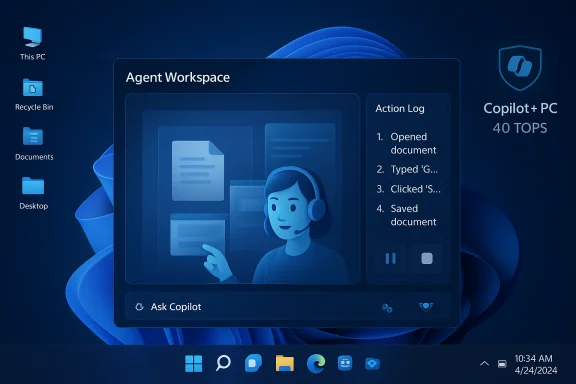
Blue-toned Windows desktop showing an Agent Workspace panel and Copilot+ PC branding.Background / Overview​

Windows has long been the platform where desktop productivity happens. The recent announcements stitch together several prior efforts — Copilot in Windows, Copilot Vision and Voice, Copilot Actions, and a hardware designation called Copilot+ PCs — into a coherent platform strategy: make AI a first‑class runtime on the PC so agents can not only advise but do. That means agents will be discoverable from the taskbar, able to run multi‑step workflows in parallel to the user, and governed by OS-level controls that treat agents as principals with distinct identities and permissions. This is a platform-level move, not a single app update. Microsoft frames it as a staged, preview-first rollout: experimental features are off by default, visible to Windows Insiders and Copilot Labs participants first, and expanded only after telemetry and security controls are validated.

What Microsoft announced at Ignite (the essentials)​

  • Agent Workspace — a contained desktop session where agents execute UI automation and file operations while the human user continues work in the primary session. Agents run under separate, low‑privilege Windows accounts so their actions are auditable and subject to ACLs and enterprise policies.
  • Copilot Actions — the first consumer-facing agent scenario: natural‑language instructions that the system translates into multi‑step UI flows (open apps, manipulate files, assemble documents, send emails). These actions execute inside Agent Workspace and surface step‑by‑step progress so a user can pause, stop or take over.
  • Taskbar agents and Ask Copilot — agents will be visible on the taskbar during execution, with badges and hover cards that show status; the taskbar composer (‘Ask Copilot’) becomes the low‑friction control plane for invoking agents via typing, voice, or vision inputs.
  • Model Context Protocol (MCP) — a runtime standard for agents to discover and call out to app capabilities and connectors. MCP is intended to make agent-to-tool integrations predictable and auditable across apps and services.
  • Copilot+ PCs and on‑device AI — a class of devices with high‑performance NPUs (40+ TOPS) to enable low‑latency, private on‑device inference for many agent tasks; some advanced features will be gated to this hardware tier.
These pieces are already rolling to Insiders in preview builds and Copilot Labs, and Microsoft reiterates they will evolve based on feedback and telemetry.

Inside Agent Workspace: how it works (technical anatomy)​

Agent identity and isolation​

Each agent is provisioned with a separate, standard Windows account when the feature is enabled. That account is the agent’s principal: its actions appear under its own audit trail and can be governed by the same ACLs and MDM/Intune controls admins use for users and services. The aim is to treat agents like first‑class principals rather than ephemeral scripts.

Contained runtime: a desktop for the agent​

Agent Workspace is implemented as a contained desktop session — effectively a separate Windows session with its own process space and visible UI — that runs in parallel to the human user’s session. Microsoft positions this as a middle path: lighter and more responsive than a full VM but stronger than in-session automation. The workspace shows visible progress, step lists, and controls for pause/stop/takeover.

Scoped file and app access​

In the preview, agents start with least privilege: they can only request access to a constrained set of “known folders” in the user profile (Documents, Downloads, Desktop, Pictures, Music, Videos) unless the user grants additional permissions. Sensitive actions require explicit confirmation and are logged. Microsoft emphasizes per‑task consent and revocation.

Gating and opt‑in controls​

The entire plumbing is gated behind a master experimental toggle in Settings at:
Settings → System → AI components → Agent tools → Experimental agentic features.
That toggle is off by default and typically requires administrative consent; enabling it provisions the agent runtime and agent accounts on the device. Microsoft says this is deliberate — a “speed bump” to force conscious adoption during preview.

Copilot Actions: what agents can and can’t do (today)​

  • Open and interact with desktop apps and supported web apps (click, type, scroll).
  • Chain multiple steps into a single plan (collect files, extract data, compose documents, send emails).
  • Operate on local files within scoped folders once permissioned.
  • Surface progress and request confirmation for sensitive steps; users can pause, stop or take over at any time.
What they cannot do in the preview: arbitrary crawling of a user profile or unrestricted access to files or system components without explicit permission. The runtime also enforces signing and revocation for agents so that compromised or malicious agents can be blocked.

Copilot+ PCs, NPUs and the hardware angle​

A cornerstone of Microsoft’s on‑device AI strategy is Copilot+ PCs — devices that include a high‑performance Neural Processing Unit capable of 40+ TOPS to accelerate local AI inference. Microsoft’s official documentation and device pages specify 40+ TOPS as a threshold for many Copilot+ experiences, and OEMs (Surface, Dell, HP, Lenovo, Samsung, etc. have pledged hardware that meets the spec. Not every Windows 11 PC will be able to run the richest local agent workloads at low latency; that’s the point of the Copilot+ tier. The hardware requirement matters because on‑device models provide lower latency and improved privacy (data processed locally), but those benefits depend on NPUs with real, measurable throughput. Independent outlets and Microsoft documentation agree that early Copilot+ experiences will be limited to qualifying devices until broader silicon support arrives.

Security, privacy and governance — the tradeoffs​

Microsoft has deliberately foregrounded security controls in the Agent Workspace design, but the changes still expand the OS attack surface in nontrivial ways. The company’s published security primitives and guidance are a pragmatic, engineering‑first approach, but they are not a cure‑all.
Key defensive choices Microsoft is shipping in preview:
  • Agent accounts (separate principals) to make actions auditable and manageable by existing enterprise tooling.
  • Agent Workspace (contained session) to limit visibility into the user’s primary session and reduce risk of uncontrolled UI scraping.
  • Per‑operation consent + scoped folder access to reduce the chance of broad exfiltration.
  • Digital signing & revocation for agents, enabling supply‑chain mitigation when agents misbehave.
Notable residual risks and practical concerns:
  • Telemetry & log integrity — agents produce logs and step replays; enterprises need guarantees those logs are tamper‑resistant, reliably transmitted, retained to policy, and compatible with SIEM solutions. The preview materials acknowledge telemetry but the operational details matter enormously for compliance.
  • Cross‑prompt injection and UI deception — agents that click and type create novel attack surfaces (malicious web forms, deceptive UI elements); Microsoft warns about cross‑prompt injection and says it’s building mitigations, but attackers often find edge cases before mitigations are fully hardened.
  • Signed agent trust model limits — requiring signatures and revocation is necessary, but signing does not guarantee safety if a trusted publisher is compromised or an agent has logic‑flaws (unintended data exfiltration / hallucination-driven actions). Continuous vetting and supply‑chain scrutiny remain essential.
  • Always‑listening voice spotters and vision — voice wakewords and screen‑aware vision features are designed to be opt‑in and to run spots locally, but any capability that “sees” or “listens” broadens privacy risk. The preview’s opt‑in posture helps, but enterprise and privacy teams will want deep, testable controls.
In short: Microsoft has built layered protections into the preview, but real‑world safety will depend on the maturity of logging and revocation mechanics, enterprise controls for approve/deny flows, and independent third‑party validation.

Enterprise implications and recommended approach​

For IT teams, the platform reframes some long‑standing questions about automation and governance:
  • Treat agents as service principals: apply the same lifecycle, policy, and logging practices as other service accounts.
  • Plan for policy-first deployments: the Experimental toggle is device‑wide and typically requires admin consent; use that as a point of policy control in pilot programs.
  • Validate audit trails and SIEM ingestion: require signed, non‑repudiable logs before approving agentic automations for production workflows.
  • Define safe templates: create templated agent behaviors for common business processes so auditors can easily inspect expected actions and data flows.
  • Hardware planning: assess which endpoints will be Copilot+ capable and reserve agentic automation for those where on‑device inference materially reduces privacy or latency risks.
Enterprises should pilot conservatively: limited groups, well-defined workflows, and clear acceptance criteria (logs, performance, fallback behavior) before wide adoption.

Developer and partner opportunities (and limits)​

Microsoft’s push includes new platform plumbing for developers:
  • Model Context Protocol (MCP): a contract for exposing app capabilities to agents, enabling standardized agent→tool integrations. MCP is intended to make third‑party agent behaviors predictable and easier to govern.
  • Windows AI APIs & Windows AI Foundry: APIs and runtimes to run models on NPUs on Copilot+ PCs; documentation already provides device prerequisites and developer guidance for ONNX runtime and model measurement.
  • Signed agent/distribution model: agents will need signing and distribution mechanisms to be trusted — a new supply‑chain model for agent authors.
For developers, this is a major opportunity — but also a responsibility. Agent authors must design predictable, auditable flows, provide rollback and revocation mechanisms, and minimize the need for broad file access. Early adopters who codify robust telemetry and fail‑safe behaviors will have a clear competitive advantage.

Practical guide: how to try Agent Workspace in preview​

  • Join the Windows Insider Program and enroll in a channel that receives Copilot Labs and agentic previews.
  • Update the Copilot app (may require Insider build of the app from the Store).
  • Open Settings → System → AI components → Agent tools → Experimental agentic features and enable (requires admin consent).
  • Follow prompts to provision agent accounts and the Agent Workspace.
  • Use Copilot or Ask Copilot to issue a “Take Action” request and observe the Agent Workspace session.
Be prepared to roll back, collect logs, and run aggressive test cases before using agents for sensitive or production flows.

Strengths: why this is a meaningful step​

  • Productivity gains: agentic automation can compress multi‑app workflows into single natural‑language instructions, saving time on repetitive tasks.
  • On‑device privacy & latency: Copilot+ NPUs make it practical to run sensitive inferences locally, reducing cloud dependency for private tasks.
  • Enterprise‑aware design: Microsoft is designing the model around enterprise governance primitives (agent accounts, signed agents, admin toggles), which is more realistic than retrofitting ad hoc automation into corporate policy frameworks.

Risks and open questions​

  • Operational maturity: telemetry integrity, signing/revocation mechanics, and SIEM integration are still being validated in preview. Enterprises should not assume those mechanisms are production‑ready.
  • False sense of safety: sandboxing and signing reduce, but do not eliminate, the risk of data leakage or malicious actions — thoughtful vetting and policy controls remain mandatory.
  • Hardware fragmentation: leading features require Copilot+ NPUs; many existing Windows 11 PCs will not support the richest experiences, creating a two‑tier ecosystem.
  • Usability boundaries: real‑world agents will encounter complex UI flows and fragile web interactions. Expect iterative improvement and a period of brittleness for complex tasks.
  • Privacy perception: screen‑aware vision or always‑listening wake words trigger legitimate user concerns even if implemented with opt‑in spotters; transparency and straightforward opt‑outs are essential.

Final verdict — a cautious, high‑potential platform shift​

Microsoft’s Agent Workspace and agentic features represent the clearest attempt yet to make a mainstream desktop OS capable of acting for users, not just advising. The architectural choices — isolated agent accounts, visible workspaces, scoped folder permissions, signing and revocation — are sensible and reflect hard lessons from earlier, more controversial features. Those safeguards matter, and Microsoft’s preview posture (experimental toggle, Insiders, staged rollout) is appropriate.
That said, several high‑stakes elements still need independent validation: telemetry integrity, supply‑chain robustness for signed agents, SIEM and MDM integration quality, and the real‑world resource profile for long‑running agents. Organizations and power users should treat the preview as a laboratory: test aggressively, insist on auditable logs and revocation guarantees, and bake agentic automations into policy frameworks before wide deployment. The promise is real: faster workflows, stronger on‑device privacy options for qualifying hardware, and new developer surfaces that could reshape desktop automation. The path to safe, enterprise‑ready adoption will be measured — but the platform shift is underway, and Windows 11 just became the most consequential testing ground for agentic AI on the PC.

Conclusion
Windows 11’s move toward an agentic OS is ambitious and consequential. Agent Workspace and Copilot Actions put automation at the heart of the desktop, while Copilot+ hardware and MCP offer the performance and plumbing to make that automation safer and more interoperable. The preview is deliberately cautious: opt‑in toggles, per‑agent permissions, and visible workspaces. Still, adopting this new model responsibly requires rigorous testing, enterprise governance, and clear policies. For users and IT teams that plan carefully, the rewards could be substantial — but the responsibility for safety, auditability, and supply‑chain hygiene remains real and immediate.
Source: News18 https://www.news18.com/tech/microso...-11-for-pcs-heres-what-it-offers-9719836.html
 

Microsoft has begun shipping the plumbing that turns Windows 11 from an assistant into an agentic operating system: a recent Insider update surfaces an explicit, opt‑in toggle for experimental agentic features, and the Copilot app now includes Copilot Actions, a preview capability that runs AI agents in contained Agent Workspaces to perform multi‑step tasks on local files and inside desktop/web apps.

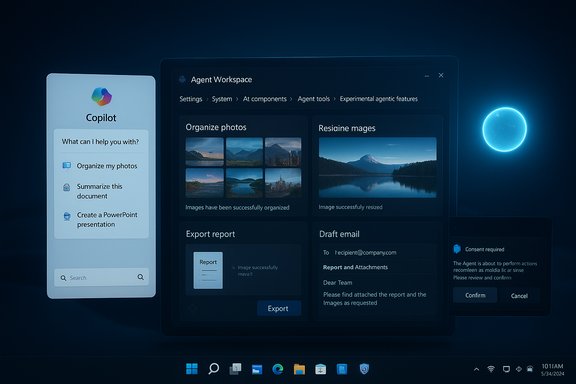
A dark blue desktop shows Copilot panel beside the Agent Workspace with photo tools.Background / Overview​

Microsoft’s Copilot journey has moved from a chat sidebar to a system‑level ambition: make AI a first‑class actor on Windows that can do things, not only suggest them. The company frames this as three tightly coupled pillars — Copilot Voice (wake‑word and voice input), Copilot Vision (screen‑aware understanding and OCR), and Copilot Actions (agentic automations that can click, type, move files, and chain steps). Those pillars are being staged through the Windows Insider program and Copilot Labs as experimental, opt‑in features. The immediate user‑facing change in the latest preview builds is a new Settings control: Settings → System → AI components → Agent tools → Experimental agentic features. When enabled by an administrator, that master switch provisions an agent runtime on the device — distinct agent accounts and an Agent Workspace per agent — and permits agentic apps (like Copilot Actions) to run in a contained desktop session. Microsoft describes these workspaces as lighter than a full VM but stronger than in‑session automation, intended to preserve visibility, auditability and revocation.

What Microsoft shipped (the concrete bits)​

Copilot Actions — agents that act​

  • What it does: Copilot Actions lets you describe a task in natural language (for example, “organize my vacation photos, remove duplicates, resize for sharing, and compile a summary”) and the agent will attempt to execute the required UI‑level steps inside a separate Agent Workspace. Examples shown in previews include batch photo edits, extracting tables from PDFs into Excel, compiling documents and drafting emails with attachments.
  • How you run it: The feature appears in the Copilot composer as a “Take Action” flow; you can optionally attach files or folders, and the Copilot app provisions a desktop‑like Agent Workspace to carry out the plan. You can watch, pause, stop or take over the agent at any time. Microsoft clearly labels the capability experimental and warns that agents may make mistakes.

Agent Workspace and Agent Accounts​

  • Agent Workspace: A separate, contained Windows session created for agents so they can interact with UIs in parallel with the human session. It is intended to provide runtime isolation without the overhead of a full VM.
  • Agent Accounts: Each agent runs under a distinct, limited Windows account so its actions are auditable and can be governed via standard Windows controls (ACLs, Intune/MDM, logging). Agents are expected to be signed and manageable as first‑class principals.

Permissioning and Scoped Access​

  • Default file scope: During preview, agents are limited to known user folders (Documents, Desktop, Downloads, Pictures, Videos, Music) and other resources accessible to all authenticated users. Any broader access must be explicitly granted. The experimental toggle is off by default and requires administrator consent to enable.

Copilot+ PCs and on‑device acceleration​

  • Microsoft differentiates baseline Copilot features from richer, low‑latency on‑device experiences available on Copilot+ PCs — devices equipped with dedicated NPUs. Microsoft’s documentation and product pages specify a common hardware baseline for Copilot+ certification, including NPUs capable of 40+ TOPS for local model inference and fast on‑device processing for certain features. The effect: some AI experiences (like some on‑device vision and super‑resolution flows) are faster and more private on Copilot+ hardware.

How Copilot Actions works — a technical walkthrough​

The three technical building blocks​

  • Vision + UI grounding: Copilot Vision performs OCR and screen analysis so the model can identify UI elements (buttons, fields, menu items). This converts a natural‑language intent into concrete UI targets.
  • Action grounding and orchestration: The agent translates intent into a sequence of UI events (clicks, keystrokes, selections) and executes them inside the Agent Workspace. The workspace shows step‑by‑step progress and exposes pause/stop/takeover controls.
  • Scoped connectors and consent: Access to cloud accounts (Outlook, OneDrive, Google Drive) and protected services requires OAuth‑style consent; local file access is limited by folder scoping unless otherwise permitted. Agents must be signed and can be revoked via platform trust models.

Why not run directly in the user session?​

Running UI‑level automations inside the interactive session is fragile and hard to audit. The Agent Workspace model isolates actions, provides auditable separation (via agent accounts), and allows the human to continue working while watching (or intervening) in a visible workspace. Microsoft positions this as a middle ground — more practical and responsive than a VM, yet safer than unconstrained in‑session scripting.

Why this matters for Windows users​

  • Real productivity wins: For repetitive, multi‑step chores — cleaning up downloads, extracting tables from invoices, batch image edits, or assembling reports — agentic automations promise to compress time and context switching into a single natural‑language instruction.
  • Multimodal convenience: With voice and vision input, you can summon Copilot, point it at a window or attach a folder, and let the agent carry out the workflow while you continue other work.
  • Enterprise automation at user scale: IT departments can see potential for controlled automation that reduces helpdesk load and streamlines routine admin tasks when used with enterprise policy controls.

The immediate verification checklist — what’s confirmed (and what’s not)​

  • Confirmed by Microsoft (official documentation and Windows Insider Blog): the Copilot Actions rollout to Insiders, the Experimental agentic features toggle path in Settings, the Agent Workspace and Agent Accounts model, and the initial file scoping behavior during preview.
  • Independently reported by major outlets: The Verge, Tom’s Hardware and Windows Central have published hands‑on or investigatory pieces describing the agent toggle, Agent Workspace idea, and the enterprise/security implications. These independent reports corroborate Microsoft’s public preview cadence and the opt‑in nature of the features.
  • Claims to flag: some third‑party writeups and community posts reference specific cumulative package numbers or build suffixes (for example, 26220.7272), but public Microsoft release notes and the principal Copilot announcement cite the 26220 flight and named Copilot app versions rather than that precise suffix. The exact cumulative package identifier appearing in community screenshots may vary by region or staged rollout; treat specific build suffixes as potentially transient until Microsoft’s official release notes reference them.

Security, privacy and governance — critical analysis​

Microsoft has built a recognizable set of containment controls and governance promises into the preview, but introducing agents that can “see” and “act” widens the threat model in important ways.

Strengths and mitigations Microsoft is shipping​

  • Opt‑in by default: The experimental toggle is off unless an administrator enables it, reducing accidental exposure.
  • Runtime separation: Agent Workspaces and agent accounts give admins familiar knobs — ACLs, Intune, auditing — to govern agent actions.
  • Scoped access: Known‑folder scoping and explicit consent dialogs restrict initial capabilities and make unauthorized blanket access harder.
  • Visibility & takeover: The system shows actions step‑by‑step and lets users pause/stop/takeover as a transparency control.

Real risks and residual concerns​

  • New attack surface: Agents that interpret content and act on it invite prompt injection and other AI‑specific attacks (researchers already warn about XPIA‑style threats). Attackers could attempt to craft files or web content that steer agent behavior if the agent’s parsing or tool‑access protections are inadequate. Microsoft itself highlights this risk and is building defensive patterns, but the threat remains real.
  • Scope creep and systemic consent: Enabling the master toggle provisions runtime primitives system‑wide. In enterprise environments, a single administrator decision could expose many endpoints to agent behaviors; policy granularity will be essential.
  • Telemetry and cloud dependency: Many reasoning flows still rely on cloud models for heavy lifting; care is needed to ensure sensitive data is not inadvertently passed to cloud services. Copilot+ on‑device models reduce this risk for Copilot+ hardware, but not all users will have that hardware.
  • False positives/automation mistakes: Agents operating on UI elements can mis‑interpret complex third‑party app interfaces, leading to damaging actions (deleting the wrong files, sending an email prematurely). Microsoft’s visible workspace and pause controls mitigate but do not eliminate this risk.

Enterprise recommendations (practical governance)​

  • Keep Experimental agentic features disabled by default on production images.
  • Test Copilot Actions only in dedicated lab or pilot groups with representative data and robust backups.
  • Use Intune and Windows Update rings to control which devices get the Copilot app preview, and require operator approval before enabling agent provisioning.
  • Require multi‑person approvals or higher privileges before agents can access sensitive shares or production systems.
  • Audit agent activity logs and integrate them with SIEM tools for continuous monitoring.

Hardware, performance and the Copilot+ story​

Microsoft’s Copilot+ initiative defines a category of AI‑capable PCs with dedicated NPUs to run local models. Microsoft’s guidance and product pages specify that many on‑device AI features are designed for NPUs capable of 40+ TOPS, and OEM marketing for Copilot+ PCs emphasizes that local inference yields lower latency and greater privacy for certain flows. This hardware gating means that the agent experience will vary significantly across devices: some features will be noticeably faster and more private on Copilot+ machines, while others will fall back to cloud processing on older systems. Practically, that creates a two‑tier user experience: the features are available broadly via cloud, but the best interactive, low‑latency scenarios — particularly those that benefit from local vision and model inference — require Copilot+ hardware. IT buyers must weigh that gap when planning upgrades for AI‑heavy workflows.

How to try it safely (for enthusiasts and early testers)​

  • Join the Windows Insider Program and opt into channels that include Copilot Labs or the Dev/Beta flights where Copilot Actions is being tested.
  • Update the Copilot app from the Microsoft Store to the Insider preview build (the initial Copilot app preview version is being rolled out to Insiders).
  • Enable Experimental agentic features only on a test device; follow Settings → System → AI components → Agent tools → Experimental agentic features. Sign in with an administrator account to toggle the setting.
  • Use test data. Attach sample folders and watch the Agent Workspace in action. Try pause/stop/takeover flows to understand failure modes.
  • Review agent logs and experiment with Intune policies to see how agent accounts appear to enterprise management tooling.

What to watch next​

  • Microsoft’s cadence: the initial preview is staged to Insiders; broader availability will follow after telemetry and security refinements. Watch the Windows Insider Blog and Microsoft support pages for specific flight numbers and stable rollout timelines.
  • Third‑party agent ecosystem: Microsoft is investing in Model Context Protocol (MCP) and registries for agents; how third‑party agents are vetted, signed and managed will shape trust in the model.
  • Security research: expect a surge of academic and industry analysis on prompt‑injection and agent‑specific attack vectors; those findings will influence hardening and policy features.
  • Regulatory and compliance guidance: enterprise customers and regulated industries will want specific guidance on data flows, audit trails and certification — watch for Microsoft documentation and third‑party compliance analyses.

Final verdict — cautious optimism​

The preview Microsoft has shipped is a clear, deliberate step toward making AI an active participant on Windows rather than a passive suggestion engine. The engineering choices — agent accounts, Agent Workspaces, visible execution, scoped folders, and opt‑in defaults — show that Microsoft understands the non‑trivial security and governance problems this model introduces. When these primitives work as promised, agentic automation could be a genuine productivity multiplier for both consumers and enterprises. That said, this is early, experimental technology. Real‑world reliability across the vast diversity of Windows apps and UIs, the resilience of consent flows against adversarial content, and the effectiveness of enterprise governance in complex deployments remain open questions. Organizations should pilot carefully, preserve the conservative default of disabled, and demand clear, auditable controls before enabling agentic features at scale.
Microsoft’s bet is bold: if agents can be made safe, transparent and reliably useful, the next few Windows releases could redefine mundane productivity—automating the tasks people hate and surfacing the context they need in one place. If the security and user‑control promises fail to keep pace with capability, the backlash will be immediate and justified. For now, the safest posture for most users is to watch, test in controlled settings, and treat Copilot Actions as an exciting preview rather than a production tool.
Source: russpain.com Microsoft bets on AI: What exciting changes await Windows 11 users soon?
 

Microsoft’s new Agent Workspace for Copilot — an experimental feature now rolling to Windows Insiders — promises a leap in desktop productivity by letting AI agents act on files and apps in a separate, observable session, but Microsoft’s own documentation and security experts warn that the change also creates novel attack surfaces that require fresh operational controls and careful rollout.

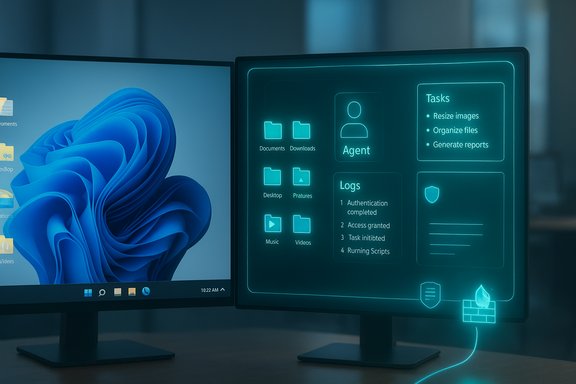
Dual monitors display a Windows desktop alongside a glowing neon holo-interface showing Tasks, Agent, and Logs.Background / Overview​

Microsoft has begun previewing a suite of “agentic” features for Windows 11 that convert Copilot from a passive suggestion engine into an actor that can perform multi‑step tasks within a contained runtime called the Agent Workspace. In the initial preview, Copilot Actions — the agentic capability — runs in a separate Windows session under a dedicated agent account and can request scoped access to six “known folders”: Documents, Downloads, Desktop, Pictures, Music and Videos. The feature is off by default, gated to Windows Insiders, and can only be enabled by an administrator. Microsoft positions the model as a middle ground between in‑process automation and full virtual machines: agents run in a lightweight, isolated session that is supposed to be auditable, interruptible and governed by least‑privilege principles. The company explicitly calls out the security tradeoffs and lists cross‑prompt injection (XPIA), hallucination, and data exfiltration among the primary risks introduced when agents are allowed to act autonomously on local data.

What Agent Workspace and Copilot Actions actually do​

The user experience in preview​

When enabled, Windows provisions a separate agent account and an Agent Workspace. Users can delegate tasks — for example, “resize all images in Downloads,” “extract tables from these PDFs,” or “rename and categorize files on the Desktop” — and the agent performs these UI‑level actions inside the isolated workspace while the human continues work in their primary session. Actions are viewable and can be paused or taken over by the user. Microsoft describes visible logs and step previews as part of the human‑in‑the‑loop safety model.

Key platform primitives (technical at a glance)​

  • Agent accounts: Separate non‑interactive local Windows accounts assigned to agents so actions can be audited and governed with standard OS policy tools.
  • Agent Workspace: A contained Windows session providing a dedicated desktop/process space for the agent’s runtime that runs in parallel with the user’s session.
  • Scoped file access: In preview, agents must request access to a set of known folders; broader access requires explicit consent.
  • Signing and revocation: Agents are expected to be digitally signed so publishers can be verified and compromised agents revoked.
These primitives are implemented with an eye toward enterprise governance: administrators can enable/disable the feature via an admin‑only toggle and — Microsoft says — will be given policy and management hooks (Intune/GPO/Entra) over time. Independent hands‑on reporting confirms these core behaviors while noting some differences in preview UX that merit attention.

Why Microsoft’s warning matters — what the company is actually saying​

Microsoft’s support article is unusually candid: it devotes substantial space to explicit, concrete attack classes that become meaningful only when assistants are permitted to act rather than merely suggest. The company states that agentic features “may hallucinate and produce unexpected outputs” and highlights cross‑prompt injection (XPIA) as a new class of risk where malicious content embedded in documents, UI elements or rendered previews could override an agent’s instructions and induce harmful operations such as data exfiltration or malware installation. The guidance repeatedly emphasizes human supervision, least‑privilege access and auditability. Multiple independent outlets — including Windows‑focused technical press and security coverage — corroborate Microsoft’s core message: the feature is experimental, off by default, and requires admin enablement; it introduces new attack surfaces even as it formalizes control points (agent identity, signing, runtime isolation). Those outlets also echo the recommendation to treat the preview conservatively and pilot in controlled environments.

The security risks in detail​

1) Cross‑prompt injection (XPIA) and indirect prompt attacks​

Cross‑prompt injection is a family of attacks where adversarial content embedded in otherwise benign files or UI elements manipulates an agent’s reasoning pipeline. Once an agent can parse documents, images (via OCR), or web previews and convert those inputs into actions, adversaries can weaponize content to override an agent’s intended behavior. Microsoft calls this out explicitly; security researchers have demonstrated variants of the technique in real systems. PromptArmor and others have shown proof‑of‑concept attacks where hidden instructions in spreadsheet content tricked hosted LLM integrations into leaking data or constructing exfiltration vectors. The same principle is directly applicable to any local agent that reads user files — notably the Downloads folder, which often contains third‑party content. PromptArmor’s public demonstrations and documentation highlight how spreadsheet formulas, embedded comments, or cleverly crafted metadata can become vectors for indirect prompt injection.

2) Data exfiltration through legitimate agent capabilities​

Agents that can read files, assemble payloads and call network connectors raise the risk that exfiltration can be automated and made more evasive. Because agents run with their own accounts and can execute multi‑step flows, a compromised or manipulated agent could package sensitive documents and channel them outward in ways that resemble legitimate automation unless DLP/EDR engines explicitly categorize agent‑originated flows. Microsoft points to a layered defense model, but operational integration with enterprise monitoring is still rolling out.

3) Supply‑chain and signing risks​

Microsoft’s model relies on agents and connectors being cryptographically signed so administrators can vet and revoke bad actors. This is a powerful mitigation in principle, but attackers targeting signing systems or convincing users to run signed yet malicious agents remain plausible. Enterprises must therefore treat signing as one control among many, not a panacea. Independent reporting also notes that the certificate revocation and enterprise integration details are still evolving in preview.

4) Screenshot and telemetry privacy concerns​

Copilot Actions captures screenshots of the agent’s desktop (not the user’s primary desktop) and retains them for up to 30 days unless manually deleted. While Microsoft and reviewers stress that the agent workspace is isolated and does not contain the user’s active desktop, the existence of persisted images — potentially containing sensitive content processed by the agent — raises retention and privacy questions that administrators should evaluate. This echoes earlier controversy over Microsoft Recall and similar screen‑capture experiments that were postponed for privacy reasons.

5) Automation brittleness and destructive actions​

UI‑level automation is fragile. Changes in app layouts, localization differences, or unexpected dialog boxes can cause an agent to click the wrong control, attach the wrong file, or overwrite content. When agents are permitted to act on local files, these brittleness‑induced errors become operational hazards, not just minor UI glitches. Microsoft emphasizes human‑in‑the‑loop confirmations for sensitive steps, but real‑world UX clarity matters — ambiguous permission dialogs are a social‑engineering vector.

Microsoft’s mitigations and promises — what’s in the toolbox​

Microsoft describes a multi‑layered mitigation approach that includes:
  • Default‑off, admin‑gated rollout so organizations can delay exposure until controls mature.
  • Per‑agent identity and signing so administrators can apply ACLs, policies and certificate revocation.
  • Runtime isolation (Agent Workspace) to reduce direct interference with the user’s session and allow visible, tamper‑evident logging.
  • XPIA detection and content filtering embedded in Copilot Studio and Copilot tooling, with real‑time blocking capabilities available for high‑security deployments.
Those mitigations are meaningful and represent an intent to make agentic automation governable. However, the efficacy of those controls depends on operationalization: how quickly certificate revocations propagate, how neatly logs integrate with SIEM/EDR, and how aggressively agents filter or ignore embedded instructions in diverse file formats. Microsoft’s public notes say many of these integrations are in development or private preview. That means enterprises must verify these protections in their own environments before wide enablement.

Independent expert reactions and real‑world demonstrations​

Security firms and researchers have reacted quickly. PromptArmor’s co‑founder Shankar Krishnan emphasized that granting agents access to the Downloads folder — a likely repository of third‑party data — increases the probability of indirect prompt injection and personalized phishing-style manipulations. PromptArmor’s prior PoC work against hosted models such as Claude for Excel illustrates how plausible and practical these attacks can be when LLMs are allowed to parse untrusted data. Coverage in specialist outlets underscores the same points: the Agent Workspace introduces a new class of endpoint actor, and defending against that actor will require updates to policy, DLP, EDR and incident response playbooks. Many security analysts welcome Microsoft’s transparency while urging caution: the primitives are promising, but the operational plumbing must be proven under adversarial tests.

Strengths and notable positives​

  • First‑class identity for agents gives enterprises familiar policy levers (ACLs, Intune/GPO, certificate revocation). This is a major governance improvement over ad‑hoc automation.
  • Visible, interruptible workflows keep a human in the loop and make actions auditable. That reduces the risk of silent, destructive automation.
  • Scoped file access (known folders) limits initial exposure surface and forces per‑action consent for broader access.
  • Proactive vendor candor: Microsoft’s open discussion of XPIA and hallucination risk enables defenders to plan rather than be surprised.
These are real platform design strengths that, if executed well, can make agentic features safe enough for targeted productivity use cases.

Where gaps remain — practical risks and operational unknowns​

  • Consistency and clarity of permission UX: Early preview reports show variation in how folder permissions are presented. Ambiguous dialogs enable social engineering. This claim is still being validated across builds; treat claims of “default full access” as unverified until Microsoft’s final UX is settled.
  • Enterprise telemetry integration: The ability to export tamper‑evident, machine‑readable agent logs to SIEM/EDR is crucial. Microsoft has announced intent but many of the management APIs and enforcement templates are still in private preview. That leaves early adopters with operational risk.
  • Revocation and emergency response: Certificate‑based revocation helps, but the speed and reliability of revocation at scale under attack conditions remain to be stress‑tested.
  • Effective defenses against XPIA at scale: Detection, sanitization, and provenance checks are nontrivial to implement across arbitrary file formats and connectors; solutions are emerging but incomplete. PromptArmor and recent research point to defensive strategies, but long‑term robustness is unproven.
Each of these gaps is addressable, but they require time, independent testing and enterprise pilots before those features should be broadly deployed in sensitive environments.

Practical, step‑by‑step guidance for administrators (checklist)​

  • Keep the Experimental agentic features toggle disabled on production machines by default. Microsoft’s setting is device‑wide and admin‑limited.
  • Pilot on isolated devices or VMs that contain no sensitive data. Use disposable images for early evaluation.
  • Enforce least privilege: grant agents access only to the specific folders required for the task and prefer session‑scoped permissions over persistent elevation.
  • Require enterprise signing and maintain a vetted whitelist of agent publishers; block unsigned agents via AppLocker/EDR policies.
  • Integrate agent logs into your SIEM/EDR and create detection rules that treat agent accounts as distinct principals. Validate that logs include who/what/when details for every file read/write and external connector call.
  • Harden connectors and tokens: require MFA and least‑privilege app registrations for any cloud connectors agents can use. Audit refresh tokens regularly.
  • Test revocation workflows: simulate an agent compromise and check how fast revocation propagates across devices and whether EDR blocks post‑revocation activity.
  • Add XPIA tests to your security validation: inject adversarial content into test documents, spreadsheets and images to see whether agents are manipulated or blocked. Use lessons from PromptArmor’s research as test cases.
These steps form a conservative adoption path that balances productivity gains against real operational risk.

Recommended longer‑term enterprise controls and product asks​

  • Provide fine‑grained Intune/MDM templates and ADMX policy settings that let organizations deny agent access to particular folders or device groups by default.
  • Deliver machine‑readable, tamper‑evident logs that integrate directly with common SIEM formats and include file hashes, user/agent IDs and connector metadata.
  • Publish deployment guidance and offensive‑style test suites for XPIA so security teams can run adversarial simulations before enabling agents.
  • Harden agent UIs to require clear consent manifests that state exactly which files and connectors will be touched and for how long, with human‑readable explanations of risk.
These product and policy items would substantially reduce the operational lift required to safely adopt agentic features.

Threat scenarios to prioritize (ranked)​

  • Agent‑mediated data exfiltration via crafted spreadsheet fields or Downloads content (High risk). Realistic and reproducible using existing prompt‑injection techniques.
  • Malicious signed agent deployment (Medium‑High risk). Relies on supply‑chain compromise or social engineering; mitigated by strong signing policy and rapid revocation.
  • Automation misclick/destructive action due to UI brittleness (Medium risk). Requires robust undo semantics and human confirmations.
  • Snapshot retention and privacy leakage from agent workspace screenshots (Medium risk). Retention policies and encryption of stored screenshots needed.
Prioritizing defenses against scenario #1 is most urgent because it converts normal user content into a weapon that manipulates the agent itself.

Verifications, cross‑checks and limits of what we know​

Key claims were cross‑checked against Microsoft’s published support and Copilot blog posts, and corroborated with independent hands‑on reporting and security commentary. Microsoft’s documentation explicitly lists the experimental toggle, the Agent Workspace concept, the six known folders available for access during preview, and the administrative enablement path — facts that appear across Microsoft’s support site and the Copilot blog. Independent reporting from technical outlets confirms the visible workspace model and the opt‑in admin controls. Where claims remain uncertain or inconsistent, they have been flagged. For example, assertions that agents “run persistently across reboots” or that folder permissions default to full access in all preview builds have inconsistent coverage in early hands‑on reports and are therefore unverified. Readers should treat such lifecycle and UX consistency claims cautiously until Microsoft publishes definitive behavior across channels and builds.

Conclusion — a cautious path forward​

Agent Workspace represents a meaningful shift: Windows is being recast as an agentic OS, where assistants aren’t just advisers but can act with file and UI privileges. That transition unlocks productivity but also materially enlarges the endpoint threat surface. Microsoft’s explicit naming of risks like XPIA and the initial design choices — agent accounts, runtime isolation, signing and visible logs — are the right architectural directions. However, the devil is in the operational details: permission UX clarity, SIEM/EDR integration, certificate revocation speed, and robust defenses against indirect prompt injection must be proven under adversarial conditions before broad deployment in sensitive environments. For IT teams and risk‑conscious users, the prudent posture is conservative: pilot in isolated environments, require signed agents and least‑privilege access, integrate agent telemetry into enterprise monitoring, and add XPIA attack scenarios to your test plans. The promise of agentic automation is real — but its safe realization depends on careful engineering, transparent product controls, and disciplined operational practices.


Source: SC Media New Agent Workspace feature comes with security warning from Microsoft
 

Back
Top