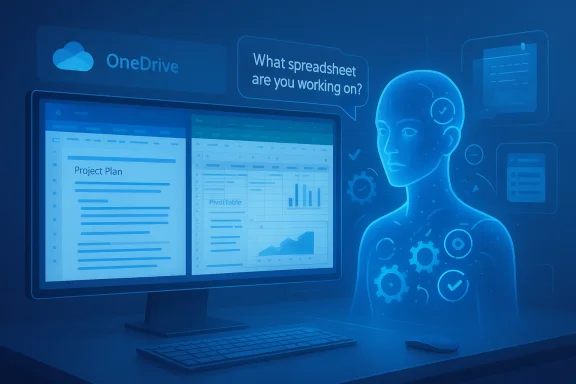
Microsoft’s Copilot is moving from helpful sidekick to active teammate: the latest wave of updates — built around an in‑canvas Agent Mode, a chat‑first Office Agent, and broader “smart editing” behavior across Word, Excel, PowerPoint and Viva — promise to turn Microsoft 365 into an agentic productivity layer that plans, acts, and iterates inside the apps you use every day.
Microsoft first shipped Copilot as a conversational assistant embedded across Word, Excel, PowerPoint, Teams and Windows. The product has steadily evolved into a platform of coordinated AI capabilities: model routing, connectors, on‑device features, and now agentic workflows that decompose a brief into executable subtasks and surface intermediate artifacts for humanmes this new pattern as vibe working — an interactive human + agent loop intended to make complex tasks approachable for non‑experts.
Two headline pieces define the shift:
Key user‑facing capabilities announced so far:
The presence of a public benchmark is a healthy sign: it allows independent scrutiny and gives administrators a measurable baseline for what to expect. That said, benchmarks are inevitably task‑constrained; they rarely capture the full complexity of real‑world spreadsheets (dynamic arrays, PivotTables, cross‑sheet refreshes, business logic), so the practical accuracy you'll see on your workbooks may vary.
Benefit: compresses research + first‑draft slide authoring. Risk: web‑sourced assertions require provenance checks; images and brand assets must be validated for licensing.
For organizations: treat these features as a productivity multiplier that requires guardrails. Pilot widely, instrument thoroughly, and insist on provenance for outputs that affect decisions, customers or compliance. For individuals: expect your role to shift toward oversight and judgement — you’ll spend less time drafting and more time validating and contextualizing agent work.
If you’re an IT leader, start pilots now; if you’re a power user, learn to shape and verify agent outputs; and if you’re a compliance or legal professional, build model‑aware policies into procurement and tenant configuration. The future where Copilot does more of the heavy lifting has arrived — but only teams that pair agents with good governance will capture the gains safely.
Source: Windows Report https://windowsreport.com/microsoft...ot-upgrade-with-agent-mode-and-smart-editing/
 Background / Overview
Microsoft first shipped Copilot as a conversational assistant embedded across Word, Excel, PowerPoint, Teams and Windows. The product has steadily evolved into a platform of coordinated AI capabilities: model routing, connectors, on‑device features, and now agentic workflows that decompose a brief into executable subtasks and surface intermediate artifacts for humanmes this new pattern as vibe working — an interactive human + agent loop intended to make complex tasks approachable for non‑experts.Two headline pieces define the shift:
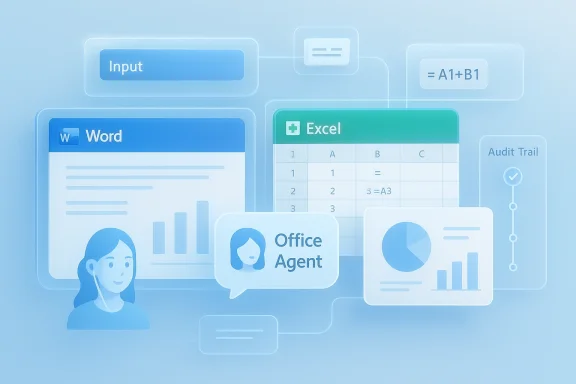
- Agent Mode — an in‑canvas experience inside Word and Excel (PowerPoint support coming) tp work, execute actions inside the document, validate results, and iterate while showing the user each step.
- Office Agent — a chat‑first Copilot workflow that clarifies intent, performs research or computation using the right models, and produces near‑final Word documents or PowerPoint decks for review.
What Agent Mode and Office Agent actually do
Agent Mode: multi‑step, steerable work inside the canvas
Agent Mode converts a natural language brief into a seqtasks (gather inputs, choose formulas, insert charts, format results, validate outputs). As it runs each subtask, the agent shows the intermediate artifacts so the human can inspect, edit, reorder, or stop the flow — preserving auditability and control. In Excel this means Agent Mode can choose formulas, create sheets, apply conditional formatting and build visualizations; in Word it drafts sections, proposes structure and formatting, and asks clarifying questions as the draft evolves.Key user‑facing capabilities announced so far:
- In Excel: build financial models, loan calculators, dashboards; generate and validate formulas; create refreshable templates and visualizations.
- In Word: draft and refine long documents with style and branding guidance, extract insights from referenced files or mail, and convert scattered inputs into coherent reports.
- In PowerPoint (Agent Mode incoming): create and iterate slides conversationally while preserving layout and brand templatttps://www.microsoft.com/en-us/microsoft-365/blog/2025/09/29/vibe-working-introducing-agent-mode-and-office-agent-in-microsoft-365-copilot/?msockid=0bab2ce7e4116e733cd43a90e5046f8a&utm_source=openai))
Office Agent in Copilot chat: chat‑first research and slide generation
Office Agent lives in Copilot chat. Instead of a single reply, it runs a clarifying dialog, performs research where allowed, shows slide previews or document drafts live, then generates polished outputs with built‑in quality checks. Microsoft says Oe some workloads to Anthropic models when they provide a better safety or design trade‑off, while higher‑reasoning tasks in Excel and Word can leverage OpenAI’s newest reasoning models. That multi‑model approach — “the right model for the right job” — is now explicit in Microsoft’s architecture.What Microsoft claims about accuracy and benchmarks
Microsoft published a headline figure for Excel Agent Mode using an open benchmark called SpreadsheetBench: Agent Mode achieved a 57.2% accuracy on that task set, compared to higher scores for human experts on the same suite. Microsoft frames the result honestly — Agent Mode beats some competing agent pipelines but remains short of expert human performance, which underscores why human oversight remains essential for high‑stakes outputs.The presence of a public benchmark is a healthy sign: it allows independent scrutiny and gives administrators a measurable baseline for what to expect. That said, benchmarks are inevitably task‑constrained; they rarely capture the full complexity of real‑world spreadsheets (dynamic arrays, PivotTables, cross‑sheet refreshes, business logic), so the practical accuracy you'll see on your workbooks may vary.
Availability, rollout and licensing — what admins and end users need to know
Microsoft’s public messaging and roadmap reveal a staged rollout model:- Many agent features were introduced through Microsoft’s Frontier / preview programs and via web experiences first, with desktop clients scheduled to follow. The company explicitly recommended the Excel Labs add‑in to experiment with Agent Mode on the web.
- Roadmap entries and third‑party coverage indicate that Copilot features that steer presentation length, tone and visuals have moved out of development and into launch windows for late 2025 / early 2026, with platform integration across PowerPoint and Copilot chat continuing to expand. Enterprises can expect a staggered timeline and tenant‑level controls.
- Some consumer‑grade Copilot capabilities are being exposed to Microsoft 365 Personal, Family and Premium subscribers via the Frontier program, while enterprise tenants receive administrative controls and governance tooling for agent deployment.
The technical foundations: models, routing, and governarouting and “right model for the job”
Microsoft isn’t tying Copilot to a single large model. The product now explicitly uses multiple underlying engines:- Advanced spreadsheet reasoning and in‑canvas multi‑step planning are leaning on OpenAI’s latest reasoning models (reported as GPT‑5 by Microsoft’s blog posts and coverage).
- Office Agent chat flows sometimes use Anthropic’s Claude variants to run research‑heavy or safety‑sensitive summarization tasks.
Copilot Studio, Foundry and agent lifecycle
Microsoft is shipping developer and management tooling — Copilot Studio and enterprise agent lifecycle controls — to let organizations create, certify, and govern agents at scale. That tooling is central to enterprise adoption because it provides audit trails, access controls, and runtime enforcement that enterprises require. Security vendors are already shipping inline prevention tooling for Copilot‑built agents to stop unsafe actions before they complete.Strengths and immediate benefits
- Productivity gains for non‑experts. Agent Mode reduces the learning curve for Excel and Word by turning domain knowledge into a conversational workflow. It can surface appropriate formulas, generate charts, and apply consistent corporate formatting without manual scaffolding. For teams that spend hours translating data into decks and reports, the time savings can be meaningful.
- Iterative, auditable workflows. Because the agent surfaces intermediate artifacts and asks clarifying questions, outputs are less opaque than one‑shot generations. That steerability — the ability to stop, inspect, and change the plan — is a major design win for adoption in regulated and audit‑sensitive contexts.
- Chat‑first creation for slide decks and reports. Officeeview + quality‑check flow maps well to the way many teams actually work: brainstorming in chat, then shaping a shareable deck. For knowledge workers who start in chat, this can compress a multi‑hour task into a guided conversation.
- Administrative visibility. Updates to Copilot analytics and Viva dashboards give managers new visibility into Copilot adoption and usage patterns, which helps measure ROI and identify training needs.
Risks, accuracy limits, and governance concerns
- Accuracy shortfalls remain: Benchmarks like SpreadsheetBench show a performance gap versus human experts. For financial models, legal documents, or any high‑risk output, human verification is still required. Treat agent outputs as drafts that accelerate human work rather than unattended automation for mission‑critical decisions.
- Hallucination and provenance: Even with quality checks, models may invent facts, cite non‑existent sources, or misattribute numbers. When Copilot performs web research as part of Office Agent workflows, IT needs to control whether external web grounding is allowed and to require provenance for assertions that matter.
- Data residency and compliance: Routing tasks across multiple models (OpenAI, Anthropic) raises questions about where data is processed and what contractual safeguards apply. Enterprises with strict data residency or regulatory obligations must use tenant settings, model‑choice controls, and Copilot Studio governancs.
- Over‑automation risk (automatic edits): WindowsReport and product notes indicate a move toward automatic in‑document edits by default in some chat flows. That convenience carries the risk of unintended changes being applied if users or admins misconfigure defaults. Microsoft states every change remains reviewable and reversible, but IT should assume people will miss edits unless process and training are in place. ([wind/windowsreport.com/microsoft-365-set-for-big-copilot-upgrade-with-agent-mode-and-smart-editing/)
- Governance complexity and attack surface: Agents that can act across mail, files, and third‑party connectors expand attack surface. Inline prevention and runtime controls are being developed, but administrators must plan for new operational complexity: certificate management, modeld incident response for agent misuse.
Real‑world scenarios: what changes and what to watch for
Example 1 — Monthly financial close
A finance analyst asks Agent Mode: “Prepare the monthly close for September, include revenue by product line, compare to August, and flag variances over 5%.” The agent:- Pulls the dataset, chooses formulas, generates a P&L tab and charts.
- Runs validation steps, flags inconsistent dates, suggests corrections.
- Produces a summary paragraph and slide‑ready charts that can be handed to PowerPoint.
Example 2 — Executive presentation from chat
A product manager uses Office Agent: “Create an 8‑slide deck summarizing top 5 market trends with speaker notes.” The agent clarifies audience and tone, runs grounded web research where permitted, shows slide previews, and outputs a finished deck for editing in PowerPoint.Benefit: compresses research + first‑draft slide authoring. Risk: web‑sourced assertions require provenance checks; images and brand assets must be validated for licensing.
Recommendations for IT leaders and power users
Adopt a staged approach — pilot, govern, scale. Here’s a practical checklist to manage risk and capture value:- Pilot with low‑risk teams first (marketing, internal comms, product docs) to measure time‑savings and discover common failure modes. Track results in Viva/Copilot analytics.
- Define guardrails in Copilot Studio: permitted connectors, model routing policies, and data handling rules. Require provenance or human sign‑off for outputs used externally.
- Disable or require opt‑in for automatic apply behavior until workflows and training are mature. Communicate clear UI patterns so employees know when edits were suggested vs. applied.
- Update incident response playbooks for agent misuse, and configure inline prevention tools for runtime enforcement where possible. Plan for certificate and key management complexity when agents act across services.
- Invest in user training — teach employees to verify sources, audit formulas, and treat agent outputs as drafts. Use the Copilot analytics dashboard to identify teams that need extra training.
Governance and legal checklist for procurement teams
- Verify contractual terms for each model vendor (OpenAI, Anthropic): data use, retention, and processing locations. Model choice matters for compliance.
- Confirm whether agent actions that touch mail, calendar or third‑party services are logged and auditable. Ensure the tenant’s CP/retention settings align with regulatory obligations.
- Insist on a model‑explainability and provenance plan for outputs used in regulated reports or external communications. Benchmarks are helpful, but you need operational evidence of reliability.
How this shifts day‑to‑day work for knowledge workers
- Fewer repetitive formatting and formula tasks — more time for interpretation and decision‑making.
- Faster first drafts for reports and decks, with the agent doing much of the heavy mechanical work.
- A higher need for verification and editorial skill: team members will spend less time constructing artifacts and more time validating and contextualizing them.
What remains unclear or unverifiable today
- Exact enterprise rollout calendar: Microsoft’s blog and roadmap entries document staged launches and previews, but the timing for desktop parity and global availability varies by feature and license tier. Administrators should verify specific tenant messages and roadmap IDs for precise dates.
- Default behavior scope and toggle semantics for automatic apply workflows in Word chat: product notes indicate a default apply mode will be available with a policy to disable it, but the precise admin control surfaces and defaults across tenant contexts require confirmation inside the Microsoft 365 admin center. Treat claims about “applies edits by default” as a high‑priority configuration item to verify in your tenant.
- Long‑term accuracy trends: benchmarks show current gaps; whether iterative model improvements will close those gaps for mission‑critical tasks depends on future model updates and real‑world testing in your processes.
The strategic takeaway
Microsoft’s Agent Mode and Office Agent mark a deliberate shift: Copilot is becoming a platform of agents that can plan, act, and iterate inside the Microsoft 365 canvas rather than only offering single‑turn suggestions. That change brings immediate productivity upside for many routine knowledge tasks and a design that favors auditability and steerability over opaque generation. But the move also raises meaningful governance, compliance, and verification requirements for IT teams and business leaders.For organizations: treat these features as a productivity multiplier that requires guardrails. Pilot widely, instrument thoroughly, and insist on provenance for outputs that affect decisions, customers or compliance. For individuals: expect your role to shift toward oversight and judgement — you’ll spend less time drafting and more time validating and contextualizing agent work.
Final verdict: exciting, but not a replacement for judgment
Agent Mode and Office Agent are a meaningful step toward agentic productivity. They lower skill barriers, accelerate drafting tasks, and make multi‑step workflows manageable for non‑experts. But the current evidence — public benchmarks, staged rollouts, and Microsoft’s own caveats — make one truth plain: these agents are powerful assistants, not autonomous decision‑makers. Enterprises that want the upside must invest in governance, instrumentation and user training to avoid the downside.If you’re an IT leader, start pilots now; if you’re a power user, learn to shape and verify agent outputs; and if you’re a compliance or legal professional, build model‑aware policies into procurement and tenant configuration. The future where Copilot does more of the heavy lifting has arrived — but only teams that pair agents with good governance will capture the gains safely.
Source: Windows Report https://windowsreport.com/microsoft...ot-upgrade-with-agent-mode-and-smart-editing/