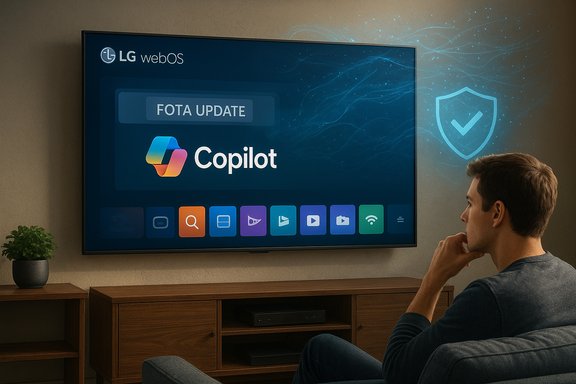
Microsoft’s Copilot has quietly crossed from desktops and phones onto living-room screens — and for some LG owners the arrival didn’t come with a polite “remove” button.
Background / Overview
The Copilot assistant that Microsoft has been rolling across its ecosystem was announced for smart TVs at CES 2025 and has already begun appearing on manufacturers’ platforms, most visibly Samsung’s 2025 lineup and — according to multiple user reports and forum threads — some LG webOS sets following recent over‑the‑air updates. Official partner messaging framed Copilot on TVs as a convenience feature for on‑screen search, content discovery and contextual cards; users who discovered it installed on their sets, however, report that the app behaves like a system component with no standard uninstall option, leaving only a “hide” or disable affordance in the UI. That dual reality — vendor messaging about helpful AI vs. consumer frustration about lack of control — is at the heart of the controversy. The technical facts in the field are currently a mixture of published rollouts (Samsung’s confirmed deployment and Microsoft’s Copilot blog posts) and first‑hand consumer reports (forum and Reddit threads) that describe what looks like a firmware‑level or privileged app push on some LG TVs. Where independent verification is available, it supports the claim that Copilot is being brought to TVs as an integrated accessory; where it is not available, the strongest evidence remains user screenshots and community troubleshooting.What happened: the timeline and the observable facts
CES announcement and vendor positioning
At CES 2025 Microsoft, Samsung and LG publicly discussed plans to surface Copilot on TV platforms. Samsung’s rollout of Copilot for selected 2025 TVs and smart monitors has been documented by Samsung and Microsoft as an available feature in select markets; Samsung’s implementation ties Copilot into its Vision AI suite and its homescreen UX. LG’s public messaging emphasized a broader webOS AI push — an “AI Remote,” an AI section in the interface and Copilot as a shortcut inside that experience. Those announcements established intent and placed Copilot firmly on OEM roadmaps.The on‑set reports: copies of the app appearing after updates
Beginning in the months after those announcements, owners of LG TVs reported receiving a webOS update that placed a Copilot tile or app into their home screens. Multiple owners across forums and Reddit threads described similar behavior: the app appears in app rows or AI sections after a routine firmware push, and when users attempt to manage installed apps they find no uninstall/trash option — only hide or disable. Community threads documenting the behavior include screenshots and stepwise accounts from affected owners. Those reports rapidly aggregated into widely read discussion threads and community complaint posts.What the vendors have (and haven’t) said publicly
Samsung published rollout details for its supported models and confirmed availability in select markets. LG has been public about expanding AI on webOS and launching webOS Hub 3.0 / webOS 25 that boosts AI features and partner integrations, but OEM documentation and corporate press releases do not uniformly describe the installation model that would make an app permanently non‑removable. Until a vendor statement explicitly confirms the packaging method used for Copilot in a specific firmware build, the strongest direct evidence of non‑removability remains user reporting and technical explanation of how system‑level installs behave on webOS.How an app can be made effectively permanent (technical mechanics)
Manufacturers distribute new capabilities and apps to TVs via firmware‑over‑the‑air (FOTA) and privileged package channels. There are two canonical ways such a component becomes “non‑deletable” in practice:- Install as a privileged system package outside the regular app sandbox so the UI exposes only limited management actions (hide/disable) rather than uninstall.
- Bake the app into the firmware image itself so that a factory reset returns the device to the same updated image with the app present.
Live Plus and Automatic Content Recognition: why this matters for privacy
LG’s webOS includes a feature line often called Live Plus (also referenced in menus as Live Promotion, LivePlus or similar) that provides automated content recognition (ACR). Live Plus can analyze what's on the screen to provide contextual info, promotions and interactive content tied to what you’re watching. LG’s official user guides and independent privacy reporting document Live Plus’s presence and show the menu path to toggle it off: Settings → All Settings → General → System → Additional Settings → Live Plus (wording varies by model). Several privacy guides and investigations have also spelled out how these ACR flows feed ad personalization unless users opt out via the TV's settings and user agreements. Why this matters: if an assistant like Copilot offers contextual on‑screen insights, it will logically benefit from the same signals ACR provides (what’s playing, timestamps, metadata). That combination — a privileged assistant plus on‑screen content recognition and advertising inventory — escalates data collection surface area unless clearly limited by opt‑in policies and robust privacy defaults. Forum discussions and privacy analyses have highlighted that combination as a major source of consumer concern.What’s verifiable and what remains unproven
- Verifiable: Microsoft publicly announced Copilot integrations with TV partners and Samsung has publicly rolled out Copilot to selected 2025 TVs and smart monitors. LG’s webOS AI roadmap has been publicized; LG user guides document Live Plus and its setting path.
- Documented by users (strong but not vendor‑confirmed): multiple LG owners have reported an over‑the‑air update that adds a Copilot app tile which cannot be uninstalled from the app manager — it can only be hidden. Multiple community threads recorded the same pattern across models and firmware updates.
- Not fully verified: there is not yet an official LG or Microsoft statement that specifies whether Copilot was intentionally packaged as an undeletable, privileged system app in a specific firmware build. Claims about Copilot actively collecting new classes of telemetry beyond existing webOS flows — e.g., continuous ambient audio capture or cross‑device profiling tied explicitly to Copilot — require vendor confirmation or independent forensic analysis to substantiate. Community investigations recommend caution and further technical verification.
Strengths and intended user benefits
When implemented transparently and with appropriate opt‑in and privacy defaults, integrating a conversational assistant on TVs can deliver real user‑visible value:- Improved content discovery: Copilot can search across multiple streaming apps, and surface spoilers‑safe summaries, metadata and watch options in a single conversational interface.
- Accessibility gains: voice navigation and contextual explanations are valuable for users with mobility or vision impairments.
- On‑screen companion content: live information cards, cast or scene context, and educational overlays can enrich documentaries, sports broadcasts and news.
- Ecosystem convenience: tight tie‑ins with Xbox, Windows devices, or Microsoft 365 features might help households that already use Microsoft services across devices.
Risks, tradeoffs and why users are upset
- Loss of control: consumers expect to be able to remove or opt out of optional services on devices they purchased. A preinstalled, non‑removable assistant feels like vendor overreach and reduces perceived ownership.
- Privacy creep: Copilot’s contextual value depends on data — audio, screen context, viewing habits — expanding telemetry beyond simple app metrics. Without clear disclosures and simple, persistent opt‑outs, users rightly worry about how that data will be used or shared.
- Monetization and attention economy: modern smart TV homescreens are monetized through promotions, screensaver ads, and ACR‑driven targeting. An assistant that improves personalization can be an ad business multiplier unless privacy‑preserving guardrails are in place.
- Technical brittleness: system‑level installs are harder to remove and harder for support teams to ignore. Factory resets may return the app; blocking network endpoints can degrade service; external workarounds shift the problem rather than solve it.
Practical steps for owners who want to reduce exposure
If you find Copilot installed on your LG TV and you want to minimize its presence or the TV’s telemetry footprint, consider the following, ordered from least to most disruptive.- Check and turn off Live Plus / ACR and ad targeting
- Navigate to Settings → All Settings → General → System → Additional Settings → Live Plus and set it Off (menu wording varies). Also review User Agreements and opt out of Viewing Information, Voice Information, Interest‑Based Advertising and Similar toggles where present.
- Disable “Home Promotion,” “Home Auto Launch” and limit ad tracking
- Use the Home/Settings menus to disable promotions and limit ad personalization; these settings reduce the volume of targeted content surfaced on the homescreen.
- Hide the Copilot tile and avoid signing in
- If the UI allows, hide the app from the home row and refrain from linking a Microsoft account to the TV. Hiding is reversible but removes visible friction in everyday use.
- Keep the TV offline or use router‑level controls
- Disconnect Wi‑Fi/Ethernet or block known telemetry domains at your router (Pi‑hole or firewall). This prevents cloud calls but also disables all native streaming capabilities and automatic updates. Use with care.
- Use an external streaming device
- Run your streaming experience through a small external box (Roku, Apple TV, Fire TV, Nvidia Shield) and use the TV mostly as a display. This effectively sidesteps the platform’s UI and any forced apps.
- Factory reset — and then evaluate updates
- A factory reset can help if an app was installed at the user level, but if the app is baked into the installed firmware image, a reset will likely reintroduce it. Test with caution and keep firmware rollbacks in mind only if you have a supported method to reflash older firmware.
- If you purchased the TV recently and functionality changed materially
- If your device was sold with promised Google Assistant features that have been removed, or the device now includes non‑removable software you explicitly didn’t consent to, pursue return/refund or consumer remedies via the retailer or manufacturer support channels where appropriate.
Corporate incentives and market forces driving this behavior
Why would LG or Microsoft push Copilot in a way that looks permanent to users? The answer is a mix of strategy and economics:- Feature differentiation: as display hardware matures, UX and AI features are the battleground for premium positioning.
- Ecosystem reach: Microsoft benefits from Copilot’s presence across more screens, deepening brand familiarity and increasing touchpoints for Microsoft services.
- Ad inventory and data: TVs with ACR and personalized recommendations generate valuable signals for CTV advertisers; an assistant that augments personalization multiplies that value.
- Partnership leverage: OEMs and platform vendors often highlight launch partners by surfacing partner apps prominently; those same partners are incentivized to secure durable placements that maximize engagement metrics.
What vendors should do (and what to watch next)
Manufacturers and platform partners can restore trust quickly with a few straightforward moves:- Ship AI features as truly optional, installable user‑level apps, or provide a one‑click uninstall that also purges associated telemetry.
- Default to privacy‑minimal settings (ACR and personalized ads off) until users explicitly opt in.
- Publish clear and specific firmware change logs that list added apps and explain exactly how to disable or remove them.
- Offer a simple web‑facing privacy dashboard that shows what viewing data was collected and offers deletion controls.
- When deprecating services (e.g., Google Assistant removal), provide a migration window and clear guidance for affected customers.
Conclusion
Copilot on TVs is a textbook example of an innovation that looks useful in principle but can backfire in execution. The technology’s promise — better discovery, accessibility and conversational control on a large screen — is real and may bring tangible benefits for many households. But the rollout pattern documented in community forums and complaint threads shows a fault line: if the assistant arrives as a privileged, non‑removable component with opaque privacy defaults, it triggers consumer backlash and erodes trust.For now the evidence supporting both sides is clear: Microsoft and Samsung publicly announced Copilot for TVs and have begun shipping it; LG’s webOS AI roadmap likewise makes Copilot plausible across models. The strongest evidence that some LG TVs received a non‑removable Copilot app comes from aggregated user reports and forum analysis describing privileged installs and hide‑only behavior. Vendor confirmation of the specific packaging model — and a clear, persistent path for data opt‑out — would greatly reduce friction.
Owners who want to reduce exposure have practical levers: disable Live Plus and ad personalization, hide the tile, use an external streamer, or keep the TV offline. Those mitigations are effective but imperfect. The longer‑term fix is not technical ingenuity from users but better product design and clearer consent models from vendors.
The next chapters will be written by two actors: manufacturers who must choose whether to prioritize short‑term engagement metrics or durable customer trust, and privacy‑conscious consumers deciding whether to accept AI bloat for convenience or to return to simple displays and external streamers. The balance they strike will determine whether Copilot becomes a genuinely helpful TV companion or another contested chapter in the uncomfortable history of preinstalled software.
Source: TechPowerUp Microsoft Copilot AI Comes to LG TVs, and Can't Be Deleted | TechPowerUp}