• Thread Author
Microsoft’s Copilot has moved from an experimental sidebar to a baked‑in productivity partner — but the reality of using it day‑to‑day is more complicated than the glossy demos suggest. The promise is simple: draft faster, analyze smarter, and get routine work off your plate. In practice, Copilot delivers powerful first drafts and analytical shortcuts while introducing new governance, verification, and workflow responsibilities for every team that adopts it. The outcome depends less on the technology itself and more on how organizations design who uses it, what it can see, and how outputs are checked. ]

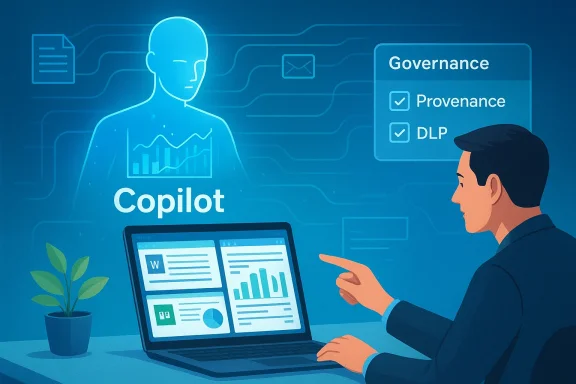
A person uses a laptop while a holographic Copilot guides governance and provenance checks.Background / Overview​

Microsoft’s strategy has been to embed generative AI directly into the Office surface: Word, Excel, PowerPoint, Outlook and Teams now surface Copilot features as in‑pane assistants and agentic workflows that can research, draft, and convert chat outputs into editable Office files. Recent product updates added permissioned connectors and a document creation/export workflow in the Copilot app on Windows, expanding Copilot’s reach beyond just suggestion to action. These changes are moving Copilot from a helpful add‑on to a workflow engine — and that shifvity upside and operational risk.
Copilot is increasingly multi‑model and multi‑variant: organizations can route straightforward conversational traffic to low‑latency variants and send complex reasoning tasks to deeper thinking models. Microsoft and OpenAI’s recent rollouts (including GPT‑5.3 Instant) are intended to reduce latency and improve the conversational experience, but faster responses do not eliminate the need for grounding, provenance, and human verification.

Copilot in Word: Drafting and summarizing — powerful, but not authoritative​

What it does well​

Copilot’s Word integration accelerates the first draft stage of writing. It can:
  • Generate outlines from short briefs or meeting notes.
  • Expand bullet lists into paragraphs and create alternate phrasings.
  • Produce concise summaries of long documents or meetinrmat and rewrite text to match requested tone and reading level.
The workflow Microsoft and early testers describe is consistent: generate → review → refine. Use Copilot to break writer’s block and produce many iterations quickly; the human then edits for accuracy, style, and legal or regulatory nuance.

Where it fails (and how to spot problems)​

Generative models are probabilistic by design. In Word this shows up in three frequent error modes:
  • Inaccuracies — incorrect facts, misdated claims, or mismatched figures.
  • **ausible sounding but ambiguous phrasing that obscures risk.
  • Fabricated citations or references — the model may invent a source or link that doesn’t exist.
These errors are not edge cases; they are predictable failure modes when Copilot synthesizes content from patterns rather than verifying a canonical source. Treat all AI‑generated passages as first drafts, not final copy.

Practical tips for Word users​

  • Start with a short, structured brief: a 2–4 line prompt with audience and purpose.
  • Ask Copilot to list the claims it used to build the is absent, request it explicitly.
  • Keep a verification pass: check dates, numbers, and names against original documents before distribution.
  • Preserve a clear human sign‑off step in workflows for external or client‑facing documents.
These steps reduce rework and prevent the paradox where an attempted time‑saver creates more editing overhead than it saves.

Excel + Copilot: Analysis speed — but verify every formula​

Where Copilot helps most​

Excelnalytical affordances are most visible: it can detect patterns, recommend functions, produce charts from data ranges, and surface anomalies that non‑experts might miss. For fast exploratory analysis — quick pivots, suggested visualizations, or natural‑language queries (“show top three regions by growth rate”) — Copilot is a force multiplier.

Where it introduces risk​

Spreadsheets are high‑stakes: small formula errors cascade into big decisions. Copilot can:
  • Misinterpret table boundaries or merged cells ant formula.
  • Assume implicit relationships between columns that don’t exist.
  • Generate summaries that compress or drop caveats found in the raw data.
Because of these failure modes, every AI‑assisted analysis requires a human verification loop. Treat Copilot’s outputs as suggestions to inspect, not validated results.

Excel best practices (technical checklist)​

  • Manually inspect any formulas Copilot generates before use in models or reports.
  • Verify data ranges — confirm Copilot selected the intended cells, especially where blank rows or hidden columns exist.
  • Recompindependently or with a second analyst before external reporting.
  • Lock down sensitive or regulated sheets with stricter access controls and limit Copilot’s reach to read‑only where appropriate.
These controls preserve the speed gains without exposing the organization to avoidable numerical errors.

PowerPoint: From notes to slides — the time saver that still needs a designer​

Copilot can convert documents, notes, or chat research into a complete slide deck with speaker notes and suggested visuals. The typical flow is:
  • Research agent gathers facts and citations.
  • Copilot creates an outline and auto‑generates slides using tenant branding and Slide Master cues.
  • A human iterates on design, tone, and storytelling.
This workflow is valuable for tight deadlines and internal briefings. It reduces the “mechanical” workload of formatting and slide layout, letting humans focus on narrative and persuasion. But it is not a replacement for design thinking — Copilot does not understand audience nuance or the subtleties of executive storytelling without human input.

Quick rules for presentation quality​

  • Use Copilot decks as a first draft; always run a slide‑level editorial pass.
  • Check any numerical charts against source datasets; visual appeal can hide misaggregations.
  • Verify legal disclaimers and regulatory text manually; Copilot can omit required fine print.
  • Enforce corporate Slide Master templates and approved copy libraries at the tenant level to reduce brand drift.

Outlook: Faster mail, higher sensitivity​

Copilot in Outlook speeds routine email tasks: drafting replies, summarizing long threads, and suggesting follow‑up actions. For inbox triage and routine administrative comms, this can dramatically reduce atic drafting risks tone errors, inadvertent oversharing, or misreading nuanced threads — especially when messages involve clients, legal issues, or executive communications. Always include a human review step for sensitive recipients.
Practical inbox rules:
  • Use Copilot for internal, low‑risk threads; avoid it for contract or legally binding communications unless reviewed.
  • For long threads, ask Copilot for a list of decisions and open actions, then verify against source emails.
  • Teach users to scan for tone and specificity before sending Copilot‑generated replies.

Data access: the governance heart of Copilot deployments​

At the core of Copilot’s usefulness is its ability to read organizational data — documents, email, calendar entries, and connected cloud storage — and synthesize contextual outputs. That same access is the governance challenge: broader access improves capability but raises exposure. Every enterprise rollout must balance these forces with explicit controls.
Key governance controls organizations must enforce:
  • File access controls — ensure Copilot connectors respect existing RBAC and least‑privilege policies.
  • Role‑based permissions — restrict who can invoke Copilot on high‑risk data sets.
  • Data classification & labeling — make sensitive data discoverable to DLP and Copilot policies so it is excluded from unsafe operations.
  • Tenant‑level DLP and conditional access — block or redact sensitive fields before they are surfaced to models.
Microsoft exposes admin controls via Copilot Studio, Power Platform data policies, and tenant DLP. Administrators should test those controls in staging tenants before broad rollouts.

Privacy, compliance, and auditing: what to demand from your deployment​

Organizations operating in regulated sectors must treat Copilot like any other critical service that processes personal data. The core questions to answer before wide adoption are:
  • What exactly can Copilot access with default settings?
  • Where and how are prompts and responses stored and retained?
  • How are connectors authenticated, and are tokens confined to the tenant?
  • What auditing and e‑discovery hooks exist to trace a Copilot session?
Practical governance steps:
  • Run a Data Protection Impact Assessment (DPIA) for Copilot use cases that touch regulated data.
  • Disable external web research for sensitive workloads or limit model routing to tenant‑only retrieval.
  • Require human approval for outputs used in regulated filings or public statements.
  • Ensure logs capture request/response content, model variant used, and the source documents Copilot referenced.
These measures are not optional for healthcare, finance, or legal departments. Microsoft’s enterprise guidance and tools provide DLP integration, tenant controls, and audit logging — but they require configuration and verification.

Accuracy limits: why probabilistic models demand human verification​

Generative models produce plausible text by sampling likely continuations, not by indexing a canonical truth table. That probabilistic nature leads to three persistent risks:
  • Hallucinations — invented facts or citations presented confidently.
  • Data distortion — numbers misaggregated or caveats dropped during summarization.
  • Overconfidence — outputs that sound authoritative but lack provenance.
Newer model variants (e.g., GPT‑5.3 Instant) reduce latency and improve conversational flow, and Microsoft now exposes model routing in Copilot Studio to help administrators choose tradeoffs. However, improved fluency is not a substitute for provenance and fact‑checking. When outputs matter, humans must verify claims with primary sources.
Flag unverifiable content: if Copilot produces statements without citations or provenance, mark those sentences for manual verification before sharing externally. This practice should be codified in any organizational Copilot policy.

Who benefits most — and who should be cautious​

Copilot will be most valuable for:
  • Knowledge workers overloaded with documents and meetings.
  • Managers who need quick summaries and meeting notes.
  • Analysts doing exploratory data work where sters.
  • Teams producing many internal presentations or routine reports.
It provides less value where domain accuracy is mandatory or where regulatory/regulatory consequences are high — for example, legal contract drafting, audited financial statements, and clinical decision support — unless governance and specialist fine‑tuning are in place. Treat Copilot as a collaborator, not an authority.

Building responsible Copilot work processes​

To move from pilot to production, build documented, measurable processes that embed verification and escalate high‑risk outcomes. A practical rollout checklist:
  • Pilot phase
  • Select 1–3 low‑risk teams.
  • Define KPIs: time‑to‑first‑draft, post‑generation edit rate, factual accuracy percentage.
  • Enable logging and telemetry in a staging tenant.
  • Governance and controls
  • Apply DLP and conditional access on Copilot connectors.
  • Enforce data classification rules and template libraries.
  • Configure model routing: Instant for conversational flows; Thinking/Pro models for complex reasoning.
  • Training and culture
  • Short workshops on prompt design and reading AI citations.
  • Clear rules for when human sign‑off is mandatory.
  • Educate users on deletion/retention of Copilot conversations and saved context.
  • Operationalization
  • Integrate verification into document approval workflows.
  • Maintain an audit trail for all Copilot‑generated artifacts used externally.
  • Periodically review error rates and refine policies.
Following these steps converts Copilot from a novelty into an operational assistant that reduces risk while preserving speed.

The global picture: productivity gains and widening gaps​

Generative AI has the potential to compress labor on routine knowledge tasks and deliver productivity boosts at scale, but access and readiness will be uneven. Organizations and regions with robust governance, training, and cloud ine disproportionate gains, while resource‑constrained environments risk falling further behind. Responsible implementation — including targeted training and fair access programs — is necessary to avoid widening economic disparities. These macro dynamics are important for policy makers and enterprise leaders planning long‑term workforce strategies.

Practical, copy‑and‑paste playbook: immediate steps for IT and team leads​

  • Start small: pilot Copilot with high‑value, low‑risk teams and measure outcomes.
  • Lock governance first: enforce DLP and role‑based access before enabling connectors broadly.
  • Require provenance: configure Copilot and agents to surface source citations and require them for external content.
  • Train users: teach prompt engineering basics and create a mandatory «verify before share» rule.
  • Audit continuously: collect telemetry on edit rates, hallucination incidents, and policy exceptions.
If you must act this week: run a DPIA on any Copilot use that touches regulated data, and ensure the tenant admin has enabled logging for Copilot sessions. The Windows Insider rollout and official Microsoft guidance make testing safe options for staged learning before broad enterprise rollout.

Strengths, trade‑offs, and final assessment​

Microsoft Copilot in Office is a major step forward: it reduces mechanical work, accelerates ideation, and integrates model‑level assistance into tools employees already use. The integration of model variants (including GPT‑5.3 Instant) and connectors increases both utility and complexity: you get faster, more conversational assistance, but you must also manage routing, provenance, and tenant governance. The real value will be realized where human reviewers, IT controls, and clear policies combine to keep Copilot’s probabilistic outputs from becoming organizational liabilities.
What to watch next:
  • Microsoft’s continuing evolution of Copilot Studio controls and observability features.
  • Model routing defaults and how Microsoft surfaces which backend model produced an output.
  • Documentation on retention and where saved conversation context and snapshots are stored.
  • Regulatory developments (including AI legislation) that will define high‑risk classification and compliance obligations.

Conclusion: an assistant, never an authority​

Copilot is already changing knowledge work by automating the repetitive parts of writing, analysis, and slide building. The most successful deployments will treat it as an assistant — a speed and ideation engine whose outputs are always subject to human judgment, verification, and governance. Organizations that invest in clear controls, training, and verification playbooks will see genuine productivity gains. Those that treat Copilot as an autopilot risk errors, leakage, and regulatory exposure. The future of productivity in Office is human plus AI; the balance between them will determine whether Copilot is a trusted teammate or an expensive experiment.

Source: Techgenyz Microsoft Copilot in Office: Essential Tips to Improve Workflows
 

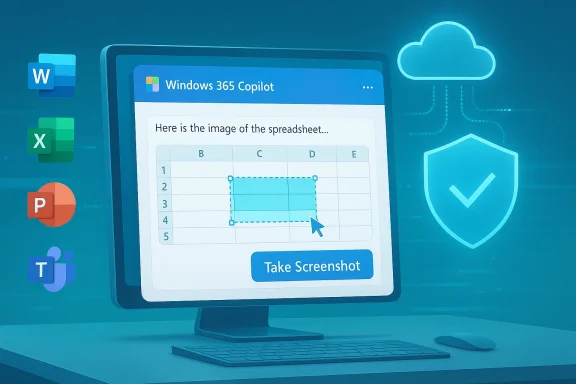
Microsoft appears to be building a native screenshot capture feature inside the Copilot experience for Microsoft 365, a change that could make sharing visual context with the assistant dramatically easier — and that also reopens long‑running questions about how Microsoft will handle image data, retention, and enterprise controls.

A computer screen shows Windows 365 Copilot with a spreadsheet and a Take Screenshot button.Background​

Over the last two years Microsoft has moved aggressively to fold Copilot into the flow of work across Windows, Microsoft 365 apps, and browser surfaces. That expansion has been both functional — enabling natural‑language editing, data extraction, and automations inside Word, Excel, Teams and PowerPoint — and contentious, because features that let an assistant “see” the screen can touch directly on user privacy and organizational data protection.
The latest development is a Microsoft 365 roadmap entry describing a feature called, in effect, Take Screenshot in Copilot: a built‑in way for users to capture images and attach them to Copilot prompts without leaving the app. The roadmap entry (published in early March 2026) is short on implementation detail but clear about intent: shorten the path from “I see something on screen” to “Copilot can analyze it,” and do so as an integrated part of the Copilot conversation.
This is a modest‑sounding change on its face, but in practice it shifts a frequent, sometimes awkward multi‑step workflow (Alt+PrintScreen → save → attach → explain) into a single interaction inside the assistant. For users who regularly ask Copilot to interpret tables, debug UI flows, extract text via OCR, or summarize screenshots, the convenience is obvious. For security and compliance teams, the questions are immediate: where do those screenshots go, how long are they retained, who can access them, and what controls will administrators have?

What the roadmap entry says (and what it doesn’t)​

The explicit promises​

  • The roadmap entry describes a built‑in screenshot capture that lets users take screenshots and include them directly in Copilot prompts. The aim is to reduce friction when providing visual context to the assistant and to improve the quality of Copilot’s responses by giving it direct image inputs.
  • The feature is listed under the Copilot product entry for Microsoft 365 and is described as in development with a desktop‑first scope. Roadmap text indicates integration across the Microsoft 365 app family — notably Excel, Teams, Word, and PowerPoint — consistent with how Copilot is currently surfaced.
  • The stated user benefit is straightforward: faster, more accurate assistance when the assistant can analyze on‑screen content without the user needing to leave the current app.

Key gaps and omissions​

  • The public roadmap item does not publish technical details: how screenshots will be stored, whether they are uploaded to Microsoft cloud services for analysis or processed on‑device, what retention policies will apply, nor how these actions will be logged and audited.
  • There’s no firm timetable or rollout window in the published roadmap summary. “In development” is not a public release date.
  • The entry does not explicitly state whether the screenshot capability will be available in Copilot Chat, the standalone Copilot app, Edge’s sidebar composer, or only in the Copilot integrations within Office desktop apps.
Because the entry is intentionally terse, both users and administrators must be prepared to make policy decisions once Microsoft publishes operational details or ships a preview. Until then, many of the high‑impact privacy and governance questions remain unanswered.

How the feature is likely to work (informed forecast)​

Microsoft’s roadmap summary describes the user experience; from that, and from how Copilot currently accepts documents and file uploads, we can reasonably infer several likely design choices. These are projections, not confirmations — treat them as implementation hypotheses that will need validation against Microsoft’s documentation.
  • On‑demand capture: Expect an explicit “Take screenshot” button or keyboard shortcut inside the Copilot UI. This would let users choose when to share visual context, rather than automatically capturing screens.
  • Selection modes: The UI will probably offer multiple capture modes: full screen, active window, or region selection. These modes are common across screenshots utilities and map cleanly to use cases like grabbing a chart in Excel versus the contents of a conversation in Teams.
  • Basic annotation: To improve usefulness, Microsoft may include annotation tools (crop, highlight, redact) so users can draw attention to relevant areas or redact sensitive text before sending the capture to Copilot.
  • OCR and visual understanding: Copilot will likely run OCR on captured images to extract actionable text and metadata (table structures, UI labels, error messages), enabling the assistant to answer queries about the screenshot content.
  • Contextual linking: If the screenshot originates from a document stored in OneDrive or a Teams file, Microsoft may allow Copilot to reference or open the original source, if permissions permit.
  • Desktop‑first rollout with mobile parity later: The roadmap suggests desktop first; mobile or web may follow depending on adoption and engineering constraints.
Again: these are informed expectations. Microsoft’s actual implementation could differ — particularly in areas that affect security and data residency.

Why this matters: practical benefits​

Integrating screenshots into Copilot removes friction from common productivity tasks and unlocks workflows that are currently clumsy or manual.
  • Faster troubleshooting: Users can capture an error dialog or UI state and ask Copilot to diagnose causes or propose fixes without typing a long explanation.
  • Data extraction from visuals: Copilot can parse tables or charts embedded in screenshots, then generate formulas, summaries, or exportable data — a boon for analysts who frequently receive static images of data.
  • Accessibility: Being able to snap a screen and have Copilot read, summarize, or transform it into selectable content helps screen‑reading workflows and users with visual or motor impairments.
  • Training and documentation: Support staff can capture steps and ask Copilot to turn them into step‑by‑step guides or troubleshooting scripts.
  • Collaboration: Screenshots shared inside a Copilot conversation can be annotated, explained, and turned into follow‑up actions inside Teams or Outlook.
These practical gains explain why a built‑in capture flow is attractive to Microsoft: it increases Copilot’s utility and shortens task cycles, making the assistant feel more integrated into work.

The privacy and security challenge: what history tells us​

Microsoft’s past experience with visual features is instructive. A few notable lessons from recent company initiatives that used continuous or automatic screen capture:
  • Continuous screenshot features create a high bar for secure local storage and access controls because they generate a comprehensive, potentially sensitive visual log of user activity.
  • Preview builds of screen‑recall features in the OS provoked scrutiny when artifacts or databases were found accessible without strong encryption and tamper protections. That backlash pushed vendors to make such features opt‑in and to rework storage architectures to tie encryption to secure hardware, biometrics, or user keys.
  • Third‑party apps and enterprise endpoints reacted by adding protections (for example, app-implemented “screen security” flags) that block OS-level captures of specific windows or content.
What this background tells us is simple: image capture features can provide enormous value, but they also amplify single points of failure. A leaked screenshot, improperly retained image, or poorly audited upload could disclose credentials, personal data, intellectual property, or regulated information.

Risk surface: a deep dive​

Below are the most consequential risk vectors organizations and end users should consider.
  • Data exfiltration via image capture: A screenshot can contain credentials, financial data, or PII. If captures are transmitted to cloud services for analysis, any compromise or misconfiguration could expose that data.
  • Local storage vulnerability: If screenshots are cached locally (for performance or indexing), they must be stored with strong encryption, access control, and anti‑tampering measures. Unencrypted SQLite or file‑system storage is a known attack vector.
  • Inadvertent sharing: Users may accidentally include a screenshot containing sensitive content in a Copilot prompt or share a conversation that includes images to a channel with broader access.
  • DLP and compliance blind spots: Existing data loss prevention (DLP) controls are primarily content‑driven for text and files. If screenshots are treated differently — for example, processed server‑side without DLP inspection — organizations could lose visibility and control.
  • Auditability and forensics: Without granular logging that records when screenshots were captured, who viewed them, and their downstream uses, incident response is hamstrung.
  • Cross‑tenant leakage and developer errors: Mistakes in multi‑tenant services or bot integrations could cause a screenshot to be associated with the wrong tenant or user session.
  • Accessibility of extracted metadata: OCRed text and derived metadata could be stored in searchable indexes, potentially increasing exposure if index controls are weaker than raw image storage protections.
Each risk is addressable with engineering and policy work, but the mitigation must be explicit — not assumed.

What enterprises should ask Microsoft before enabling the feature​

When a feature like this arrives in preview, CISOs and IT teams should demand clarity in the following areas:
  • Where are screenshots processed — on‑device or in the cloud? If cloud processing is used, in which datacenter regions will data be processed and stored?
  • What encryption is applied to screenshots at rest and in transit? Are keys tied to hardware (TPM), user credentials, or tenant protections?
  • What retention policies are configurable by tenant administrators? Can screenshots be auto‑deleted after X days, or quarantined based on DLP triggers?
  • How do DLP policies interact with screenshots and their extracted text? Will Purview / DLP engines inspect OCRed text and block or warn on policy matches?
  • What audit logs are produced? Administrators should require detailed logs for capture events, viewing, and export, suitable for e‑discovery and incident investigations.
  • What controls exist for disabling screenshot capture for managed devices, specific apps, or user groups?
  • How will Microsoft ensure third‑party Copilot extensions or agents don’t repackage or exfiltrate screenshots?
  • What consent and user disclosure UX will be shown so individuals understand when they are sharing screen content with Copilot?
Organizations should treat the roadmap item as the start of a vendor conversation, not as an opt‑in prompt. Procurement and security teams should coordinate with legal, compliance and end‑user computing to define a gating criteria before broad deployment.

Recommended administrative and end‑user controls (practical steps)​

Until the exact architecture is published, here are defensible policies that IT teams can prepare and apply quickly when the feature appears:
  • Default‑off, permit‑by‑policy: Configure tenant defaults so Take Screenshot in Copilot is disabled for all users. Only enable it for specific pilot groups after review.
  • DLP‑first: Extend Purview and DLP policies to explicitly cover images and OCRed content. Treat screenshots as high‑sensitivity artifacts by default and block transmission when policy matches occur.
  • App allowlist/denylist: Block capture from designated high‑risk apps (finance, HR systems, password managers, electronic medical records) at the endpoint level.
  • Endpoint hardening: Ensure device encryption (BitLocker or equivalent) is enforced, that TPM is available, and that Windows Hello is required for features that unlock sensitive image stores.
  • Audit and retention policy: Require detailed logging and adopt short retention windows for captured images unless flagged for retention via e‑discovery or case workflows.
  • User training and UI cues: Retrain users on what constitutes sensitive content and require clear UI affordances (prominent warning banners, redaction tools) when a capture includes data that could be sensitive.
  • Conditional access gating: Apply conditional access and CA rules (MFA, device compliance) to the Copilot capture and analysis flows.
  • Test automation and red teaming: Before rollouts, run automated red‑team tests to validate that screenshots cannot be exfiltrated, that DLP policies trigger correctly, and that storage is encrypted and isolated.
These controls represent a risk‑first posture: keep the feature closed at scale until protections and workflows are validated.

Design recommendations Microsoft should adopt​

If Microsoft wants this capability to be safe and broadly adopted, the following are practical engineering and policy choices that reduce friction while protecting users:
  • Make capture explicit and visible: every screenshot action should show clear, persistent UI affordances that a capture was taken and whether it has been shared.
  • Offer local, on‑device processing for OCR and basic analysis as a default, with cloud processing as an opt‑in or opt‑out per tenant.
  • Implement zero‑access server design for cloud processing when possible: process images transiently in secure enclaves, do not store raw images beyond what’s necessary, and persist only derived, policy‑filtered outputs if retention is needed.
  • Enforce DLP prechecks before upload: run local pattern matching and block uploads that contain regulated tokens or redaction candidates.
  • Provide tenant admin controls for region, retention, and exportability; tie encryption keys to tenant‑managed KMS for enterprise customers.
  • Expose a Copilot capture audit API so SIEM and EDR tools can ingest and correlate capture events.
  • Ship redaction and blur primitives in the capture UI so users can sanitize captures before they leave an endpoint.
  • Be transparent: publish a dedicated whitepaper with the data flow, storage model, cryptographic protections, and reproduction steps for security researchers.
Adopting these design decisions would make the feature far easier for organizations to accept.

Where this fits into Microsoft’s broader Copilot roadmap​

The screenshot capability is a clear next step in making Copilot multimodal: combining text prompts, files, and visual inputs into a single conversational context. Microsoft has rolled Copilot into Office apps, the Edge sidebar, and as a standalone app — and the addition of a built‑in capture flow fits that strategy.
However, the feature also sits squarely in a sensitive category: it raises questions already encountered with Microsoft’s earlier visual features and the industry’s growing appetite for on‑device processing and privacy‑first designs. The balance Microsoft strikes — between convenience, performance, and governance — will shape adoption in regulated industries and enterprise settings, where data governance is non‑negotiable.

Final assessment and practical takeaways​

  • The feature is useful: a native capture path in Copilot will speed workflows, make troubleshooting easier, and enable more effective use of multimodal AI in regular productivity tasks.
  • The risks are real but manageable: image capture amplifies exposure to sensitive information. Proper engineering (encryption, DLP, logging) and policy (default‑off, admin gating) can mitigate the most severe threats.
  • Organizations should prepare now: define policy, pilot groups, and testing criteria before the feature arrives in preview. Treat roadmap entries as signals to plan, not to enable blindly.
  • Microsoft must publish operational details: until Microsoft discloses processing locations, storage architecture, retention policies, and export controls, security teams cannot make an informed acceptance decision.
  • User education remains critical: build training, redaction practices, and visual cues into rollout plans so end users understand what they’re sharing and why.

Practical checklist for Windows and Microsoft 365 administrators​

  • Prepare a pilot plan that keeps the feature off for the general population.
  • Identify pilot users from support, documentation, and accessibility teams.
  • Define policy triggers that automatically block uploads containing PII, financial data, or patient information.
  • Validate endpoint encryption and TPM/Windows Hello requirements across pilot devices.
  • Build tests that confirm that screenshots cannot be recovered from local caches by non‑authorized users.
  • Coordinate with legal and compliance to ensure any retention of visual artifacts fits regulatory obligations.
  • Run red‑team exercises to model attacker scenarios that abuse screenshot content.

Conclusion​

A built‑in Copilot screenshot tool for Microsoft 365 is an obvious and logical user experience improvement: it converts visual context into actionable prompts with a click. But the feature also brings to the surface a set of governance and security questions Microsoft and its customers must answer before it becomes a mainstream productivity tool.
For enterprises, the responsible path is to plan now: require transparent engineering guarantees from the vendor, test strongly in pilot environments, and adopt a conservative default posture that protects sensitive data. For Microsoft, the opportunity is to ship a feature that is both delightful and defensible: give administrators the controls they need, give users the visibility and redaction tools they deserve, and architect the backend so that the convenience of “take a screenshot” never becomes the source of a preventable breach.
If Microsoft follows that template, Copilot’s new screenshot capability can increase productivity without increasing risk — a balance that will determine whether the feature is embraced or blocked in business environments.

Source: Windows Report https://windowsreport.com/microsoft...in-copilot-screenshot-tool-for-microsoft-365/
 

I asked Copilot to build a tight, 12‑slide PowerPoint on the world’s top cruise lines — and in minutes it gave me a draft that was structurally sound, loaded with usable copy, and shockingly close to presentation‑ready; what made the difference between “good” and “great,” however, was a short, human design pass: replacing the mismatched theme, swapping a handful of images, tightening font hierarchy, and trimming wordy bullets. rview
Microsoft’s Copilot first emerged as a major productivity play in 2023 and has since been folded into Word, Excel, PowerPoint, Outlook, Teams and Windows as an assistant that blends large language models with signals from Microsoft Graph and enterprise connectors. The company positioned Copilot as a tool to accelerate routine work — research, drafting, and layout — by producing first drafts that humans then refine. Microsoft’s launch messaging and follow‑up posts make that intent explicit: Copilot is meant to start work, not to finish it without oversight.
PowerPoint has become one of the most visible places Copilot is being tested and refined. The “Create with Copilot” flow lets you give a short brief (and optionally attach files such as Word documents, Excel sheets, or brand assets) and receive a multi‑slide deck with suggested speaker notes, image placeholders, and layouts. In practice this reduces the repetitive, tedium‑heavy steps that used to consume hours: slide outlines, consistent bullet structure, basic imagery, and initial speaker notes. Microsoft documents and product posts show the intended workflow: research → auto‑create → iterate — where Copilot generates a draft and the human refines it.
That context is important because the real story isn’t that Copilot can magically replace designers, but that it can make the first draft so fast that the human job shifts from building to curating.

A holographic AI figure explains a blue-and-aqua themed presentation on a laptop.The MakeUseOf test — what happened in the real world​

The brief and the result​

The author fed Copilot a targeted brief: a 12‑slide presentation about the world’s top cruise lines, covering audiences, onboard entertainment, and how to choose a cruise. Copilot produced the deck quickly. The content coverage was broad and coherent: the deck identified key operators, matched eler segments, and produced usable bullets and speaker notes. That speed is the headline win — a draft in minutes that would previously have taken hours.

What worked well​

  • Organization and structure. Copilot arranged the material into a logical narrative and kept an economy of slides when constrained to 12.
  • Editable copy and speaker notes. The assistant supplied brief speaker prompts, which are often the hardest part to invent on the spot.
  • Time savings. The primary value was time: a usable first draft that covered the requested categories and allowed the human to focus on design decisions rather than content construction.
These practical wins match broader product messaging and field reports: Copilot reduces the mechanical work and accelerates iteration loops. Microsoft’s documentation and demos show the same pattern: ask the assistant to research, turn the findings into slides, and iteratively refine them in plain language.

What looked wrong — and why it matters​

The MakeUseOf test also revealed typical, predictable gaps:
  • Theme mismatch. Copilot selected a theme that clashed with the travel/cruise angle — visually safe, but tonally off. That’s a common default: AI favors neutral templates rather than niche tone‑setting design.
  • Image/text mismatch. Some images didn’t align with the slide copy, producing a dissonant visual story. AI image selection can return generic or loosely related imagery.
  • Wordiness and inconsistent typography. Copilot’s copy tended to be more verbose than ideal for slides, and it sometimes used multiple header or body fonts, which undermines visual hierarchy.
These are not fatal problems; they are precisely the kind of finish‑line tweaks humans are still far better at delivering.

Why Copilot is a starting point, not a finish line​

Design judgment remains human work​

AI, by design, optimizes for safe, broadly applicable outputs. That means Copilot frequently:
  • Picks neutral templates to avoid visual extremes.
  • Uses straightforward, “corporate‑safe” fonts and color palettes.
  • Favors literal image matches or stock photography over highly contextual visuals.
The result is a clean but generic deck — great as scaffolding, not as a final, audience‑tailored product. Microsoft’s own guidance underscores this: treat Copilot outputs as editable drafts and verify visual elements against brand templates and legibility rules.

Accuracy and provenance: why verification matters​

Generative models generate plausible content, but plausibility is not the same as accuracy. When Copilot uses web retrieval or enterprise data to assemble slides, it will attempt to show provenance and encourage verification — yet mistakes still happen: data can be mis‑aggregated, fine print omitted, or charts constructed from inconsistent sources. Microsoft recommends users validate any high‑consequence figures and track the sources Copilot consulted before sharing externally. This is especially important in client‑facing decks or regulated contexts.

Practical fixes that make a Copilot deck look intentionally designed​

Below are the precise, repeatable edits that turned the MakeUseOf draft from “good” to “memorable.” Apply these in roughly the order listed.

Immediate cosmetic pass (5–12 minutes)​

  • Replace the theme with a purposeful template. Choose a background and color palette that reinforces the subject (e.g., deep navy and aquamarine for cruises). This one swap instantly aligns the visual mood with the message.
  • Normalize typography. Pick one header font and one body font (system or brand fonts), and apply them to the entire deck using the Slide Master. Consistent hierarchy beats decorative, inconsistent type.
  • Tighten copy. Reduce each slide’s main bullet list to 3–5 concise bullets; shorten sentences in speaker notes. Copilot’s output is often wordy — brevity turns slides from “reading material” into prompts for the presenter.
  • Replace or reposition images. Swap generic stock photos for targeted images (ship exteriors for line identity slides, onboard entertainment shots for amenities slides). Ensure images don’t obscure text by using overlays or placing images in designed placeholders.

Design refinement (12–30 minutes)​

  • Build a visual rhythm. Apply a predictable left/right photo + text alternation, or use consistent header positioning so the audience can scan quickly.
  • Use color sparingly to direct attention: bold one accent color for CTAs, metrics, or names.
  • Simplify data visualizations. If Copilot created a complex chart, rebuild it from the source numbers in Excel to ensure axis labels and units are accurate and accessible.
  • Check accessibility: color contrast, alt text on images, and logical reading order for screen readers.

Prompting Copilot to help with the polish​

Rather than doing all edits manually, prompt Copilot to make specific changes:
  • “Reduce slide 3 to three bullets and shorten speaker notes to one sentence each.”
  • “Replace the current background with a navy gradient and update the theme to use [BrandFont] for headings and [BrandSans] for body text.”
  • “Swap slide images for high‑quality photos of cruise interiors and update alt text for accessibility.”
Using targeted prompts like these keeps you in the human‑in‑the‑loop role while letting Copilot execute repetitive edits.

Technical realities and requirements — verified​

If you plan to use Copilot in PowerPoint, confirm the following:
  • Subscription requirement. Copilot features in PowerPoint are tied to Microsoft 365 licensing — many features require an active Microsoft 365 Copilot license or Copilot Pro tier depending on your account type. Microsoft’s product materials and support pages make that clear.
  • Internet and updates. Copilot runs online and requires the latest app updates in many cases. If Copilot doesn’t appear in your PowerPoint ribbon, updating the app and ensuring you’re signed into a qualifying account are the first troubleshooting steps.
  • Create‑from‑file capability. Microsoft has added and documented flows that let you attach Word or Excel files to the “Create with Copilot” prompt so Copilot can convert structured content into slides — but that feature has been intermittently flaky for some users and tenants, and the community has reported errors in certain scenarios. When in doubt, attach the file and use the “Create a presentation” UI or copy smaller sections of the document into the prompt.
Finally, plan for client machines and IT policies: Microsoft began rolling a centralized Copilot app and even automatic installs for certain Microsoft 365 desktop clients in late 2025, which raised questions about forced installs and user controls. Administrators should monitor channels and update policies accordingly.

Risks and governance — what IT and content owners must enforce​

Copilot introduces real productivity wins — but also governance challenges that organizations must manage.

Accuracy and legal risk​

  • Copilot can synthesize data incorrectly or omit caveats. For external presentations or proposals, require human verification of all factual claims and numbers before distribution. Microsoft’s guidance emphasizes provenance and review for that reason.

Data exposure and privacy​

  • Copilot interacts with tenant data and connectors. Misconfiguration could allow Copilot to surface confidential content in generated slides. Enterprises should enforce conditional access, data loss prevention (DLP), and tenant‑level governance to limit which corpuses Copilot can ingest. Recent product incidents — for example, reported Copilot behaviors around summarizing emails — underline why conservative controls are prudent while the tooling matures.

Brand consistency​

  • Rely on Slide Masters, branded templates, and approved image libraries. Copilot can consume and apply brand assets if the tenant provides a template, but don't assume it will always pick the right variant without guidance. Document a short “Copilot style sheet” that defines header treatment, allowed photography styles, and tone.

Prompt engineering: examples that deliver better first drafts​

Copilot’s output quality improves dramatically if you invest a little time in the prompt. Here are tested prompts that bias results toward usable, designer‑friendly decks.
  • High‑level brief (fast, general):
  • “Create a 12‑slide PowerPoint for travel advisors about the top global cruise lines. Include: one‑slide overview, five slides profiling major lines (audience and signature offerings), two slides on booking considerations, two slides on onboard entertainment, one competitive summary slide, and one closing slide with call to action. Keep each slide to 3 bullets and include 1‑sentence speaker notes.”
  • Branded output (use your template):
  • “Create a 10‑slide deck using our Slide Master/template (attached). Use our brand colors for accents, and supply image suggestions with alt text. Do not exceed 40 words per slide.”
  • Design‑aware refinement (post‑create):
  • “Make slide 4 visually lighter: reduce bullets to three, increase font size for the headline, and replace the image with a ship exterior photo. Provide two alternative headlines to choose from.”
  • Data‑first charts (when using Excel):
  • “Using the attached Excel sheet, create a single slide showing market share by passengers for 2024. Build a horizontal bar chart with values labeled, a one‑line takeaway, and a 2‑sentence speaker note explaining methodology.”
Using these patterns reduces iteration time and yields decks closer to final form on the first pass.

Enterprise adoption patterns and the economics of time saved​

Early enterprise adopters consistently report that Copilot’s biggest ROI is time saved on routine work: drafting, basic layout, and iteration. Analysts put generative AI’s potential at scale into the trillions of dollars across use cases, and for knowledge workers who spend large chunks of time preparing slide decks and reports, the per‑user time savings compound quickly.
That said, adoption is not purely technical — it’s organizational. To get real value:
  • Train users on what Copilot should do for them (draft, not finalize).
  • Centralize approved templates and brand assets for Copilot to reference.
  • Apply governance around connectors and auditing so generated outputs are traceable.
When those ingredients are in place, teams report meaningful speedups in go‑to‑market workflows, client proposals, and internal reporting. For many organizations, the shift in skill set is from being a manual deck builder to being a prompt craftsman and verifier.

Strengths, caveats, and where the technology likely goes next​

Strengths​

  • Speed: Create a working deck in minutes instead of hours.
  • Consistency: Copilot enforces structural and typographic defaults that reduce alignment and spacing headaches.
  • Integration: The ability to ingest Word, Excel, and tenant assets makes it practical for converting long reports into slideable narratives.

Caveats​

  • Design nuance: Copilot defaults to safe templates; it won’t inherently craft a highly branded or emotionally resonant visual identity without human direction.
  • Accuracy risk: Generated numerical charts or claims require verification. Copilot will often cite sources or suggest provenance, but users must still check.
  • Operational friction: Some users report inconsistent behavior across tenants and occasional failures when converting complex files. Expect occasional flakiness, especially when features are newly rolled out.

What’s next​

Microsoft continues to iterate: tighter brand application, better image generation and provenance, multi‑file grounding (drawing from several documents), and more robust admin controls for enterprise governance. Expect smoother template selection, better on‑demand image generation tuned to slide layout, and improved controls that let IT steer Conant data.

Editor’s checklist: turning a Copilot draft into a polished presentation​

Before you hit send or stage, run this short checklist:
  • Visual tone: Does the theme support your message?
  • Typography: One header font, one body font, consistent sizes.
  • Copy: 3–5 bullets per slide; speaker note ≤ 2 sentences.
  • Imagery: Replace generic photos with purposeful images and add alt text.
  • Data: Verify numbers against originals; rebuild charts from source tables when necessary.
  • Accessibility: Check contrast ratios and reading order.
  • Provenance: Confirm sources for any factual claims or charts.
  • Governance: Confirm no confidential tenant content leaked into the slide content.

Conclusion​

Microsoft’s Copilot for PowerPoint changes the slide‑creation equation: the time‑consuming parts of drafting and basic layout can now be done in minutes, which is a dramatic productivity win. But the MakeUseOf test — and the broader field experience — underscores a consistent truth: Copilot is best treated as a highly capable assistant, not as an autonomous designer. The human job shifts up the stack from formatting and bulleting to curation, verification, and storytelling. With a quick design pass — aligned theme, tightened copy, verified data, and purposeful imagery — Copilot’s draft becomes a persuasive, deliberate presentation that feels like it was made for the audience, not by default.
If you’re adopting Copilot for slides, plan for a small upfront investment in templates, prompt training, and governance. Do that and you’ll keep the best part of the equation — massive time savings — while avoiding the pitfalls that come from trusting generative models as the final authority.

Source: MakeUseOf Copilot made my PowerPoint in minutes, but this is what made it look good
 

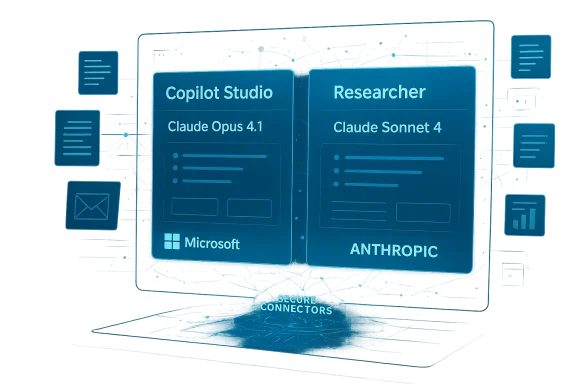
Microsoft’s Copilot has shed another layer of vendor lock‑in: the company has officially added Anthropic’s Claude models to the Microsoft 365 Copilot lineup, giving enterprises explicit model choice inside the Researcher reasoning agent and the Copilot Studio agent‑builder and marking a decisive shift from a single‑provider Copilot to a managed, multi‑model orchestration platform.

A holographic dashboard showing Copilot Studio and Researcher panels with Claude models and Microsoft/Anthropic.Background / Overview​

For the past several years, Microsoft 365 Copilot has been positioned as the company’s flagship workplace assistant, tightly integrated across Word, Excel, PowerPoint, Outlook and Teams and — until now — closely associated with models supplied through Microsoft’s partnership with OpenAI. In late September 2025 Microsoft expanded that model roster: administrators and enterprise customers can now select Anthropic’s Claude family — initially Claude Sonnet 4 and Claude Opus 4.1 (with later surface updates showing Sonnet 4.5 in some Copilot Studio previews) — as backend engines for specific Copilot surfaces.
This change is more than a product refresh. It reframes Copilot as a multi‑model orchestration layer: rather than being hard‑wired to one vendor’s models, Copilot now provides administrators, developers and business users with the ability to route workloads to the model that best matches performance, cost, latency, or risk profiles. The rollout began through opt‑in channels and preview programs in September 2025, with staged availability across the Researcher agent and Copilot Studio.

Why this matters: the strategic inflection​

Adding Anthropic models to Copilot is a strategic move that addresses three major enterprise pressures:
  • Vendor diversification and resilience. Enterprises worried about dependency on a single provider now have an alternative for critical workloads, reducing single‑vendor risk and potential supply constraints.
  • Fit‑for‑purpose model selection. Different models excel at different tasks — one may be better at complex reasoning, another at code generation, another at concise summarization. Multi‑model choice allows organizations to deploy the right model for the job.
  • Competitive dynamics and innovation. By opening Copilot to multiple frontier models, Microsoft signals to partners and competitors that Copilot is an orchestration layer, enabling faster integration of new capabilities from across the AI ecosystem.
These are not abstract benefits. For enterprises that must balance compliance, cost, and accuracy, having options inside one managed assistant can materially change procurement, architecture, and governance.

What Microsoft actually shipped — technical specifics​

Which Copilot surfaces are affected​

  • Researcher agent — Microsoft’s “deep reasoning” agent inside Copilot that handles document‑centric research tasks, complex queries, and cross‑document synthesis. Anthropic’s Opus 4.1 was made available specifically for this surface to support intensive reasoning tasks.
  • Copilot Studio — the agent‑builder and orchestration surface where organizations compose multi‑step agents and workflows. Both Claude Sonnet variants and Claude Opus models appear as selectable engines when building agents.
Microsoft explicitly maintained OpenAI models as the default for new agents, framing the Anthropic addition as additive rather than a replacement. Administrators can opt in to enable Anthropic models and set routing policies.

Models and versions​

Microsoft’s integration targeted specific Anthropic family models:
  • Claude Opus 4.1 — positioned for reasoning workloads inside Researcher.
  • Claude Sonnet 4 (and later incremental Sonnet 4.5 in certain Studio previews) — exposed in Copilot Studio for agentic workflows and specific task classes.
Model versioning matters because the small suffix changes often indicate tuning for latency, safety, or context‑window size. Enterprises must track which subversions are available and how Microsoft surfaces each variant.

Context and connectors​

Anthropic released a Microsoft 365 connector based on the emerging Model Context Protocol (MCP). This connector enables Claude to access content in Outlook, OneDrive, SharePoint, and Teams under delegated permissions — meaning Claude can reason over mail threads, files, and chat context without requiring manual uploads. The connector is designed to respect existing permission and security controls and to integrate with organizational identity and compliance settings.

Cloud and hosting considerations​

Underlying the product integration are infrastructure ties. Anthropic’s growth and subsequent partnerships around late 2025 expanded its use of cloud GPU capacity; Anthropic committed expanded Azure capacity in tandem with industry partnerships. For customers this matters because model hosting determines data egress, latency, and compliance boundaries — particularly for regulated industries or customers that require strict data residency.

Strengths and immediate benefits​

1. Practical model choice for real workloads​

The single biggest advantage is choice. Not every productivity task needs the same model. Microsoft’s multi‑model approach lets organizations:
  • Route sensitive PII processing to models with stricter guardrails.
  • Use Claude variants where tests show better performance on multi‑step reasoning.
  • Assign cheaper or lower‑latency models for routine summarization to optimize cost.

2. Faster product evolution​

Copilot becomes a platform that can absorb innovation from multiple frontier providers. When a provider releases a model tuned for a particular subtask, Microsoft can surface it without forcing customers into a full platform migration.

3. Reduced supplier concentration risk​

Business continuity and negotiation leverage improve when Microsoft’s biggest Copilot customers see that multiple modern models power the assistant. This can translate to more competitive pricing and greater contractual clarity around SLAs and data use.

4. Better workplace context via connectors​

The Anthropic Microsoft 365 connector transforms Claude from an isolated chat model into a context‑aware assistant that can reason over file systems, mailboxes and Teams history while honoring permissions — a functional parity that enterprises have long demanded for secure, context‑rich AI assistance.

Risks, trade‑offs and unanswered questions​

The multi‑model Copilot brings a new set of complexities. IT leaders must weigh them carefully.

1. Governance and compliance complexity​

Introducing a second vendor’s models into Copilot complicates governance:
  • Data flow decisions — Which model is allowed to process which datasets? Does the connector route data to Anthropic servers, and what data residency guarantees exist?
  • Contractual coverage — SLAs, liability, audit rights and breach responsibilities may differ between vendors and must be reconciled at the Microsoft + customer level.
  • Regulatory risk — For regulated sectors (healthcare, finance, defense), adding a model that transmits context outside the enterprise perimeter may not be acceptable without explicit contractual and technical assurances.
These are solvable problems, but they require careful policy work and vendor commitments.

2. Surface‑level parity vs. deep parity​

While Microsoft made Claude available in Researcher and Studio, not all surfaces and integrations receive identical feature parity. Certain advanced features, reasoning traces, or performance optimizations might only be available on one provider’s stack for an interim period. IT must validate that the model they choose supports the concrete capabilities their workers rely on.

3. Operational and billing complexity​

Multi‑model routing introduces complexity in cost forecasting. Different providers price per token, per compute unit, or via blended cloud contracts. Tracking and attributing model costs to business units may require new telemetry and chargeback mechanisms.

4. Security and provenance concerns​

Model outputs must be auditable. If two models provide divergent outputs for critical tasks — e.g., contractual language drafting or compliance summaries — organizations need:
  • Traceability of which model generated which output.
  • Provenance metadata showing what documents and prompts were used.
  • Retention and logging policies that align across providers.
Without these, the multi‑model capability could increase legal and operational risk.

5. Vendor lock‑shift, not lock‑free​

Adding Anthropic reduces dependence on any single provider, but as enterprises adopt multi‑model agent architectures, they may inadvertently create new forms of coupling — to orchestration layers, connectors, or proprietary model features that lock them into Microsoft’s Copilot platform. That trade should be acknowledged and managed.

Practical guidance for IT teams and decision makers​

Moving from capability to safe, repeatable deployment requires a disciplined approach. Below are recommended steps for enterprises planning to enable Anthropic models in Copilot.

1. Start with a focused pilot​

  • Identify 2–3 use cases with clear success metrics (e.g., legal summarization accuracy, research time reduction, internal ticket triage).
  • Run side‑by‑side comparisons: OpenAI default model vs. Claude Opus/Sonnet for the same tasks.
  • Measure accuracy, hallucination rate, latency, and cost per transaction.

2. Define explicit model routing policies​

  • Classify data sensitivity and map each class to allowed model families.
  • Enforce routing rules at the agent level in Copilot Studio (e.g., sensitive legal documents never leave the tenant unless explicitly permitted).
  • Document fallback behaviors when a model is unavailable.

3. Audit and logging​

  • Ensure Copilot auditing includes model identifiers, version numbers, and timestamps.
  • Capture provenance: which prompts and context (files, mail threads) were presented to the model.
  • Integrate logs with SIEM and compliance tooling for continuous monitoring.

4. Update contracts and procurement language​

  • Negotiate data residency, access, and breach clauses that encompass third‑party models exposed through Copilot.
  • Ask for model factsheets and transparency on training data policies when possible.
  • Ensure indemnity and liability allocations reflect multi‑vendor exposure.

5. Train users and build guardrails​

  • Embed clear UI cues showing which model is answering (e.g., “Powered by Claude Opus 4.1”).
  • Provide prompt templates and policy reminders for high‑risk tasks.
  • Use human‑in‑the‑loop gating for outputs that will be published externally or affect legal/financial decisions.

Developer and platform implications​

For software teams and platform architects, Anthropic’s inclusion in Copilot changes the integration calculus.
  • Agent design — Copilot Studio’s multi‑model options let architects assign model engines to specific steps in an agent’s workflow, enabling cost/latency optimizations.
  • Testing automation — Continuous evaluation pipelines must record per‑model benchmarks, regression tests, and calibration for prompts.
  • SDKs and APIs — Teams building custom integrations should pin model versions and include graceful fallback logic to handle model deprecation or variant differences.

Competitive and market implications​

This transition realigns industry power dynamics in several ways:
  • Microsoft is moving from being a channel for a single frontier model toward operating a neutral orchestration layer. That strengthens its platform moat but also increases its operational responsibilities for multi‑vendor governance.
  • Anthropic gains a major distribution channel for enterprise adoption, accelerating its route to regulated customers who rely on Microsoft platforms.
  • OpenAI’s relationship with Microsoft remains significant, but not exclusive; multi‑vendor support introduces more public scrutiny of pricing, performance and exclusive feature sets.
Expect faster pace of product updates and an increasingly model‑agnostic marketplace where enterprises demand portability, factsheets, and standardization (e.g., protocols like MCP).

Open questions and what to watch next​

While the initial rollouts are significant, several questions remain open and deserve attention from both procurement and security teams:
  • What are the long‑term data residency guarantees when Copilot routes context to an external model via connectors?
  • How will Microsoft reconcile cross‑provider compliance reporting and audits for enterprise customers?
  • Will model factsheets and third‑party audits become a contractual requirement for providers offered inside workplace assistants?
  • How will billing and chargeback models evolve to make multi‑model cost attribution transparent for large organizations?
  • As models iterate rapidly, how will Copilot manage model deprecation while preserving historical provenance?
These are not theoretical — enterprises should require answers in proof‑of‑concept stages.

A sober conclusion: a pragmatic step forward, with guardrails required​

Microsoft adding Anthropic’s Claude models to Microsoft 365 Copilot is a pragmatic and necessary step for enterprise AI: it delivers choice, encourages competition, and introduces the flexibility many organizations have been demanding. For many users, the immediate benefits will be tangible — better fit‑for‑purpose results on certain tasks and an ability to experiment without migrating away from Copilot’s familiar interface.
But the move also raises real governance, security and operational questions. Multi‑model choice increases complexity; without disciplined policies, transparent provenance, and contractual clarity, it can amplify the very risks enterprises seek to reduce by diversifying providers.
For IT leaders and platform architects, the prescription is straightforward: pilot methodically, codify model routing and data policies, demand provenance and auditable logs, and put human review where risk is highest. If Microsoft’s multi‑model Copilot is to fulfill its promise, organizations must pair the new technical capability with governance that treats model selection as a first‑class aspect of enterprise architecture — not as an afterthought.
In short: the Copilot of today is more flexible and more powerful, but only organizations that prepare operationally will get the promised gains without accepting new, avoidable risks.

Source: Financial Times Microsoft adds Anthropic AI models to its Copilot workplace tools
 

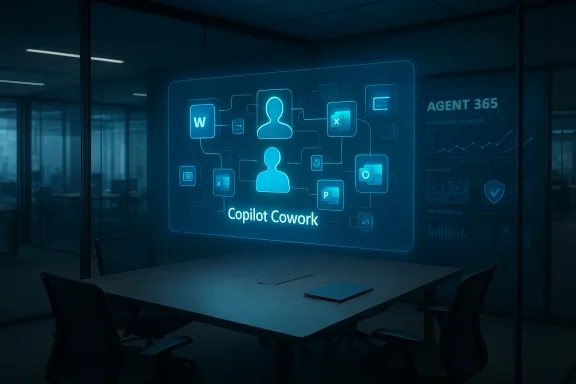
Microsoft’s Copilot has taken a decisive step into agentic work: Copilot Cowork — a Claude-powered, multi-step assistant designed to plan, execute and coordinate long-running business workflows — is now running in private research previews and will be available to Frontier participants later this month, while Microsoft simultaneously moves to commercialize agent management with a new Agent 365 platform and an upgraded Microsoft 365 Enterprise E7 bundle.

Blue holographic display in a glass-walled conference room shows 'Copilot Cowork' with connected avatars and icons.Background​

Microsoft 365 Copilot launched as a conversational productivity companion embedded across Word, Excel, PowerPoint, Outlook and Teams. Over the past year the company has quietly transformed Copilot from a single-model assistant into a managed, multi-model orchestration platform — adding Anthropic’s Claude family as selectable backends alongside OpenAI models in specific Copilot surfaces. That strategic pivot set the table for Copilot Cowork, which Microsoft described as the next phase — "wave 3" — of Copilot: moving from prompt-response helpers to agents that can manage multi-step, time-extended tasks.
Microsoft frames the move under its Frontier program, a staged preview pathway that exposes early capabilities to selected enterprise customers for testing and feedback before broader rollouts. Claude — already integrated into earlier Copilot features via model choices like Claude Sonnet 4 and Claude Opus 4.1 — will be available to Frontier participants inside Copilot Chat alongside Microsoft’s latest OpenAI model offerings.

What is Copilot Cowork?​

An agent for long-running, multi-step workflows​

Copilot Cowork is positioned as an autonomous but controllable agent: it can orchestrate and carry out sequences of tasks that unfold over time. Microsoft’s own messaging describes scenarios such as preparing for a customer meeting where Cowork can:
  • draft and iterate a presentation,
  • assemble and reconcile financial spreadsheets,
  • email collaborators for input and confirmations,
  • schedule prep time and follow-ups,
all while keeping the human user informed and able to steer behavior. This is an evolution from single-prompt generation toward delegated work—effectively, "do this for me and keep me in the loop."

Built on Anthropic technology (and Microsoft trust controls)​

Microsoft says Copilot Cowork leverages the technology behind Anthropic’s Claude Cowork agent through a close collaboration with Anthropic. That partnership follows earlier steps that made Claude Sonnet 4 and Claude Opus 4.1 selectable options inside Copilot's Researcher agent and Copilot Studio. Microsoft frames the integration as a way to offer model choice to enterprises while retaining enterprise-grade protections such as Microsoft’s Enterprise Data Protection and WorkIQ telemetry and analytics.

Why this matters: The case for agentic Copilots​

Productivity gains — real and measurable​

Agentic assistants can remove repetitive orchestration work from knowledge workers’ plates. For a typical sales or product team, that could mean:
  • Faster deck and deliverable preparation,
  • Consistent use of the latest data sources (contracts, CRM exports, financial models),
  • Fewer interruptions because the agent monitors and nudges stakeholders,
  • Time savings on scheduling and administrative follow-ups.
Microsoft and partners are selling this as the next productivity multiplier: not just writing content faster, but reliably executing multi-step processes with audit trails and governance baked in. Early corporate pilots cited in Microsoft’s Frontier messaging and industry reporting suggest tangible time savings in planning and research workflows.

Model choice and vendor diversification​

Copilot Cowork illustrates a broader strategic trend: enterprises demanding choice among foundation model providers. By making Claude available in Copilot surfaces, Microsoft is signaling that Copilot will be a managed orchestration layer that can route workloads to the model best suited for that task — whether Microsoft’s internal models, OpenAI’s, or Anthropic’s Claude. That reduces vendor lock-in and allows IT teams to optimize for performance, cost, safety, or compliance per workload.

Governance-first agent deployment​

Microsoft couples Copilot Cowork with Agent 365 — a management platform for authoring, governing and monitoring AI agents across an organization. Agent 365 provides centralized controls for lifecycle management, permissions, telemetry and policy enforcement that enterprises need before handing broad automation powers to software agents. Microsoft will make Agent 365 generally available on May 1 with an announced price of $15 per user; the new Microsoft 365 Enterprise E7 suite — which bundles Copilot, Agent 365, Entra Suite, and advanced Defender/Intune/Purview controls — will be priced at $99 per user per month. Those price points mark Microsoft’s attempt to productize agent governance as a seat-based enterprise utility.

How Copilot Cowork fits into Microsoft’s Copilot roadmap​

Wave 1 → Wave 2 → Wave 3: from helper to coworker​

  • Wave 1: Basic LLM-powered assistance inside Office apps (summaries, rephrasing, drafting).
  • Wave 2: Integrated reasoning and multi-step assistants (Researcher, Analyst) plus multi-modal features.
  • Wave 3: Agentic features like Copilot Cowork that can initiate, execute and monitor longer-running workflows.
Wave 3 marks a transition from assistive AI to delegative AI—machines that take responsibility for completing projects, not just producing content on demand. This is what Microsoft refers to as evolving Copilot into an "ecosystem of agentic features."

In-app agents and the "canvas" experience​

Microsoft plans to extend agentic experiences inside Word, Excel, PowerPoint and Outlook, letting users create, augment and even build their own agents from the same canvas they use every day. The idea is to lower the barrier from "idea" to "agent" — enabling subject-matter experts (not just engineers) to define agent behavior tied to documents, spreadsheets and mailflows. That capability will change adoption dynamics: if agents can be created inside the Office fabric, adoption becomes an end-user-driven phenomenon rather than a purely IT initiative.

Technical and legal guardrails: what Microsoft is promising​

Data protection and enterprise controls​

Microsoft emphasizes three pillars for enterprise readiness:
  • WorkIQ: intelligence to understand and measure work patterns and agent impact,
  • Enterprise Data Protection: enterprise-level controls over what data agents can access and how outputs are stored,
  • Agent 365 governance: role-based access, telemetry, artifact provenance, and management for deployed agents.
These controls are central to Microsoft’s argument that agentic AI can be deployed at enterprise scale without giving up control or data residency guarantees. The company is also positioning Frontier as a controlled channel for iterative testing before full rollouts.

Third-party model use and data residency concerns​

While model choice is a benefit, it also raises legal and compliance questions: when Copilot routes work to Anthropic’s Claude models, data may traverse provider-specific processing pipelines. Microsoft’s messaging places emphasis on enterprise protections, but IT leaders must still validate how data flows, what telemetry is shared, and how contractual terms map to regulatory obligations such as GDPR, sector-specific compliance, or internal data governance policies. Industry reporting and community conversations note that Microsoft’s Claude integration is opt-in and exposes tenant administrators to explicit decisions about third-party hosting. Enterprises must treat those opt-ins as policy decisions, not defaults.

Strengths: Where Copilot Cowork could deliver immediate wins​

  • Task continuity and memory: Cowork’s ability to maintain context across days or weeks is a direct productivity multiplier for complex, cross-document workflows.
  • Built-in governance with Agent 365: Centralized controls reduce the operational friction that typically stalls AI automation projects.
  • Model diversity for task optimization: Different models excel at different tasks; the ability to choose Claude for some workloads and OpenAI or Microsoft models for others gives IT teams flexibility.
  • In-app creation lowers adoption hurdles: Allowing users to build or customize agents inside Office apps makes the tech accessible to non-developers.
  • Seat-based commercial model: Packaging Agent 365 and Copilot into seat-based SKUs creates a clear procurement pathway for enterprise buyers.

Risks and blind spots: what enterprise IT must watch​

1) Data governance and leakage risk​

Allowing agents to access folders, mailboxes and enterprise systems increases the attack and leakage surface. Even with Enterprise Data Protection, organizations must map data flows, ensure proper least-privilege profiles for agents, and audit outputs for potential sensitive disclosures. When third-party models are involved, ask for explicit details on processing, retention and contractual liability. Public reporting cautions that opt-in model choices should not be treated as a single-layer security control.

2) Over-delegation and brittle automation​

Agentic systems can produce brittle automations if they are not carefully scoped. An agent that edits a finance model, schedules meetings and sends follow-ups needs explicit guardrails and human-in-the-loop checks—especially for financial or legal artifacts. Enterprises must design fallback flows and escalation paths when agents encounter ambiguous or high-risk decisions.

3) Provenance, auditability and regulatory compliance​

Automated content generation and actioning must be traceable. Agent 365’s governance features are designed to provide telemetry and artifact provenance, but organizations must validate those capabilities during pilots to ensure logs, versioning and human sign-off processes meet internal and external audit needs. If regulation requires human accountability for decisions, the UI and policies must make it crystal clear who is responsible.

4) Cost and licensing complexity​

Microsoft’s announced pricing—Agent 365 at $15 per user and Microsoft 365 Enterprise E7 at $99 per user per month—introduces nontrivial seat-based costs for broad deployment. Organizations must quantify the productivity delta and map agent enablement to measurable ROI before committing to enterprise-wide licenses. Early analyses suggest only a small percentage of users tend to pay for Copilot today; broad adoption of E7-level seats will require clear business cases.

Practical steps for IT: evaluate, pilot, govern​

  • Establish an executive sponsor and clear ROI metrics for agent pilots (time saved, errors prevented, revenue impact).
  • Run a controlled pilot through the Frontier program or private previews to validate behavior on representative workloads.
  • Map data flows end-to-end: identify which agent actions need elevated controls, where data would leave Microsoft-managed enclaves, and what contractual assurances are required from model vendors.
  • Define agent life-cycle policies inside Agent 365: authoring, approval, deployment, telemetry thresholds and decommissioning processes.
  • Train users on agent limits and human-in-the-loop override procedures, and define error handling and escalation steps.
  • Revisit procurement: model choice may impact Azure consumption, third-party invoices (Anthropic), and the seat-based licensing required for Agent 365/E7.

Real-world scenarios: quick validation tests for pilots​

  • Sales Meeting Prep: Configure Cowork to assemble CRM records, build a deck, and create a meeting prep checklist. Have sales reps validate factual accuracy and timing for scheduling emails.
  • Month-End Finance Reconciliation: Give Cowork a scoped folder of trial balances and ask it to generate a reconciled statement with flagged exceptions. Validate audit trail completeness and data masking.
  • Product Release Coordination: Ask Cowork to collect release notes across repositories and stakeholder inputs, draft a launch plan, schedule cross-team syncs, and produce an approval-ready announcement. Test escalation handling for conflicting inputs.
Each scenario should have a clearly defined success metric (e.g., 40% time saved, zero unapproved data disclosure events, or reduced turn-around from 5 days to 1 day).

Competitive landscape and market implications​

Anthropic’s Cowork and Microsoft’s Copilot Cowork are part of a broader turn toward agentic AI across incumbents and startups. OpenAI has responded with its own tools for building and managing agents, and vendors like IBM and Google are accelerating integrations that treat AI as an active participant in workflows. Enterprises will increasingly evaluate providers based not just on model quality, but on governance, provenance, and the ability to integrate with existing identity and security controls. Microsoft’s bet — that enterprises will prefer a seat-based, governance-first agent platform embedded in their productivity suite — pits them directly against both specialized agent startups and platform players offering broader model-neutral governance.

What to watch next (short horizon)​

  • May 1, 2026: Agent 365 general availability and Microsoft 365 Enterprise E7 launch (announced GA date). Watch license terms, trial mechanics, and how Microsoft maps agent telemetry into compliance exports.
  • Frontier program rollouts: How broadly Microsoft exposes Claude models inside Copilot Chat and whether more model choices appear in Copilot Studio.
  • Third-party contractual clarifications: Especially for Anthropic-hosted processing and data residency guarantees.
  • Early customer case studies: Hard numbers on time saved, error reduction and agent reliability will determine business buying behavior.

Final assessment: cautious optimism, governance first​

Copilot Cowork is a meaningful and deliberate step toward agentic enterprise productivity. The concept of a managed, governable coworking agent inside Microsoft 365 — combined with a centralized Agent 365 control plane — aligns with what large organizations have asked for: automation that scales under policy, telemetry and auditability.
At the same time, adoption will hinge on rigorous pilots and clear answers to questions about data flows, third-party processing, audit trails and licensing economics. The technical promise is real: model choice, long-context planning and in-app agent creation lower barriers to delivering value. The operational and legal work, however, remains substantial.
If your organization is considering Copilot Cowork, treat the Frontier preview as a risk-managed opportunity: design narrow, measurable pilots; demand visibility into data paths when models run outside Microsoft’s direct control; and use Agent 365’s governance features to enforce separation of duties and provenance. Done well, Copilot Cowork can move automation from a hypothetical productivity dream into reliable everyday practice — but only if enterprises keep governance and human accountability at the center of deployment strategy.

Conclusion
Copilot Cowork represents Microsoft’s strategic bet that the next big productivity leap will come from delegation rather than faster content generation. By combining Anthropic’s agent technology with Microsoft’s enterprise controls and a dedicated agent governance platform, the company can offer a plausible path for enterprises to scale agentic automation. The launch cadence — private preview now, Frontier research preview later this month, and Agent 365 / E7 commercial availability on May 1 — creates a narrow window for IT teams to test, validate and decide whether to adopt agentic workflows at scale. The promise is compelling; the imperative is clear: pilot carefully, demand provenance, and make policy your starting point, not an afterthought.

Source: Thurrott.com Microsoft Announces Claude-Powered Copilot Cowork Agent
 

Microsoft’s Copilot has entered a new, more plural and more commercial phase: the company has formally opened Microsoft 365 Copilot to multiple external model providers by integrating Anthropic’s Claude family into key Copilot surfaces, and it has packaged those capabilities into a new, higher‑tier enterprise SKU — Microsoft 365 E7 — priced at $99 per user per month to accelerate broad adoption of agentic AI inside the workplace.

Executives study a holographic AI orchestration diagram on a glass wall.Background / Overview​

Microsoft launched Microsoft 365 Copilot to embed generative AI across Word, Excel, PowerPoint, Outlook, Teams and other productivity surfaces, originally relying heavily on models supplied by OpenAI. That single‑vendor posture made Copilot a clear showcase for the Microsoft–OpenAI partnership, but it also created strategic and operational constraints for enterprises that need fine‑grained control over model behavior, datae. Over the past year Microsoft signalled a deliberate shift: Copilot is being reimagined as a multi‑model orchestration platform that can route specific tasks to the model best suited for the job. (techcrunch.com)
The new corporate playbook announced in March 2026 centers on three linked moves:
  • Make Anthropic’s Claude Sonnet 4 and Claude Opus 4.1 selectable engines inside Copilot surfaces such as the Researand Copilot Studio for custom agents.
  • Introduce a set of agent management and governance capabilities called Agent 365 and an enterprise intelligence layer called Work IQ to drive context‑aware, multi‑step automation.
  • Launch a consolidated commercial bundle, Microsoft 365 E7: The Frontier Suite, per per month**, that bundles Microsoft 365 E5, Copilot, Agent 365 and advanced identity/security services to make large‑scale deployment simpler for organizations.
The combined effect is intended to shift Copilot from a solo assistant into a platform that supports a palette of AI “brains” and a central control planion — in other words, not just suggestions, but do‑for‑you work at enterprise scale.

What’s new, in plain terms​

Anthropic models as first‑class choices​

Microsoft now exposes Anthropic’s Claude models as selectable backends inside Copilot, notably in the Researcher reasoning agent and in Copilot Studio’s agent‑building environment. That means tenant administrators and developers can route particular workloads — for example, longform research, agentic workflows, or creative drafting — to Anthropic’s engines instead of, or alongside, OpenAI’s models. Multiple news outlets reported the rollout and Microsoft’s own engineering notes document the integration.
Why this matters: Claude and OpenAI models have different fine‑tuning histories, safety guardrails, and tradeoffs between creativity and conservative reasoning. Giving enterprise IT choice allows organizations to match workload requirements (precision, style, or cost) to the most appropriate engine.

Copilot Cowork and agentic automation​

Microsoft described the next wave of Copilot as agentic — capable of planning, executing, and returning finished work across apps. The research‑preview product Copilot Cowork (built in collaboration with Anthropic) demonstrates this move: a permissioned, long‑running assistant that can access an employee’s calendar, email, and files (with enterprise controls) to complete multi‑step tasks. This is supported by Agent 365, a control plane to observe, govern, and manage agents at scale.

Microsoft 365 E7: a one‑stop Frontier Suite​

Microsoft consolidated Copilot, Agent 365, advanced defender and identity/entitlement toolining: Microsoft 365 E7, available for purchase on May 1, 2026, at a list price of $99 per user per month. Microsoft’s product posts emphasize that the bundle is meant to deliver both intelligence and trust: Copilot pls enterprise security baked into one SKU. Analysts and industry reporters note this pricing represents a material premium over prior flagship tiers, but Microsoft positions it as simplifying procurement and governance for organizations pursuing “frontier transformation.”

Technical anatomy: how Copilot becomes multi‑model​

Where Anthropic fits in​

Anthropic’s Claude Sonnet 4 and Claude Opus 4.1 are surfaced as selectable inference engines within specific Copilot surfaces:
  • Researcher — the reasoning agent used for complex synthesis and evidence‑based answers. Anthropic’s models can be selected for deeper reasoning tasks where their safety profile or response style is preferred.
  • Copilot Studio — Microsoft’s low‑code/no‑code environment for building custom agents; developer teams can choose Anthropic models when authoring agents to align with internal policies or task needs.
Microsoft’s delivery model remains cloud‑hosted and tenant‑scoped: Anthropic engines run within the customer’s Microsoft 365 tenancy and are subject to Microsoft’s enterprise data protections and governance layers (Agent 365 and Entra/Defender integration). That design is intended to preserve enterprise controls even while adding third‑party model options.

Agent 365: observability, policy and risk signals​

Agent 365 is the management control plane that centralizes:
  • An Agent Registry (catalog of agents and their capabilities).
  • Observability and telemetry (what agents did, why, and when).
  • Governance templates and risk signals to enforce policy and compliance at scale.
Microsoft says Agent 365 is available as a standalone add‑on (priced at $15 per user per month) and is bundled into E7 as an integrated control plane. Analysts note that Agent 365’s registry and observability features are indispensable if enterprises are to responsibly adopt long‑running agents.

Work IQ: context that grounds agent behavior​

Work IQ is Microsoft’s layer that mines a user’s email, calendar, files and meeting transcripts (within tenant permissions) to provide context and constraints for agents. Grounding with Work IQ is critical to reducing hallucination risk and producing outputs that align with corporate facts, templates, and data provenance. Microsoft highlights that Work IQ is used across Copilot and Copilot Cowork to keep agents “built for work.”

Pricing and licensing: the economics of the Frontier Suite​

Microsoft published list pricing and a timeline: Microsoft 365 E7 will be available May 1, 2026, at $99 per user per month. Agent 365 is offered as a $15 per user per month add‑on for IT/security professionals, and Microsoft reiterated that Copilot remains available both as a standalone add‑on and inside bundles. Several industry analysts and outlets independently reported and analyzed this pricing.
To frame the change:
  • Prior to E7, Microsoft’s high‑end enterprise SKU (E5) and Copilot add‑ons created a pricing ladder where customers often stitched together E5 + Copilot + security features at incremental cost. E7 consolidates those charges into a single SKU. Analysts calculate the E7 sticker as roughly a 65% increase over Microsoft’s previous flagship enterprise bundle in headline terms — a figure derived from the difference between the new bundled price and the prior E5 list price plus Copilot/Agent add‑ons. Independent write‑ups and European IT press suggest the effective premium varies by existing licensing mix, but the list number ($99) is now canonical.

Enterprise implications: adoption, procurement and IT strategy​

Adoption snapshot: lots of potential, modest paid uptake today​

Microsoft has publicly disclosed adoption metrics that illuminortunity and the challenge. Recent company disclosures and multiple industry reports show:
  • Microsoft estimates roughly 450 million commercial Microsoft 365 users in the installed base.
  • Microsoft reported about 15 million paid Microsoft 365 Copilot seats, which translates to roughly 3.3% paid penetration of the overall base.
These numbers tell a simple story: Copilot’s technical footprint is enormous in terms of reach, but the paid penetration remains small. That creates both a revenue opportunity for Microsoft and a go‑to‑market challenge: to justify a $99 seat price, enterprises will need clear ROI and risk controls — the very things Microsoft is attempting to deliver with Agent 365 ay tooling.

Procurement simplification vs. cost sensitivity​

For some buyers, E7 will simplify procurement: a single line item that includes Copilot, agent controls, and E5 security makes licensing predictable and easier to approve for security‑sensitive teams. For others, especially price‑sensitive organizations or those with narrowly scoped pilot programs, the list price could create friction. Analyst commentary highlighted that the E7 bundle can flag negotiating leverage for en expects to sell at scale by emphasizing governance and cross‑tenant observability.

Strengths: what Microsoft gains (and what customers can get)​

  • Model choice reduces vendor risk. Allowing organizations to choose Anthropic alongside OpenAI (and Microsoft’s own models) lowers single‑vendor dependence and enables workload‑specific optimization. This is a strategic hedge for Microsoft and a practical win for IT teams.
  • Integrated governance is a differentiator. Agent 365, Work IQ and Entra/Defender integration create a stack that embeds observability and policy enforcement into the agent lifecycle — a capability enterprise customers explicitly cite as a prerequisite for scaling agentic AI.
  • Faster experiments, better fit for purpose. Copilot Studio plus selectable engines lets development teams prototype agents that use the engine most suited to the task (e.g., Claude for stylistic generation, an OpenAI model for code synthesis), potentially improving accuracy and user satisfaction. ([techcrunch.com](Microsoft adds Anthropic's AI to Copilot | TechCrunch commercial entry point.** For organizations ready to bet on agentic workflows, E7 reduces packaging friction: one SKU, one procurement conversation, and pre‑bundled security. For Microsoft, this also means more predictable ARR (annual recurring revenue).

Risks and tradeoffs: what to watch closely​

  • Operational complexity rises. Multi‑model orchestrations mean IT teams must make policy decisions about routing, monitoring, and data handling across providers. The administrative surface area increases, even as the orchestration layer seeks to hide complexity. Firms without mature AI governance programs may find themselves overwhelmed.
  • third‑party handling.** Although Microsoft asserts Anthropic models operate within tenant controls, integrating third‑party models inevitably raises questions about data flow, model retraining, telemetry, and legal responsibilities — especially for regulated industries. Customers will want granular, auditable assurances.
  • Security and attack surface. Agentic systems that act across mail, calendars, and files are powerful — and attractive attack surfaces. Misconfiguration, compromised credentials, or malicious agents could escalate risk if observability and policy enforcement are not strictly applied.
  • Economic friction and ROI proof. The $99 list price for E7 puts pressure on vendor economics: companies will demand measurable productivity improvements to justify seat costs, and the slow conversion from free or pil could slow revenue realization. Microsoft’s disclosed 15 million paid Copilot seats show early momentum, but converting the remaining installed base requires clear, measurable outcomes.
  • Regulatory and competition scrutiny. As major vendors weave third‑party models into large enterprise stacks, antitrust and data‑protection authorities may scrutinize cross‑licensing, preferential routing, or bundling practices. Competition among Anthropic, OpenAI, Google and others will intensify the regulatory and market dynamics.

Practical advice for IT leaders​

  • Evaluate agent use cases before buying seats. Start with a prioritized list of tasks that agents would automate (e.g., recurring reporting, contract summarization, scheduled outreach), and measure time saved and error reduction in controlled pilots.
  • Insist on telemetry and auditability. Require Agent 365 observability and policy templates be enabled in pilots so you can answer “who did what, when, and why” for any agent action.
  • Model‑match workloads. Use Copilot Studio to test an Anthropic model vs. an OpenAI model on representative prompts; compare output quality, latency, and safety signals rather than trusting vendor claims alone.
  • Negotiate on volume and pilot timelines. E7 is a list price; for many organizations it will be a negotiated purchase. Build staged adoption plans tied to ROI thresholds before committing to broad seat purchases.
  • Harden identity and entitlement controls. Agentic AI requires robust least‑privilege and conditional access policies; attach strict approvals and human‑in‑the‑loop checkpoints for high‑risk tasks.

Cross‑checking the claims: what’s verified and what remains provisional​

Verified across multiple sources:
  • Anthropic’s Claude Sonnet 4 and Claude Opus 4.1 are now selectable within Microsoft 365 Copilot in Researcher and Copilot Studio. This was reported on September 24, 2025, and reiterated in March 2026 coverage.
  • Microsoft announced Microsoft 365 E7 with a published list price of $99 per user per month and a general availability date of May 1, 2026; Micts and press materials confirm the timing and pricing.
  • Microsoft has disclosed adoption metrics (roughly 15 million paid Copilot seats and an overall Microsoft 365 commercial user base on the order of 450 million), which implies paid penetration in the low single digits. Multiple independent outlets analyzed the same numbers.
Caveats and provisional items:
  • Vendor claims about where model inference executes and how telemetry is retained are documented but operational details vary by customer tenancy and contractual terms; buyers should request explicit data‑flow and processor agreements. Treat vendor statements as starting points for verification, not as complete legal assurances.
  • The precise ROI for the E7 price point will depend on workload selection, negotiated deal terms and measured productivity gains; early adopters should expect to build formal metrics programs. Industry commentary suggests many customers will negotiate rather than accept list pricing.

Why this matters for the AI market​

Microsoft’s move makes several strategic bets simultaneously. First, by embracing Anthropic, Microsoft signals that model diversity is a competitive advantage, not a weakness. Second, by packaging model choice with governance and security controls, Microsoft is selling an operational story — “we’ll give you power, and we’ll give you the guardrails.” Third, the E7 bundle reframes AI features as enterprise infrastructure comparable to identity and endpoint security: agents become a seat‑based utility inside corporate IT.
For Anthropic and other model providers, the arrangement is also consequential: being integrated into Copilot places them inside the workflows of hundreds of millions of office workers, albeit subject to Microsoft’s enterprise controls and procurement terms. For OpenAI, the move increases competitive pressure and signals that the market for foundation models will be multi‑vendor and multi‑modal.

Conclusion: a pragmatic, high‑stakes pivot​

Microsoft’s expansion of Copilot into a multi‑model, agentic platform and its launch of Microsoft 365 E7 together mark the next major phase of workplace AI: broader model choice, integrated governance, and packaged commercial offerings designed to accelerate enterprise adoption. The strategy is pragmatic — it addresses vendor risk, governance needs, and procurement friction — but it amplifies operational complexity and cost pressure for buyers.
For IT leaders, the immediate action is clear: run tightly scoped pilots that pair business metrics with rigorous governance, test model fit across representative tasks, and negotiate terms that reflect measured value. For Microsoft, success depends on turning the promise of agentic automation into repeatable, measurable productivity gains while keeping enterprises comfortable with the expanded ecosystem of third‑party models, telemetry and agent behavior.
The Copilot story is no longer about a single assistant or a single model vendor. It is about building the connective tissues — orchestration, observability, policy, and economics — that let enterprises responsibly unlock AI as a workforce multiplier. Whether E7 becomes the enterprise lever that accelerates that transformation will depend on the clarity of ROI, the strength of governance controls, and the industry’s ability to maintain trust while AI systems act on behalf of users.

Source: GuruFocus https://www.gurufocus.com/news/8691201/microsoft-expands-copilot-with-new-ai-models-and-bundle/
 

Microsoft’s move to fold Anthropic’s agent technology into its Copilot product line marks a decisive shift: Copilot Cowork is not a simple chat upgrade but an agentic, multi‑app coworker designed to plan, execute, and return finished work across Microsoft 365 — an offering born from a technical and commercial partnership with Anthropic and rolled out initially as a research preview.

A person monitors multiple screens as AI tools Claude and OpenAI feed data to Agent 365.Background​

Microsoft 365 Copilot started as a generative‑AI assistant embedded into Word, Excel, PowerPoint, Outlook and Teams. For years that experience leaned heavily on OpenAI models hosted through Microsoft’s cloud, but Microsoft has been steadily converting Copilot into a platform rather than a single‑vendor product. That evolution included the formal addition of Anthropic’s Claude family of models as selectable backends inside Copilot surfaces, a decision that began publicly in late 2025 and set the stage for deeper integration.
Anthropic, meanwhile, expanded Claude beyond chat with its Cowork agent — a desktop‑aware, folder‑scoped assistant capable of reading, modifying and creating files, calling APIs, and completing multi‑step workflows. Anthropic introduced Cowork as a research preview in early 2026 and then broadened availability to Windows in February 2026, which directly influenced Microsoft’s agent strategy.
Taken together, Microsoft’s multi‑model approach and Anthropic’s Cowork capability have converged into a new product family: Copilot Cowork, Agent 365 (a control plane), and an upgraded commercial bundle positioned for enterprise deployment.

What is Copilot Cowork?​

Copilot Cowork reimagines Copilot from a reactive assistant into an active, permissioned coworker that can own and complete tasks on behalf of users. Rather than returning drafts or suggestions, Cowork is designed to:
  • Accept a business goal or brief (for example, “prepare a quarterly sales summary with charts and an action list”).
  • Plan a multi‑step workflow across apps (Excel for data, Word for the report, Teams for coordination).
  • Execute the steps by reading and writing files, populating spreadsheets, scheduling calendar items, and producing final deliverables.
  • Return a finished deliverable with an audit trail and governance controls for administrators.
This agentic capability is built on two technical and organizational pillars: the agent runtime and a governance/control plane. Microsoft describes the runtime as model‑powered and permissioned; Anthropic’s Cowork technology provides much of the agent behavior, while Microsoft supplies the integration hooks into M365, identity, security APIs, and the enterprise control surfaces.

Key components​

  • Agent runtime (Cowork): Executes multi‑turn plans, manipulates files and calls services.
  • Agent 365 control plane: Centralized governance and orchestration for enterprise administrators.
  • Work IQ: An intelligence layer that maps context, usage signals, and organizational policy to agent decisions.
  • Multi‑model backend: Ability to route workloads to different LLM providers (Anthropic Claude, OpenAI, possibly Microsoft’s in‑house models) depending on workload and policy.

Technical architecture and model orchestration​

Copilot Cowork is not a single model product. Microsoft has refactored Copilot into an orchestration layer that assigns sub‑tasks to the model best suited for them. That multi‑model approach already exposed Claude Sonnet 4 and Claude Opus 4.1 inside Copilot’s Researcher agent and Copilot Studio; Copilot Cowork leverages Anthropic’s Cowork agent under a permissioned execution model to operate across Microsoft 365.
A simplified flow looks like:
  • Intent capture: User gives a clear instruction inside Copilot (chat, Teams, or a task pane).
  • Planning: The agent constructs a multi‑step plan, breaking the job into discrete actions.
  • Model selection: The orchestration layer selects a model (Claude, OpenAI, or Microsoft’s model) for each action based on criteria like reasoning strength, cost, or governance policies.
  • Execution: With explicit permissions, the agent acts — reading a mailbox, pulling a spreadsheet, calling internal APIs, or creating documents.
  • Review and return: The agent packages outputs, optionally prompts a human for approval, and records an auditable log in Agent 365.
This separation — orchestration vs. model — is critical. Microsoft’s role becomes the integration and governance fabric, while Anthropic contributes the agentic logic and model behavior that enable safe, long‑running tasks.

The Anthropic partnership: what’s new and why it matters​

Microsoft’s Anthropic collaboration is more than a vendor add‑on; it’s a strategic pivot to a multi‑model Copilot that gives enterprises explicit choice. Anthropic’s Cowork brings:
  • Desktop and folder awareness (the agent can be scoped to specific folders or datasets).
  • Stronger agentic primitives for stepwise reasoning and action.
  • A distinct safety posture and model behavior matrix that enterprises might prefer for certain workloads.
For Microsoft, partnering with Anthropic means accelerating a feature set Microsoft did not have in the same form: a file‑aware, persistent agent that can be permissioned and audited across M365 services. For Anthropic, it provides scale, deep app integration, and a major go‑to‑market channel via Microsoft 365 and Azure. Both companies position the collaboration as additive: OpenAI remains a core provider inside Copilot, but Anthropic is now a co‑equal option for workloads where its Cowork style agents are the better fit.

Commercial packaging and availability​

Microsoft paired the technical announcement with a commercial play. Copilot Cowork and the Agent 365 control plane are being introduced through opt‑in research previews, with plans to surface the capability in a higher‑tier enterprise SKU positioned for large customers. Microsoft has also tied multi‑model and agentic functionality to a newly described frontier bundle intended for advanced enterprise adoption. Early reports indicate that Microsoft envisions a premium seat-based offering to accelerate adoption, and some pricing signals — including mentions of a $99 per user per month E7 ambition — have been discussed in enterprise briefings. These commercial details are evolving and, for the research preview phase, availability is limited and subject to administrative opt‑in.
Administrators must explicitly enable Anthropic model backends and agent surfaces in tenant settings; Microsoft emphasizes opt‑in controls and clear caveats about third‑party hosting and data processing when Anthropic models are used. This reflects a deliberate attempt to balance capability with enterprise risk controls.

Governance, security, and compliance — the central tension​

The promise of Copilot Cowork is powerful, but it raises immediate governance and security questions that IT leaders cannot defer.

Data access and scope​

Copilot Cowork’s value depends on agent access to user data: mail, calendar, files, and internal systems. Microsoft insists agent access will be permissioned and tenant administrators will retain control via Agent 365. However, enabling a long‑running agent with access to corporate mailboxes and shared drives creates an expanded attack surface and a new class of privileged automation. Administrators must ask:
  • Which agents can access which scopes (mail, OneDrive, SharePoint)?
  • How are secrets and API keys handled during agent execution?
  • What are retention and audit controls for agent logs and outputs?
Enterprise guidance and early admin documentation show Microsoft building audit trails and policy hooks into Agent 365, but the operational reality of managing thousands of agents at scale will require new processes and toolchains.

Third‑party model hosting and data residency​

Because Anthropic’s models may be hosted by Anthropic or on Anthropic infrastructure, customers must be explicit about where model inference occurs and how prompt/context data is handled. Microsoft’s opt‑in rollout includes caveats about third‑party hosting and data handling; organizations with strict data residency or regulatory constraints (healthcare, finance, government) will need to validate whether Anthropic model calls meet their compliance posture. Microsoft appears to position itself as a guardrail, but the involvement of external providers complicates contractual, legal, and technical controls.

Safety, hallucinations, and verification​

Agentic AI increases the stakes of hallucinations. When an agent acts autonomously — schedules a meeting, generates a financial table, or files a compliance report — inaccuracies are not just inconvenient; they can be costly. Microsoft’s Work IQ intelligence layer and Agent 365 audit logs aim to reduce risk by surfacing provenance and enabling human approval steps, but organizations must also invest in verification pipelines, human‑in‑the‑loop checkpoints, and deterministic testing to ensure the agent behaves within acceptable error bounds.

Risks and mitigation strategies​

Copilot Cowork introduces a set of concrete risks; each risk has practical mitigations that IT and security teams must adopt before broad deployment.
  • Risk: Unintended data exfiltration when agents access mail, files or APIs.
    Mitigation: Enforce least privilege, use narrow folder scoping, require approval flows for external data export, and enable robust logging in Agent 365.
  • Risk: Regulatory non‑compliance due to third‑party model hosting.
    Mitigation: Validate data processing agreements, restrict Anthropic backend usage for regulated workloads, or require Azure‑hosted instances where supported.
  • Risk: Erroneous agent actions causing business harm (financial misreporting, incorrect calendar changes).
    Mitigation: Implement human‑in‑the‑loop approvals for high‑risk tasks, set conservative default permissions, and run agent actions in safe staging environments.
  • Risk: Governance complexity with multi‑model routing and differing model behaviors.
    Mitigation: Define model‑fact catalogs, map use cases to approved model backends, and automate routing policies in Copilot Studio/Agent 365.

Comparison with alternatives: Google, Anthropic standalone, and in‑house models​

Copilot Cowork does not exist in a vacuum. Vendors are racing to offer agentic assistants inside productivity suites.
  • Google Workspace is integrating its models (Gemini) directly into Docs, Sheets and Gmail with collaborator and co‑author features that focus on drafting and structured suggestions. Google’s approach emphasizes tight integration within its ecosystem rather than cross‑app agentic action. Microsoft’s Cowork differentiator is the agentic, cross‑app execution model and the enterprise control plane.
  • Anthropic’s standalone Cowork agent offers a desktop and folder‑scoped assistant that runs on endpoints and supports plugins; in Anthropic’s direct deployments, admin control and hosting choices differ from Microsoft’s managed approach. Microsoft’s advantage is enterprise identity and app integrations at scale; Anthropic’s advantage is a focused agent runtime and different safety heuristics.
  • Organizations with in‑house models or private LLMs may opt to run their own agents on private infrastructure to avoid third‑party hosting and preserve data residency. Microsoft’s multi‑model orchestration leaves room for private model integration, but the level of integration and seamlessness will vary.

Practical guidance for IT leaders​

If you manage Microsoft 365 at scale, these are the immediate steps to consider before enabling Copilot Cowork widely.
  • Inventory and classify: Map data sources (mailboxes, SharePoint sites, Teams channels) and tag sensitive datasets that must not be exposed to agents.
  • Pilot in a controlled scope: Start with a small, well‑instrumented pilot for low‑risk tasks (e.g., automated report drafting without external sharing).
  • Define policies: Create model selection policies and routing rules that map use cases to approved backends and enforce default denial for high‑risk actions.
  • Enforce least privilege: Use folder scoping and narrow service principals; require explicit admin consent for broader access.
  • Establish verification workflows: Require human sign‑off for financial, legal, or compliance outputs; use automated checks for data integrity.
  • Review contracts: Update vendor contracts and data processing addenda to reflect multi‑model and third‑party inference usage.
  • Monitor and iterate: Use Agent 365 logs, Work IQ metrics, and periodic audits to refine policies and detect anomalies.
These steps align with Microsoft’s opt‑in philosophy for Cowork: administrators enable functionality deliberately rather than exposing the entire tenant without governance.

Enterprise scenarios where Copilot Cowork shines​

  • Heavy document composition with repeated structure: Cowork can assemble financial or regulatory reports by pulling data across spreadsheets, cleaning tables, and generating standardized language.
  • Complex scheduling and coordination: Agents can coordinate across calendars, draft messages, and follow up with stakeholders while respecting guarded access to mailboxes.
  • Data preparation for analytics: Agents that can read files, normalize data in Excel, and create visualizations reduce manual toil for analytics teams.
  • Knowledge‑work automation for non‑technical staff: Business users get a “do it for me” coworker that reduces reliance on engineering for repetitive tasks.
These scenarios are exactly where agentic automation delivers ROI — by turning multi‑step workflows that previously required human orchestration into a single agented operation. But they are also precisely the contexts where governance and verification must be strongest.

Why Microsoft’s multi‑model stance matters for the market​

Microsoft’s adoption of multi‑model orchestration is strategically important for three reasons:
  • It reduces single‑vendor risk: Enterprises now have the option to route workloads to the model provider best suited to the task or compliance constraints.
  • It accelerates product feature velocity: Anthropic’s Cowork capabilities sped Microsoft’s path to agentic execution without Microsoft having to build the entire runtime from scratch.
  • It reframes Copilot as an enterprise platform: Copilot is positioning itself as a managed orchestration and governance layer that can host multiple providers — that platform story is attractive to organizations that want choice plus centralized control.
This approach shifts competition from single‑model arms races to integration, safety, and governance — areas where Microsoft’s enterprise relationships and administrative tooling provide a meaningful advantage.

Open questions and what to watch​

  • Auditability at scale: Will Agent 365 provide the level of forensic detail required by auditors and regulators? Early messaging promises robust logs, but the proof will be operational.
  • Data residency and inference locality: Can Anthropic inference be restricted to Azure datacenters for regulated workloads, and will contractual guarantees be clear enough for heavily regulated industries? Microsoft’s documentation identifies caveats; enterprises must require contractual clarity.
  • Model behavior divergence: Organizations must catalogue differences in model behavior between OpenAI, Anthropic and Microsoft models and decide how to route tasks to mitigate inconsistent outputs.
  • Commercial pricing and packaging: The E7 frontier bundle and seat pricing will determine adoption velocity. Early signals exist, but final pricing and licensing mechanics will influence how quickly enterprises adopt agentic Copilot.

Final analysis: opportunity, responsibility, and the path forward​

Copilot Cowork is a consequential step: it signals that the industry’s transition from “assistants that suggest” to “agents that do” is already underway. For enterprises, the upside is substantial — dramatic reductions in repetitive work, faster report cycles, and empowered knowledge workers who can delegate end‑to‑end tasks to an intelligent coworker. For vendors, the pivot toward multi‑model orchestration reflects pragmatic recognition that no single provider will be best for every workload.
That upside, however, arrives with clear responsibilities. IT leaders need to treat agentic AI as a new class of privileged automation. The right posture is cautious acceleration: pilot quickly, instrument heavily, and lock down defaults. Vendors — Microsoft and Anthropic included — must deliver transparent contracts, explicit data processing guarantees, and tooling that makes governance operational, not aspirational.
If you are evaluating Copilot Cowork for your organization today, prioritize three actions: inventory and classify sensitive data, pilot with narrow scopes and human approvals, and demand contractual clarity on where and how your data is processed when routed to third‑party models. Those measures will let you capture Copilot Cowork’s productivity gains while controlling the new risks this agentic era introduces.
In short, Copilot Cowork is less an incremental Copilot feature and more a structural evolution: a managed, multi‑model agent platform that promises to make AI a working teammate rather than a passive assistant — provided enterprises take governance seriously as they flip the switch.


Source: The Economic Times Microsoft partners with OpenAI’s rival Anthropic: What is Copilot Cowork? - The Economic Times
 

Back
Top