• Thread Author
The Property Council’s new half‑day course, Copilot Essentials for the Property Sector, packages a practical, role‑focused introduction to Microsoft Copilot for Microsoft 365 and is explicitly built to help property managers, asset teams and shopping‑centre administrators apply AI to reporting, tenant communications and executive‑ready analysis — registrations for the virtual session on 19 March 2026 close 12 March 2026.

A business professional uses a laptop displaying Copilot Essentials for the property sector with data dashboards.Background​

Microsoft has embedded generative AI as a contextual assistant inside core productivity apps — Word, Excel, PowerPoint and Outlook — under the Microsoft 365 Copilot umbrella. Copilot is designed to generate drafts, summarize content, analyse spreadsheets (including Python‑powered analysis), and run multi‑step agentic workflows that connect to tenant data via Microsoft Graph. Microsoft’s product pages and engineering blogs lay out these in‑app capabilities and recent additions such as Agent Mode and expanded Python support for Excel. At the same time, Microsoft has moved aggressively to address enterprise concerns about sovereignty and compliance: the vendor announced an in‑country data‑processing option for Microsoft 365 Copilot interactions, making processing inside national borders an option for customers in selected countries (including Australia in the initial 2025 wave). That matters for property organisations that handle tenant personal data, bank account or lease documentation, and other regulated records. The Property Council’s Copilot Essentials course sits at the intersection of user enablement and governance: it aims to teach prompt design, in‑app automation and reporting in Outlook, Word, PowerPoint and Excel — while stressing responsible AI use and safeguarding of tenant, project and transaction data. The course structure (six modules, half‑day delivery, virtual classroom) is typical of short practical workshops that target immediate skills rather than deep technical implementation.

Course overview — what the Property Council is offering​

Format and logistics​

  • Delivered virtually over a half day (three-hour session on 19 March 2026, AEDT).
  • Pricing tiers listed for members and non‑members; participants receive a Property Council Academy digital badge and certificate upon completion.

Learning outcomes (summarised)​

  • Copilot fundamentals and responsible AI practices.
  • Prompt engineering and techniques for automation and repeatable reporting.
  • Practical, app‑level skills: Copilot in Outlook, Word, PowerPoint and Excel.
  • Data analysis and executive‑ready reporting, including turning spreadsheet inputs into board materials.
  • Data safeguarding: how to reduce exposure of tenant and transaction data when using Copilot.

Module breakdown​

  • Module 1: Copilot Basics & Responsible Use
  • Module 2: Prompting with Copilot
  • Module 3: Copilot in Outlook
  • Module 4: Copilot in Word & PowerPoint
  • Module 5: Copilot in Excel
  • Module 6: Next Steps & Q&A.
This is deliberately concise — the program is pitched as a rapid, practice‑oriented briefing that equips property professionals to use Copilot safely and effectively rather than to design enterprise agents or alter tenant systems.

Why this course matters for the property sector​

Property businesses live on documents, spreadsheets and email. They rely on cyclical reporting, lease administration, tenant communications, compliance with privacy rules, and frequent presentation of summaries for stakeholders. Copilot’s capabilities map tightly to those tasks:
  • Drafting and refining tenant letters, lease notices and marketing copy in Word or Outlook can be accelerated by Copilot’s drafting and "sound like me" personalization features.
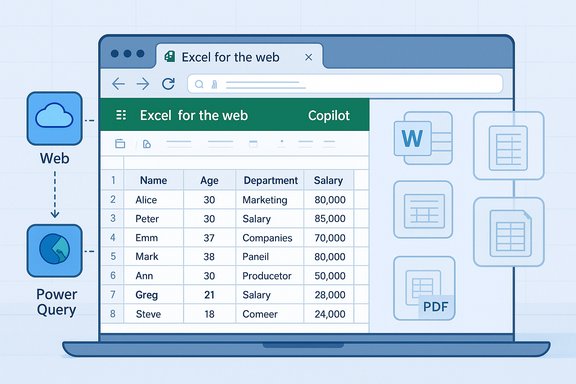
  • Turning operational spreadsheets into insights — Copilot in Excel can suggest formulas, build charts, create pivot tables, and even run Python for complex analysis — compressing days of spreadsheet cleanup into minutes.
  • Creating executive slide decks from data or briefings: PowerPoint integration can convert Word drafts or spreadsheet analysis into template‑ready decks and speaker notes.
  • Email triage and meeting summarization: Outlook and Teams integrations reduce inbox noise and produce concise meeting outputs for busy asset managers and executives.
These capabilities are not theoretical: Microsoft’s product materials and recent updates demonstrate a steady push to convert common office workflows into AI‑assisted activities that save time and standardise outputs. For property teams that still rely on manual assembly of monthly reports, Copilot represents a clear productivity lever — provided it is used with appropriate controls.

The capabilities to watch (and verify)​

Two technical trends in Microsoft 365 Copilot are especially relevant to property professionals and to the course itself:
  • Agent Mode and multi‑step automation — Copilot now supports agentic workflows that can run multi‑step tasks (collect, calculate, draft, validate) within Office — useful for recurring report generation or approval chains. Microsoft’s announcements describe Agent Mode availability and the ability to orchestrate multi‑step processes inside Office apps. Independent reporting also confirms these features being rolled out across web and desktop surfaces.
  • Python in Excel — Copilot can generate and insert Python code into Excel for advanced analytics, enabling non‑Python users to perform richer statistical or geospatial analysis from within a familiar workbook. Microsoft support pages and product blogs describe this feature and note availability constraints (language, compute, licensing). Property analysts using spatial rent models or portfolio performance scenarios benefit from that power.
Additionally, Microsoft’s in‑country processing option — now being offered to Australia and other initial markets — reduces a major barrier for organisations that have procurement or regulatory requirements around where inference and telemetry are processed. That option does not remove the need for governance, but it materially widens the pool of organisations that can consider Copilot for regulated workflows.

Strengths of the Property Council’s offering​

  • Laser focus on business users. The course is framed as practical, app‑level skills for real day‑to‑day tasks property teams perform: email triage, report automation, presentation generation and spreadsheet analysis. That short runway (half‑day, virtual) reduces barriers to attendance for busy practitioners.
  • Explicit governance content. Including responsible AI and data safeguarding as core learning points signals that the program recognises risk, not just productivity. That aligns with best practices that pair training with enforcement controls.
  • Badge and credentialing. A digital badge and certificate provide an organisational artefact to show competency and to gate who is permitted to use Copilot in more sensitive workflows. This is useful when embedding Copilot use into formal role descriptions or access lists.
  • Vendor alignment with Microsoft’s roadmap. The syllabus maps closely to known Copilot surfaces (Outlook, Word, PowerPoint, Excel) and the Microsoft trajectory (agent mode, Python in Excel), so attendees will learn tools that are already shipping or in preview.

Notable risks and gaps — what to watch for​

While Copilot provides clear efficiency gains, several persistent risks must be acknowledged and actively managed:
  • Hallucinations and business correctness. Generative outputs can be plausible but wrong. Financial reconstructions, lease clause summaries, or compliance guidance must not be accepted at face value — human verification is essential for high‑stakes outputs. Independent guidance emphasises “human in the loop” controls and audit trails.
  • Data leakage and tenant privacy. Unless controlled, tenant names, payment details or contract clauses can be inadvertently exposed through prompts or shared outputs. Organisations frequently need DLP rules, sensitivity labels and connector restrictions before allowing Copilot to index or use sensitive repositories. Microsoft’s enterprise controls and the availability of in‑country processing mitigate but do not eliminate this risk.
  • Licensing and hidden run‑rate costs. Copilot licensing is layered (per‑seat Copilot license, Azure compute for heavy inference or Python tasks, Copilot Studio agent runtimes); pilot budgets that ignore run‑rate inference and managed services can be surprised by ongoing costs. Procurement checklists in the field insist on TCO models that include Azure inference and agent hosting.
  • Over‑reliance on short courses alone. Short courses build awareness and skills, but adoption at scale requires operational playbooks, enforcement of controls, measurable KPIs and ongoing coaching. Training should be a staged element of a broader enablement program that includes policy, measurement and remediation.

Practical recommendations for property organisations​

Implementing Copilot effectively in a portfolio, agency or shopping‑centre team requires a deliberate, staged approach. The following checklist translates course outcomes into operational steps:
  • Prepare a short readiness assessment:
  • Inventory where tenant and transactional data lives (Exchange mailboxes, SharePoint, OneDrive, local drives).
  • Classify data (PII, contractual, financial, marketing).
  • Map regulatory constraints (local privacy law, tenant consent terms, vendor contracts).
  • Define a narrow pilot with measurable KPIs:
  • Pick 1–3 high‑value workflows (monthly asset reports, tenant notice drafting, leasing pipeline summarisation).
  • Set baseline metrics: time per report, error rate, number of manual steps.
  • Timebox the pilot (6–8 weeks) and measure adoption and quality.
  • Apply governance controls before roll‑out:
  • Configure tenant‑scoped grounding only for approved repositories.
  • Enforce sensitivity labels and tenant DLP rules for Copilot connectors.
  • Enable in‑country processing if jurisdictional needs require it.
  • Use role‑based access and human approval gates:
  • Require certified or badge‑holding staff (e.g., Property Council Academy graduates) to operate Copilot in sensitive flows.
  • Add step approvals for documents that change contracts, financials or tenant liabilities.
  • Record prompts, outputs and audit artifacts:
  • Keep prompt history, generated drafts and the final human‑approved version in an auditable repository.
  • Use these records for periodic quality audits and to detect drift or hallucination patterns.
  • Harden measurement:
  • Move beyond “hours saved” anecdotes. Collect quantitative measures: time saved per report, percentage reduction in revision cycles, improved turnaround on tenant queries, and license utilisation (MAU).
  • Plan for procurement and TCO:
  • Request line‑item TCO from vendors (per‑seat Copilot, Azure inference, agent hosting, managed services).
  • Negotiate exit and IP terms for agent code, prompts and curated corpora to avoid lock‑in.

How this course fits into a broader enablement roadmap​

The Property Council’s course is a strong starter offering: short, targeted and directly relevant to property workflows. But training alone should be treated as the first tile in a multi‑layer enablement strategy:
  • Pair the course with an internal Copilot playbook that spells out allowed connectors, classification rules and mandatory review steps.
  • Appoint Copilot Champions in each function (asset management, facilities, leasing, retail operations) who can coach peers and run peer reviews for high‑risk outputs.
  • Use the course credential as a gating mechanism for elevated privileges (for example, who can create agent workflows or connect Copilot to an exchange archive).
  • Schedule refresher workshops that include red‑team scenarios (deliberate hallucination tests and privacy failure mode exercises) to build organisational resilience.
These patterns are common across public‑sector and commercial pilots that have shown early gains: short courses plus targeted governance and measurement create durable adoption rather than ephemeral excitement.

Vendor and procurement considerations​

Property organisations thinking beyond individual training sessions must consider vendor selection and contract framing:
  • Verify partner credentials: ask suppliers for Partner Center proof of specializations, certified headcount and audited customer references that show before/after KPIs. Don’t accept generic marketing claims; demand Partner Center artefacts.
  • Get transparent cost models: line items should cover per‑seat Copilot licences, Azure inference for agent workloads or heavy Python analyses, Copilot Studio hosting, and any managed service fees. Require run‑rate and escalation scenarios.
  • Insist on exportable artifacts: agent code, prompt libraries and curated corpora must be deliverable at handover. This reduces long‑term lock‑in and makes future migrations feasible.
  • Confirm data residency and contractual guarantees: if your business or tenants demand processing within Australia, verify in‑country processing options and obtain written commitments in the contract. Microsoft’s sovereignty options have expanded but must be asserted contractually.

A realistic view of outcomes​

Short courses — including Copilot Essentials — reliably accelerate adoption if they are embedded in a governance and measurement program. Expect immediate wins in:
  • Faster first drafts for letters and presentations.
  • Quicker spreadsheet exploration and prototyping for financial or portfolio analysis.
  • Reduced time on meeting summarisation and email triage.
Expect slower returns on automated, agentic workflows that span systems (CRM, ERP, property management platforms) — those require integration work, data grounding (Fabric or RAG patterns) and careful approval gating. That path typically moves from workshop → pilot → agent build → scale over several quarters.

What attendees should demand from the course​

Participants seeking real value from a half‑day session should look for:
  • Hands‑on demonstrations using tenant‑like scenarios (lease summary, rent roll analysis, vacancy reporting).
  • Clear, practical prompting examples that attendees can copy and adapt.
  • A governance addendum: a checklist for what to lock down in a Microsoft tenant before Copilot is used in production.
  • Follow‑up assets: playbooks, prompt libraries, and sample audit templates to embed learning into day‑to‑day work.

Conclusion​

Copilot Essentials for the Property Sector is a timely, practical workshop that maps directly to the core document, spreadsheet and communication tasks property professionals perform every day. The course’s explicit emphasis on responsible AI use is the right framing: productivity gains are real, but they arrive alongside governance obligations — human review, DLP configuration, licensing clarity and, in some markets, contractual commitments to data residency.
Property teams that treat this workshop as the starting point for a staged adoption plan — inventory, narrow pilot, enforcement, measurement and scaled rollout — will capture value while containing risk. Those that treat it as a one‑off skills tick box risk creating shadow AI workflows that expose tenant data, invite hallucinations into decision processes, or saddle the organisation with unexpected run‑rate costs.
For property professionals who want practical, immediate skills in Copilot’s Word/Outlook/PowerPoint/Excel surfaces, the Property Council’s program is a sensible, focused place to begin — registrations for the March 19 virtual session close 12 March 2026.

Source: Property Council Australia Copilot Essentials for the Property Sector - Property Council Australia

 

A computer screen displays Word, Excel and PowerPoint icons with an “Ask Copilot” button and secure governance visuals.
Microsoft’s Copilot story has gone from a single productivity add‑on to a sprawling family of services, hardware features, and enterprise controls — and the company’s rapid cadence of releases has created a confusing map for users and IT teams alike. At Ignite the company tried to put order on the chaos: Windows will host Copilot everywhere from a taskbar “Ask Copilot” box to in‑app agents in Word, Excel and PowerPoint; Copilot+ PCs will use an on‑device neural processing unit (NPU) for low‑latency features such as Recall and Click To Do; Microsoft 365 Copilot layers in Work IQ for deeper corporate context; and a new Agent 365 control plane aims to manage and secure third‑party and custom agents. The announcements promise productivity gains, but they also raise immediate questions about privacy, licensing complexity, device requirements, and governance as organizations consider deploying these tools.

Background​

Microsoft has accelerated the rollout of AI capabilities across Windows and Microsoft 365, shifting Copilot from a single feature to a platform of interlocking pieces. That platform now spans:
  • The Windows desktop integration — an “Ask Copilot” interface on the taskbar plus deeper Edge and File Explorer hooks.
  • Consumer Microsoft 365 tiers (Personal, Family, Premium) that expose chat, drafting, and limited agent functionality under different credit limits.
  • Copilot+ PCs with dedicated NPUs delivering features like semantic search, live translation, Cocreator in Paint, and the Recall timeline.
  • Microsoft 365 Copilot licenses that add corporate grounding via Work IQ, and enterprise features such as agent studio, memory, and inference.
  • Windows 365 and Cloud Apps streaming scenarios for specific device or app use cases.
  • Agent management and security via Agent 365, intended to secure agent identities, auditing and lifecycle controls.
This proliferation is deliberate: Microsoft is trying to put AI into every workflow layer — from local, latency‑sensitive inference on device to cloud‑grounded, enterprise‑aware previews. The result is a meaningful capability expansion, but also product fragmentation that makes it hard for buyers to know which features they’ll get, where data will be processed, and which license is required.

What Microsoft actually announced (the essentials)​

Windows and the taskbar: “Ask Copilot”​

Microsoft has integrated Copilot more directly into Windows by adding an Ask Copilot input on the taskbar and tighter Edge integration. That interface is optional but designed to make quick searches, chat and voice interactions pervasive across the desktop. The feature has been surfaced in Insider builds and is rolling outward in stages.

Copilot Free vs licensed experiences​

Microsoft distinguishes between Copilot Free experiences (web‑data/consumer prompts) and licensed, enterprise‑grounded experiences that use corporate data and additional protections. For many users, Copilot will be available via the Edge browser or copilot.microsoft.com even without an M365 license, but the capabilities and the data grounding differ.

Microsoft 365 Personal / Family / Premium limits and credits​

Personal and Family Microsoft 365 plans include Copilot functionality with limited AI credits and feature sets. Microsoft 365 Premium increases usage allowances and offers up to 25 monthly agent tasks (shared among agents) and additional “extensive usage” tiers for image generation and other features. These limits are explicit in Microsoft’s support documentation and important when you consider who in an organization will have access to higher‑intensity AI operations.

Copilot+ PCs — local NPU and on‑device features​

Copilot+ PCs pair Windows with an on‑device NPU to accelerate inference and deliver low‑latency features like Recall (a searchable timeline of locally captured “snapshots”), Click To Do overlays, semantic search on local content and cloud sources, Live Captions with translation, and multimedia effects powered locally. Microsoft’s documentation says Recall stores snapshots encrypted on the device, requires Windows Hello Enhanced Sign‑in and Secured‑core protections, and is initially optimized for Snapdragon (with AMD/Intel rollouts planned). The company also notes storage sizing guidance and exclusion/retention policies for privacy controls.

Microsoft 365 Copilot with Work IQ​

The paid Microsoft 365 Copilot license layers in Work IQ, an intelligence layer that combines Microsoft Graph corporate data, memory and inference to personalize Copilot for employees and teams. Work IQ is key to the value proposition: it lets Copilot reason with calendar items, emails, Teams messages and corporate policies to answer work‑centric prompts (for example, “When is my performance review due?”) and to suggest actions. Microsoft announced integrations like Agent Mode inside Office apps and the ability to build Work IQ–aware custom agents.

Agent 365 — governance and agent identity​

To address scale and security concerns, Microsoft unveiled Agent 365 as a control plane for agents, providing identity, policy, auditing and lifecycle management for Microsoft and third‑party agents. Agent 365 is intended to let enterprises control which agents can access what corporate data, while enabling third parties such as ServiceNow or SAP to integrate their agents into a managed environment. Microsoft positioned Agent 365 as analogous to older device management bundles (e.g., Intune + Entra) but for agents.

How the tiers compare — a practical breakdown​

All Windows users​

  • Access: Copilot via taskbar/Edge/copilot.microsoft.com.
  • Data basis: Web data and prompts unless signed into an M365 tenant with Copilot features enabled.
  • Value: Immediate access to chat and simple prompts without additional spend.

Microsoft 365 Personal / Family / Premium​

  • Access: In‑app Copilot features (draft, summarize, Excel analysis), with credit‑based limits for compute‑heavy features.
  • Notable: Premium unlocks more agents (Researcher, and an upcoming Analyst) and higher usage; limits like 25 agent tasks/month apply to Premium agent usage.

Copilot+ PCs​

  • Access: Local NPU acceleration, Recall, Click To Do, semantic search across local and SharePoint content, and enhanced Studio effects.
  • Device requirement: Copilot+ designation and NPU; some features initially limited to Snapdragon silicon and later to AMD/Intel.
  • Tradeoffs: Some features (Recall) require additional security controls, storage and user opt‑in.

Microsoft 365 Copilot (paid enterprise)​

  • Access: All the above plus Work IQ, deeper corporate grounding, agent lifecycle controls, and agent studio.
  • Enterprise fit: Designed for organizations wanting agents that can access company data with auditable governance.

Strengths — why this matters​

  • Contextual productivity: Work IQ promises a genuinely contextual Copilot that can combine calendar, mail and file context to produce relevant actions and summaries, not generic chat responses. For knowledge workers, this is the biggest productivity lever introduced to the platform.
  • Local AI on Copilot+ PCs: On‑device NPUs for low‑latency features reduce cloud dependency for privacy‑sensitive operations and allow experiences (like live translation and local Recall searches) that would be impractically slow otherwise. This is a meaningful step toward mixed on‑device/cloud AI architectures.
  • Agent extensibility and governance: Agent 365 and Copilot Studio aim to standardize how custom and third‑party agents are built and controlled, which is critical for large enterprises that need audit trails, policy enforcement and identity control for automated assistants.
  • Granular consumer tiers: Credit‑based limits in Personal/Family/Premium plans create an easier entry point for consumers while letting Microsoft monetize higher‑usage scenarios. Clear limits reduce surprise bills for casual users.

Risks, unknowns and practical problems to watch​

1) Privacy and the Recall controversy​

Recall (snapshots of the screen captured on device) is a powerful feature, but it proved controversial. Microsoft’s approach to storing snapshots locally, encrypting them, and requiring Windows Hello and Secured‑core mitigations is a response to earlier privacy backlash — yet the concept of a device that records periodic snapshots will remain sensitive for security teams and users who handle regulated data. IT must carefully control retention, exclusion, and opt‑in policies. The feature’s EEA rollout timing and some language about “enterprise license required for policy controls” make it mandatory for admins to review legal and compliance implications before broad deployment.

2) Licensing complexity and feature fragmentation​

The Copilot ecosystem is fragmented across free web experiences, consumer M365 tiers with credit limits, Copilot+ hardware, and Microsoft 365 Copilot enterprise licenses that add Work IQ. That fragmentation means organizations risk inconsistent user experiences and surprise billings when users expect features that live in another license tier. Expect questions like “Why can my manager use Agent Mode but I can’t?” to become common unless IT maps entitlements carefully.

3) Hardware and performance expectations​

Copilot+ PCs require NPUs and specific hardware baselines; early rollouts favored Snapdragon devices with Intel/AMD support to follow. Organizations investing in AI‑optimized hardware should evaluate whether on‑device capabilities will justify device refreshes — and whether an NPU‑led experience will be necessary for their users. For many roles, cloud Copilot features will remain adequate.

4) Agent security, supply‑chain and hallucinations​

Agents that act on corporate data introduce new attack surfaces: identity misbinding, privilege escalation, and the classic risk of hallucinations in LLM outputs. Agent 365 provides identity, auditing and policy controls, but its real‑world effectiveness depends on robust integration with existing identity platforms, secure connectors, and mature auditing pipelines. Enterprises must treat agents like any other privileged workload and run them under hardened governance from day one.

5) Rapid change and operational load for IT​

Microsoft’s release cadence means feature sets and entitlements can shift quickly, which puts pressure on IT to update policies, user education, and compliance checks continually. Organizations should expect to dedicate a small center of excellence (CoE) to Copilot governance while features are still maturing. Forum and community reporting show administrators already grappling with user confusion and unexpected side effects from toggling Copilot features.

Practical guidance for IT and decision‑makers​

  1. Map use cases before buying hardware. Identify who genuinely needs low latency, on‑device features (e.g., video interpreters, high‑volume screen capture workflows) and who can rely on cloud Copilot functions.
  2. Pilot with governance templates. Start with a contained pilot of Microsoft 365 Copilot and Copilot+ PCs, and use Agent 365 in preview to validate identity and policy controls before a wide rollout.
  3. Define data policies up front. Decide which data sources agents can access, which users can create agents, and retention/exclusion settings for Recall snapshots.
  4. Train users and set expectations. Make entitlements clear: document which Copilot capabilities map to which Microsoft 365 SKU and whether local NPUs are required.
  5. Monitor agent outputs. Treat agent results as drafts until you’re confident in connector security, model tuning and prompting guidelines. Implement detection for likely hallucinations on sensitive outputs.
  6. Maintain a Copilot change register. Because features and limits change fast, keep a one‑page register of Copilot features that matters to your org and update it monthly.

How to evaluate Copilot for different audiences​

For consumers and knowledge workers​

If you’re a single user on Personal/Family tiers, Copilot offers immediate drafting, summarization and basic agent interactions. Understand the credit limits for image or compute‑heavy tasks and try features like Researcher only if you have Premium or are comfortable with higher‑usage scenarios. Consider a Copilot+ PC only if you frequently rely on live captions, low‑latency image editing, or the unique Recall timeline — otherwise, cloud Copilot features will do most of the heavy lifting.

For IT admins and enterprise architects​

Prioritize privacy and governance. Block or restrict Recall until retention and exclusion controls match your compliance posture. Use Agent 365 to register trusted agents, audit their actions and restrict agent creation to designated developers. When evaluating Microsoft 365 Copilot, run pilot projects that specifically test Work IQ’s inference against real corporate data, and measure both accuracy and auditability.

For device procurement teams​

Push vendors for clear Copilot+ PC specifications (NPU model, minimum storage for Recall, Windows Hello ESS support, Azure attestation and Pluton/TPM claims). Ask for realistic timelines for Intel/AMD NPU support and an EEA availability schedule if you operate in Europe. Microsoft’s Copilot+ documentation spells out minimum storage allocations and hardware dependencies you should verify before purchase.

Verifiable claims and caution flags​

  • Verifiable: Microsoft documents the Copilot+ PC feature set (Recall, Click To Do, semantic search) and the NPU requirement; Work IQ and Agent 365 were announced at Ignite with explicit descriptions of the features they provide. These claims are supported by Microsoft’s product pages and the Ignite blog.
  • Verifiable: Microsoft’s public support pages list specific AI credit and usage limits for Personal, Family and Premium Microsoft 365 plans (including the 25 agent tasks/month figure for Premium). Teams and admins should use those published limits when planning pilots.
  • Caution: Exact general availability (GA) dates for Agent 365, some Copilot Chat expansions, or full worldwide Recall availability have been described in Microsoft messaging as “public preview” or “coming in the next few months” — those timelines can shift. Treat any generalized GA promise as conditional and verify dates directly before procurement or rollout.
  • Caution: Real‑world accuracy of agent outputs (hallucination rates) and the security posture of third‑party agents depend heavily on how connectors are built and governed — these are not absolutes you can rely on without independent testing and audit. Early community reports underscore that Copilot and agent behavior can surprise users and admins when entitlements cross account boundaries.

Final analysis — why the next 12 months matter​

Microsoft is packaging a very broad vision: on‑device speed where latency or privacy demand it; cloud grounding and corporate memory where context is crucial; and a control plane intended to let enterprises manage agents like other privileged systems. That combination is novel and potentially transformative — if it works as advertised, everyday knowledge work will become far more actionable and proactive.
But the path there is messy. The combination of evolving hardware requirements, license tiers with hard limits, contentious features like Recall, and the sheer pace of feature changes means organizations must be deliberate. The low barrier to trying Copilot (many features are available from a browser for free) will accelerate adoption, but it will also increase the risk surface and the potential for inconsistent user experiences.
For IT leaders, the sensible approach is measured — pilot with governance, harden connectors and identity upfront, and keep a tight inventory of which Copilot features you intend to enable and for whom. For consumers and power users, the advice is simpler: test the features you care about, understand which SKU unlocks the workflow you rely on, and be cautious with sharing sensitive documents until you’ve validated how agents interact with your data.
Microsoft has built a sophisticated, multi‑layer Copilot ecosystem that can deliver real productivity advantages. The tradeoff is complexity — and the next year will show whether organizations can adopt Copilot safely, or whether the fragmentation and privacy concerns slow the promise of AI at work.
Conclusion
Microsoft’s Copilot rollout is now both an operating‑system level feature set and a cloud product family. The company has the right ingredients — on‑device NPUs, a corporate grounding layer in Work IQ, and a governance plane with Agent 365 — but bringing them together in a secure, privacy‑sensitive, and cost‑predictable way is the real challenge. Organizations should proceed with pilots, governance guardrails, and a clear subscription map to avoid surprises. The technology is promising; its success will depend on disciplined deployment and transparency from vendors and IT teams alike.
Source: PCMag UK Struggling to Keep Up With Microsoft's Copilot Changes? Let's Break It Down
 

The Property Council of Australia’s new half‑day workshop, Copilot Essentials for the Property Sector, launches as a pragmatic introduction to Microsoft 365 Copilot for property professionals — a virtual, hands‑on program scheduled for 25 February 2026 with registrations closing 19 February 2026.

Diverse professionals discuss AI-driven property insights during a high-tech business meeting.Background / Overview​

Microsoft has embedded generative AI across Microsoft 365 — from Word and Excel to PowerPoint and Outlook — positioning Microsoft 365 Copilot as an assistive layer for drafting, summarising, analysis and automated workflows. Recent Microsoft updates have expanded Copilot’s scope with agent orchestration, low‑code tuning tools and stronger sovereign processing options for regulated markets. The Property Council’s Copilot Essentials course is explicitly aimed at closing the gap between technical capability and day‑to‑day property workflows: tenant communications, monthly asset and vacancy reporting, executive slide packs and spreadsheet analysis. The syllabus is compact and practical, split across six modules that cover fundamentals, prompting, in‑app use in Outlook/Word/PowerPoint/Excel, and a governance‑focused session on data safeguarding. Registrations and ticketing details are published on the Property Council site.

Why this course matters for the property sector​

Property organisations run on documents, spreadsheets and email. Those three artefacts are where Copilot can deliver immediate, measurable benefit:
  • Faster drafting of tenant letters, lease clauses and marketing copy with in‑context tone and consistency.
  • Rapid conversion of operational spreadsheets (rent rolls, vacancy trackers, cashflow scenarios) into executive‑ready reports and slide decks.
  • Email triage and meeting summarisation that reduces administrative churn for busy asset managers and leasing teams.
These are not hypothetical advantages: Microsoft’s Copilot surfaces include natural‑language spreadsheet analysis, Python‑enabled analytics in Excel, slide generation from content, and Outlook/Teams summarisation — features the Property Council course intends to teach attendees to apply responsibly.

Course snapshot: what attendees will learn​

The Property Council lists the following core learning outcomes and modules:
  • What you’ll learn
  • Copilot fundamentals & responsible AI use
  • Prompting techniques for automation & reporting
  • Practical applications in Outlook, Word, PowerPoint & Excel
  • Data analysis, insights and executive‑ready reporting
  • Safeguarding sensitive tenant, project & transaction data.
  • Program modules
  • Module 1: Copilot Basics & Responsible Use
  • Module 2: Prompting with Copilot
  • Module 3: Copilot in Outlook
  • Module 4: Copilot in Word & PowerPoint
  • Module 5: Copilot in Excel
  • Module 6: Next Steps & Q&A.
  • Delivery and credential
  • Virtual half‑day session, interactive Q&A and networking.
  • Attendees receive a Property Council Academy digital badge and certificate on completion.

The technical context you need to know (verified claims)​

  • Agent orchestration and Copilot Studio are now mainstream building blocks. Microsoft has launched multi‑agent orchestration, Copilot Studio features for tuning agents to company data, and tools to manage agents as first‑class entities — all designed to let organisations assemble multi‑step agent workflows with human oversight. These are production features being broadened across Copilot.
  • In‑country processing options exist and are expanding. Microsoft announced in‑country data processing options for Microsoft 365 Copilot and has listed Australia among early markets where customers may opt to have Copilot interactions processed within national borders — an important control for property organisations handling tenant personal data and sensitive transaction records. This offering is rolling out to additional countries through 2026.
  • Python in Excel is an integrated capability accessible via Copilot. Copilot can generate and insert Python into Excel workbooks for advanced analytics, subject to Python in Excel availability in the tenant. This capability opens the door for non‑developer analysts to run richer statistical, financial or geospatial analysis inside familiar workbooks.
  • Copilot licensing and operational costs are layered; procurement needs to account for run‑rate costs. Beyond per‑seat Copilot licences, organisations should budget for Azure inference costs, Copilot Studio agent runtime and any managed service fees. Transparent TCO modelling is essential to avoid surprises as usage scales. (Independent reporting and practitioner guidance emphasise this.
  • Copilot is being pre‑installed and broadened across device and app surfaces. Microsoft’s cadence includes wider deployment of Copilot experiences across Windows and the Office app, which simplifies access but increases the scope of governance required for enterprise tenants. Independent press coverage notes the broad rollouts and administrator controls for enterprises.

Practical applications in property workflows (how to convert features into value)​

Tenant communications and compliance​

Property managers can use Copilot to draft tenant notices, rent increase letters and marketing copy with standardised language, saving hours per week. However, every copy used in formal or legal contexts must be human‑reviewed and versioned in the official record system to avoid liability from model errors or hallucinations.

Monthly and quarterly reporting​

Copilot in Excel can summarise rent rolls, compute occupancy rates, run scenario analysis and produce charts. The Python in Excel capability allows advanced modelling (cashflow, NPV, spatial rent maps), turning days of spreadsheet wrangling into hours of validated analysis — provided source data is clean and governance is applied.

Executive slide decks and board materials​

From a lease summary or spreadsheet output, Copilot can auto‑generate a PowerPoint skeleton with speaker notes, enabling quick production of executive‑ready reporting. Teams should apply templates and a final human polish to ensure consistency with brand and governance requirements.

Email triage and meeting outputs​

Outlook and Teams summarisation reduces noise, extracts action items and can prepare draft responses for approval. For high‑volume leasing teams, this can materially speed reaction time to tenant queries.

Governance, privacy and data‑safety: the non‑negotiables​

Property data is often regulated, personally identifiable and commercially sensitive. The course explicitly addresses safeguarding tenant, project and transaction data, but property bodies should treat training as only one part of a broader governance stack. Key controls include:
  • Data discovery and classification: Inventory where tenant and contractual data resides (Exchange mailboxes, SharePoint, OneDrive, PMS systems) and apply sensitivity labels before enabling Copilot access.
  • DLP and connector controls: Restrict which repositories Copilot can index or access. Implement allowlists for approved document stores and prevent Copilot from using high‑sensitivity sources unless explicitly authorised.
  • Tenant‑scoped grounding & in‑country processing: Use Microsoft’s tenant scoping and in‑country processing options where procurement or law requires local processing of Copilot inference. These are contractual and technical settings that must be asserted and validated.
  • Human‑in‑the‑loop approvals and audit trails: Require a credentialled reviewer to approve any Copilot output that alters contractual terms, financial statements or tenant liabilities, and ensure prompt and output histories are retained for audits.
  • Red‑team testing and periodic audits: Conduct deliberate hallucination tests and privacy failure‑mode exercises to validate model behaviour on real tenant datasets (redacted where necessary).

A practical rollout checklist for property organisations​

  • Readiness assessment
  • Inventory data stores and classify sensitive content.
  • Map regulated obligations and procurement clauses for tenant data.
  • Narrow pilot (6–8 weeks)
  • Select 1–3 high‑value, low‑risk workflows (e.g., monthly asset report generation, tenant notice drafting).
  • Define KPIs: time saved per report, error rate, MAU (monthly active user) targets.
  • Apply governance before scale
  • Configure DLP, sensitivity labels, and Copilot connectors.
  • Enable in‑country processing if jurisdictionally required and confirm contract clauses.
  • Operate with controls
  • Assign Copilot Champions and gate advanced capabilities (agent creation, connectors) behind badge/credential requirements.
  • Keep prompt logs and generated drafts in versioned repositories for audit.
  • Measure and iterate
  • Instrument telemetry, collect quantitative metrics, run quality audits and red‑team tests.
  • Reassess TCO as agent utilisation grows and compute/inference costs scale.

Procurement and vendor considerations​

  • Require transparent line‑item TCO in proposals: Copilot per‑seat fees, Azure inference costs, Copilot Studio runtime, managed services.
  • Demand exportable artifacts at handover: agent code, prompt libraries, curated corpora and deployment documentation.
  • Verify partner credentials and Partner Center proof for claimed specialisations; ask for customer references and MAU telemetry to validate vendor delivery claims.
These vendor checks prevent hidden run‑rate surprises and reduce lock‑in risk for organisations that intend to operationalise agentic workflows across CRM, PMS and ERP systems.

Strengths of the Property Council’s offering​

  • Role‑focused and practical: The curriculum maps to real property tasks (email, report automation, presentations and spreadsheet analysis), which accelerates immediate adoption.
  • Explicit emphasis on responsible AI: Including data safeguarding and responsible use signals the course is not naïve about governance obligations. This is essential for regulated asset managers and shopping centre operators.
  • Credentialing for gatekeeping: The digital badge and certificate provide an organisational artefact to gate elevated Copilot privileges.
  • Concise delivery model: A half‑day virtual workshop lowers attendance friction for busy professionals.

Notable risks and gaps (what to watch for)​

  • Hallucination and business correctness: Generative outputs can be plausible but incorrect. Any summary of leases, financial reconstructions, or legal wording must be verified by a subject‑matter expert before being treated as authoritative.
  • Data leakage and privacy exposure: Without strict DLP and connector controls, Copilot prompts or datasets could inadvertently expose tenant names, payment details or contract clauses. In‑country processing options reduce risk but do not eliminate it.
  • Licensing and hidden run‑rate costs: Organisations that pilot Copilot and agents without robust TCO modelling risk unexpected charges from inference workloads and managed agent runtimes. Procurement should insist on detailed run‑rate projections.
  • Skills vs operationalisation gap: Short courses are good at awareness building; they are insufficient by themselves to create sustainable change. Without playbooks, enforcement, and measurement, adoption may plateau or create shadow AI workflows.
  • Vendor lock‑in and IP concerns: When agents and prompts are developed by partners, contracts must clarify ownership of prompt libraries, agent code and any tuned artefacts to preserve future portability.

How to get the most from the Copilot Essentials course​

  • Bring real, redacted examples: ask organisers whether workshop exercises can use sanitized copies of your rent roll or tenant notice templates.
  • Insist on follow‑up assets: prompt libraries, governance checklists and audit templates to embed learning back on the job.
  • Use the digital badge as an operational gate: require certified staff to perform high‑risk Copilot tasks or to create agent workflows.
  • Pair course attendance with a mandatory pilot: convert training to measurable outcomes by running an immediate 6–8 week pilot for the chosen workflows.

Wider market context and recent platform changes​

Microsoft continues to evolve Copilot into a platform, not just a feature. Recent announcements broaden the control plane for agents, introduce Copilot Tuning (low‑code model tuning in Copilot Studio), and enable multi‑agent orchestration — capabilities that will make agentic workflows both more powerful and more operationally complex. At the same time, Microsoft has added in‑country processing options to address sovereign control concerns in several key markets, including Australia. These product shifts mean property teams should plan for incremental complexity even as they capture quick wins. Independent reporting also highlights an industry shift: Microsoft is diversifying model providers inside Copilot (adding models from other vendors) and expanding device‑level integrations. These broader changes affect governance, licensing and technical architecture decisions for enterprise tenants.

Recommended 90‑day action plan for a property team after the course​

  • Week 0–2: Run a rapid readiness check
  • Inventory data stores and label high‑sensitivity content.
  • Decide pilot scope and select participants.
  • Week 3–6: Execute a narrow pilot
  • Activate Copilot for the pilot cohort with DLP rules and connector allowlists.
  • Test one workflow end‑to‑end: data → Copilot analysis → human verification → final record.
  • Week 7–10: Audit, measure & refine
  • Run red‑team tests, measure KPIs, log costs and capture user feedback.
  • Remediate governance gaps uncovered during the pilot.
  • Week 11–12: Scale with controls
  • Expand to additional teams only after governance and measurement criteria are met.
  • Publish an internal Copilot playbook and assign Copilot Champions.

What the course will not (and should not) teach​

  • Deep software engineering for agent hosting or complex system integration across multiple enterprise systems (CRM, ERP, specialist PMS).
  • Complete legal or compliance sign‑off procedures — those must remain the domain of legal, compliance and IT teams.
  • A one‑size‑fits‑all procurement strategy — procurement should demand TCO, contractual commitments on data residency, and exportable deliverables for each prospective partner.

Conclusion: realistic optimism with disciplined governance​

Copilot Essentials for the Property Sector is a timely, practical entry point for property professionals to gain hands‑on experience with Microsoft 365 Copilot and to learn responsible, productivity‑focused uses in Outlook, Word, PowerPoint and Excel. The course’s explicit focus on governance and data safeguarding is a crucial corrective to training programs that only teach capability without controls. For property teams, the right posture is one of realistic optimism: capture early productivity wins (drafting, reporting, meeting summarisation) while investing the necessary governance, procurement and measurement practices that turn a pilot into a durable capability.
Organisations that treat this workshop as the first step in a staged adoption playbook — inventory, narrow pilot, enforce controls, measure outcomes, scale carefully — will be best placed to reap the benefits of Copilot while containing the operational, legal and financial risks that come with enterprise generative AI.


Source: Property Council Australia Copilot Essentials for the Property Sector - Property Council Australia
 

Microsoft today confirmed an incident that left users in the United Kingdom struggling to access Microsoft Copilot or seeing degraded Copilot features across Microsoft 365, triggering alarm in organisations that now treat the AI assistant as part of critical workflows. The issue is tracked internally as incident CP1193544 and remains under investigation; initial signals and Microsoft’s public status messaging point to an unexpected traffic surge and autoscaling pressures in regional infrastructure as proximate contributors to the problem.

Cybersecurity dashboard showing alerts for Word, Excel, PowerPoint and Teams plus a tenant incident.Background​

Microsoft Copilot is no longer an optional add‑on for many organisations — it’s embedded across Office apps (Word, Excel, PowerPoint), Outlook, Teams and the dedicated Copilot app surfaces. That breadth of integration gives Copilot real productivity value but also expands the number of failure modes and the operational blast radius when something goes wrong. The service is delivered across global edge and inference infrastructure, combining client front‑ends, global routing and edge layers, identity (Entra) token flows, backend processing microservices and Azure‑hosted model endpoints. When one of those layers suffers errors — especially at the edge or control plane — users commonly see the generic symptom “Copilot is down,” even if only one subcomponent is affected.
Microsoft’s own initial status message, posted through its Microsoft 365 Status channel, confirmed the company is investigating reports from the UK and that telemetry shows an unexpected increase in request traffic that appears to have contributed to the impact. The company directed administrators to incident CP1193544 in the Microsoft 365 admin center for tenant‑specific updates.

What we know about the CP1193544 incident​

Key facts reported publicly​

  • Incident identifier: CP1193544 — the code Microsoft published to the Microsoft 365 admin center for tenant monitoring.
  • Affected service: Microsoft Copilot (Microsoft 365 surfaces including Word, Excel, Outlook, Teams and the Copilot app).
  • Region with confirmed reports: United Kingdom, with media accounts noting potential wider impact in parts of Europe.
  • Microsoft’s early probable cause: an unexpected increase in request traffic / autoscaling pressure, prompting investigation and capacity adjustments. The company has said engineers are manually scaling capacity to improve availability while monitoring.

User‑facing symptoms reported so far​

  • Inability to access Copilot from desktop, web, or Teams entry points.
  • Partial degradations such as timeouts, slow completions, truncated responses, or the Copilot UI returning “Coming soon” / loading or error states.
  • Failure of Copilot‑driven file actions in some prior incidents — while underlying SharePoint/OneDrive files remain accessible via native clients — highlighting the distinction between file storage availability and Copilot’s processing pipeline.
These symptoms mirror earlier Copilot service incidents where backend processing pipelines, edge routing or token validation created function‑specific failures that looked like an overall outage.

Timeline (concise)​

  • Early reports and user complaints surfaced across X/DownDetector and community channels indicating Copilot failures in the UK.
  • Microsoft posted a public advisory through its Microsoft 365 Status channel and opened incident CP1193544; telemetry pointed at an unexpected traffic increase and required autoscaling adjustments.
  • Engineers began investigating backend infrastructure and scaling responses; no public ETA for resolution was provided at the time of initial reporting.
Note: Microsoft’s public status posts are the canonical source for tenant admins; the Microsoft 365 admin center provides tenant‑specific incident entries and messages that list impacted features and, later, post‑incident summaries.

Technical context — why Copilot can fail regionally​

Copilot’s delivery path includes multiple critical layers — any of which can cause regional outages when they misbehave:
  • Client front‑ends: Office desktop, web apps, Teams integration and the Copilot app generate prompts and manage sessions.
  • Edge / API gateway: Global routing and edge termination (Microsoft uses Azure Front Door and other edge services) serve as the first hop for requests and perform TLS termination, caching and routing rules. Faults here can block requests before they reach origin services.
  • Identity / token plane: Entra (Azure AD) issues tokens used broadly across Microsoft 365. Edge routing or token issuance failures cause authentication errors that propagate into Copilot being unusable even if model endpoints are healthy.
  • Backend processing / orchestration: Microservices that validate eligibility, mediate file actions, enqueue work for model inference, and stitch user context can fail or be throttled under pressure. Microsoft has previously attributed file action failures to backend processing errors.
  • Model hosting / inference endpoints: Azure OpenAI or model‑serving endpoints perform the generative work. Capacity limits, throttles or regional routing constraints here can return rate‑limit errors or timeouts.
Because Copilot performs synchronous, interactive tasks, latency spikes and throttles are immediately visible to users. The combination of localized in‑country processing options (to meet compliance and latency needs) and global edge fabrics increases configuration complexity and the chance a localized traffic surge or misapplied control‑plane change will produce regionally concentrated failures.

Cross‑verified reporting and independent corroboration​

Multiple independent outlets reported and corroborated Microsoft’s advisory and the basic facts of the outage. The Guardian’s live business feed noted Microsoft had identified autoscaling problems and that engineers were manually scaling capacity while monitoring the outcome. CybersecurityNews and similar trade outlets reproduced Microsoft’s public status snippet and the incident code CP1193544 in their coverage. Independent outage trackers also showed a spike in reported user problems around the same window. These independent signals align with Microsoft’s public advisory. Where reporting diverges is in root‑cause granularity. Several community and trade analyses point to either a traffic surge or an edge/control‑plane regression as likely upstream triggers; Microsoft’s own internal diagnostics are required to produce a definitive root cause and post‑incident report. Until Microsoft releases a full post‑mortem, any precise causal claim beyond the company’s statement should be treated cautiously.

Immediate impact on UK organisations — practical examples​

  • Knowledge workers: Loss of summarisation, draft generation, and data‑insight automation in Word, Outlook and Teams slows document and email workflows that rely on Copilot assistance.
  • Automations and integrations: Organisations that route ticketing, approvals, or simple code generation through Copilot‑powered flows will see those tasks stall and require manual intervention.
  • Helpdesks and support teams: Elevated ticket volumes from users who suddenly lose Copilot capabilities create support churn and longer response times.
  • Regulated sectors (finance, health, public sector): Where Copilot is used for triage, classification or rapid summarisation of regulated content, outages force manual review and create backlog and compliance risks.
These are not hypothetical outcomes: prior Copilot incidents produced measurable workflow slowdowns and, in some cases, required reverting to native client actions (e.g., opening files directly in Word/SharePoint) while Copilot pipelines were repaired.

What administrators and users should do now​

Quick user steps (2–10 minutes)​

  • Sign out and sign back in to Microsoft 365, clear browser cache or try an incognito window to rule out stale tokens.
  • Try a different network (mobile hotspot) to check whether an enterprise proxy or DNS path is compounding issues.
  • Use native Office clients or OneDrive/SharePoint web UI to complete file edits rather than relying on Copilot actions.

Admin checklist (ordered)​

  • Check the Microsoft 365 Admin Center Service Health and the specific incident entry (CP1193544) for tenant‑level details and remediation guidance.
  • Gather diagnostics before contacting Microsoft Support: timestamps, tenant ID, screenshots, HTTP status codes, and relevant sign‑in logs. These accelerate triage.
  • Validate that no tenant conditional access or network policies are inadvertently blocking the updated Copilot endpoints.
  • Communicate with business stakeholders: set expectations, provide fallback processes, and advise users on manual workarounds.
  • If you rely on Copilot for automated production tasks, switch to queued or manual processing until the service stabilises.
Administrators should treat the Microsoft 365 Admin Center as the authoritative bulletin; public social signals are useful for situational awareness but can be noisy or lag tenant‑specific messages.

Critical analysis — strengths, gaps and systemic risks​

What Microsoft did well (so far)​

  • Rapid detection and public acknowledgement: Opening a numbered incident (CP1193544) and posting an advisory on Microsoft 365 status channels helps customers correlate their tenant symptoms with a known issue.
  • Telemetry‑driven mitigation: Identifying an unexpected traffic surge and initiating capacity scaling is the appropriate first response to autoscaling‑type events.

What remains problematic​

  • Visibility lag: Historically, Microsoft’s public service dashboards can lag tenant admin notifications or social chatter, creating confusion for admins who rely on different channels. Public reporting from prior incidents documents that gap.
  • Limited immediate technical detail: Early advisories typically describe symptoms and immediate mitigation steps without exposing the precise upstream trigger. That’s understandable during active mitigation but frustrates customers and analysts seeking to assess systemic risk.

Broader systemic risks exposed​

  • Concentration risk: The cloud model centralises control-plane functions (edge routing, token issuance, global configurations). A misapplied change or a regional traffic surge can cascade across multiple services and create outsized impact. Prior Azure Front Door control‑plane incidents illustrate the blast radius of such failures.
  • Single‑interface dependency: Organisations that adopt Copilot as the primary or sole automation interface for multi‑step workflows create a single point of failure. This dependency shifts resilience burden onto vendor uptime and regional routing stability.
  • Regulatory and sovereignty complexity: In‑country processing options reduce cross‑border data movement but increase the number of regional infrastructure surfaces that must be validated and can be misrouted or misconfigured. More regions means more moving parts and more potential for regional failures.

Engineering and architectural takeaways​

  • Design for realistic failure: Treat Copilot and other AI assistants as optional layered services with clearly documented fallbacks and circuit breakers.
  • Harden control‑plane operations: Staged rollouts, canarying by pop/region, stronger configuration validation and automatic rollback triggers reduce the risk of control‑plane changes propagating widely.
  • Make critical paths multi‑modal: Where possible, architect automations so they can run in an offline or degraded mode (e.g., cached templates, local inference, or manual handoffs) when the cloud agent is unavailable.
  • Improve telemetry transparency: Faster, clearer, and tenant‑targeted communication reduces support churn and helps admins prioritise remediation work inside their organisations.

Regulatory and business implications for the UK market​

The UK — like several other jurisdictions — has shown heightened sensitivity to cloud concentration and data sovereignty. In‑country Copilot processing is attractive for compliance and latency, but it also introduces more regional routing complexity and broader operational responsibilities for the provider. Repeated or prolonged outages affecting widely‑used workplace assistants can accelerate regulatory scrutiny (for reliability, resilience and systemic risk), push more organisations toward multicloud architectures or encourage offline‑first approaches for critical functions.

What to watch next​

  • Microsoft post‑incident report: a formal post‑mortem that describes root cause, corrective actions and preventive controls will be the decisive signal. Until that is published, root‑cause assertions beyond Microsoft’s published telemetry observations should be labelled speculative.
  • Service Health updates in the Microsoft 365 Admin Center: these will be the authoritative status updates for tenant admins.
  • Patterns across incidents: if similar failures (edge/control‑plane, autoscaling or backend processing) recur over time, that will indicate deeper product and operational practice issues that demand architectural change. Historical incidents and analysis of Azure Front Door control‑plane faults show how a single misapplied configuration can ripple widely; this incident should be evaluated in that context.

Bottom line and practical recommendations​

  • Treat Copilot outages as a business continuity risk. Maintain and rehearse fallbacks for the few Copilot‑powered automations that are business‑critical.
  • Use the Microsoft 365 Admin Center as your primary incident dashboard, and collect diagnostics early if you need to escalate to Microsoft Support.
  • Reduce single‑interface dependence: ensure that critical content and automation have deterministic non‑Copilot paths (templates, macros, scheduled scripts, or human review queues).
  • If you operate in regulated sectors, revalidate compliance playbooks that assume continuous Copilot availability: outage windows can require manual audits and change control to maintain evidence trails.

Final assessment​

The CP1193544 incident is a reminder of a core truth about modern cloud‑delivered AI assistants: they deliver powerful productivity gains, and they can also introduce new operational fragilities. Early signals point to regional autoscaling pressure and capacity adjustments as the immediate troubleshooting vector, and multiple independent reports corroborate Microsoft’s public advisory that UK users were impacted. Until Microsoft publishes a detailed post‑incident analysis, the community must treat specific causal narratives cautiously and focus on resilience: clear communication with users, rapid fallback plans, and defensive architecture that limits the business dependency on a single vendor surface for core, time‑sensitive workflows. End of analysis — continue to monitor the Microsoft 365 Admin Center for tenant‑specific updates and the official Microsoft post‑incident briefing for the definitive root cause and remediation timeline.

Source: El-Balad.com UK Users Encounter Microsoft Copilot Access and Feature Challenges
 

Microsoft’s Copilot suffered a regionally concentrated outage on December 9, 2025, leaving users across the United Kingdom — and reports suggest parts of continental Europe — unable to access Copilot features or receiving generic failure replies while Microsoft worked to rebalance capacity and adjust load‑balancing rules to restore service.

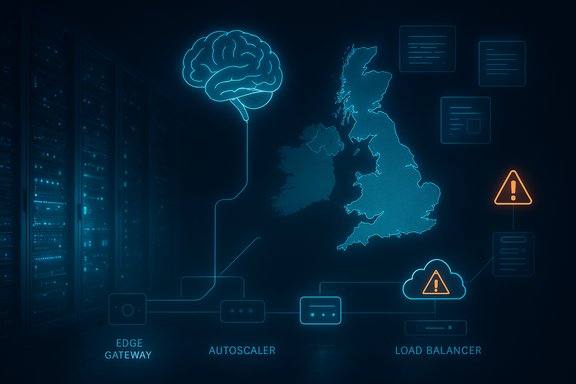
Blue neon diagram shows the UK map with AI brain, edge gateway, autoscaler, and load balancer.Background / Overview​

Microsoft Copilot is the generative‑AI assistant embedded across the Microsoft productivity stack: Microsoft 365 Copilot inside Word, Excel, Outlook and PowerPoint; Copilot Chat; Teams‑integrated assistants; and the standalone Copilot app and Windows integrations. Its architecture spans client front‑ends, global edge and API gateways, identity/token planes, microservice orchestration, and Azure‑hosted inference endpoints. That multi‑layered design delivers advanced capabilities but also concentrates operational risk — when a control‑plane, edge or autoscaling failure occurs, broad functionality can fail even if storage (OneDrive, SharePoint) remains reachable.
The December 9 disruption was relatively short in duration but highly visible because Copilot now sits on critical productivity paths: meeting summaries, draft generation, spreadsheet analysis and automated file actions. For many teams the assistant doesn’t just save time — it replaces manual steps that otherwise flow through daily operations. When those lanes are blocked, the cost is immediate and practical.

What happened — concise summary of the incident​

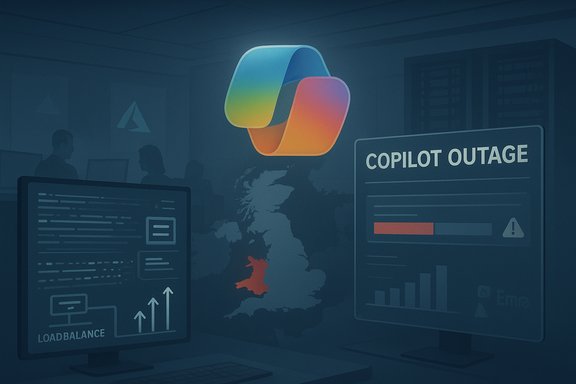
  • Microsoft posted an incident to its Microsoft 365 service health feed under the code CP1193544, warning administrators that users in the United Kingdom and Europe may be unable to access Copilot or could experience degraded functionality.
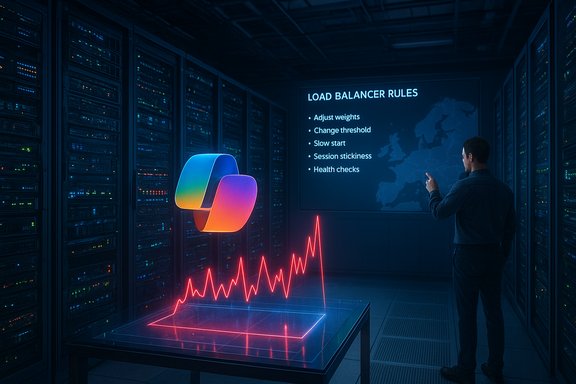
  • Microsoft’s initial public messaging attributed the visible disruption to an unexpected increase in traffic that stressed regional autoscaling, and said engineers were manually scaling capacity and adjusting load‑balancing rules as immediate mitigations.
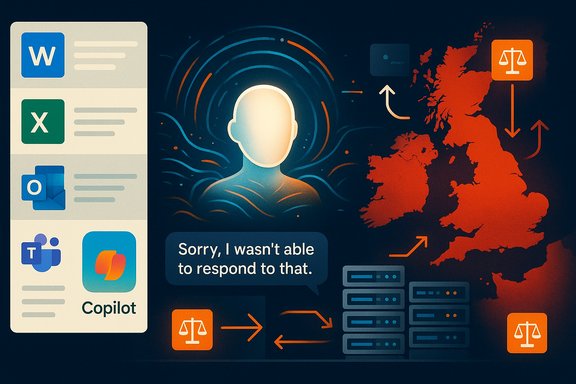
  • Users reported identical failure modes across Copilot surfaces: stalled or truncated responses, generic fallback replies like “Sorry, I wasn't able to respond to that”, “Coming Soon” pages in some clients, and failing file‑action requests. Outage aggregators registered sharp spikes in problem reports concentrated in the UK.
  • Microsoft and independent reporters indicated the mitigation path involved manual capacity increases, load‑balancer rule changes and monitoring until traffic rebalance produced stable behavior. Exact seat‑level impact and duration remain unquantified in public disclosures.
These core facts are corroborated by mainstream coverage (The Independent, The Guardian), outage monitors (Downdetector and similar trackers), and technical reporting from specialist outlets.

Timeline and visible symptoms​

Timeline (high level)​

  • Early morning (UK time) — user complaints and outage‑monitor reports spike across the UK and neighboring countries.
  • Microsoft posts incident CP1193544 to Microsoft 365 Service Health and begins rolling updates; initial telemetry points to an unexpected traffic surge and autoscaling pressure.
  • Engineers perform manual capacity scaling and adjust load‑balancing rules; monitoring continues.
  • Reports decline as capacity takes effect and traffic rebalances; Microsoft marks the incident as stabilising. Public post‑incident analysis continues.

User‑facing symptoms​

  • Unable to load Copilot in Word/Excel/Outlook/Teams or the Copilot web app.
  • Generic fallback replies and timeouts; some clients showed “Coming Soon” or indefinite loading states.
  • File action failures (summaries, conversions, edits) while native file access remained available — pointing to a processing/control‑plane fault rather than storage loss.
  • Outage‑tracker heat maps and complaint graphs focused on the UK with additional reports from nearby European countries.

The technical anatomy — why Copilot outages look the way they do​

Copilot’s delivery path is not a single server or instance. It’s a sequence of coordinated systems:
  • Client front‑ends (Office apps, Teams, browser or Copilot app) that capture prompts and context.
  • Global edge/API gateway (Azure Front Door and CDN layers or equivalent fabrics) that terminate connections, apply routing and perform TLS/caching. Misconfigurations or capacity issues here create early failures.
  • Identity/token issuance (Microsoft Entra) used across Microsoft 365; token or auth problems can block sessions before prompts reach model endpoints.
  • Backend orchestration microservices that validate eligibility, stitch in work data, enqueue file‑processing jobs and manage session state. Throttles or regressions here lead to function‑specific failure modes (e.g., file actions fail but file storage remains accessible).
  • Model hosting / inference endpoints (Azure‑hosted models, Azure OpenAI) that perform token generation. These are susceptible to queue buildup, long‑running jobs and capacity limits.
When one of these components is overloaded or misconfigured — particularly the edge, control plane or autoscaler — requests can be blocked or timed out before hitting model endpoints. Because Copilot is typically synchronous (users expect near‑instant answers), latency spikes and rate limits are immediately visible. The unexpected increase in traffic notification Microsoft referenced most commonly maps to queue saturation and autoscaler thresholds being exceeded, often requiring manual intervention when automated scaling lags or control‑plane race conditions appear.

Why this outage matters — operational and governance impacts​

  • Productivity risk: Organizations that have embedded Copilot into daily workflows saw immediate friction: meeting summaries missing, draft or review work interrupted, spreadsheets lacking AI‑driven analysis. Those workflows now require manual recovery, rework and verification.
  • Automation fragility: Copilot‑driven automations (e.g., triage bots, document conversions, complaint classification) can queue or stall, causing cascading operational issues for support, compliance and time‑sensitive processes.
  • Compliance and data residency complexity: Microsoft has been expanding in‑country processing for Copilot to meet latency and regulatory demands. That localization reduces global blast radius for some failures but multiplies regional control planes and routing rules, increasing the chance of region‑specific scaling or configuration failures.
  • Customer expectations: Enterprises now treat Copilot as mission‑adjacent; availability SLAs and incident transparency will become negotiating points for procurement, especially where Copilot performs regulated or auditable work.

Cross‑verification and what we can say with confidence​

Multiple independent outlets and live outage trackers confirm the same high‑level facts: a Microsoft‑posted incident (CP1193544), concentrated reports from the UK/Europe, Microsoft messaging about an unexpected traffic surge and manual capacity scaling, and user‑visible failures across Copilot surfaces. The Independent reported the outage and DownDetector confirmation; The Guardian’s live coverage quoted Microsoft’s autoscaling language; technical outlets republished Microsoft’s incident text and noted capacity scaling and load‑balancing changes. Downdetector and similar services captured the spike in user complaints. Caveats and unverifiable items:
  • Public reporting and outage trackers measure complaint velocity; they do not provide authoritative seat counts or total outages by tenant. Any numeric estimates based solely on those signals should be treated as indicative rather than definitive.
  • Microsoft’s brief operational messages explain the proximate mitigation steps but are not a full post‑incident root‑cause analysis. Unless and until Microsoft publishes a technical post‑mortem with logs and timelines, deeper causal claims (e.g., exact control‑plane race condition, specific code regression or third‑party dependency failure) remain provisional.

Practical guidance for administrators and power users​

Short checklists and triage steps reduce disruption while waiting for platform recovery:
  • For admins:
  • 1. Monitor the Microsoft 365 Service Health dashboard for the CP1193544 incident entry and tenant‑specific updates.
  • 2. Communicate an internal fallback plan: identify manual processes that replace Copilot outputs (meeting scribe, spreadsheet checks) and assign short‑term owners.
  • 3. Check conditional access, licensing and feature eligibility if some users report access while others do not — inconsistencies sometimes indicate token issues or version mismatches.
  • For end users / teams:
  • Temporarily shift to native Office capabilities and manual note‑taking for time‑sensitive meetings.
  • Export or save partially completed drafts locally and avoid destructive retries that may cause duplicate work.
  • Capture any error text or timestamps to feed into support tickets; this helps correlate tenant logs with Microsoft’s post‑incident review.
  • For resilience planning (short‑to‑medium term):
  • Treat Copilot as a critical‑adjacent service: include it in outage drills, incident runbooks, and budgeted contingency planning.
  • Where regulatory constraints allow, design failover policies that permit cross‑region processing during regional overloads — but verify data residency and contractual implications before enabling such routing.

Broader analysis — what this outage reveals about cloud AI at scale​

  • Autoscaling is necessary but not sufficient. Modern AI services rely heavily on automatic scaling, but unexpected demand patterns — or edge/control‑plane anomalies — can exceed configured thresholds. The December 9 incident shows manual intervention remains part of the playbook when autoscalers don't react fast enough or when control‑plane changes create transient bottlenecks.
  • Regionalization and sovereignty choices increase complexity. In‑country processing reduces latency and addresses regulatory concerns but multiplies independent delivery fabrics. Organizations and operators now face a tradeoff: improved compliance/performance versus expanded operational surface area for configuration errors, capacity constraints and rollout regressions.
  • Edge fabrics and identity planes are common single points of operational coupling. Past large incidents traced to Azure Front Door configuration changes, DNS anomalies or token issuance failures illustrate how an apparently narrow change can cascade across many services. That pattern recurred across 2025; the December 9 disruption fits the same structural lesson.
  • Communication matters. Quick, accurate status updates — including incident codes and clear advisories on mitigation steps — materially reduce support load and uncertainty for tenants. Microsoft’s approach (incident code plus rolling updates) is conventional and helpful, but will increasingly be judged against enterprise expectations for transparency and SLA remediation.

Recommendations for Microsoft and hyperscalers​

  • Harden autoscaling playbooks and test control‑plane rollbacks under production‑like load. Automated scaling should include anticipatory thresholds, and rollback actions must be exercised to avoid surprise rollbacks that amplify outages.
  • Improve cross‑region failover options while preserving data‑residency guarantees. Customers need safe, auditable escape hatches when a local cluster becomes overloaded.
  • Publish timely, detailed post‑incident reports for high‑impact outages. Enterprises relying on AI assistants require more than initial telemetry snippets; reproducible post‑mortems that include timelines, causes, mitigation steps and long‑term fixes build trust.
  • Expand observability and error classification on user surfaces so end‑users receive clearer failure messages that differentiate client, network, auth and model errors — this improves local triage and reduces unnecessary support escalations.

Risk horizons — what to watch next​

  • Expect more frequent scrutiny of vendor SLAs and contractual remedies tied to AI availability as services like Copilot move from optional to operational. Procurement teams should bake reliability clauses, exit rights and transparency requirements into contracts.
  • Watch for regulatory attention where Copilot is used in regulated processes. Interruptions affecting audit trails or compliance workflows will attract interest from internal risk and external regulators.
  • Track patterns across providers: when multiple major outages (edge provider, CDN, hyperscaler control plane) align, they reveal systemic interdependencies in the public internet stack that enterprises must plan around. Recent incidents earlier in December reinforced that pattern.

Conclusion​

The December 9 Copilot outage is a practical reminder that embedding generative AI at scale changes the stakes for everyday productivity tools. The incident — tracked publicly as CP1193544 — exposed a familiar set of fragilities: localized capacity pressure, edge/control‑plane complexity, and the continued need for manual mitigation when automated systems falter. Multiple independent outlets and outage monitors confirmed Microsoft’s public incident messaging and the UK/Europe focus; Downdetector and similar services captured the spike in user reports while Microsoft’s service health notes described manual scaling and load‑balancer adjustments as immediate remediations. For administrators and IT leaders, the practical task is straightforward and urgent: treat Copilot as mission‑adjacent infrastructure, prepare fallback processes, monitor the official incident entry (CP1193544) for updates, and push vendors for greater transparency and resilience commitments. For platform operators, the engineering imperative is to make autoscaling more anticipatory, to simplify regional control planes where possible, and to make post‑incident analysis the norm rather than the exception. The technology’s promise remains substantial — but making it reliably available at enterprise scale is the next and necessary phase of the AI infrastructure journey.
Source: The Independent Popular AI assistant offline in latest major outage
 

Back
Top