The Property Council’s new half‑day course, Copilot Essentials for the Property Sector, packages a practical, role‑focused introduction to Microsoft Copilot for Microsoft 365 and is explicitly built to help property managers, asset teams and shopping‑centre administrators apply AI to reporting, tenant communications and executive‑ready analysis — registrations for the virtual session on 19 March 2026 close 12 March 2026.
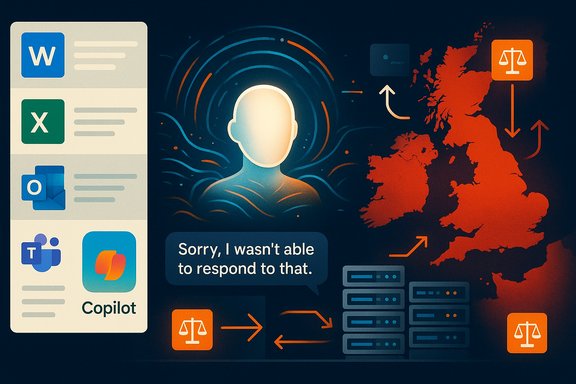
Microsoft has embedded generative AI as a contextual assistant inside core productivity apps — Word, Excel, PowerPoint and Outlook — under the Microsoft 365 Copilot umbrella. Copilot is designed to generate drafts, summarize content, analyse spreadsheets (including Python‑powered analysis), and run multi‑step agentic workflows that connect to tenant data via Microsoft Graph. Microsoft’s product pages and engineering blogs lay out these in‑app capabilities and recent additions such as Agent Mode and expanded Python support for Excel. At the same time, Microsoft has moved aggressively to address enterprise concerns about sovereignty and compliance: the vendor announced an in‑country data‑processing option for Microsoft 365 Copilot interactions, making processing inside national borders an option for customers in selected countries (including Australia in the initial 2025 wave). That matters for property organisations that handle tenant personal data, bank account or lease documentation, and other regulated records. The Property Council’s Copilot Essentials course sits at the intersection of user enablement and governance: it aims to teach prompt design, in‑app automation and reporting in Outlook, Word, PowerPoint and Excel — while stressing responsible AI use and safeguarding of tenant, project and transaction data. The course structure (six modules, half‑day delivery, virtual classroom) is typical of short practical workshops that target immediate skills rather than deep technical implementation.
Property teams that treat this workshop as the starting point for a staged adoption plan — inventory, narrow pilot, enforcement, measurement and scaled rollout — will capture value while containing risk. Those that treat it as a one‑off skills tick box risk creating shadow AI workflows that expose tenant data, invite hallucinations into decision processes, or saddle the organisation with unexpected run‑rate costs.
For property professionals who want practical, immediate skills in Copilot’s Word/Outlook/PowerPoint/Excel surfaces, the Property Council’s program is a sensible, focused place to begin — registrations for the March 19 virtual session close 12 March 2026.
Source: Property Council Australia Copilot Essentials for the Property Sector - Property Council Australia
 Background
Microsoft has embedded generative AI as a contextual assistant inside core productivity apps — Word, Excel, PowerPoint and Outlook — under the Microsoft 365 Copilot umbrella. Copilot is designed to generate drafts, summarize content, analyse spreadsheets (including Python‑powered analysis), and run multi‑step agentic workflows that connect to tenant data via Microsoft Graph. Microsoft’s product pages and engineering blogs lay out these in‑app capabilities and recent additions such as Agent Mode and expanded Python support for Excel. At the same time, Microsoft has moved aggressively to address enterprise concerns about sovereignty and compliance: the vendor announced an in‑country data‑processing option for Microsoft 365 Copilot interactions, making processing inside national borders an option for customers in selected countries (including Australia in the initial 2025 wave). That matters for property organisations that handle tenant personal data, bank account or lease documentation, and other regulated records. The Property Council’s Copilot Essentials course sits at the intersection of user enablement and governance: it aims to teach prompt design, in‑app automation and reporting in Outlook, Word, PowerPoint and Excel — while stressing responsible AI use and safeguarding of tenant, project and transaction data. The course structure (six modules, half‑day delivery, virtual classroom) is typical of short practical workshops that target immediate skills rather than deep technical implementation. Course overview — what the Property Council is offering
Format and logistics
- Delivered virtually over a half day (three-hour session on 19 March 2026, AEDT).
- Pricing tiers listed for members and non‑members; participants receive a Property Council Academy digital badge and certificate upon completion.
Learning outcomes (summarised)
- Copilot fundamentals and responsible AI practices.
- Prompt engineering and techniques for automation and repeatable reporting.
- Practical, app‑level skills: Copilot in Outlook, Word, PowerPoint and Excel.
- Data analysis and executive‑ready reporting, including turning spreadsheet inputs into board materials.
- Data safeguarding: how to reduce exposure of tenant and transaction data when using Copilot.
Module breakdown
- Module 1: Copilot Basics & Responsible Use
- Module 2: Prompting with Copilot
- Module 3: Copilot in Outlook
- Module 4: Copilot in Word & PowerPoint
- Module 5: Copilot in Excel
- Module 6: Next Steps & Q&A.
Why this course matters for the property sector
Property businesses live on documents, spreadsheets and email. They rely on cyclical reporting, lease administration, tenant communications, compliance with privacy rules, and frequent presentation of summaries for stakeholders. Copilot’s capabilities map tightly to those tasks:- Drafting and refining tenant letters, lease notices and marketing copy in Word or Outlook can be accelerated by Copilot’s drafting and "sound like me" personalization features.
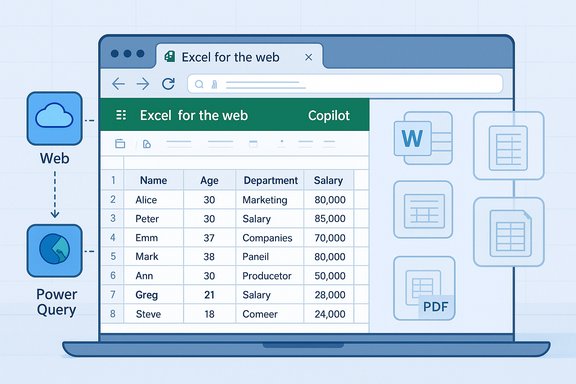
- Turning operational spreadsheets into insights — Copilot in Excel can suggest formulas, build charts, create pivot tables, and even run Python for complex analysis — compressing days of spreadsheet cleanup into minutes.
- Creating executive slide decks from data or briefings: PowerPoint integration can convert Word drafts or spreadsheet analysis into template‑ready decks and speaker notes.
- Email triage and meeting summarization: Outlook and Teams integrations reduce inbox noise and produce concise meeting outputs for busy asset managers and executives.
The capabilities to watch (and verify)
Two technical trends in Microsoft 365 Copilot are especially relevant to property professionals and to the course itself:- Agent Mode and multi‑step automation — Copilot now supports agentic workflows that can run multi‑step tasks (collect, calculate, draft, validate) within Office — useful for recurring report generation or approval chains. Microsoft’s announcements describe Agent Mode availability and the ability to orchestrate multi‑step processes inside Office apps. Independent reporting also confirms these features being rolled out across web and desktop surfaces.
- Python in Excel — Copilot can generate and insert Python code into Excel for advanced analytics, enabling non‑Python users to perform richer statistical or geospatial analysis from within a familiar workbook. Microsoft support pages and product blogs describe this feature and note availability constraints (language, compute, licensing). Property analysts using spatial rent models or portfolio performance scenarios benefit from that power.
Strengths of the Property Council’s offering
- Laser focus on business users. The course is framed as practical, app‑level skills for real day‑to‑day tasks property teams perform: email triage, report automation, presentation generation and spreadsheet analysis. That short runway (half‑day, virtual) reduces barriers to attendance for busy practitioners.
- Explicit governance content. Including responsible AI and data safeguarding as core learning points signals that the program recognises risk, not just productivity. That aligns with best practices that pair training with enforcement controls.
- Badge and credentialing. A digital badge and certificate provide an organisational artefact to show competency and to gate who is permitted to use Copilot in more sensitive workflows. This is useful when embedding Copilot use into formal role descriptions or access lists.
- Vendor alignment with Microsoft’s roadmap. The syllabus maps closely to known Copilot surfaces (Outlook, Word, PowerPoint, Excel) and the Microsoft trajectory (agent mode, Python in Excel), so attendees will learn tools that are already shipping or in preview.
Notable risks and gaps — what to watch for
While Copilot provides clear efficiency gains, several persistent risks must be acknowledged and actively managed:- Hallucinations and business correctness. Generative outputs can be plausible but wrong. Financial reconstructions, lease clause summaries, or compliance guidance must not be accepted at face value — human verification is essential for high‑stakes outputs. Independent guidance emphasises “human in the loop” controls and audit trails.
- Data leakage and tenant privacy. Unless controlled, tenant names, payment details or contract clauses can be inadvertently exposed through prompts or shared outputs. Organisations frequently need DLP rules, sensitivity labels and connector restrictions before allowing Copilot to index or use sensitive repositories. Microsoft’s enterprise controls and the availability of in‑country processing mitigate but do not eliminate this risk.
- Licensing and hidden run‑rate costs. Copilot licensing is layered (per‑seat Copilot license, Azure compute for heavy inference or Python tasks, Copilot Studio agent runtimes); pilot budgets that ignore run‑rate inference and managed services can be surprised by ongoing costs. Procurement checklists in the field insist on TCO models that include Azure inference and agent hosting.
- Over‑reliance on short courses alone. Short courses build awareness and skills, but adoption at scale requires operational playbooks, enforcement of controls, measurable KPIs and ongoing coaching. Training should be a staged element of a broader enablement program that includes policy, measurement and remediation.
Practical recommendations for property organisations
Implementing Copilot effectively in a portfolio, agency or shopping‑centre team requires a deliberate, staged approach. The following checklist translates course outcomes into operational steps:- Prepare a short readiness assessment:
- Inventory where tenant and transactional data lives (Exchange mailboxes, SharePoint, OneDrive, local drives).
- Classify data (PII, contractual, financial, marketing).
- Map regulatory constraints (local privacy law, tenant consent terms, vendor contracts).
- Define a narrow pilot with measurable KPIs:
- Pick 1–3 high‑value workflows (monthly asset reports, tenant notice drafting, leasing pipeline summarisation).
- Set baseline metrics: time per report, error rate, number of manual steps.
- Timebox the pilot (6–8 weeks) and measure adoption and quality.
- Apply governance controls before roll‑out:
- Configure tenant‑scoped grounding only for approved repositories.
- Enforce sensitivity labels and tenant DLP rules for Copilot connectors.
- Enable in‑country processing if jurisdictional needs require it.
- Use role‑based access and human approval gates:
- Require certified or badge‑holding staff (e.g., Property Council Academy graduates) to operate Copilot in sensitive flows.
- Add step approvals for documents that change contracts, financials or tenant liabilities.
- Record prompts, outputs and audit artifacts:
- Keep prompt history, generated drafts and the final human‑approved version in an auditable repository.
- Use these records for periodic quality audits and to detect drift or hallucination patterns.
- Harden measurement:
- Move beyond “hours saved” anecdotes. Collect quantitative measures: time saved per report, percentage reduction in revision cycles, improved turnaround on tenant queries, and license utilisation (MAU).
- Plan for procurement and TCO:
- Request line‑item TCO from vendors (per‑seat Copilot, Azure inference, agent hosting, managed services).
- Negotiate exit and IP terms for agent code, prompts and curated corpora to avoid lock‑in.
How this course fits into a broader enablement roadmap
The Property Council’s course is a strong starter offering: short, targeted and directly relevant to property workflows. But training alone should be treated as the first tile in a multi‑layer enablement strategy:- Pair the course with an internal Copilot playbook that spells out allowed connectors, classification rules and mandatory review steps.
- Appoint Copilot Champions in each function (asset management, facilities, leasing, retail operations) who can coach peers and run peer reviews for high‑risk outputs.
- Use the course credential as a gating mechanism for elevated privileges (for example, who can create agent workflows or connect Copilot to an exchange archive).
- Schedule refresher workshops that include red‑team scenarios (deliberate hallucination tests and privacy failure mode exercises) to build organisational resilience.
Vendor and procurement considerations
Property organisations thinking beyond individual training sessions must consider vendor selection and contract framing:- Verify partner credentials: ask suppliers for Partner Center proof of specializations, certified headcount and audited customer references that show before/after KPIs. Don’t accept generic marketing claims; demand Partner Center artefacts.
- Get transparent cost models: line items should cover per‑seat Copilot licences, Azure inference for agent workloads or heavy Python analyses, Copilot Studio hosting, and any managed service fees. Require run‑rate and escalation scenarios.
- Insist on exportable artifacts: agent code, prompt libraries and curated corpora must be deliverable at handover. This reduces long‑term lock‑in and makes future migrations feasible.
- Confirm data residency and contractual guarantees: if your business or tenants demand processing within Australia, verify in‑country processing options and obtain written commitments in the contract. Microsoft’s sovereignty options have expanded but must be asserted contractually.
A realistic view of outcomes
Short courses — including Copilot Essentials — reliably accelerate adoption if they are embedded in a governance and measurement program. Expect immediate wins in:- Faster first drafts for letters and presentations.
- Quicker spreadsheet exploration and prototyping for financial or portfolio analysis.
- Reduced time on meeting summarisation and email triage.
What attendees should demand from the course
Participants seeking real value from a half‑day session should look for:- Hands‑on demonstrations using tenant‑like scenarios (lease summary, rent roll analysis, vacancy reporting).
- Clear, practical prompting examples that attendees can copy and adapt.
- A governance addendum: a checklist for what to lock down in a Microsoft tenant before Copilot is used in production.
- Follow‑up assets: playbooks, prompt libraries, and sample audit templates to embed learning into day‑to‑day work.
Conclusion
Copilot Essentials for the Property Sector is a timely, practical workshop that maps directly to the core document, spreadsheet and communication tasks property professionals perform every day. The course’s explicit emphasis on responsible AI use is the right framing: productivity gains are real, but they arrive alongside governance obligations — human review, DLP configuration, licensing clarity and, in some markets, contractual commitments to data residency.Property teams that treat this workshop as the starting point for a staged adoption plan — inventory, narrow pilot, enforcement, measurement and scaled rollout — will capture value while containing risk. Those that treat it as a one‑off skills tick box risk creating shadow AI workflows that expose tenant data, invite hallucinations into decision processes, or saddle the organisation with unexpected run‑rate costs.
For property professionals who want practical, immediate skills in Copilot’s Word/Outlook/PowerPoint/Excel surfaces, the Property Council’s program is a sensible, focused place to begin — registrations for the March 19 virtual session close 12 March 2026.
Source: Property Council Australia Copilot Essentials for the Property Sector - Property Council Australia