

Microsoft’s latest Copilot app for Windows 11 looks, on the surface, like a modernization story. In practice, though, it exposes a familiar tension in Redmond’s strategy: the company wants to present Copilot as a first-class Windows experience while still leaning heavily on web technology, Edge, and WebView2 under the hood. That matters because the distinction between a native app and a browser wrapper is not just architectural nitpicking; it shapes performance, reliability, update cadence, and how “real” the product feels to users. Microsoft is clearly iterating fast on Copilot, but this release also reinforces the sense that Windows AI remains more of a service layer than a deeply integrated operating system feature.
For years, Microsoft has treated the browser as both an application platform and a delivery mechanism. That strategy has produced real wins: rapid iteration, cross-platform reach, and a lower cost of shipping new features. But it has also created a recurring criticism that never quite goes away: when a Windows app is effectively a web app in a polished shell, users notice, and they often feel shortchanged.
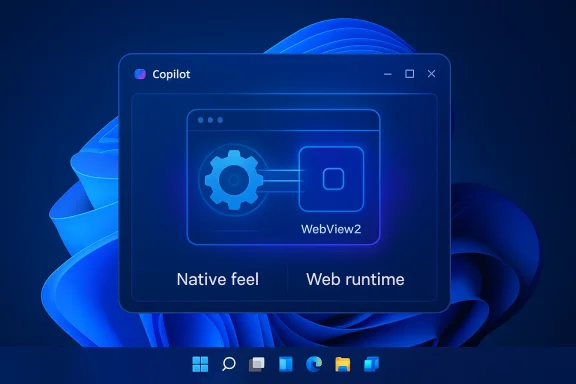
The new Copilot app for Windows 11 lands squarely in that debate. The public-facing story is that Microsoft is improving the Copilot experience and expanding its presence across Windows and Edge. The less glamorous reality, as widely discussed by users and testers, is that the app appears to rely on a hidden copy of Edge and the Chromium runtime, packaged inside a WebView2 container rather than delivered as a conventional standalone Windows application. Microsoft’s own pages reinforce the broader picture that Copilot on Windows and Copilot in Edge are closely related experiences, not entirely separate products.
That distinction matters because Microsoft has simultaneously been talking up native app modernization. The company has publicly rolled out a new native Copilot app for Windows Insiders, and it has also emphasized an ambition to build more “100% native” Windows applications in the future. In other words, Microsoft is sending two messages at once: one about the future of native development, and another about the reality of shipping AI features quickly through web-based infrastructure.
The result is a product that is easy to install, quick to update, and deeply tied to Microsoft’s web stack. That is not inherently bad. In fact, for many consumer-facing features, it is often the pragmatic choice. But it does mean users should calibrate expectations. This is less a dramatic reinvention of Windows AI and more an incremental packaging decision that makes Copilot feel modern while keeping the plumbing very familiar.
The downside is that “desktop app” increasingly becomes a branding term rather than a technical guarantee. Users see an app icon and expect a native executable with platform-level integration. Instead, they often get a launch surface for a browser engine wrapped in a branded shell. That can still work well, but it can also feel like a compromise masquerading as progress.
This matters because the user experience can be quite different from what people expect from a Windows AI assistant. A native app can integrate more tightly with system behaviors, feel more responsive under load, and depend less on browser-style state. A wrapper app can still be polished, but it inherits more of the browser’s complexity and more of its failure modes. When people say the new Copilot is “just Edge in disguise,” they are pointing to that underlying dependency.
Microsoft is not hiding that it uses web technology in its ecosystem. In fact, it has been quite open about Copilot’s broad cross-surface strategy, describing the service as available in Windows, Edge, and related Microsoft environments. The issue is not that web technology exists in the stack; the issue is that the marketing language around “app,” “assistant,” and “native” can create a stronger expectation than the implementation supports.
But the same convenience also means the app’s identity is partly a packaging decision. If the whole product can be launched by renaming executables and folders in a way that reveals its underlying Edge relationship, then the line between app and browser becomes mostly cosmetic. That is where user frustration begins to harden into skepticism.
The tension is not new. Microsoft has always used transitional technologies to bridge platform gaps, whether those were HTML-based shells, Electron-style experiences, or framework abstractions that simplify development at the cost of depth. What is new is the scale of AI-related expectations. Copilot is not just another productivity add-on; for many users, it is becoming a defining interface for Microsoft’s AI strategy.
That is why architecture matters so much. If Copilot is supposed to be the face of Windows AI, it needs to feel like it belongs in Windows, not merely on top of it. A web wrapper can certainly deliver the features, but it struggles to deliver the emotional assurance of platform-native software.
But speed can also become a habit. If every promising interface gets delivered through browser infrastructure, the company risks training users to expect less from Windows itself. That is a subtle but significant strategic cost, especially for an OS that still competes on the promise of being the best desktop platform for serious work.
This is not accidental. By leaning on Edge, Microsoft gets a stable rendering engine, a consistent update channel, and a foundation that can support a lot of different AI and productivity features. From a platform management perspective, it is efficient. From a user experience perspective, it can feel like the browser has swallowed the desktop.
Microsoft’s own Edge Copilot pages reinforce this convergence. Copilot is described as being built right into Edge, with features like page summarization, contextual help, image generation, and workflow support. That is a clear sign that Microsoft sees the browser as a primary home for AI interactions, not just an optional companion.
The key issue is trust. When people install something labeled as a Windows assistant, they expect a Windows app. If what they actually get is a dressed-up browser runtime, the product may still function well, but the branding starts to feel aspirational rather than descriptive.
Still, transparency matters because users increasingly make decisions based on trust and performance. A consumer who installs an app expecting a fast, lightweight assistant may react differently once they realize the app carries a hidden browser payload. That reaction is not purely technical; it is psychological. Consumers tend to forgive complexity when it is obvious and reject it when it feels obscured.
Microsoft has already been careful to describe Copilot as something that spans Windows and Edge, and it has positioned the app as part of a broader Microsoft AI fabric. But the company’s own messaging also creates a higher standard. If Copilot is “your AI assistant for PC,” users will naturally expect a more direct relationship to the OS than a web wrapper suggests.
That creates a tougher standard for Microsoft than for smaller AI vendors. Microsoft has the advantage of distribution and platform integration, but it also has the burden of expectation. When Windows users see a Copilot icon, they expect a flagship experience, not a repackaged browser shortcut.
But enterprises also care about standardization and predictable behavior. A Copilot app that is effectively a browser wrapper may be fine as long as it stays within policy boundaries and obeys existing management controls. The trouble starts if the architecture becomes opaque, makes troubleshooting harder, or introduces dependency chains that admins need to understand but were not clearly told about.
This is where the distinction between consumer marketing and enterprise deployment becomes most obvious. Consumers evaluate the app through the lens of feel and convenience. Enterprises evaluate it through the lens of supportability, security posture, and operational clarity. Those are not the same test.
It also means documentation matters. Microsoft should make it obvious which components are part of the runtime, which features depend on Edge, and what administrators need to know when deploying or restricting Copilot in managed environments.
Rivals in the AI space are likely to use this as a contrast point. Companies pitching deeply integrated, local-first, or native-native experiences can argue that they are closer to the machine and less dependent on browser scaffolding. That argument will resonate most with enthusiasts and enterprise buyers, but it can still shape perception among mainstream users who are increasingly aware of the difference between apps and wrapped web content.
At the same time, Microsoft’s strategy has practical competitive strengths. It can ship improvements faster, maintain feature parity across surfaces, and keep Copilot aligned with Edge and Microsoft 365. If the priority is feature velocity and ecosystem coherence, the browser-heavy approach is hard to beat.
A browser-backed architecture also makes it easier to unify identity, content rendering, updates, and feature delivery. In a company as large as Microsoft, that kind of standardization is a real strategic asset. It reduces duplication and lets different product teams share core technology instead of building separate stacks.
The risk is that the user experience becomes too obviously derivative. If the plumbing is visible to the point of distraction, the product starts to feel like a marketing veneer rather than a new platform layer. That is a difficult balance, and Microsoft is not the first company to struggle with it.
Still, understandable is not the same as ideal. Users who care about Windows quality will keep asking the same question: if the company can build a native app, why does it keep choosing the browser-shaped path instead?
Copilot is the most visible example of that tension right now because it sits at the intersection of AI, productivity, and operating system identity. If the assistant that is supposed to symbolize the future of Windows is itself delivered as a browser-backed wrapper, that sends a message about where Microsoft believes the real center of gravity lies. The answer, at least for now, appears to be the web stack.
That is not necessarily a failure. In many modern products, the browser engine is the platform, even when the product is sold as a desktop app. But Microsoft should not be surprised if users interpret that as a sign that Windows is still being modernized around the edges rather than transformed at the core.
A hidden Edge runtime does not automatically undermine that vision, but it does complicate the narrative. If Microsoft wants users to believe the future is native, it will need to demonstrate that future in more places than just its press language.
The more interesting question is how far Microsoft is willing to go in reconciling its native-app rhetoric with its web-driven execution. Copilot is too important to remain a half-step if the company wants it to be the centerpiece of Windows AI. Users will not obsess over WebView2 forever, but they will continue to notice when the product marketed as the future of Windows feels suspiciously like the browser they already had.
Source: TweakTown The new Copilot app for Windows 11 is really just Edge in disguise
 Overview
For years, Microsoft has treated the browser as both an application platform and a delivery mechanism. That strategy has produced real wins: rapid iteration, cross-platform reach, and a lower cost of shipping new features. But it has also created a recurring criticism that never quite goes away: when a Windows app is effectively a web app in a polished shell, users notice, and they often feel shortchanged.The new Copilot app for Windows 11 lands squarely in that debate. The public-facing story is that Microsoft is improving the Copilot experience and expanding its presence across Windows and Edge. The less glamorous reality, as widely discussed by users and testers, is that the app appears to rely on a hidden copy of Edge and the Chromium runtime, packaged inside a WebView2 container rather than delivered as a conventional standalone Windows application. Microsoft’s own pages reinforce the broader picture that Copilot on Windows and Copilot in Edge are closely related experiences, not entirely separate products.
That distinction matters because Microsoft has simultaneously been talking up native app modernization. The company has publicly rolled out a new native Copilot app for Windows Insiders, and it has also emphasized an ambition to build more “100% native” Windows applications in the future. In other words, Microsoft is sending two messages at once: one about the future of native development, and another about the reality of shipping AI features quickly through web-based infrastructure.
The result is a product that is easy to install, quick to update, and deeply tied to Microsoft’s web stack. That is not inherently bad. In fact, for many consumer-facing features, it is often the pragmatic choice. But it does mean users should calibrate expectations. This is less a dramatic reinvention of Windows AI and more an incremental packaging decision that makes Copilot feel modern while keeping the plumbing very familiar.
Why this story keeps repeating
Microsoft has spent the past decade building more of Windows around shared components and web-enabled surfaces. That trend has helped the company avoid the slower release cycles that once constrained desktop software. It has also made it easier to ship a product like Copilot across multiple contexts, including the browser, the desktop, and mobile.The downside is that “desktop app” increasingly becomes a branding term rather than a technical guarantee. Users see an app icon and expect a native executable with platform-level integration. Instead, they often get a launch surface for a browser engine wrapped in a branded shell. That can still work well, but it can also feel like a compromise masquerading as progress.
What the New Copilot Actually Is
At the heart of the controversy is a simple observation: the new Copilot app behaves like a web experience delivered through Microsoft’s browser framework. Microsoft’s own documentation about WebView2 makes clear that the technology is designed to embed web content inside native applications by using the modern Edge Chromium platform. That is a legitimate development model, but it is also the foundation of many so-called “apps” that are closer to websites than native Windows software.This matters because the user experience can be quite different from what people expect from a Windows AI assistant. A native app can integrate more tightly with system behaviors, feel more responsive under load, and depend less on browser-style state. A wrapper app can still be polished, but it inherits more of the browser’s complexity and more of its failure modes. When people say the new Copilot is “just Edge in disguise,” they are pointing to that underlying dependency.
Microsoft is not hiding that it uses web technology in its ecosystem. In fact, it has been quite open about Copilot’s broad cross-surface strategy, describing the service as available in Windows, Edge, and related Microsoft environments. The issue is not that web technology exists in the stack; the issue is that the marketing language around “app,” “assistant,” and “native” can create a stronger expectation than the implementation supports.
Why WebView2 is the key detail
WebView2 is Microsoft’s bridge between web content and desktop apps. It lets developers ship interfaces that are quick to build and easy to update, while relying on the Chromium engine already common across the Windows ecosystem. That makes it attractive for product teams that need to move fast.But the same convenience also means the app’s identity is partly a packaging decision. If the whole product can be launched by renaming executables and folders in a way that reveals its underlying Edge relationship, then the line between app and browser becomes mostly cosmetic. That is where user frustration begins to harden into skepticism.
- Fast deployment is a major advantage of web wrappers.
- Cross-platform consistency becomes easier to manage.
- UI updates can land without a full code rewrite.
- Native feel is harder to achieve convincingly.
- System-level trust can weaken if users feel the wrapper is doing the minimum.
Microsoft’s Native App Ambition
Microsoft’s messaging around Windows has been increasingly about refinement, efficiency, and trust. At the same time, the company has acknowledged the need to improve application quality by building more native Windows apps. That ambition is important because it reveals that Microsoft knows the browser-wrapper model has limits, even if it still uses that model aggressively in the present.The tension is not new. Microsoft has always used transitional technologies to bridge platform gaps, whether those were HTML-based shells, Electron-style experiences, or framework abstractions that simplify development at the cost of depth. What is new is the scale of AI-related expectations. Copilot is not just another productivity add-on; for many users, it is becoming a defining interface for Microsoft’s AI strategy.
That is why architecture matters so much. If Copilot is supposed to be the face of Windows AI, it needs to feel like it belongs in Windows, not merely on top of it. A web wrapper can certainly deliver the features, but it struggles to deliver the emotional assurance of platform-native software.
The strategic trade-off
The trade-off is straightforward. Microsoft can move quickly with a wrapper-based approach, or it can invest more time and effort into rebuilding experiences as true native apps. In an AI market where features age quickly and rivals iterate constantly, speed has obvious value.But speed can also become a habit. If every promising interface gets delivered through browser infrastructure, the company risks training users to expect less from Windows itself. That is a subtle but significant strategic cost, especially for an OS that still competes on the promise of being the best desktop platform for serious work.
- Short-term velocity favors wrappers.
- Long-term polish favors native code.
- AI features often need rapid iteration.
- Enterprise buyers value consistency and manageability.
- Power users tend to notice architectural shortcuts.
Edge as the Quiet Platform Layer
Microsoft Edge has evolved from being “just a browser” into a kind of underlying application runtime for much of Microsoft’s consumer software strategy. That shift is visible in Copilot, in Windows web experiences, and in the broader adoption of Chromium-based infrastructure across the ecosystem. The browser is no longer merely where users go to the web; it is increasingly where Microsoft puts experiences that resemble apps but behave like services.This is not accidental. By leaning on Edge, Microsoft gets a stable rendering engine, a consistent update channel, and a foundation that can support a lot of different AI and productivity features. From a platform management perspective, it is efficient. From a user experience perspective, it can feel like the browser has swallowed the desktop.
Microsoft’s own Edge Copilot pages reinforce this convergence. Copilot is described as being built right into Edge, with features like page summarization, contextual help, image generation, and workflow support. That is a clear sign that Microsoft sees the browser as a primary home for AI interactions, not just an optional companion.
What that means for Windows users
For everyday users, the practical implications are mixed. On the positive side, the app can launch quickly, receive updates without much friction, and tap into Microsoft’s existing web stack. On the negative side, users may run into browser-like resource consumption, odd state issues, or the sense that the app is more layered than it needs to be.The key issue is trust. When people install something labeled as a Windows assistant, they expect a Windows app. If what they actually get is a dressed-up browser runtime, the product may still function well, but the branding starts to feel aspirational rather than descriptive.
- Edge becomes the delivery vehicle for AI features.
- Copilot inherits browser strengths like update speed.
- Resource usage may resemble a web app more than a native tool.
- State and caching issues can behave like browser problems.
- The user perception gap grows when packaging outruns reality.
Consumer Impact: Convenience vs. Transparency
For consumers, the new Copilot app is mostly about convenience. It is easy to install, accessible from the Microsoft Store, and integrated with the broader Copilot experience that Microsoft has been promoting across devices and surfaces. For people who just want a quick way to ask questions, generate content, or use Copilot Vision features, the implementation details may never matter much.Still, transparency matters because users increasingly make decisions based on trust and performance. A consumer who installs an app expecting a fast, lightweight assistant may react differently once they realize the app carries a hidden browser payload. That reaction is not purely technical; it is psychological. Consumers tend to forgive complexity when it is obvious and reject it when it feels obscured.
Microsoft has already been careful to describe Copilot as something that spans Windows and Edge, and it has positioned the app as part of a broader Microsoft AI fabric. But the company’s own messaging also creates a higher standard. If Copilot is “your AI assistant for PC,” users will naturally expect a more direct relationship to the OS than a web wrapper suggests.
User expectations are rising
This is especially true now that AI interfaces are becoming habitual. Users are no longer impressed simply because something can answer a question or summarize a page. They want reliability, speed, privacy clarity, and the sense that the product respects the machine it is running on.That creates a tougher standard for Microsoft than for smaller AI vendors. Microsoft has the advantage of distribution and platform integration, but it also has the burden of expectation. When Windows users see a Copilot icon, they expect a flagship experience, not a repackaged browser shortcut.
- Convenience will satisfy casual users.
- Transparency will matter more to enthusiasts.
- Performance expectations are higher on Windows than on the web.
- Privacy perceptions can sour if the app feels overly indirect.
- Brand trust depends on whether the product feels native.
Enterprise Impact: Manageability and Policy
Enterprise administrators will read this story differently. In business environments, a web-based delivery model is often easier to patch, easier to govern, and easier to roll out across fleets. That is one reason Microsoft has long favored services that can be centrally managed and updated with minimal user intervention. Copilot’s reliance on Microsoft’s web stack may actually be an advantage in that context.But enterprises also care about standardization and predictable behavior. A Copilot app that is effectively a browser wrapper may be fine as long as it stays within policy boundaries and obeys existing management controls. The trouble starts if the architecture becomes opaque, makes troubleshooting harder, or introduces dependency chains that admins need to understand but were not clearly told about.
This is where the distinction between consumer marketing and enterprise deployment becomes most obvious. Consumers evaluate the app through the lens of feel and convenience. Enterprises evaluate it through the lens of supportability, security posture, and operational clarity. Those are not the same test.
Support and troubleshooting implications
If a Copilot issue turns out to be tied to Edge components, WebView2, caching, or browser profile behavior, IT teams will need to debug the stack differently than they would a truly native app. That may not be a dealbreaker, but it increases complexity.It also means documentation matters. Microsoft should make it obvious which components are part of the runtime, which features depend on Edge, and what administrators need to know when deploying or restricting Copilot in managed environments.
- Central updates can be an enterprise benefit.
- Policy enforcement may remain easier through Microsoft tooling.
- Troubleshooting can become more browser-like.
- Security reviews need to understand the runtime stack.
- Documentation clarity becomes essential for IT teams.
The Competitive Implications
Microsoft is not alone in using web technologies to deliver app experiences, but it is unusual because of its platform position. When Microsoft ships a browser-backed assistant on Windows, it sets a tone for what “good enough” looks like on its own operating system. That, in turn, influences competitive expectations across the industry.Rivals in the AI space are likely to use this as a contrast point. Companies pitching deeply integrated, local-first, or native-native experiences can argue that they are closer to the machine and less dependent on browser scaffolding. That argument will resonate most with enthusiasts and enterprise buyers, but it can still shape perception among mainstream users who are increasingly aware of the difference between apps and wrapped web content.
At the same time, Microsoft’s strategy has practical competitive strengths. It can ship improvements faster, maintain feature parity across surfaces, and keep Copilot aligned with Edge and Microsoft 365. If the priority is feature velocity and ecosystem coherence, the browser-heavy approach is hard to beat.
Why rivals should pay attention
The main competitive lesson is not that browser wrappers are inherently bad. It is that users are more aware than ever of architectural shortcuts, especially when the product in question is supposed to represent the future of personal computing. Microsoft is trying to convince people that Copilot is a central part of Windows 11’s evolution, and the more it leans on Edge to do that, the more it invites scrutiny.- AI rivals can emphasize native integration.
- Enterprise competitors can stress clarity and control.
- Open-source alternatives may highlight transparency.
- Browser-first strategies still win on speed.
- Perception can matter as much as raw capability.
Why Microsoft Chose This Path
It is tempting to treat the wrapper approach as evidence of laziness or indifference, but that is too simple. The more likely explanation is that Microsoft is optimizing for deployment speed, code reuse, and platform consistency while it continues to evolve Copilot’s feature set. Building a polished AI assistant that works across Windows, the web, mobile, and Microsoft 365 is not trivial.A browser-backed architecture also makes it easier to unify identity, content rendering, updates, and feature delivery. In a company as large as Microsoft, that kind of standardization is a real strategic asset. It reduces duplication and lets different product teams share core technology instead of building separate stacks.
The risk is that the user experience becomes too obviously derivative. If the plumbing is visible to the point of distraction, the product starts to feel like a marketing veneer rather than a new platform layer. That is a difficult balance, and Microsoft is not the first company to struggle with it.
The practical logic behind the decision
The logic is understandable: ship now, improve later. For a feature-rich AI assistant, Microsoft may believe the benefit of rapid refinement outweighs the cost of not being fully native from day one. In a fast-moving market, that is not an irrational bet.Still, understandable is not the same as ideal. Users who care about Windows quality will keep asking the same question: if the company can build a native app, why does it keep choosing the browser-shaped path instead?
- Time-to-market is likely the biggest factor.
- Reuse of Edge components lowers engineering overhead.
- Cross-platform alignment simplifies product strategy.
- Visible wrapper behavior creates trust friction.
- Native aspirations may eventually force a rewrite.
What This Says About Windows 11
Windows 11 is increasingly a platform of surfaces rather than a platform of monolithic experiences. That can be a strength if the surfaces are coherent and responsive, because it allows Microsoft to ship capabilities quickly. It can also be a weakness if users start to feel that too many Windows “apps” are really just portals into shared web infrastructure.Copilot is the most visible example of that tension right now because it sits at the intersection of AI, productivity, and operating system identity. If the assistant that is supposed to symbolize the future of Windows is itself delivered as a browser-backed wrapper, that sends a message about where Microsoft believes the real center of gravity lies. The answer, at least for now, appears to be the web stack.
That is not necessarily a failure. In many modern products, the browser engine is the platform, even when the product is sold as a desktop app. But Microsoft should not be surprised if users interpret that as a sign that Windows is still being modernized around the edges rather than transformed at the core.
The symbolism matters
Symbolically, this release is bigger than the engineering details. People want Windows AI to feel transformative. They want the operating system to seem more capable, more integrated, and more worthy of the hardware they buy.A hidden Edge runtime does not automatically undermine that vision, but it does complicate the narrative. If Microsoft wants users to believe the future is native, it will need to demonstrate that future in more places than just its press language.
- Windows 11 is becoming more service-oriented.
- Copilot is the clearest signal of that shift.
- Web infrastructure is now central to the experience.
- System identity depends on perceived integration.
- Narrative consistency will matter as much as features.
Strengths and Opportunities
The new Copilot app still gives Microsoft several advantages, and those advantages are worth acknowledging. The company can improve the experience rapidly, keep the product aligned with Edge and Microsoft 365, and deliver a familiar interface to millions of Windows users without a long rebuild cycle. That is a real operational benefit, even if it is not the most elegant technical story.- Fast rollout to Windows 11 users through the Microsoft Store.
- Shared runtime with Edge can reduce duplication.
- Rapid feature iteration is easier than with a from-scratch native stack.
- Easier cross-surface consistency across Windows, web, and browser.
- Potential for better Copilot Vision and page-aware features.
- Lower engineering overhead for a fast-moving AI product.
- Strong distribution through Microsoft’s own ecosystem.
Risks and Concerns
The concern is that the packaging may erode confidence faster than the product improves. Users are increasingly sensitive to whether software is truly native, especially on Windows, where expectations around performance and integration remain high. If Copilot feels like a browser wearing a badge, it may create skepticism that is hard to reverse.- Perception of deception if users think “app” means native.
- Browser-like quirks may show up in stability and state handling.
- Heavier resource use than a slim native assistant.
- Troubleshooting complexity for consumers and IT teams.
- Brand fatigue if Microsoft overuses wrapper-based experiences.
- Security and privacy concerns may intensify if the stack is opaque.
- Strategic mismatch between native-app messaging and web-based delivery.
Looking Ahead
The next phase of this story will depend on whether Microsoft treats the current Copilot app as a transitional build or a final destination. If the company keeps investing in browser-backed delivery while adding stronger system integration, the app could become good enough that most users stop caring about the plumbing. If not, the criticism will harden into a broader argument that Microsoft talks about native Windows quality while shipping web-first compromises.The more interesting question is how far Microsoft is willing to go in reconciling its native-app rhetoric with its web-driven execution. Copilot is too important to remain a half-step if the company wants it to be the centerpiece of Windows AI. Users will not obsess over WebView2 forever, but they will continue to notice when the product marketed as the future of Windows feels suspiciously like the browser they already had.
- Watch for more native rewrites if Microsoft wants to prove the new direction is real.
- Monitor Copilot updates for deeper shell and OS integration.
- Track enterprise guidance to see how Microsoft explains the architecture.
- Pay attention to Edge’s role as Microsoft’s AI runtime layer.
- Look for user reactions as the app reaches broader Windows 11 audiences.
Source: TweakTown The new Copilot app for Windows 11 is really just Edge in disguise
Last edited:
