

Microsoft’s latest holiday commercial for Copilot lands like a glossy wish list — festive, fast-paced, and noticeably out of sync with what reviewers and everyday users can reliably achieve with Copilot today. The 30‑second spot promises a voice‑driven, screen‑aware assistant that syncs holiday lights to music, reads and interprets on‑screen manuals, scales recipes, and even spots HOA violations — but hands‑on tests by journalists and community reproducers show those scenarios are, at best, optimistic and, at worst, demonstrably brittle.
Microsoft has been positioning Copilot as the AI layer for Windows 11: a multimodal assistant that can listen, see, and act across apps and services. The company has also introduced a hardware class called Copilot+ PCs, defined by the presence of a neural processing unit (NPU) capable of 40+ TOPS (trillions of operations per second), which Microsoft says unlocks lower‑latency, on‑device AI experiences. That hardware tier is central to the marketing narrative that the holiday ad amplifies. At the same time, the ad’s short vignettes leverage tidy, cinematic inputs and a handful of fictional assets — including a mock smart‑home company called Relecloud and an ad‑created HOA document — that raise reasonable questions about production staging and whether the spot shows live, repeatable Copilot interactions or edited, idealized sequences. Microsoft spokespersons told reporters that the Copilot responses shown were indeed “actual responses” observed during the creative shoot and that replies were shortened for the ad’s runtime, but independent hands‑on tests show significant gaps between that claim and what most users will see in the wild.
At the same time, the underlying technology direction — multimodal AI, on‑device inference, and agentic workflows — is a natural next step for productivity computing. The right execution would reduce friction for many users and deliver real accessibility gains. The question for Microsoft is whether it can shift from spectacle to consistent, verifiable value.
For Windows users and IT professionals, the practical takeaway is straightforward: explore Copilot’s capabilities with curiosity but hold product claims to the same empirical bar you’d apply to any other system utility. Enable Copilot features where they add clear value, but verify actions that affect settings, safety, or legal compliance. If Microsoft can close the reliability gap and maintain transparent, testable messaging, Copilot could become a genuinely useful assistant; until then, the holiday magic shown on screen is often still just that — a well‑staged commercial moment rather than a universal, day‑to‑day reality.
Source: The Verge Microsoft’s holiday Copilot ad is wrapped in empty promises
 Background / Overview
Microsoft has been positioning Copilot as the AI layer for Windows 11: a multimodal assistant that can listen, see, and act across apps and services. The company has also introduced a hardware class called Copilot+ PCs, defined by the presence of a neural processing unit (NPU) capable of 40+ TOPS (trillions of operations per second), which Microsoft says unlocks lower‑latency, on‑device AI experiences. That hardware tier is central to the marketing narrative that the holiday ad amplifies. At the same time, the ad’s short vignettes leverage tidy, cinematic inputs and a handful of fictional assets — including a mock smart‑home company called Relecloud and an ad‑created HOA document — that raise reasonable questions about production staging and whether the spot shows live, repeatable Copilot interactions or edited, idealized sequences. Microsoft spokespersons told reporters that the Copilot responses shown were indeed “actual responses” observed during the creative shoot and that replies were shortened for the ad’s runtime, but independent hands‑on tests show significant gaps between that claim and what most users will see in the wild. What the ad shows — scene by scene
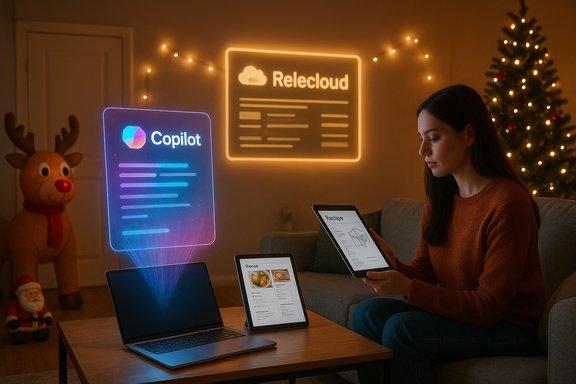
- A homeowner says, “Hey, Copilot — show me how to sync my holiday lights to my music.” The spot cuts to a web interface labeled Relecloud, Copilot narrates, and lights pulse to a recognizable indie rock track.
- Another vignette has someone display assembly instructions (IKEA‑style) while Copilot supposedly walks them through the steps.
- A cook asks Copilot to “convert this recipe on my screen so it feeds 12,” and Copilot appears to scale ingredients and output a shopping list.
- A homeowner asks Copilot to read HOA guidelines to confirm whether an oversized inflatable reindeer crosses a property line; Copilot advises adjustments.
- The final moment is Santa asking why toy production is falling behind; Copilot quips about hot cocoa, a meta wink that underlines the ad’s theatrical framing.
The verification: what testers actually found
Independent testing replicated the ad’s prompts in two main modes: feeding Copilot screenshots (Copilot Vision) and presenting fully configured, real apps (e.g., Philips Hue Sync). The reviewers’ findings fall into consistent patterns.Common failure modes
- Incorrect UI targeting and “phantom” highlights. Copilot’s on‑screen cursor sometimes claimed to highlight controls that were absent or misidentified visual elements (for example, labeling a color preset as an “Apply” button). That creates the illusion of agency without the outcome.
- Hallucinated buttons and controls. In tests with Philips Hue Sync, Copilot initially guided testers to correct tabs, then referenced buttons or zones that didn’t exist in the actual app. That kind of hallucination breaks trust quickly.
- Partial arithmetic and flaky document parsing. When asked to scale recipes or parse step‑by‑step instructions from manuals, Copilot often performed a couple of calculations, then stalled or misinterpreted step numbers and page cues. It misclassified dowels and screws in an IKEA manual example and misread on‑page step cues as pagination.
- Ambiguous legal/readability advice. Presented with an HOA‑style document and an image of an inflatable crossing a line, Copilot could find the clause about inflatables but hedged on whether an actual property‑line violation occurred — frequently deferring to user judgment rather than confidently asserting a rule or action. The HOA image in the ad reportedly looks AI‑generated and the document was created for the creative shoot.
Why the mismatch exists: a technical and UX primer
Several interlocking reasons explain why Copilot’s public behavior today can diverge from highly edited commercial clips.1. Multimodal perception is brittle
Vision models can be excellent on clean, curated images, but real screens and videos are noisy: small fonts, compressed frames, low contrast, overlapping UI elements, and application localization can all trip up OCR and object recognition. A model that identifies pixels isn’t the same as a model that understands application semantics. Ad demos pick clean inputs; users don’t.2. State blindness and conservative action
A responsible agent should check the system state before recommending changes. In practice, Copilot often suggests an action without verifying that the setting is already enabled or what the current selection is. That stems from a design tradeoff: Microsoft has been deliberately conservative about agentic capabilities that actually take actions on the system, gating many to preview workspaces and requiring explicit opt‑in. That safety posture avoids serious mistakes but leaves Copilot often pointing and explaining rather than doing.3. Latency and hardware fragmentation
Microsoft’s message of better on‑device reliability centers on Copilot+ PCs with NPUs rated at 40+ TOPS. Those NPUs enable lower‑latency local inference and some privacy benefits, but only a fraction of devices qualify, and even when hardware meets the spec, performance depends on memory bandwidth, thermal constraints, and model optimization. The result is a two‑tier reality: the marketing demo runs on well‑tuned hardware with curated inputs; many users run Copilot cloud‑backed or on underpowered devices and see slower, error‑prone responses.4. Composition and agent orchestration problems
Tasks like “sync lights to music” require bridging to third‑party devices and services (Philips Hue, Govee, etc.. In many ecosystems there’s no universal API, and Copilot’s ability to control external hardware from Windows remains limited and connector‑dependent. Where the ad implies direct, cross‑service orchestration, the reality is connector work, permission grants, and often absent integrations.What Microsoft says — and what remains verifiable
Microsoft maintains that the responses shown in the ad were real Copilot outputs captured during the creative session and trimmed for brevity. The company also documents Copilot+ hardware requirements and the 40+ TOPS NPU threshold across its Copilot+ pages and developer docs. Those hardware claims are factual and are corroborated by Microsoft’s own product pages and developer guidance. At the same time, several elements of the ad were produced for the commercial — the Relecloud interface and certain document images were created by the production team — and Microsoft confirmed that creative assets were modeled after references rather than being real third‑party interfaces. The use of Relecloud is consistent with Microsoft’s long‑standing practice of using fictional company names like Contoso and Relecloud in documentation and reference implementations. That fact is verifiable within Microsoft’s own documentation. Where caution is required: statements that hinge on a single short social clip or a one‑off tester’s reproduction should be treated as indicative rather than dispositive. The broader pattern, however — repeated reports of inconsistent Copilot Vision and action reliability — is corroborated by multiple independent outlets and community tests.Strengths and where Copilot genuinely helps
It’s not all negative. Copilot’s multimodal concept — voice + vision + conversational context — is fundamentally useful when it behaves as intended. Practical strengths include:- Natural language reduction of friction. Asking an assistant to summarize a long article, compare two product pages, or draft an email can be a real time‑saver.
- Accessibility potential. For users with mobility or vision constraints, an assistant that can narrate UI elements or read a recipe aloud is valuable even with imperfect accuracy.
- On‑device privacy wins on Copilot+ hardware. Where local NPUs can run models on device, that reduces cloud roundtrips and can improve latency and data privacy for some tasks. Microsoft’s Copilot+ documentation lays out those benefits and the 40+ TOPS threshold.
- Iterative preview model. Microsoft’s staged approach — previews, Copilot Labs, and Insiders builds — gives the company feedback loops to refine features before broad rollout. That pragmatism can limit catastrophic misbehavior while enabling gradual capability growth.
Risks and unresolved governance questions
The holiday ad underlines several material risks that matter for consumers, enterprises, and regulators.- Expectation vs. reality erosion. Overpromising in marketing risks long‑term trust erosion. If an assistant fails trivial tasks after a user has been primed by an ad, that user is less likely to adopt the feature again. Multiple community threads documented a similar credibility gap and the social backlash that followed.
- Privacy and consent vectors. Vision capabilities require screen capture; agentic actions require connector access. Enterprises and privacy‑conscious users demand granular controls, visible session indicators, and logs of agent actions — areas where independent auditors and regulatory scrutiny are likely to focus.
- Two‑class device fragmentation. Locking the most seamless experiences behind Copilot+ hardware creates a fragment in which only buyers of premium devices get low‑latency, more private experiences while the rest of the installed base sees cloud‑backed, higher‑latency, and more inconsistent behavior. That could complicate support and adoption.
- Liability for automated actions. When agents act (or fail to act) on behalf of users — for instance, advising a homeowner that an inflatable is compliant when it’s not — liability lines blur. Enterprises will demand auditability and clear contractual protections for connectors and agent behavior.
Practical guidance: what users and IT teams should do now
- Treat Copilot as an assistant, not an oracle. Use it for brainstorming, summarization, and guidance — verify system settings, legal questions, and hardware control steps manually before acting.
- Limit Vision and Actions to test contexts first. Try Copilot Vision on non‑sensitive screenshots and only enable agentic abilities for benign tasks until you understand the assistant’s failure modes.
- For enterprises: define governance now. Establish which Copilot modalities are permitted (Voice, Vision, Actions), require explicit connector vetting, and insist on logs and audit trails for agent activity. Pilot in controlled groups before enterprise‑wide rollout.
- If privacy matters, prioritize Copilot+ hardware where possible. On‑device inference reduces cloud exposure and latency, but weigh that against costs and compatibility tradeoffs. Microsoft’s documentation spells out the Copilot+ benefits and hardware guidance.
- Keep Windows support timelines in mind. Windows 10 reached end of support on October 14, 2025; users and IT teams weighing Copilot adoption should factor that into migration and hardware upgrade plans.
How Microsoft could close the gap between ad and reality
- Publish reproducible technical claims. Advertise features with short reproducible tests or a “what this feature does today” matrix so customers can verify capabilities against their own setups. That would reduce perceived puffery.
- Be explicit about staged demos. If product footage uses created assets or scripted states, label them in promotional materials. Transparency reduces backlash and legal risk.
- Invest in robust UI affordance detection. Improve the bridge between pixel recognition and application semantics so Copilot can reliably identify UI state before recommending actions.
- Offer clearer, granular controls and logs. Visible session indicators, easy revocation of connector permissions, and retained logs of agent actions will ease enterprise adoption and regulatory concerns.
- Improve fallbacks and graceful degradation. When Copilot is uncertain, it should offer verified next steps (e.g., “I can’t confirm this automatically — here’s how to check securely”) rather than speculative assertions.
Broader product and reputational implications
The Copilot holiday ad is more than a single marketing miscue; it’s a revealing stress test of a productization strategy that elevates expectation‑setting to a corporate priority. Microsoft is attempting an ambitious platform transformation: to make the PC an agentic assistant that proactively helps. That’s a worthy aim, but advertising that leap without commensurate, widely accessible reliability invites skepticism and, potentially, regulatory attention. Community threads and repeat reports show that the issue is not merely about a single misfired clip — it’s about how marketing, engineering, and governance must align around measurable, testable claims.At the same time, the underlying technology direction — multimodal AI, on‑device inference, and agentic workflows — is a natural next step for productivity computing. The right execution would reduce friction for many users and deliver real accessibility gains. The question for Microsoft is whether it can shift from spectacle to consistent, verifiable value.
Conclusion
Microsoft’s holiday ad for Copilot is an effective piece of storytelling: warm, aspirational, and designed to normalize talking to your PC around the dinner table. But the spot also exposes a delicate truth about modern AI product marketing — the story you tell matters as much as the capability you ship. When polished ads show assistants finishing tasks that the product itself struggles to execute reliably, the reaction will be skepticism and, sometimes, ridicule. To move beyond that gap, Microsoft needs three things in parallel: engineering focus on robustness, clear and honest messaging about current limits, and governance guardrails that protect user trust.For Windows users and IT professionals, the practical takeaway is straightforward: explore Copilot’s capabilities with curiosity but hold product claims to the same empirical bar you’d apply to any other system utility. Enable Copilot features where they add clear value, but verify actions that affect settings, safety, or legal compliance. If Microsoft can close the reliability gap and maintain transparent, testable messaging, Copilot could become a genuinely useful assistant; until then, the holiday magic shown on screen is often still just that — a well‑staged commercial moment rather than a universal, day‑to‑day reality.
Source: The Verge Microsoft’s holiday Copilot ad is wrapped in empty promises
